-
-
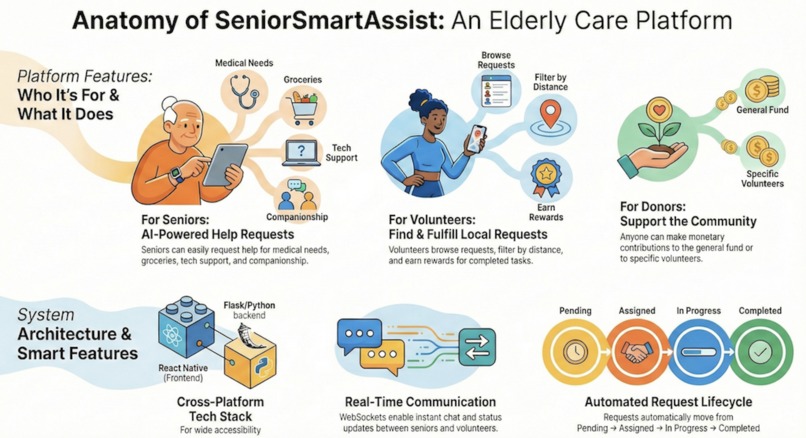
App-Intro
-
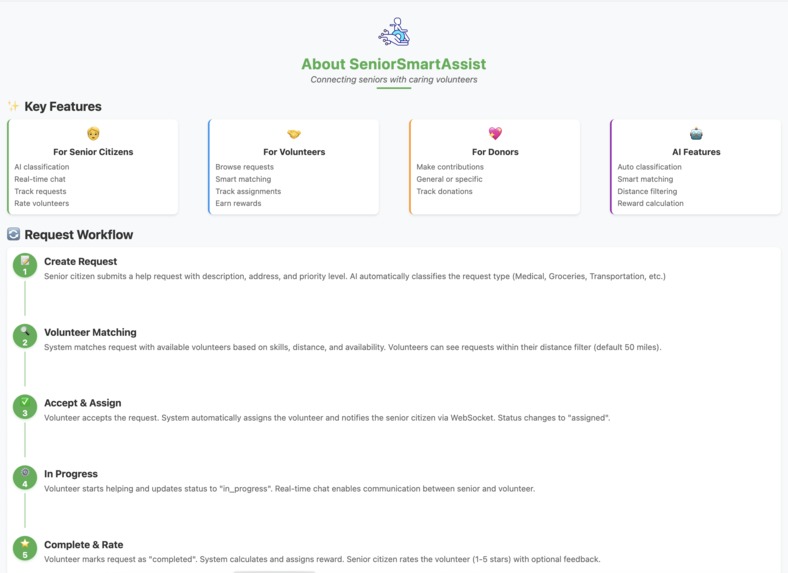
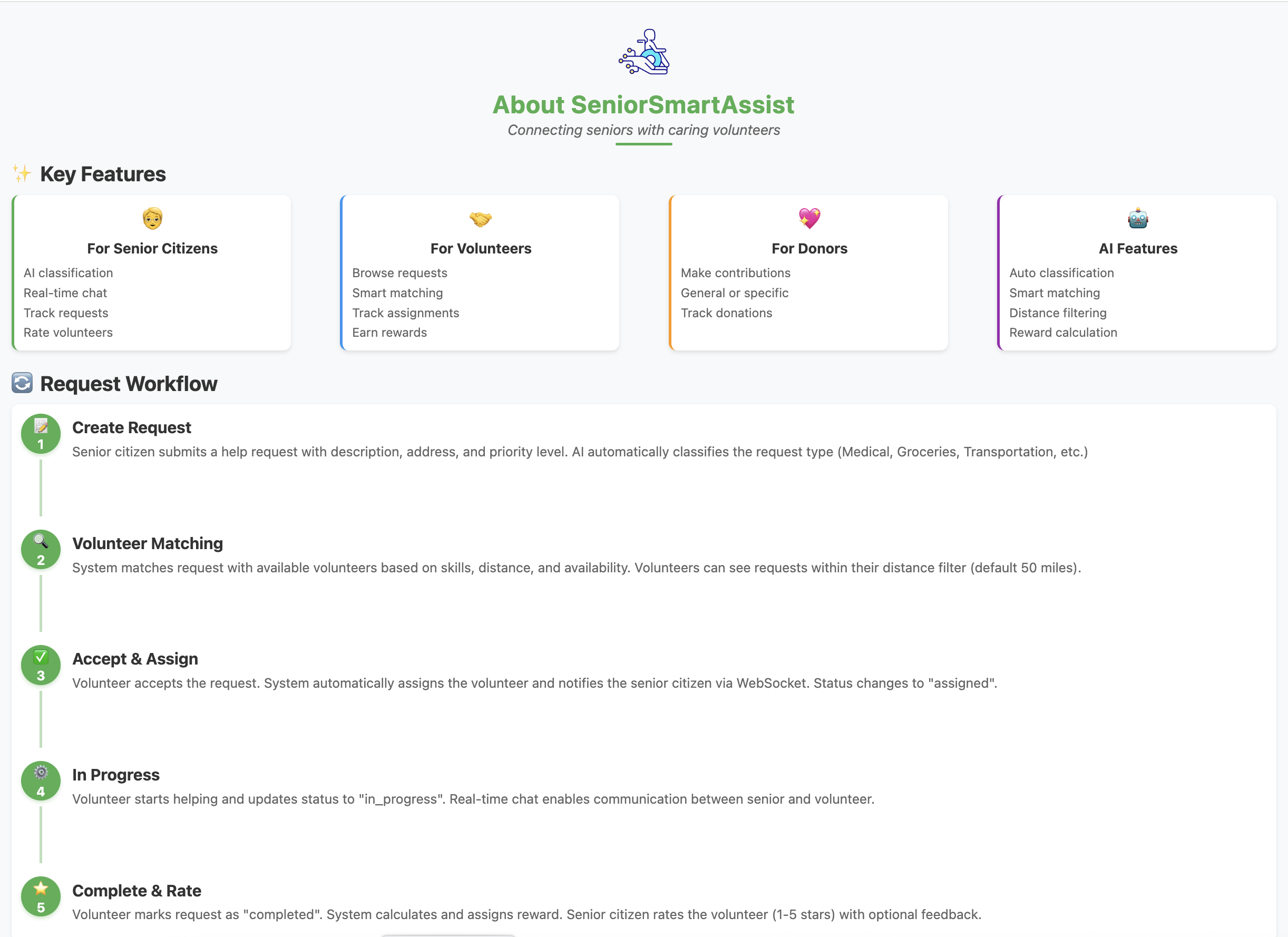
About App Page
-
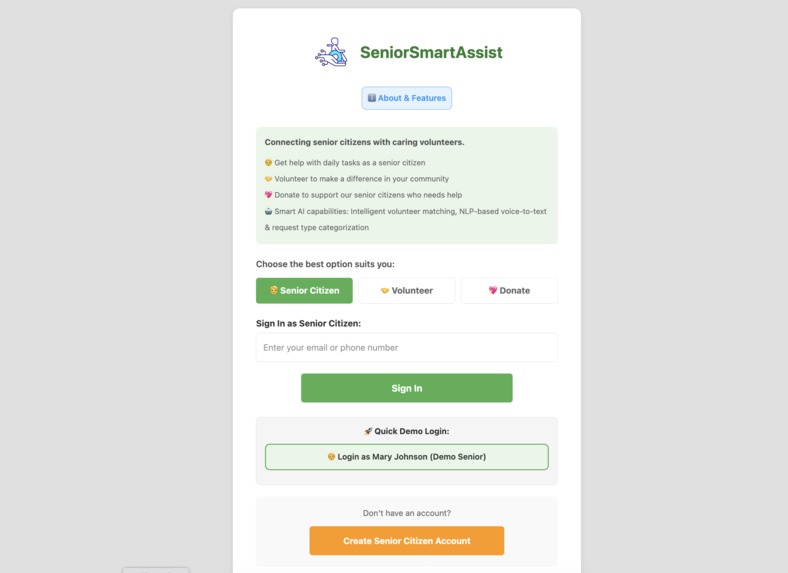
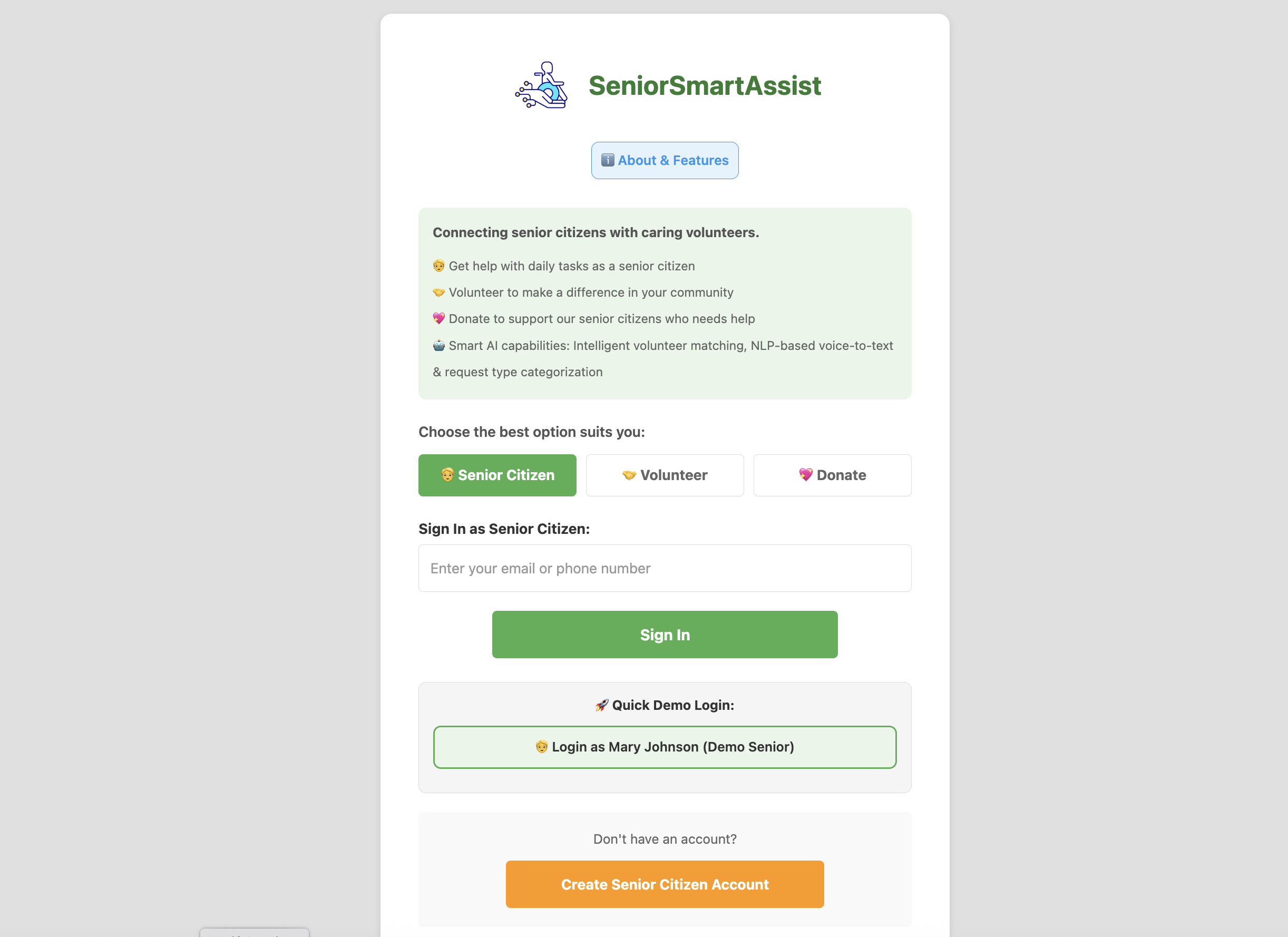
Sign In Page
-
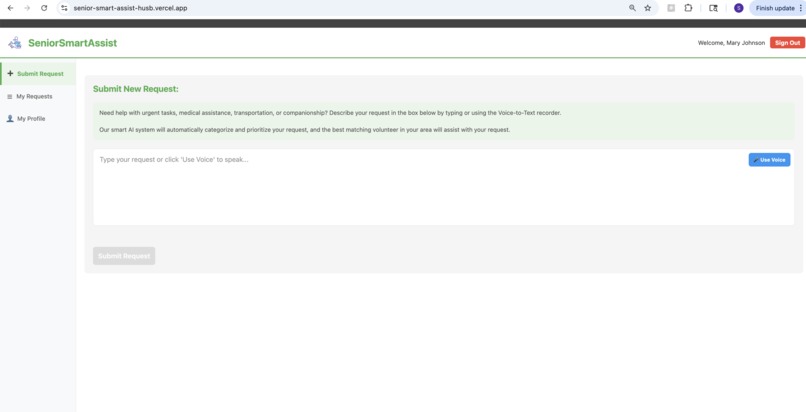
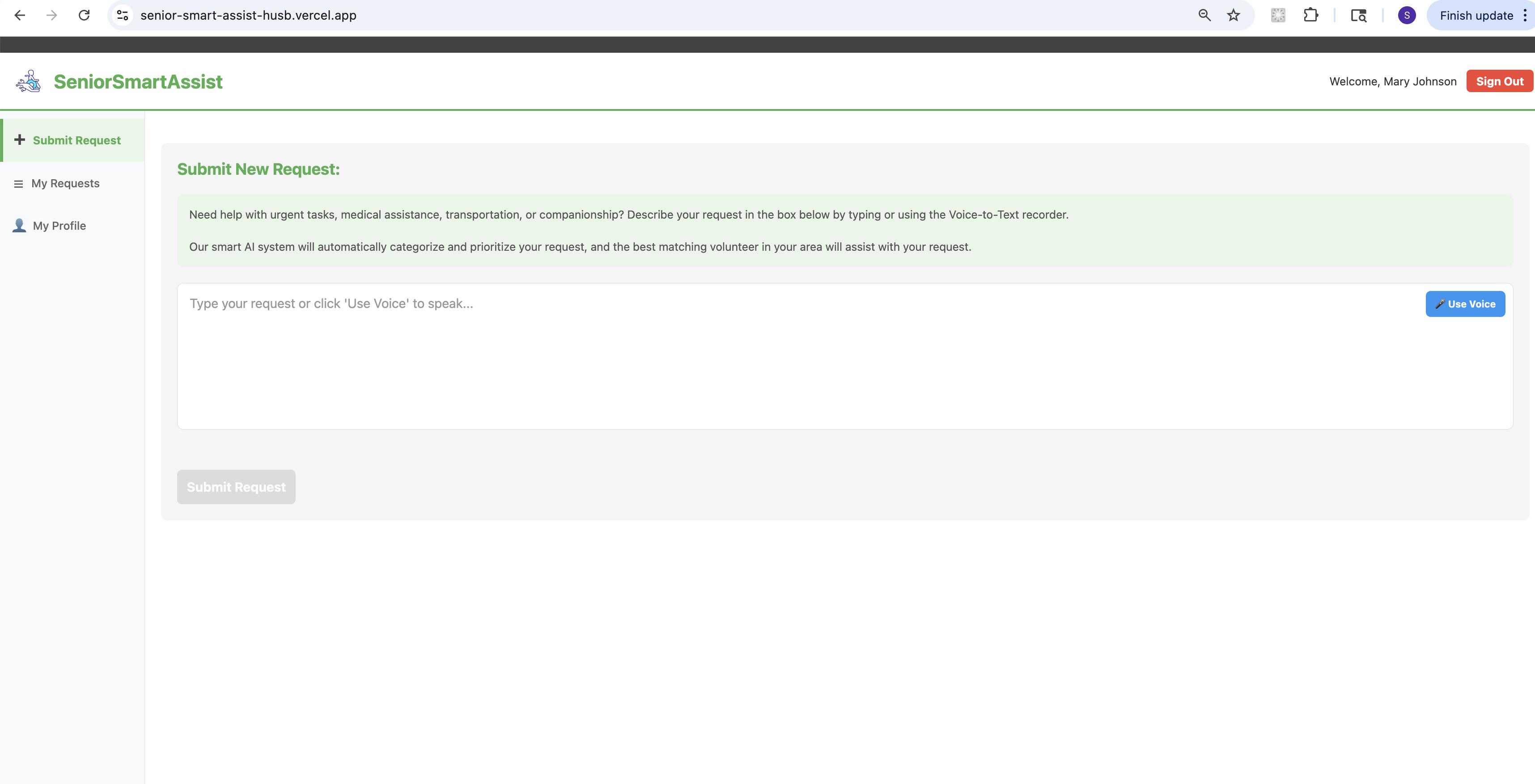
User - New Request Page
-
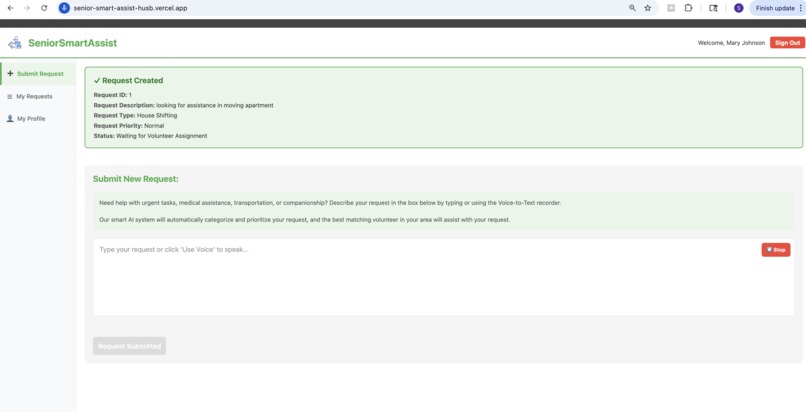
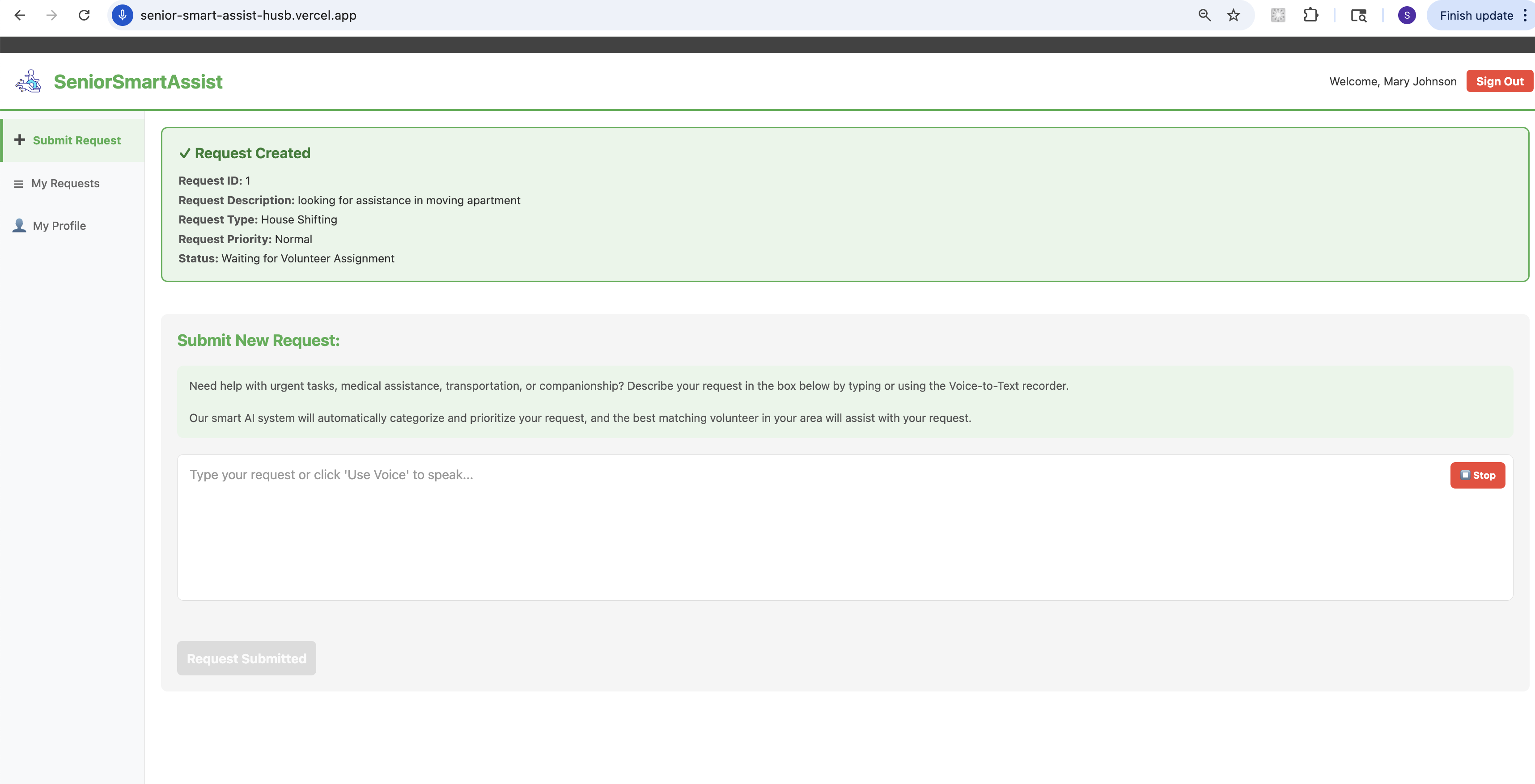
User - Request created
-
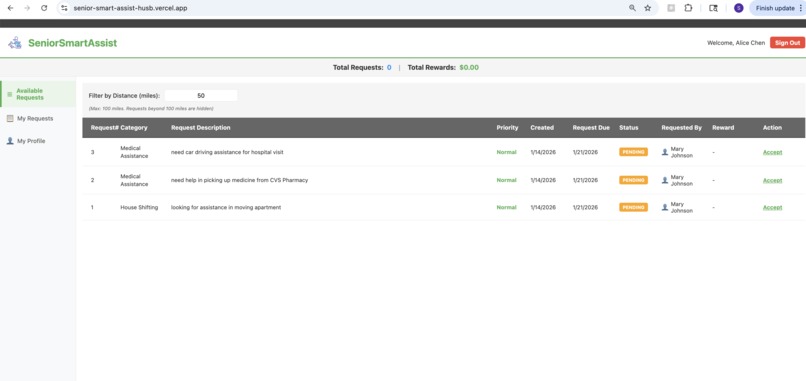
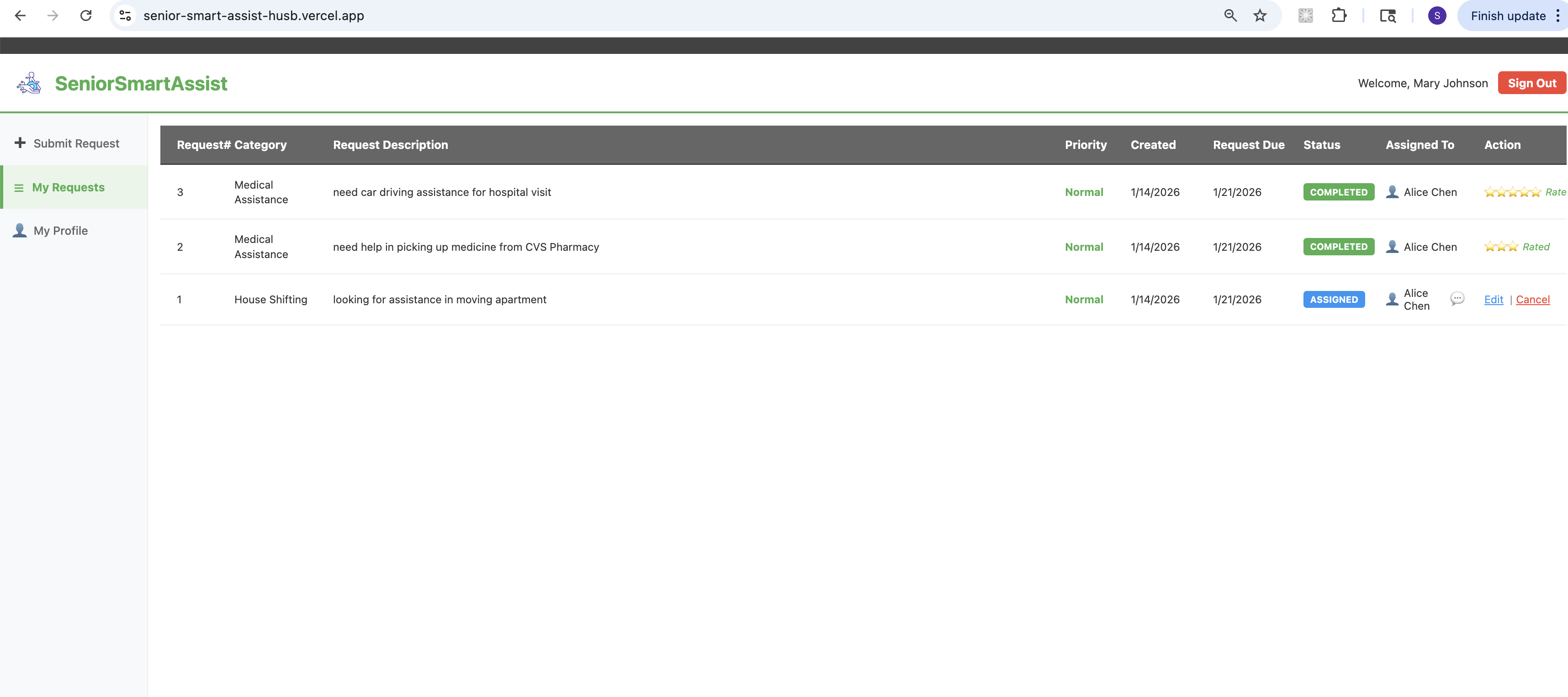
User Request History
-
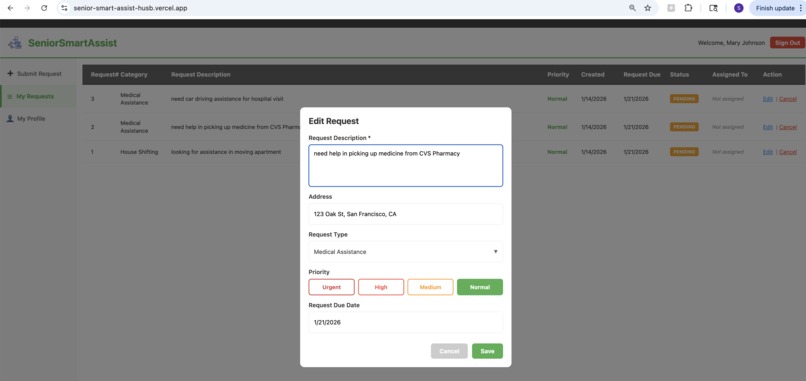
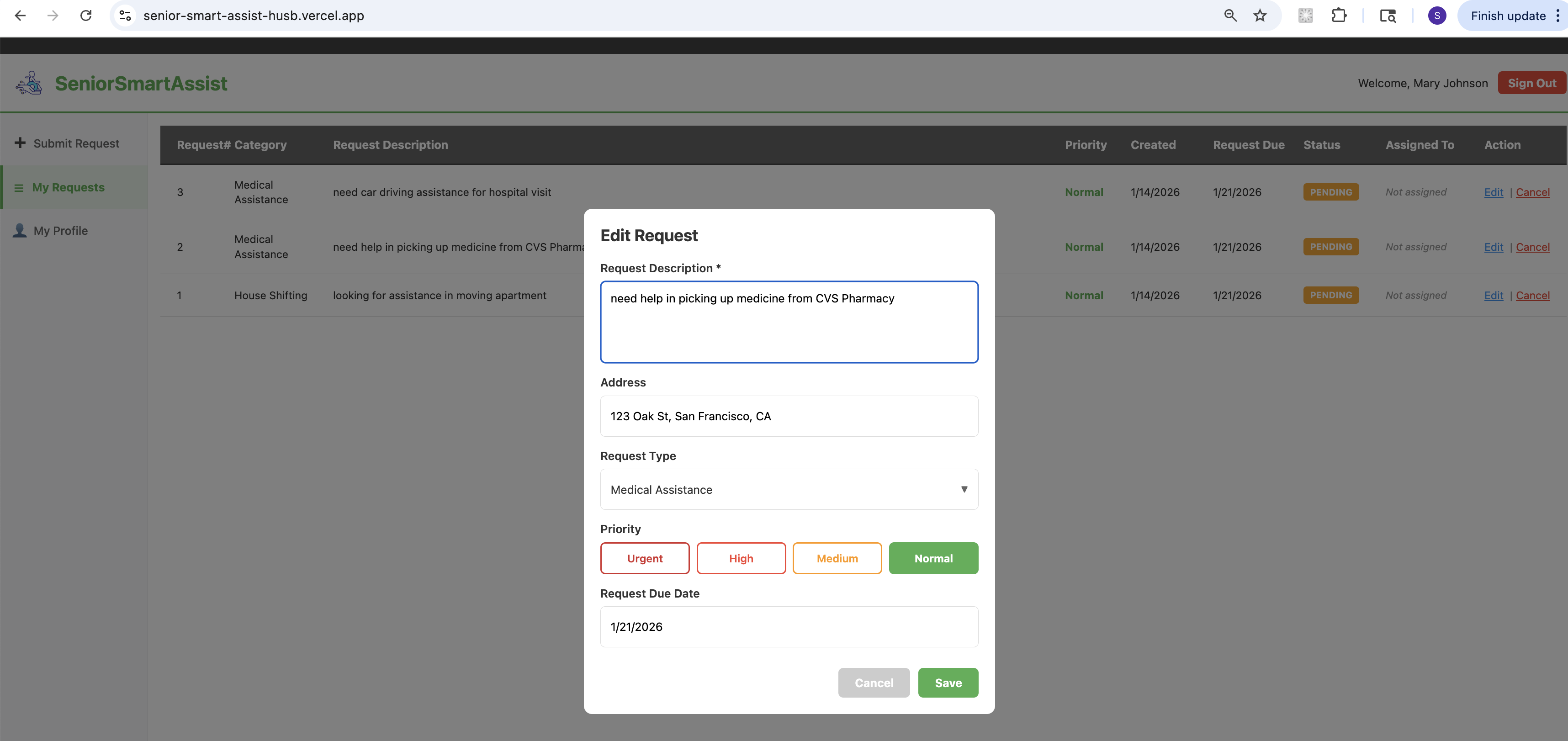
Edit Request
-
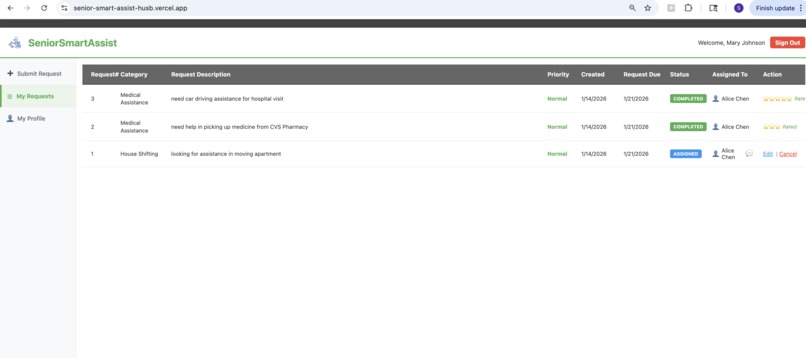
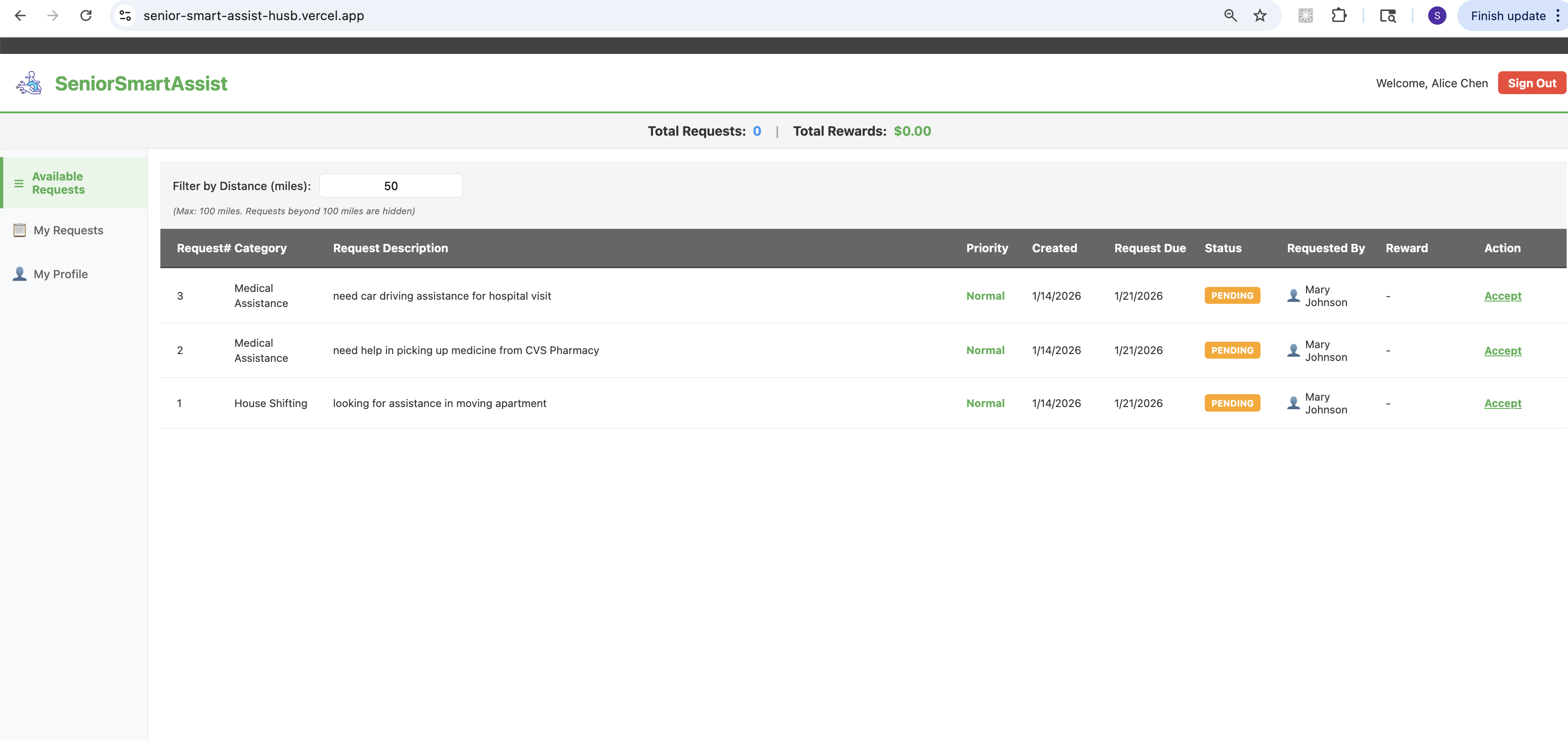
Volunteer - Requests
-
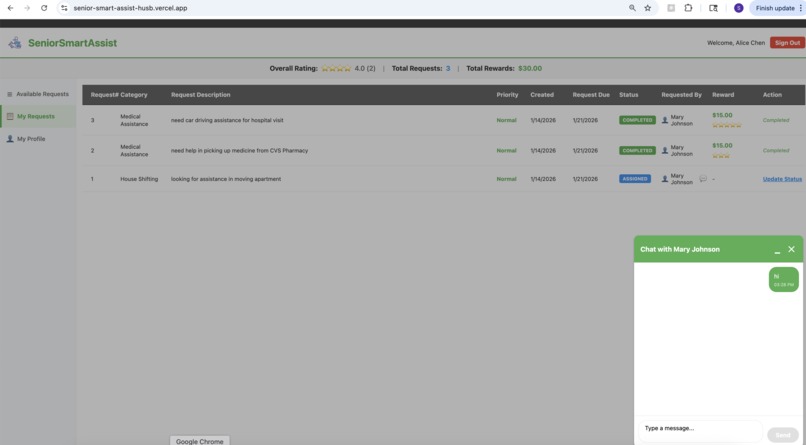
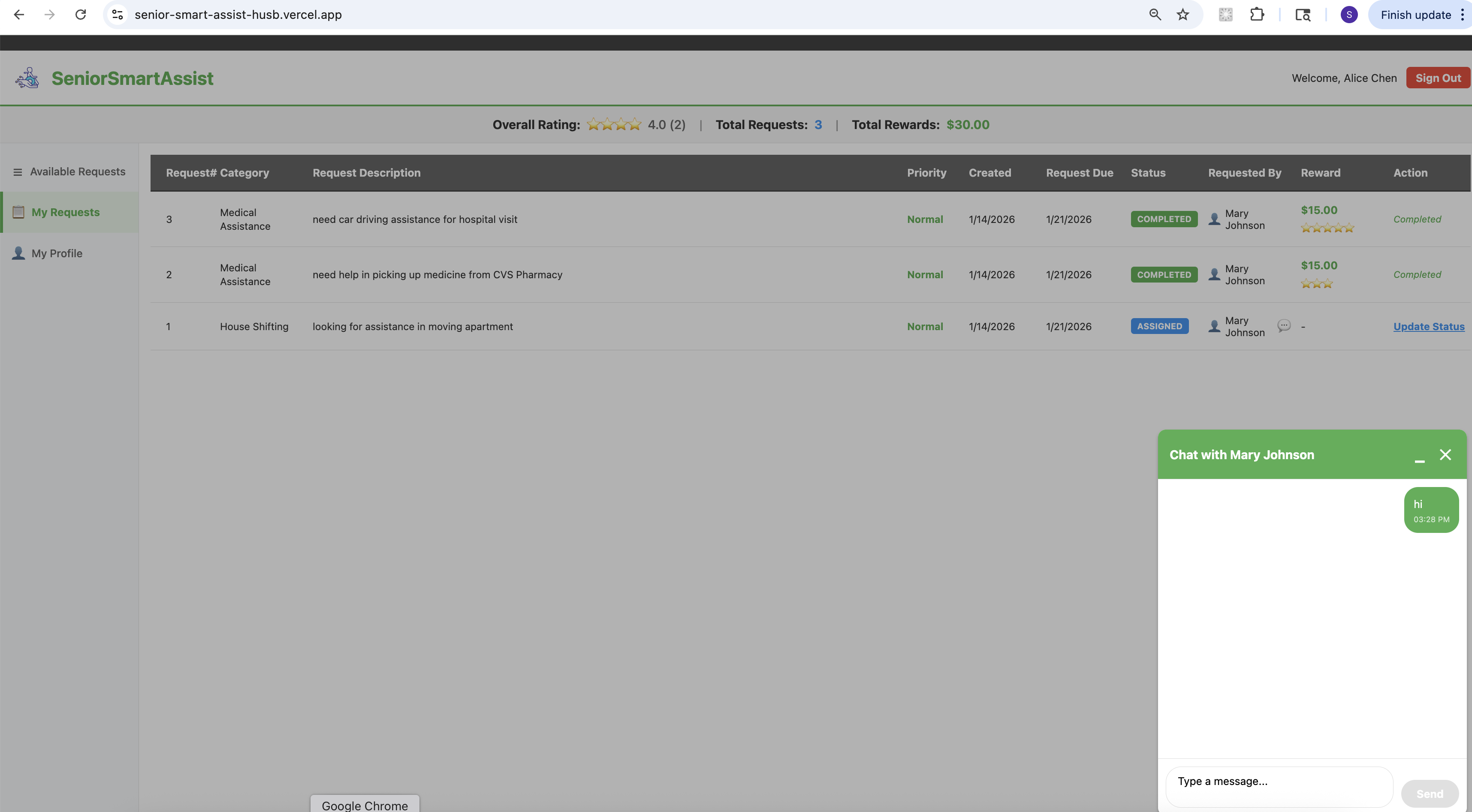
Volunter - Request History and Chat window
-
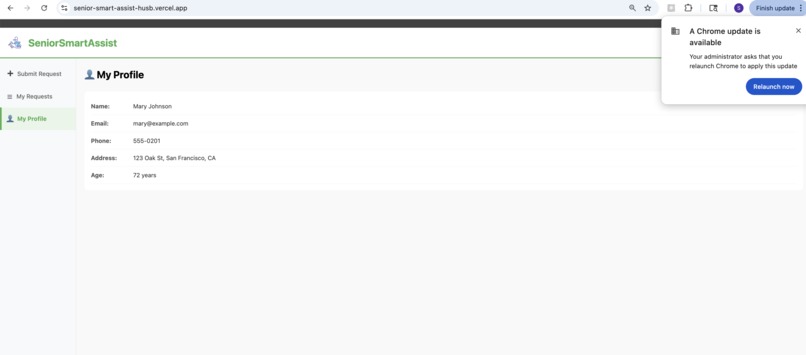
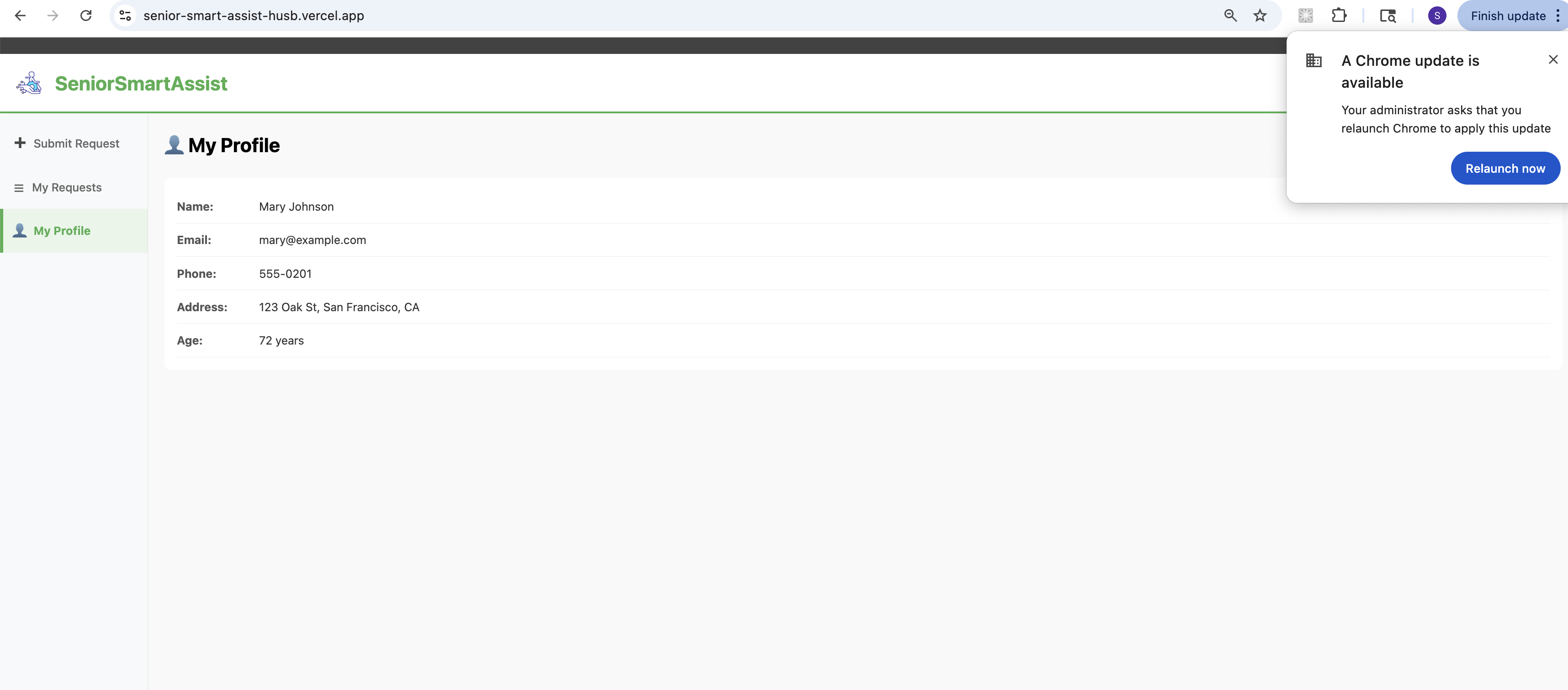
Profile Page
-
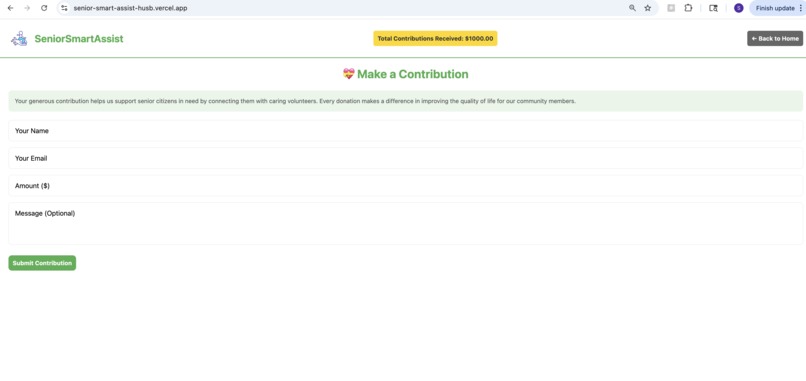
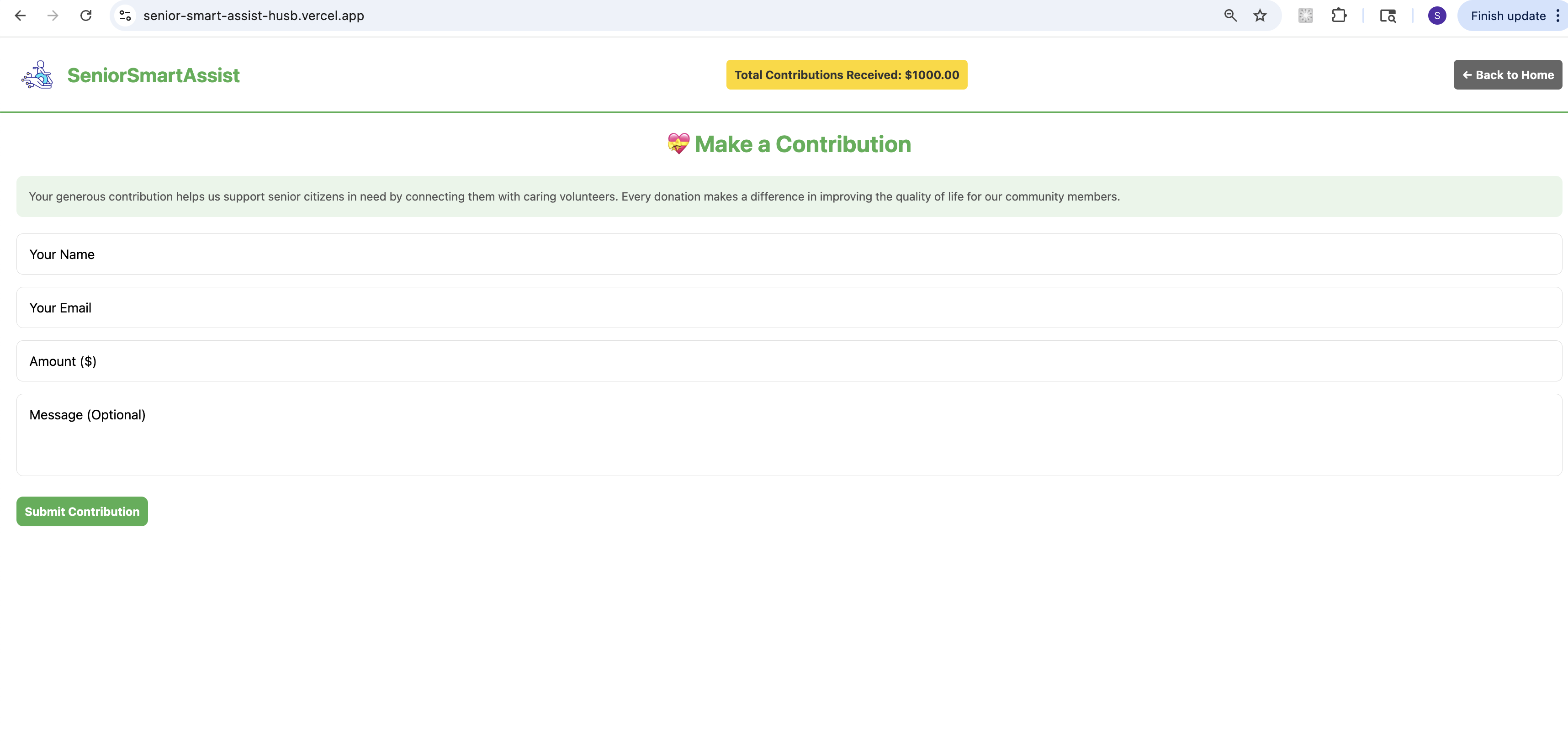
Contrubition Page
Inspiration
Senior Smart Assist was inspired by the growing need to support our aging population with accessible, technology-driven solutions. Many seniors face challenges with daily tasks, transportation, medical assistance, and companionship. We wanted to create a platform that connects seniors with compassionate volunteers in their community, making it easy to request help and receive support when needed.
The inspiration came from recognizing that:
- Many seniors live alone and need assistance with various tasks
- There are willing volunteers in communities who want to help
- Technology can bridge the gap between those who need help and those who can provide it
- A reward system can incentivize and recognize volunteer contributions
What it does
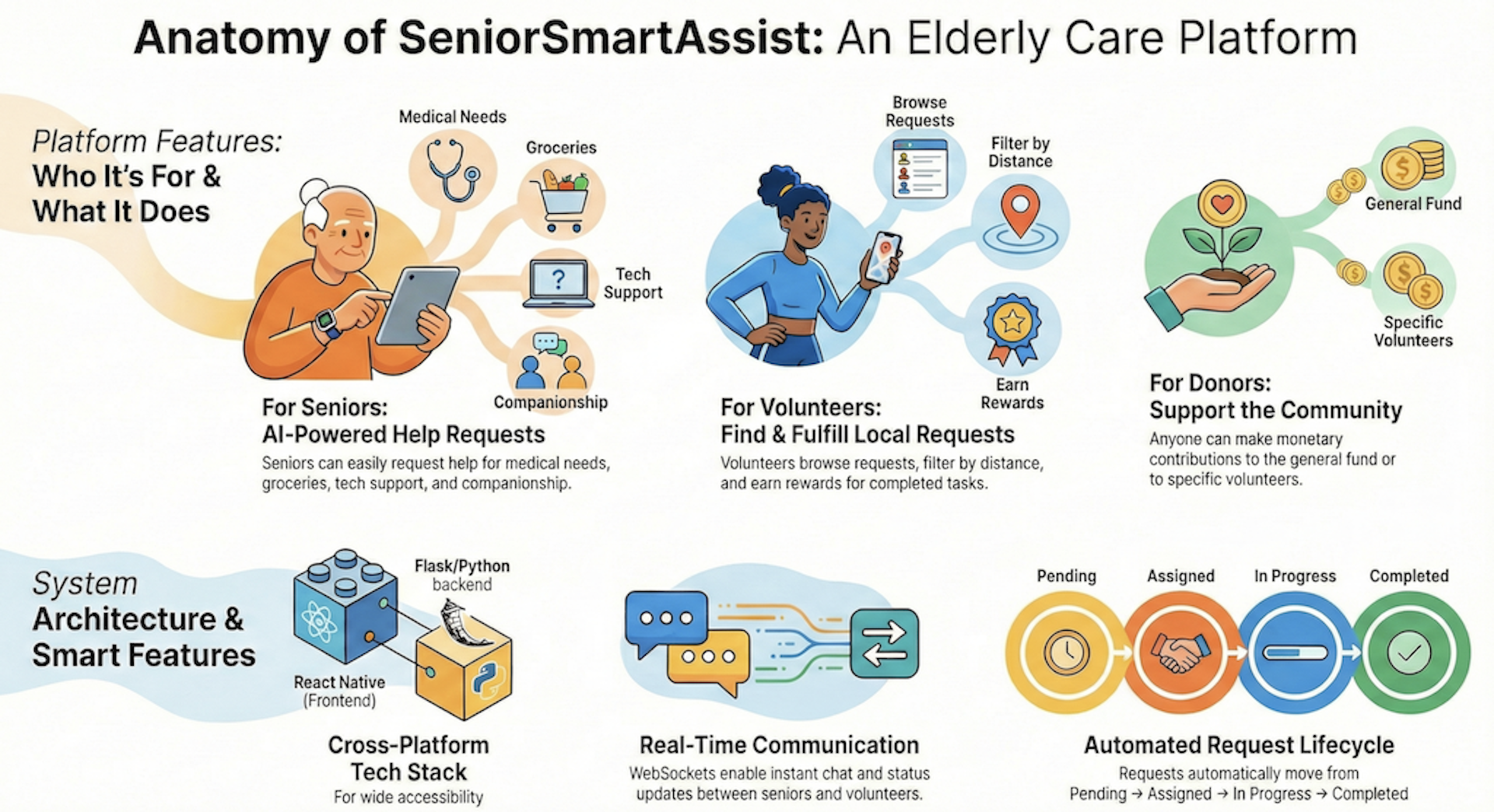
Senior Smart Assist is a comprehensive platform that connects senior citizens with volunteers in their community. The platform enables:
For Senior Citizens:
- Submit help requests for various needs (groceries, medical assistance, transportation, home maintenance, companionship, etc.)
- Track request status in real-time
- Communicate with assigned volunteers through in-app chat
- Rate and provide feedback on completed services
- Manage their profile and preferences
For Volunteers:
- Browse available requests in their area with distance filtering
- Accept requests that match their skills and availability
- Track their assigned and completed requests
- Earn rewards and ratings for their contributions
- View their overall rating and total rewards earned
- Manage their profile, skills, and availability
Key Features:
- AI-powered request type classification from natural language descriptions
- Intelligent volunteer matching based on skills, location, and availability
- Real-time chat communication between seniors and volunteers
- Distance-based filtering (up to 100 miles)
- Reward system with donation-based funding
- Rating and feedback system
- Responsive web interface with modern UI/UX
- Real-time updates via WebSocket connections
How we built it
Frontend:
- Technology Stack: React Native with Expo, TypeScript
- Navigation: React Navigation for seamless user experience
- State Management: React Hooks and Context API
- Styling: React Native StyleSheet with custom design system
- API Communication: Axios for REST API calls
- Real-time Communication: Socket.IO client for WebSocket connections
- Deployment: Vercel for web deployment
Backend:
- Technology Stack: Python Flask with Flask-SocketIO
- Database: PostgreSQL (production) / SQLite (development)
- ORM: SQLAlchemy for database management
- Real-time: Flask-SocketIO for WebSocket support
- API Design: RESTful API with proper error handling
- Location Services: Geopy for distance calculations
- Deployment: Railway with PostgreSQL database
Key Implementation Details:
- Modular architecture with separation of concerns
- Component-based frontend design for reusability
- Blueprint-based routing in Flask for organized API structure
- Environment-based configuration for different deployment environments
- CORS configuration for secure cross-origin requests
- Database migrations for schema management
- Comprehensive error handling and user feedback
Challenges we ran into
Deployment Configuration:
- Initially struggled with Expo Metro bundler vs Webpack configuration for Vercel deployment
- Resolved by using Metro bundler with single output mode
- Configured environment variables for production API URLs
Real-time Communication:
- WebSocket connection issues between frontend and backend
- Implemented proper connection handling and reconnection logic
- Configured CORS properly for WebSocket connections
Database Migration:
- Managing database schema changes during development
- Created migration scripts for smooth database updates
- Handled SQLite to PostgreSQL transition for production
Distance Calculation:
- Implementing accurate distance calculations between addresses
- Handling edge cases with missing or invalid addresses
- Optimizing distance queries for performance
Reward System:
- Ensuring rewards are only created when sufficient donation balance exists
- Implementing proper reward calculation based on request complexity
- Displaying real-time reward updates in the UI
UI/UX Design:
- Creating an intuitive interface for users of all technical levels
- Implementing responsive design for different screen sizes
- Ensuring accessibility and ease of use for seniors
Accomplishments that we're proud of
Complete Full-Stack Application:
- Successfully built and deployed both frontend and backend
- Integrated real-time communication features
- Implemented a comprehensive reward and rating system
User Experience:
- Created an intuitive, modern interface that's easy to navigate
- Implemented smooth animations and transitions
- Designed a responsive layout that works on various devices
Technical Excellence:
- Clean, maintainable codebase with proper separation of concerns
- Comprehensive error handling and user feedback
- Efficient database queries and API design
- Proper environment configuration for different deployment stages
Feature Completeness:
- All core features implemented and working
- Real-time updates and notifications
- Distance-based filtering and matching
- Complete user management and profile system
Deployment Success:
- Successfully deployed backend to Railway with PostgreSQL
- Successfully deployed frontend to Vercel
- Configured proper CORS and environment variables
- Ensured secure communication between services
What we learned
Expo and React Native:
- Deepened understanding of Expo SDK and its capabilities
- Learned about Metro bundler vs Webpack for different deployment scenarios
- Gained experience with React Navigation for complex app flows
Backend Development:
- Improved Flask application architecture and best practices
- Learned about WebSocket implementation with Flask-SocketIO
- Gained experience with PostgreSQL and database migrations
Deployment:
- Learned about Railway deployment and configuration
- Gained experience with Vercel deployment for Expo apps
- Understood the importance of environment variables and CORS configuration
Real-time Systems:
- Implemented WebSocket connections for real-time updates
- Learned about connection management and error handling
- Gained experience with Socket.IO client-server communication
User Experience Design:
- Focused on creating intuitive interfaces for all user types
- Learned about accessibility considerations for senior users
- Gained experience with responsive design principles
Project Management:
- Learned to prioritize features and manage scope
- Gained experience with iterative development and testing
- Understood the importance of proper error handling and user feedback
What's next for Senior Smart Assist
Mobile Applications:
- Develop native iOS and Android apps using Expo
- Implement push notifications for request updates
- Add location services for automatic address detection
Enhanced Features:
- Implement scheduling system for recurring requests
- Add video call functionality for virtual assistance
- Create volunteer scheduling and availability calendar
- Implement request templates for common needs
AI Improvements:
- Enhance request classification with machine learning
- Implement predictive matching for better volunteer-request pairing
- Add natural language processing for better request understanding
- Implement sentiment analysis for feedback
Safety and Security:
- Add background checks for volunteers
- Implement two-factor authentication
- Add emergency contact features
- Create incident reporting system
Community Features:
- Add volunteer groups and teams
- Implement community leaderboards
- Create volunteer training and certification programs
- Add social features for building community connections
Analytics and Insights:
- Dashboard for administrators
- Usage analytics and reporting
- Trend analysis for request types
- Performance metrics for volunteers
Integration:
- Integrate with healthcare systems for medical requests
- Connect with local service providers
- Add payment processing for donations
- Integrate with transportation services
Accessibility:
- Voice commands and screen reader support
- Multi-language support
- Large text and high contrast modes
- Simplified interface option for less tech-savvy users
Scalability:
- Optimize database queries for larger datasets
- Implement caching strategies
- Add load balancing for high traffic
- Scale infrastructure for multiple regions
Partnerships:
- Partner with senior care organizations
- Collaborate with community centers
- Work with healthcare providers
- Establish relationships with local businesses


Log in or sign up for Devpost to join the conversation.