-
-
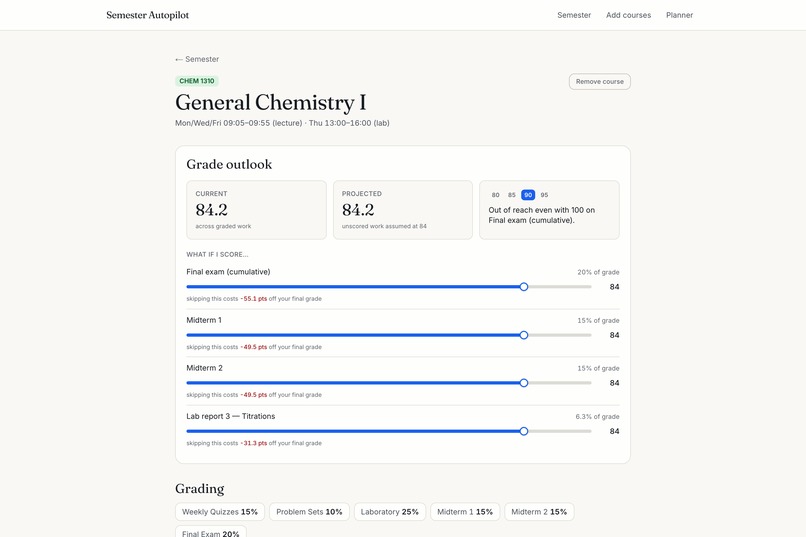
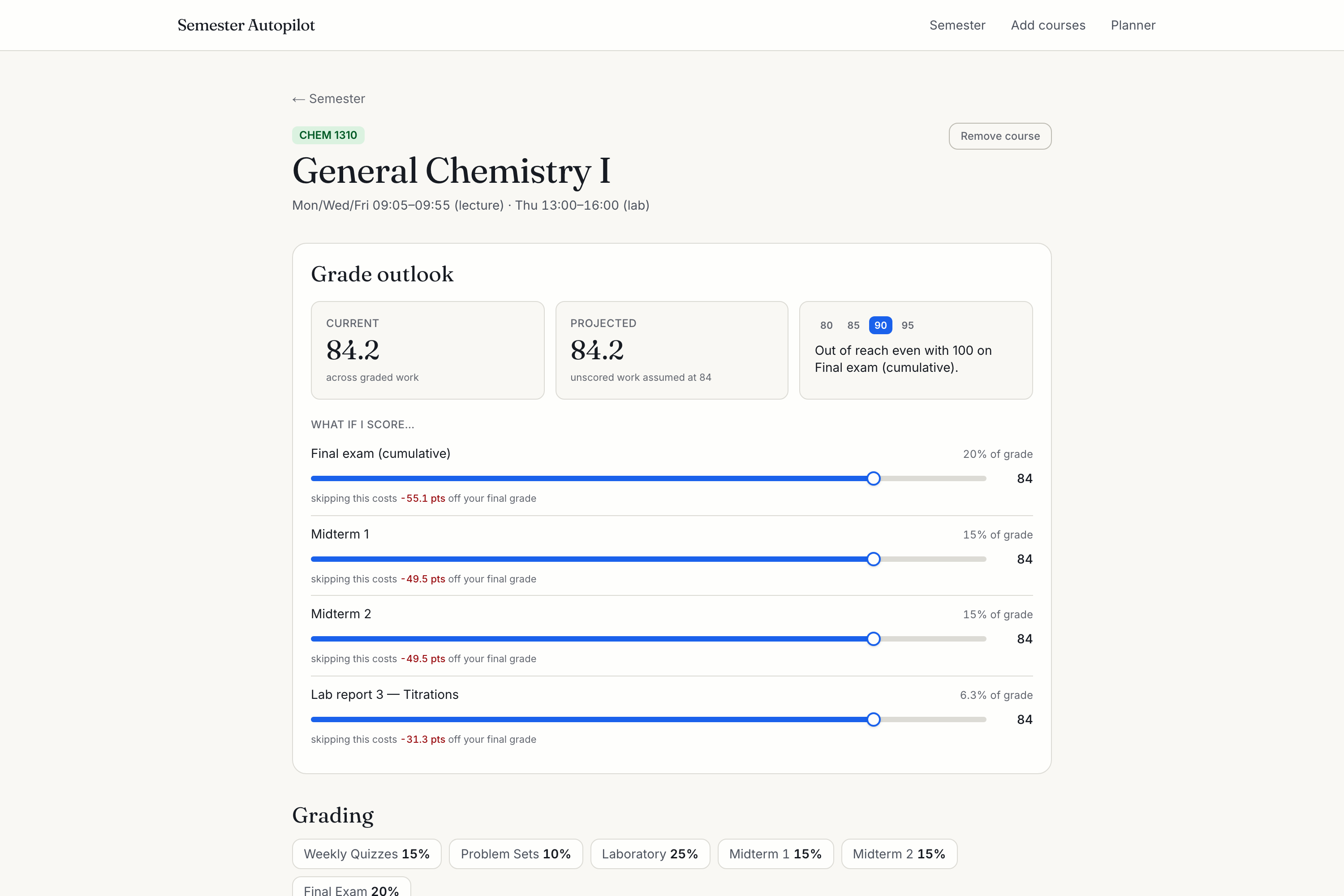
What do I need on the final for a 90? Weight-aware projections, the true cost of skipping, and honest secured / out-of-reach answers.
-
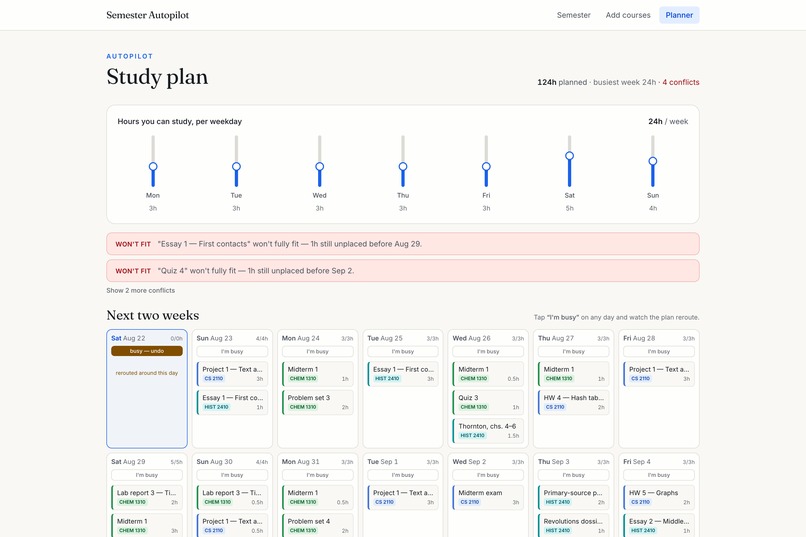
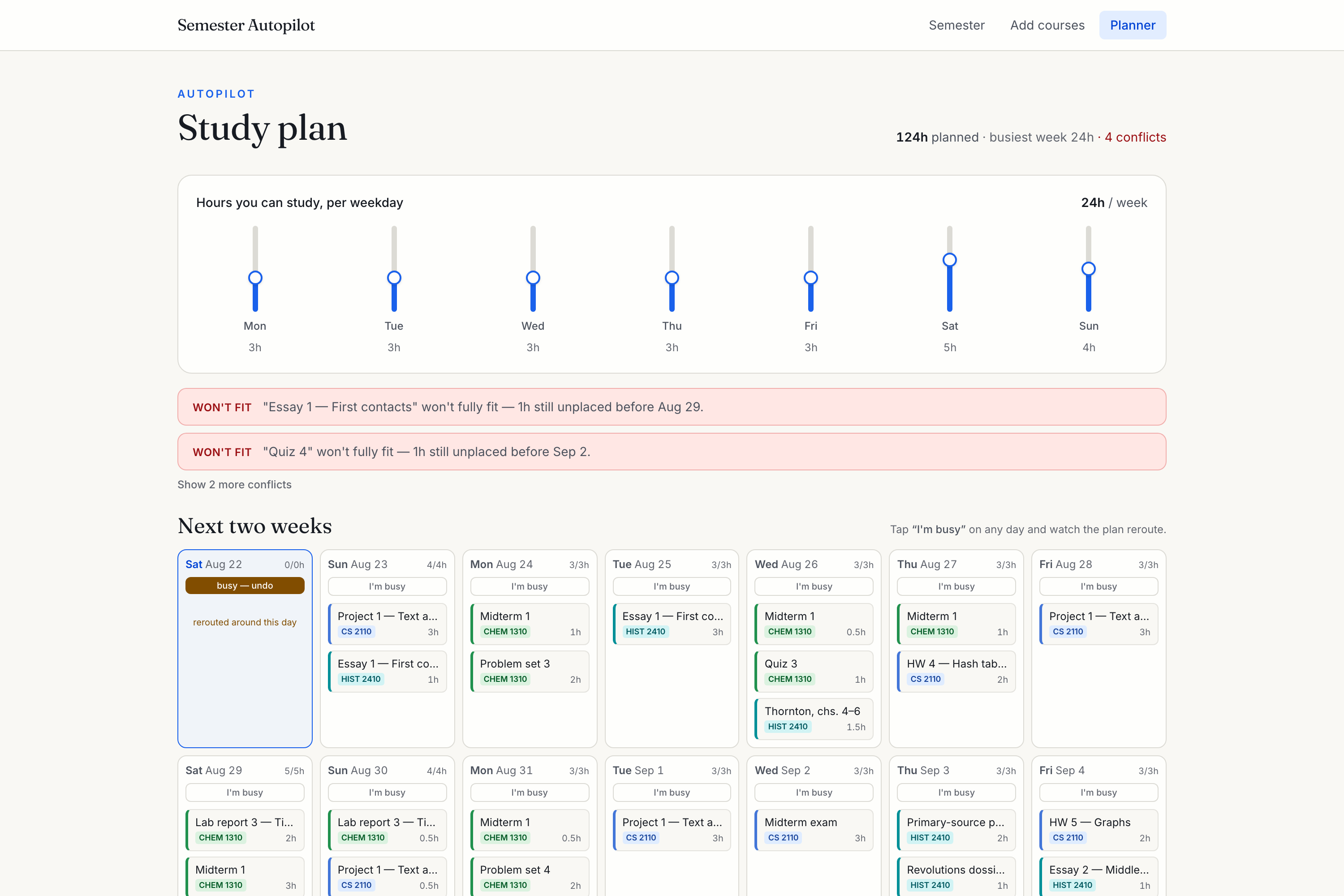
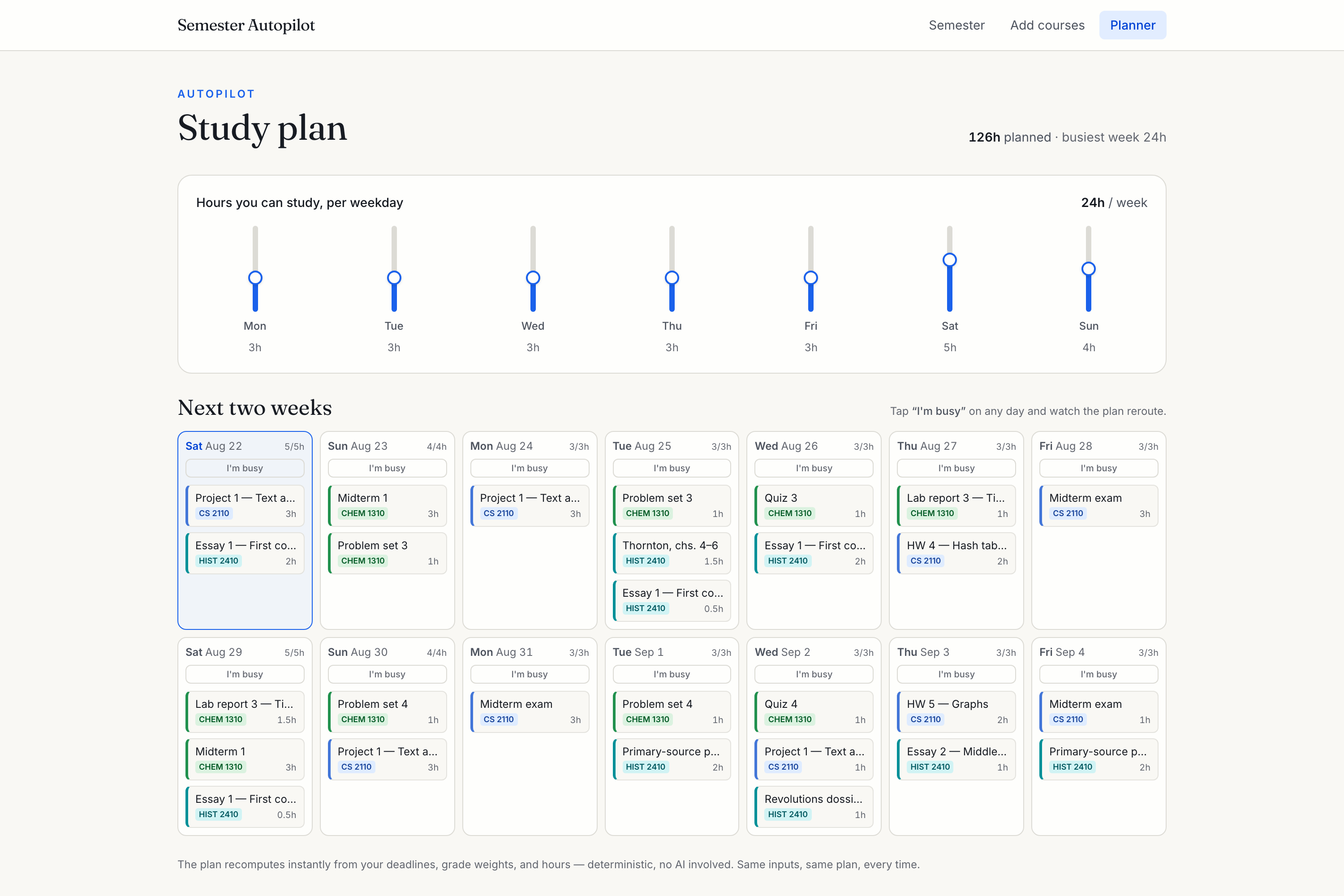
Tap "I'm busy" and the plan reroutes around that day — then says in plain language what no longer fits, instead of overbooking you.
-
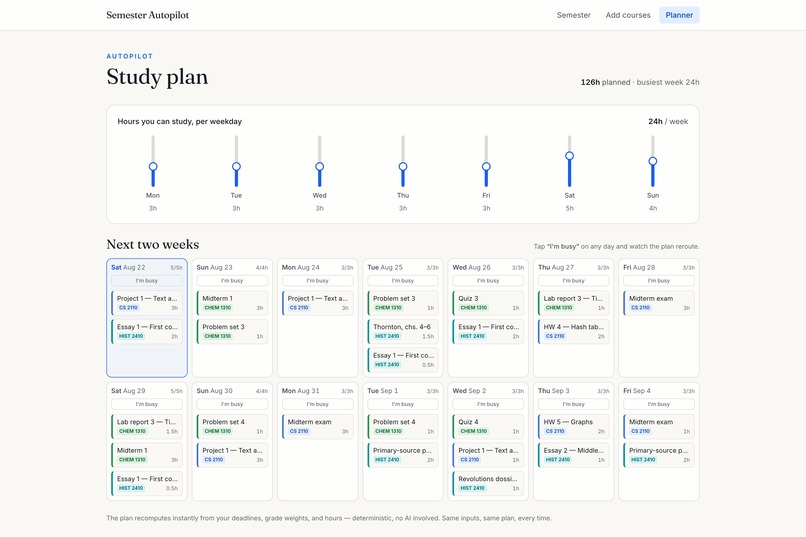
Set the hours you can actually study; Autopilot spreads the work by grade weight and urgency, capped per day so nothing gets crammed.
-
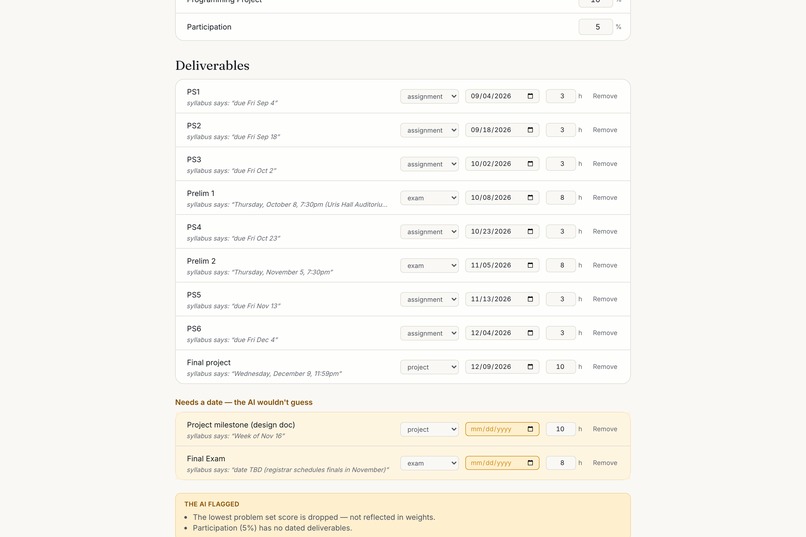
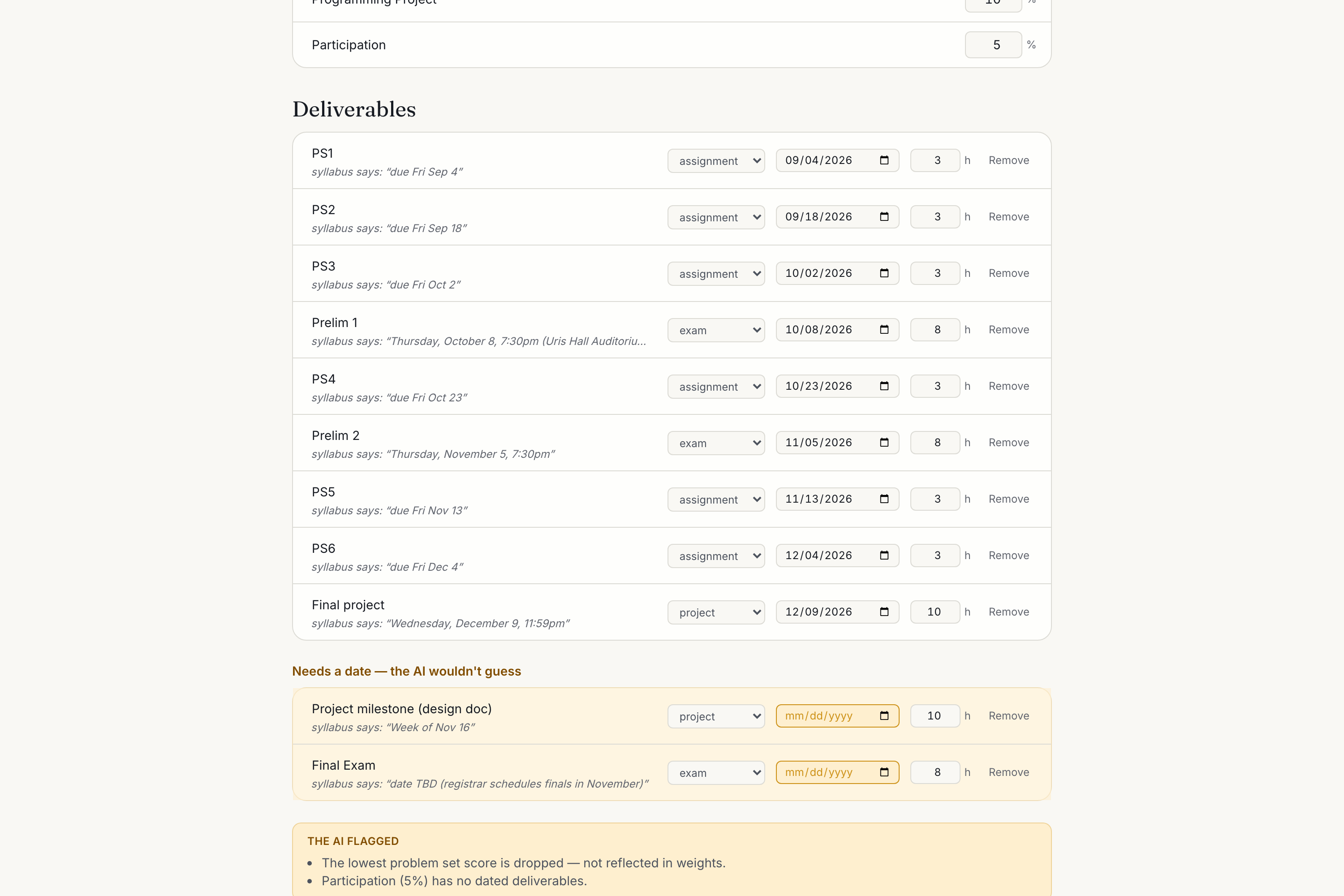
The AI is forbidden from guessing: "Week of Nov 16" and "date TBD" come back flagged with the original wording, waiting for your call.
-
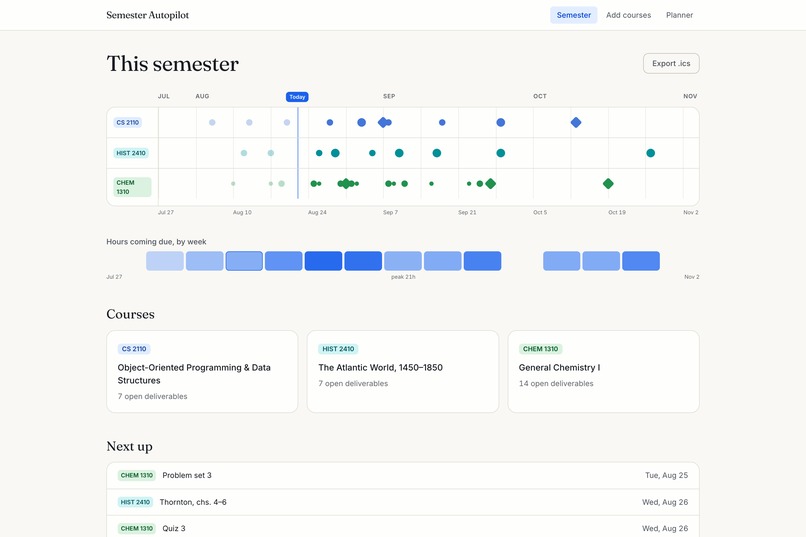
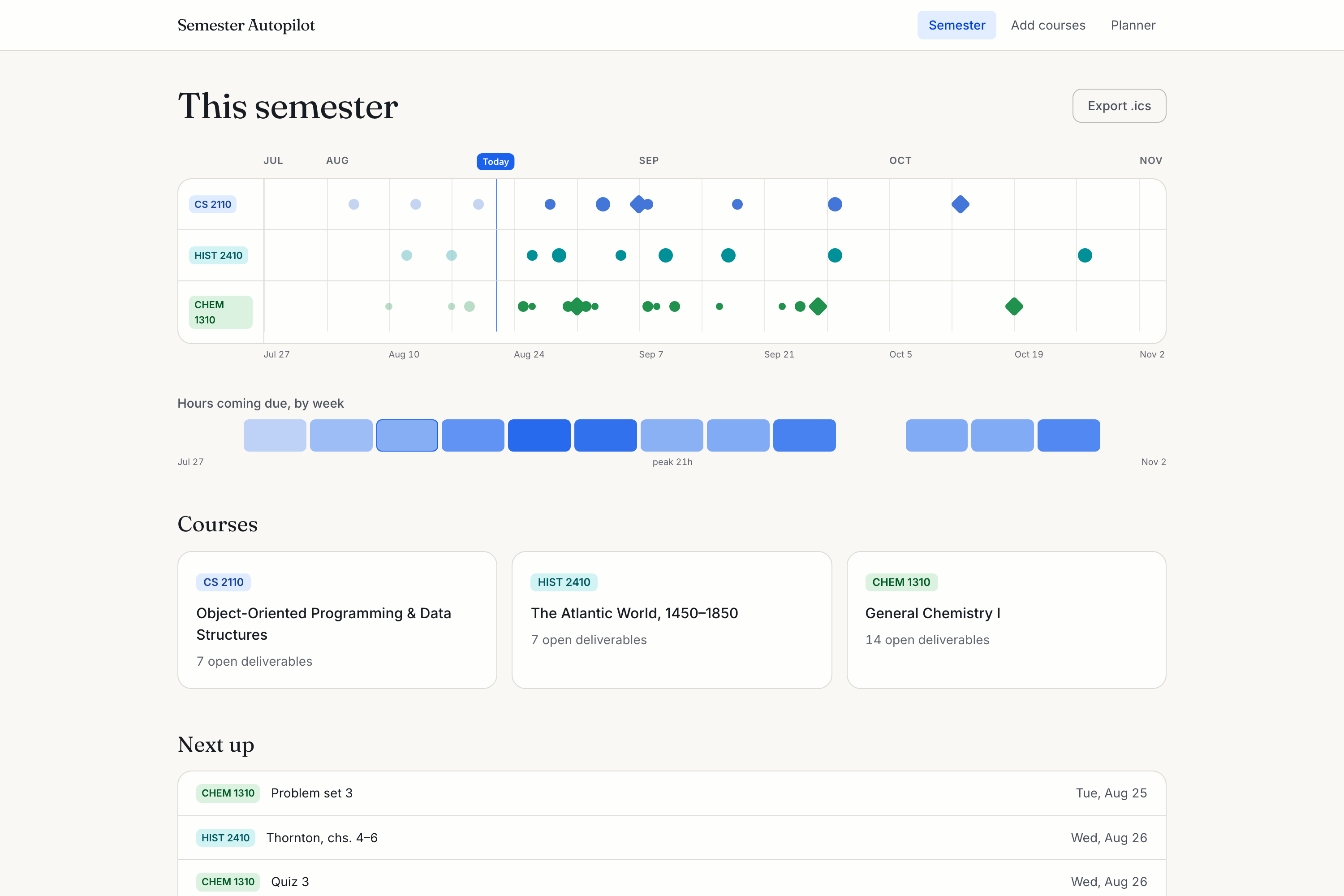
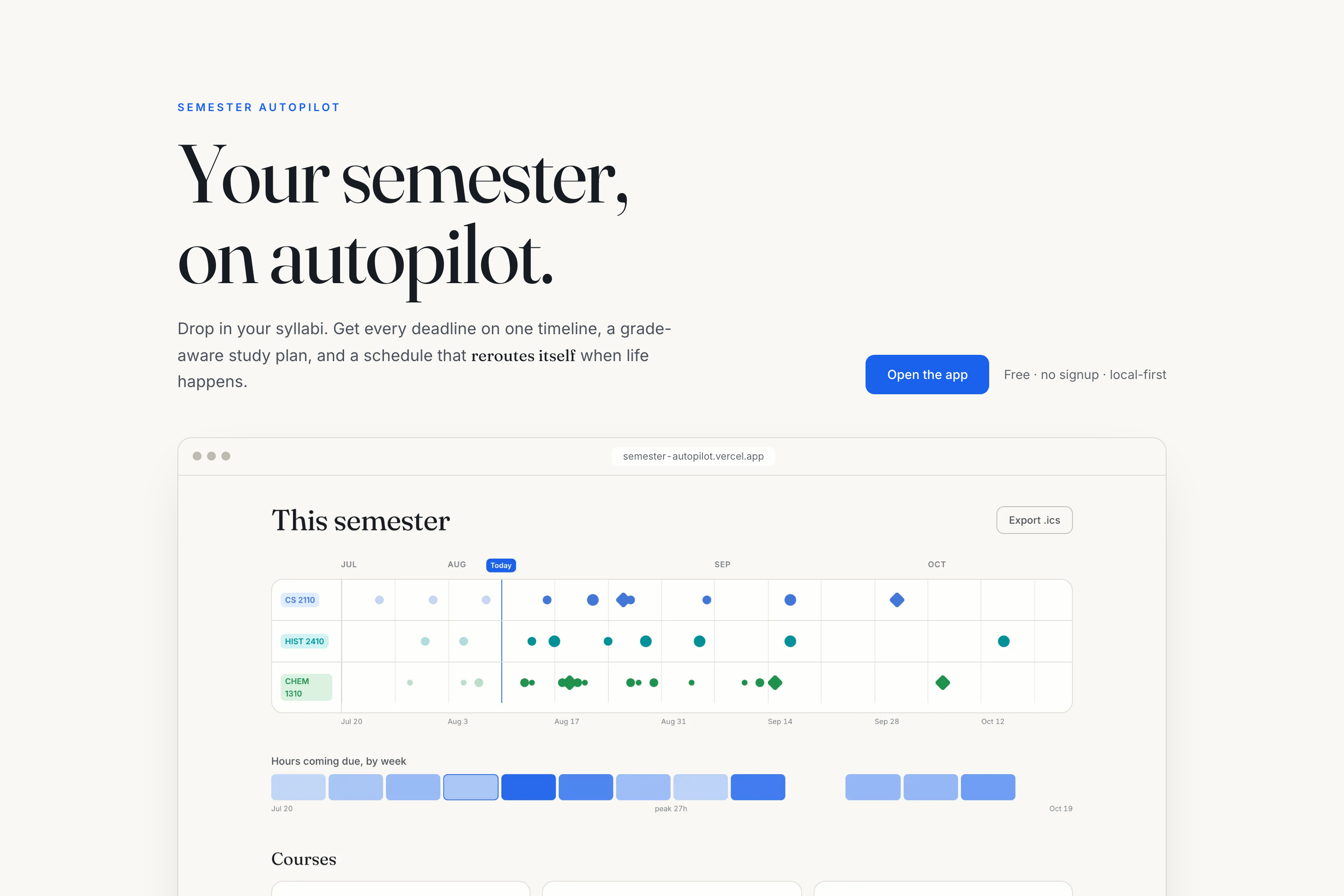
Every course on one timeline — each deadline sized by its real share of your grade, exams as diamonds, plus a heatmap of the brutal weeks.
-
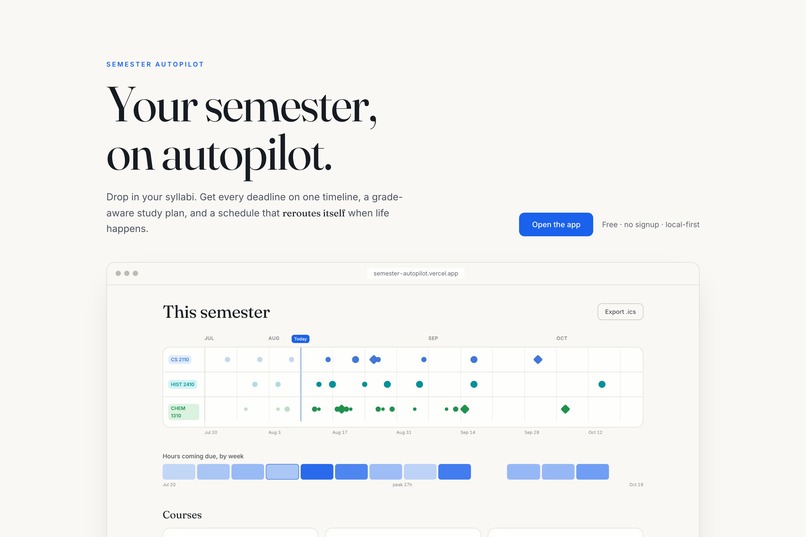
No signup, no database. Open the live link, hit "Try with demo data," and a full three-course semester appears in about ten seconds.
Inspiration
Every semester starts the same way: four to six syllabus PDFs, an evening of hand-copying deadlines into a calendar, and the quiet certainty that one got missed. Then the calendar answers the wrong question. It tells you when things are due — never what to work on today, or what you actually need on the final.
I wanted the missing layer: a planner that understands grade weights, respects the hours you really have, and — like GPS — recalculates without drama when life happens.
What it does
Drop in a syllabus: a PDF, pasted text, or a public course-page link. A language model drafts every deadline, grading weight, and meeting time — but it is forbidden from guessing. Anything ambiguous ("Week of Nov 16", "Final exam: TBD") comes back flagged, with the verbatim syllabus wording beside it, and nothing enters your semester until you approve the row.
From there, everything is deterministic:
- One timeline across all your courses, every deadline sized by its real share of your grade (exams render as diamonds), plus a heatmap of the weeks that are going to hurt.
- Calendar export — one click to
.ics, as all-day events that import cleanly into Google and Apple Calendar. - The Autopilot planner — tell it the hours you can actually study, and it spreads the work by grade weight and urgency, capped per day so nothing gets crammed. Tap "I'm busy" on any day and the plan visibly reroutes around it. When something genuinely no longer fits, it says so in plain language instead of silently overbooking you.
- Grade what-if — "what do I need on the final for a 90?", the true cost of skipping a quiz, and honest already-secured / out-of-reach answers.
No account. No database. Your data lives in your browser, exports as JSON, and the planner works offline.
How we built it
Next.js 16 (App Router), TypeScript, Tailwind v4, deployed on Vercel. The entire server surface is two stateless routes — /api/extract and /api/scrape — which exist only to keep API keys off the client.
The organizing bet: AI only where its mistakes are reviewable; deterministic code everywhere the user acts on the output.
- Extraction uses the Vercel AI SDK's
generateObjectwith a zod schema against any OpenAI-compatible endpoint. Three environment variables swap providers — the extraction in the demo video runs on a free Llama 3.1 model on my own laptop via Ollama, fully offline. Per-row confidence and the verbatim source text are part of the schema itself, so the honesty is structural rather than a nice-to-have. - The scheduler is pure TypeScript over integer half-hours, so floating-point drift is impossible by construction. Each task gets a release window by type, an importance derived from its real grade weight, and an urgency of work remaining ÷ hours still available before its deadline — so anything running out of runway automatically takes priority. Rerouting isn't an incremental patch: it's a full recompute in under a millisecond, with stable block keys so the interface can animate the difference.
- Calendar export writes all-day
VALUE=DATEevents, which carry no timezone at all — deleting an entire class of bugs. - Firecrawl powers the course-page URL import.
Challenges we ran into
The honest ones were all found by testing the deployed product, not the code:
- Every timeline tick rendered transparent in production. Tailwind v4 prunes
@themevariables that no compiled utility references — and the course colors are applied through inline styles it cannot see. Local dev looked perfect; production looked empty. - The extraction path was broken while 500 tests were green. AI SDK v7 moved system prompts out of
messagesand into aninstructionsoption. It throws before any network call, and mock mode returned earlier, so nothing caught it until a real model finally hit the route. - Exiting animation cards became permanent zombies —
AnimatePresence popLayoutsilently requires custom children to forward refs, or the exit never completes. - The demo data buried judges in 16 red conflict banners before they saw anything work. That's a product bug, not a code bug. I retuned the workload and locked it with a test asserting the demo stays presentable whichever weekday someone clicks it.
- The first cut of the demo video narrated motion it never showed. An independent review pixel-compared frames four seconds apart inside my "watch it reroute" moment and found them identical — I had shipped a still image with a voiceover saying "Watch." There was also no cursor on screen while the narration said "I tap."
Accomplishments that we're proud of
- 514 unit tests, run twice — once under
America/Chicagoand once underPacific/Kiritimati(UTC+14). A calendar app that breaks at UTC+14 is broken. - The scheduler holds 100% line coverage, including 100 seeded random semesters asserting real invariants: no day over capacity, every block inside its window,
placed + shortfall = estimatefor every task, and byte-identical reruns. - 54 end-to-end runs (18 Playwright specs across Chromium, Firefox, and WebKit) against production builds — including corrupt-
localStoragerecovery and a zero critical/serious axe accessibility gate on six surfaces, with WCAG AA contrast enforced at the design-token level. - A demo anyone can experience in ten seconds: the sample semester is generated relative to today, so the live link always lands mid-semester with real history behind it — even if every API is down.
What we learned
Confine AI to where its mistakes are reviewable, then spend the saved complexity on determinism everywhere else. Trust turns out to be a feature: "the AI tells you what it wasn't sure about" became the thing I most wanted to demo.
And test the deployed artifact, not the build. Four of my worst bugs — including one that made the product look broken to every single visitor — were completely invisible to a green local test suite. The same lesson applied to the video: I only found the frozen "reroute" because something re-examined the finished file instead of trusting the plan that produced it.
What's next for Semester Autopilot
- Share links for study groups, and multi-semester archives.
- Subscribable iCal feeds, so plans keep updating in your calendar instead of being exported once.
- OCR for scanned syllabi (today they're detected and refused with guidance).
- PWA packaging for a true offline install.
All of it is additive on the local-first core — and the reason that's realistic is the cost structure. Static hosting plus two stateless routes, no database, and an AI layer that speaks to any OpenAI-compatible model including a free local one. It costs essentially nothing to keep running, and it's MIT licensed, so it can outlive the hackathon.
AI disclosure: runtime AI is limited to reading syllabi, always behind a human review table. The codebase itself was built with AI pair-programming assistance; every line is reviewed, typed, linted, and covered by the test suite described above.
Built With
- axe-core
- firecrawl
- github-actions
- ics
- llama
- motion
- next.js
- node.js
- ollama
- pdf.js
- playwright
- radix-ui
- react
- tailwindcss
- typescript
- vercel
- vercel-ai-sdk
- vitest
- zod
- zustand

Log in or sign up for Devpost to join the conversation.