
Inspiration
The inspiration for this project came from the frustration of navigating large amounts of text on websites. We wanted to create a tool that goes beyond traditional Ctrl + F searches by providing semantic search capabilities. The idea of leveraging the Gemini model to fetch contextually relevant information made this an exciting and challenging project.
What it does
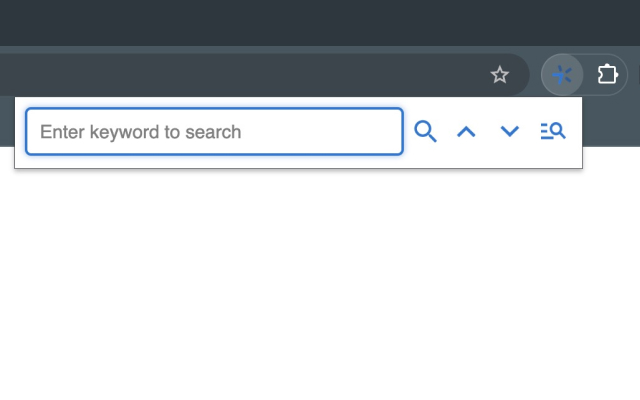
- Performs semantic keyword searches using the Gemini API, retrieving relevant content from websites.
- Provides highlighting and auto-jump functionality to navigate results efficiently.
- Allows users to toggle between semantic search and exact match search for more precise control.
- Offers keyboard shortcuts (Cmd + Shift + Y for Mac, Ctrl + Shift + Y for Windows) to quickly activate the extension.
How we built it
- Core Features:
- Integrated the Gemini model to process user-provided keywords and extract related website content.
- Used the mark.js library to implement dynamic keyword highlighting and auto-jump functionality.
- User Interface:
- Built an intuitive popup UI using HTML and CSS for easy interaction.
- Added toggle options for switching between semantic and exact match modes.
- Optimization:
- Bundled the project with webpack for efficient performance and loading.
- Cached API results to minimize redundant calls.
- Testing:
- Tested the extension across various websites to ensure accuracy and performance.
Challenges we ran into
- Semantic Search Integration: Understanding and properly implementing the Gemini API for contextual searches was initially complex.
- Performance Optimization: Large websites caused performance bottlenecks when rendering highlights. We solved this by optimizing DOM manipulations and API calls.
- Cross-Platform Shortcuts: Ensuring consistent behavior for keyboard shortcuts across Mac and Windows required careful debugging.
- UI/UX Design: Designing a simple yet powerful interface that accommodates semantic search without overwhelming the user was a key challenge.
What we learned
- How to effectively integrate and work with Google’s Gemini API for semantic processing.
- Techniques for optimizing performance in browser extensions, including DOM manipulations and API call minimization.
- Building and deploying Chrome Extensions with an emphasis on user-centric design.
- The importance of cross-platform compatibility when implementing keyboard shortcuts.
What's next for Semantics Search with Gemini
- Add PDF Support: Extend the extension’s functionality to support semantic searches in PDFs directly within the browser.
- Fine-Tune the Gemini Model: Customize and fine-tune the Gemini model to improve semantic search accuracy and responsiveness.
- Enhance UI: Introduce additional user settings, such as customizable highlight colors and improved toggle options.
Built With
- chrome
- css
- gemini
- html
- javascript
- mark
- webpack


Log in or sign up for Devpost to join the conversation.