-
-
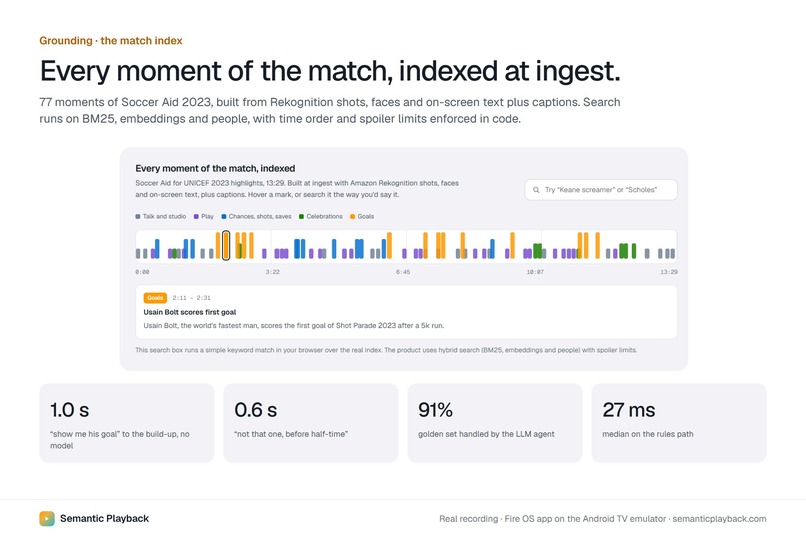
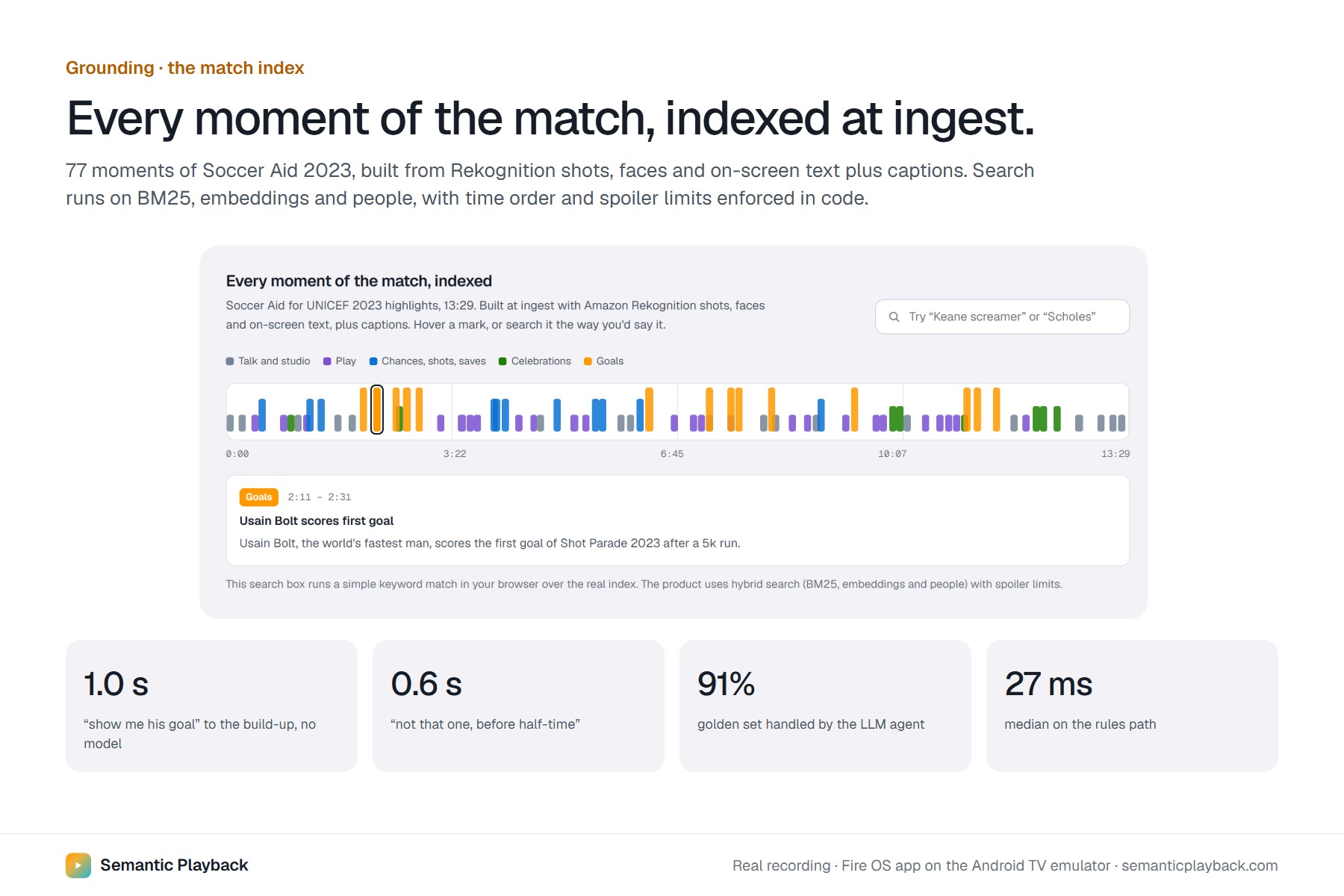
77 moments of the match indexed at ingest; search understands people, time order and how far you’ve watched.
-
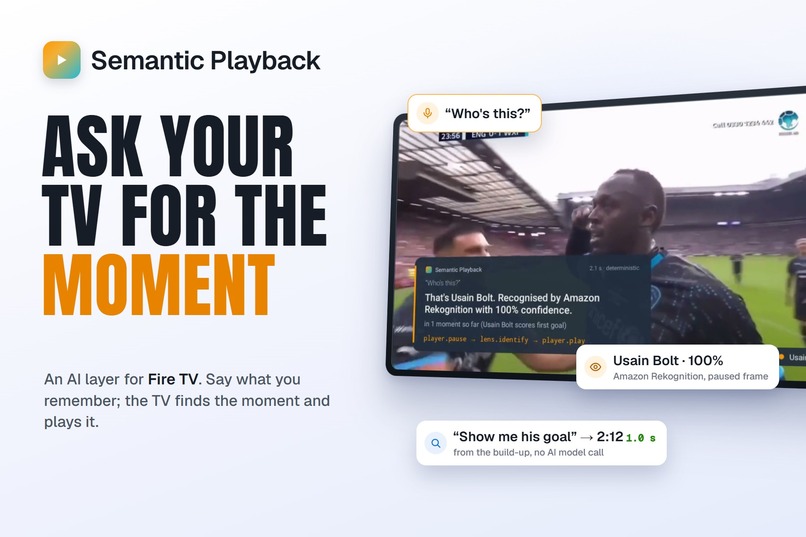
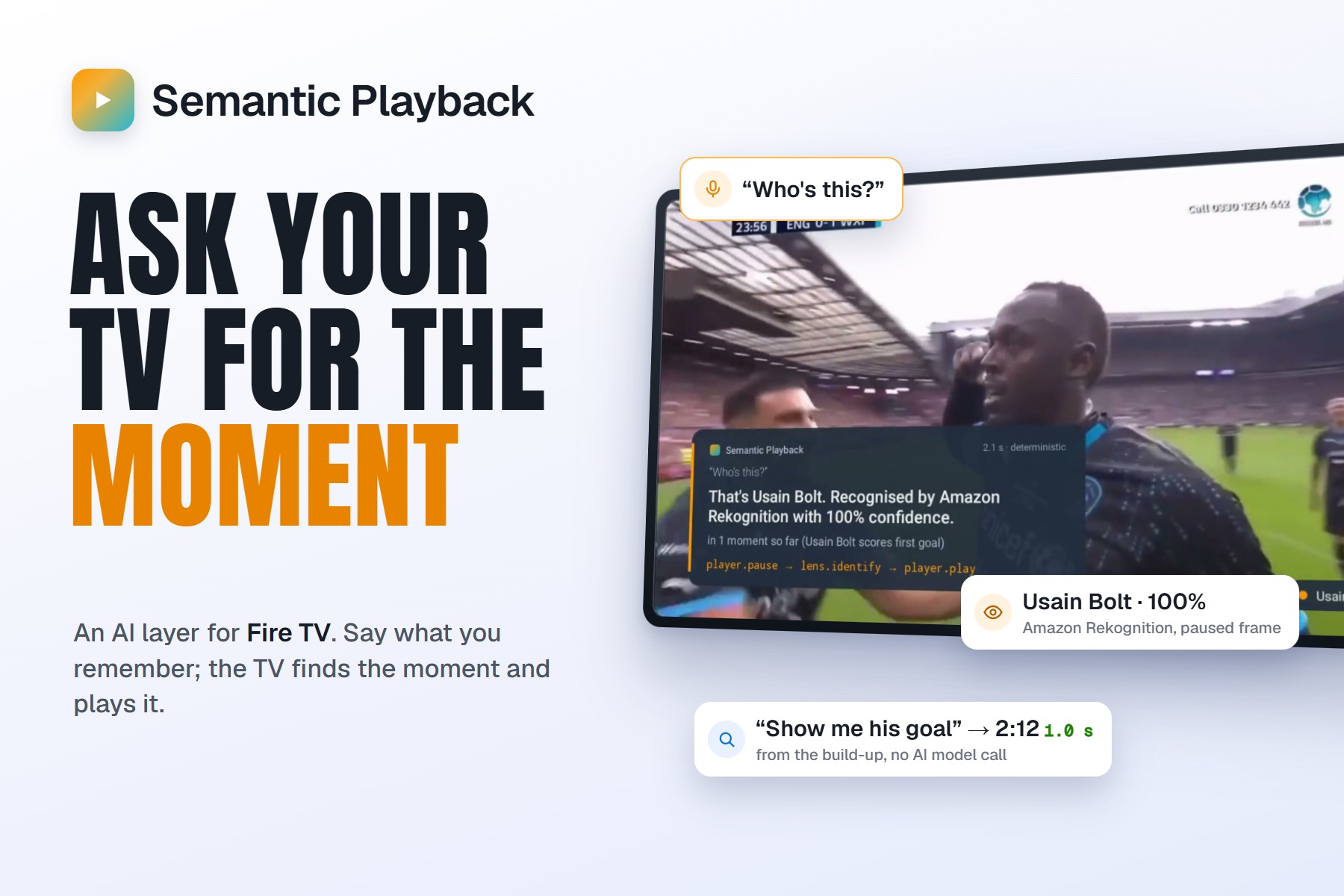
Semantic Playback: say what you remember, and your Fire TV finds the exact moment.
-
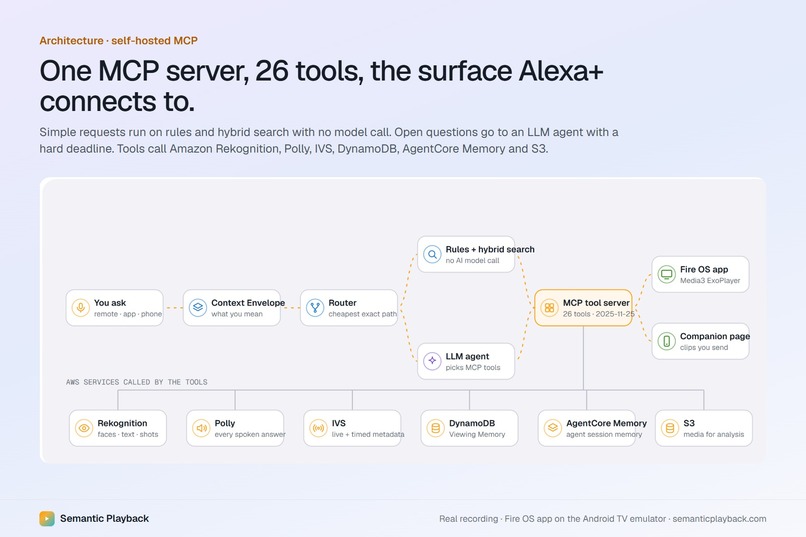
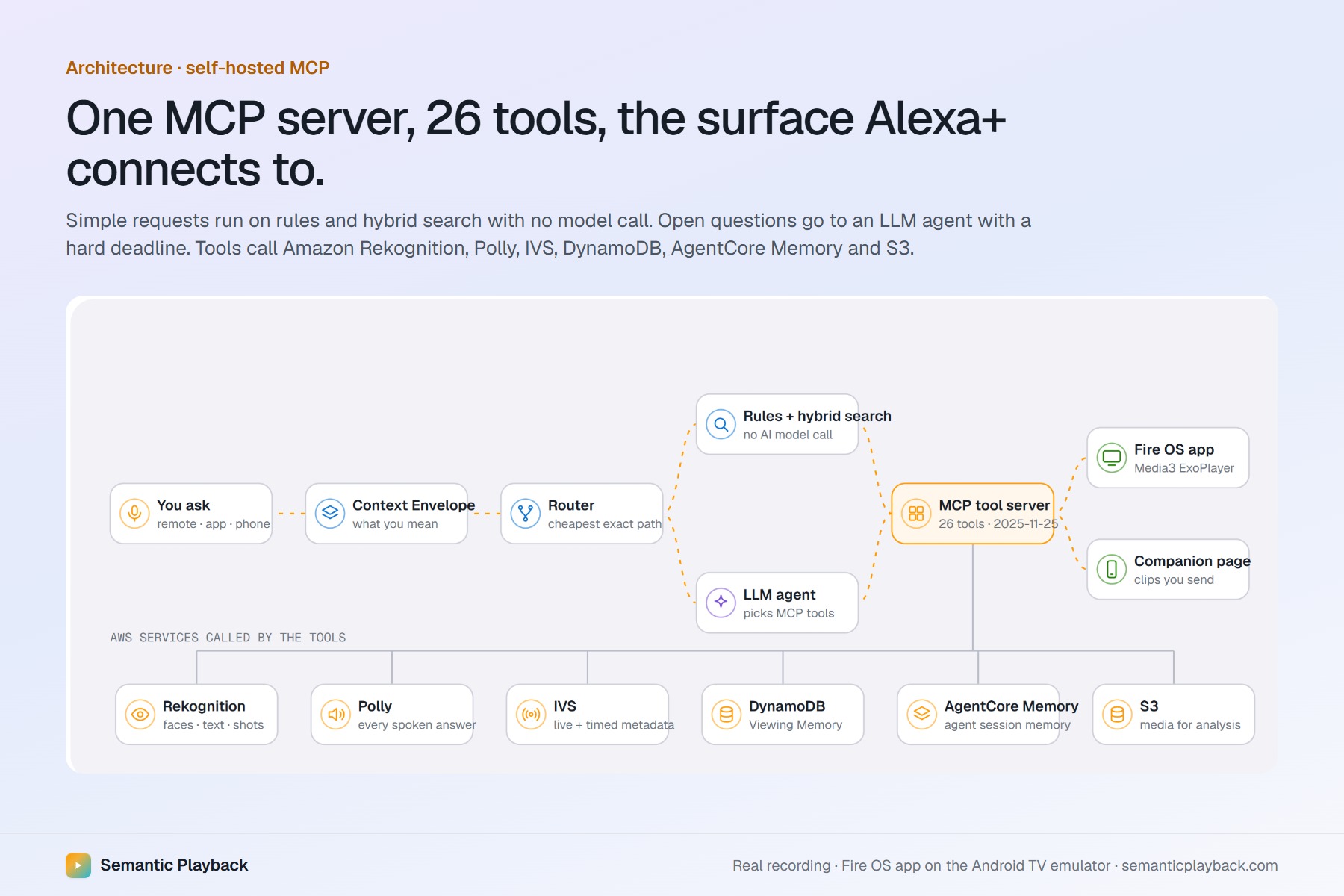
A self-hosted MCP server with 26 tools, the surface Alexa+ connects to, backed by six AWS services.
-
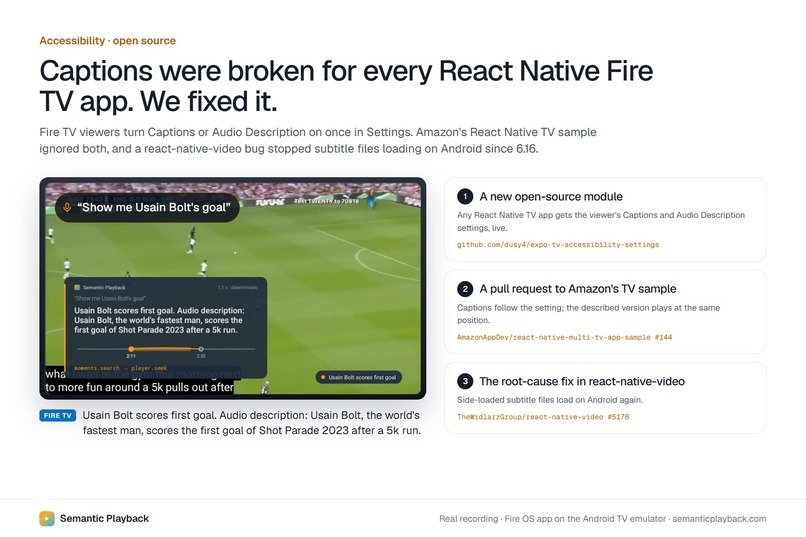
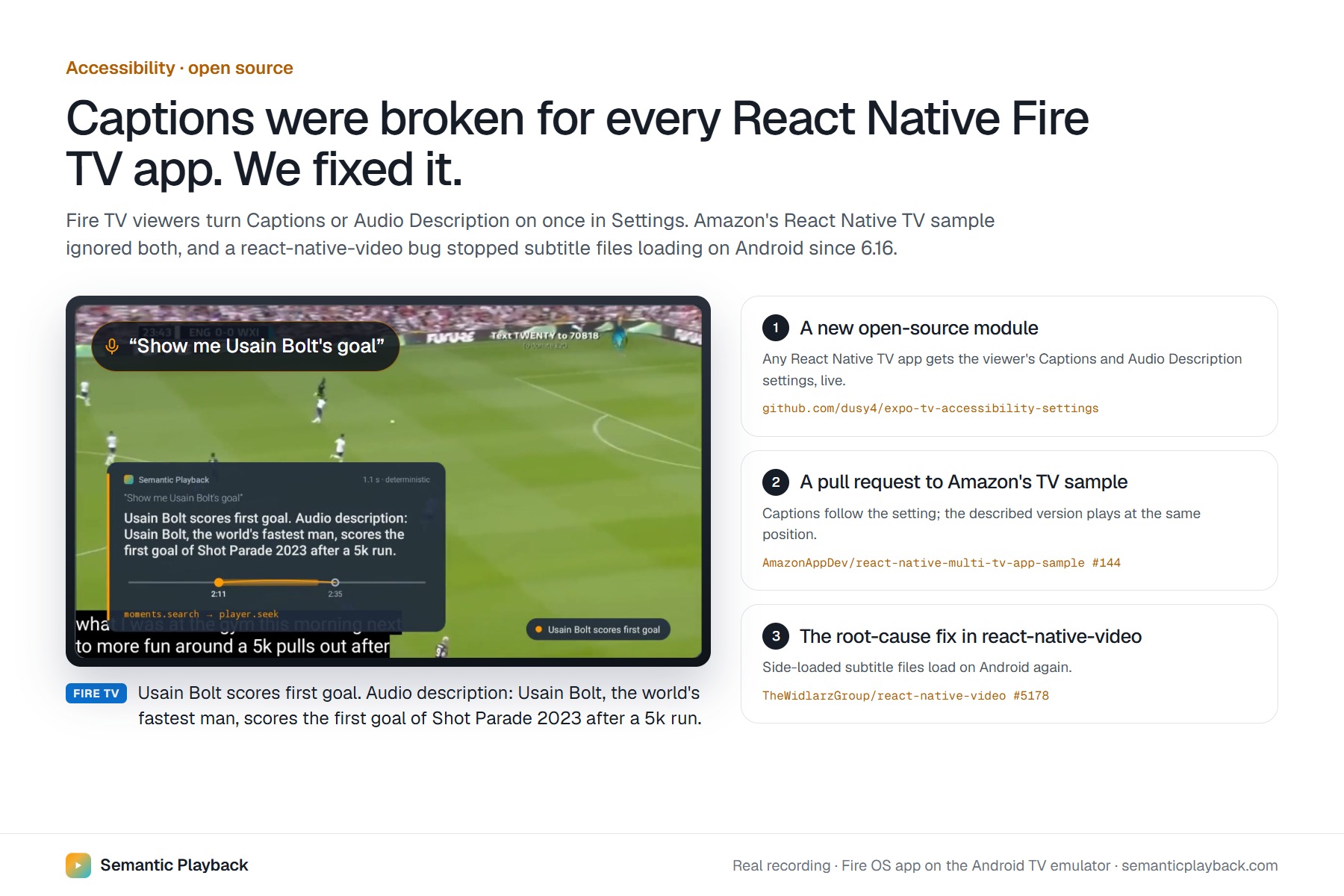
We found captions broken in React Native Fire TV apps and fixed it upstream: a new module and two pull requests.
-
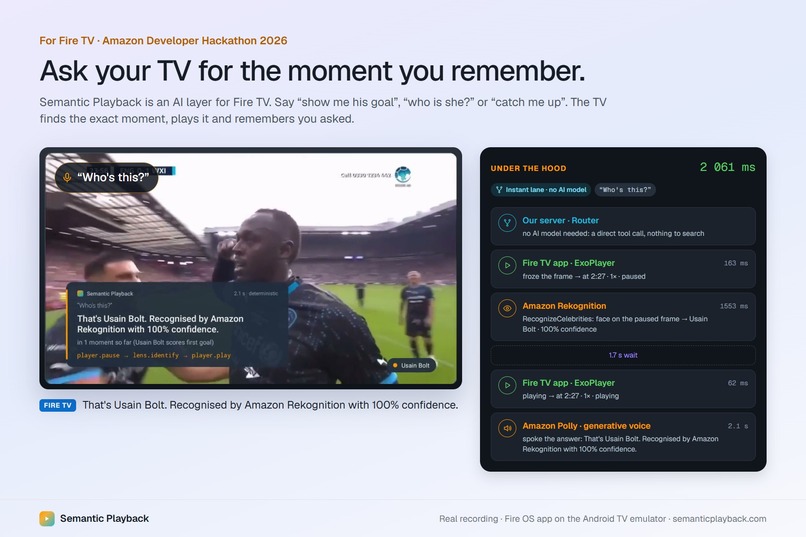
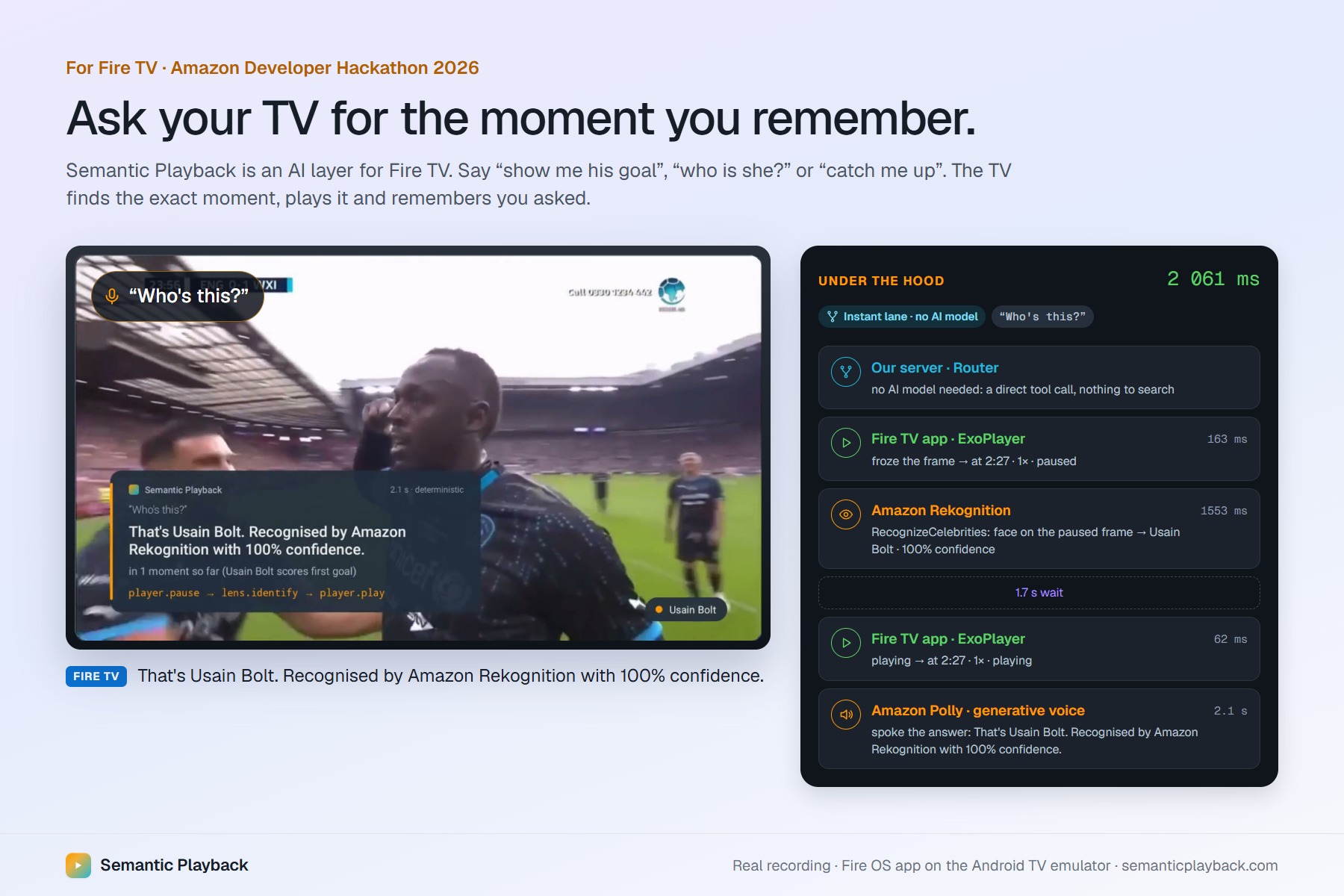
A real request on the Fire OS app: the TV answers and grounds.
-
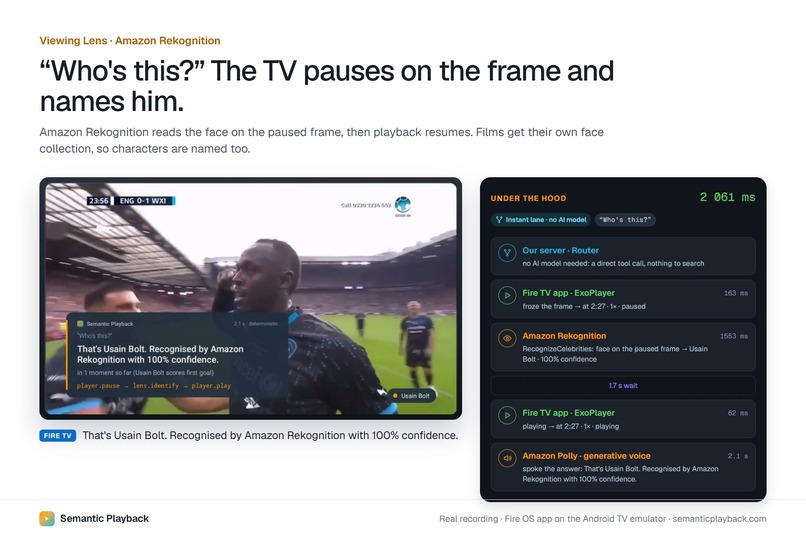
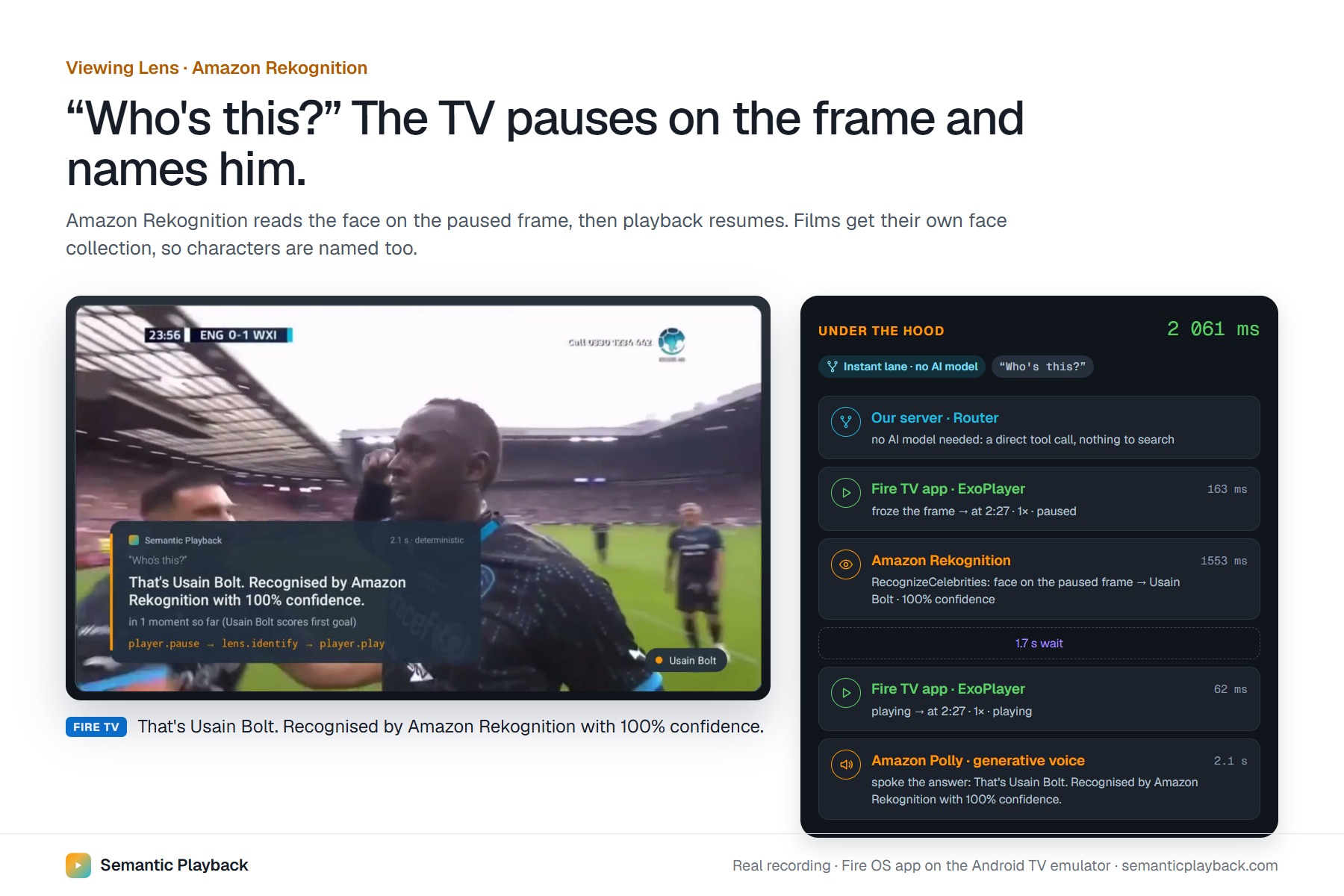
Rekognition names Usain Bolt from the paused frame, then playback resumes. 2.1 s from request to answer.
-
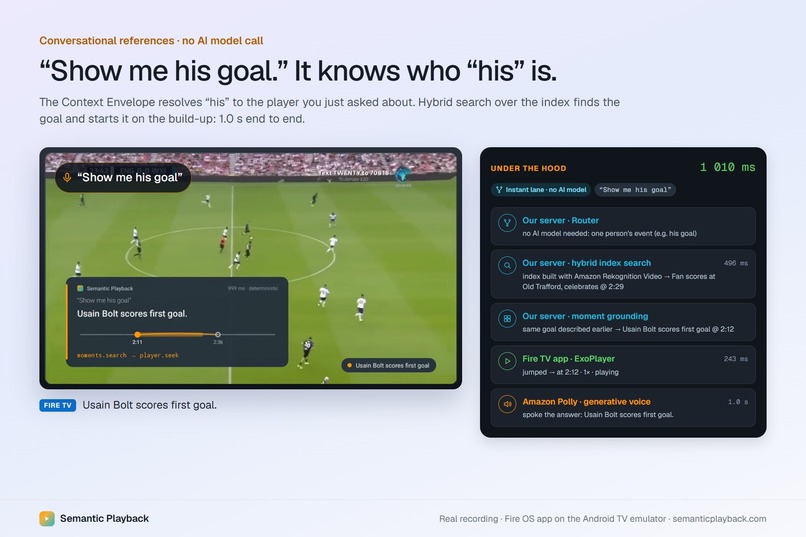
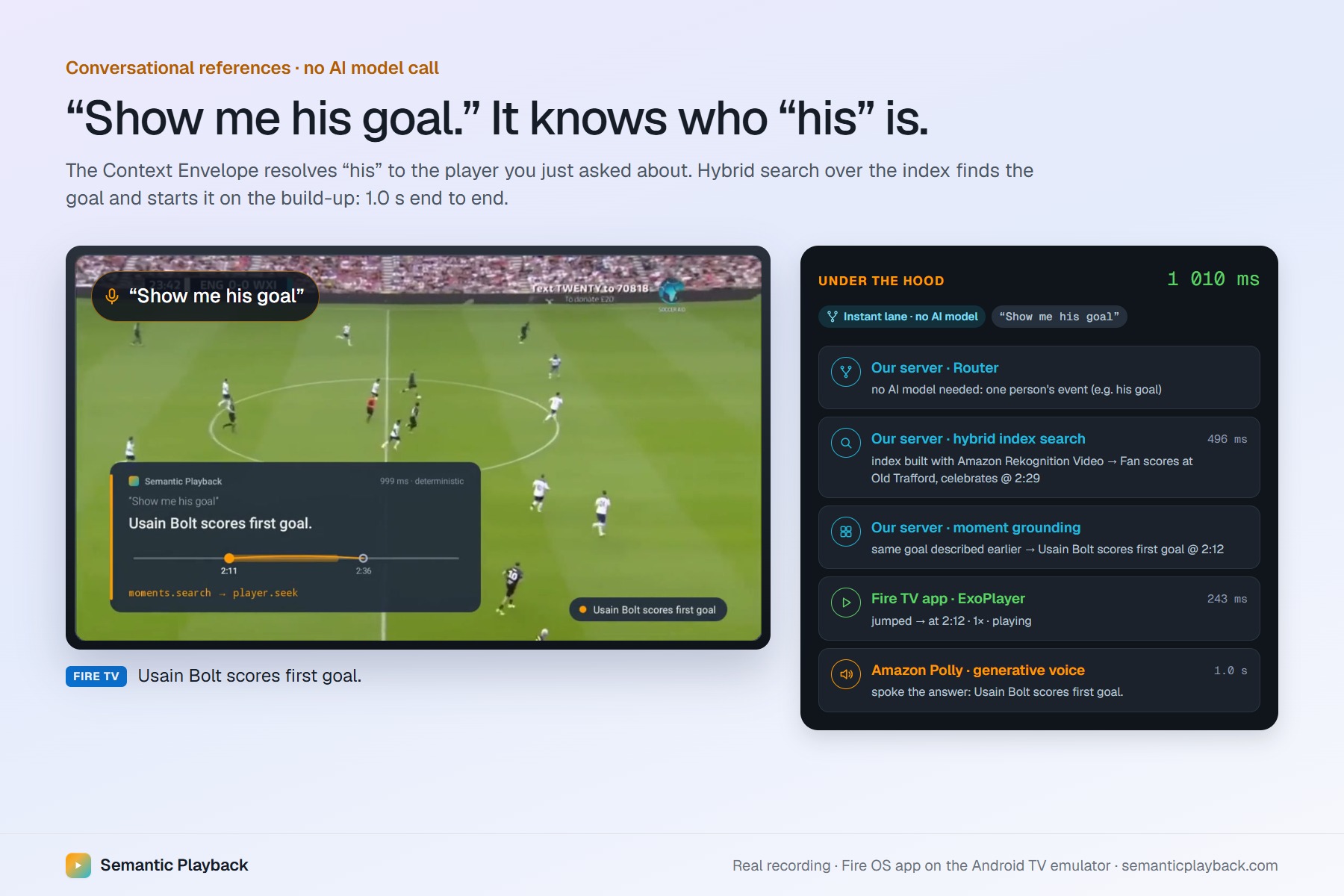
“His” resolves to the player you just asked about; the goal plays from the build-up in 1 second, with no AI model call.
-
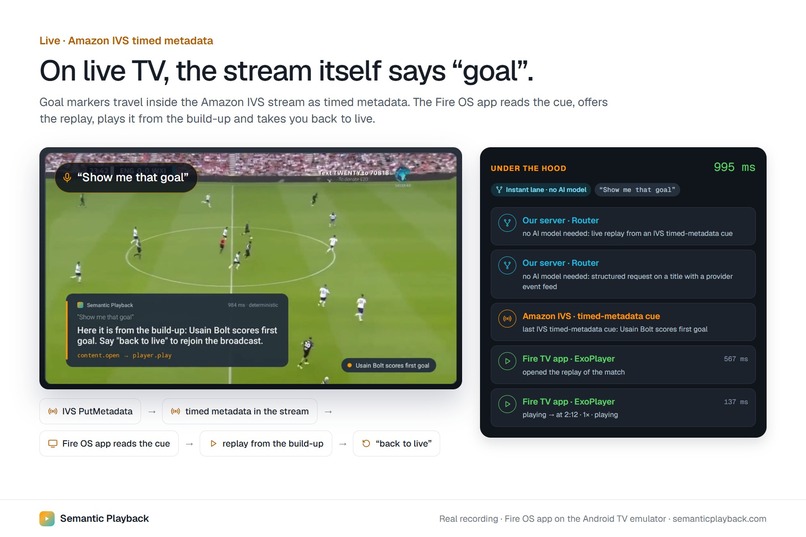
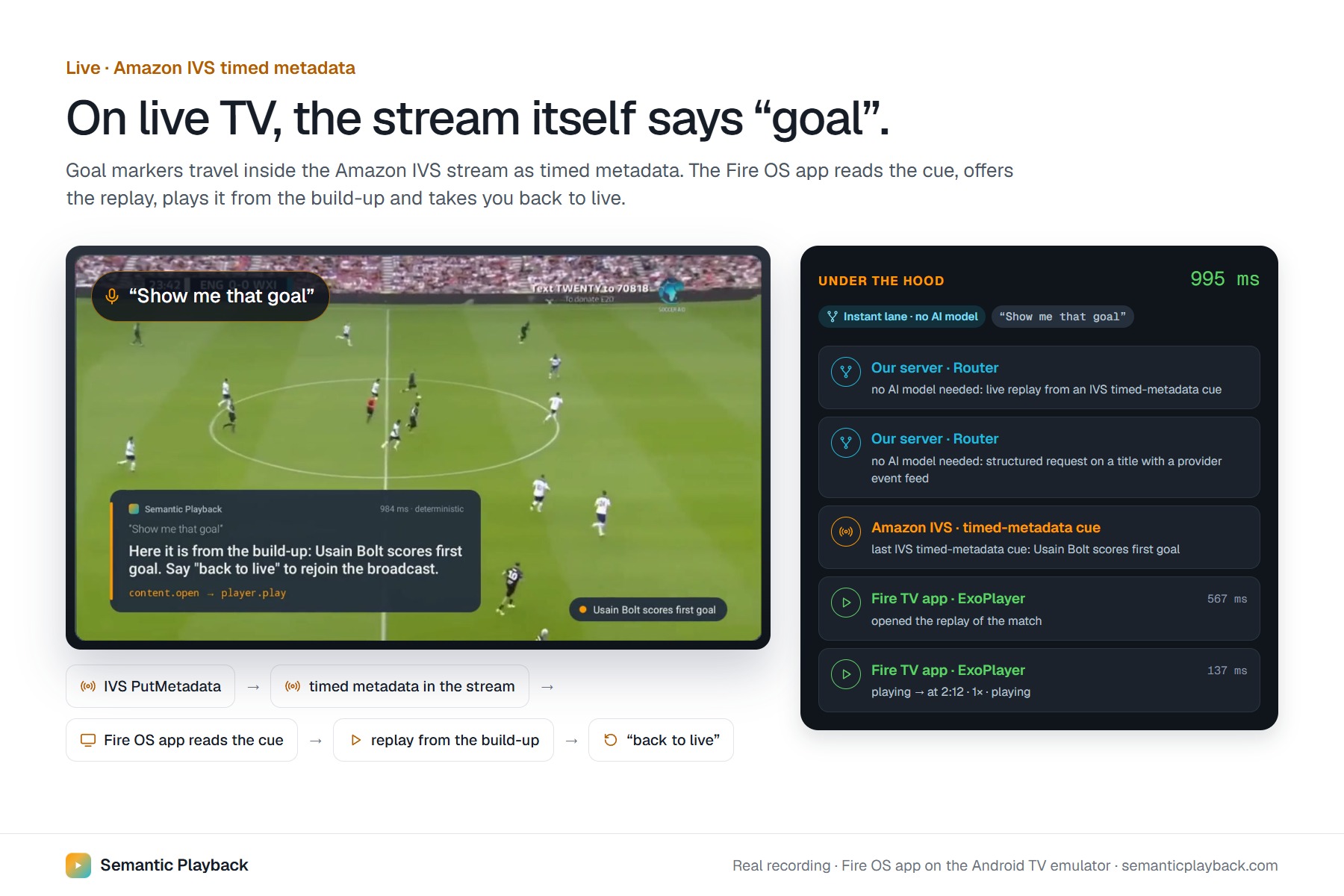
Goal markers ride inside the Amazon IVS stream; the TV offers the replay and takes you back to live.
-
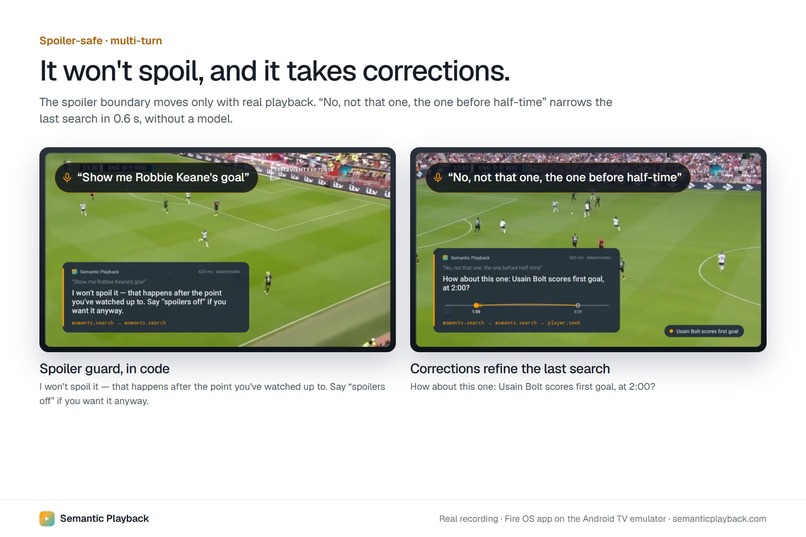
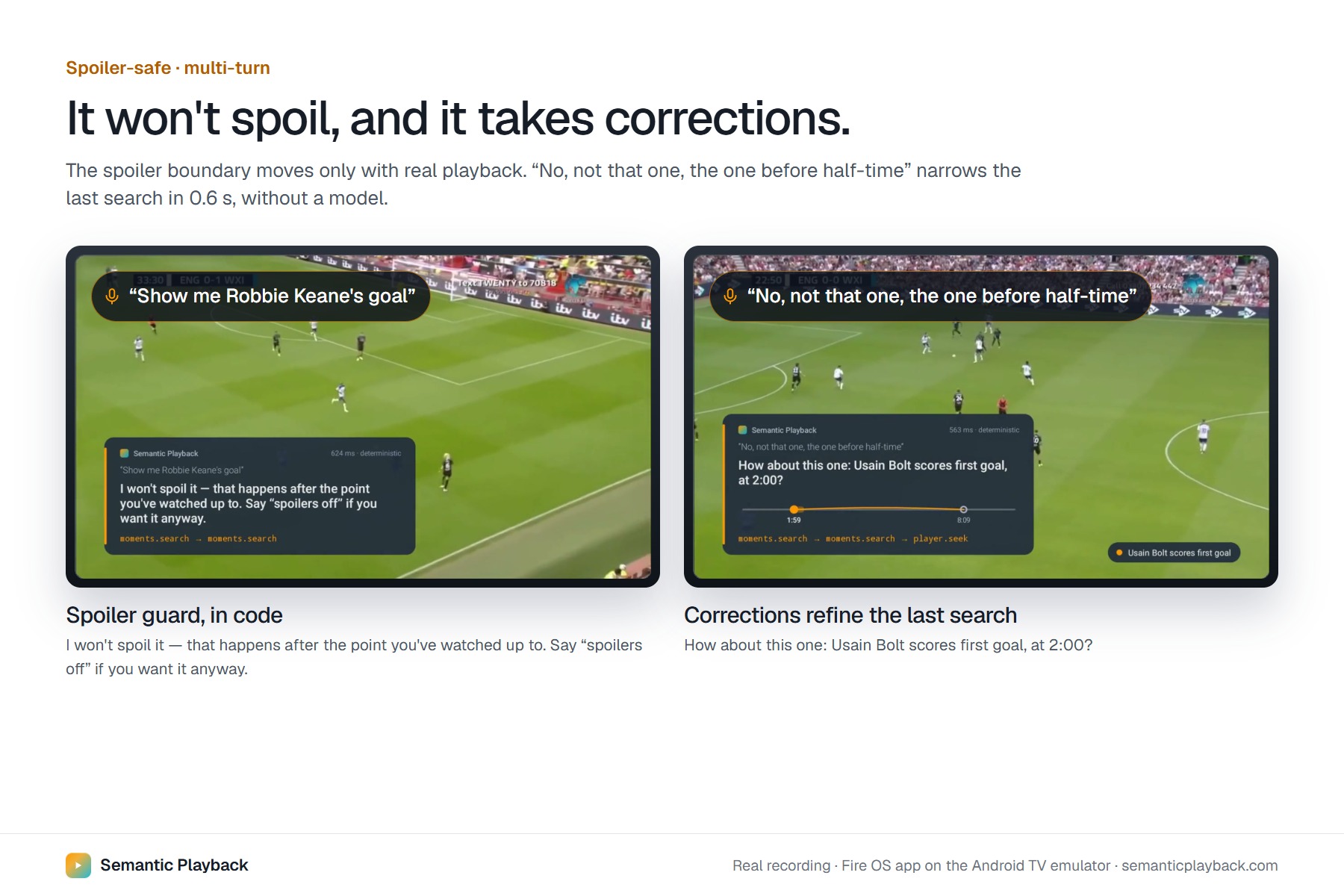
Ask about a goal you haven’t reached and it refuses. “Not that one” narrows the search in 0.6 s.
-
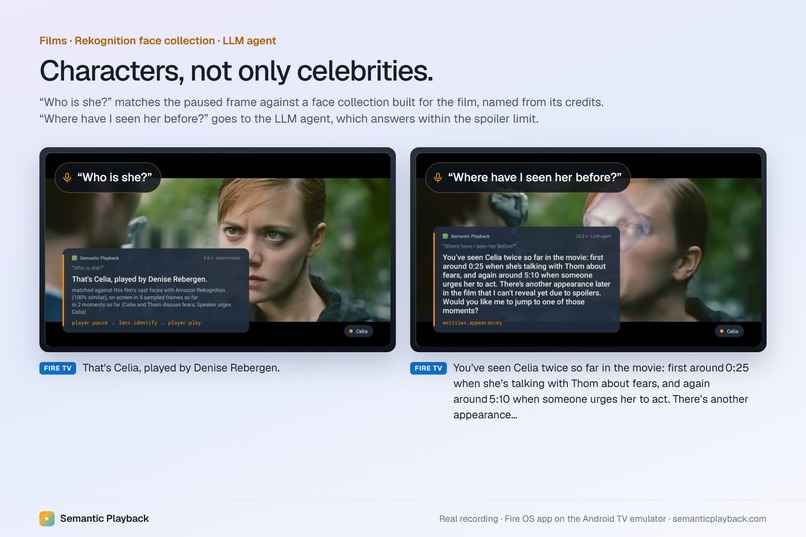
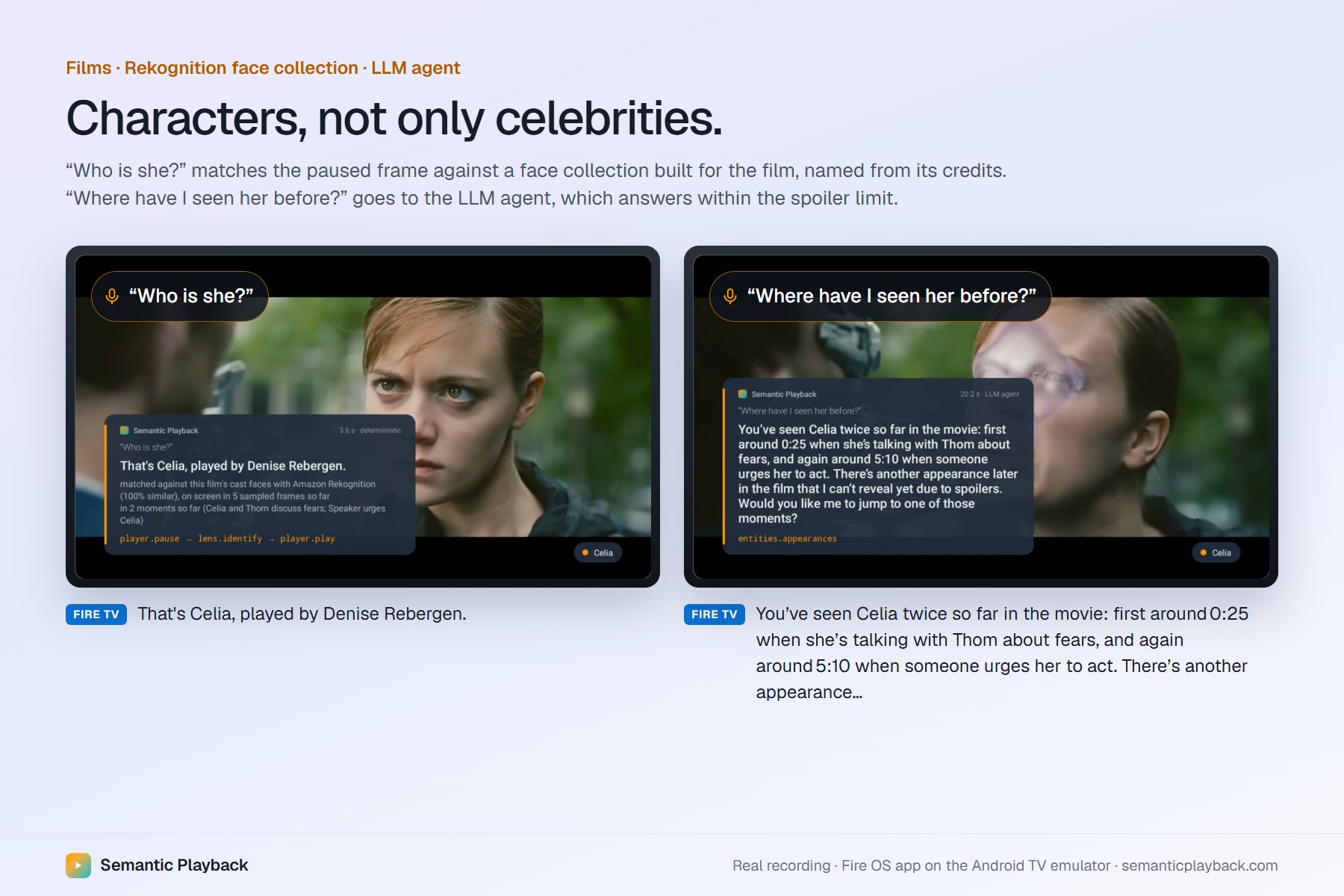
Characters named from each film’s own face collection; the LLM agent answers “where have I seen her?” without spoilers.
-
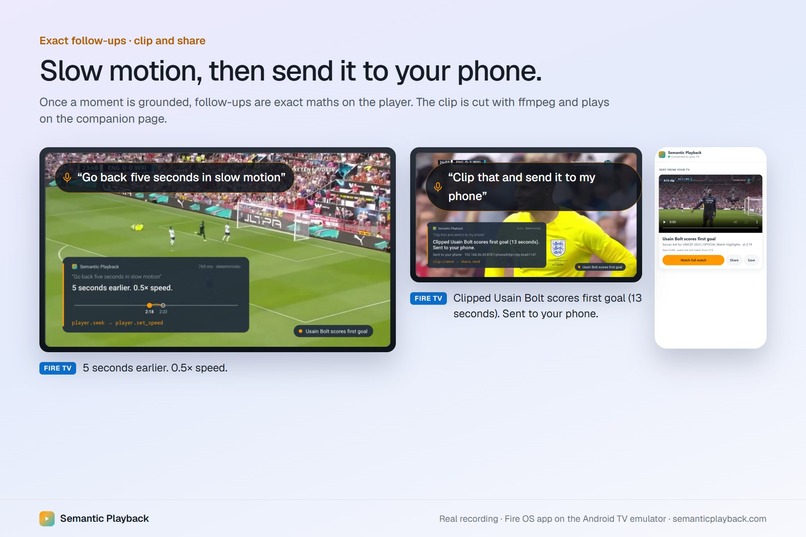
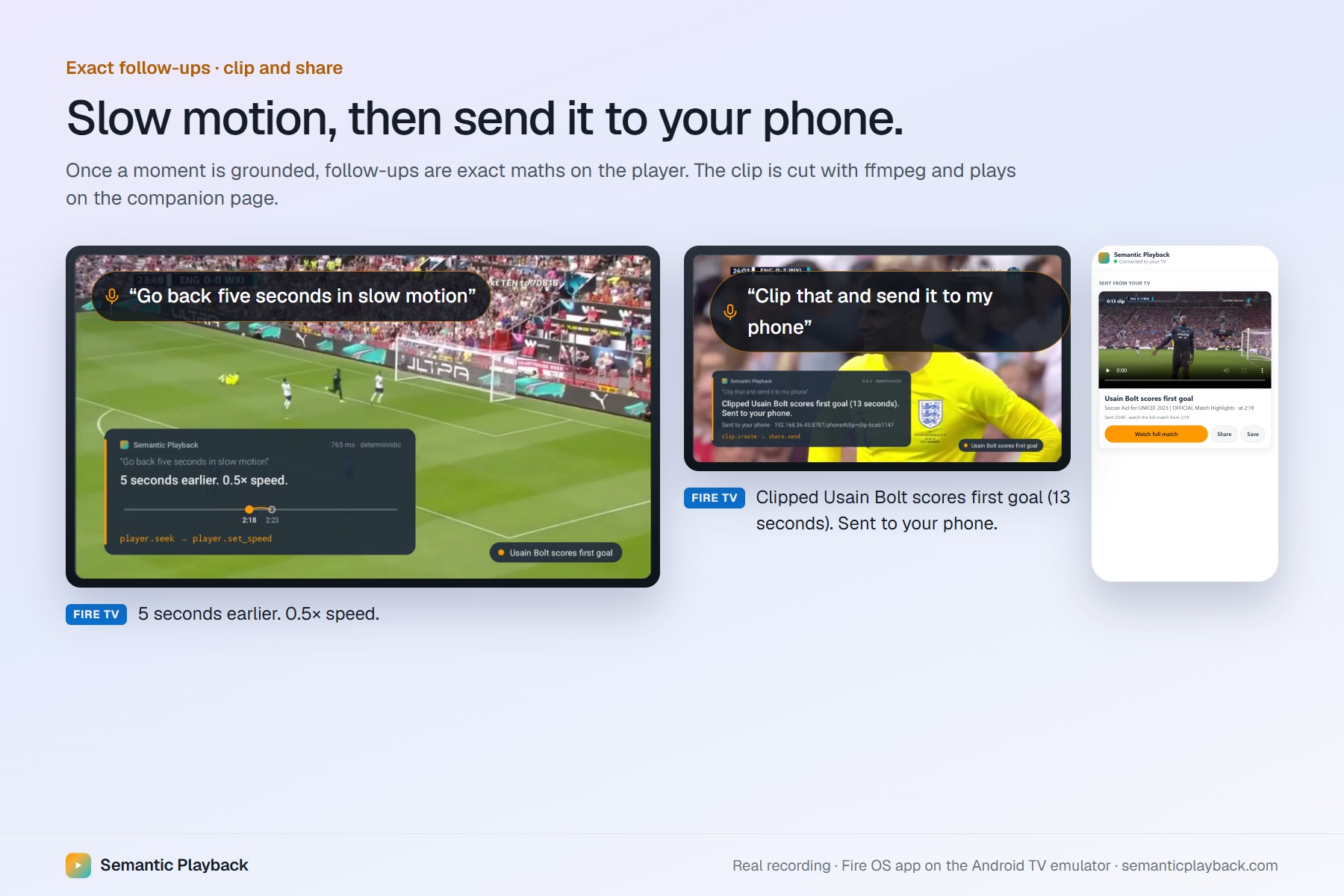
Rewind five seconds at half speed, then a 13-second clip arrives on your phone.
Inspiration
Everyone has done this: you're watching a match or a film, something happens, and a minute later you want it back. So you hold the rewind button, overshoot, go forward, overshoot again. Or you missed two minutes while making tea and have no idea why the score changed.
Video players understand timestamps. Humans remember moments. We don't think "go to 2:12". We think "his goal", "the line where she says we have to follow our passions", "what did I miss?".
Alexa+ "jump to the scene" on Prime Video shows people want this. I wanted to build the open version: a layer that works for any video and any app, including live sports. It should understand what you mean, find the exact moment, act on the player, and remember what you asked.
What it does
Semantic Playback is an agentic context layer for Fire TV. You talk about what you saw, and the TV acts on it.
You're watching Soccer Aid. A player salutes the crowd. You ask "Who's this?" The TV pauses on that exact frame, Amazon Rekognition recognises the face, and it answers "That's Usain Bolt", then keeps playing.
Then you say "Show me his goal." It knows "his" means Bolt, finds the goal in the match, and starts playing from the build-up, not from the moment the ball is already in the net. That takes about a second, with no AI model call. "Go back five seconds in slow motion." Done. "Clip that and send it to my phone." The clip appears on your phone.
It behaves like a person who watched with you:
- It doesn't spoil. Ask for a goal you haven't seen yet and it says "I won't spoil that" until you say "spoilers off".
- It understands corrections. "No, not that one, the one before half-time" narrows the previous search instead of starting over.
- It catches you up. "I was away for 2 minutes, catch me up" summarises only what you missed.
- It remembers. "Who was the player I asked about?" comes from your viewing memory.
- It works on live TV. On an Amazon IVS live stream, the stream itself announces "goal". The TV shows LIVE · GOAL and offers the replay, and "back to live" returns you to the live edge.
- It knows film characters, not only celebrities. In Tears of Steel, "Who is she?" answers "That's Celia, played by Denise Rebergen", even though she isn't famous. "Where have I seen her before?" answers without spoiling what comes later.
- It helps you understand. "Translate that into Spanish" works on text on screen, and "Say that again slowly" replays the line at 0.75×. The app follows your Fire TV Captions and Audio Description settings.
Every answer shows what actually happened underneath: which tool ran, what it returned, and how long it took. Nothing is a black box.
How I built it
The TV side is a native Fire OS app in Kotlin with Media3 ExoPlayer. It receives precise commands (seek, play, speed, loop, play a segment) and executes them natively. It also reads IVS live-stream markers and the system accessibility settings.
The brain is a self-hosted MCP server (spec 2025-11-25, Streamable HTTP) with 26 tools for the player, moments, people, the "viewing lens", memory, clips and live streams. That is also the exact surface Alexa+ connects to.
I made one design decision early: the model should not be the one pressing buttons. A router sends simple requests ("his goal", "slow motion", "clip that") through rules and a search index, so they are instant and exact. Only open-ended questions go to an LLM agent, under a hard deadline. Once a moment is grounded, every follow-up is a precise relative command.
Behind the search is an ingest pipeline: video → Amazon S3 → Rekognition Video shot detection → Rekognition on keyframes (faces, on-screen text, objects) → captions → descriptions → embeddings → a hybrid index. Answers are spoken by Amazon Polly. Viewing memory lives in DynamoDB and Bedrock AgentCore Memory, and the live stream runs on Amazon IVS.
I tested it with 35 rephrased requests across four videos, and the project has 58 automated tests. I built it with Claude Code as my coding partner.
Challenges I ran into
My AWS account was blocked for the whole hackathon. Bedrock, Translate and Transcribe each failed with a different, misleading message. Bedrock first said I'd used "too many tokens per day" on my very first call. Days later I found the real cause: the account was still being verified and its limits were set to zero. So I designed everything to degrade visibly. Each feature falls back to something that works and says on screen which engine actually answered. The film runs the same agent code on another model and labels it.
Rekognition can be confidently wrong. On a player turning away from the camera, it named a look-alike with 85% confidence. A wrong name on your TV is worse than no answer, so a live match now has to agree with what the index already knows.
Goals start before the goal. Commentary mentions a goal after the ball is in the net, so jumping there shows the celebration. I added a lead-in so "his goal" starts on the build-up.
Naming film characters. Two characters who are always on screen together look identical to a "who appears in which scene" heuristic, and they got swapped. I fixed it by taking names from the credits with one reference face per character.
Which simulator counts? The rules say "Fire TV/Vega simulator", but those are two different platforms. The Vega simulator doesn't run Fire OS apps and doesn't run on Windows at all. It brought some confusion until i've read forum replies
Accessibility: from a bug to an open-source contribution
While making the app follow the Fire TV Captions and Audio Description settings, I noticed something bigger. On Fire TV, people who rely on captions, or on Audio Description (a narrator describing the picture for blind and low-vision viewers), turn it on once in Settings and expect apps to follow.
In my native app that worked. But Amazon's recommended React Native starter for TV apps ignored both settings: you turned captions on and nothing appeared. React Native has no API for these settings at all, and Amazon only documents the native Android way.
Digging further, I found that even with the setting read, captions still couldn't appear. A bug in react-native-video, which the sample uses and which has about 200k weekly downloads of the affected versions, meant subtitle files never loaded on Android since version 6.16. There was an open issue with no root cause.
So I fixed it at all three levels:
- A new open-source module, expo-tv-accessibility-settings (MIT), which gives any React Native TV app the viewer's Captions and Audio Description settings, live.
- A pull request to Amazon's sample, react-native-multi-tv-app-sample #144. Captions now appear in the chosen language when turned on, and the Audio Description version plays when that setting is on, switching mid-video without losing your place.
- The root-cause fix in react-native-video, #5178, so subtitle files load on Android again.
I verified all of it on the Fire OS 8 base by changing the settings during playback.
Accomplishments that I'm proud of
- Ten kinds of natural requests run on a real Fire OS app, and every step is traceable to a real tool call.
- The live layer works because the stream itself says "goal", not because the app guesses.
- It names characters in films with no famous actors.
- It never pretends: when a service is unavailable, it says which engine actually answered.
- The accessibility work went beyond my app: a captions bug that affected every React Native Fire TV app built from Amazon's sample now has a fix.
What I learned
Grounding and data quality matters more than model size. Once "that goal" is a grounded moment, every follow-up is exact, cheap and explainable. The model is only needed where the meaning is genuinely ambiguous.
I also learned a lot about AWS services and it's offerings and how Rekognition, Transcribe, Bedrock and other Amazon technologies fit together.
What's next for Semantic Playback
- Alexa+ as the voice front end over the same MCP server.
- Nova on Amazon Bedrock for the agent and multimodal search, once the account is unblocked.
- Transcribe for dialogue, and sending clips with Alexa Send to Phone.
- Reaction capture with a Ring camera or a phone: "save my reaction to that goal".
- Recommendations based on moments people replay and share, potentially extending into Fire TV's Content Personalization API, where third-party apps can contribute watch activity to Amazon's cross-app recommendations.

