-
-
-
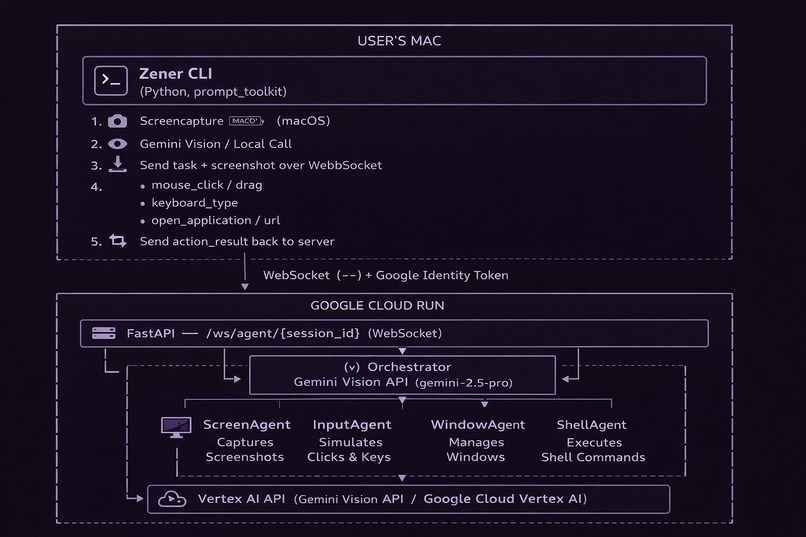
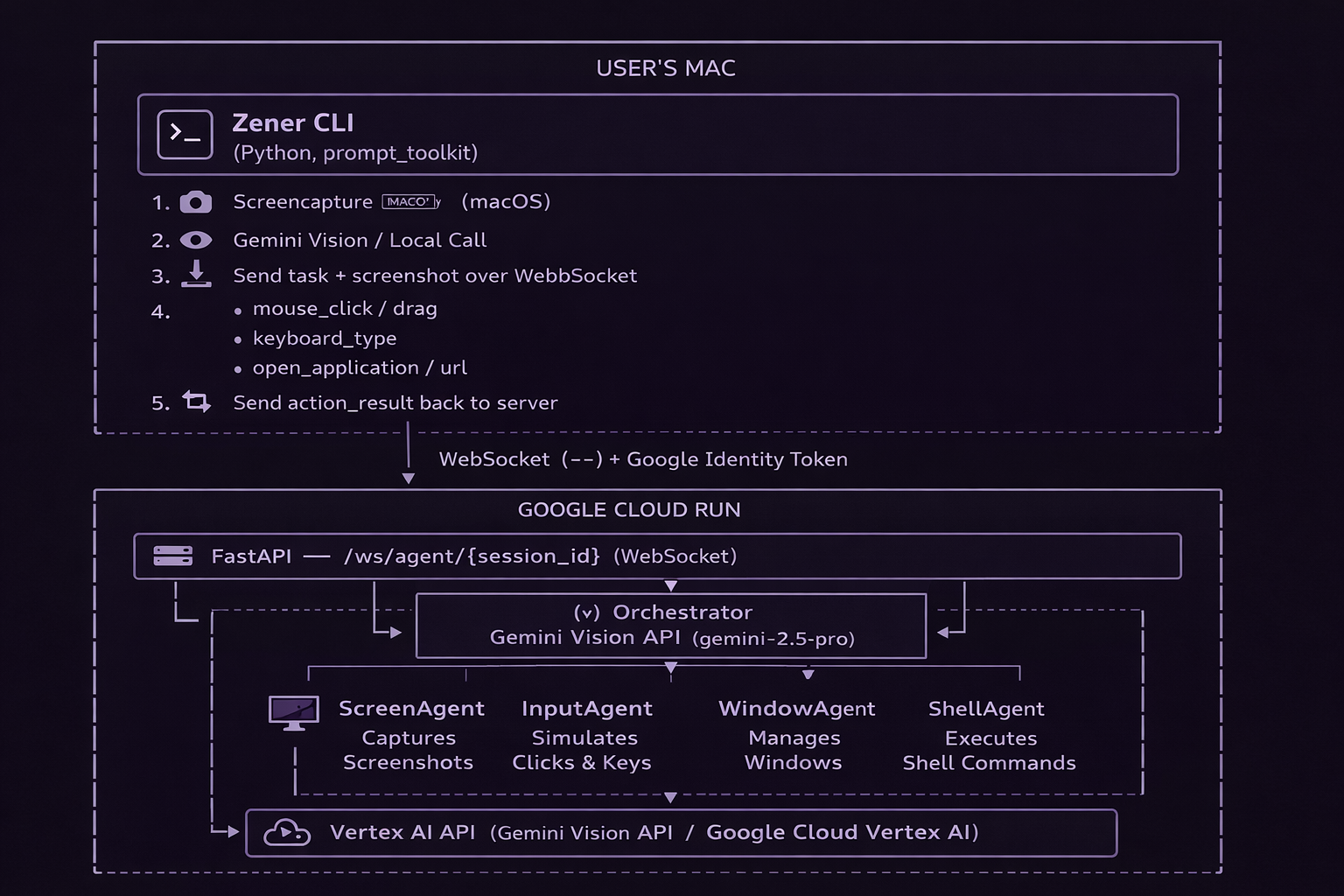
Zener-cli architecture design
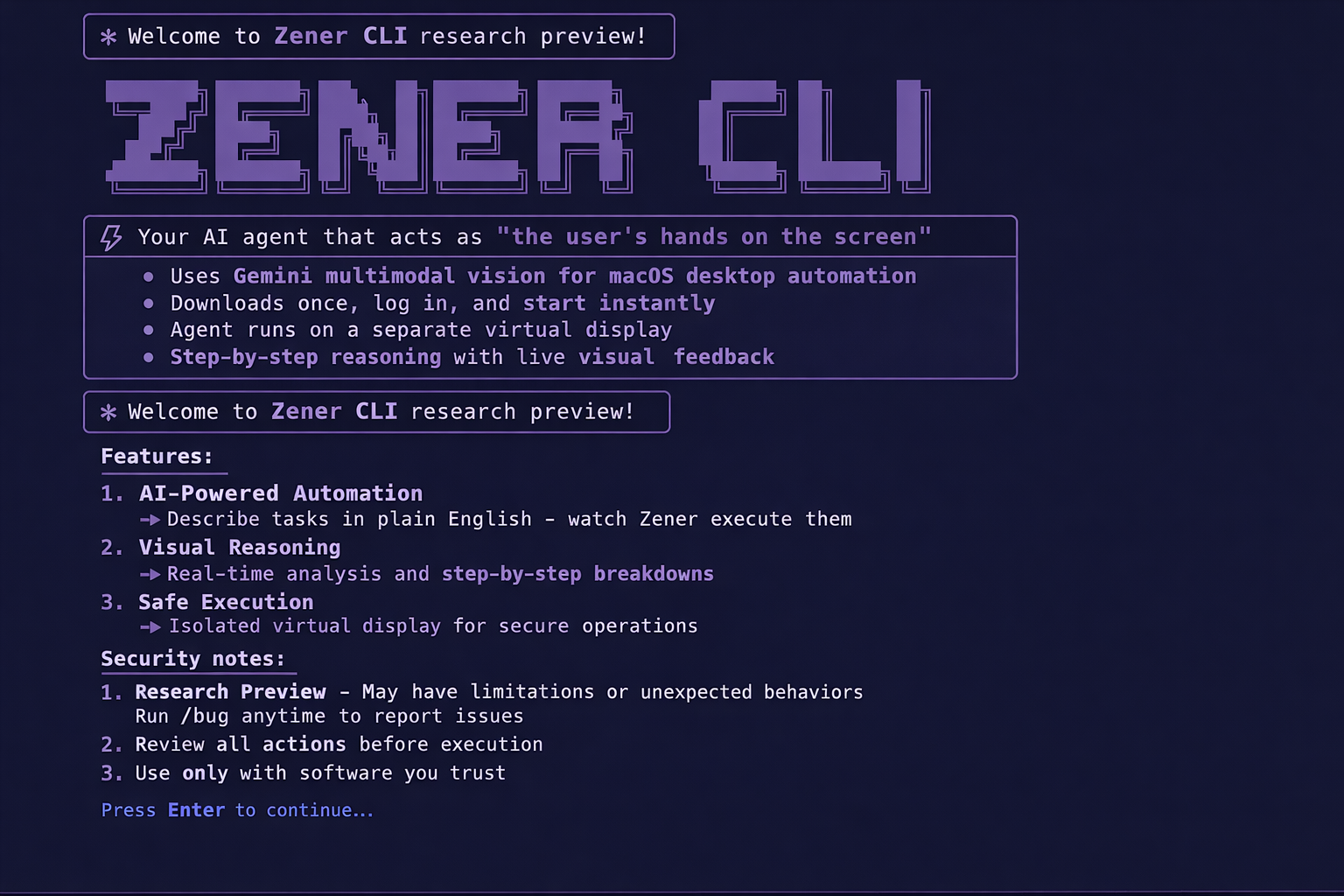
Demo Note : it really does much more than opening a calculator, it's like my nephew sitting in my computer and doing work for me.
Inspiration
I wanted to build an AI agent capable of operating a computer autonomously. Instead of relying on plugins or application-specific integrations, the goal was to allow the agent to interact directly with the graphical interface of the computer.
The idea is simple:
What if an AI agent could see the same screen you see and operate the computer like a human?
Rather than building integrations for every application, the agent observes the macOS interface and performs actions such as clicking, typing, opening apps, and navigating windows. To make this reliable, the system uses multiple specialized agents, each responsible for a specific type of task on the desktop.
What It Does
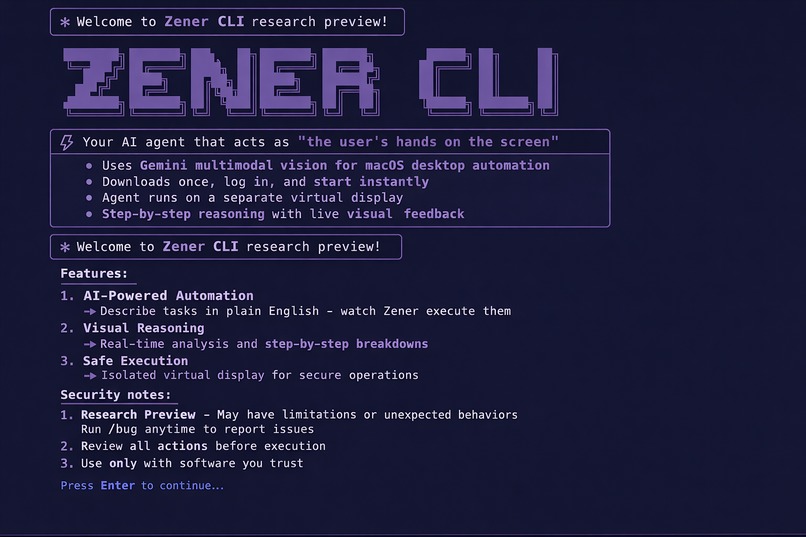
Zener is an AI agent that acts as "your hands on the screen."
You describe a task in plain English, for example:
"Open Safari and go to github.com"
Zener then runs a continuous loop:
- Takes a screenshot of the current screen
- Sends the screenshot and task to the cloud for AI reasoning
- Executes the required actions locally (clicking, typing, opening apps)
- Repeats the process until the task is completed
This allows the AI to operate your computer in the same way a human user would.
How We Built It
CLI
- Python
- Click
- prompt_toolkit for an interactive REPL experience
Backend
- FastAPI
- Google ADK (multi-agent framework)
- Deployed on Google Cloud Run
AI
- Gemini 2.5 Pro as the orchestration model
- Gemini 2.5 Flash for specialized sub-agents
- Accessed through Vertex AI
Communication
- WebSocket connection for bidirectional streaming
- The server sends
action_requestmessages - The CLI executes the action locally and returns
action_result
macOS Automation
- PyAutoGUI for mouse and keyboard control
- AppleScript for system-level interactions
- Native macOS
screencapturefor screenshots
Infrastructure
A single deployment script provisions and deploys all required Google Cloud resources.
deploy.sh
Challenges We Ran Into
Model Deprecation
During development, gemini-2.0-flash was deprecated. We migrated the system to gemini-2.5-flash.
WebSocket Authentication
The websockets library rejected subprotocol-based authentication. We switched to a standard Bearer token header approach.
Silent CLI UX
The CLI sometimes had delays of 5–30 seconds while processing screenshots or connecting to services. To improve the experience, we integrated an existing Spinner class to provide visual feedback.
Local Credentials
google-auth occasionally failed to detect credentials locally. We added a fallback using:
gcloud auth print-identity-token
Accomplishments We're Proud Of
Thin Client Architecture
All AI reasoning happens in the cloud, while the CLI remains lightweight and only executes actions locally.
Improved CLI UX
The spinner eliminates silent waiting periods during authentication, screenshot capture, and connection setup.
One-Command Deployment
The entire backend infrastructure can be deployed using a single command:
./deploy.sh
No manual configuration in the Cloud Console is required.
End-to-End Working Pipeline
The full execution loop works from start to finish:
User Task → Cloud Reasoning → Local Mac Execution
What We Learned
- Google ADK is powerful but requires careful model version management
- WebSocket communication requires precise handling of headers and authentication
- UX matters: users tolerate delays but not silence
- Google ADC and Identity Tokens eliminate the need to manage API keys manually
What's Next for Zener CLI
Planned improvements include:
- Persistent memory across sessions (currently in-memory only)
- Linux and Windows support (currently macOS-only)
- Integration with yabai for advanced window management
- Improved action verification and automatic error recovery
- Exploring video streaming instead of screenshots for real-time UI understanding

Log in or sign up for Devpost to join the conversation.