SELENE
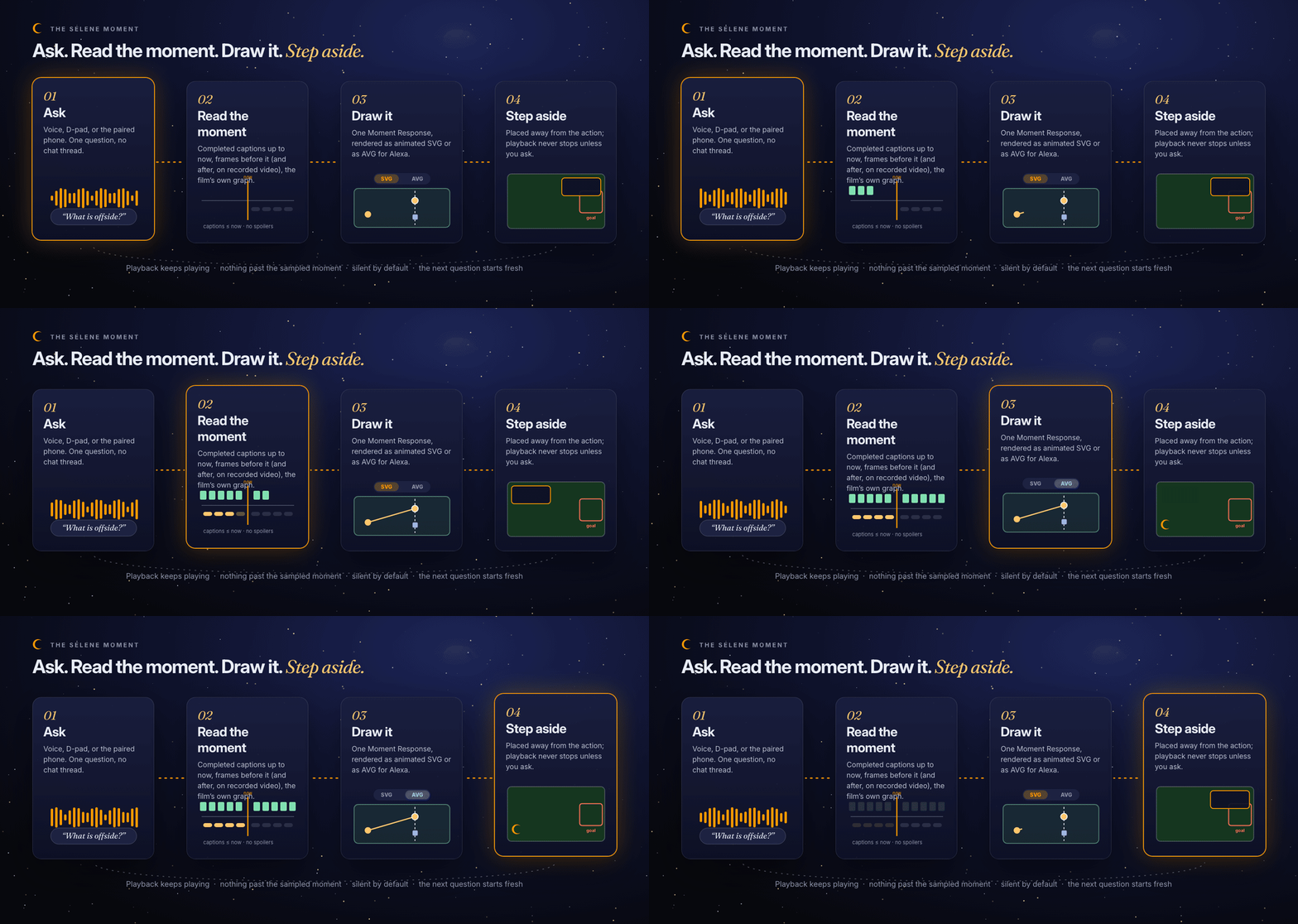
Ask about the moment. Selene explains it, then steps aside.
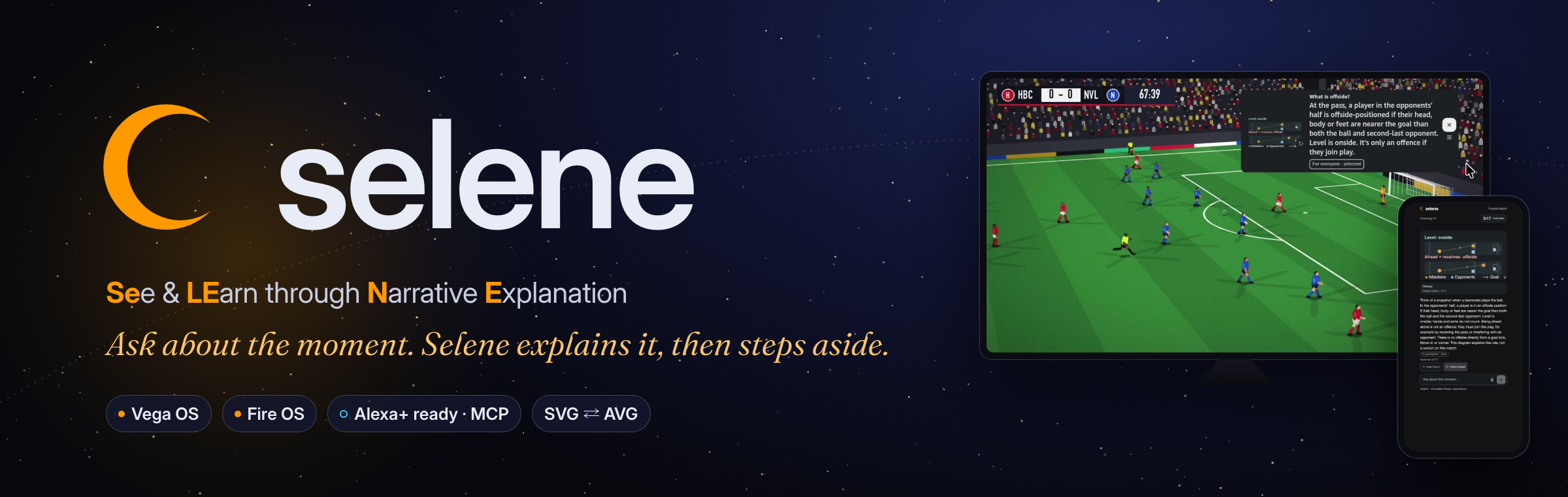
SELENE (See & Learn through Narrative Explanation) is an AI viewing companion for Fire TV. Anyone in the room can ask about the moment on screen, by voice, by remote, or from a paired phone. Selene reads only that moment, answers in plain words with a diagram drawn live for it, places the answer where nothing important is happening, and gets out of the way. The film never stops.
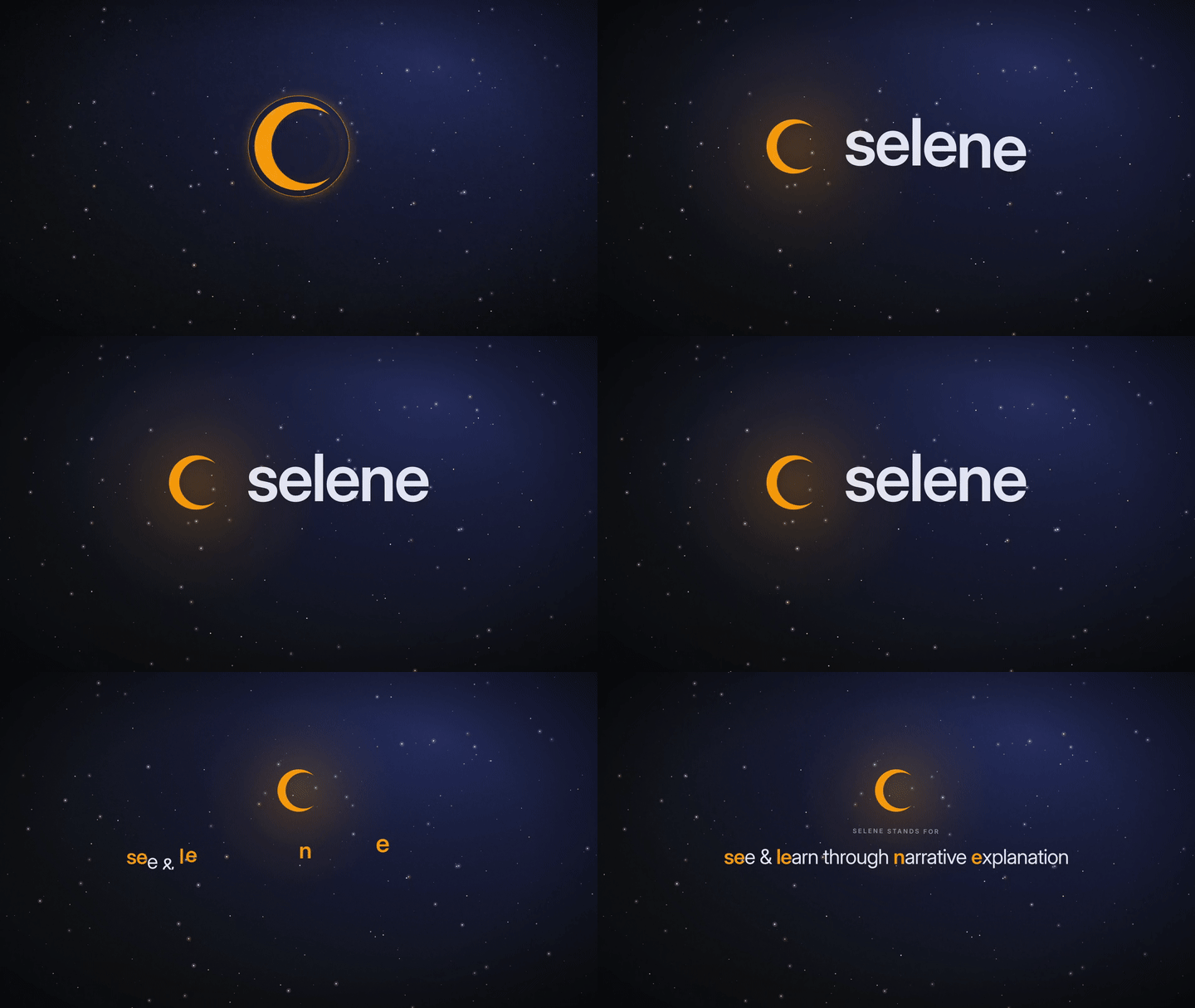
In Greek myth, Selene drove the moon across the night sky so no one watching would be lost in the dark. That is the whole product in one sentence.



Inspiration
One TV. Many viewers. Different needs.
In our living room, Grandma asks why a goal was ruled offside. A child asks who the man in the hood is. Mum comes back from the kitchen and asks what she missed. Every one of those questions costs the whole room the moment: someone pauses, someone rewinds, someone vanishes into a phone search while the scene plays on.
Chat assistants did not fix it. They answer in paragraphs, they know nothing about this frame, and they happily spoil the ending. We wanted the opposite: an answer that understands exactly what is on screen, shows it instead of describing it, and respects that the film is the main event.
What it does
| Selene capability | What it does | Why it matters |
|---|---|---|
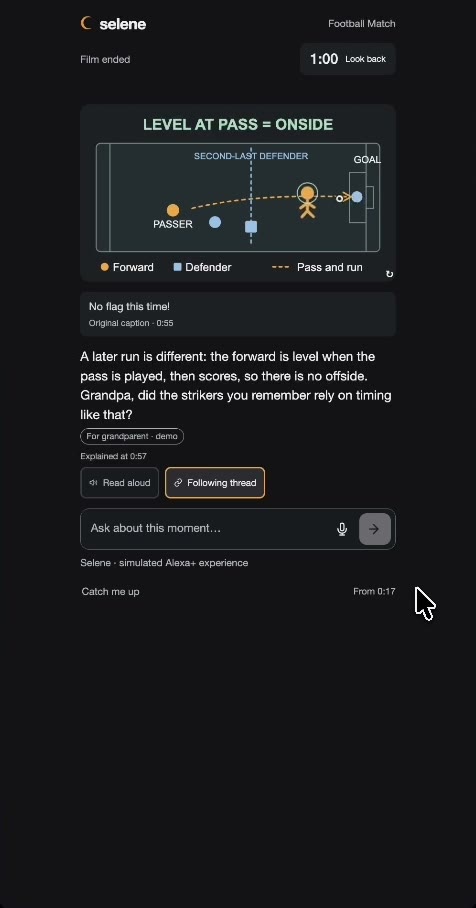
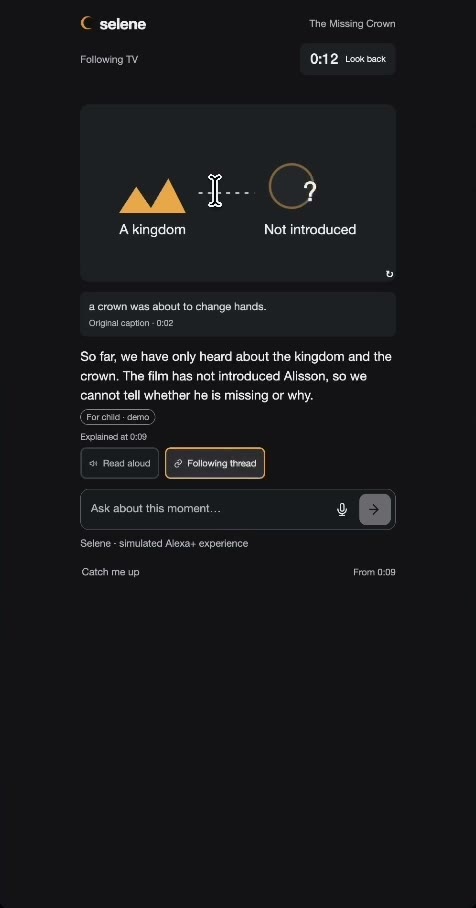
| Explanations drawn live | Every answer arrives with a free-form animated diagram drawn for this moment: an offside line, a family tree, an empty chair. | Showing beats telling at a glance from the sofa. Nothing is a template. |
| SVG or AVG | The same Moment Response renders as SVG animated with the native Web Animations API (WAAPI) on Vega and Fire OS, or as Alexa Vector Graphics (AVG 1.2 / APL 2024.3) animated natively with APL AnimateItem for Alexa surfaces. |
One answer, two renderers, native motion on both. No animation library, no video. Switching never regenerates the answer. |
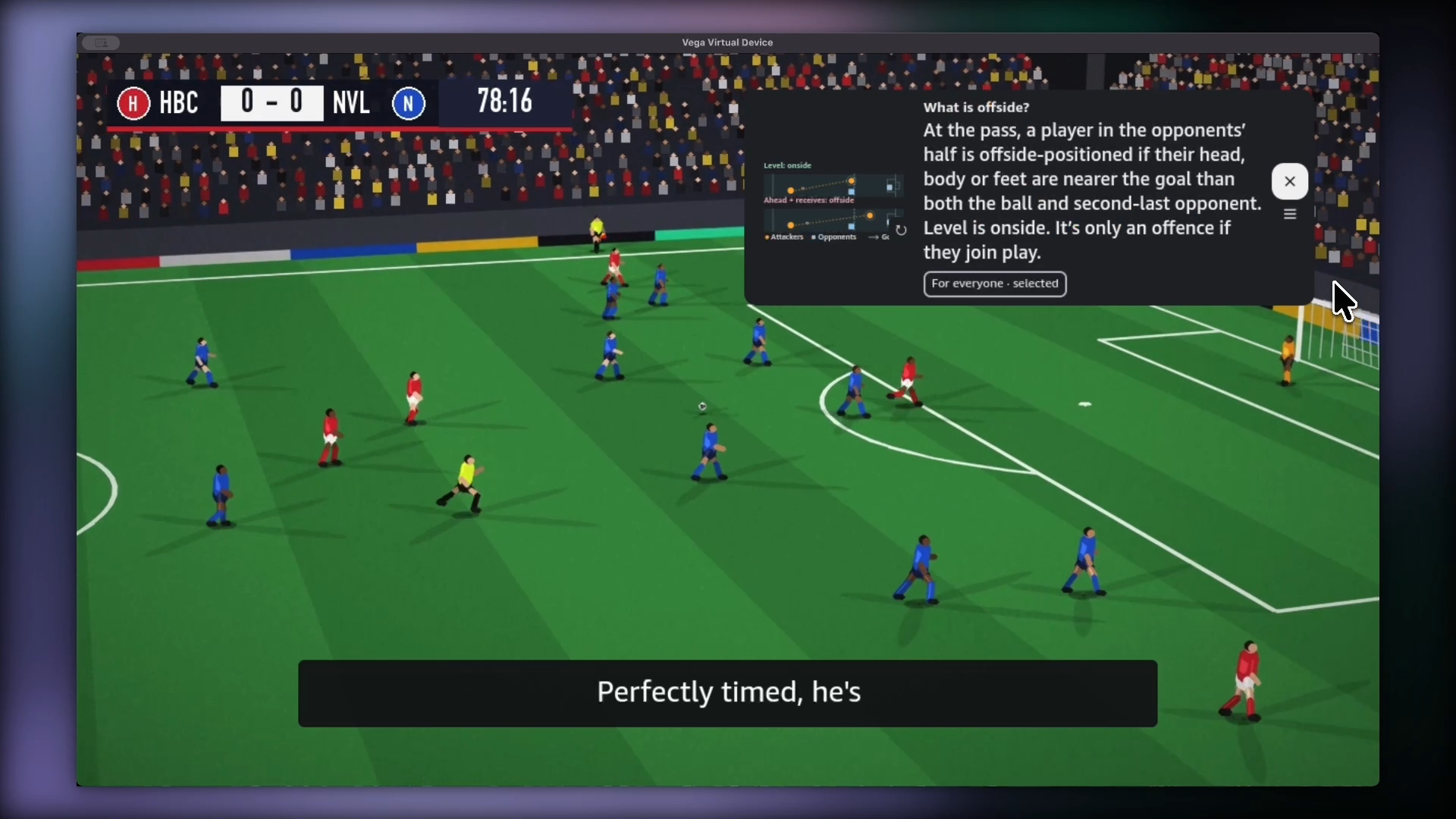
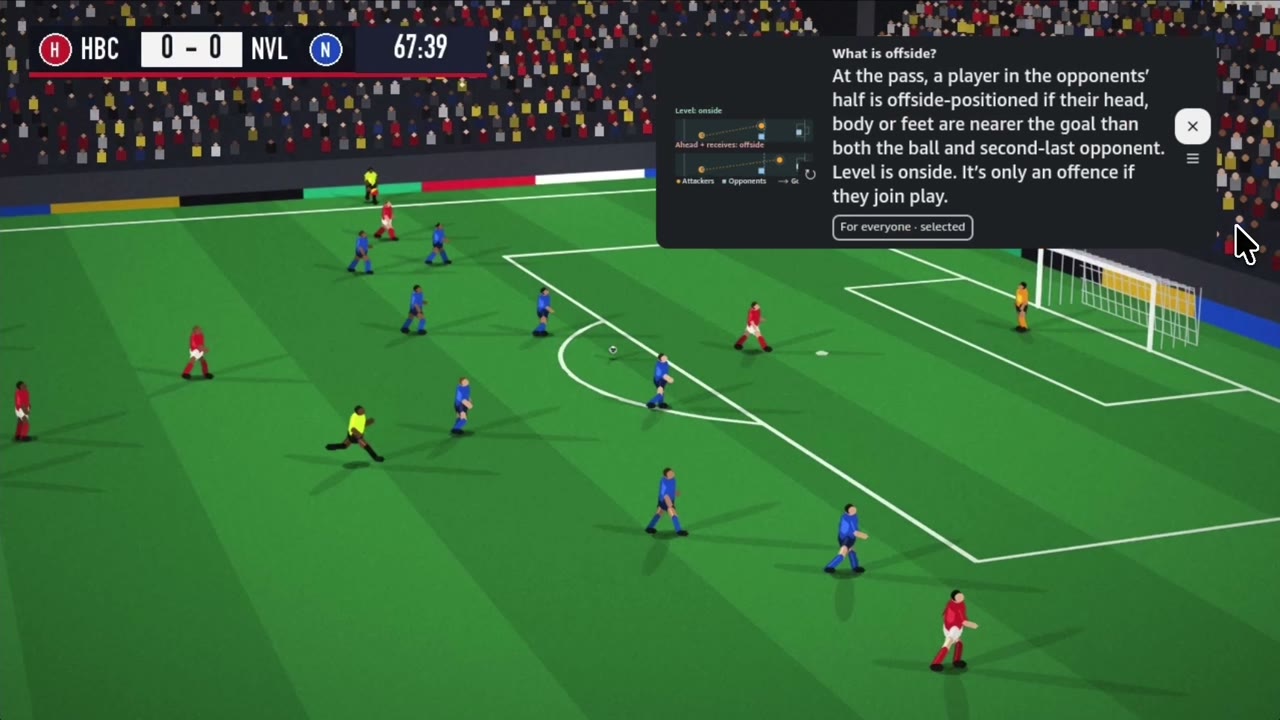
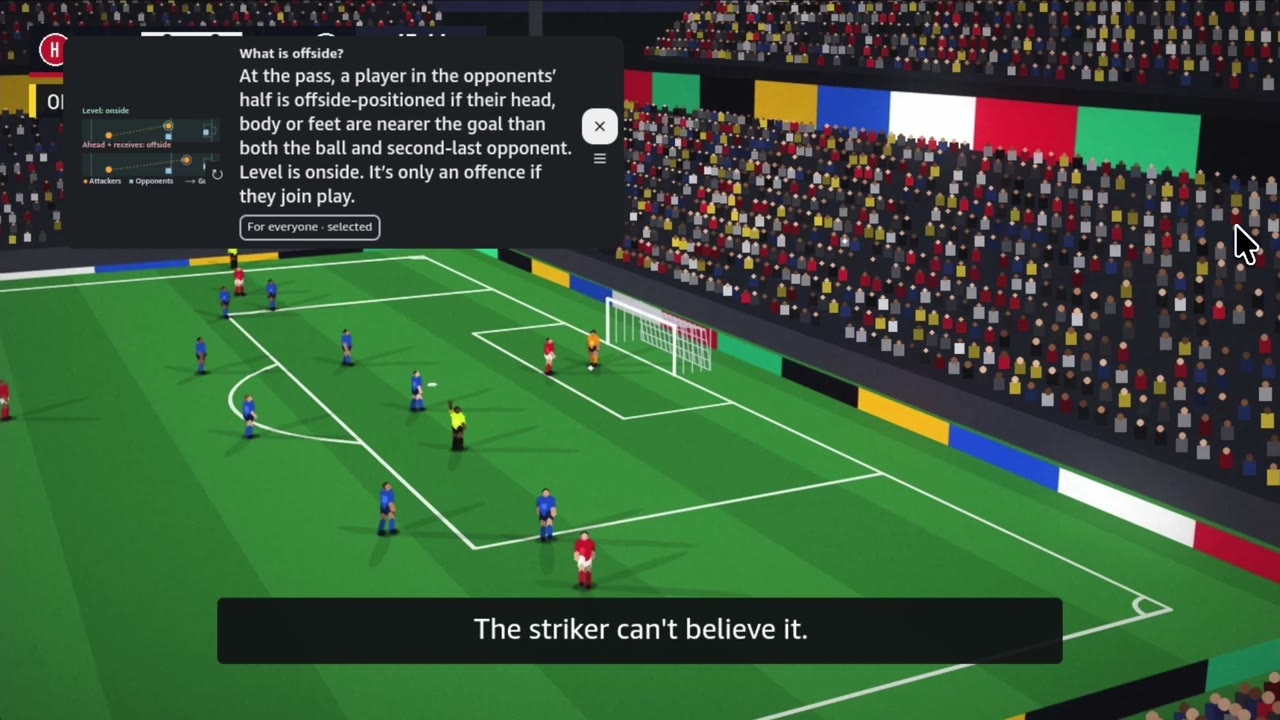
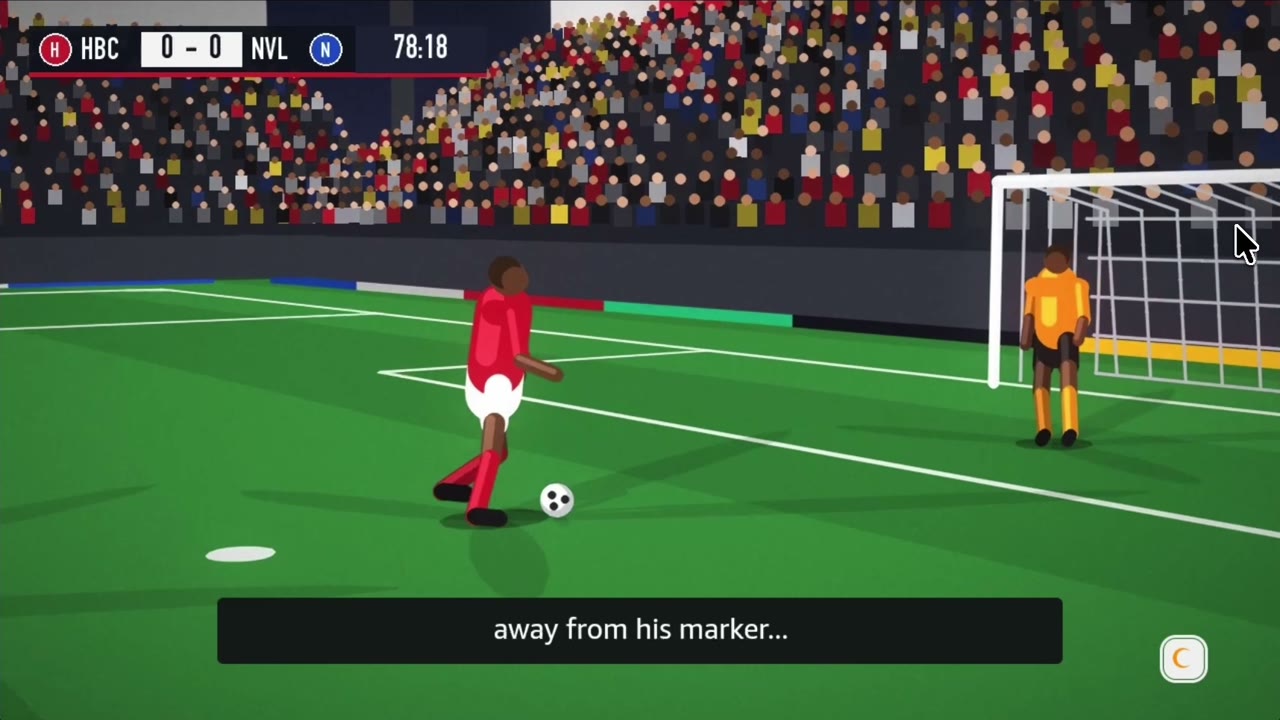
| Smart placement | Local object detection finds the goal mouth, the ball, faces, captions and the score, then places the answer in the quiet corner, or steps aside to a small crescent for the critical moment. | The answer never covers what the room is watching. |
| Second screen | Pair a phone with a six-digit code. Rather keep the TV clear? Send every answer to the phone instead. | Private help without interrupting anyone. |
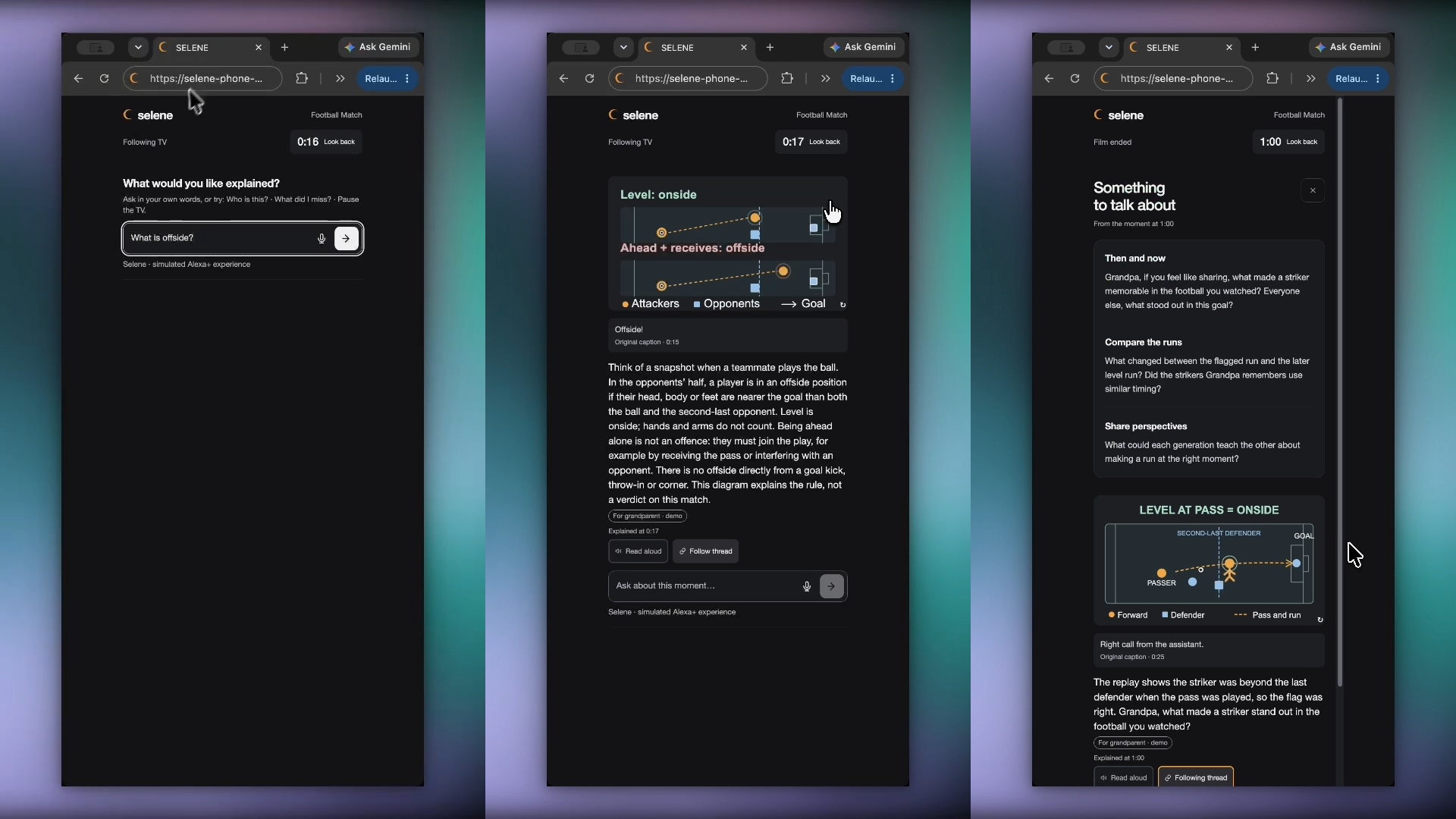
| Personal by voice and text | “Explain it for my grandpa” or “I’m a kid” changes the wording and the visual, not the facts. | Same question, the right answer for each person. |
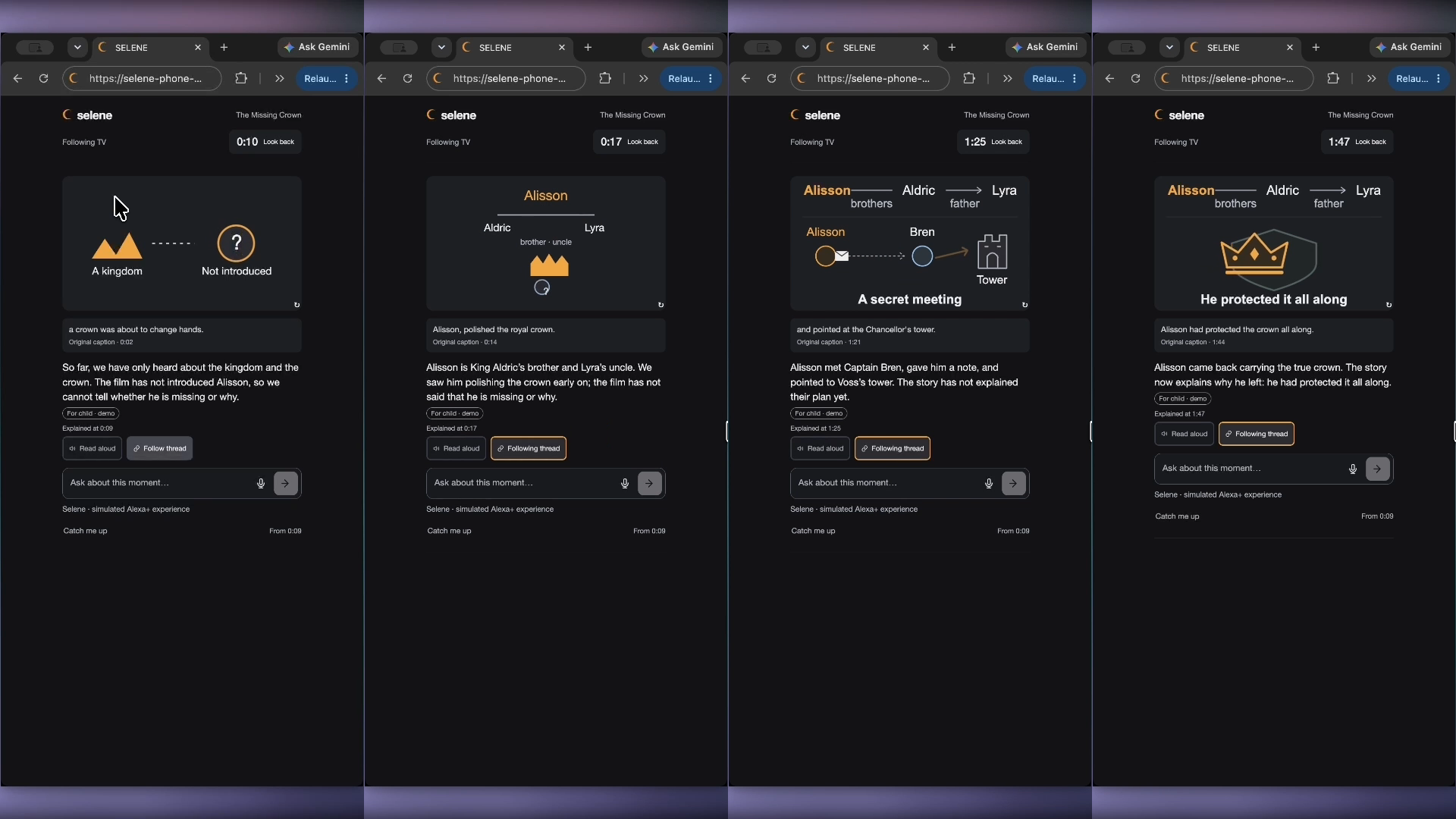
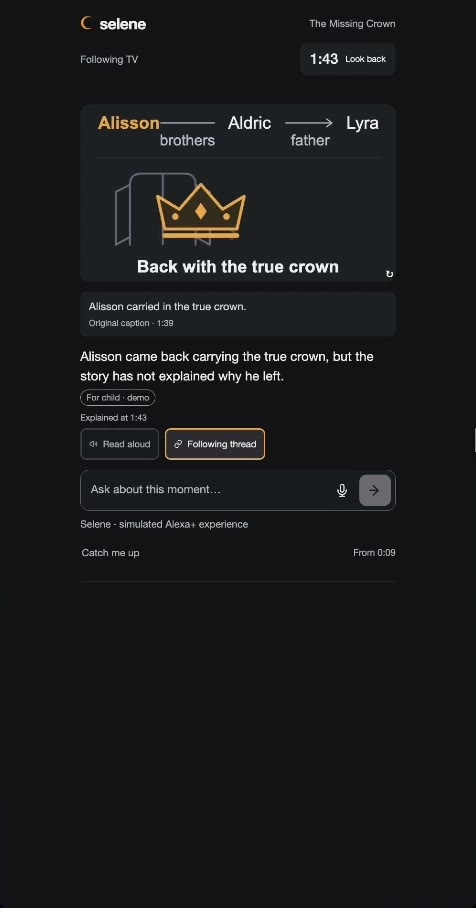
| Follow-ups that grow with the story | Turn on Follow thread and the diagram updates itself at each material development. No clicks. | Understanding keeps pace with the film. |
| Catch me up | “What did I miss?” recaps the gap since your tap, never what comes next. | Back in the story in seconds, without pausing the room. |
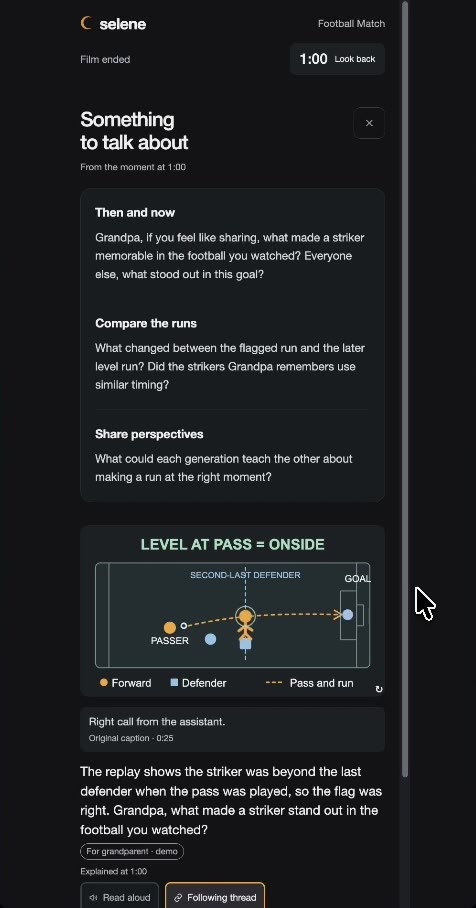
| Selene invites conversation | At a natural break, the phone may offer two or three invitations: “Grandpa, what made a striker memorable in the football you watched?” | AI opens the door. Family walks through it. |
Product walkthrough
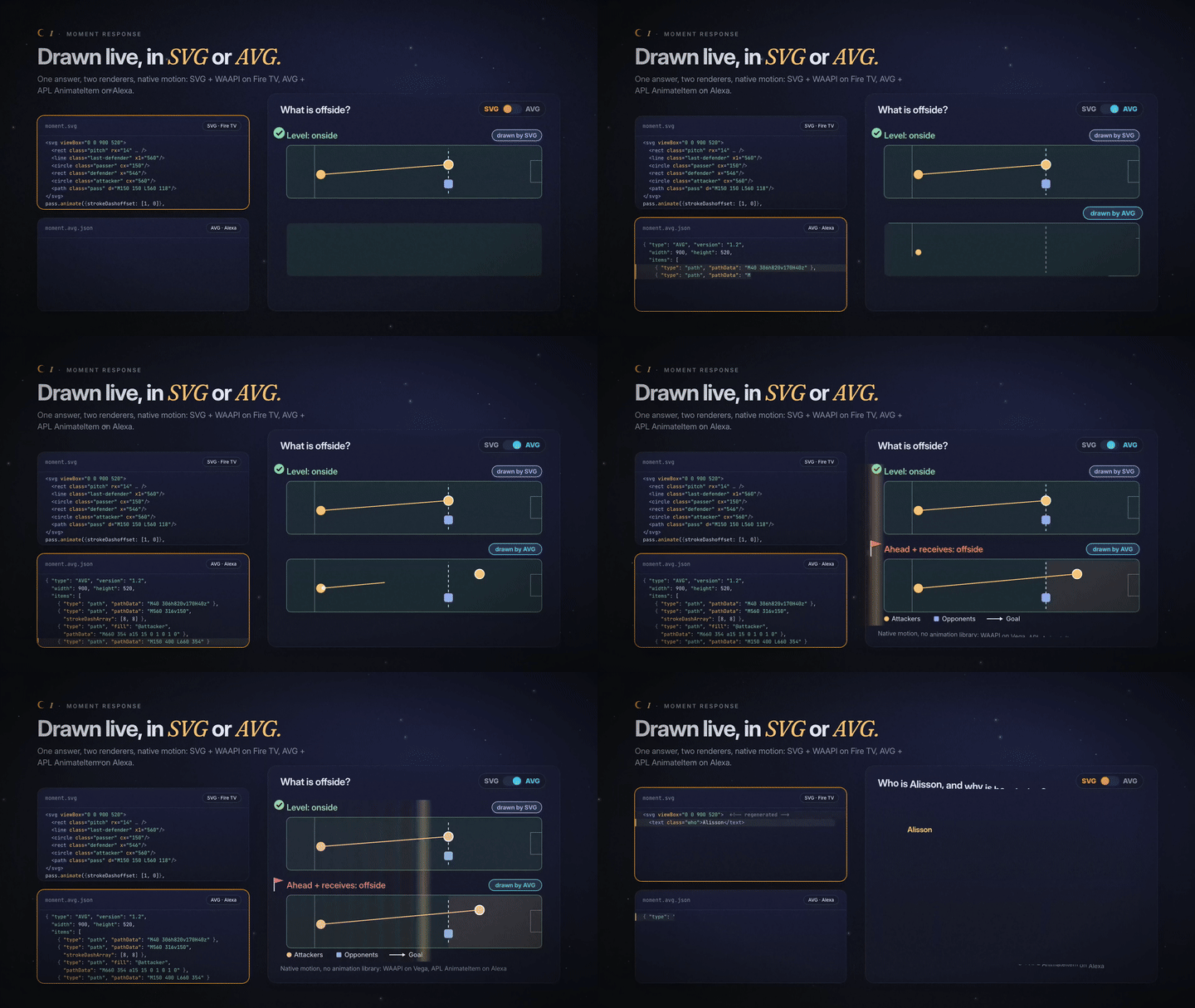 I · Drawn live, in SVG or AVG. Native motion on both: WAAPI on Fire TV, APL AnimateItem on Alexa. The switch lights whichever renderer is drawing. |
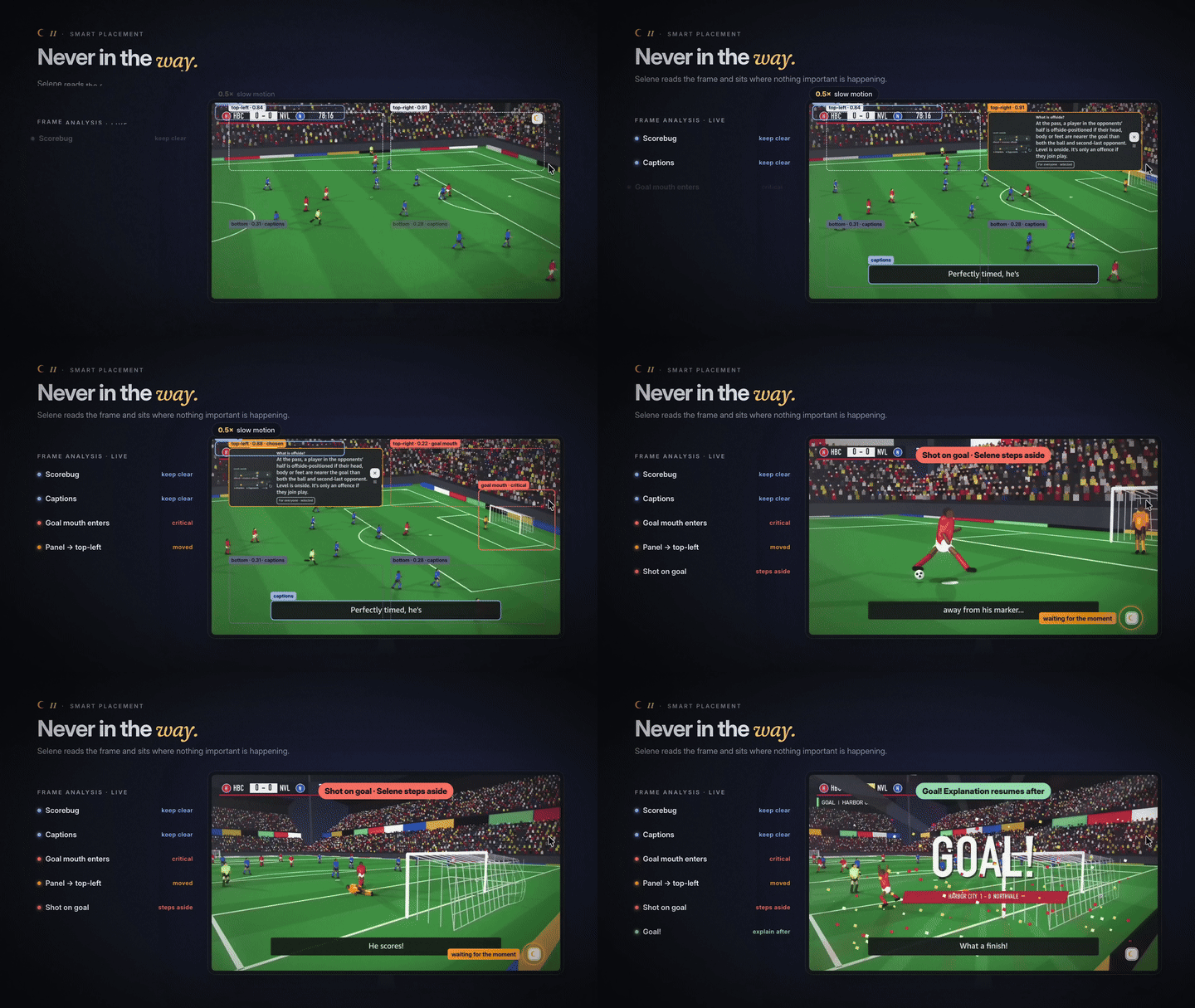 II · Never in the way. The real Vega recording at 0.5×: the goal mouth enters, the panel moves, then steps aside for the shot. |
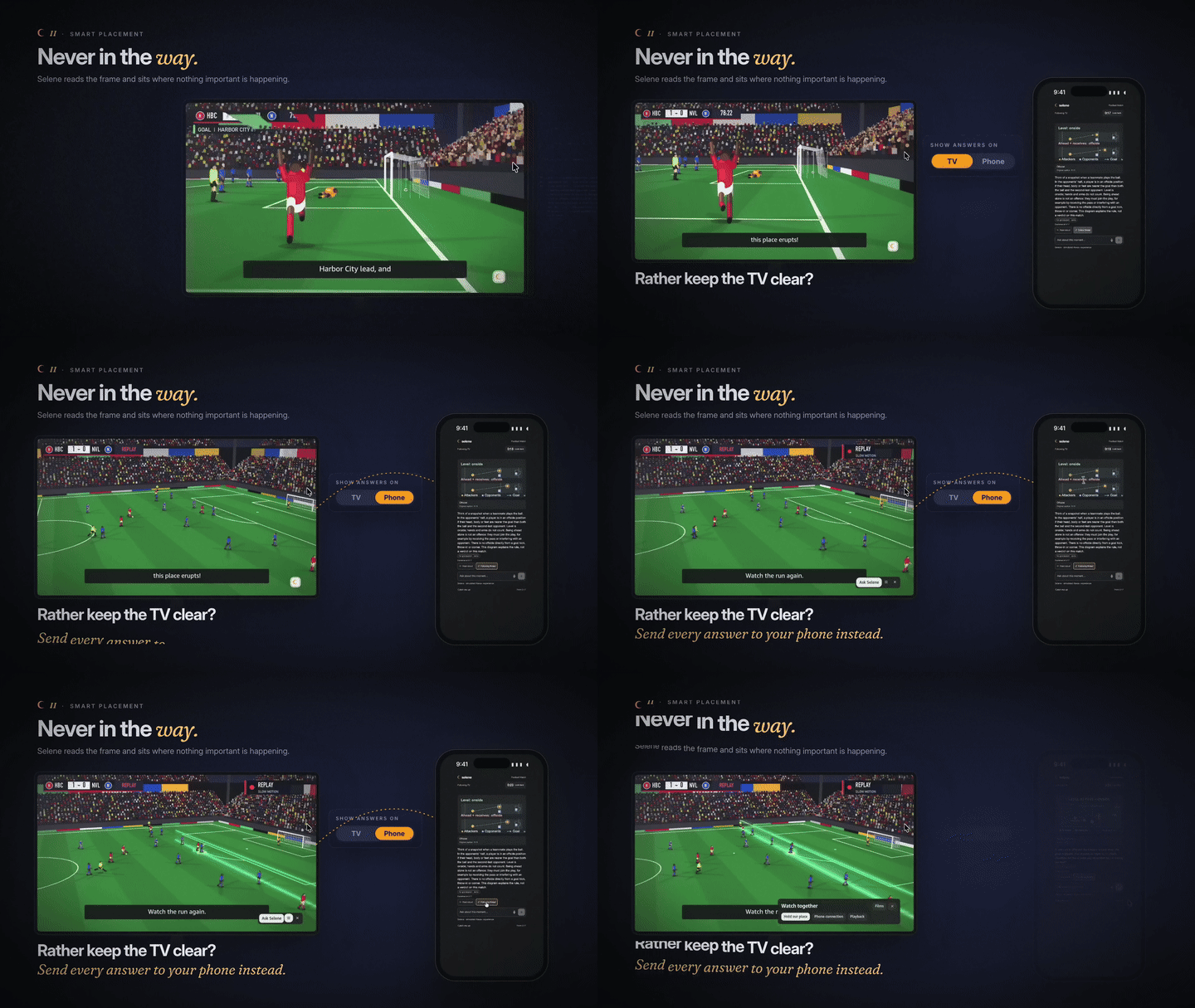 Second screen. The TV keeps only a quiet crescent. |
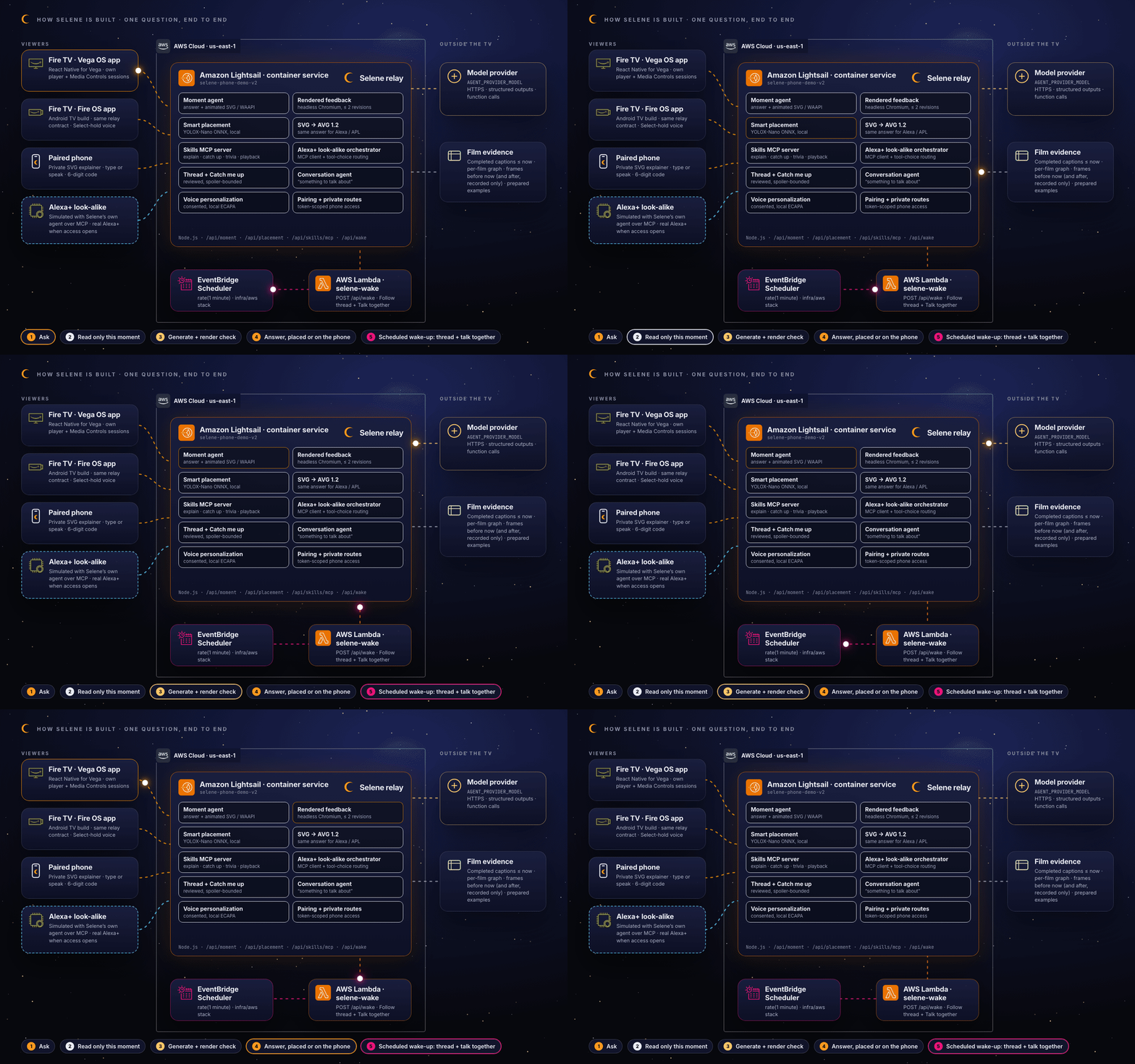
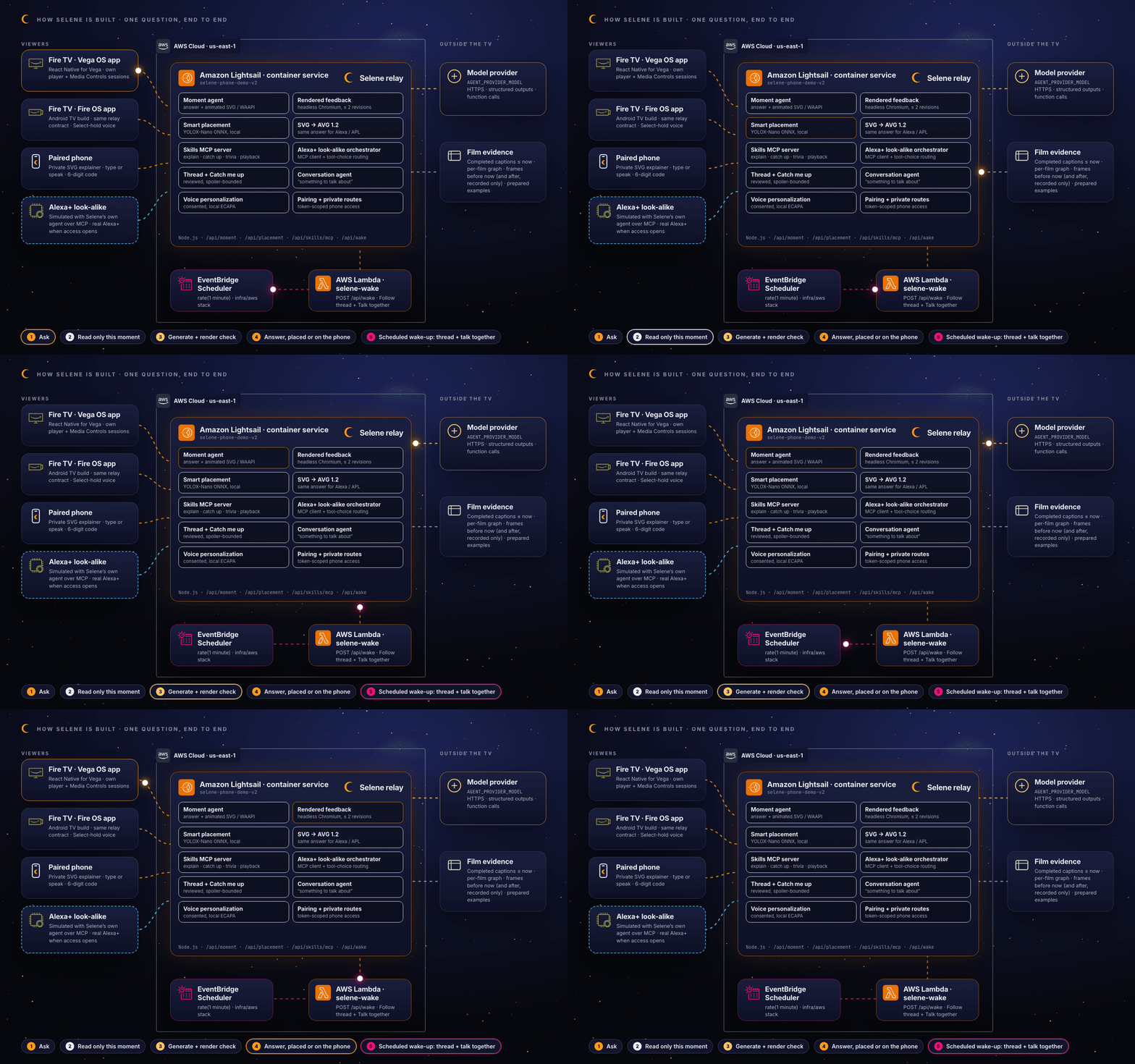
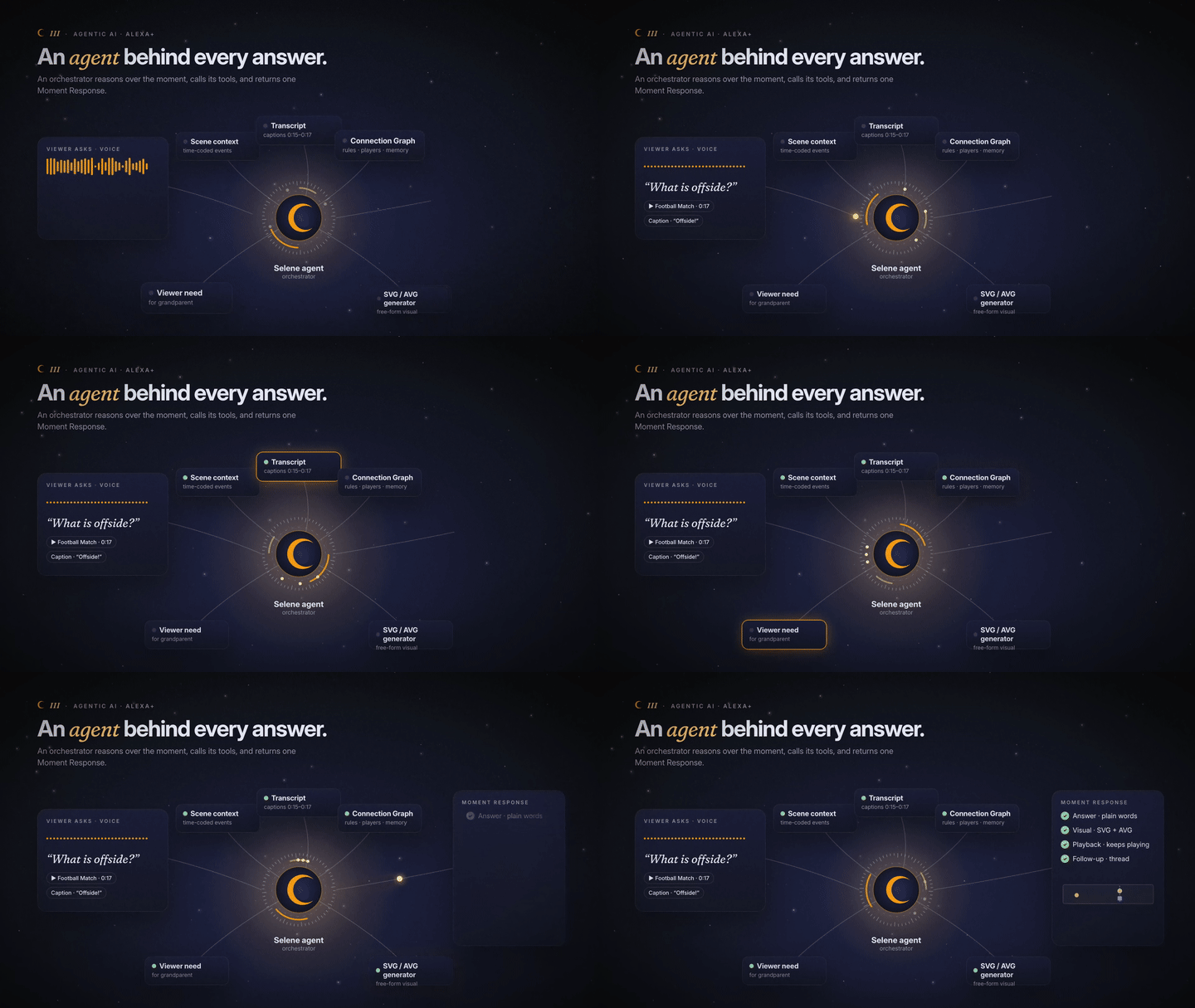 III · An agent behind every answer. Tools in, one Moment Response out. |
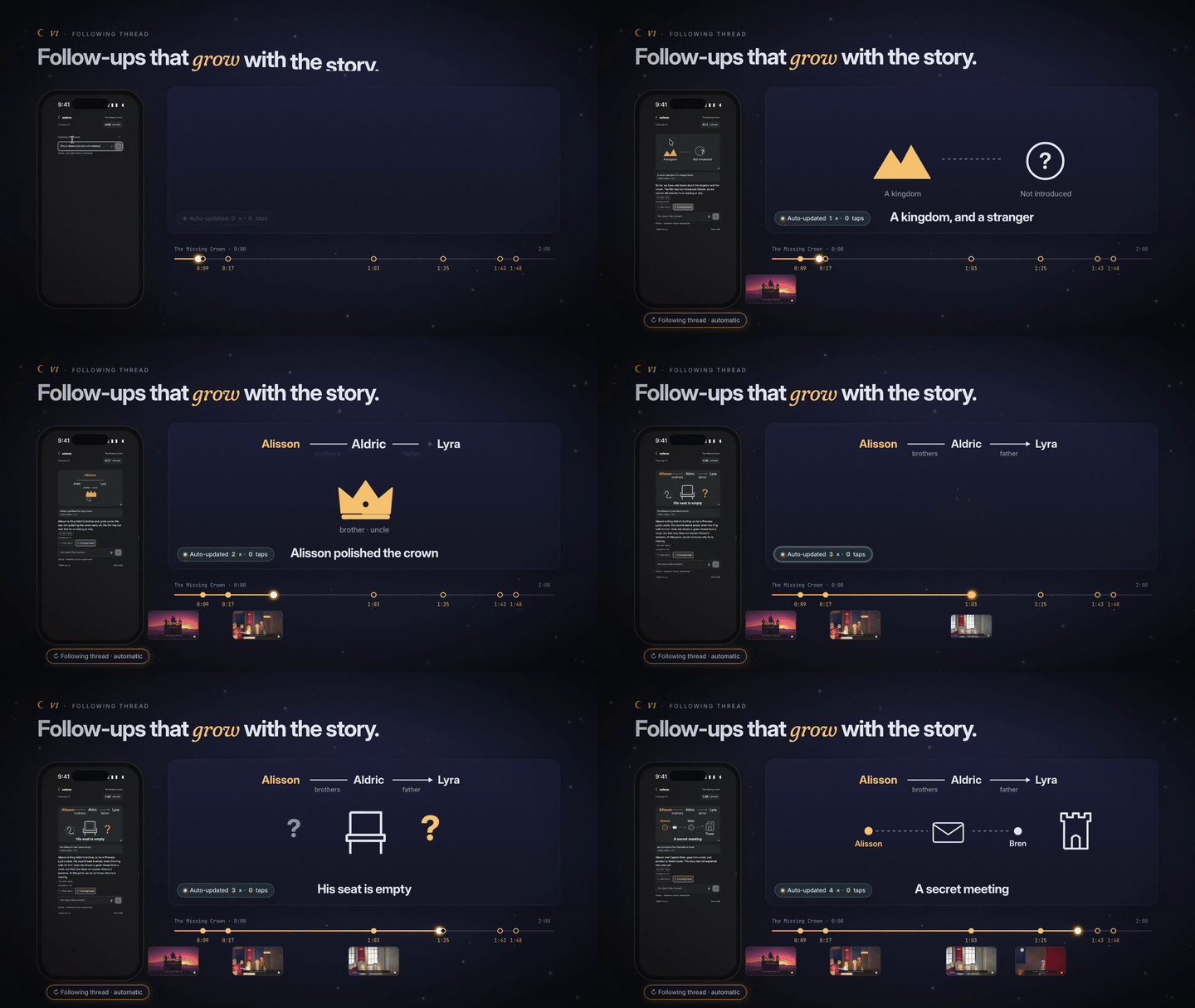 VI · Follow-ups that grow with the story. Auto-updated at every story point, zero taps. |
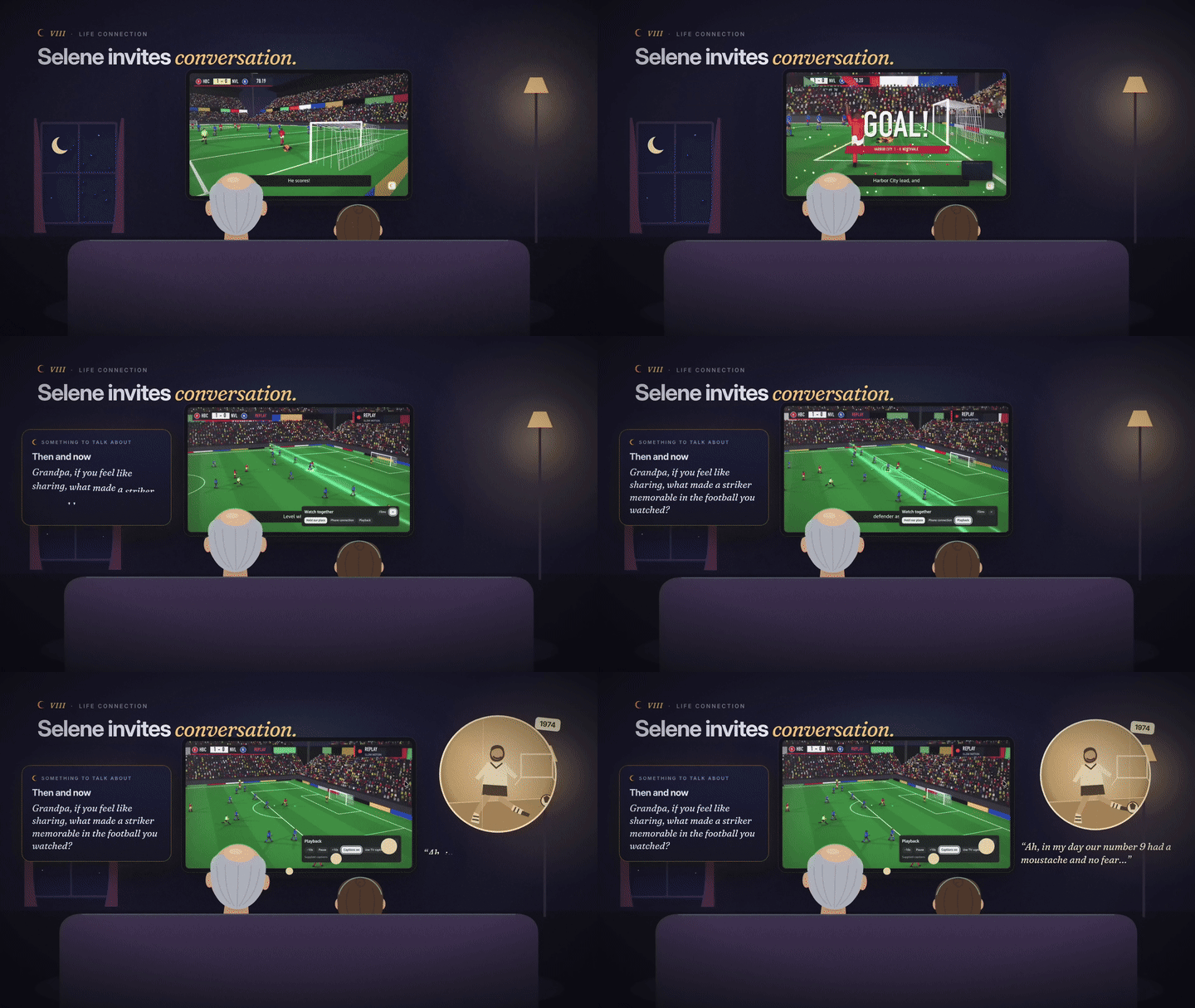 VIII · Selene invites conversation. AI opens the door; family walks through it. |
| On the TV: answer | Moves for the goal mouth | Steps aside for the shot |
|---|---|---|
 |
 |
 |
| Phone: for a grandparent | Phone: for a child | Phone: follows the story | Phone: something to talk about |
|---|---|---|---|
 |
 |
 |
 |
How the agent works
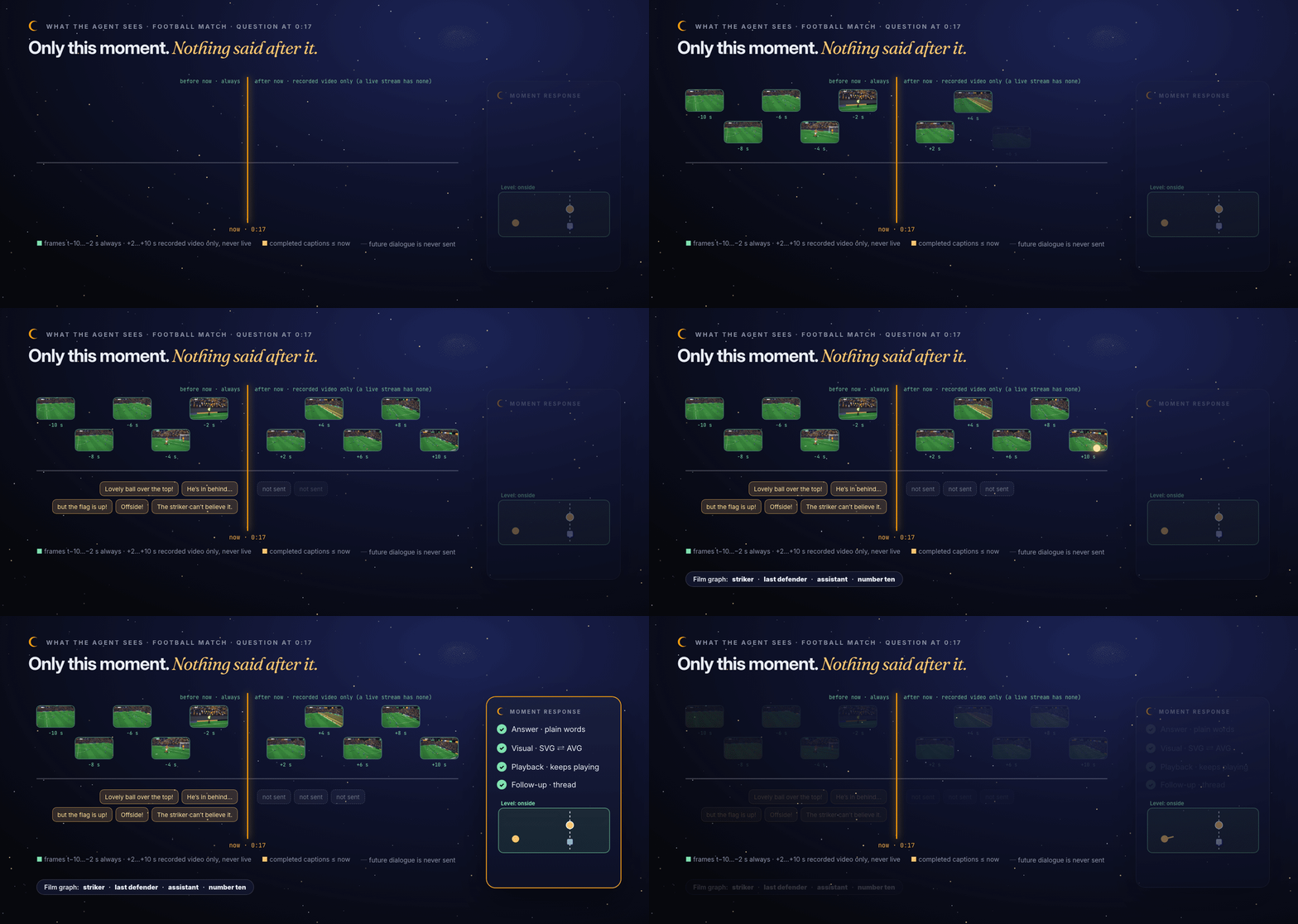
- A viewer asks a question. The relay freezes the sampled playback time.
- It gathers only that moment: every caption completed by the question time, source frames from t−10 s (plus up to t+10 s when the video already contains them; a live stream has no future frames, so only the ten seconds before), and the film’s own caption-backed graph.
- The agent returns one Moment Response: a short answer, an SVG animated with the native Web Animations API (WAAPI, also convertible to AVG), a playback policy, and a follow-up.
- The host validates it, renders it in headless Chromium, and sends the real pixels and measured motion back. The model may revise up to twice.
- Local YOLOX-Nano and an edge/contrast/motion scorer choose where the answer can sit; uncertain analysis keeps it outside the video.
- The answer appears on the TV, or on the paired phone, in the viewer’s communication style. Playback keeps going.
| The agent can | The agent cannot |
|---|---|
| Read completed captions, ten source frames, the film graph and the viewer’s stated needs. | See any dialogue after the question time. |
| Draw any free-form diagram that passes SVG safety and animation bounds. | Ship an unsafe or invalid visual; that falls back to words. |
| Call Selene skills over MCP: explain, catch up, who is on screen, trivia, playback. | Claim a pause or play without a provider result. |
| Shape wording from “I’m grandma” or a consented voice match. | Infer age, disability or identity, or record the family. |
Alexa+ ready, honestly
Selene positions itself next to Alexa+, not against it. Alexa+ answers who, what, where; Selene answers why and how, visually, for the moment on screen.
Inside the app, an Alexa+ look-alike built on our own AI agent simulates the experience. Its orchestrator is a real MCP client. It routes each request to Selene’s skills server (get_viewing_context, explain_moment, catch_me_up, who_is_on_screen, trivia, control_playback) by model tool choice, keeps six turns of memory, and forces the TV position as the spoiler boundary. It is labelled “Selene · simulated Alexa+ experience”. When Alexa+ add-on access opens, the same MCP tools are the integration, and the same answers already render as AVG.
How we built it
| Technology | Role in Selene |
|---|---|
| Vega OS · React Native for Vega 0.83, React 19.2, TypeScript 5.8 | The TV app: Media Controls session discovery, own player, D-pad and voice, native SVG motion. |
| Fire OS (Android TV) | The same experience on Fire OS, with Select-hold voice capture. |
| Node.js relay | Moment agent, rendered-pixel feedback, placement, pairing, skills MCP server, simulated Alexa+, conversation scheduler. |
| SVG + Web Animations API (WAAPI) | Free-form, validated explanation diagrams, animated natively in the browser with no animation library. |
| AVG 1.2 / APL 2024.3 | visual-avg.mjs converts the same answer, turning each WAAPI animation into native APL AnimateItem motion; the official APL viewhost (WASM) previews it locally. |
| Model Context Protocol | Skills server and in-app MCP client for the simulated Alexa+ experience. |
| YOLOX-Nano (ONNX Runtime) | Local, free, two-second placement analysis; no remote inference. |
| Headless Chromium | Renders each diagram so the model can review real pixels. |
| SpeechBrain ECAPA | Optional, consented, local speaker match for household preferences. |
| Alexa+ (look-alike) | We simulate the Alexa+ experience with our own AI agent: an in-app orchestrator that routes requests to Selene’s MCP skills and renders answers as AVG, ready for real Alexa+ add-on access. |
| Amazon Lightsail | The container service that runs the relay used for TV and phone pairing. |
| Amazon EventBridge Scheduler + AWS Lambda | Wakes the relay for Follow thread and “Something to talk about”: a schedule invokes the selene-wake Lambda, which calls the relay’s token-protected POST /api/wake so due checks run even when the phone is asleep. Defined in infra/aws/, ready to deploy. |
Challenges we ran into
- Not covering the moment. A panel that dodges at the wrong time is worse than no panel. We moved from heuristics to local object detection with a strict two-second deadline, and made uncertainty fall back to a layout outside the video instead of guessing.
- Spoilers hide in context. Captions are the easiest way to leak the plot. The evidence window sends only completed cues up to the frozen time; on recorded video, frames after it allow visual lookahead without future dialogue, and a live stream gets no future frames at all.
- Diagrams that actually teach. Schema-valid SVG can still be confusing. Rendering it and feeding the real pixels back to the model fixed many layouts, though we still treat teaching quality as something to review by eye.
- One answer, two renderers. SVG and AVG disagree on transforms, text and animation. The converter reports unsupported semantics instead of silently dropping them.
- Honest Alexa+. Without add-on access, we built the integration surface for real (MCP) and labelled the experience as simulated.
Accomplishments we’re proud of
- A full TV + phone experience on Vega OS and Fire OS around two authored films, where every answer is drawn live and placed with care.
- The same Moment Response rendering as SVG on Fire TV and as AVG for Alexa.
- Follow thread, Catch me up and conversation invitations that respect the spoiler boundary.
- A 3-minute launch film built entirely from the real recordings, with an original orchestral score.
What we learned
The useful role for AI on a shared TV is not to talk more. It is to answer one person’s question about one moment, visually, and then leave the screen to the story. The hard engineering is in the boundaries: what the agent may see, where the answer may sit, and when it should stay silent.
What’s next
- Real Alexa+ add-on access, plugging the existing MCP skills into Alexa+.
- Authorized scene-context feeds for third-party titles, so answers ground in more than captions.
- Physical Fire TV and Vega device validation for placement, voice routing and pairing.
- Household testing of the conversation invitations with real families.
Honest limits
- Alexa+ is a look-alike simulated with our own agent; no live Alexa+ integration, Alexa voice or Amazon branding is used.
- Overlay is limited by the platform, not by design. We designed Selene to be a true overlay that floats over whatever is playing. Today the Vega SDK and Fire OS documentation expose no API, permission or capability that lets a third-party app draw over another provider's player (such as Prime Video), and we found no supported overlay privilege to request. So Selene overlays its own player only, and for other apps it works as a companion: Media Controls session discovery on the TV and the paired phone as a second screen. If an overlay capability opens, the same placement engine is ready to use it.
- Placement uses a general object detector on sparse samples and can miss subjects.
- Demo films and prepared examples are authored for this project; ordinary questions use the live agent.
- Several paths are verified on the Vega Virtual Device, an Android TV emulator and the phone, not on physical Fire TV hardware. See the technical notes.
Try it
- Source: github.com/azharizz/selene
- Live relay: selene-phone-demo-v2 on AWS Lightsail
Built With
- alexa
- amazon-eventbridge
- amazon-lightsail
- apl
- aws-lambda
- fire-os
- fire-tv
- javascript
- model-context-protocol
- node.js
- onnx
- playwright
- python
- react-native
- svg
- typescript
- vega-os
- yolox

Log in or sign up for Devpost to join the conversation.