Inspiration
Over 2.2 billion people worldwide live with vision impairment. Simple daily tasks such as recognizing a face, reading a sign, or spotting a hazard can be challenging and sometimes even dangerous without assistance. As someone with visual impairment, I often worry about my own safety when navigating the world. I know how important it is to feel confident, recognize potential dangers, and have the freedom to move around independently. This experience inspired me to build Seeva, an app that I can use in my own daily life while also helping others like me. My goal is to use AI as a pair of eyes that can describe surroundings, recognize familiar people, answer questions, estimate distances, and warn about potential hazards through voice guidance. I hope Seeva can help visually impaired people feel safer, more confident, and more independent in their everyday lives.
What it does
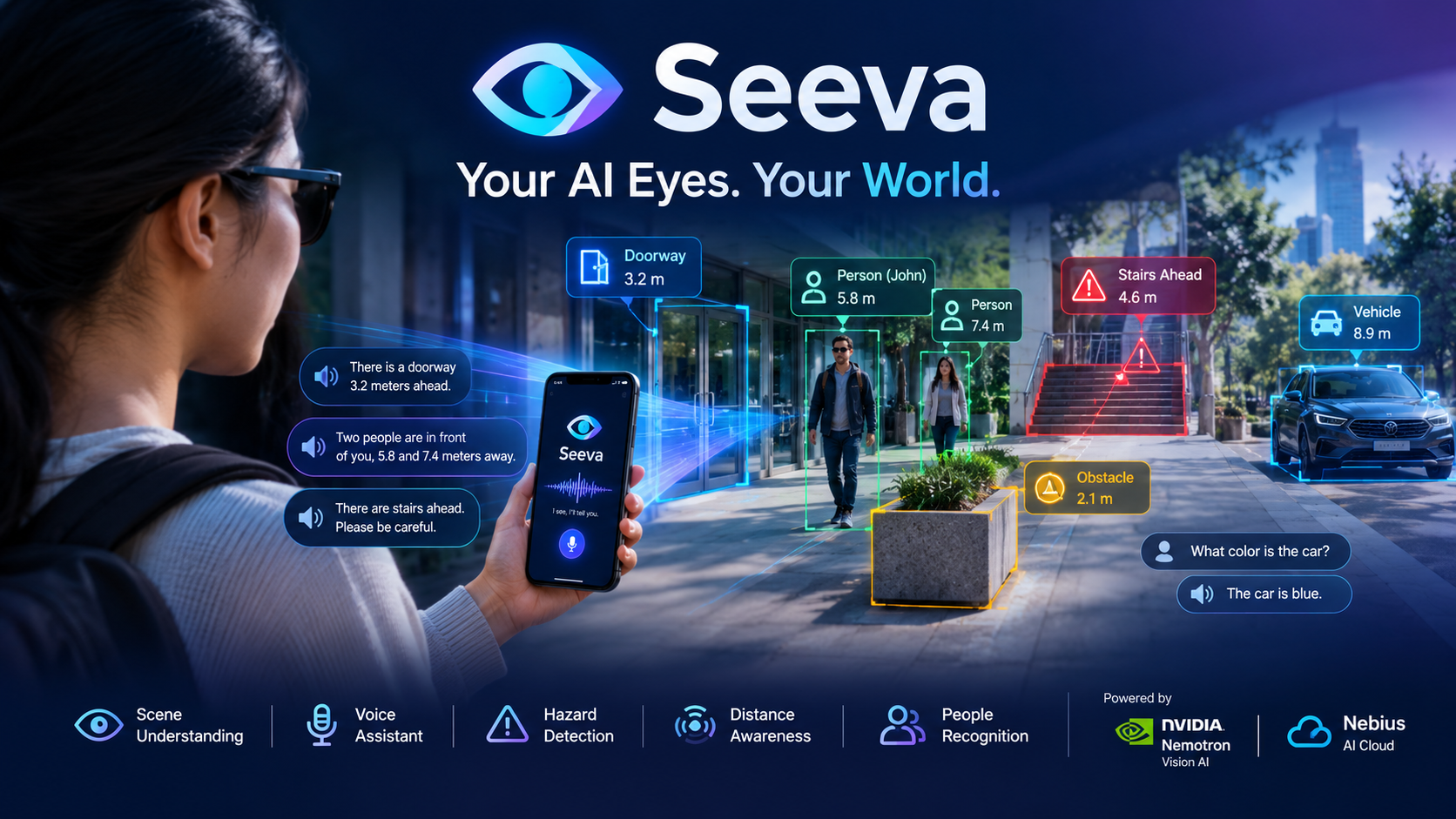
Seeva is a mobile app that acts as an AI-powered pair of eyes for visually impaired people. Point your phone camera at anything and Seeva will:
- Describe the scene in front of you in real time
- Answer questions about what the camera sees using voice or text
- Detect hazards like steps, cars, and obstacles
- Estimate distance to people and objects
- Recognize people by registering family members by name
- Speak everything aloud automatically so you never need to look at the screen
How we built it
Seeva is a mobile app built with React Native and Expo, running on iPhone, with a Python and FastAPI backend deployed on Nebius AI Cloud. Its vision capabilities are powered by NVIDIA’s open-source nvidia/Nemotron-3.5-Super-VL vision-language model, served through Nebius. When a user captures a photo, the app sends the image to the backend as base64-encoded data, where it is processed by the Nebius API to generate an intelligent description that is returned and spoken aloud to the user. Seeva offers four description modes: Quick for brief summaries, Detailed for richer scene descriptions, Hazard Alert to identify potential dangers, and Distance Estimation to help users understand how far away objects are. Together, these features make it easier for visually impaired users to understand their surroundings through accessible, voice-based AI assistance.
Challenges we ran into
During development, we encountered several technical challenges that required testing, troubleshooting, and adapting our approach. macOS 26 beta compatibility issues made Python package installation through pip difficult, while React Native FormData upload problems led us to switch to base64-encoded images sent through JSON. We also discovered that the NVIDIA vision model sometimes returned reasoning content instead of a direct answer, so we developed custom extraction logic to deliver clearer, more useful responses. Face recognition presented another challenge, as traditional embedding models can struggle to recognize babies and young children reliably. Overcoming these challenges helped us improve the app's reliability and bring Seeva closer to our goal of making AI-powered visual assistance accessible and practical for everyday use.
Accomplishments that we're proud of
We’re proud to have built a fully functional, real-time visual assistant that runs on an actual iPhone and successfully integrated NVIDIA Nemotron’s vision-language model through Nebius AI Cloud. Seeva offers four intelligent scene analysis modes such as Quick, Detailed, Hazard Alert, and Distance Estimation which are designed to address the everyday needs of people with visual impairments. One of our most meaningful achievements is making descriptions speak aloud automatically, reducing the need for screen interaction and allowing users to focus on their surroundings. Most importantly, we built and shipped a complete end-to-end AI mobile application from scratch, turning our vision of a more accessible and independent world into a working prototype.
What we learned
Through building Seeva, we learned that NVIDIA vision models on Nebius can produce reasoning-based responses that require special handling to deliver clear, direct, and useful answers. Additionally, Nebius AI Cloud provided a convenient way to run vision models through its inference API, helping us bring real-time visual understanding to Seeva. These lessons helped us better understand the technical and design considerations involved in building AI tools that can make a meaningful difference in people's everyday lives.
What's next for Seeva
Our next goal is to make Seeva an even more capable and accessible everyday companion. We plan to develop a real-time continuous mode that automatically describes surroundings every few seconds while users walk, along with voice input that lets users ask questions naturally using native speech recognition. We also want to introduce a text-reading mode to read signs, menus, and product labels aloud, as well as navigation assistance that guides users through unfamiliar spaces with turn-by-turn descriptions. Multi-language support is another priority, allowing users to hear descriptions in their native language and making Seeva accessible to more communities worldwide. Ultimately, we aim to launch Seeva on the App Store so more people with visual impairments can benefit from AI-powered visual assistance and experience greater safety, confidence, and independence in their daily lives.
Testing Instruction
Here are the exact steps for testers:
On iPhone:
- Download Expo Go from the App Store
- Open Expo Go
- Tap Enter URL manually
- Type exp://u.expo.dev/viclinh/seeva
- Tap Connect
On Android:
- Download Expo Go from Google Play
- Open Expo Go
- Tap Enter URL manually
- Type exp://u.expo.dev/viclinh/seeva
- Tap Connect
