-
-
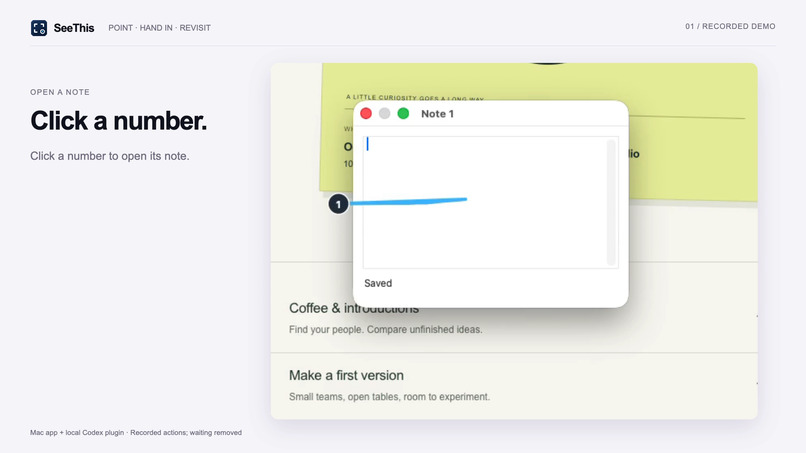
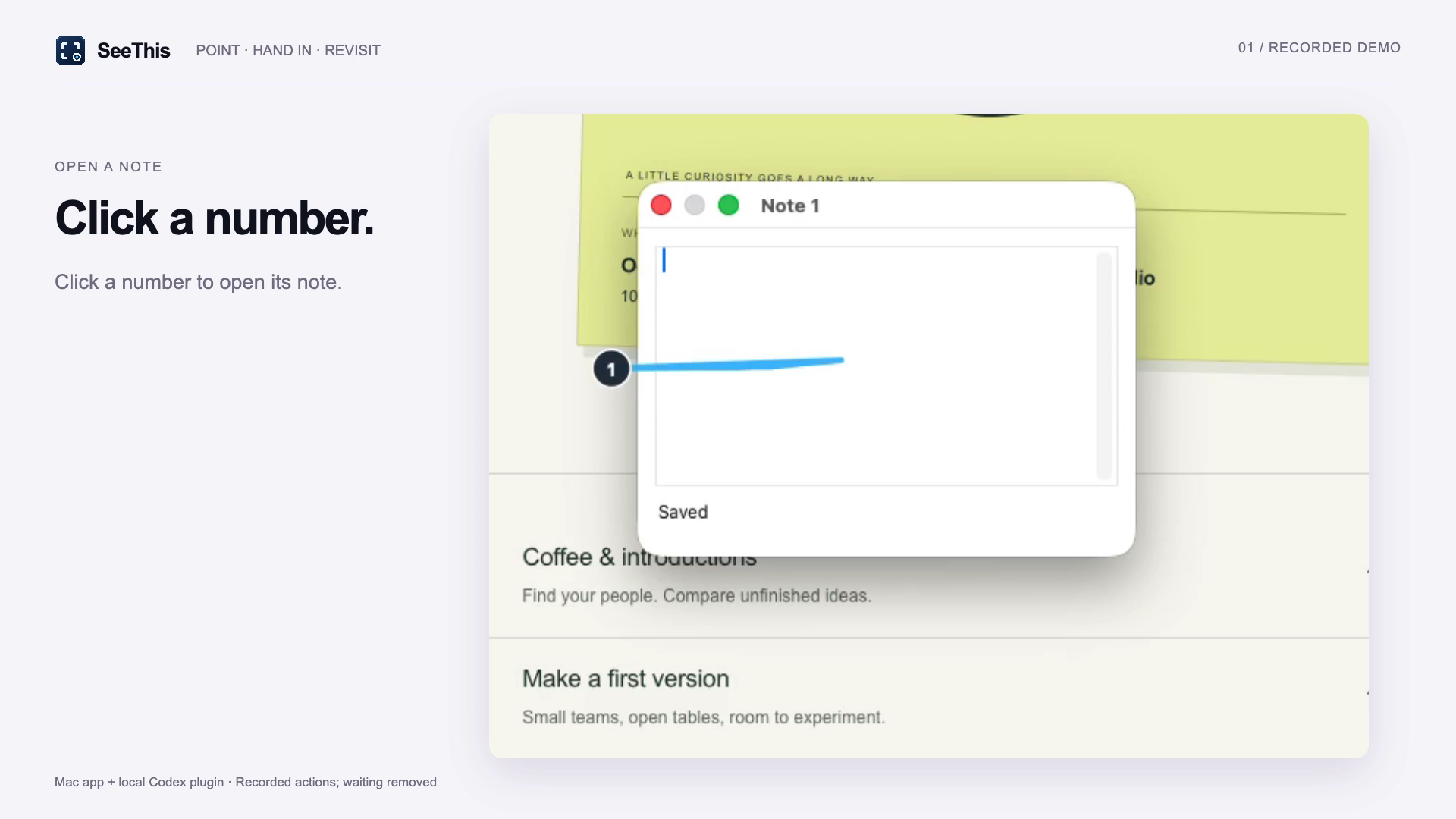
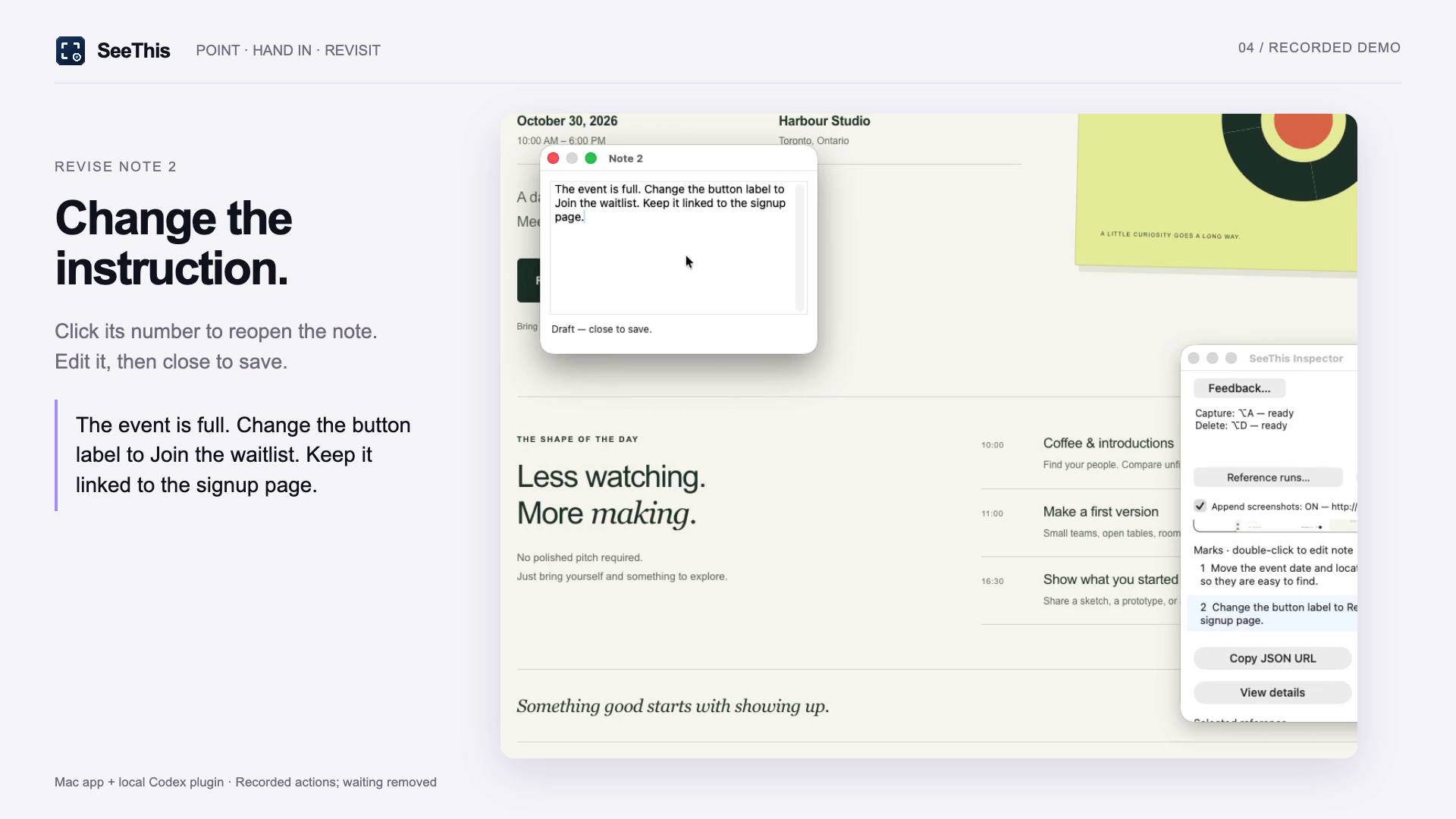
Click a numbered mark to write what you want changed.
-
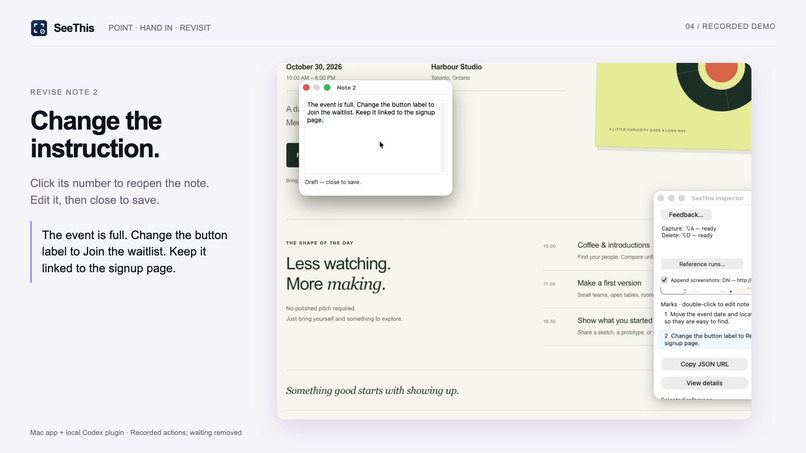
When the event fills up, edit the note to ask for a waitlist.
-
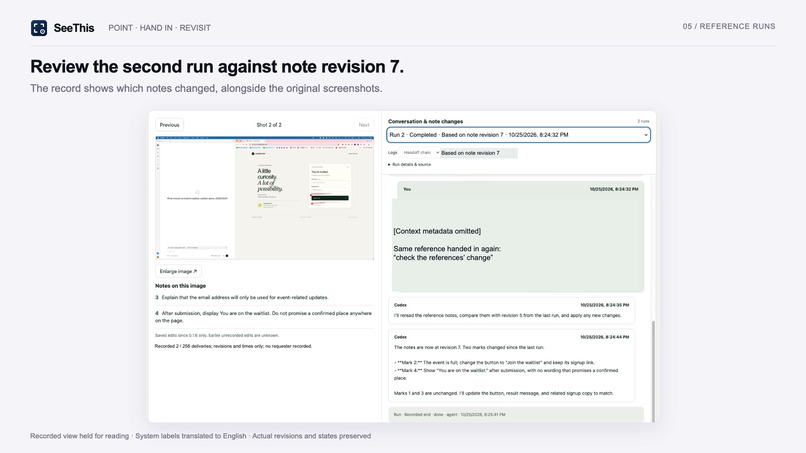
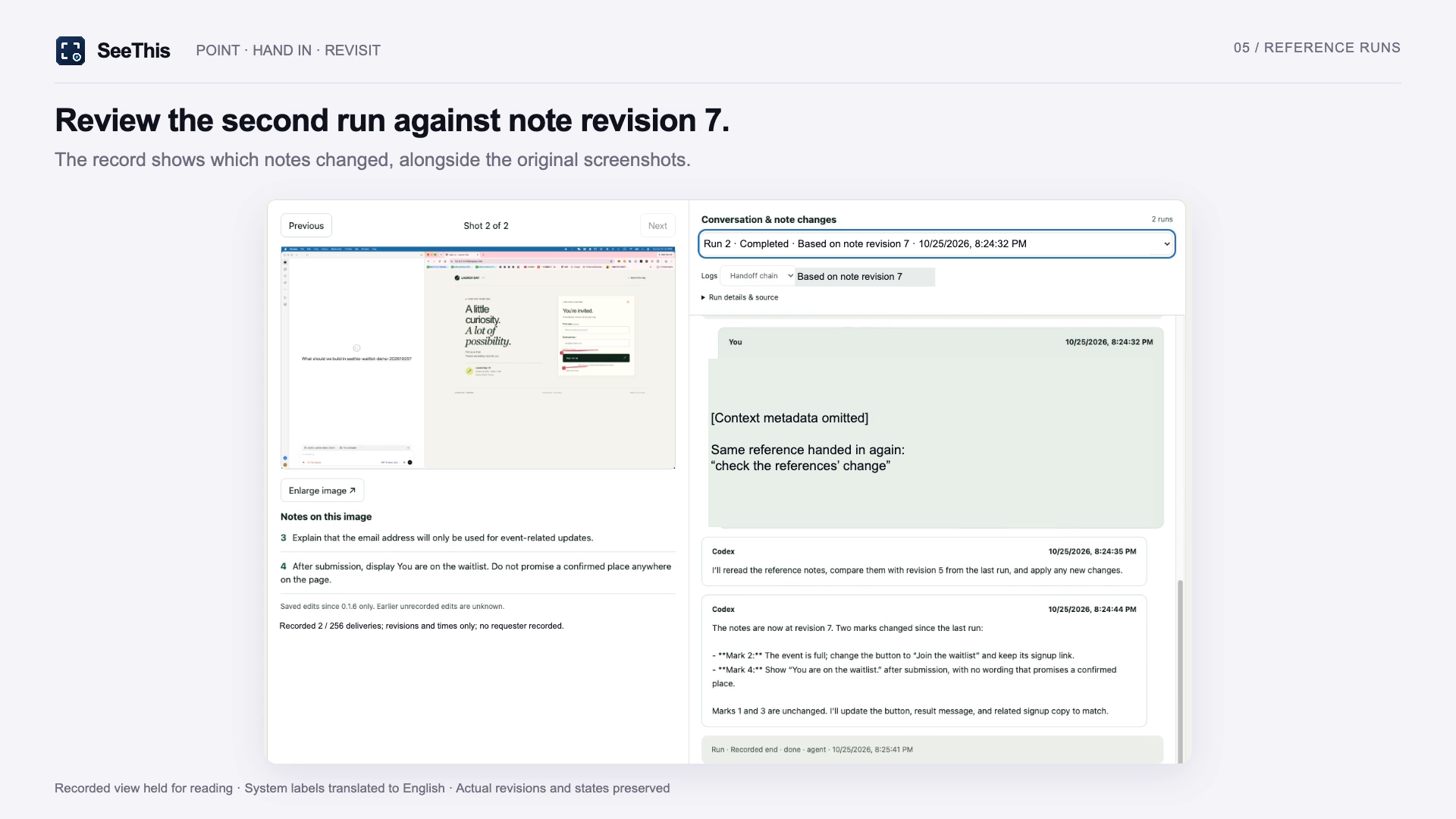
Review the screenshots, changed notes and Codex conversation together.
Why we made it
Telling an AI what to change on a screen takes too much explaining. A screenshot helps, but “the button under that heading” can still be misunderstood. When your request changes, it is easy to lose track of what you asked for.
What SeeThis does
Point to what you want changed, write a note, and give the link to Codex.
- Draw on any Mac screen. Each mark gets a number. Click the number to write or edit a note.
- Keep screenshots from several pages together in one reference.
- Give Codex the link so it can read the marked images and your current notes.
- Open Reference runs from the Inspector to see the pictures, notes and conversation together.
- Change a note and use the same link again. Codex explains what changed before continuing.
The page shows which version of the notes each round of work used. If that cannot be checked, it says so.
The demo
We make four requests across an event website’s home and signup pages. Codex makes the changes. Then the event fills up: we change notes 2 and 4 to ask for a waitlist. Codex identifies those changes and updates the site. We open Reference runs to review both rounds and the note changes.
The video uses real screen recordings of a fictional event. Waiting is cut, one section is sped up, and some labels are translated into English.
How we built it
SeeThis is a Mac app built with C++ and Objective-C++. A small Python plugin connects it to Codex. Records stay on the Mac. The plugin stores where the conversation can be found, rather than making another copy of it.
What we learned
“Finished,” “interrupted” and “unknown” need to mean different things. We also cannot assume an AI saw an edited note just because the edit happened while it was working.
What is new this week
The screen capture and drawing app existed before this event and is available on the Mac App Store. During October 24–25, we added the Codex connection, the Reference runs page, note change history and tracking of which notes each round used. These additions are in the separate 0.1.6 demo build, not the Store version.
Codex helped with development, testing and the demo site. Claude Code helped with planning and review. The video was edited with Remotion.
Try it and what comes next
Download the demo and follow the setup guide.
Next, we want to connect Claude Code and let people continue the same request with a different AI assistant. The same idea could help with charts and documents as well as websites.
This demo requires a Mac, a compatible Codex installation and Python 3.10 or newer. It has been tested on one Mac; a fresh installation on another Mac is still unverified. Links work on the same Mac. Chrome can sometimes cause SeeThis to stop responding; if that happens, quit and reopen SeeThis.
Built With
- c++
- css
- html
- javascript
- macos
- mcp
- objective-c++
- openai-codex
- python
- remotion

Log in or sign up for Devpost to join the conversation.