-
-
System Architecture
Inspiration
How many times have you switched between your browser and messaging apps while working? Research, writing, and collaboration all happen online, but communication is scattered elsewhere. We wanted to solve this by bringing intelligent messaging directly into the browser, eliminating context switching and preserving information seamlessly.
What it does
SeerSync is a Chrome extension that allows users to select and share web content instantly with their contacts, automatically capturing the URL and enhancing messages with AI. Users can chat, annotate, summarize, proofread, translate, rewrite, or generate content all without leaving their browser. Chat history is saved with all linked sources, keeping context intact. SeerSync empowers:
Students to share research findings quickly
Remote teams to communicate with refined tone and clarity
Support agents to draft polished, on-brand responses faster
Researchers and professionals to maintain consistent terminology across discussions
How we built it
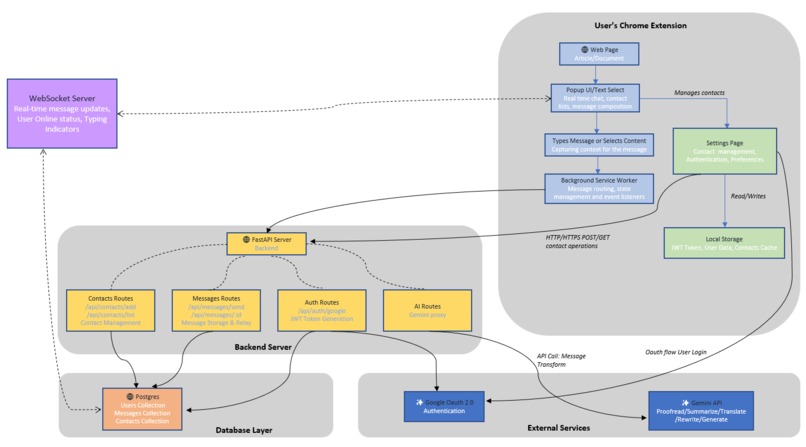
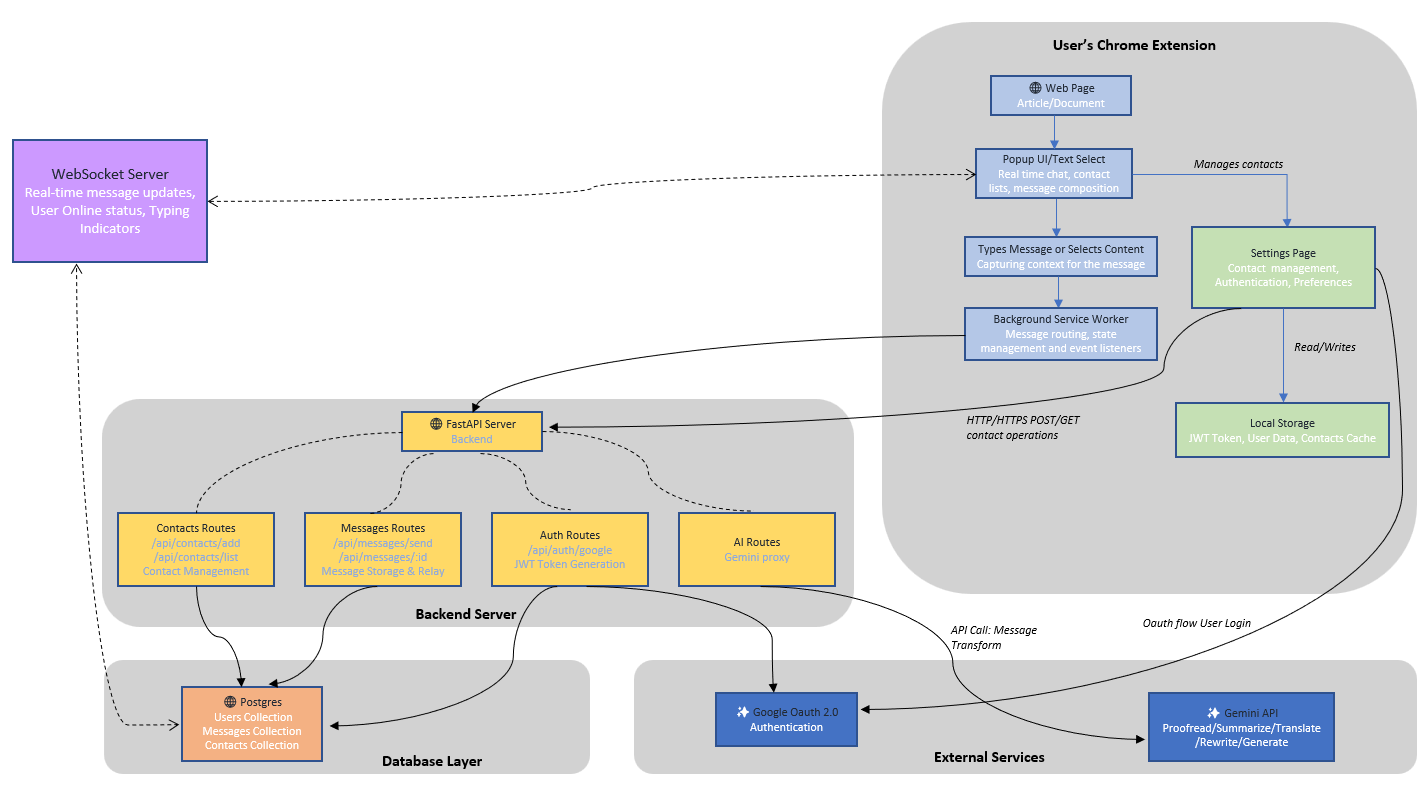
SeerSync is built with a three-layer architecture:
Frontend (Chrome Extension): Captures webpage text, manages chat, and stores tokens/contacts locally.
Backend (FastAPI): Handles authentication, message routing, token generation, and Gemini API requests.
Database (Postgres in Docker): Stores users, messages, and contacts.
It uses the Google Gemini API for AI-powered text transformations and Google OAuth for secure login. The FastAPI backend runs locally, keeping data private and offline-ready.
Challenges we ran into
Ensuring real-time peer-to-peer updates without a central server.
Efficiently handling on-device AI processing for large pages.
Preserving semantic context across multiple pages or tabs.
Balancing privacy, speed, and a smooth UX in a single extension interface.
Accomplishments that we're proud of
Full workflow implemented: select text → enhance with AI → share with contact instantly.
Context preservation: URLs and chat history linked to source pages.
On-device AI integration using Gemini APIs for multiple transformations.
Privacy-first architecture: secure, local processing and OAuth authentication.
What we learned
On-device AI can deliver powerful, privacy-preserving functionality directly in the browser.
Collaboration tools need to maintain context seamlessly to reduce cognitive load.
User experience matters as much as features; simplicity drives adoption.
What's next for SeerSync
Support multimodal content, including images and screenshots.
Advanced context linking across web pages and documents.
Team-level permissions and workflow management for enterprises.
Enhanced offline-first capabilities for uninterrupted collaboration.
Integration with other productivity tools to create a full browser-native workflow ecosystem.


Log in or sign up for Devpost to join the conversation.