-
-
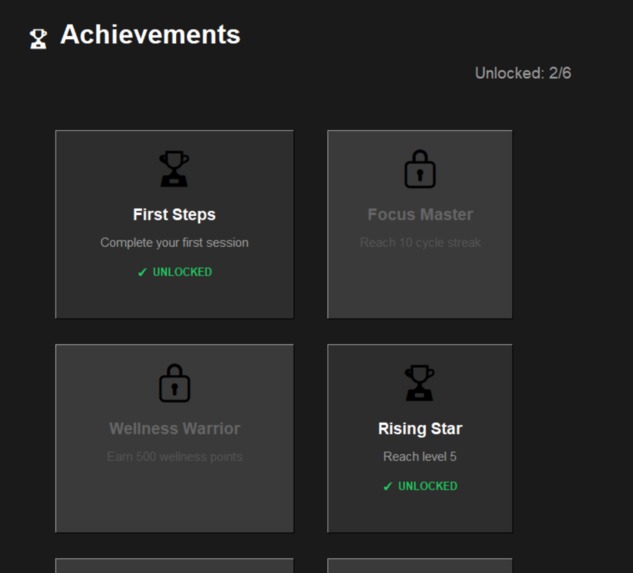
Achievements Page
-
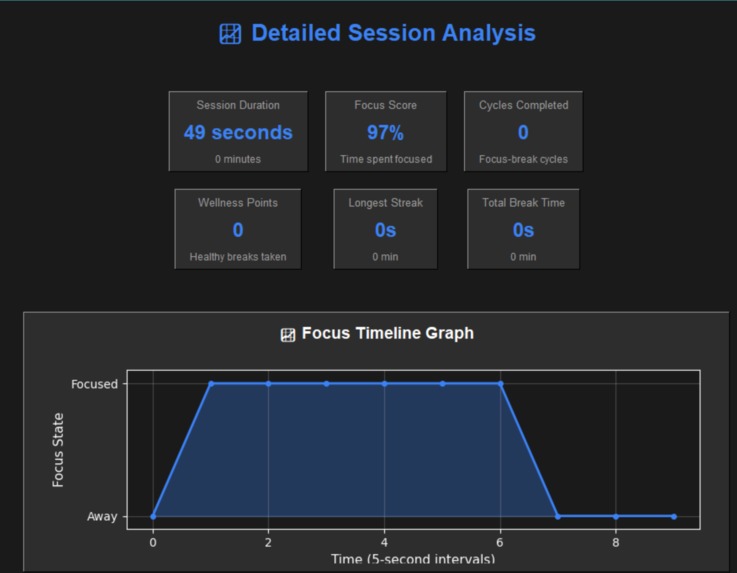
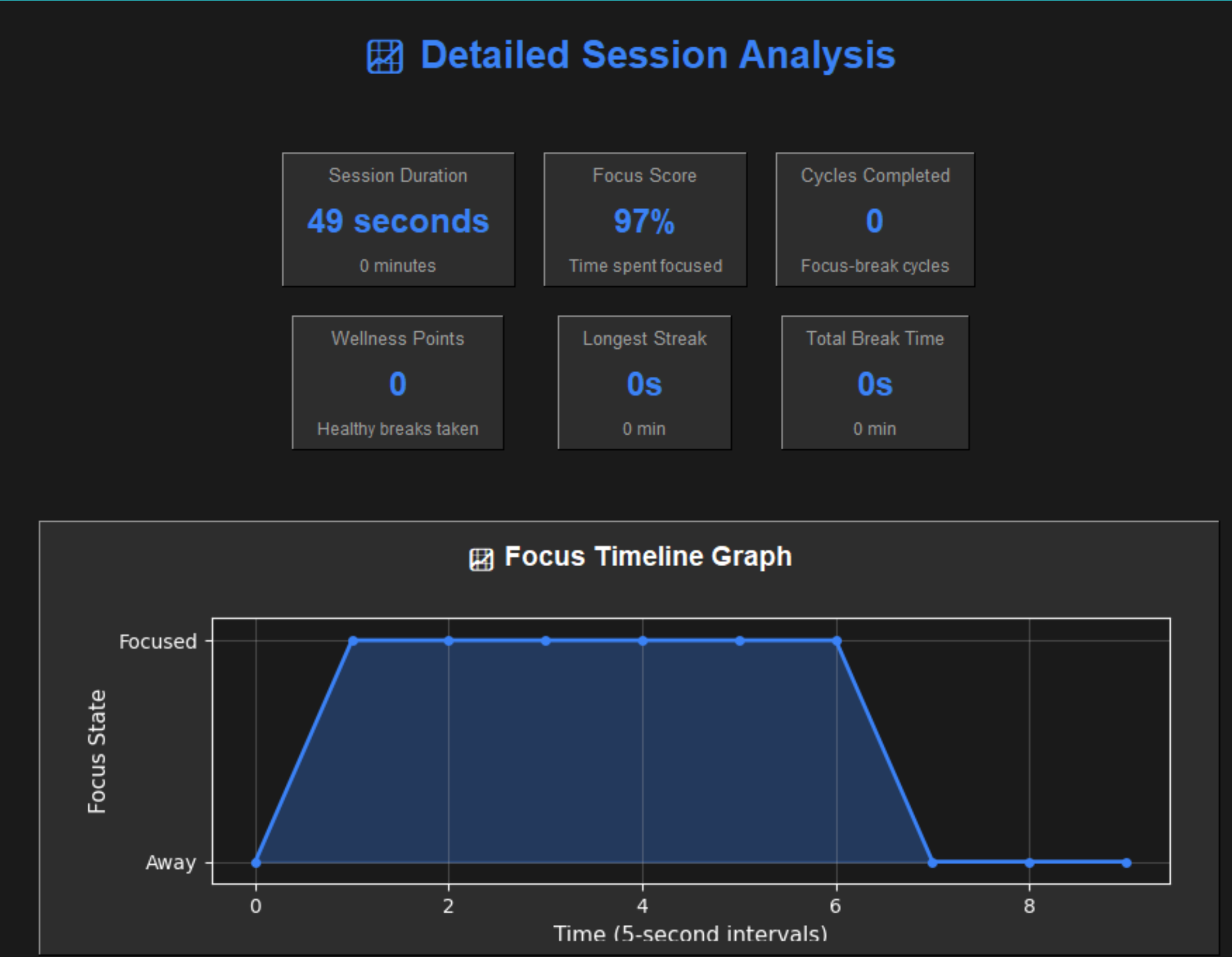
Detailed Summary Session
-
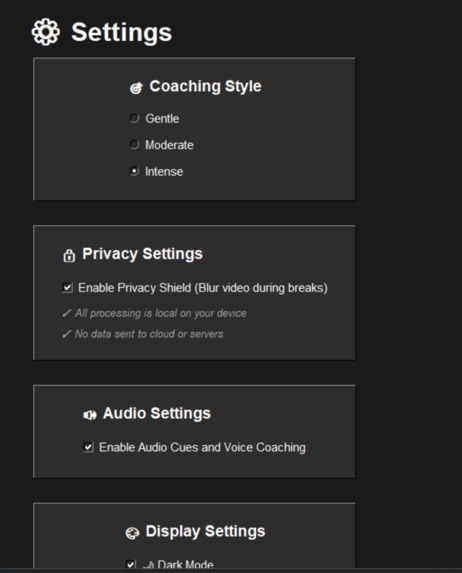
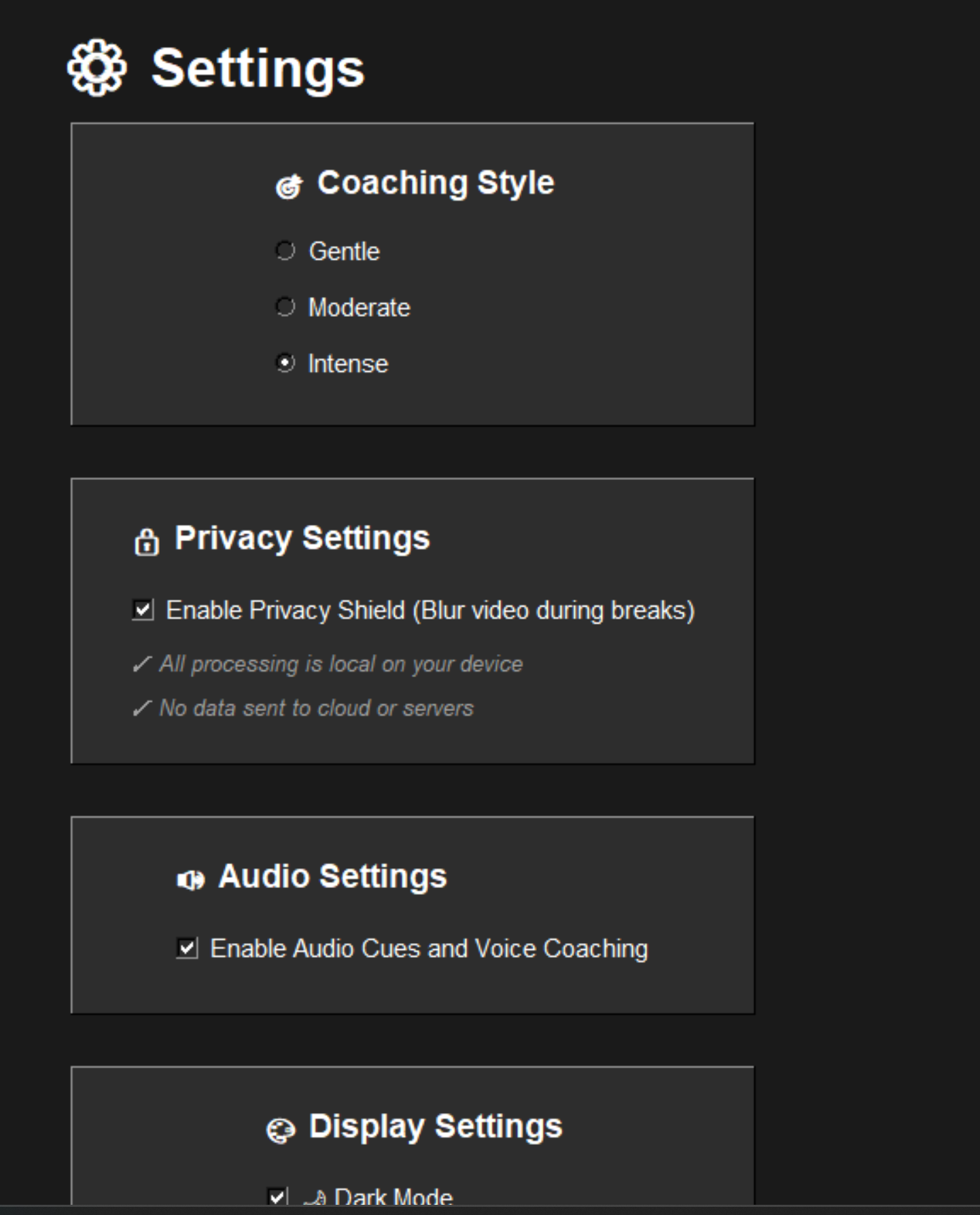
Settings Page
-
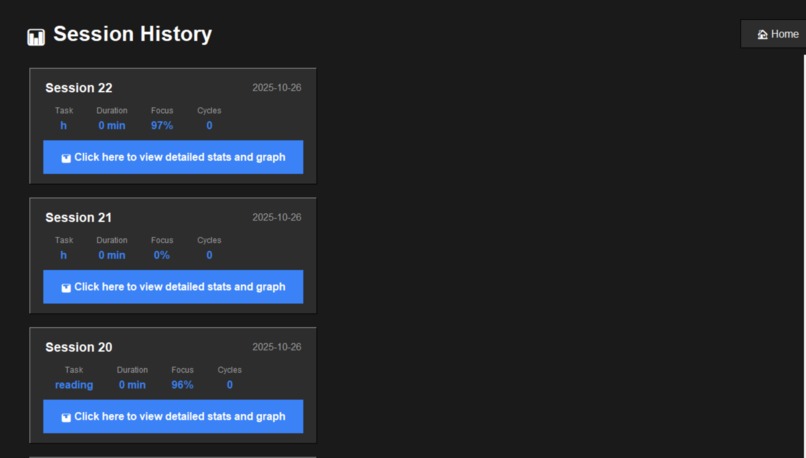
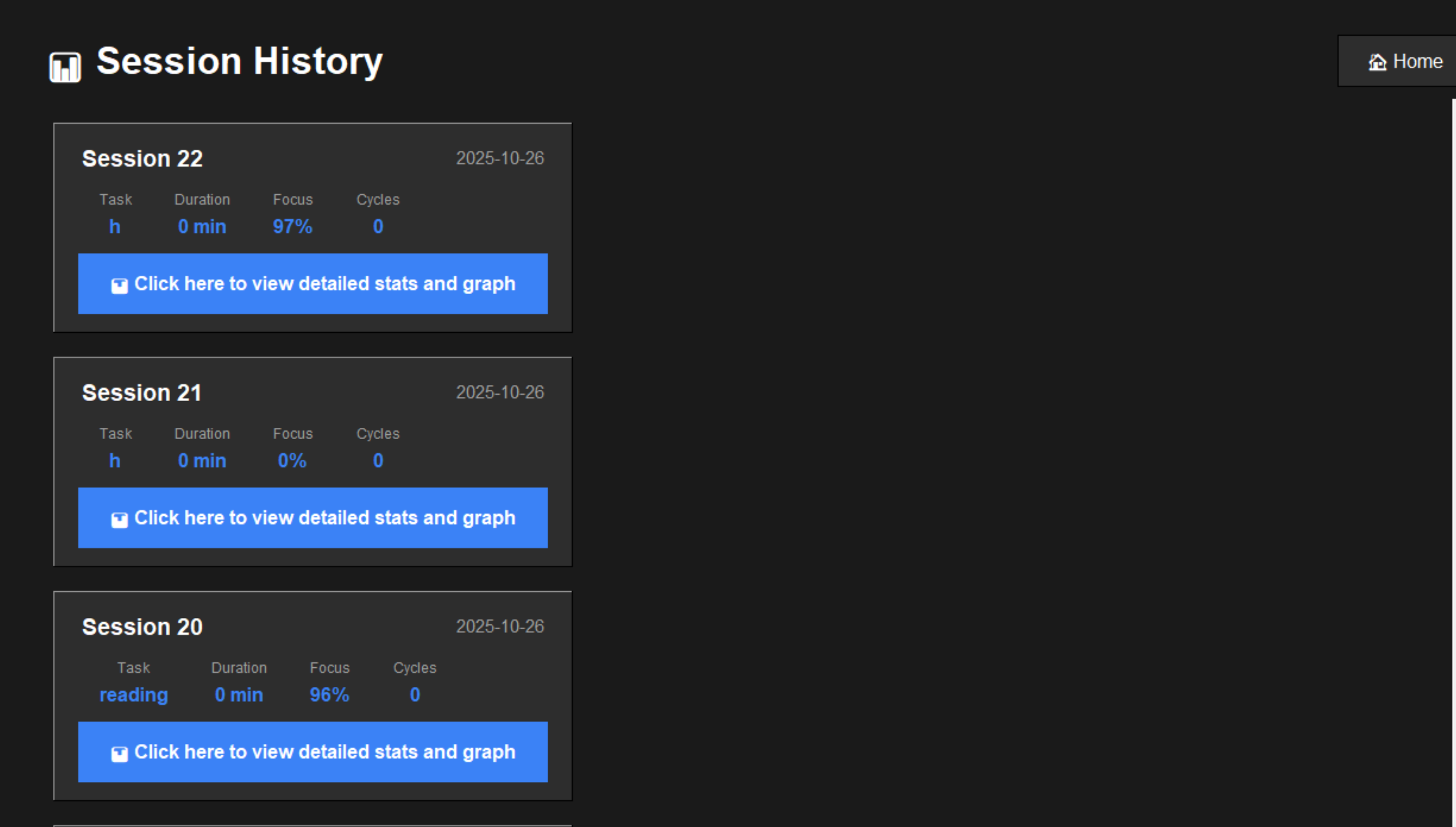
Session History Page
-
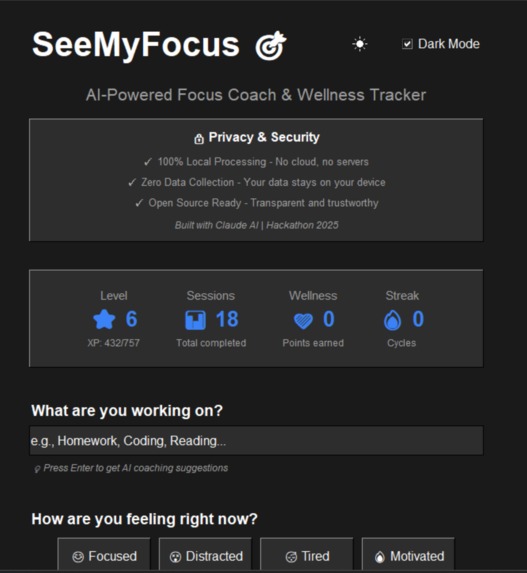
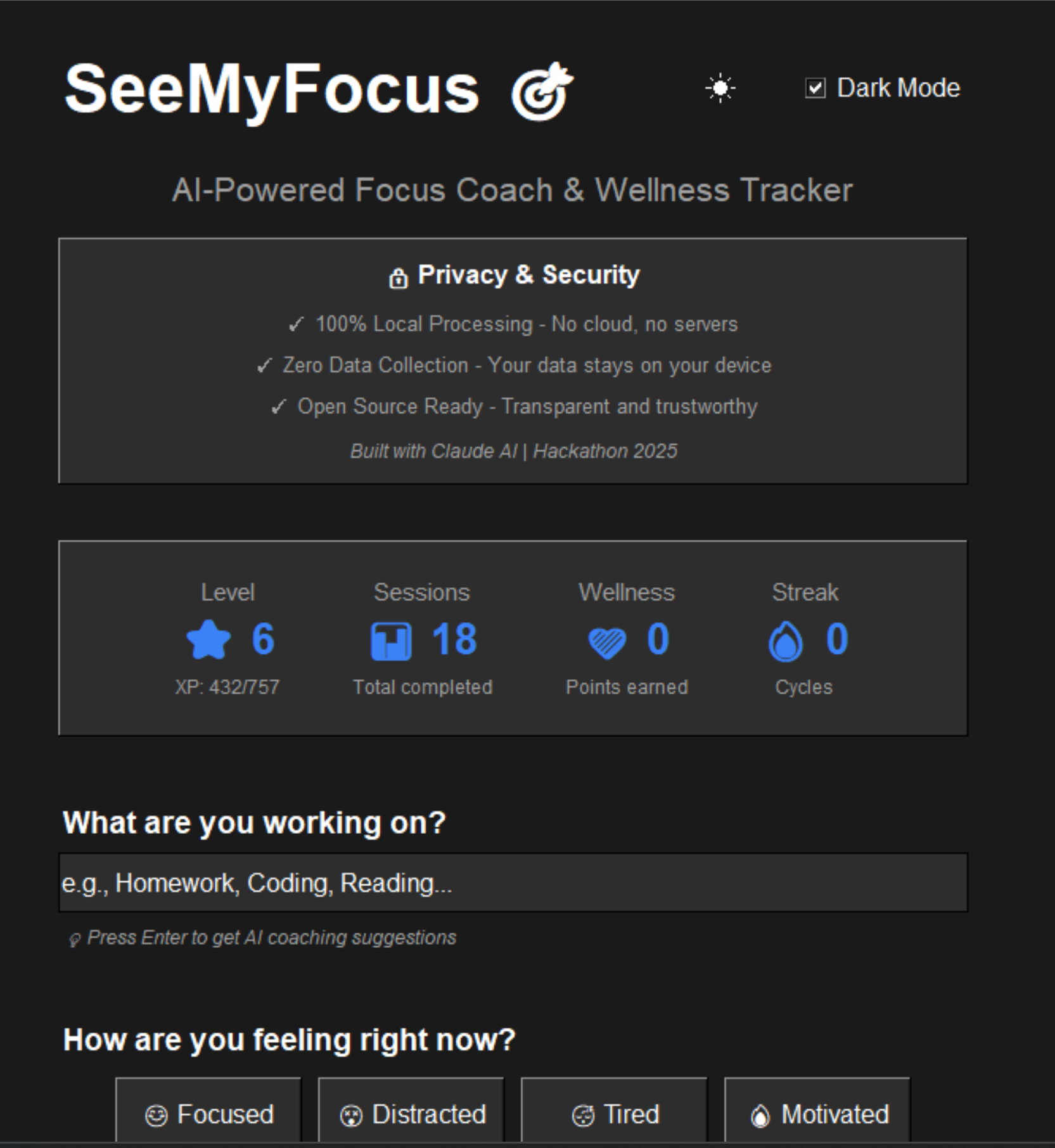
Home Page
-
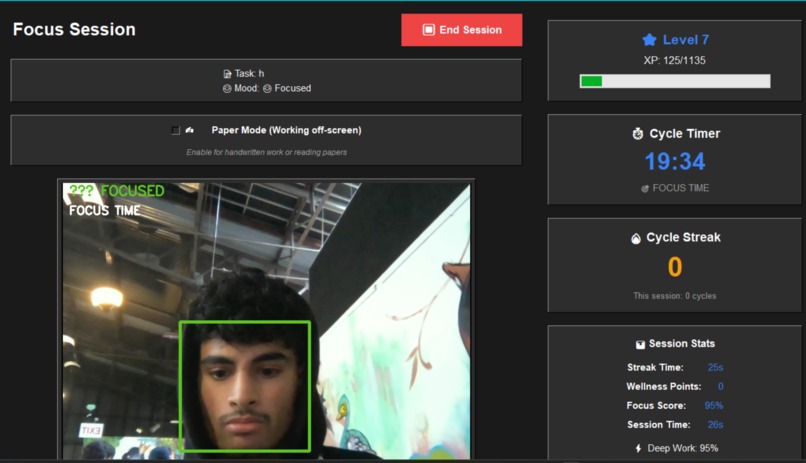
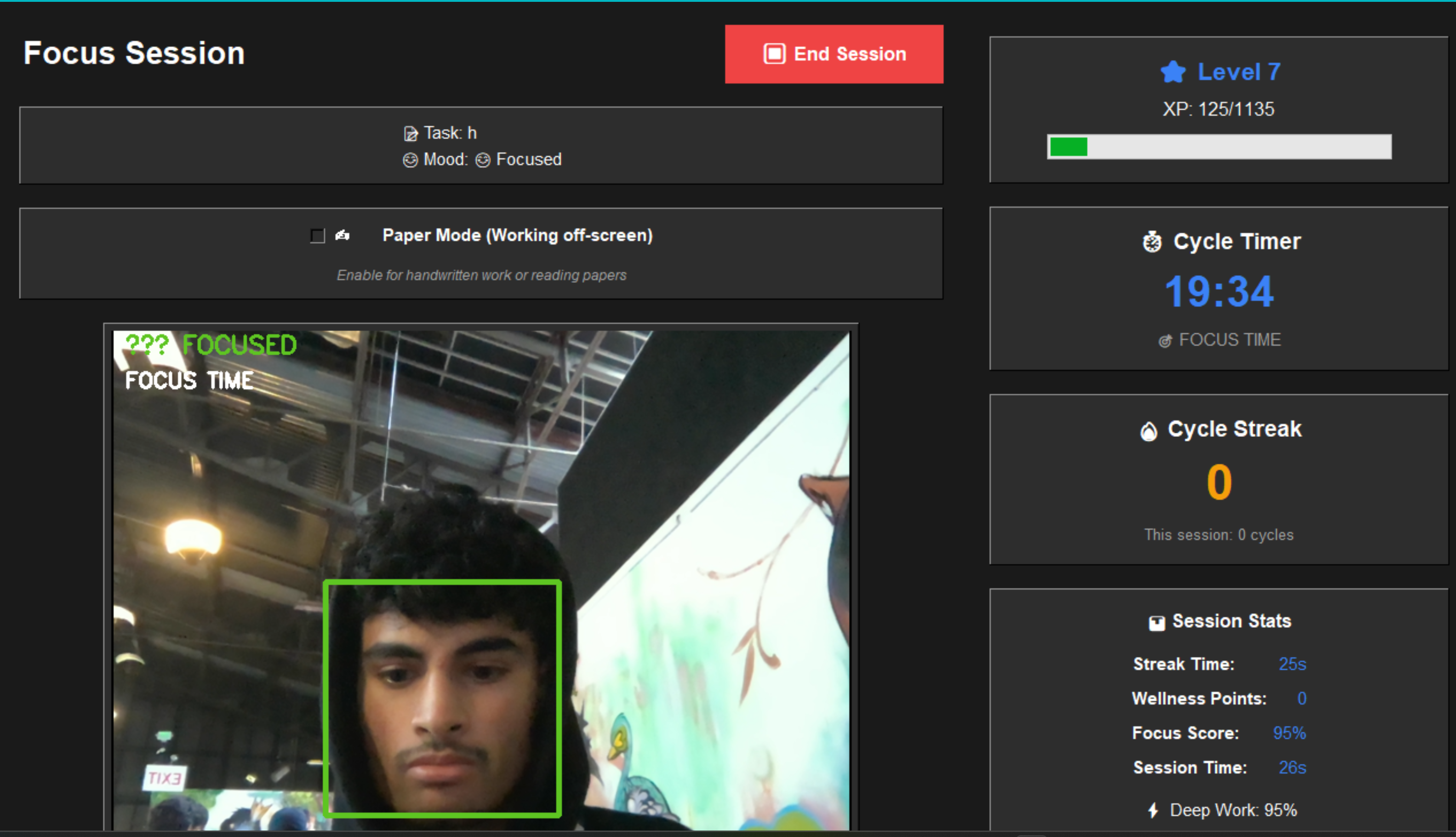
Focus Session Page
-
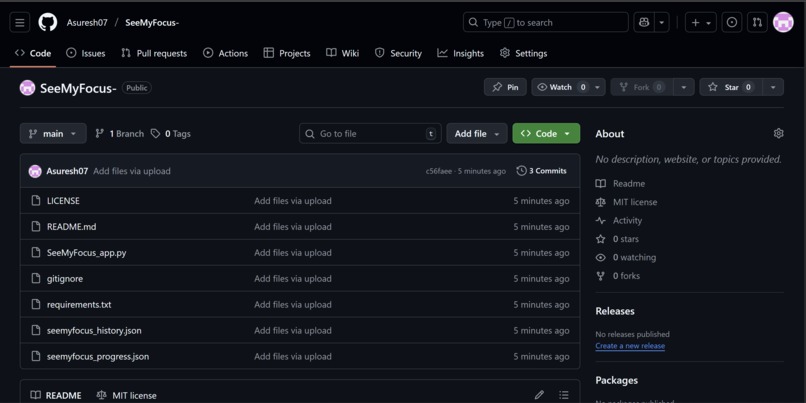
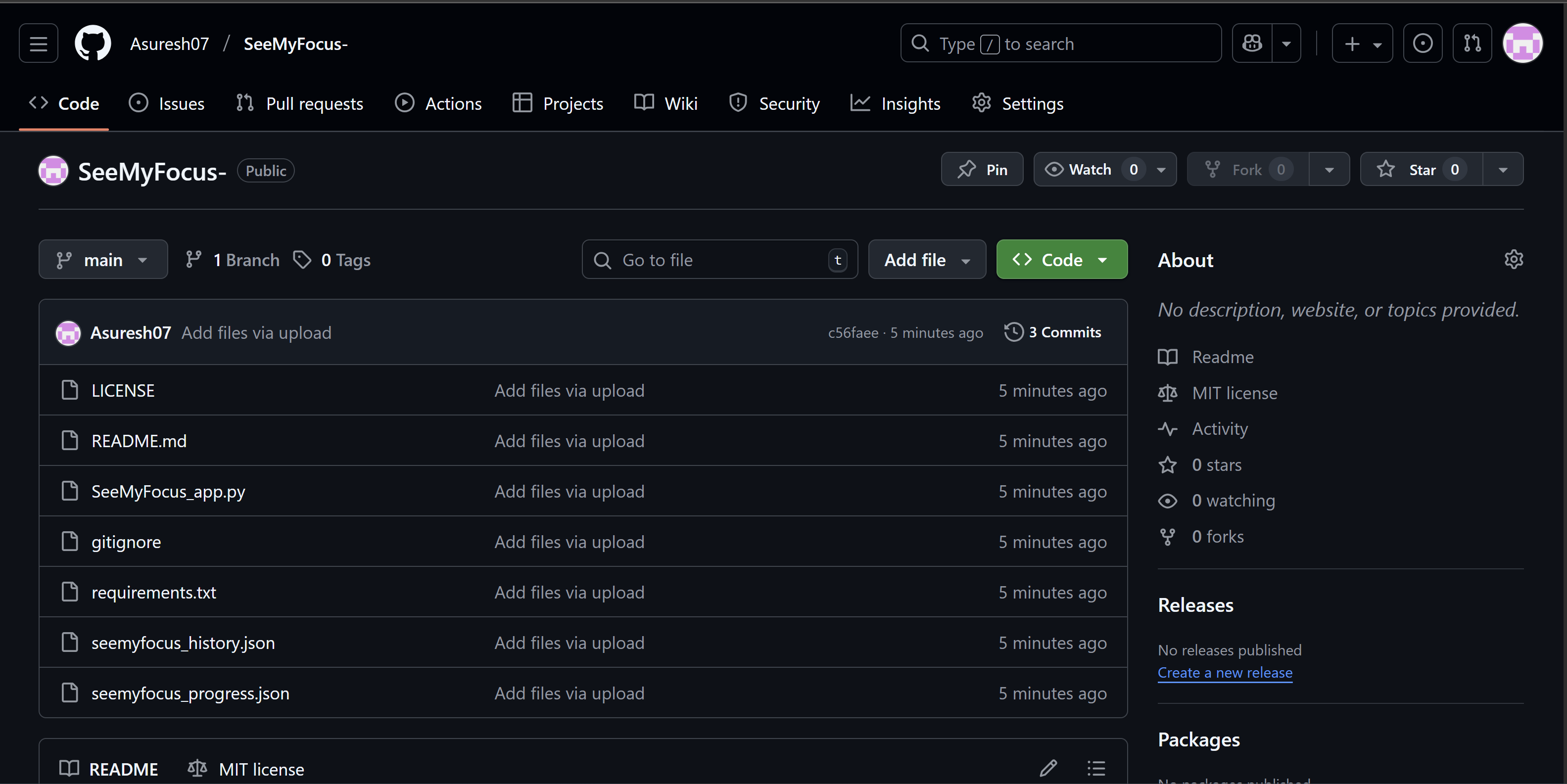
GitHub Repo
Inspiration
Problems I kept noticing while studying/working:
- It's really hard to stay focused without getting distracted by your phone, random tabs, etc.
- When you do focus, you either sit way too close to the screen or never take a break, which cause eye strain and burnout.
Most "productivity timers" only track minutes. They don't care about posture, mental energy, or recovery. I wanted something that actually protects you, not just pressures you to grind. So I built SeeMyFocus, an AI focus coach that watches your study posture, keeps you accountable, and rewards healthy habits, all locally, with 0 cloud data.
What it does
SeeMyFocus runs on your laptop and uses your webcam (locally) to act like a wellness aware study buddy.
- Tracks if you're focused, too close to the screen, or completely away.
- Gives real time feedback like "lean back," "break earned," or "get back on task."
- Uses a Pomodoro style cycle (focus time + recovery break time).
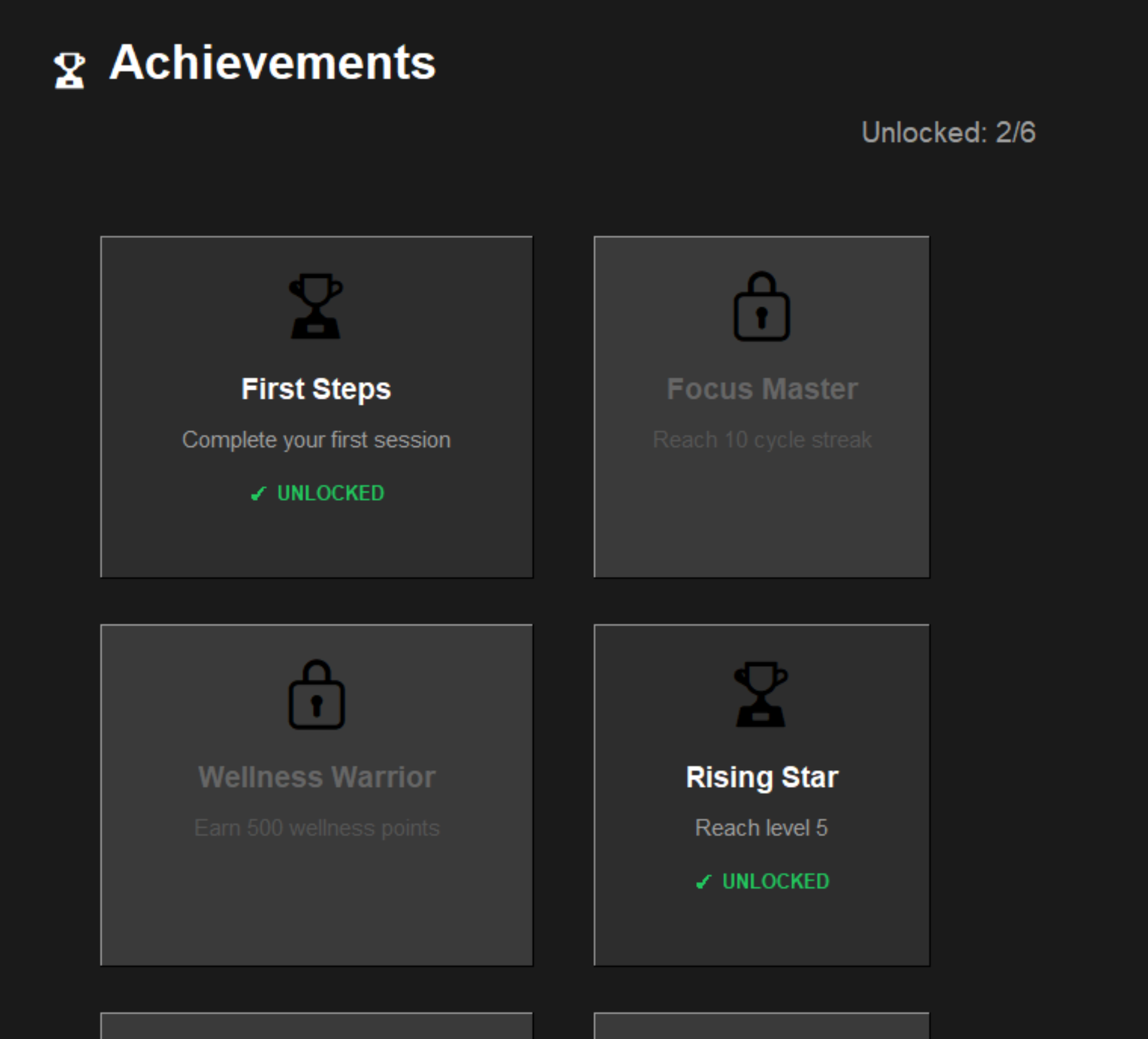
- Rewards you with XP, levels, and achievements for: - staying focused, - taking real eye/mind breaks, - not burning yourself out.
- Shows you stats after each session: focus score, wellness points, streaks, break behavior, etc.
- Has an AI Coach that gives you customized feedback in different styles (Gentle/Moderate/Intense).
- Includes "Paper Mode" for handwritten work or reading, it still counts your focus even if you're not staring at the screen.
- Saves history so you can see progress over time.
The goal is not "work more." The goal is "work in a healthy, sustainable way."
How I built it
SeeMyFocus is built completely in Python with a custom desktop interface.
- UI and app flow 'tkinter'
- Multiple screens: Home, Focus Session, History, Achievements, Settings.
- Dark mode / Light mode toggle
- Session dashboard with live states and streaks.
- Scrollable views for past sessions and unlocked achievements.
- Camera + detection: 'OpenCV'
- Detects your face.
- Detects if your eyes are pointed toward the screen or turned away.
- Checks if you're sitting too close (to reduce eye strain).
- Handles "no face in frame" = you walked away.
- Focus logic / wellness logic:
- 20min focus cycles + 5min breaks (Pomodoro-ish).
- If you take a proper break, you earn Wellness Points (the app literally rewards recovery on purpose).
- If you drift for too long, you can lose streak and even lose a little XP. -Paper Mode:
- Special toggle for offline work.
- If you're working on paper, the app won't punish you for not looking directly at the screen — it just checks that you’re still physically there and in “working posture.”
- Data + persistence:
- Session history, XP, streaks, wellness, achievements, and preferences are stored in local JSON.
- Nothing is uploaded or sent anywhere.
- Voice feedback (optional):
- Uses
pyttsx3for spoken reminders/motivation if you enable audio cues.
- Uses
- Graphs and analytics:
- Uses
matplotlibembedded in tkinter to render your “focus timeline” across each session so you can literally see when you zoned in and when you drifted.
- Uses
Everything runs locally. No accounts. No internet required.
Challenges I ran into
Real-time vision without lag:
Running face/eye detection every ~33ms while updating the UI, timers, streaks, XP, and prompts at the same time caused freezing at first. We had to tune detection, simplify how often we run heavier checks, and smooth noisy frames. Initially I used Streamlit open source but it couldn't render properly so I had to change it to using tkinter.False positives for “not focused”:
If you look down at notes or glance at your phone for 1 second, normal tracking would instantly say “you’re off task.” That felt annoying and discouraging.
We solved that by adding buffer timers and hysteresis logic (ex: you only count as “Away” if you’re gone or distracted for more than a few seconds in a row).Offline / paper work:
Traditional attention trackers assume “eyes on screen = productivity,” but real studying happens in a notebook. We introduced Paper Mode so physical studying still builds streaks and rewards you.Healthy breaks vs procrastination:
Break time and distraction time can look similar (no face looking at the work). We needed to tell the difference.
The rule we built: if you earned a break (good streak) and you step away for a healthy amount of time, that’s positive and gets you Wellness Points. If you leave early in the middle of focus time, that can break your streak.Making it supportive, not toxic:
A lot of “productivity” apps feel like they’re yelling at you. We wanted it to be supportive, human, and mental-health-aware. That’s why there are multiple coaching styles and a tone that celebrates rest, not just grind.
Accomplishments that I'm proud of
- A working real-time desktop app, camera feed, live trackers, UI, stats, achievements, not slides, not mockups.
- We made “wellness points” and breaks part of the reward system. Rest is not treated like “lost productivity,” it’s treated like skill.
- Paper Mode solves a real problem for students who do math on paper, annotate printouts, or read textbooks away from the laptop.
- Privacy by design. All processing is local. No server. No login. No data leaving your device.
- The app actually coaches you after each session with a personalized breakdown that sounds like a real coach.
What I learned
- Computer vision is not enough. You have to pair it with behavioral logic and psychology or it just becomes surveillance.
- People don’t just want “productivity.” They want to feel in control and not guilty.
- Gentle accountability works better than punishment. When you frame breaks as earned rewards, users want to take them in a healthy way.
- UX matters even in a hackathon. The difference between “cool prototype” and “I would actually use this every day” is:
- clear session flow
- readable stats
- feeling safe using it.
- clear session flow
What's next for SeeMyFocus
Deeper analytics:
- Focus consistency score over the week
- Burnout risk indicator based on over-focusing without breaks
- Eye strain warnings if you sit too close for too long
Accessibility / neurodivergent support:
- Calmer “Gentle Mode” for users with anxiety or ADHD
- Less visual clutter mode
- Session summaries written in different coaching tones
School / workplace angle:
- “Proof of effort” reports without any video data
- A way to show “I actually focused for 4 cycles today” without exposing what you were doing on screen
Mobile / tablet companion:
- Track phone distraction
- Sync breaks across devices
- Gentle audio nudges
Long-term goal:
- Position SeeMyFocus as a “healthy focus coach,” not just a timer.
- Help people build sustainable study habits that protect eye health, mental health, and attention hygiene, not just short-term output.
- Position SeeMyFocus as a “healthy focus coach,” not just a timer.


Log in or sign up for Devpost to join the conversation.