Inspiration
The inspiration for Seeker came from a deep-seated belief that learning should be a deeply personal and adaptable journey. I've always been fascinated by the Rumi quote, "What you seek, is also seeking you," which became a sort of mantra for the project. I envisioned a tool that wouldn't just present information, but would actively help users connect with knowledge in a way that resonates with their individual needs and learning styles. I saw the potential of AI to not just be a content firehose, but a patient, adaptable tutor and guide.
what problem is being solved
Seeker aims to solve several key problems in traditional and online learning:
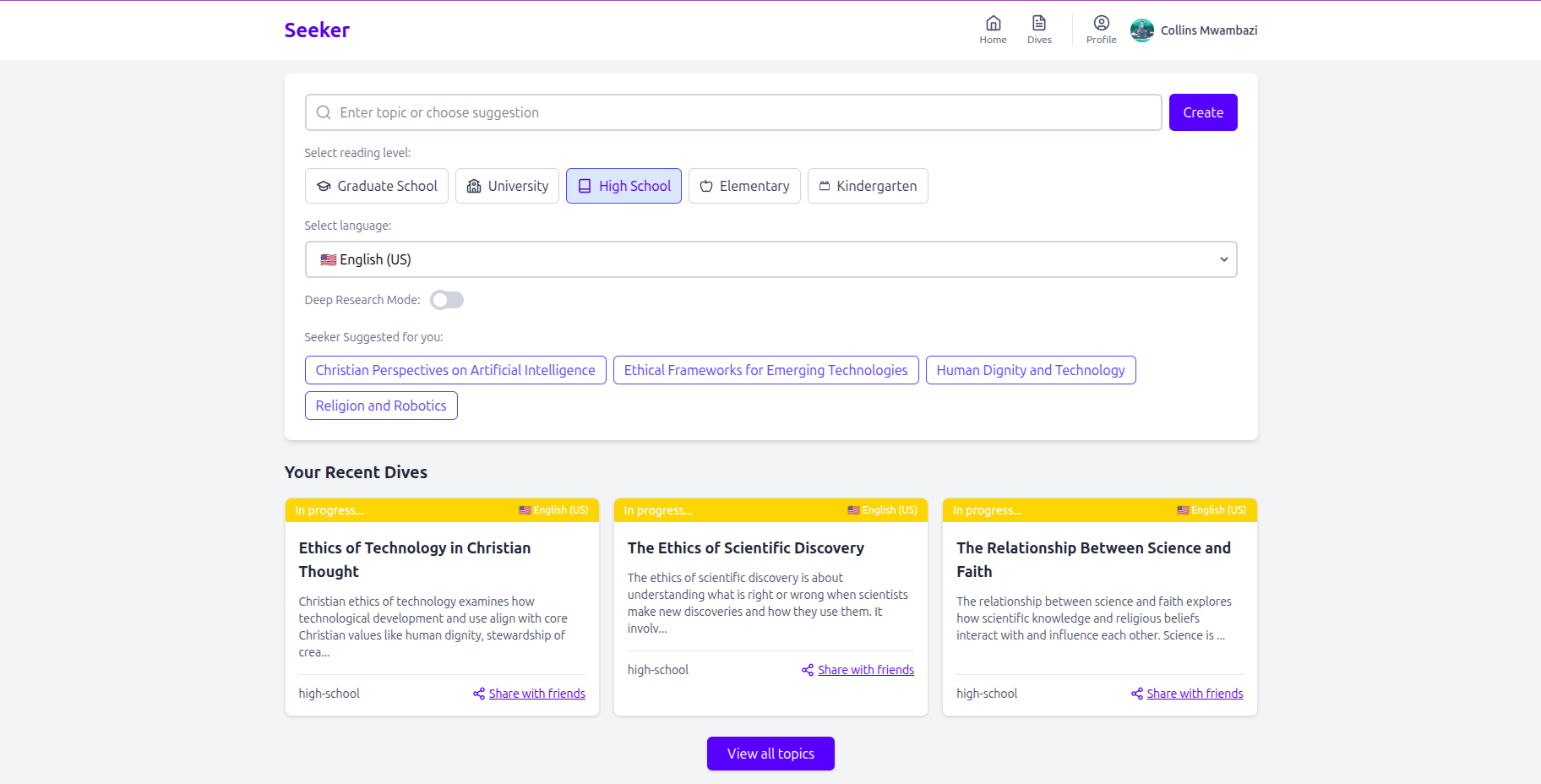
One-Size-Fits-All Content: Most learning resources are static. Seeker tackles this by generating content dynamically tailored to a user's chosen reading level (from Kindergarten to Graduate School) and preferred language.
Information Overload & Lack of Structure: The internet is vast, but finding curated, well-structured educational content on a specific topic, at the right depth, can be time-consuming. Seeker uses AI to synthesize and organize information into clear sections.
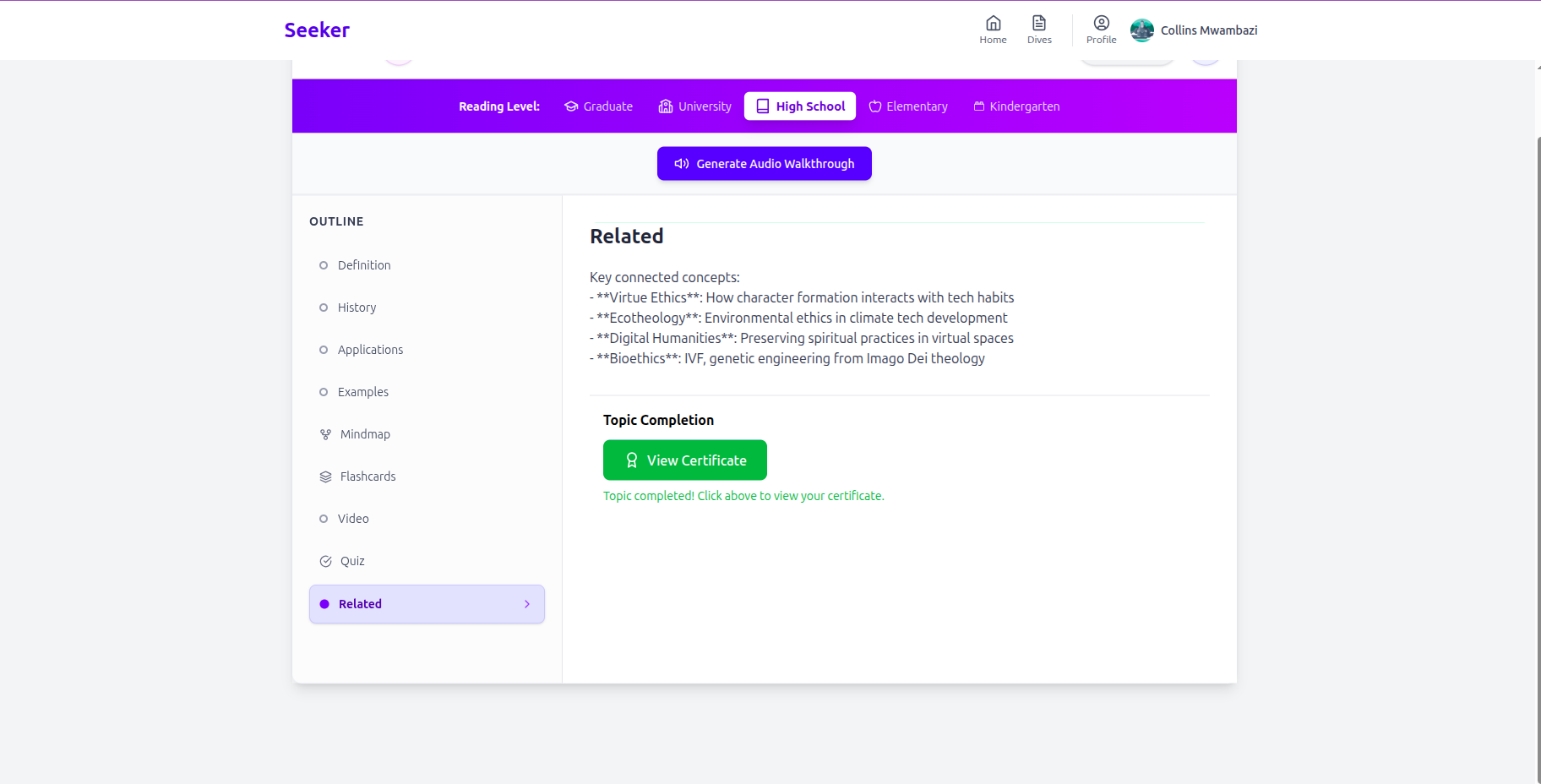
Passive Learning: Simply reading text isn't always effective. Seeker promotes active learning through integrated quizzes, flashcards, mindmaps, and AI-powered chat for follow-up questions.
Accessibility: By offering audio walkthroughs and live ai tutor lessons in multiple languages, Seeker aims to make learning more accessible to a wider range of users.
Lack of Personalized Guidance: The Ai tutor is a call away and can retrieve the topics studied by the user and review the material with the student
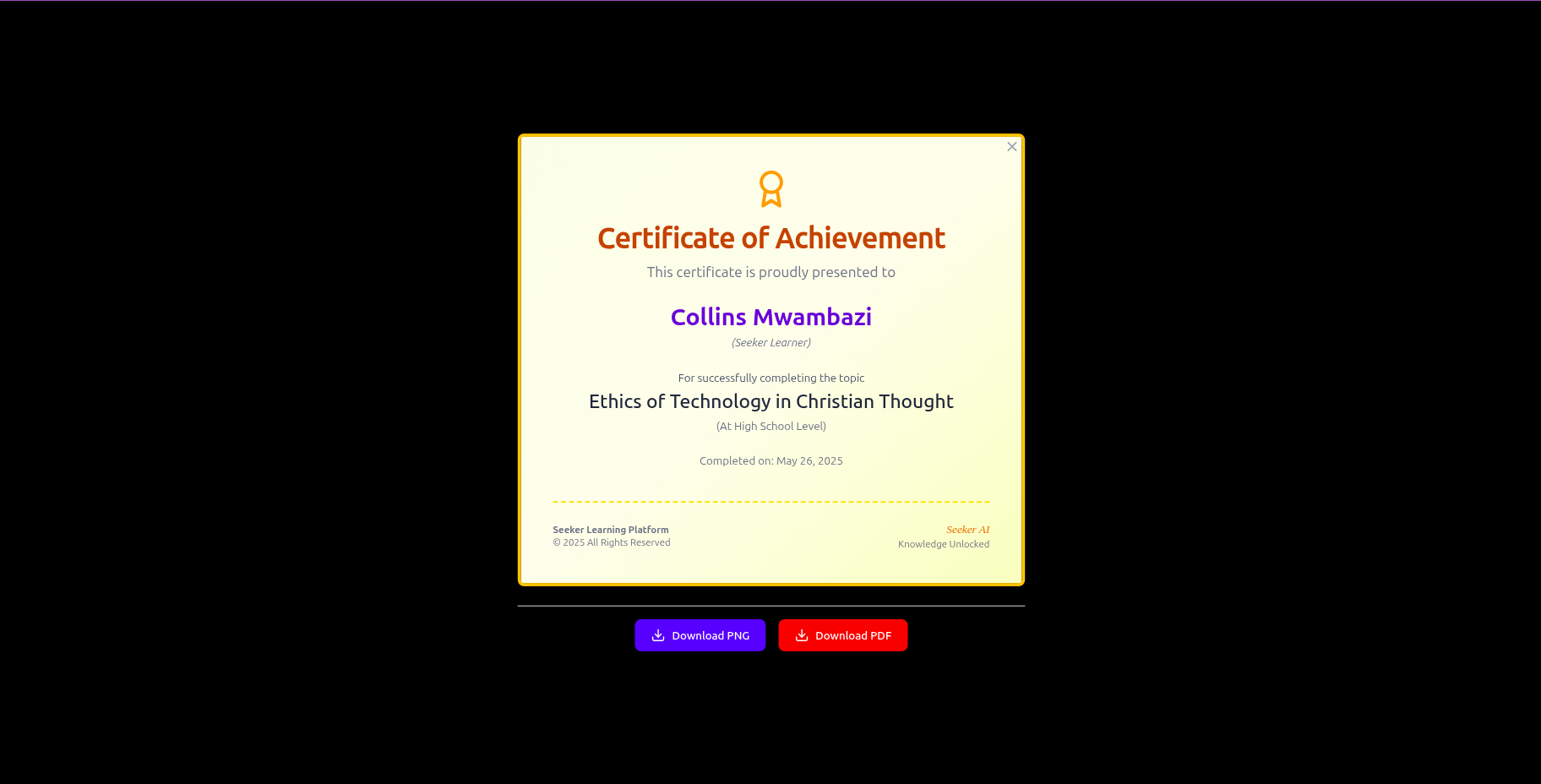
Motivation and Engagement: Features like the certificate of achievement and the interactive elements are designed to keep users engaged and provide a sense of accomplishment.
What it does
Seeker is an AI-powered learning platform where users can:
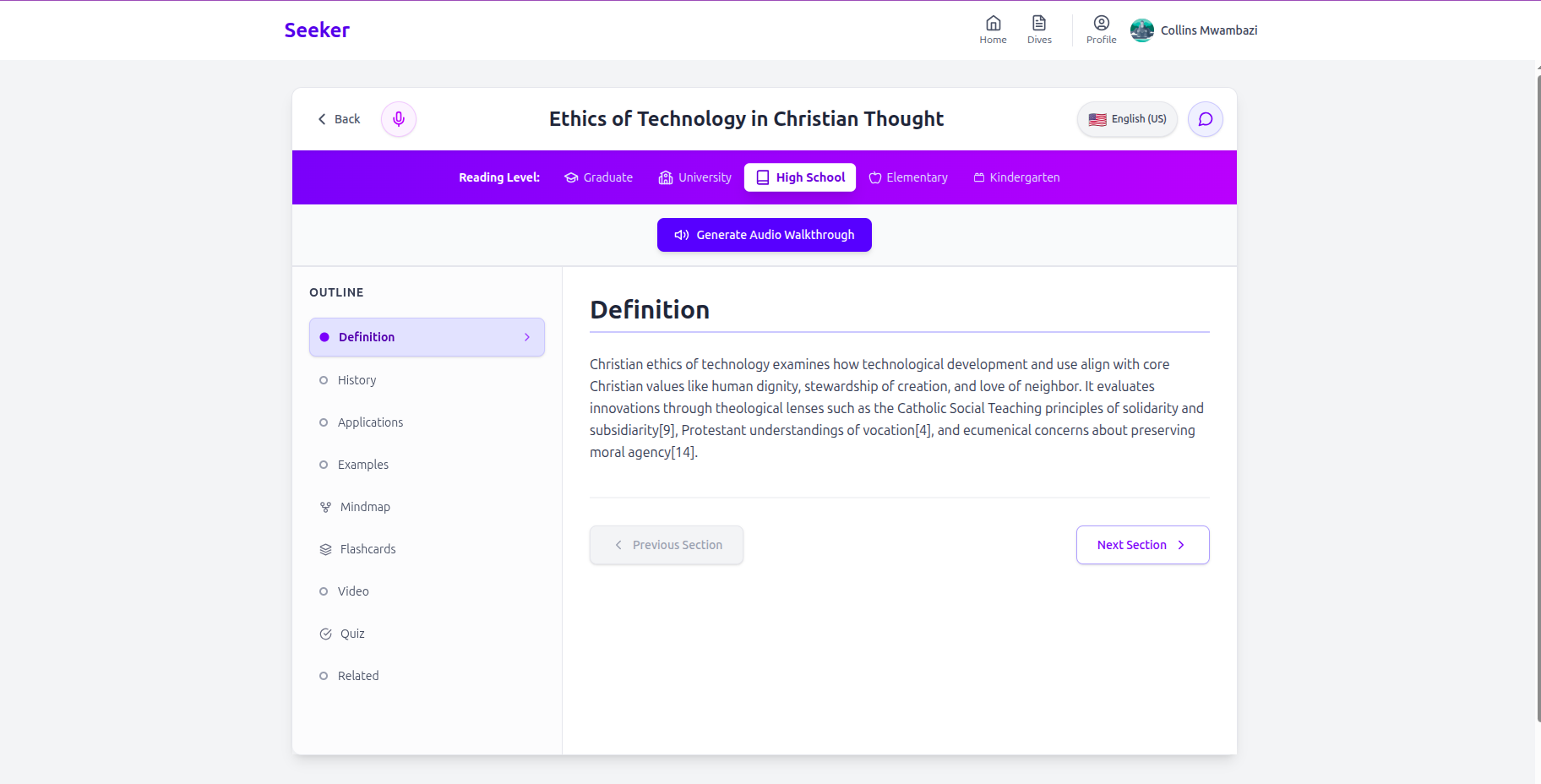
Search for any topic they want to learn about. Receive AI-generated educational content (using Perplexity AI) specifically tailored to their selected reading level and language. This includes definitions, history, applications, examples, related YouTube videos, and further reading.
Engage in "Deep Research Mode" for exceptionally thorough content, complete with citations, understanding that this is a longer process.
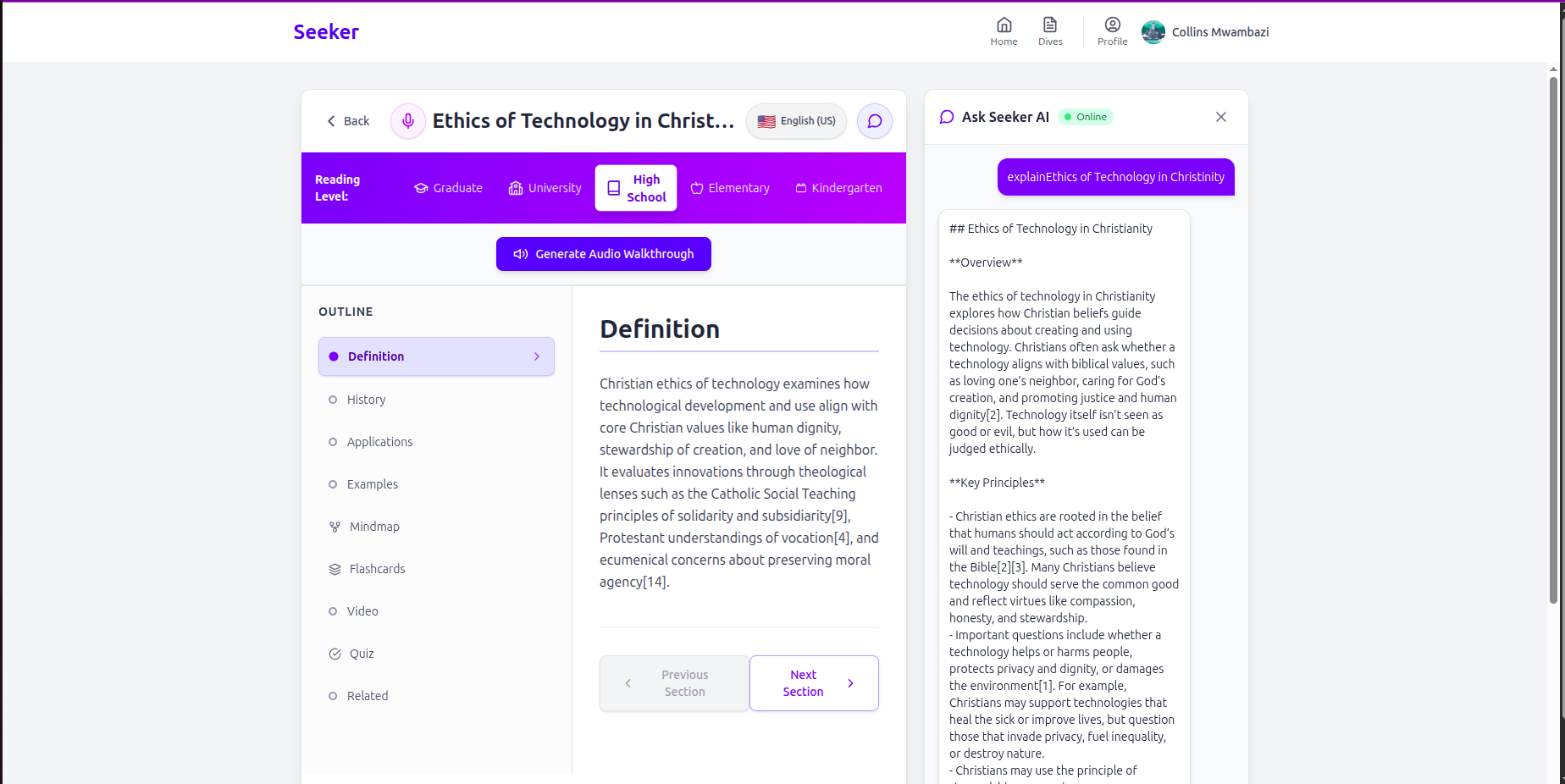
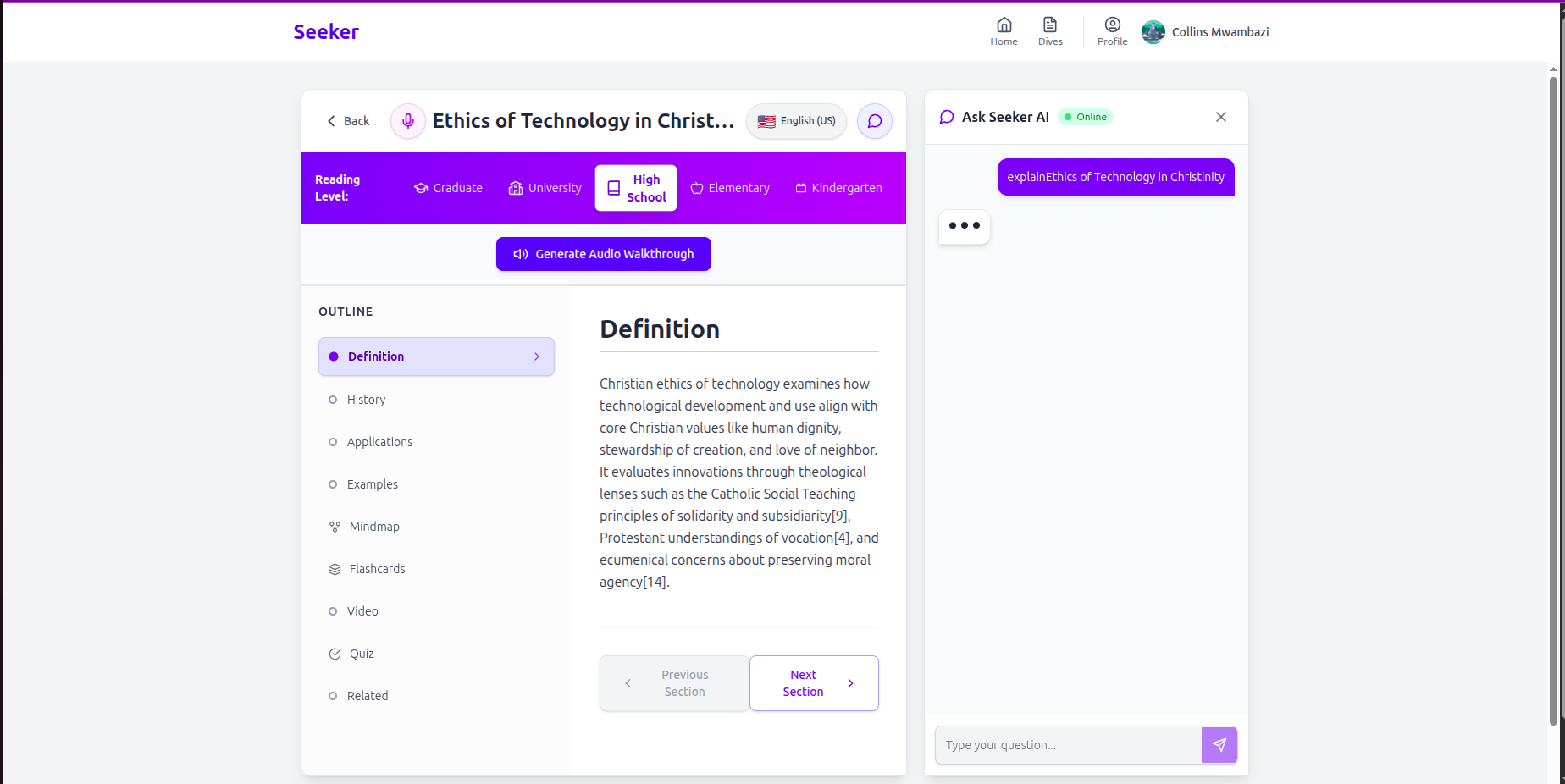
Interact with the content through: AI Chat: Ask clarifying questions about the topic.
Audio Walkthroughs: Listen to the content narrated by AI voices (ElevenLabs).
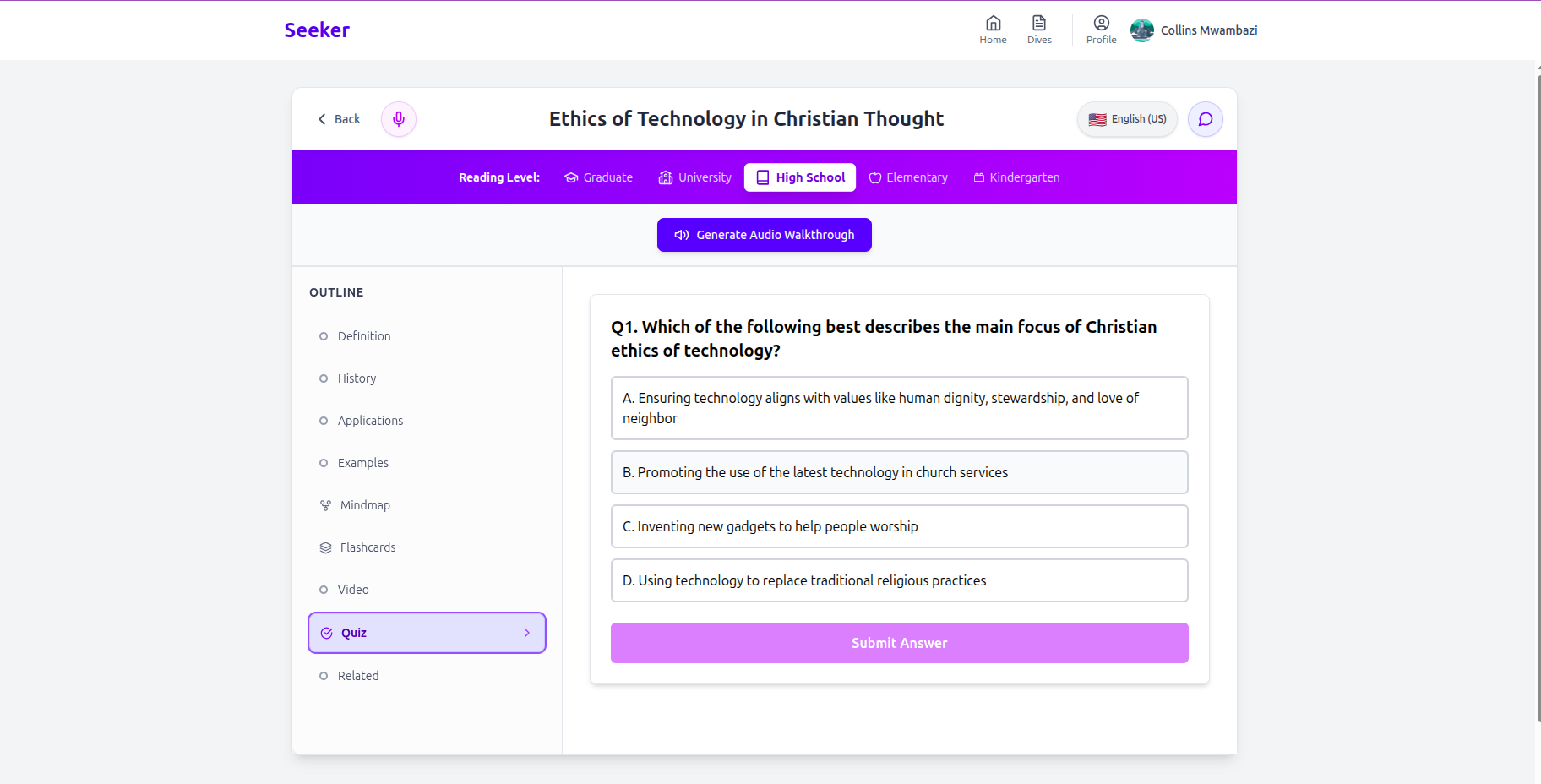
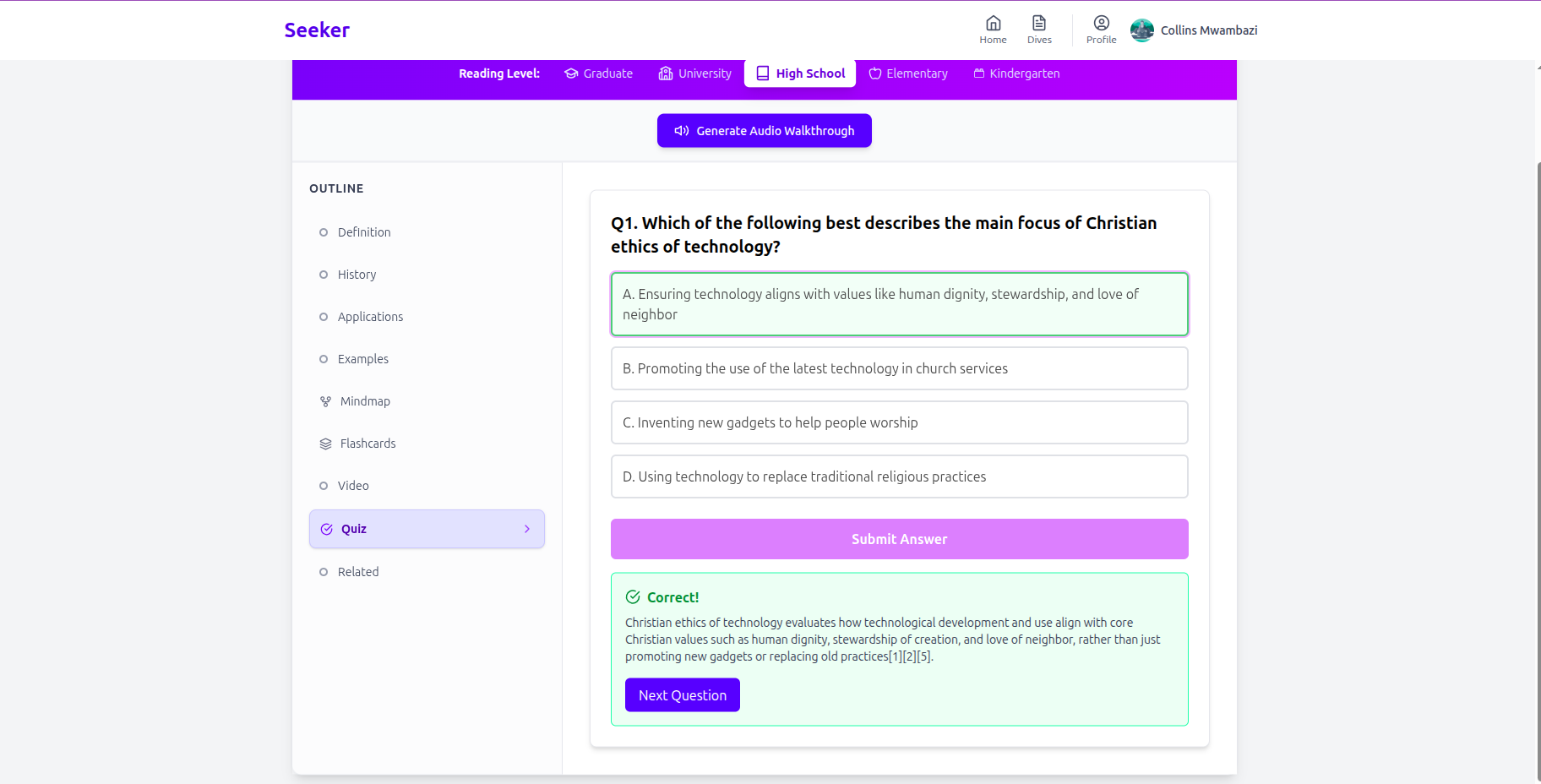
Quizzes: Test their understanding with AI-generated multiple-choice questions.
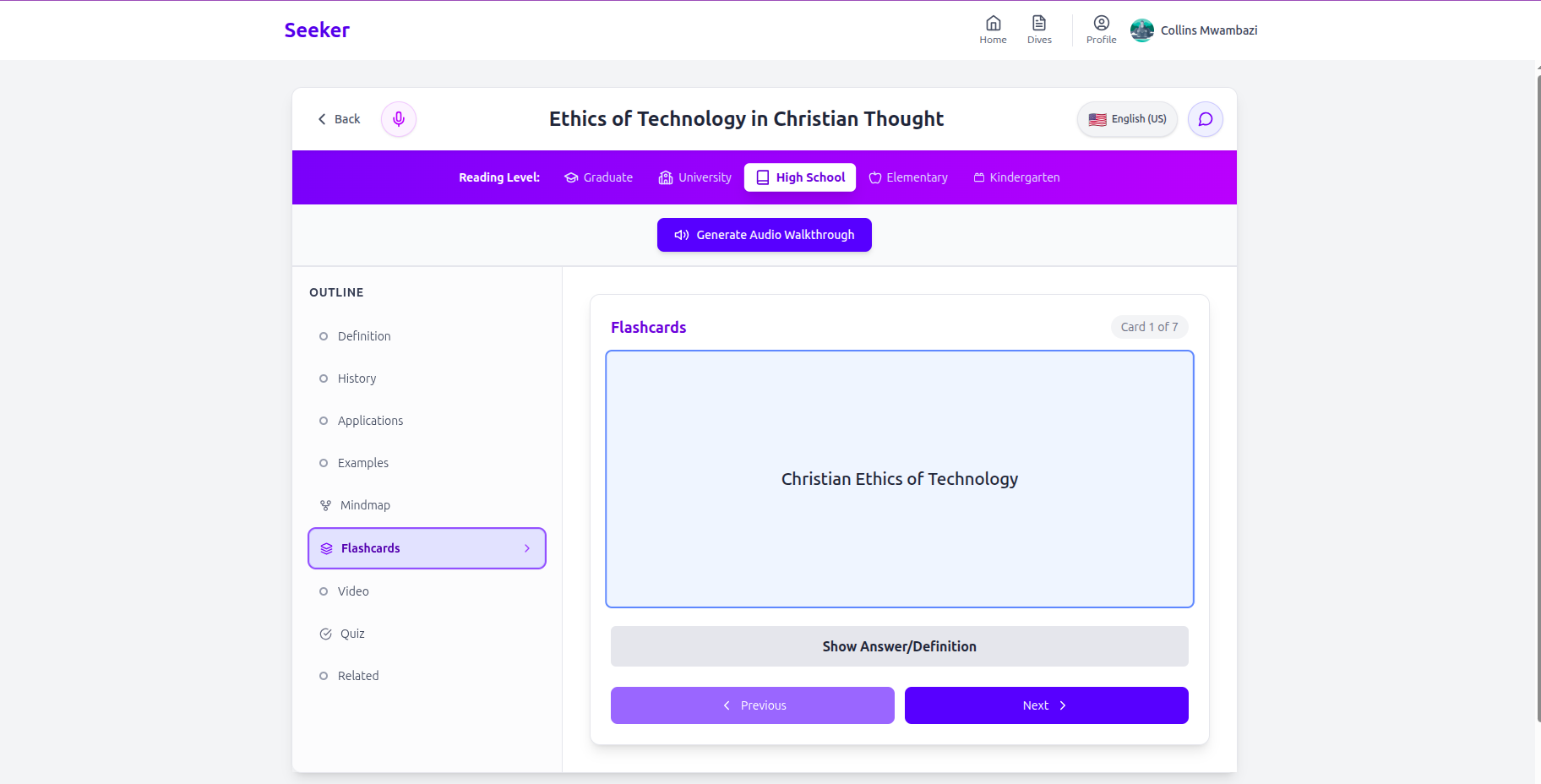
Flashcards: Review key terms and concepts.
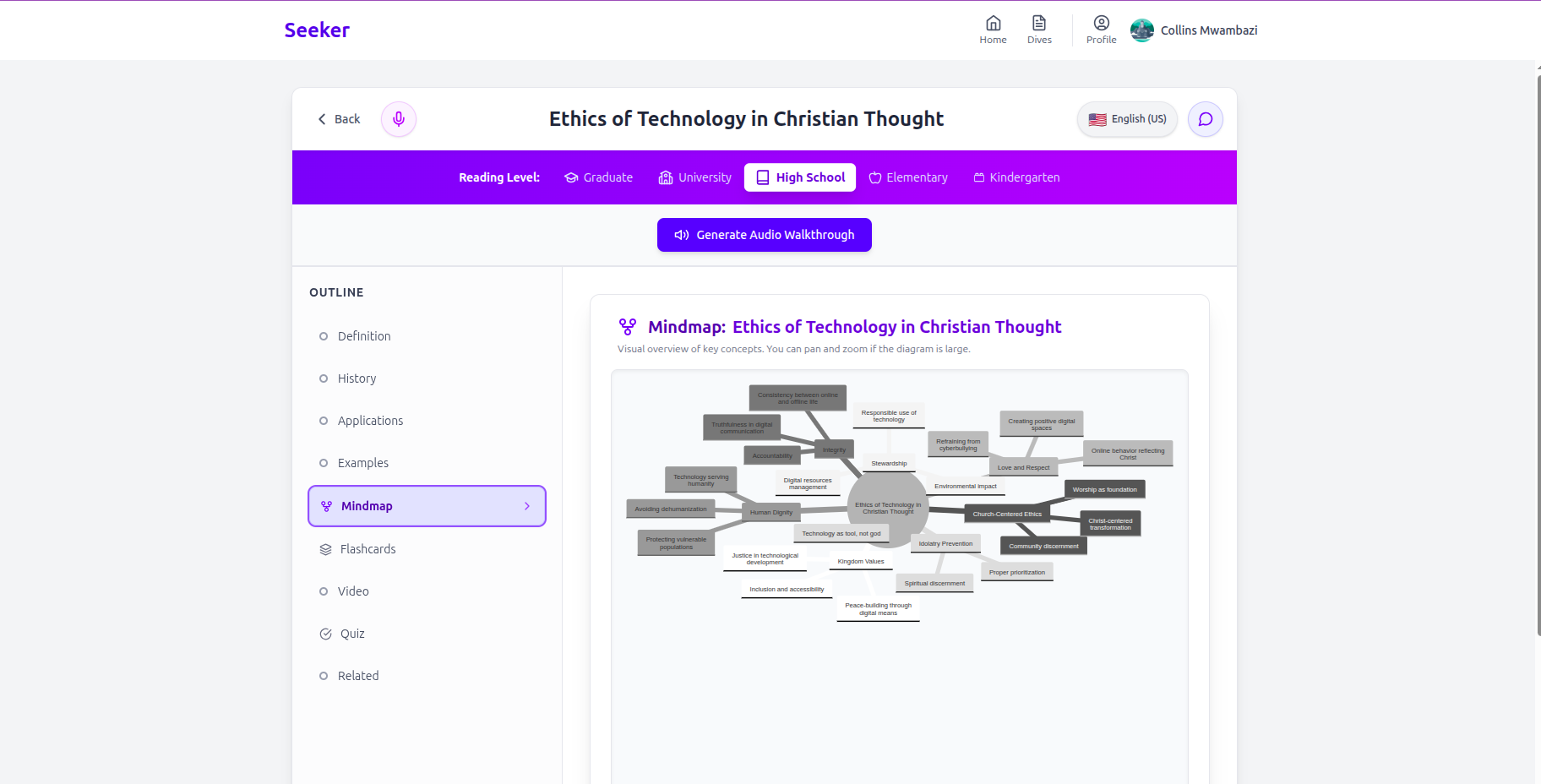
Mindmaps: Get a visual overview of the topic's structure.
Voice Tutor: Have a conversational learning session with an ElevenLabs AI agent.
Manage their learning journey: User authentication (via Clerk) allows their generated topics to be saved (to Supabase), so they can revisit "Recent Dives" or view all their topics.
Receive AI-suggested topics based on their learning history to encourage further exploration.
Earn a Certificate of Achievement upon completing a topic's quiz, which they can download. Manage their profile, including updating their name.
How I built it
Seeker is built as a modern web application using the following stack:
Framework: Next.js 13+ with the App Router for its server components, client components, and routing capabilities.
Language: TypeScript for type safety and better developer experience.
Styling: Tailwind CSS for rapid UI development, along with custom utility classes defined in globals.css.
Authentication: Clerk for seamless user sign-up, sign-in, and profile management.
Backend & Database: Supabase for PostgreSQL database (to store user topics and audio metadata) and Supabase Storage (for audio files).
AI Content Generation & Interaction:
Perplexity AI (Sonar API): This is the core AI engine. I use sonar-pro for most content generation (topics, quizzes, flashcards, mindmaps, chat responses, audio scripts) and sonar-deep-research for the intensive deep dive feature. I've engineered specific prompts and leverage its JSON schema response format for reliable parsing.
ElevenLabs: Used for high-quality Text-to-Speech (TTS) for audio walkthroughs (with voice mapping for different languages/levels) and for the conversational Voice AI agent feature.
UI Components & Libraries: lucide-react for icons. framer-motion for some UI animations (like the loading component). mermaid for rendering mindmap diagrams from the generated syntax. html-to-image and jspdf for generating downloadable certificates. canvas-confetti for a bit of fun when completing topics.
State Management: Primarily React's built-in useState and useEffect hooks, as the component structure and Next.js routing help manage broader state.
Deployment: Vercel
The development process involved:
Setting up the Next.js project and integrating Clerk for auth early on. Designing the core ContentView component as the hub for all learning interactions. Iteratively integrating each AI service (Perplexity first for content, then ElevenLabs for audio, etc.), focusing on robust prompt engineering and error handling. Building out the Supabase schema and functions to save and retrieve user-specific data. Developing the UI with Tailwind CSS, ensuring responsiveness.
How the sonar api was used
The Perplexity Sonar API is central to Seeker's functionality. I'm using it in several key ways:
Core Content Generation (fetchSonarContent): The sonar-pro model is used to generate the main educational content for a topic. The prompt is carefully crafted to request content in specific sections (Definition, History, etc.), tailored to a given reading level and language. Crucially, I use the response_format: { type: "json_schema", ... } feature to ensure the API returns a predictable JSON structure. This makes parsing the content into distinct sections much more reliable. I also use search_domain_filter to guide the AI towards more reputable sources like Wikipedia and Khan Academy.
Deep Research Reports (createDeepReport): This uses the sonar-deep-research model, which is designed for more exhaustive research. The prompt is similar but emphasizes academic rigor, comprehensive citations, and includes additional sections like "Deep Analysis" and "Citations". It also uses the JSON schema for structured output, though I've found I sometimes need to do a bit more cleanup on the response from this model (e.g., handling potential tags).
AI Topic Suggestions (fetchAISuggestedTopics): sonar-pro is used to suggest new topics based on a user's existing topic history. The prompt asks for concise, search-bar-suitable topic names, returned as a JSON array.
Generating Interactive Learning Materials: Depending on selected educational level, sonar-pro is used to generate content that matches the educational level
Audio Scripts (generateAudioScript): Perplexity (sonar-pro) generates a script optimized for ElevenLabs TTS, including instructions for pauses () and pronunciation, based on the main topic content.
Quiz Questions (generateQuizQuestions): Perplexity (sonar-pro) creates multiple-choice questions, options, correct answers, and explanations based on the topic content, again using JSON schema for structured output.
Flashcards (generateFlashcardsFromPerplexity): Perplexity (sonar-pro) generates front/back flashcard content so a user can practice and improve.
Mindmaps (generateMindmapFromPerplexity): Perplexity (sonar-pro) generates Mermaid syntax for a mindmap of the topic and its associated principles
AI Chat (ContentView chat handler): When a user asks a question in the chat, sonar-pro is used to generate a contextual answer, taking into account the current topic, reading level, and language.
Across all these uses, the ability to define a JSON schema for the response has been invaluable for building a robust application that can reliably process the AI's output.
Challenges I ran into
Prompt Engineering: Getting the AI to consistently produce the desired output, especially in the correct JSON format with all required fields, was a significant iterative process. This was particularly true for the sonar-deep-research model and for specialized tasks like generating Mermaid syntax or ElevenLabs-optimized audio scripts.
API Response Parsing & Error Handling: Even with JSON schemas, AI responses can sometimes be slightly off or an API call might fail. I had to implement robust error handling, fallback content (e.g., default "couldn't load" messages), and sometimes specific parsing logic (like stripping tags from deep research responses).
Managing Asynchronous Operations & State: With multiple API calls for content, audio, quizzes, etc., and user interactions, managing loading states (isLoading, isGeneratingAudio, etc.) and ensuring the UI updates correctly was complex, especially within the ContentView component.
Integrating Multiple Third-Party Services: Juggling Perplexity, Clerk, Supabase and ElevenLabs, each with their own API keys, client-side/server-side considerations, and potential points of failure, required careful organization.
Deep Research Time & UX: The sonar-deep-research model is powerful but slow (10+ mins). Communicating this to the user effectively and managing their expectations required the DeepResearchWarning and DeepResearchLoading components.
Certificate Generation: Making html-to-image and jspdf work consistently across browsers and produce high-quality, well-formatted PNGs/PDFs from HTML content was tricky, especially with dynamic data and CSS styling.
ElevenLabs Voice Mapping & Audio Pipeline: Setting up the different voices for various languages/reading levels and the workflow (check existing audio, generate script, generate audio, upload to Supabase, update DB) was a multi-step process.
Cost Management: Using multiple paid AI APIs means being mindful of token usage and optimizing prompts to be efficient without sacrificing quality. This is an ongoing consideration.
Accomplishments that Iam proud of
The ContentView Component: This is the heart of Seeker, and I'm proud of how many interactive learning tools (audio, chat, quiz, flashcards, mindmap) I managed to integrate into a cohesive user experience.
Successful Multi-AI Integration: Seamlessly weaving together Perplexity AI for diverse content needs and ElevenLabs for voice capabilities feels like a significant technical achievement.
Personalization Engine: The ability to generate content tailored to specific reading levels and languages truly makes Seeker adaptable to individual learners.
Deep Research Feature: Despite its complexity, implementing the "Deep Research Mode" offers a unique value proposition for users needing exhaustive information.
*End-to-End Learning Loop: From searching a topic to consuming content, testing understanding with a quiz, and finally earning a certificate, Seeker provides a complete learning cycle.
The AI-Powered Chat: Providing a way for users to ask clarifying questions directly within the learning context significantly enhances the learning experience.
Robust Error Handling: While challenging, I'm pleased with the fallback mechanisms in place, which help maintain a reasonable user experience even when APIs misbehave.
What I learned
Working extensively with the Perplexity API (Sonar models) was a significant learning experience. Here's what stood out:
The Power of response_format: { type: "json_schema", ... }:This feature was an absolute game-changer. I learned that by clearly defining the expected JSON structure in my API requests, I could drastically improve the reliability and predictability of the AI's output. This made parsing the generated content for topics, quizzes, flashcards, and mindmaps much more robust and less prone to errors compared to trying to parse unstructured text. It became a cornerstone of my integration strategy.
Prompt Engineering for Specific Models: I discovered that different Sonar models (sonar-pro vs. sonar-deep-research) responded differently even to similar prompts. sonar-pro was great for quicker, structured outputs needed for most features, while sonar-deep-research, though more powerful for in-depth analysis, sometimes required more nuanced prompting or post-processing (like handling its occasional tags) to get the clean, structured data I needed.
Iterative Refinement of Prompts:I learned that my initial prompts were rarely perfect. Achieving the desired output, especially for specialized tasks like generating Mermaid syntax or ElevenLabs-optimized audio scripts, required a lot of experimentation, tweaking the instructions, providing clear examples within the prompt, and analyzing the API's responses to understand how it "thought."
Balancing Detail and Conciseness in Prompts: For features like flashcards or mindmap nodes, I had to learn how to instruct Perplexity to be informative yet concise, which is a delicate balance. Providing clear constraints on output length or style within the prompt was key.
Leveraging search_domain_filter: I found that using the search_domain_filter to guide Perplexity towards more reputable sources like Wikipedia or Khan Academy for educational content helped improve the factual basis of the generated material.
Understanding Token Limits and API Costs: While not strictly a "learning" about the API's capabilities, using it extensively made me very aware of token consumption and the need to design prompts that are efficient to manage costs while still getting high-quality results. This involves thinking about the length of the input context provided and the expected length of the output.
Error Handling for API Responses: Despite best efforts with prompts and schemas, I learned the importance of anticipating and handling various API error scenarios or unexpected response structures from Perplexity. This meant implementing fallback mechanisms and clear error messages for the user.
What's next for Seeker
Seeker has a lot of potential, and here are some directions I'm excited to explore: Enhanced Content Types: Image-Based Learning: Allow users to upload images and have AI generate explanations or related topics (I have the Upload icon placeholder already!).
Interactive Simulations/Diagrams: Go beyond static mindmaps to more interactive visualizations. Smarter Learning Paths & Curriculum Generation: Instead of just single topics, allow Seeker to generate a sequence of topics or a mini-curriculum for a broader subject.
Spaced Repetition System (SRS): Integrate the flashcards into an SRS to optimize long-term retention.
Advanced Progress Tracking & Analytics: Provide users with more detailed insights into their learning habits, strengths, and areas for improvement.
Collaborative Learning: Allow users to share their generated topics or notes, or perhaps even study together.
User-Uploaded Content Analysis: Let users upload their own documents (PDFs, text files) and have Seeker create summaries, quizzes, or flashcards from them.
Gamification: Introduce points, badges, or leaderboards to further motivate users.
Improved AI Suggestions: Refine the AI topic suggestions to be even more personalized and context-aware.
Mobile Application: Develop native mobile apps for iOS and Android for learning on the go.
Community Features: Allow users to rate content quality, share feedback, or suggest improvements to the AI-generated material.
Built With
- sonar-deep-research
- sonar-pro


Log in or sign up for Devpost to join the conversation.