-
-
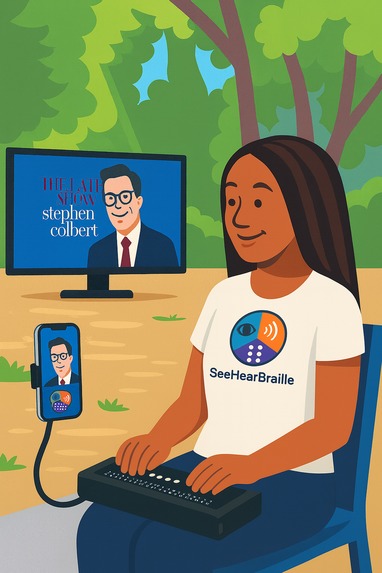
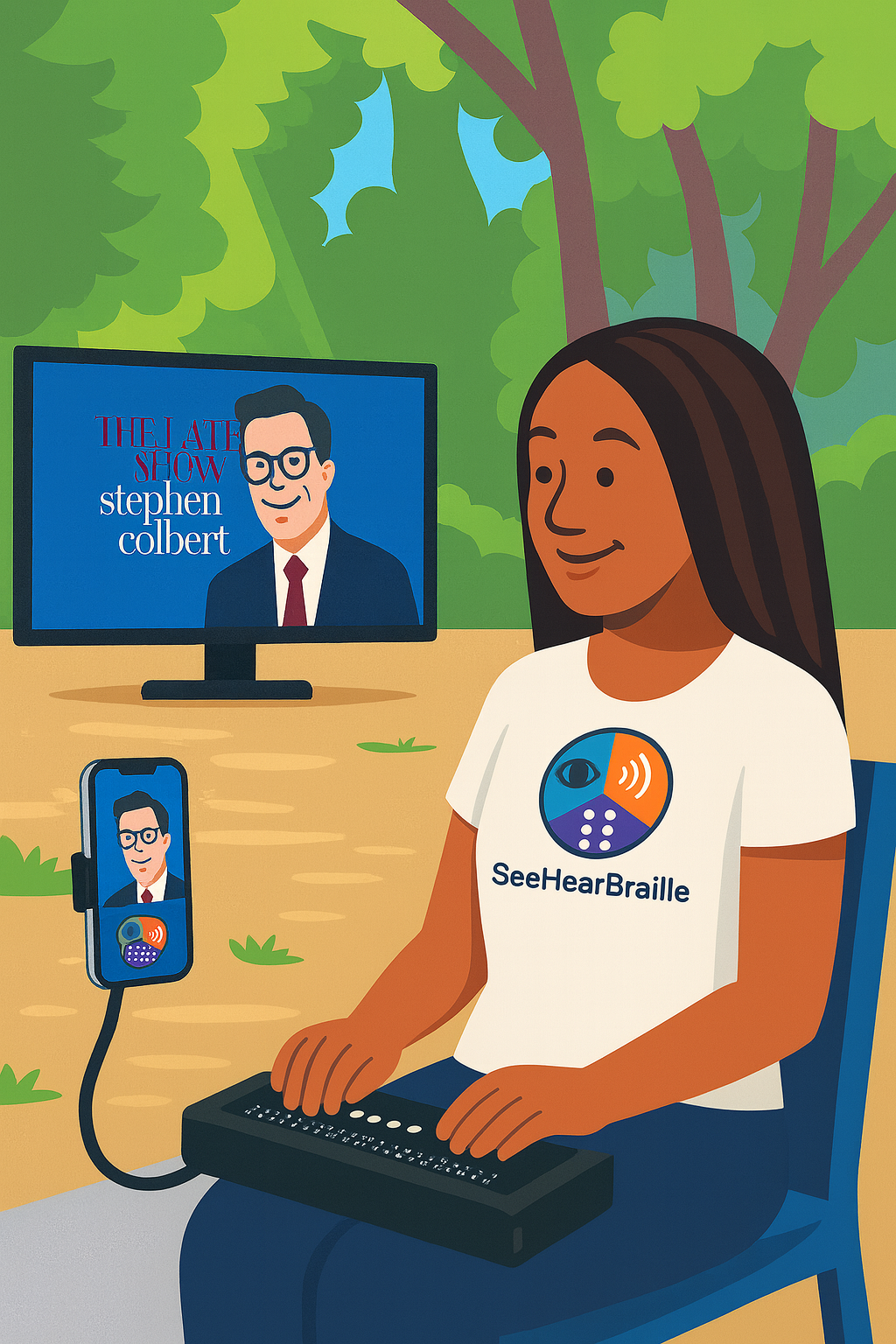
Cartoon Illustration of DeafBlind lady using her phone to transcribe audio from the TV which is converted to braille for her keyboard
-
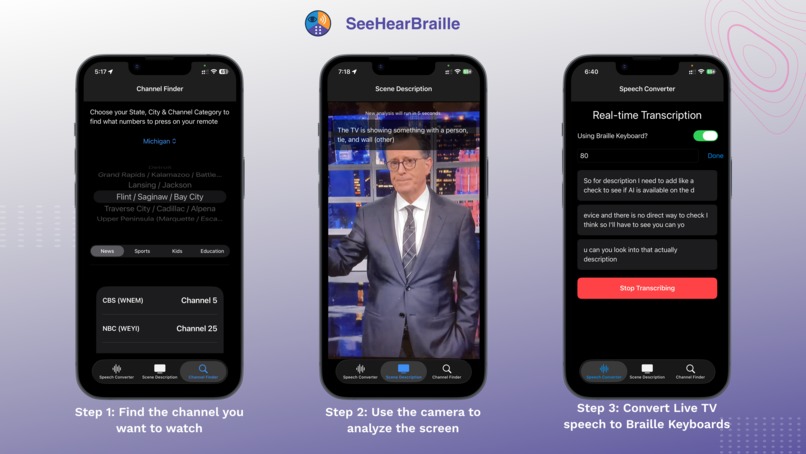
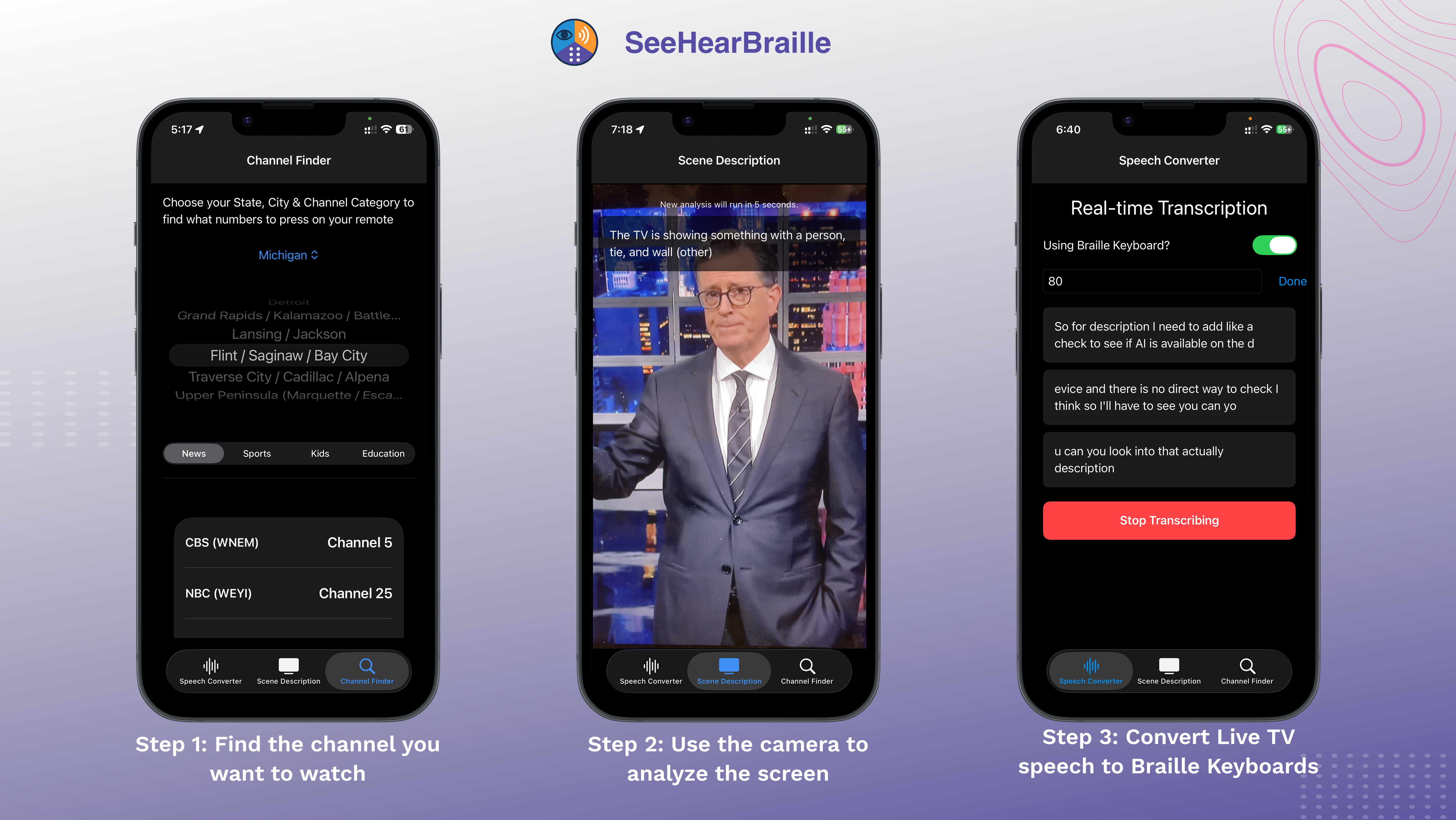
Poster of the pages in the SeeHearBraille app
Inspiration
We were inspired by the DeafBlind community, who often face barriers to simple joys many of us take for granted — like watching TV. When one of our teammates met a DeafBlind individual who said, “I just want to watch a show without asking for help,” it struck us that independence and entertainment are deeply linked. That became our mission: to build an app that restores freedom and joy.
What it does
SeeHearBraille transforms an iPhone into a TV accessibility companion for the DeafBlind.
- Channel Finder helps users quickly locate channels.
- Scene Descriptions use the camera and AI to describe what’s on the screen.
- Speech Converter transcribes dialogue into text that can be read aloud with VoiceOver or sent directly to a Braille display.
In short, it brings TV back to life for those who can’t see or hear clearly.
How we built it
- We used Apple’s SpeechRecognition API for on-device speech-to-text.
- For scene description, we leveraged Apple’s DETRResnet50SemanticSegmentationF16P8 model.
- Accessibility features like VoiceOver, dynamic text sizing, and multiple Braille keyboard layouts were integrated into SwiftUI.
- During development, we used Claude, ChatGPT, and Google AI Studio for code generation and debugging — always with human review before integration.
Challenges we ran into
- Ensuring real-time performance on-device without relying on cloud services for privacy.
- Making the scene description accurate across different lighting conditions and TV types.
- Achieving full Braille display compatibility across multiple hardware vendors.
- Testing accessibility features without always having direct access to DeafBlind testers at early stages.
Accomplishments that we're proud of
- Creating one of the first TV accessibility apps designed specifically for the DeafBlind community.
- Achieving strong on-device performance to prioritize privacy.
- Building a solution that’s both technically innovative and socially impactful.
What we learned
- Accessibility must be designed from the ground up, not added at the end.
- On-device AI is powerful but requires trade-offs in model size and accuracy.
- Collaboration with accessibility experts and real users is critical for building meaningful solutions.
What's next for SeeHearBraille — Bringing TV to life for the DeafBlind
- Expanding scene description models to cover more nuanced content (sports, action scenes, etc.).
- Adding multi-language support for speech-to-text transcription.
- Partnering with DeafBlind advocacy groups to expand adoption.
- Exploring wearable integrations (like watches, glasses or AR devices) for a hands-free experience.
Our vision is simple: to ensure that entertainment, independence, and connection are accessible to everyone — no matter their sensory abilities.
Submission Links
- Captioned 60 second Ad video URL: https://www.youtube.com/watch?v=qRN_nitff10
- Captioned 5 minute pitch video URL: https://www.youtube.com/watch?v=rSBlvyGcbB8,
- Live URL: https://apps.apple.com/app/see-hear-braille-deaf-blind/id6752832990
- Repo URL: https://github.com/saamerm/DeafBlind
- Pitch Deck: https://docs.google.com/presentation/d/1cZAG-1_gR2UqXI0AKpZboyzmZUgIYYkD
- Responsible AI Disclosure: https://docs.google.com/document/d/1-jSgq9VlbfORuwyGApSwcMOnsKp7N47-gs3_D6NO6Lo
- Project Write-up: https://docs.google.com/document/d/1Inr0gsbQ3PZqHula0KA9lGZx2cskXVQitYTgjnJocrg


Log in or sign up for Devpost to join the conversation.