Inspiration
People with visual impairments can face challenges when trying to understand images, read printed text, or access visual information independently. I wanted to explore how AI could make this information easier to understand through descriptions and audio.
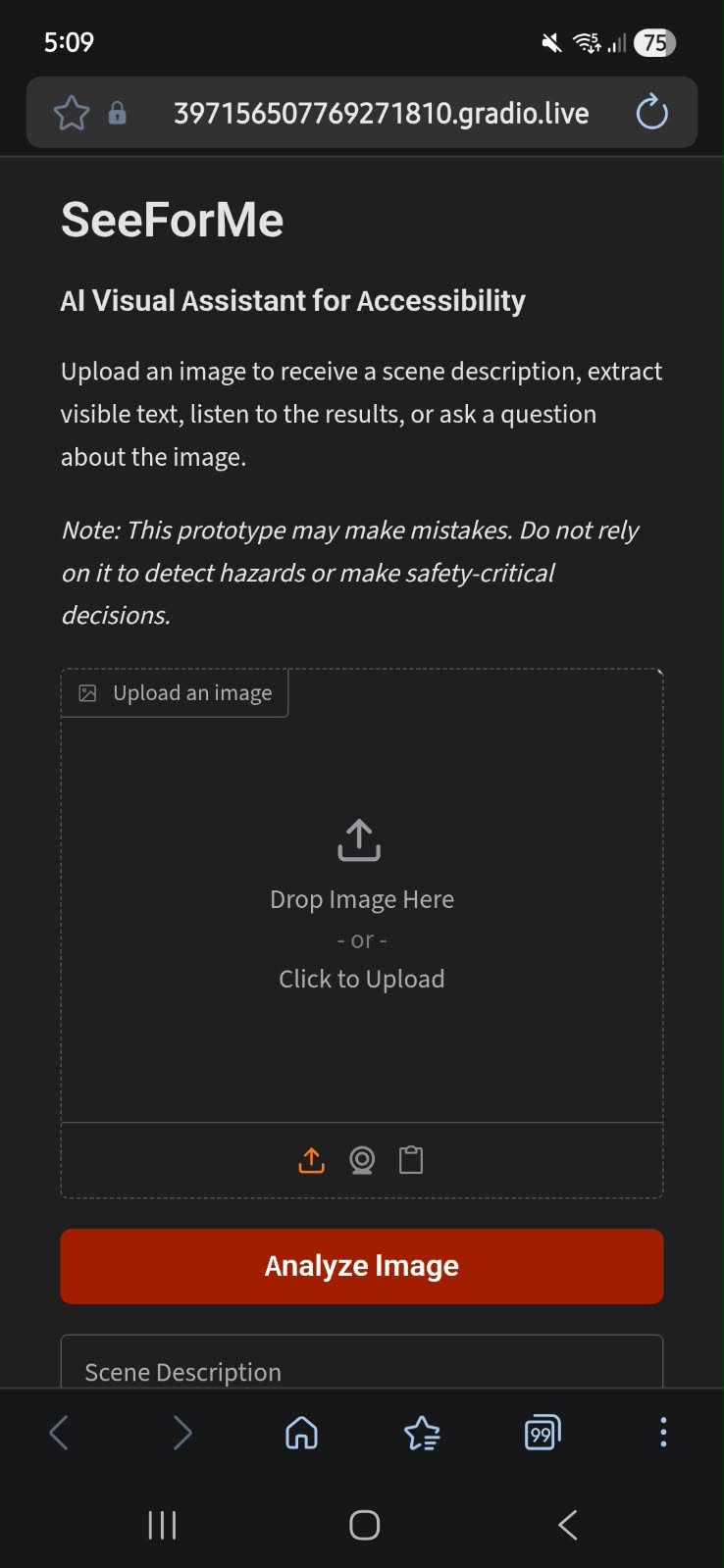
This inspired me to build SeeForMe, an AI-powered visual assistant that combines image understanding, text extraction, speech, and question answering in one application.
What It Does
SeeForMe allows users to upload an image and access its information in different ways:
- AI Image Description: Generates a natural-language description of the uploaded image using BLIP.
- Text Extraction: Uses EasyOCR to extract readable text from signs, labels, and other image content.
- Text-to-Speech: Converts descriptions and extracted text into audio using gTTS.
- Visual Question Answering: Allows users to ask questions about an image and receive AI-generated answers.
- Simple Web Interface: Provides an accessible starting point through a browser-based Gradio interface.
How We Built It
The prototype was developed in Python using pretrained AI models and computer vision tools. We used PyTorch and Hugging Face Transformers to run BLIP for image captioning and visual question answering. EasyOCR handles text extraction, while gTTS generates spoken audio. Gradio brings these components together in an interactive web interface.
We used Google Colab as the development environment to implement and test the prototype.
Challenges We Faced
One of the main challenges was integrating different AI technologies into a single workflow. Each component has a different purpose, so the application needed to process uploaded images and present descriptions, extracted text, audio, and answers in a clear way.
Another challenge is accuracy. Image descriptions and answers may not always identify objects correctly, and OCR performance can vary with image quality, lighting, and text orientation. These limitations helped us understand the importance of testing AI outputs and communicating their reliability honestly.
What We Learned
Through this project, we explored how pretrained computer vision models, OCR, and text-to-speech can work together to support accessibility. We gained practical experience with Python, PyTorch, Hugging Face Transformers, EasyOCR, gTTS, and Gradio.
We also learned that building an AI application involves more than connecting models. Usability, reliability, and clear communication of limitations are important parts of the development process.
Future Plans
Future improvements could include stronger vision-language models, multilingual text extraction and speech, better response reliability, mobile support, and live-camera assistance.
SeeForMe is currently a prototype that processes uploaded images. It is not intended to replace human assistance or be relied upon for navigation, hazard detection, or other safety-critical decisions.


Log in or sign up for Devpost to join the conversation.