I get a lot of phishing emails, and dealing with them has always been a hassle. Every time I received a suspicious email, I had to manually check the sender’s address, inspect links, and look for warning signs. It was frustrating and time-consuming. I realized that most people either don’t have the technical knowledge to verify emails properly or simply don’t have the patience to do it. That’s when I saw an opportunity and why not build a tool that does this automatically?
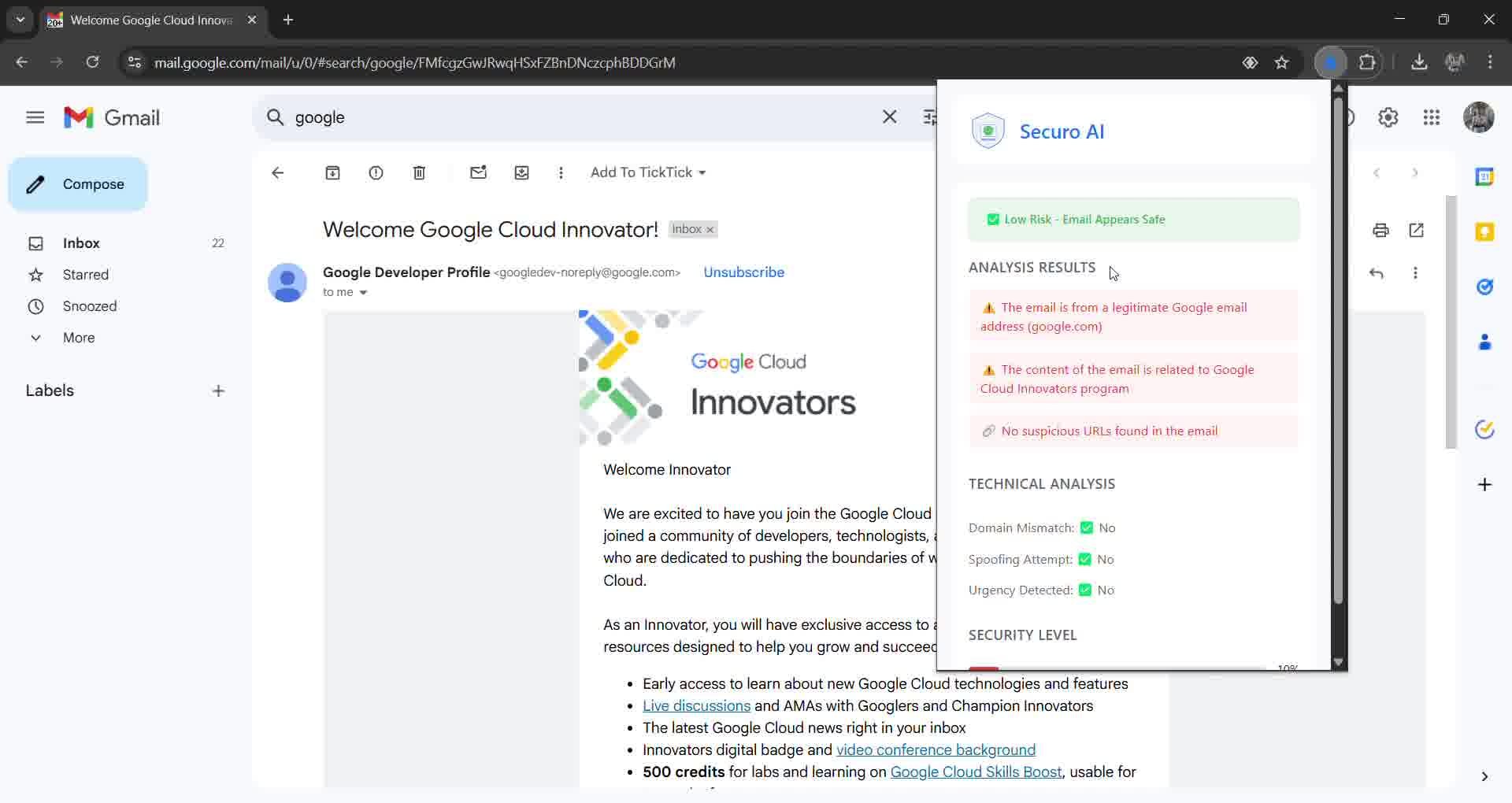
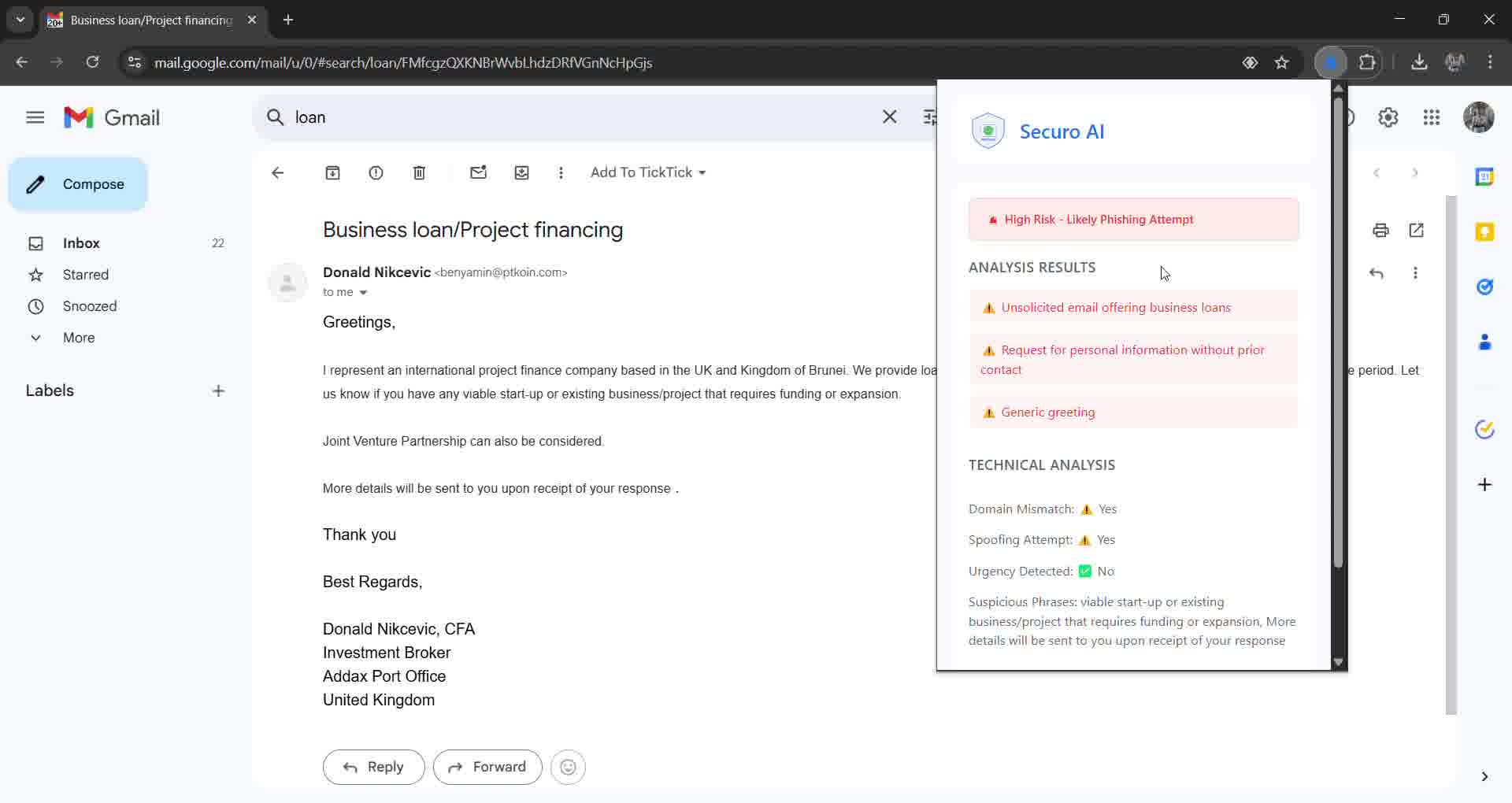
I created Securo as a simple, one-click solution to detect phishing emails. It’s a Chrome extension that scans Gmail emails, analyzes their content, checks sender domains, inspects links, and provides a clear risk score. No setup, no login, no hassle, just click and get instant results.
Building Securo was both exciting and challenging. One of the biggest hurdles was figuring out how to access and process Gmail emails securely without violating privacy rules. I also had to make sure the AI-powered detection was both fast and reliable. False positives could create unnecessary panic, but false negatives could be dangerous. Another challenge was designing an interface that was simple enough for anyone to understand without needing technical knowledge.
Despite the challenges, I’m proud of what I built. The extension works smoothly, provides real-time analysis, and solves a real problem that many people face. Along the way, I learned a lot about phishing techniques, email security, and optimizing AI models for real-time applications.
Securo is just the beginning. I want to improve the detection system, refine the AI model, and add support for more email platforms. The goal is to make email security effortless for everyone.
Built With
- css3
- html5
- javascript
- llm
- openai


Log in or sign up for Devpost to join the conversation.