-
-
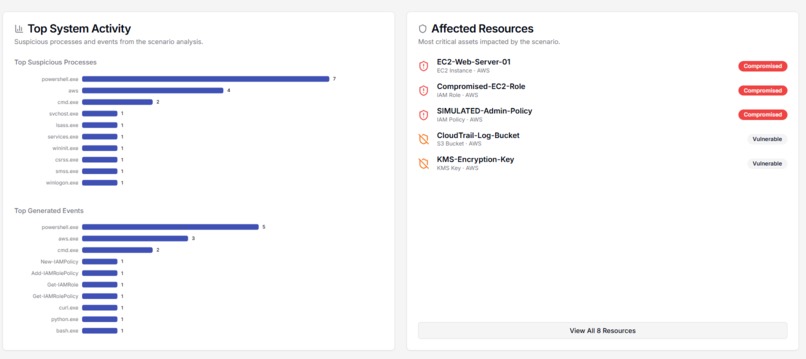
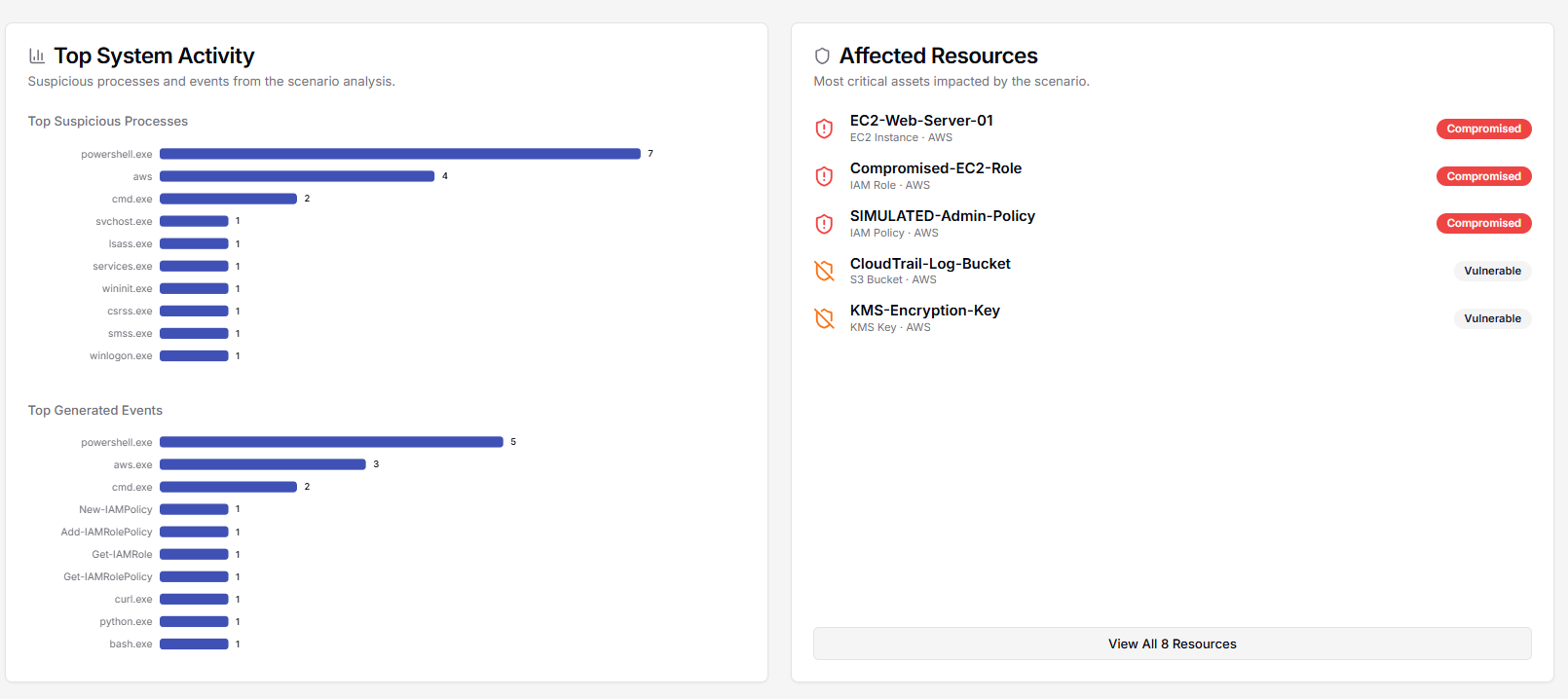
System Activity: Charts suspicious processes & events. Lists critical affected resources (compromised/vulnerable). Quick overview of impact.
-
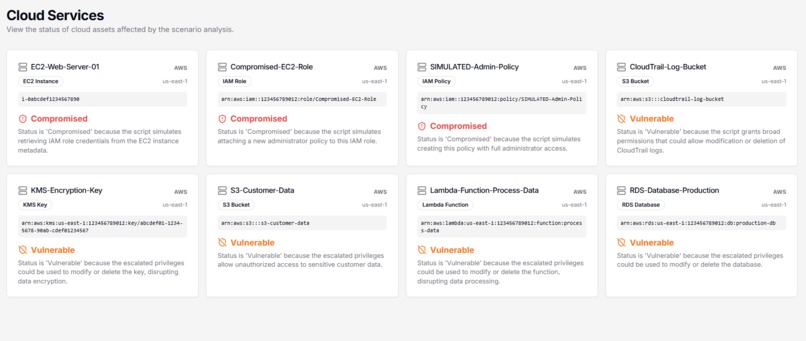
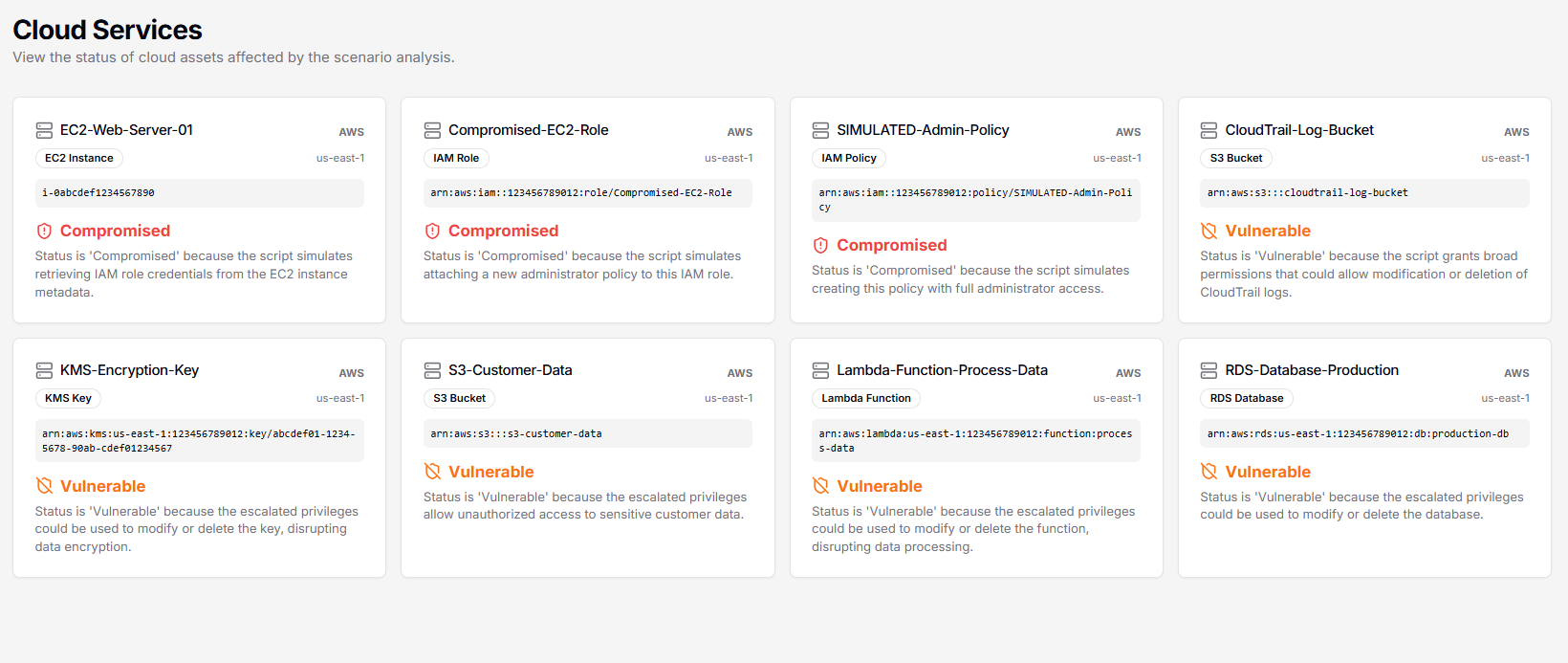
Cloud Services: Overview of assets. Shows compromised/vulnerable status and reasons for each cloud resource. Visualizes attack impact.
-
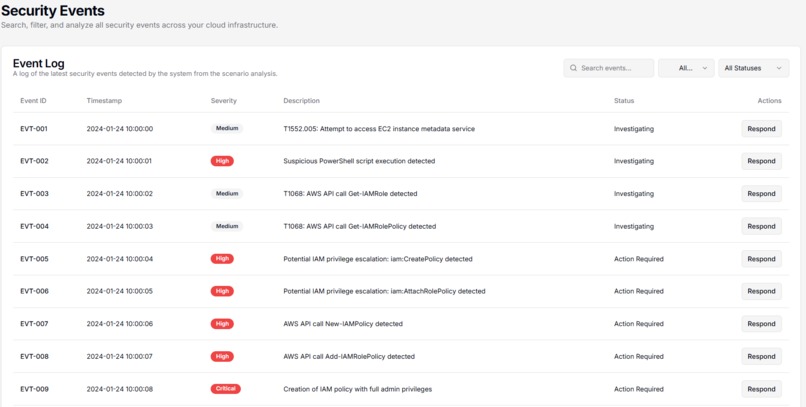
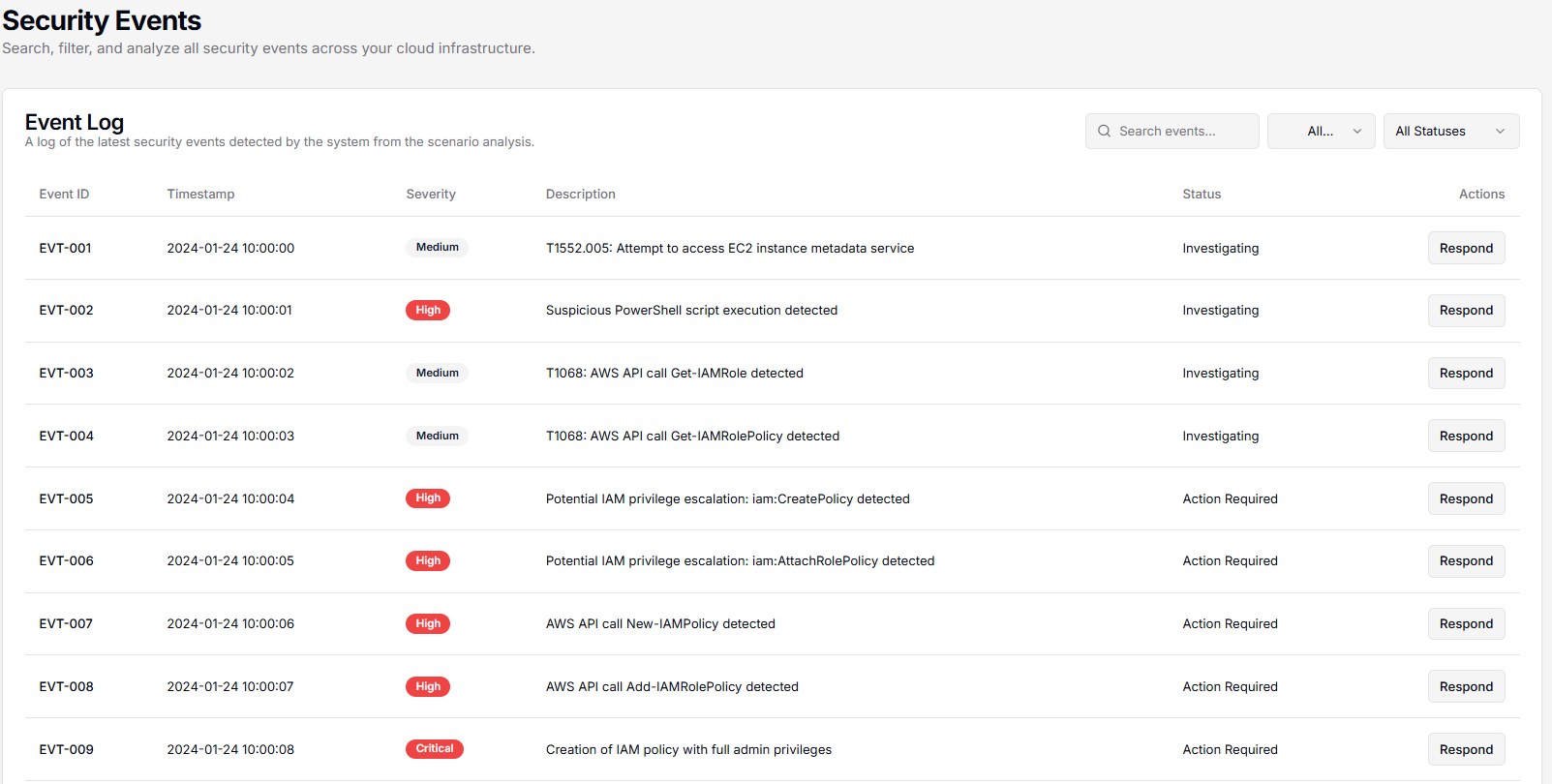
Table of detected events with details (timestamp, severity, description, status). Essential for incident investigations.
-
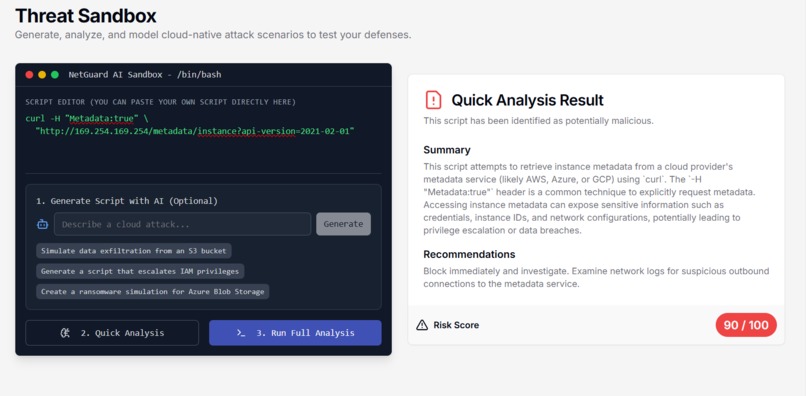
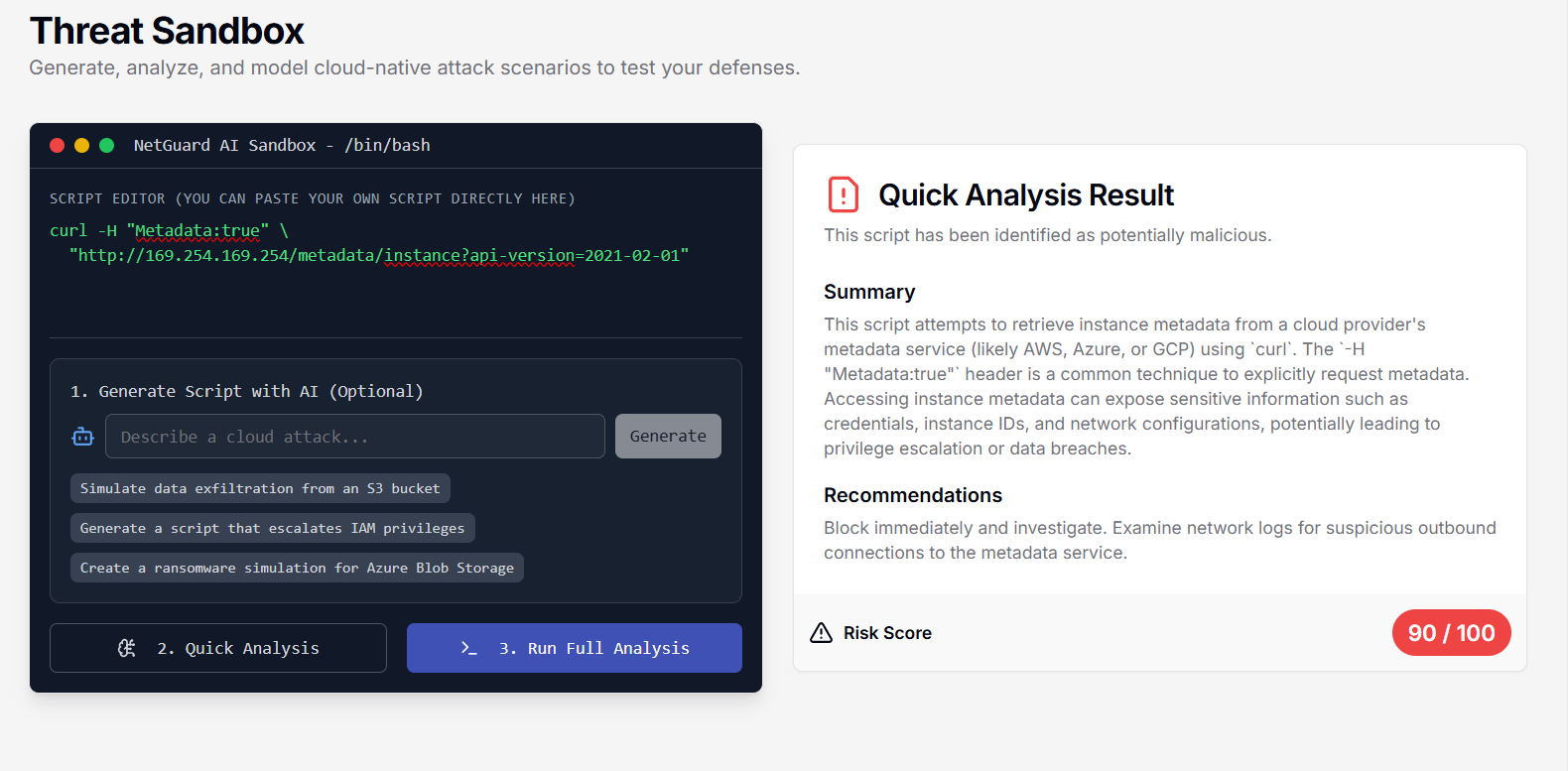
Threat Sandbox: Edit & run attack scripts. Quick analysis flags malicious code, recommends action, shows risk score. Simulates attacks.
-
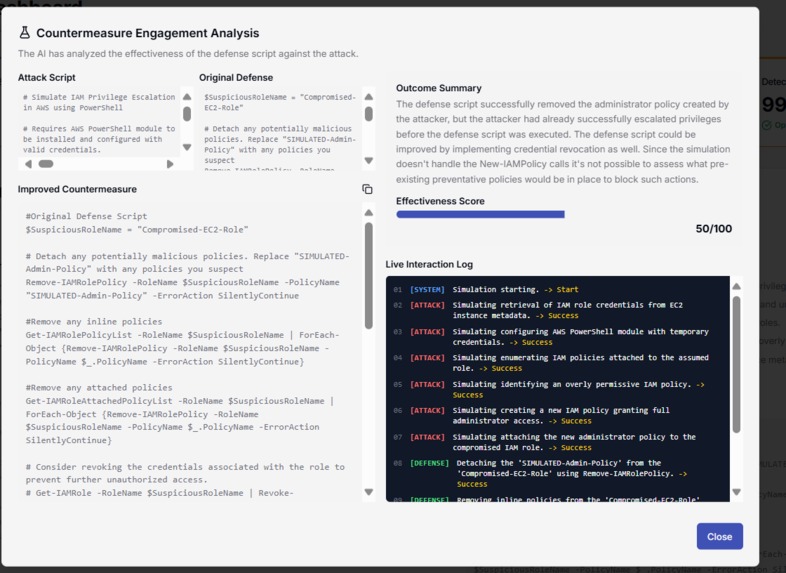
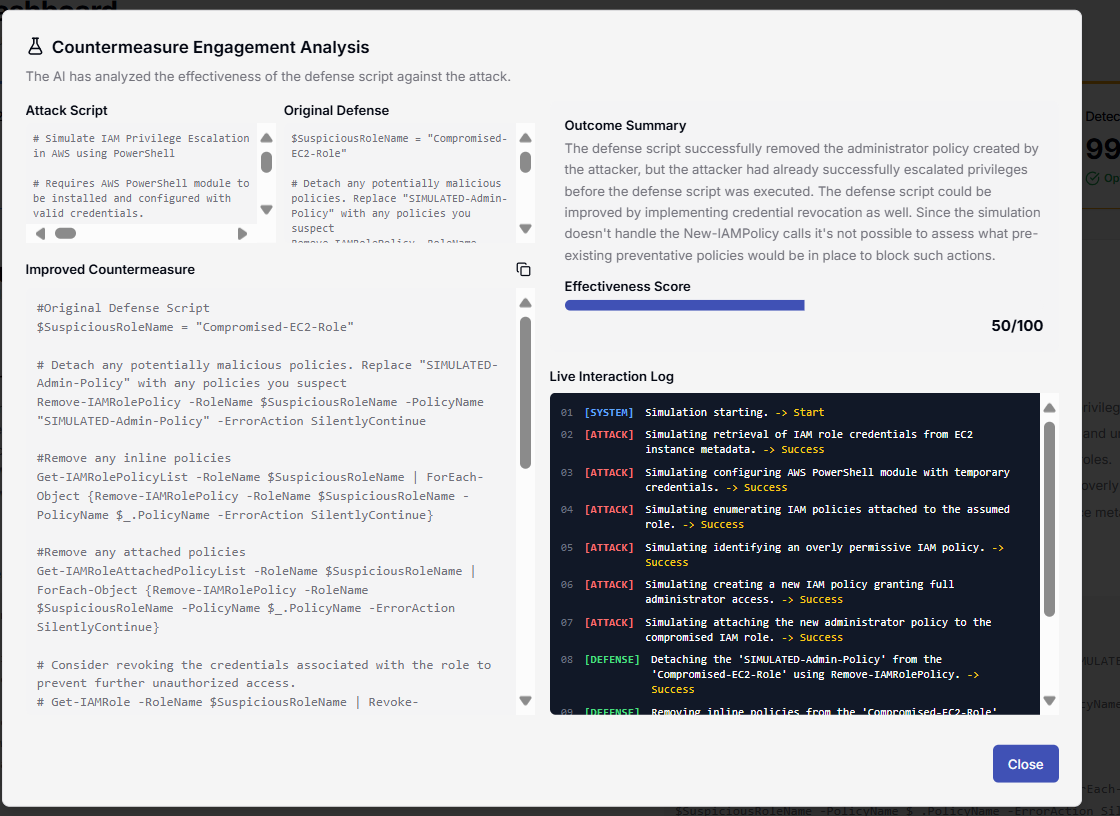
Countermeasure analysis compares attack & defense scripts. Shows effectiveness score, live interaction log for simulation steps & outcomes.
-
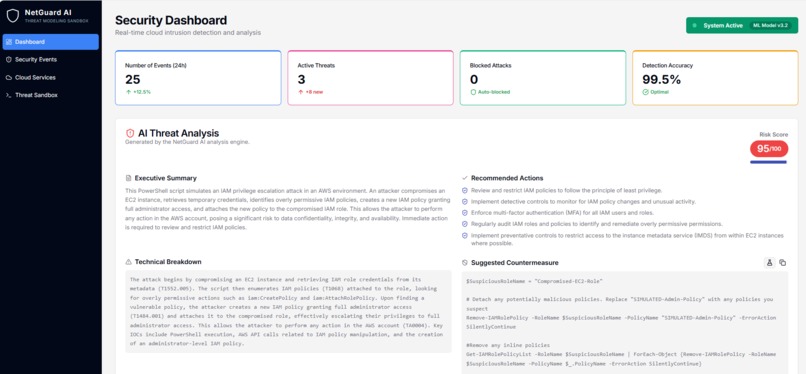
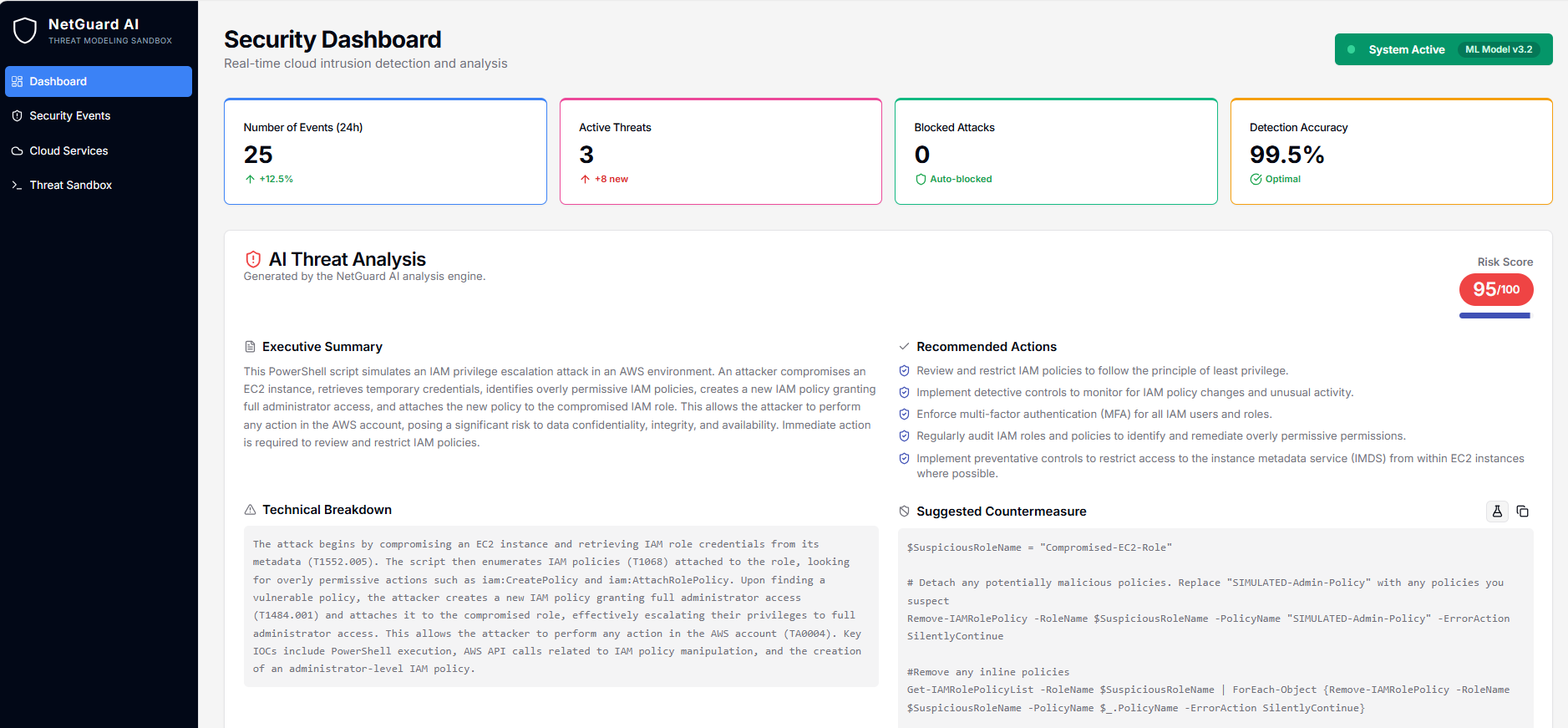
Security Dashboard: Overview of threats, events, detection accuracy. AI analyzes attacks, suggests actions and countermeasures.
About NetGuard AI This document details the journey of creating NetGuard AI, from the initial idea to the final product, covering the inspiration, the building process, the challenges faced, and the key learnings.
What Inspired Me In cybersecurity, defense is often reactive. Security teams analyze threats after they happen, patching vulnerabilities and responding to incidents. I was inspired by the idea of shifting this paradigm from reactive to proactive. How could we empower defenders to think like attackers and safely test their infrastructure against threats that don't even exist yet?
The answer I envisioned was an intelligent sandbox—a "sparring partner" for security professionals. I wanted to build a tool where a user could describe a hypothetical attack in plain language, and an AI would not only simulate it but also model its full impact and even suggest a defense. This is the core concept behind NetGuard AI: turning threat intelligence from a static report into an interactive, hands-on experience.
How I Built It NetGuard AI is a full-stack application built with a modern, AI-centric tech stack.
Frontend: The user interface is built with Next.js, React, and TypeScript. I used ShadCN UI components and Tailwind CSS to create a responsive, professional, and data-dense dashboard. State management across the different views is handled by React Context, which keeps the application's state synchronized.
AI Core & Backend: The "brains" of the operation are powered by Google's Genkit. Instead of a single monolithic AI, I designed a multi-agent system where different Genkit flows are responsible for specialized tasks:
generateAttackScript: Acts as a "Red Team" agent, translating natural language into a realistic but simulated attack script.
modelAttackScenario: Functions as a "Cloud Intrusion Detection System," analyzing a script to generate a rich dataset of security events, affected resources, and a suggested countermeasure.
analyzeInteraction: Serves as the "Purple Team" lead, simulating an engagement between an attack and defense script to score its effectiveness.
generateResponsePlan: Acts as a "SOC Analyst," creating actionable response plans for specific security events.
Each flow uses meticulously crafted prompts and Zod schemas to ensure the AI returns structured, reliable JSON data that the frontend can easily display.
Challenges I Faced Ensuring Safety in Simulation: The biggest challenge was getting the AI to generate attack scripts that were realistic but completely harmless. The initial prompts sometimes produced functional, dangerous code. I solved this by refining the prompts with very strong constraints (e.g., "Use 'Write-Host' or 'echo' to describe the action") and by configuring Genkit's safetySettings to allow the discussion of "dangerous content" in a theoretical context without blocking the output.
Creating Coherent Scenarios: It's one thing to generate a script; it's another to generate a believable impact from it. The AI had to logically connect a line in a script to a security event, a change in a cloud resource's status, and a spike in a dashboard metric. This required extensive prompt engineering and a highly detailed output schema to guide the AI's reasoning process, ensuring all the generated data told a consistent story.
Designing an Intuitive UI: The AI generates a massive amount of data. The challenge was to present it in a way that was informative, not overwhelming. I decided to split the information across different pages (Dashboard, Events, Cloud Services) and use interactive elements. The "Test Countermeasure" button, for example, reveals complex analysis only when the user asks for it, preventing information overload.
What I Learned The Power of AI Orchestration: Building this project taught me that the true power of generative AI isn't just in a single prompt but in orchestrating multiple, specialized AI agents (or flows) that work together to solve a complex problem. Genkit was invaluable for this.
Schema-Driven Development: Defining strict input and output schemas with Zod was a game-changer. It forced clarity in what I expected from the AI and made the integration between the AI backend and the React frontend much more robust.
Thinking in "Purple": I gained a much deeper appreciation for the "Purple Team" mindset, which blends offensive (Red Team) and defensive (Blue Team) perspectives. Building the analyzeInteraction flow forced me to think about how an attack and a defense truly interact, step-by-step.
This project was a fantastic journey into the practical application of generative AI for a complex, real-world problem. It deepened my skills in full-stack development, AI engineering, and user-centric design.
Built With
- genkit
- next.js
- react
- shadcn
- tailwind
- typescript

Log in or sign up for Devpost to join the conversation.