-
-
Sample Test
-
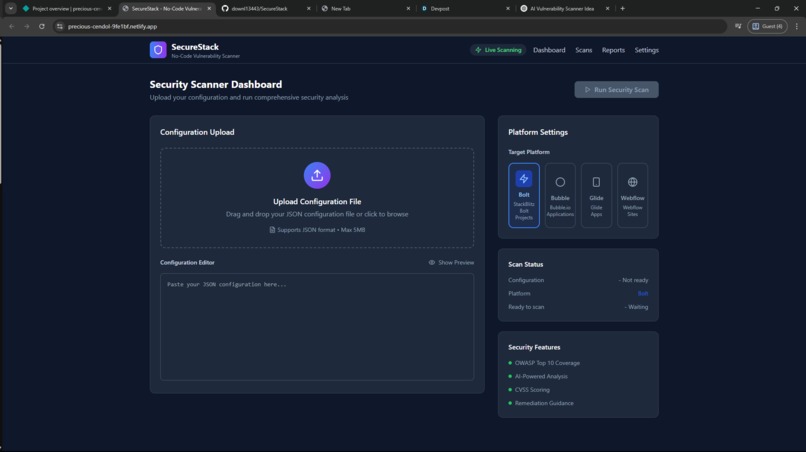
Image Demo of the Secure Stack
-
Sample Test
Inspiration
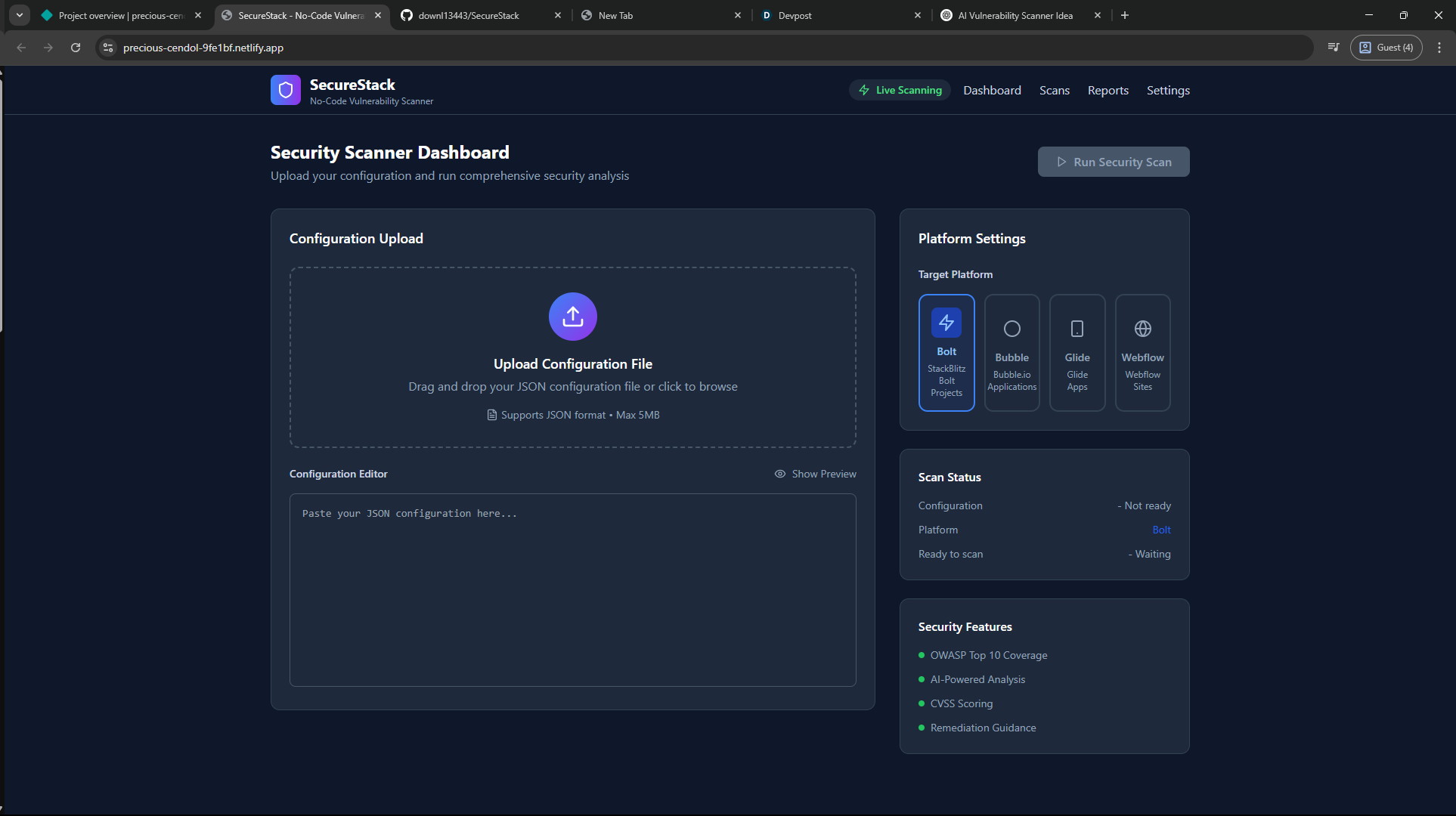
We’re passionate about making secure development accessible to everyone — even non-technical builders using no-code tools like Bolt, Bubble, or Glide. Too often, people deploy apps without realizing they have open endpoints, missing auth rules, or exposed secrets. SecureStack was born out of a simple idea: what if you could upload your no-code app config and get clear, AI-powered security advice in under a minute?
What it does
SecureStack scans an exported Bolt app config file (JSON) and looks for common security issues like:
- Open or unauthenticated endpoints
- Public database tables
- Unvalidated user inputs
- Basic misconfigurations that can lead to leaks or injections
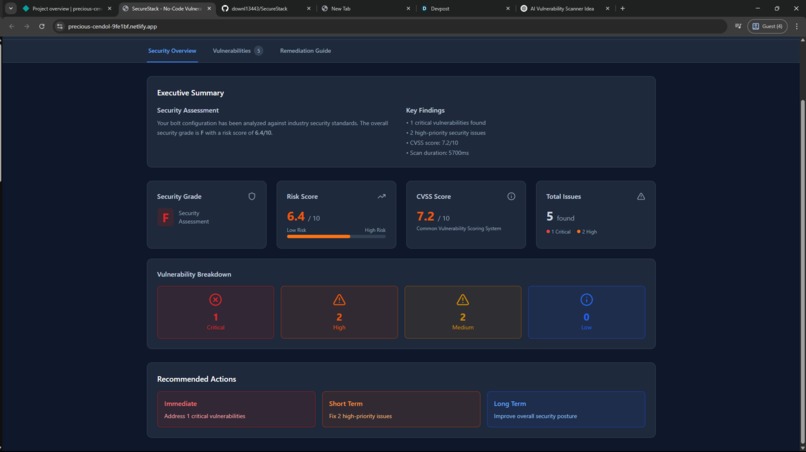
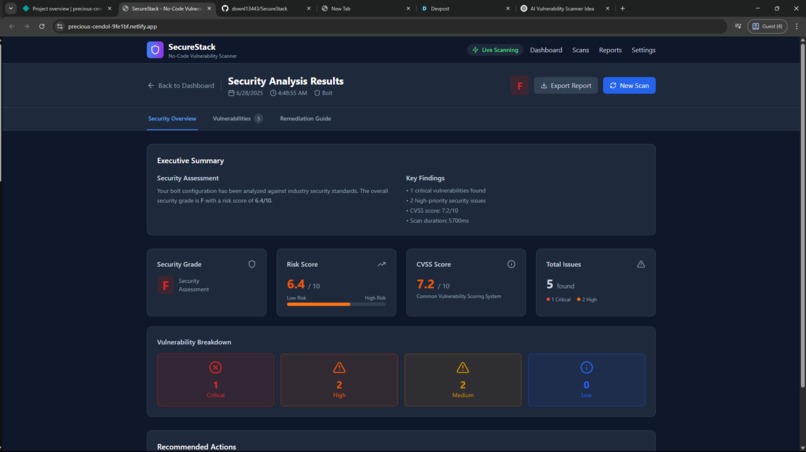
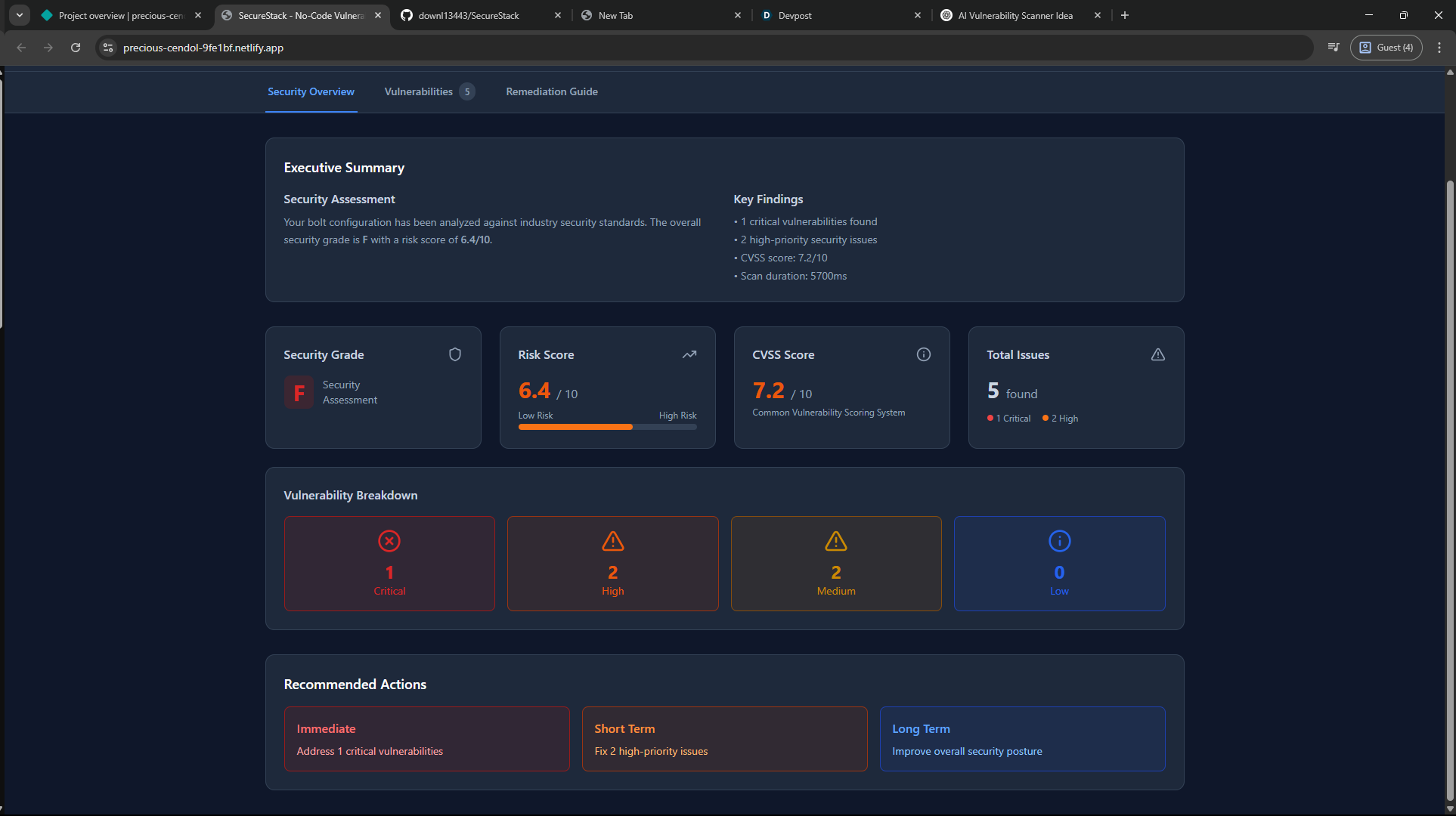
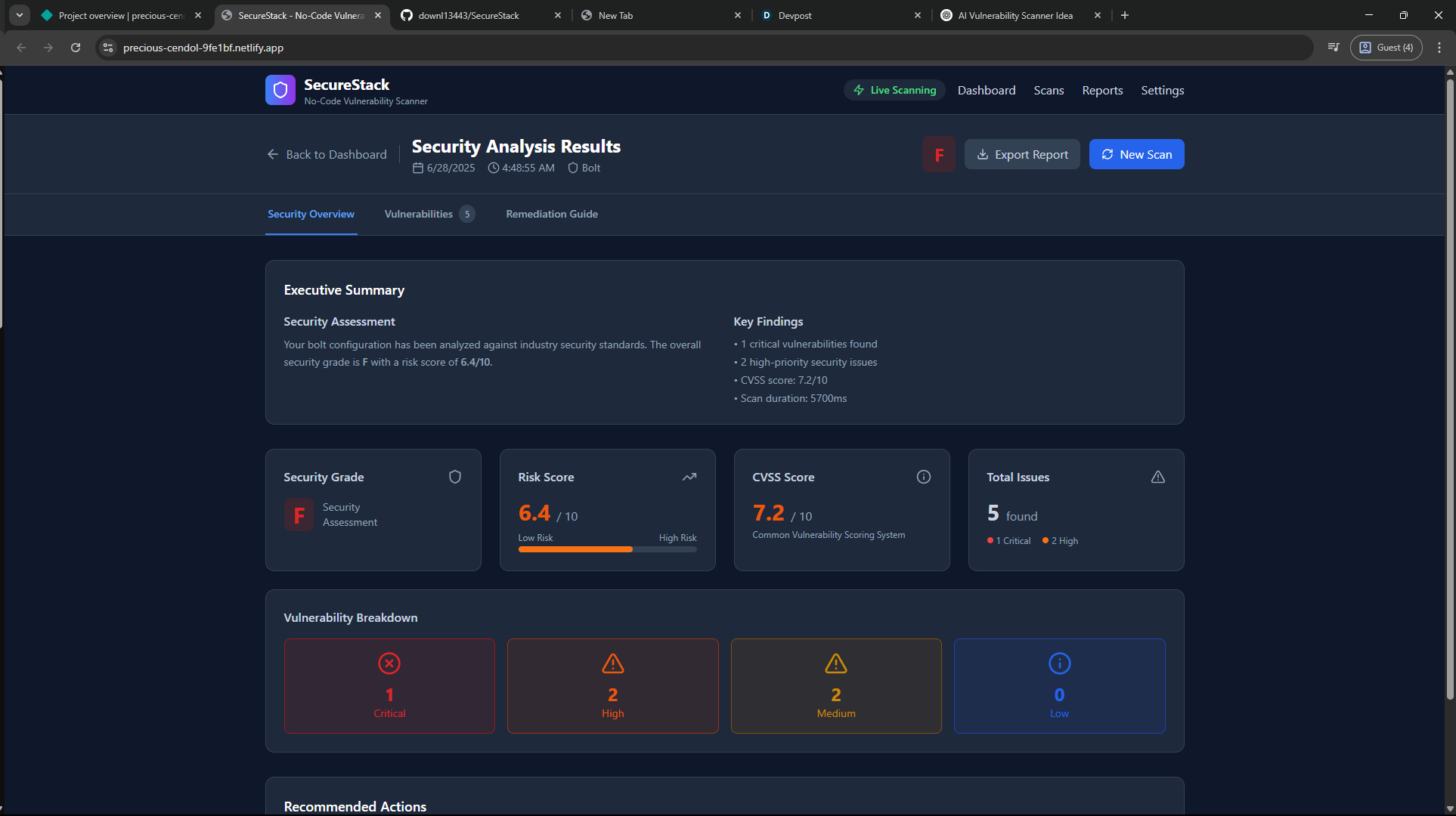
Once issues are found, the app uses Claude 3 Sonnet to explain each vulnerability in plain English — including what’s wrong, why it matters, and how to fix it. Users get a simple security grade (A–F) and a downloadable report so they know exactly what to improve before deploying.
How we built it
We used Next.js to build the frontend for uploading files and displaying scan results. A Node.js + Express backend parses the uploaded JSON and applies static checks for obvious misconfigurations. We send flagged issues to Claude 3 Sonnet to generate human-readable explanations and secure “Before vs After” examples. Supabase stores scan logs, and we deployed the entire app on Vercel for a smooth, serverless workflow. So far, we’ve focused on keeping the experience simple and clear — and you can see it live at precious-cendol-9fe1bf.netlify.app.
Challenges we ran into
- Designing static checks that actually work with the limited data in a Bolt JSON export — it doesn’t cover every possible vulnerability.
- Making the AI output predictable and useful — we learned that prompt design is critical when you want consistent, structured answers.
- Keeping the UX beginner-friendly — our users shouldn’t feel overwhelmed by technical jargon.
- Working within free-tier limits for AI calls and hosting during rapid testing.
Accomplishments that we're proud of
- ✅ Shipped a functional MVP with a real file upload, static scan, and AI-powered recommendations.
- ✅ Proved that we can turn an exported config into meaningful security insights.
- ✅ Created a clear, minimal report UI that’s understandable for non-technical users.
- ✅ Successfully deployed a live version that anyone can test — a huge step for showing real value.
What we learned
- A small number of smart static checks can help catch surprisingly important issues.
- You don’t need to overwhelm people — simple, actionable advice is more valuable than an intimidating security report.
- Prompt engineering for AI is an art — good instructions make or break the quality of recommendations.
- Even a basic MVP can make security accessible for no-code builders who usually ignore it.
What's next for SecureStack
- 🔍 Add deeper static scans with more rules and maybe Semgrep integration.
- ⚙️ Introduce runtime vulnerability testing for endpoints that look risky.
- 🔗 Build a “One-Click Fix” feature that suggests secure patches for Bolt projects.
- 🔄 Let users run scans automatically when they deploy — with CI/CD hooks.
- ✨ Expand beyond Bolt to support other no-code platforms like Bubble and Glide.
- 🛡️ Keep refining the UX so security checks feel clear, helpful, and stress-free for everyone.
SecureStack — Scan. Fix. Ship Safer.

Log in or sign up for Devpost to join the conversation.