-
-
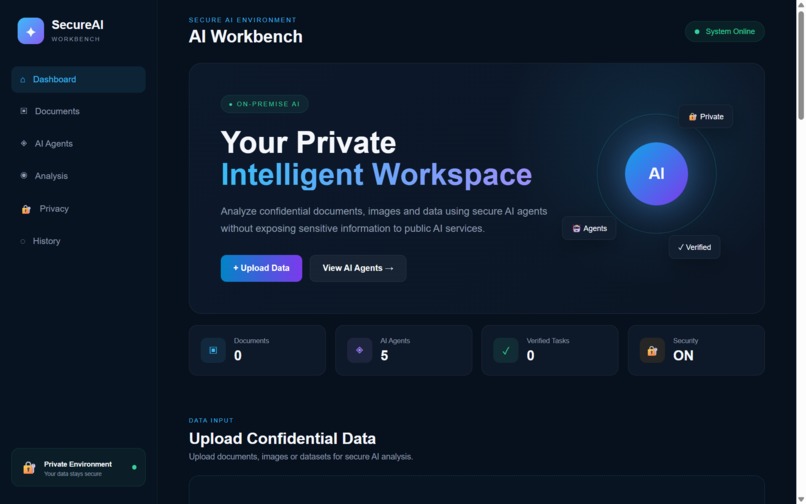
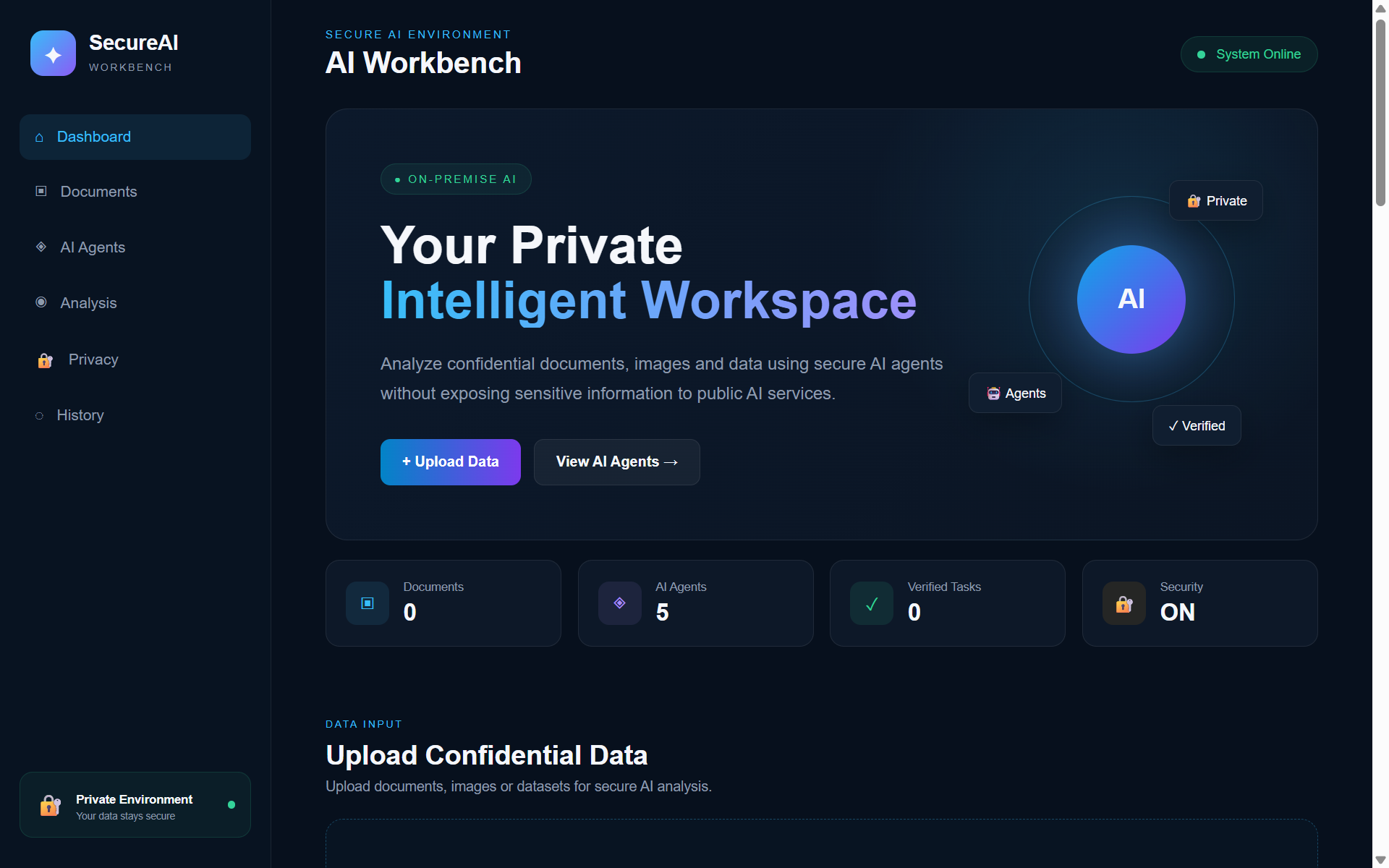
Dashboard — The SecureAI Workbench dashboard — a private, intelligent workspace for confidential document, image, and data analysis.
-
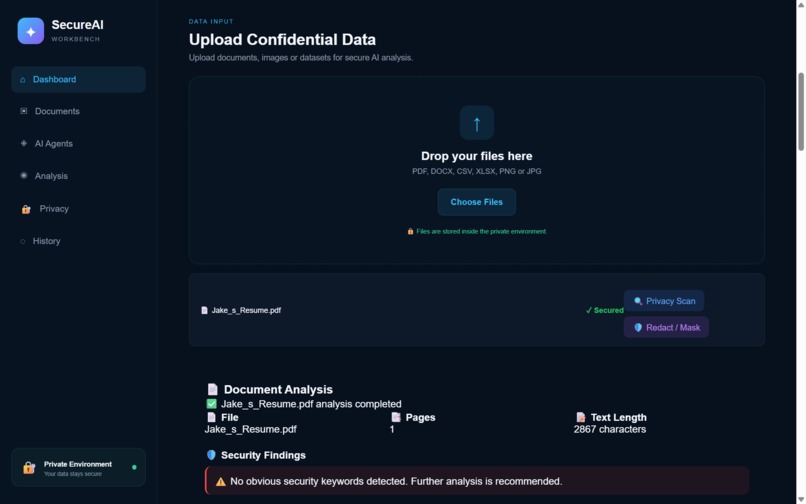
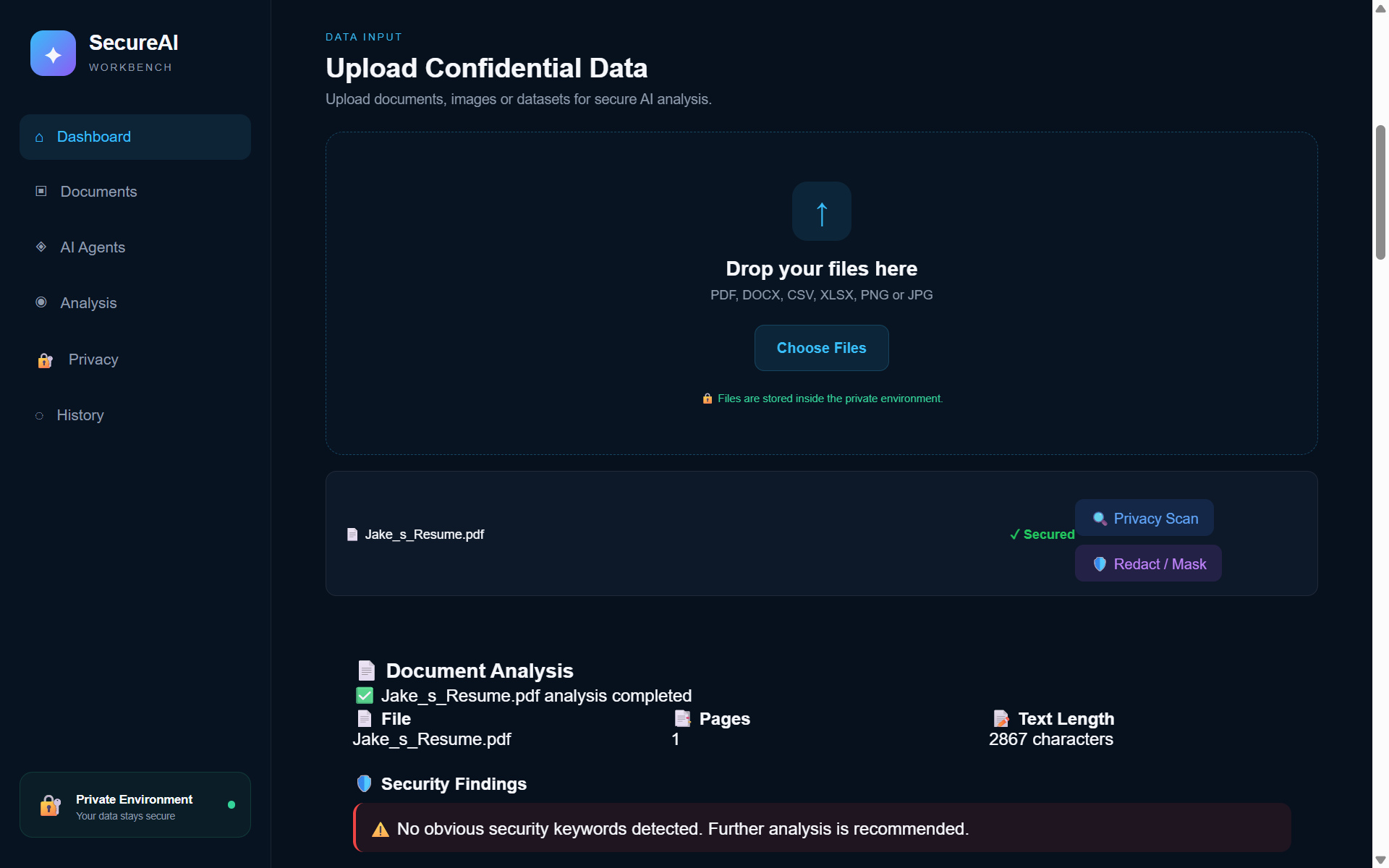
Upload screen — Upload PDFs, spreadsheets, or images directly into a secure environment — nothing leaves the workbench.
-
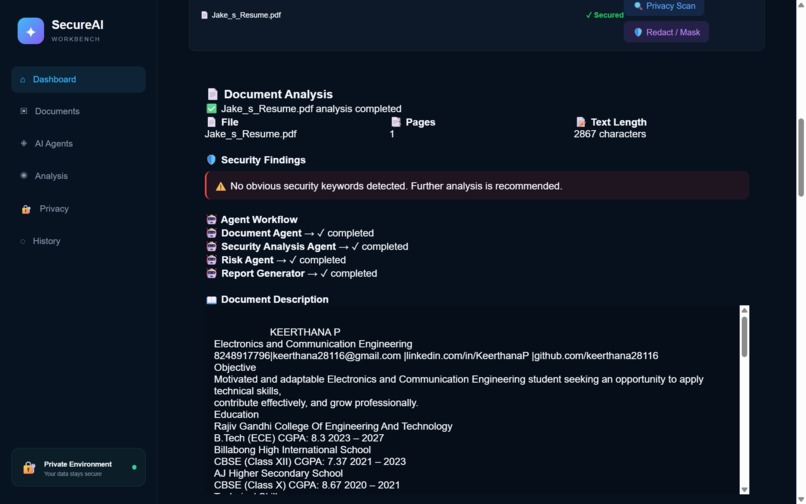
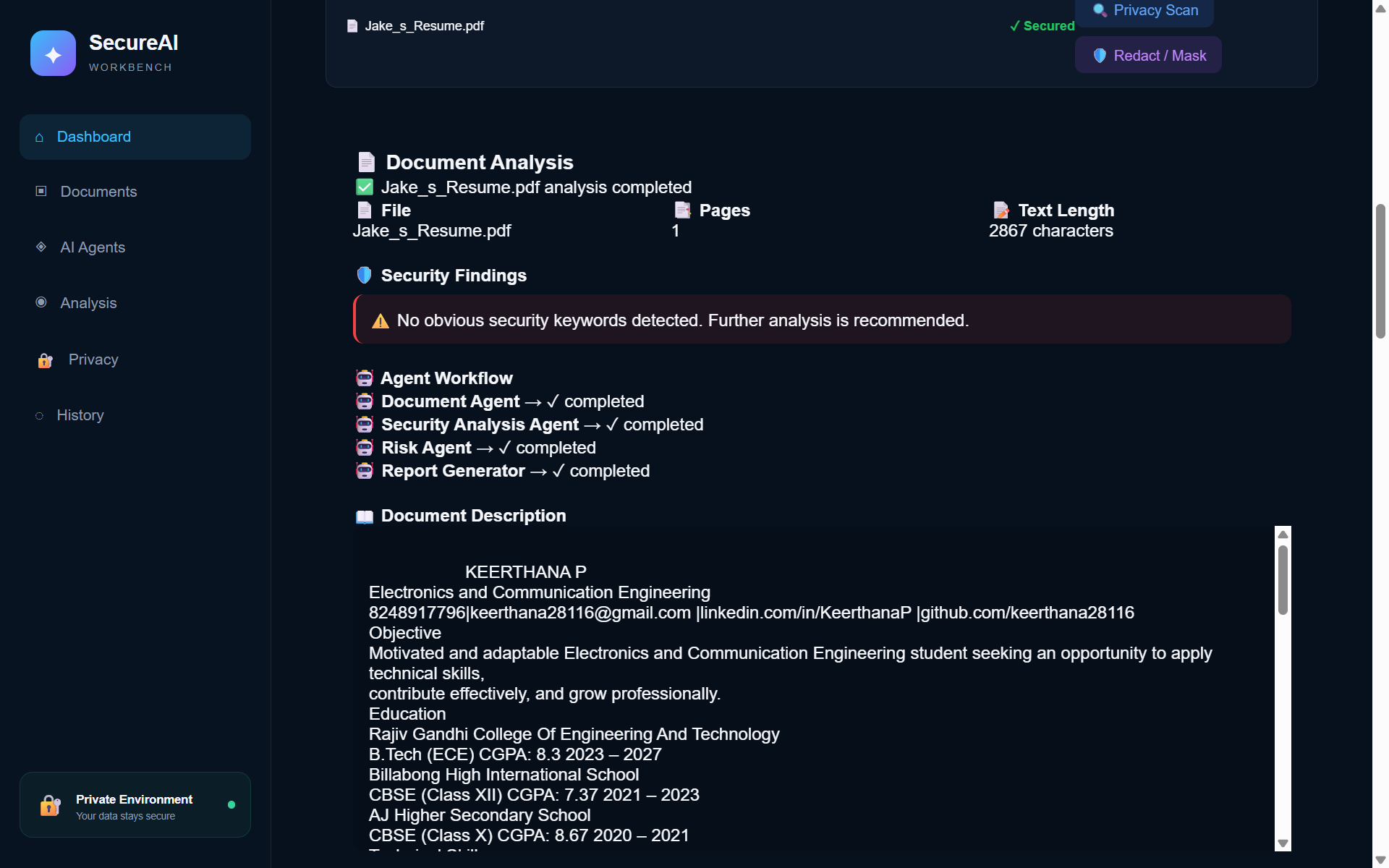
Document Analysis — Automated Document Agent analysis: instant summaries, extracted text, and a full multi-agent workflow trail.
-
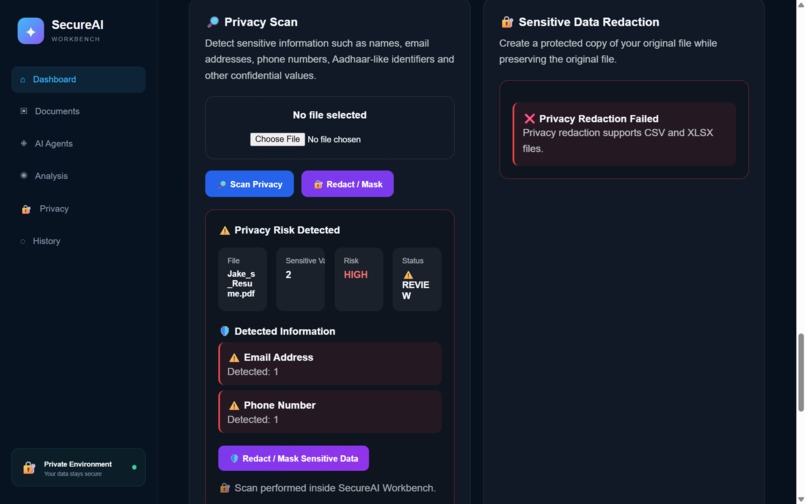
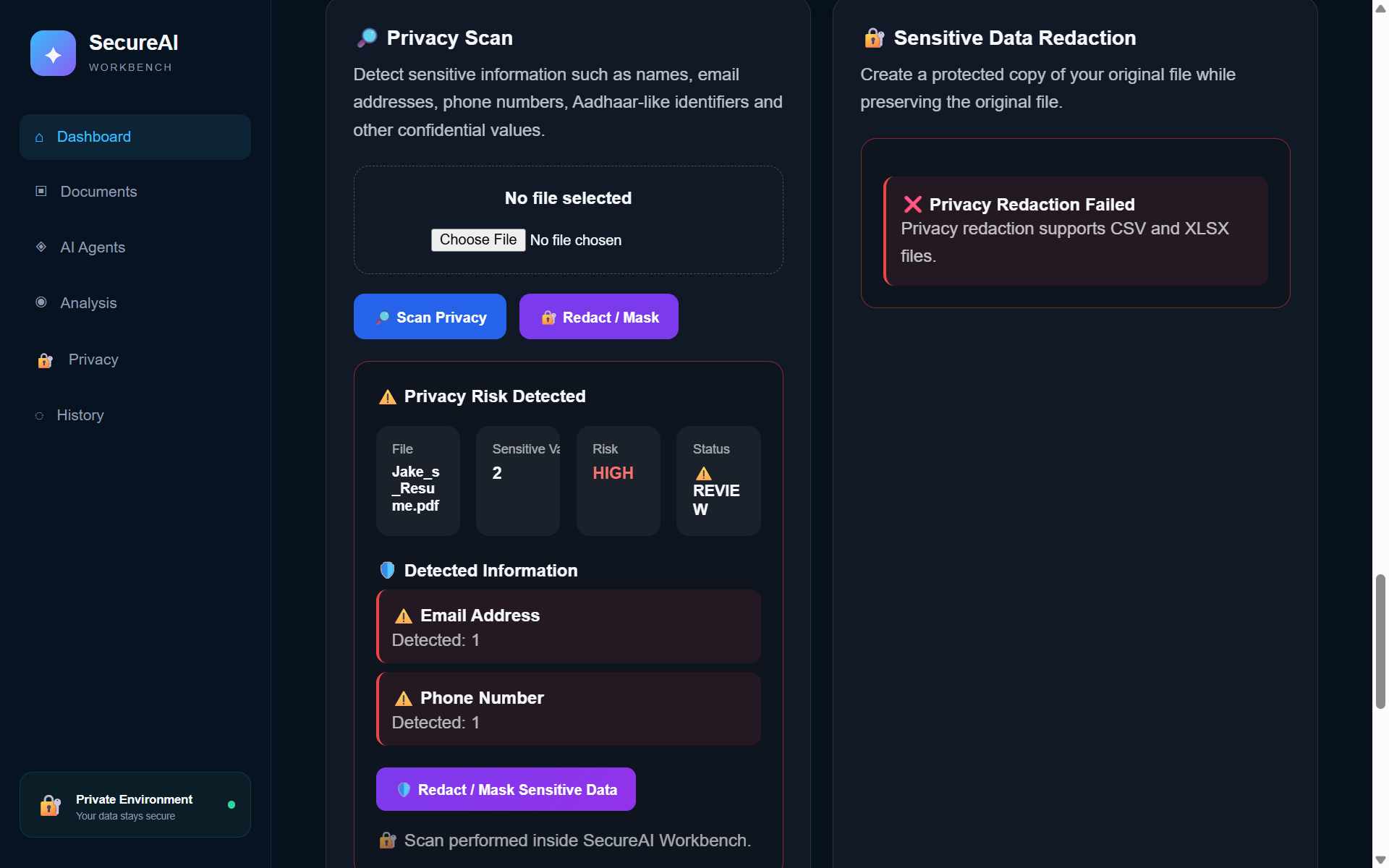
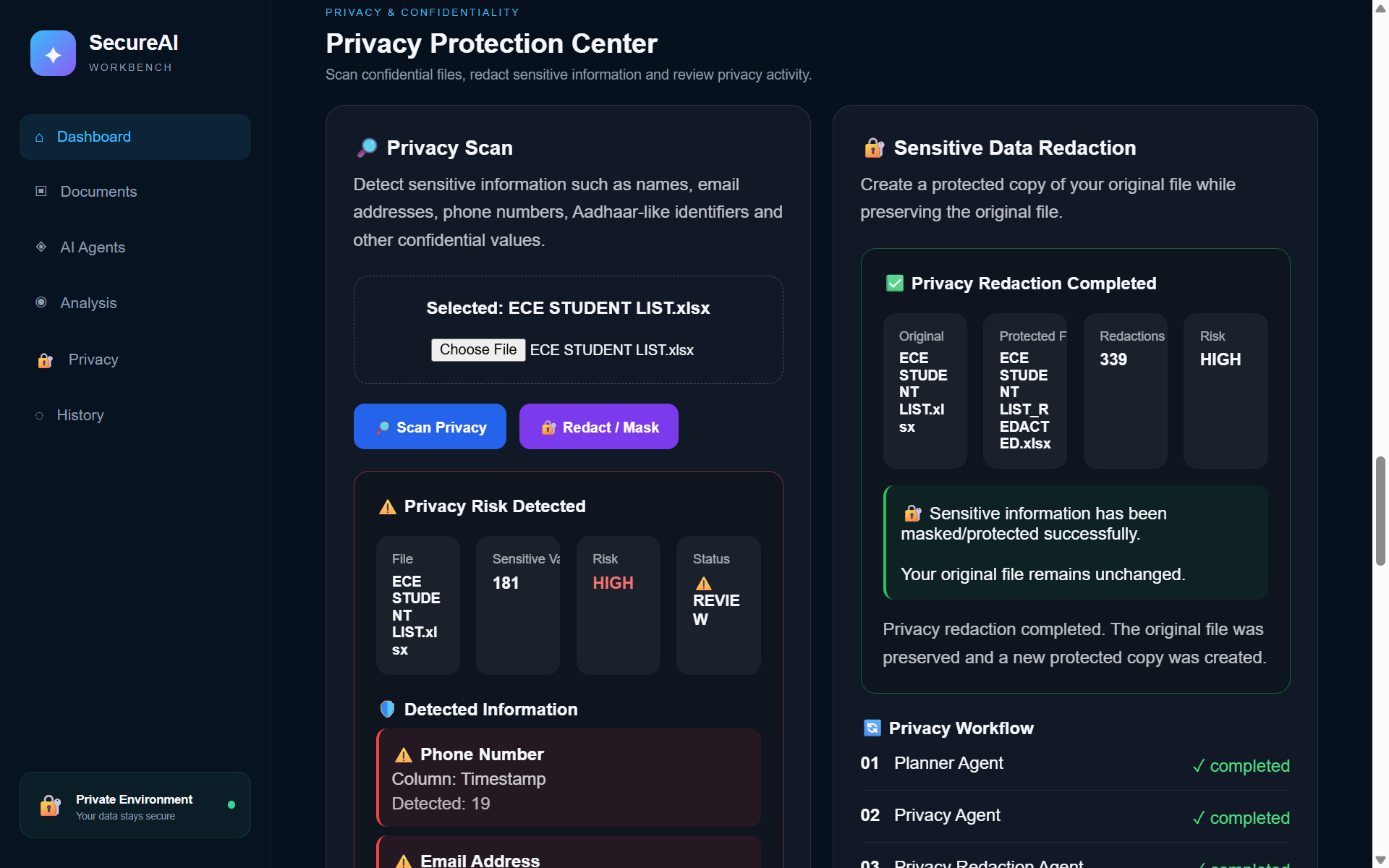
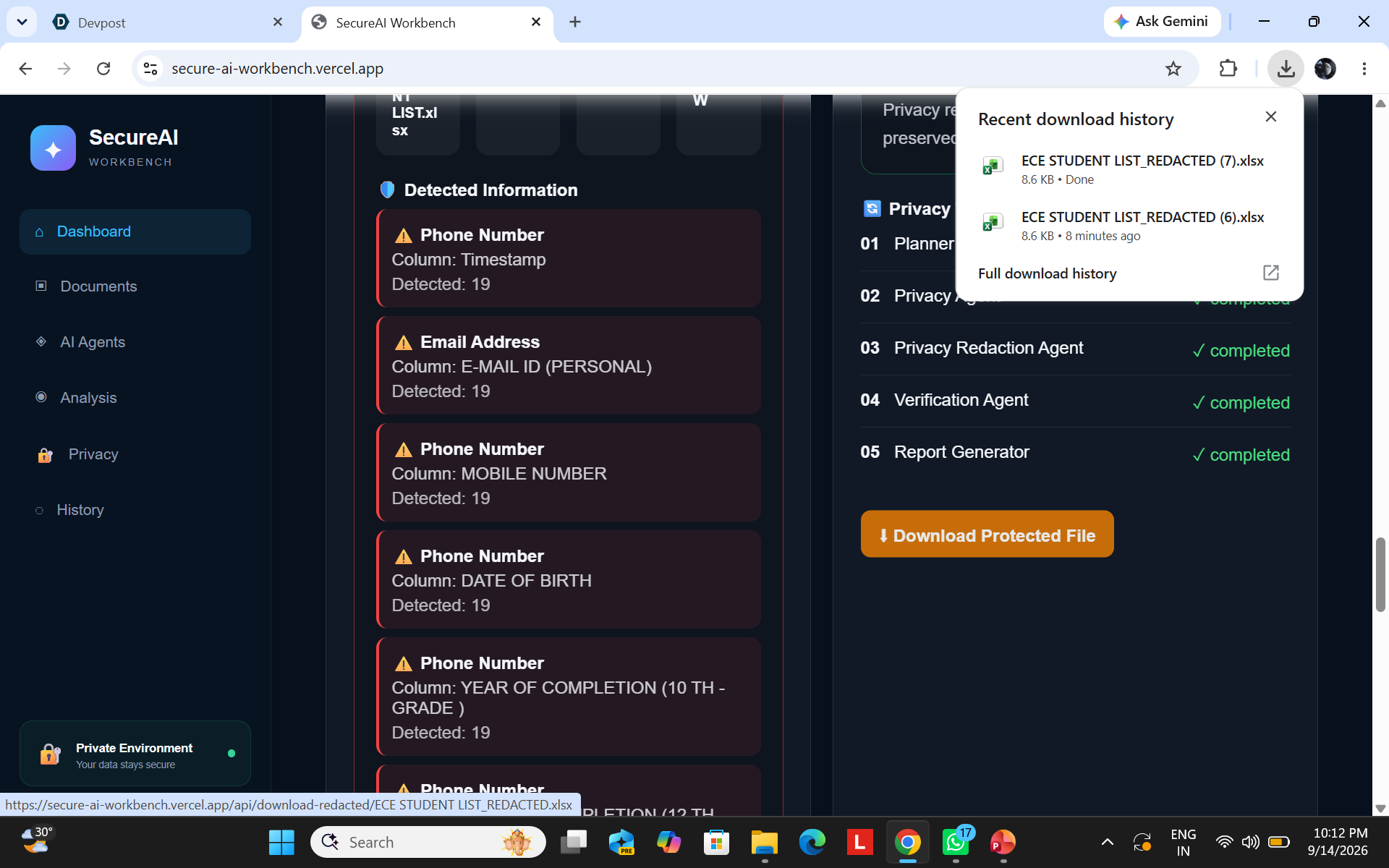
Privacy Scan result — Privacy Agent scan results — sensitive data like emails and phone numbers are automatically flagged with a risk level.
-
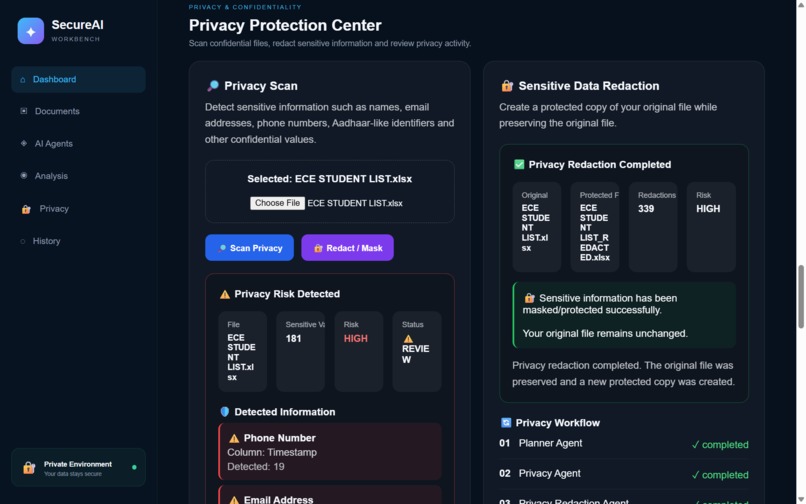
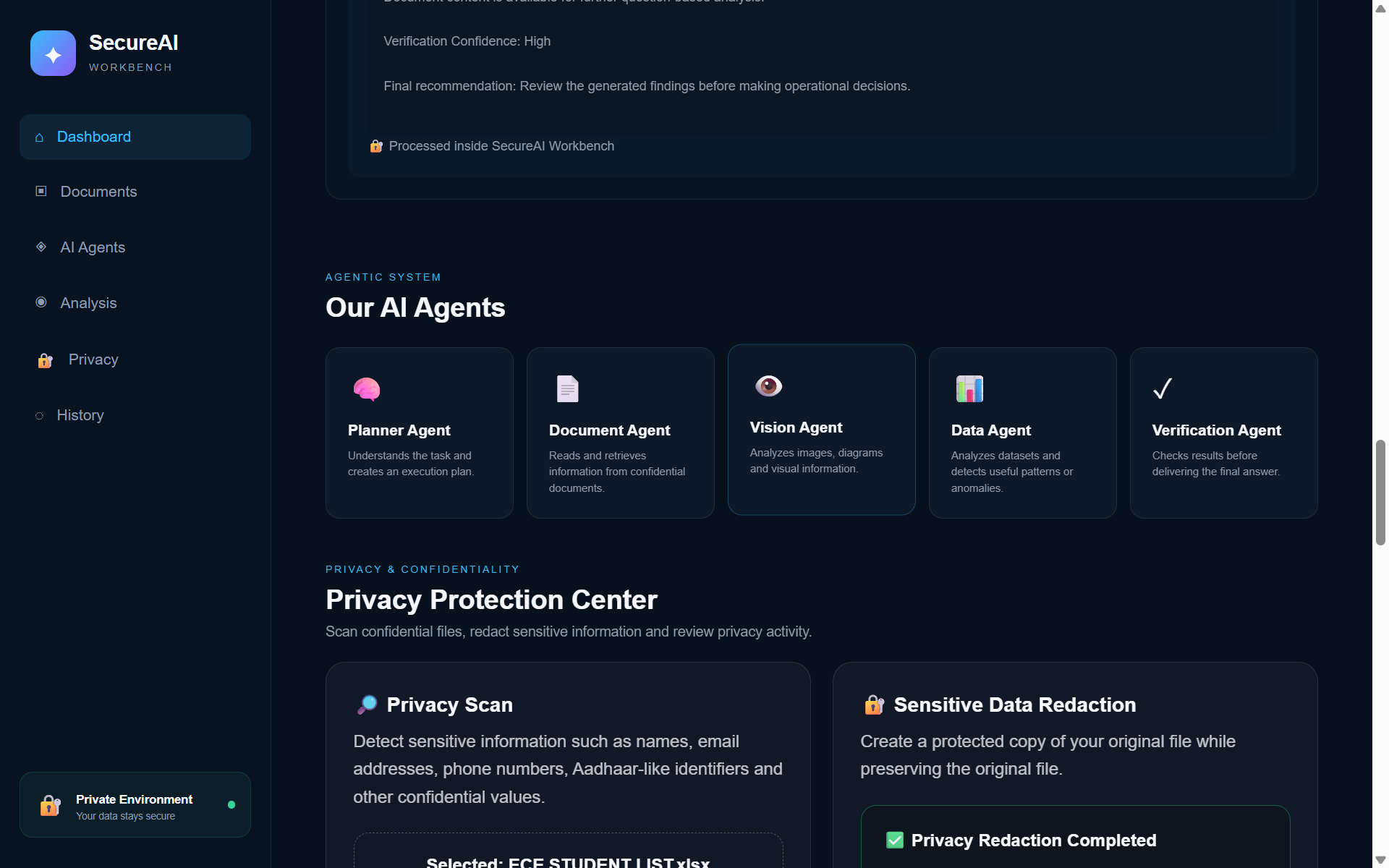
Privacy Protection Center: scan for sensitive data or generate a redacted, protected copy — original file stays untouched.
-
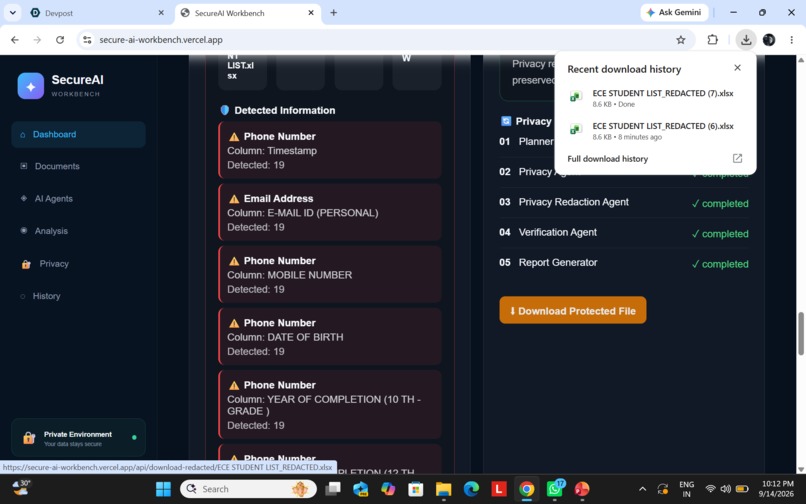
Downloaded protected file — The redacted file downloads instantly, ready to share safely — no manual find-and-replace needed.
-
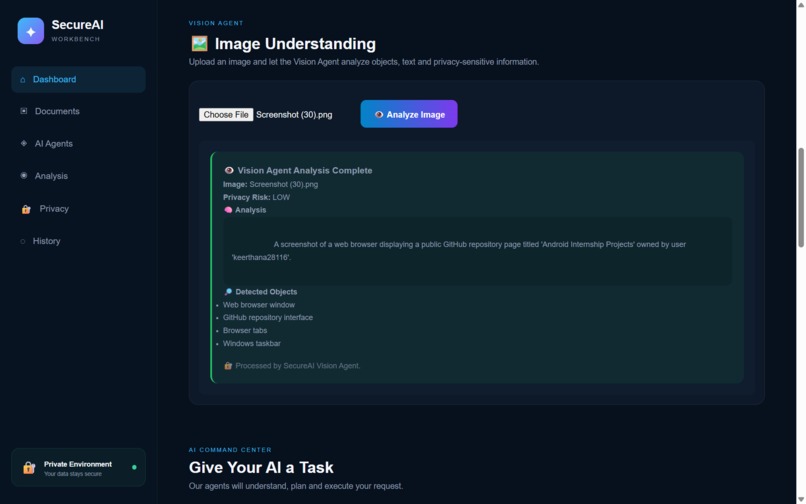
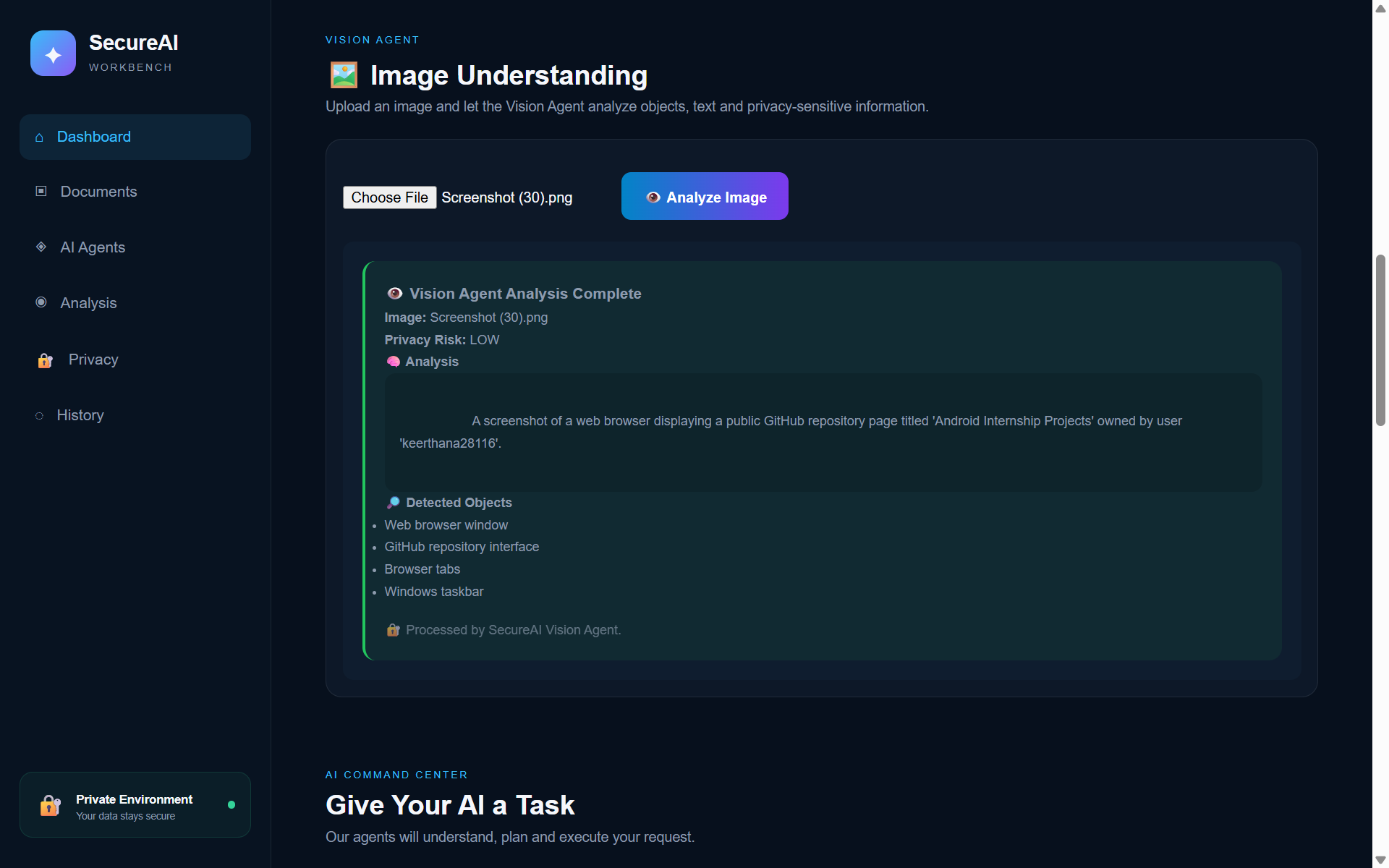
Image Understanding — The Vision Agent analyzes uploaded images for content, extracted text, and privacy-sensitive information.
-
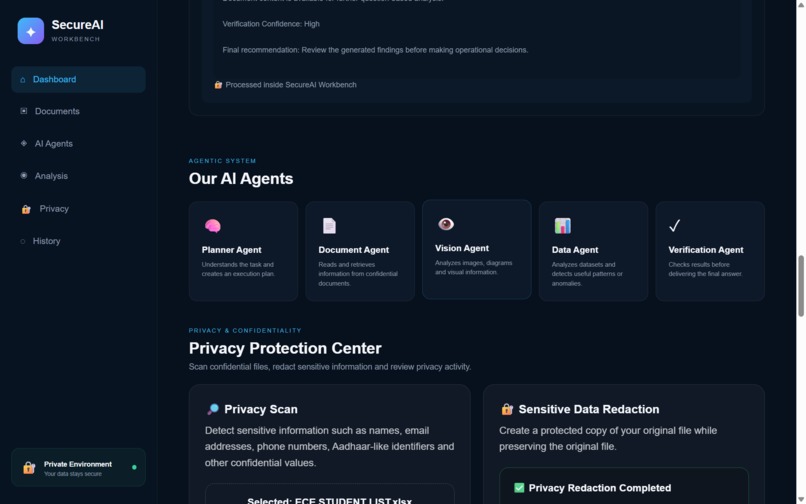
Our AI Agents overview — Meet the agent team: Planner, Document, Vision, Data, and Verification agents working together.
-
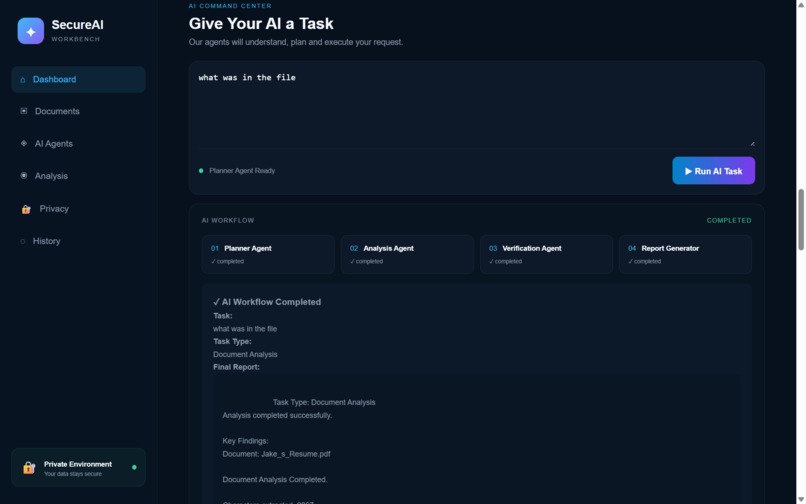
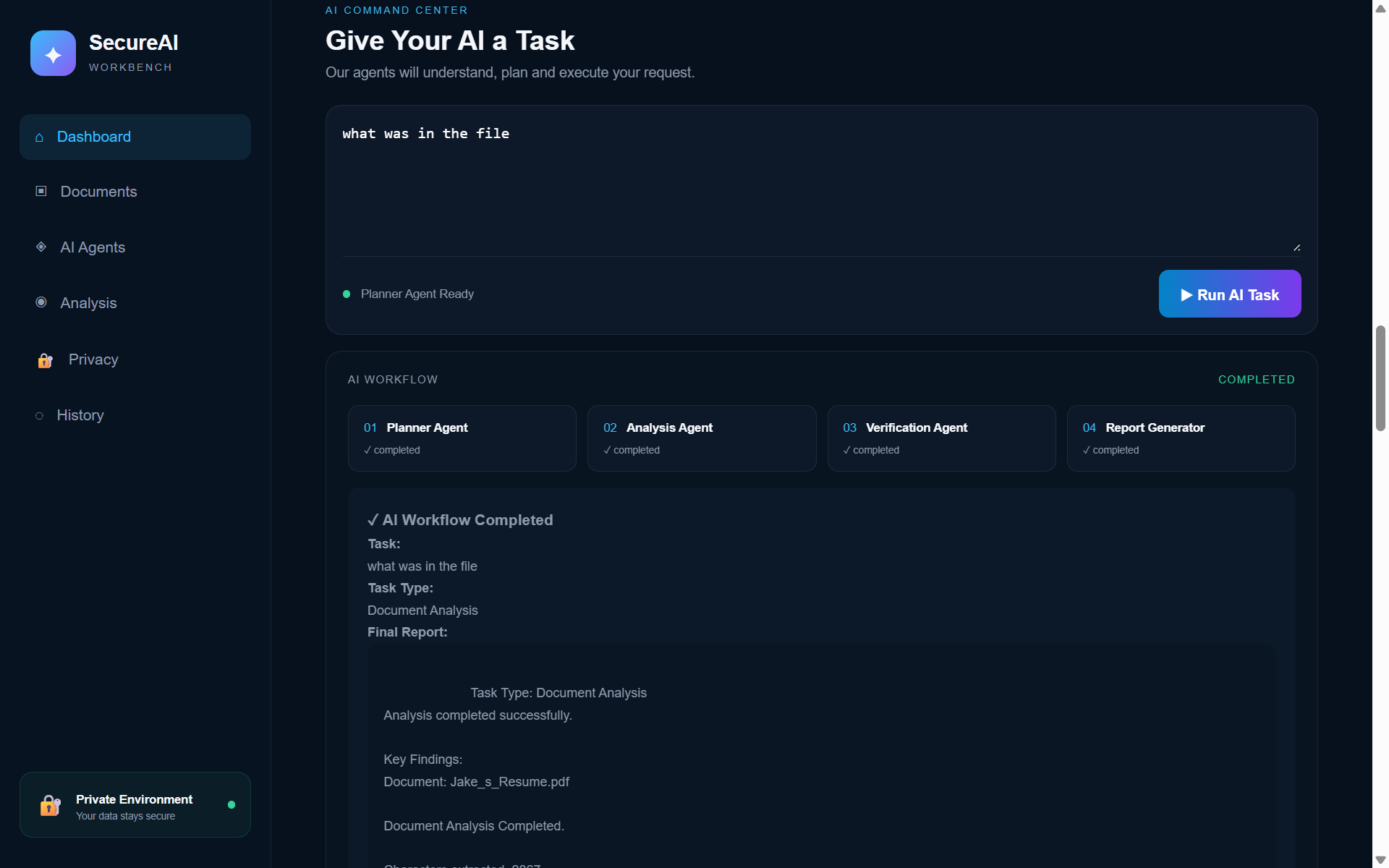
Give Your AI a Task — Type any request in plain English — the Planner, Analysis, Verification, and Report agents run automatically.
-
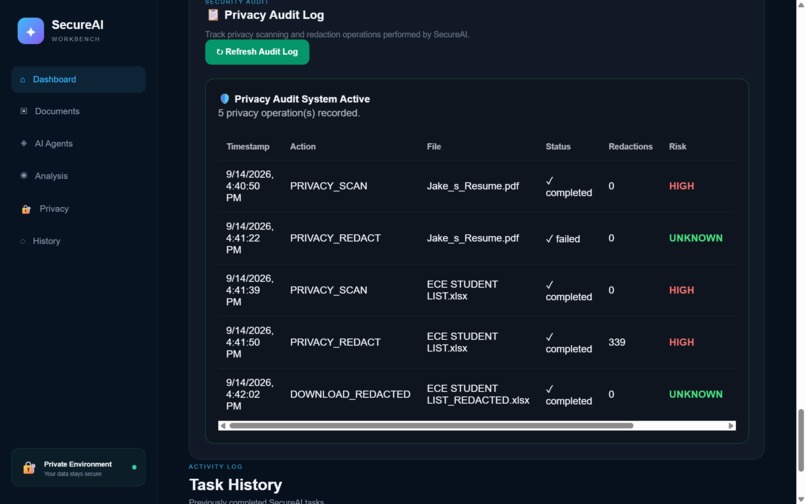
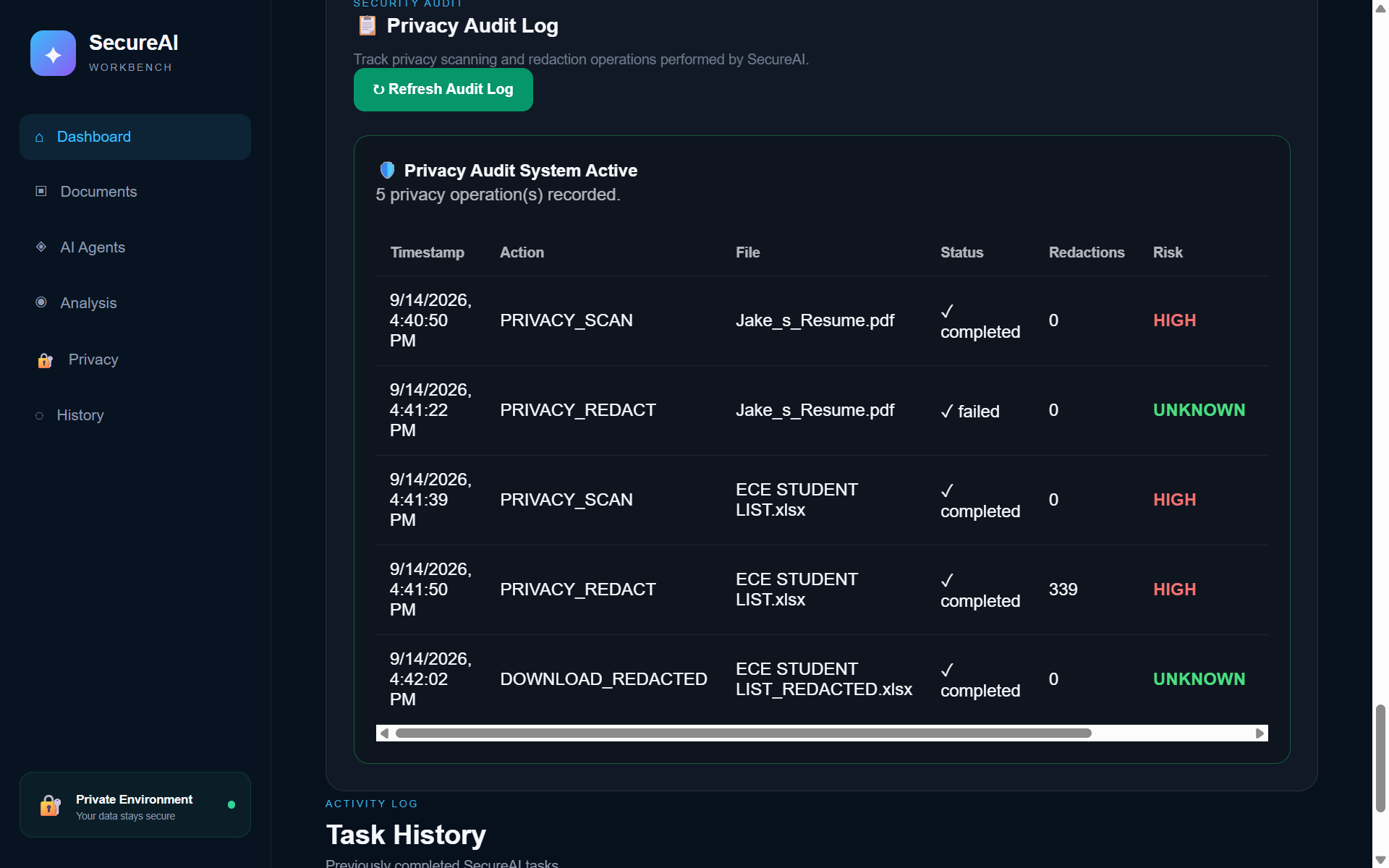
Privacy Audit Log — Every scan, redaction, and download is timestamped in a full audit log for complete traceability.
-
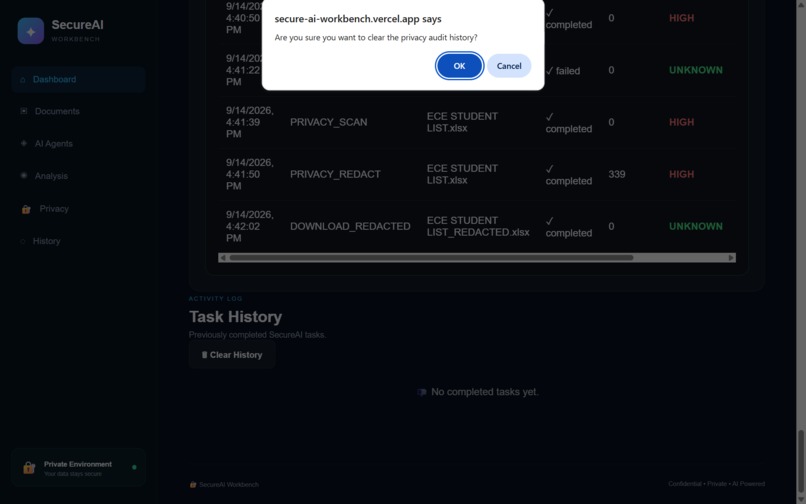
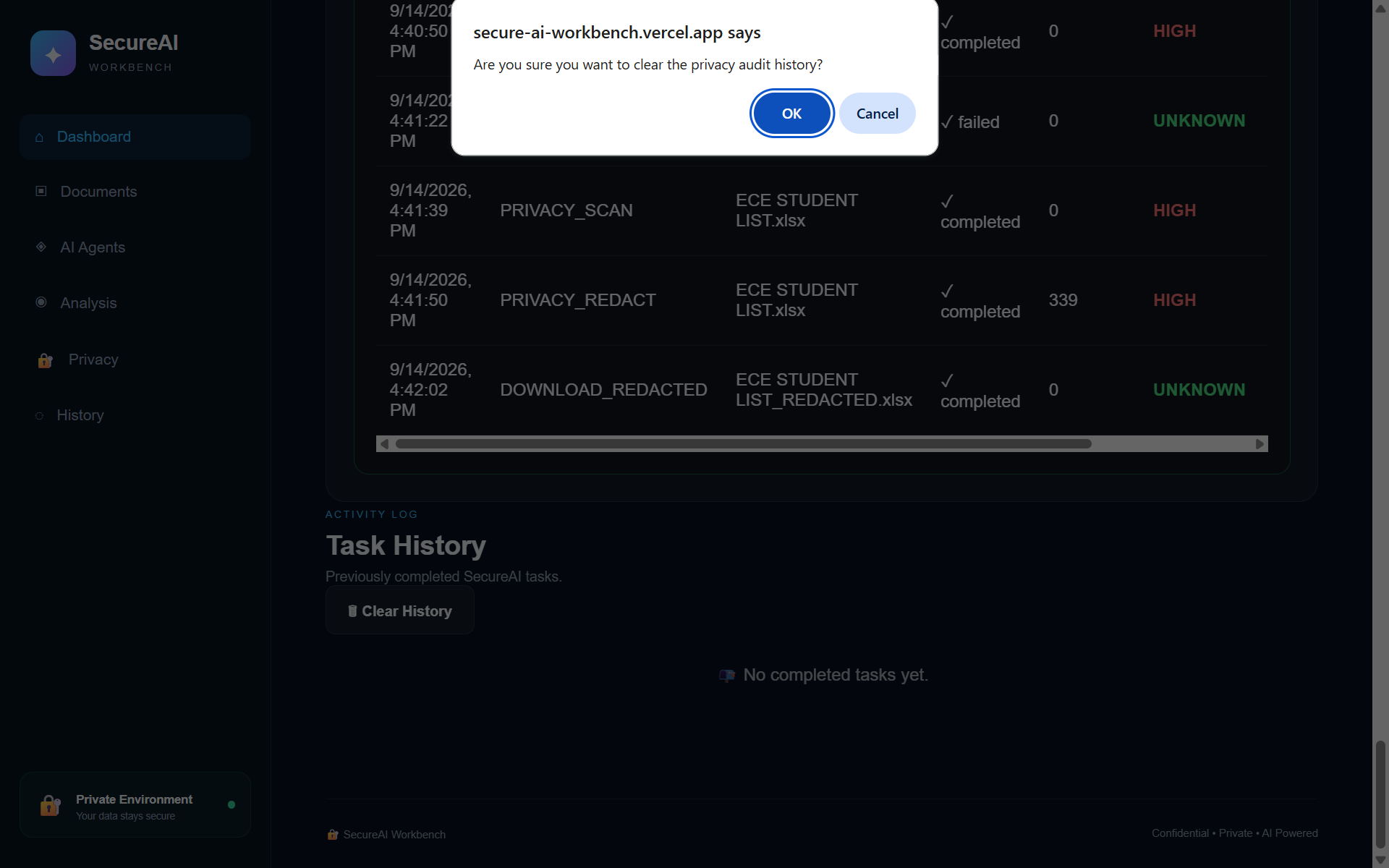
Clear history confirmation — A confirmation step before clearing audit history — protecting the record from accidental deletion.
-
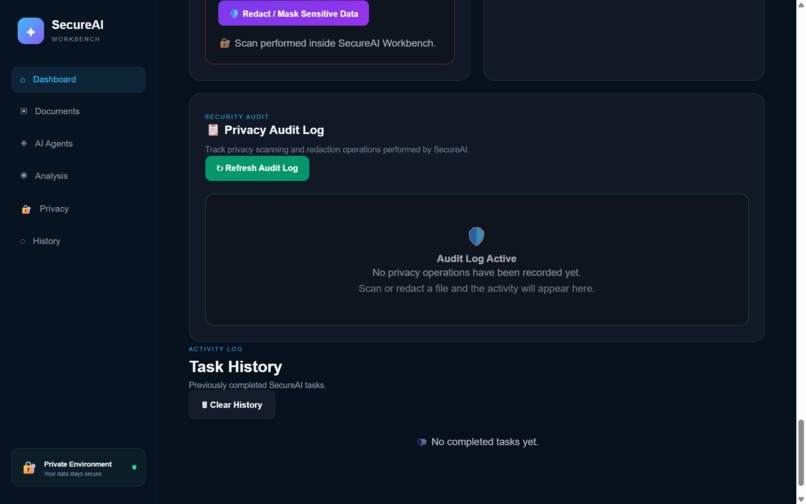
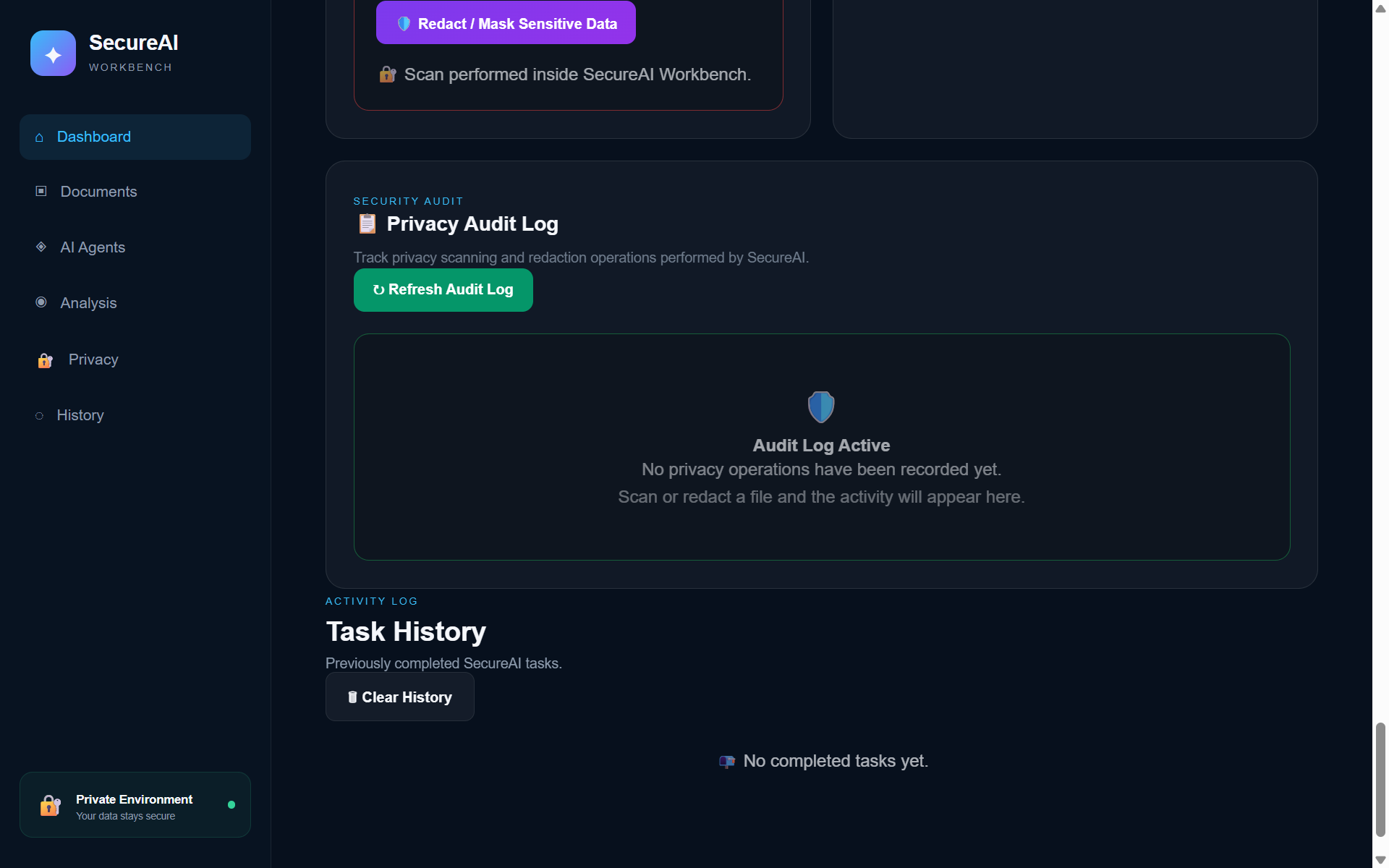
Audit log reset — A clean, empty audit log after reset — SecureAI keeps the workbench tidy and transparent
Inspiration
Every organization deals with confidential files — internal reports, contracts, employee data, financial sheets — but most AI tools require uploading that data to external cloud servers to get any real analysis done. That's a massive privacy risk. We wanted to build something that gives teams the power of AI-driven document and data analysis, without ever sending sensitive information outside their own environment. That's how SecureAI Workbench was born.
What it does
SecureAI Workbench is a private, multi-agent AI system that lets a user upload a file — a PDF, an image, or a dataset — and instantly get back a clear analysis of what's inside it, including any risky or sensitive content like exposed emails, personal data, or confidentiality red flags.
When a file is uploaded:
- Planner Agent reads the request and builds a workflow for how to process it
- Document Agent extracts and understands text-based content
- Vision Agent analyzes images for sensitive or relevant visual information
- Data Agent processes structured datasets (CSV, XLSX)
- All findings are compiled with a risk score, showing how dangerous or sensitive the content is
- Verification Agent double-checks the output to reduce false positives and improve accuracy
- Finally, the system generates a clean, structured report the user can act on immediately
How we built it
- Frontend: HTML, CSS, JavaScript
- Backend: Python, FastAPI
- AI Model: Google Gemini API (multimodal — handles both text and vision)
- Document Processing: PyPDF for extracting content from PDFs
- Data Processing: Pandas for structured dataset analysis
- Architecture: A multi-agent pipeline (Planner → specialized agents → Verifier) where each agent has a single responsibility, making the system modular and easy to extend
Challenges we ran into
- Coordinating multiple agents so their outputs merge into one clean, consistent report
- Balancing accuracy vs. speed — bigger files take longer to analyze in detail
- Making sure the risk-detection logic doesn't produce too many false positives or miss real risks
- Designing the system to eventually run fully on-premise/offline, without relying on any external API
Accomplishments that we're proud of
- Built a working multi-agent pipeline where each agent has a clear, specialized job
- Successfully combined document, image, and data analysis in a single unified system
- Added a verification layer that meaningfully improves result reliability
- Designed the entire system with privacy-first principles from day one
What we learned
- How to design and coordinate multi-agent AI systems where agents specialize and hand off tasks
- Practical techniques for extracting and analyzing content across multiple file formats
- The importance of a verification/validation layer in any AI system meant for real-world, high-stakes use
- How to think about AI system design through a security and privacy-first lens
What's next for SecureAI Workbench
- Replace the external Gemini API with a fully local, open-weight LLM for true on-premise deployment
- Improve the risk-scoring model with more training data for higher accuracy
- Add support for more file formats (Word docs, emails, code files)
- Build a dashboard for teams to track analysis history and trends over time
- Scale the system for enterprise deployment across multiple departments and use cases


Log in or sign up for Devpost to join the conversation.