-
-
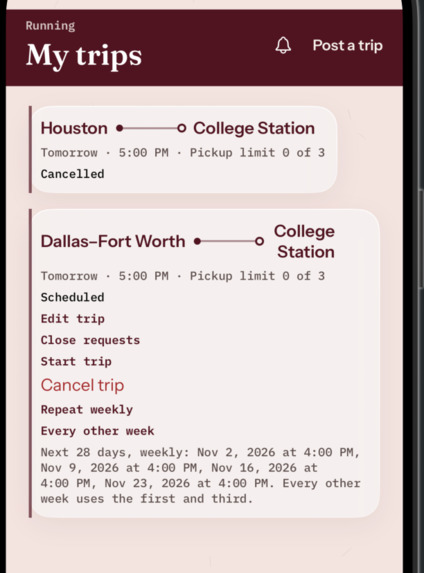
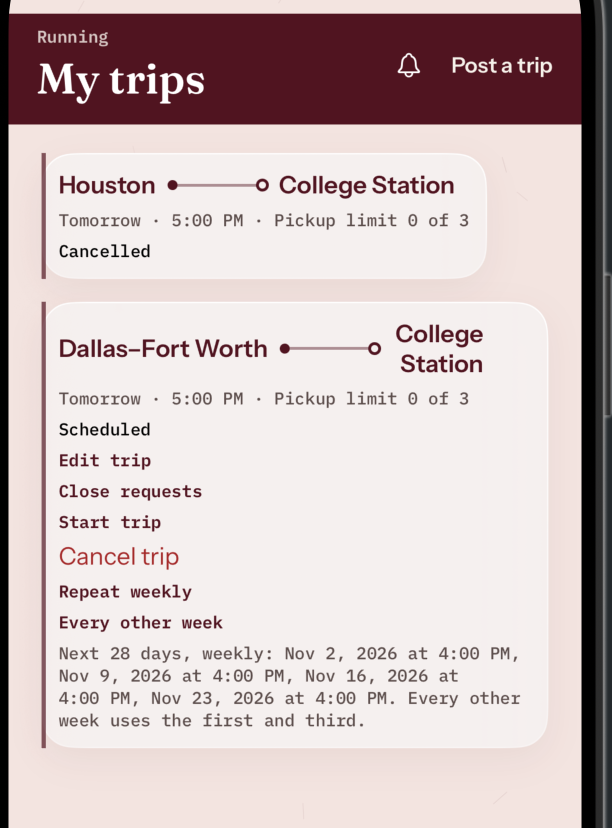
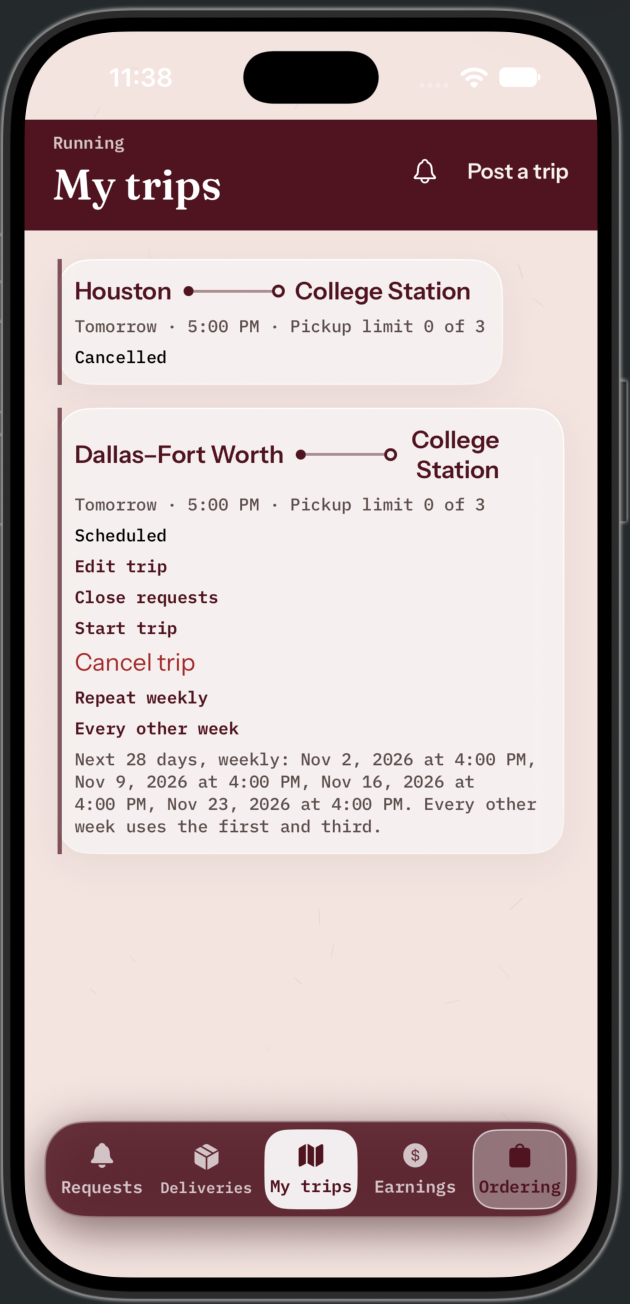
Manage scheduled trips, edit travel details, accept requests, and set recurring journeys.
-
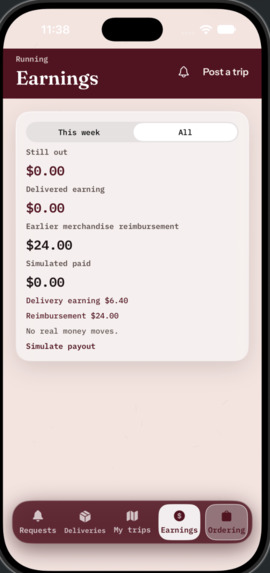
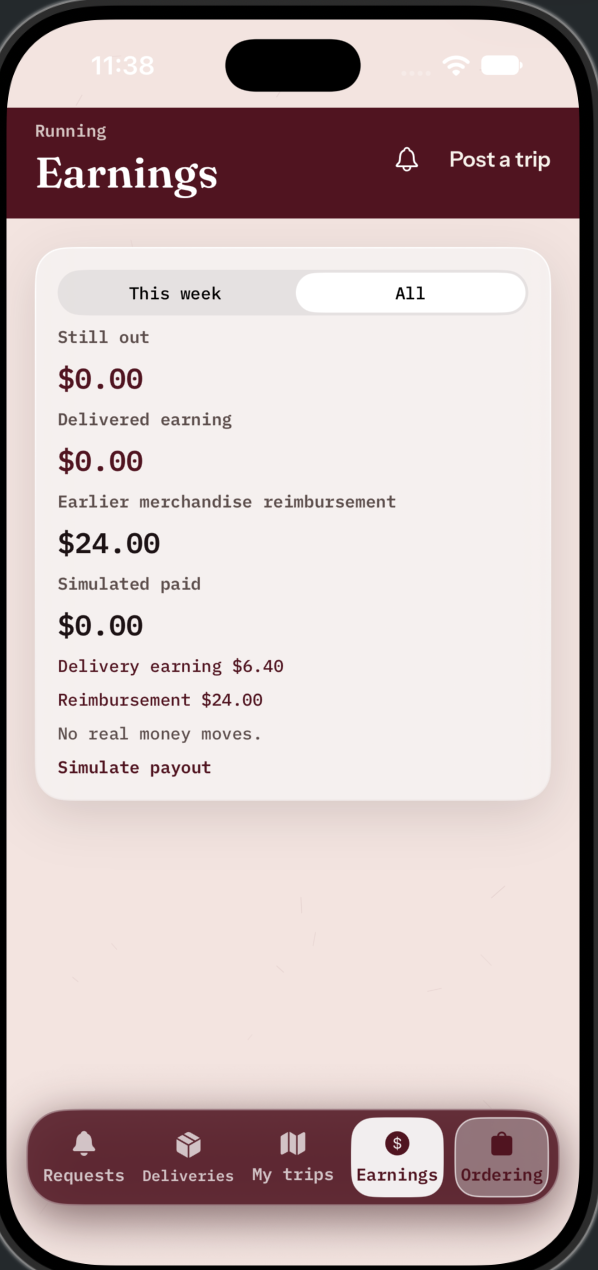
Track delivery earnings, merchandise reimbursements, and simulated payouts in one dashboard.
-
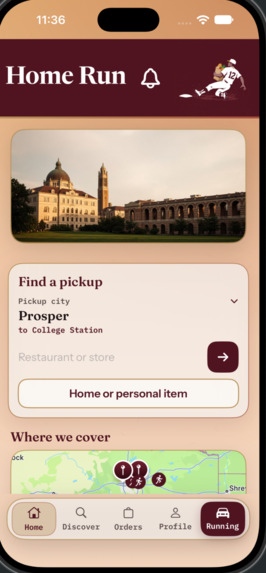
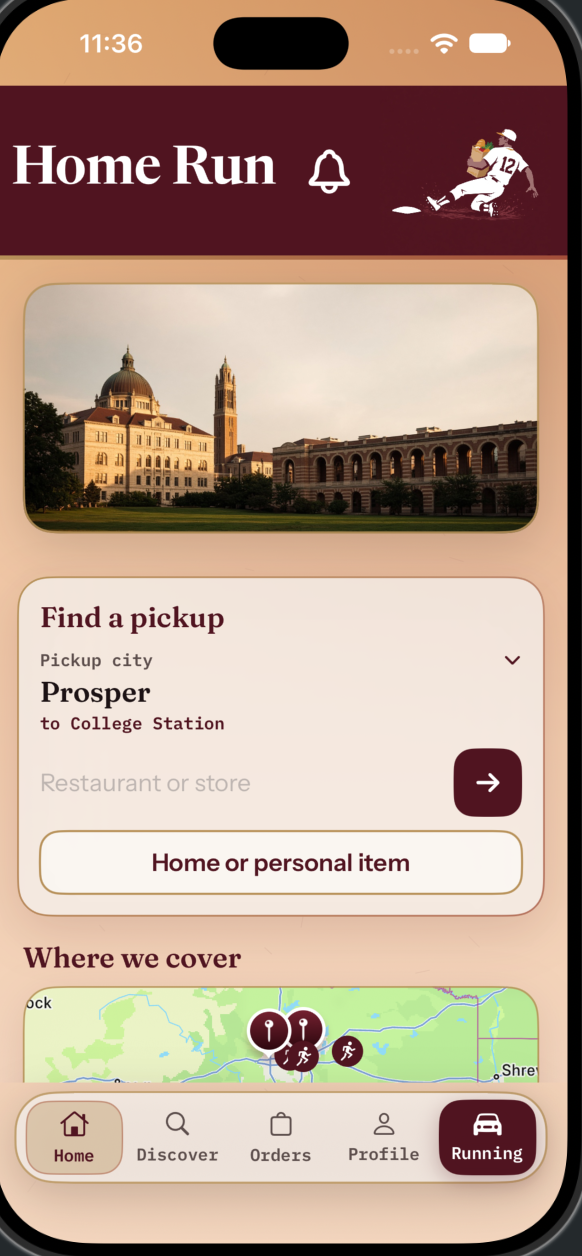
Connect with Aggies traveling from your hometown and request food, groceries, or personal items delivered to campus.
-
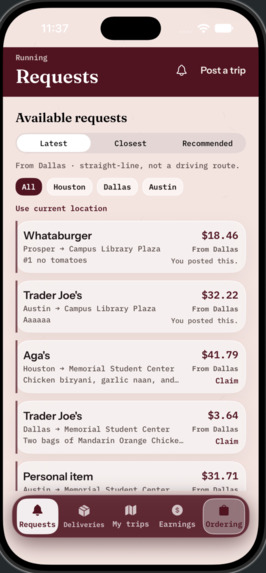
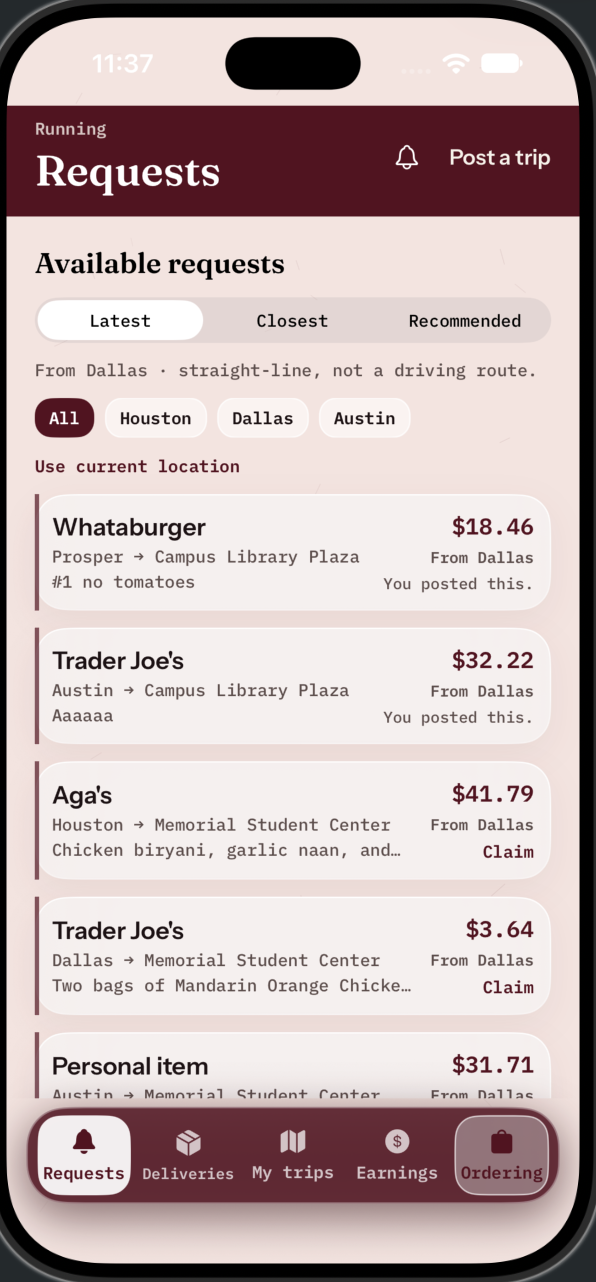
Discover available delivery requests, view pickup locations, and see potential earnings.
-
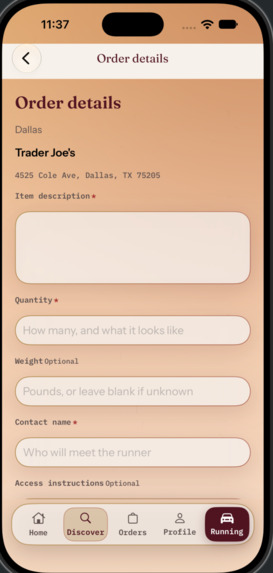
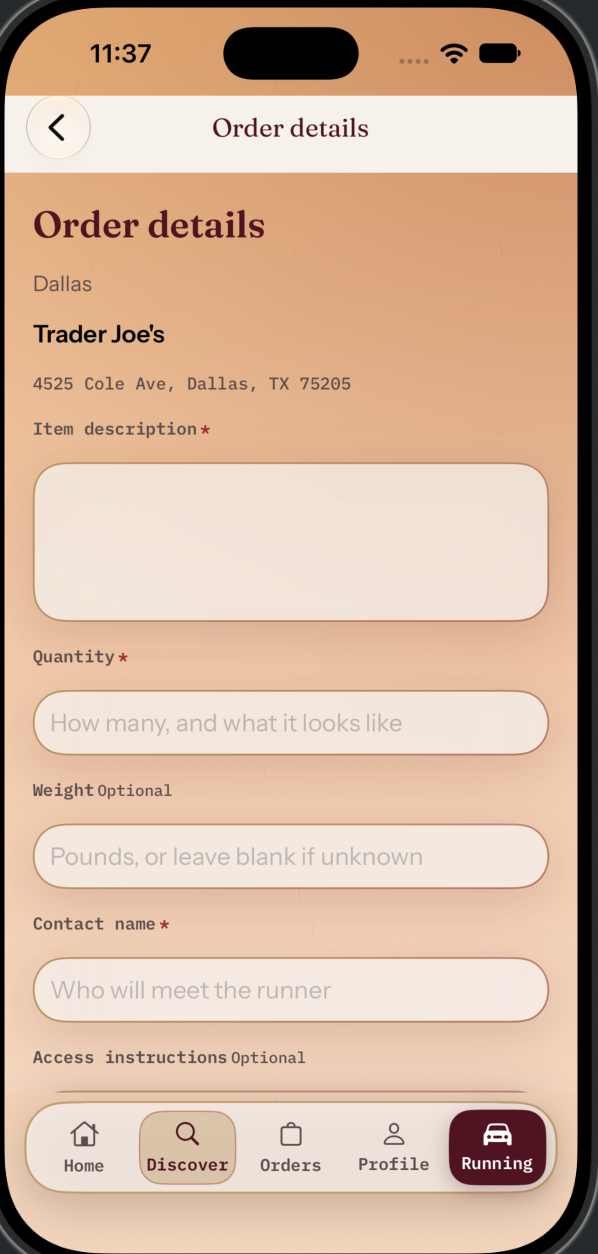
Customize your request with item descriptions, quantities, contact details, and delivery instructions.
-
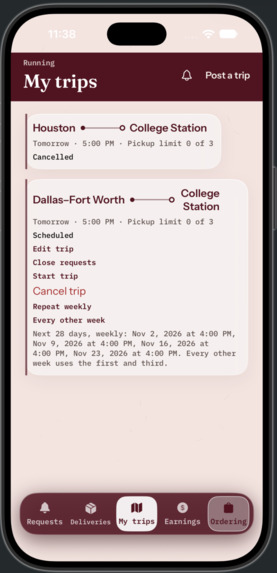
View upcoming and cancelled trips, manage availability, and organize your delivery schedule.
-
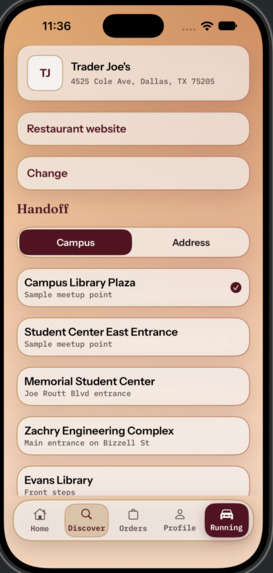
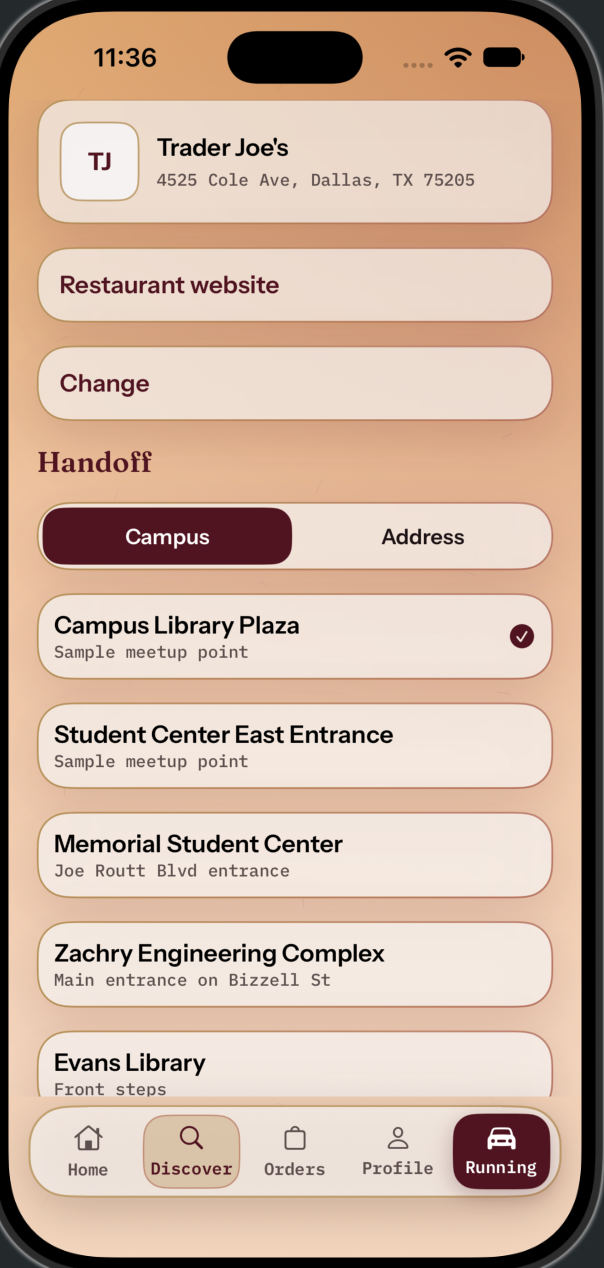
Choose your preferred store and select a convenient campus meetup point or delivery address.
-
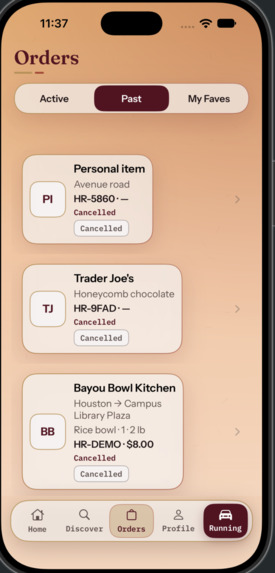
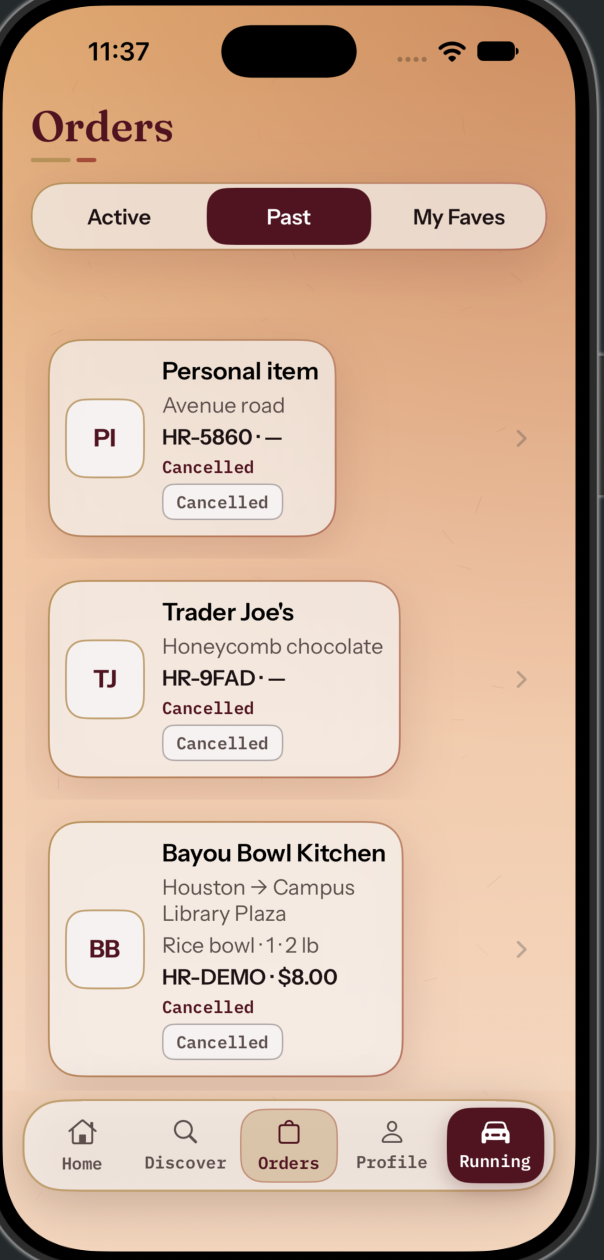
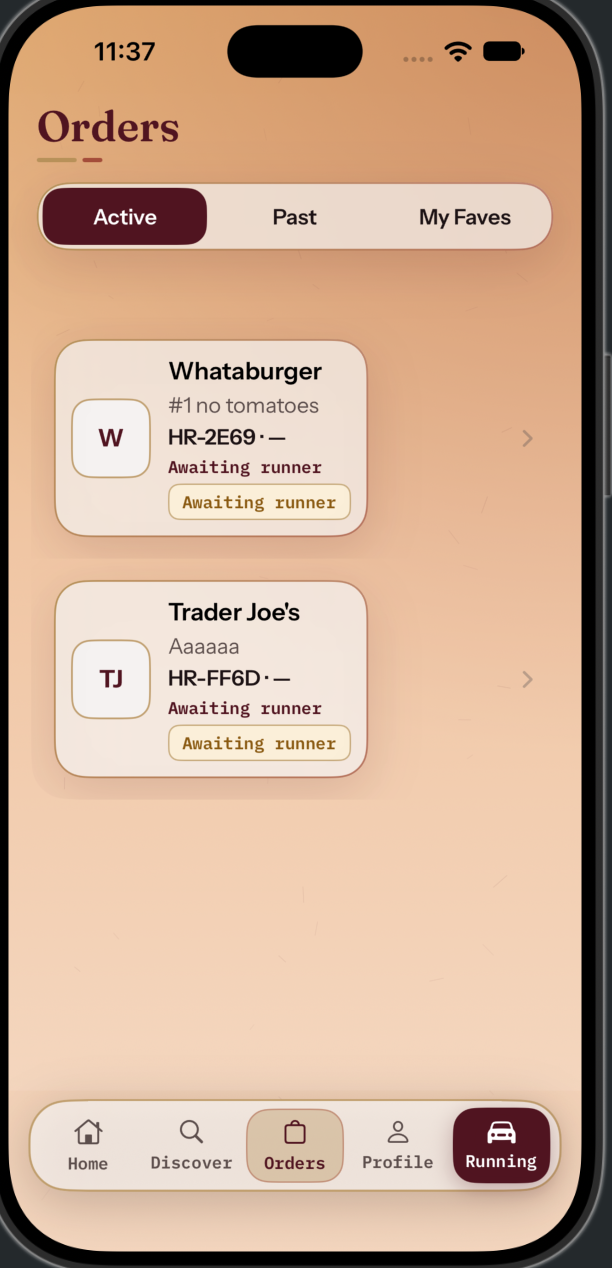
Review previous orders, check their statuses, and revisit past purchases.
-
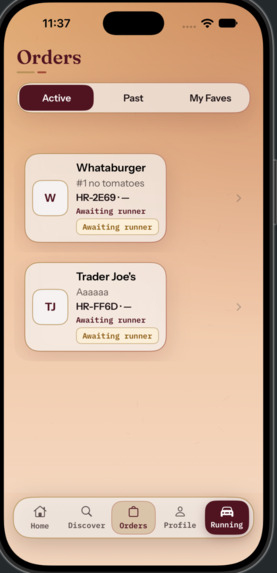
Track active orders, monitor delivery progress, and stay updated on your requests.
-
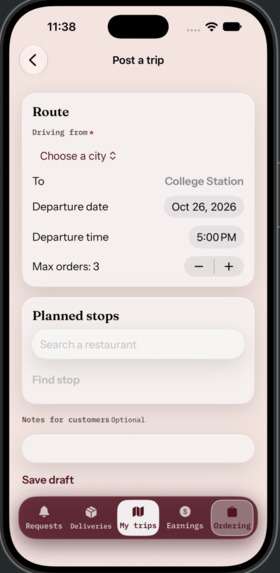
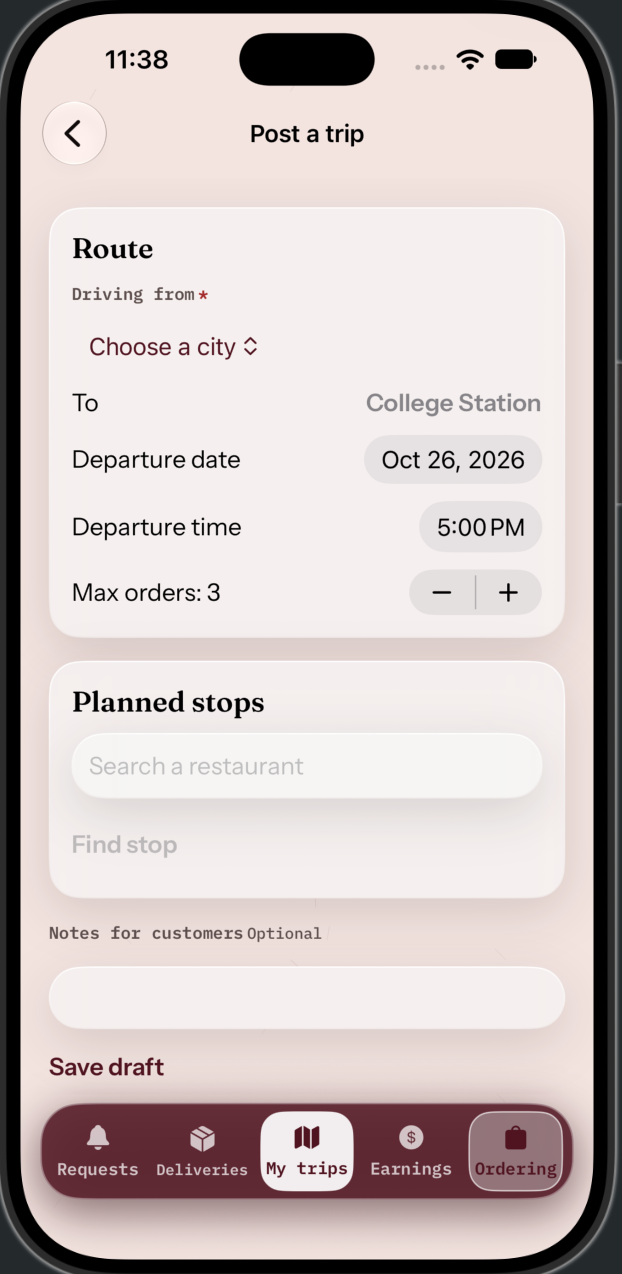
Post your next drive to College Station, set pickup capacity, and add planned stops along the way.
-
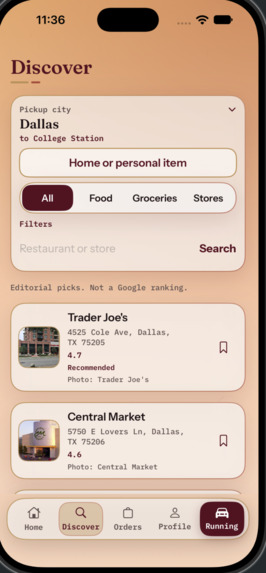
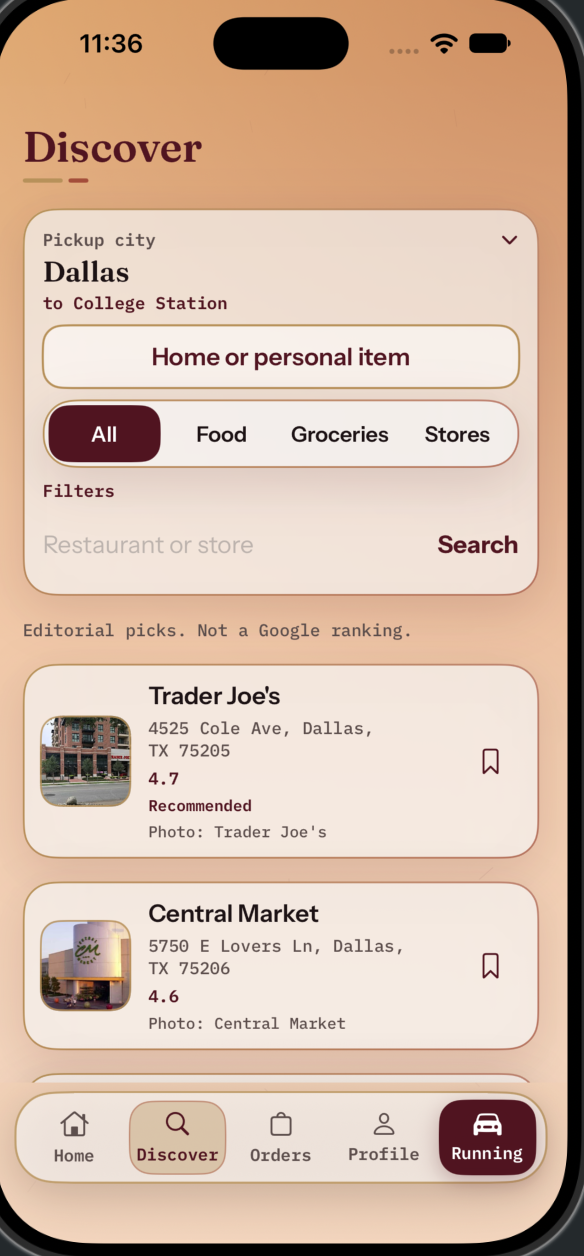
Explore hometown restaurants, grocery stores, and businesses to request your favorite items.
-
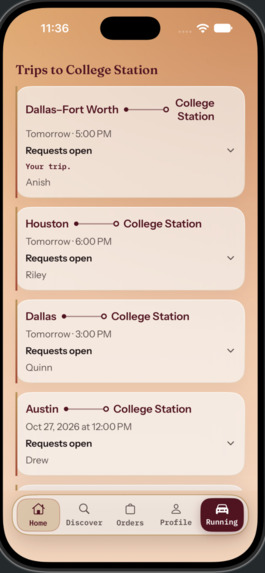
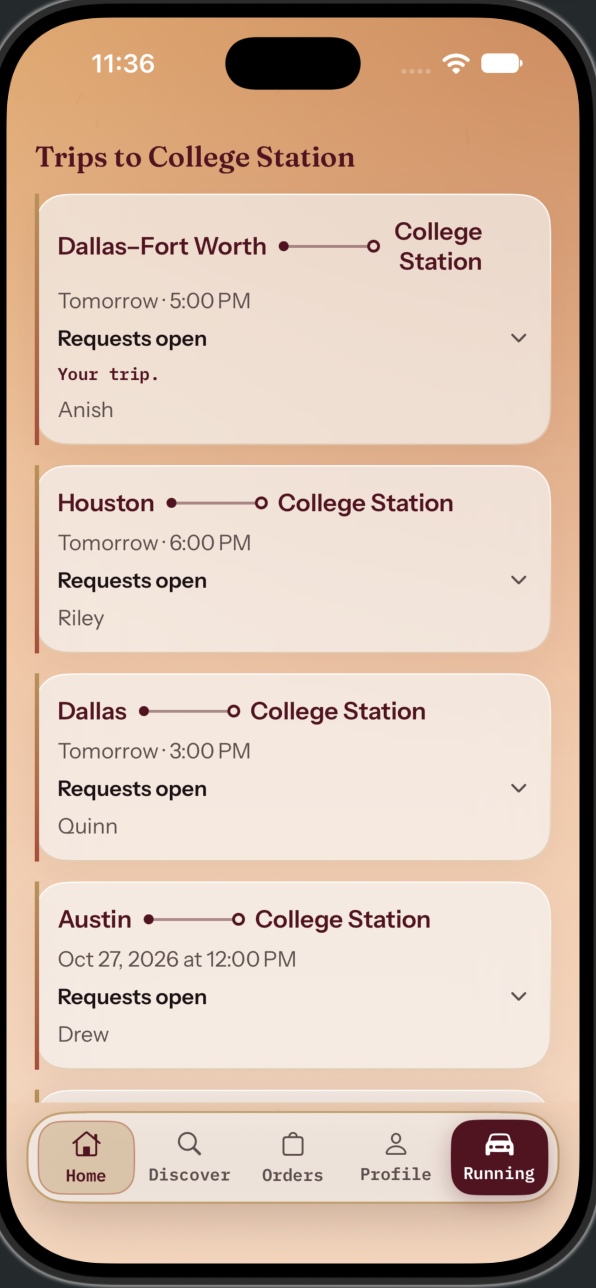
Browse upcoming trips to College Station and find runners traveling from your hometown.
Inspiration
College Station is home, but it does not always have everything that makes home feel like home.
Sometimes it is a favorite meal from Houston, groceries from Trader Joe’s, or a backpack left at a family member’s house. Getting those things can mean making a long drive for a small pickup—or hoping someone you know happens to be coming back.
Meanwhile, other Aggies are already making that trip.
That overlap became the foundation of Home Run: Aggie supply drops. We wanted to connect requests with journeys already happening, giving students access to things beyond College Station while letting another student earn a little extra along the way.
By Aggies, for Aggies.
What it does
Home Run is a student-focused intercity pickup marketplace. Customers post what they need, and runners discover requests that fit their location, travel plans, timing, and carrying preferences.
The experience centers on Houston, Dallas–Fort Worth, Austin, and San Antonio, with surrounding communities included in discovery and additional Texas cities searchable.
Customers can request two kinds of pickups:
- Restaurant or store pickups: choose a real merchant branch, describe the order, and coordinate collection. After a runner accepts, the customer orders and pays the merchant directly, then shares the order name, reference, pickup window, instructions, and an optional confirmation screenshot.
- Home or personal-item pickups: describe an item, provide its pickup location and identifying details, and arrange collection without being forced through restaurant-specific fields.
Runners browse available requests using Latest, Closest, and Recommended sorting. Request details bring together the pickup, destination, timing, handling requirements, and estimated delivery compensation so runners can evaluate the work before accepting.
The same account can order and deliver. A student might request groceries one week and bring someone else’s order back on their next trip.
Once a request moves forward, both participants follow the same order through messages, pickup updates, arrival, and a customer-provided delivery confirmation code. Favorites, trip planning, notifications, and order history help connect those individual actions into a complete experience.
How we built it
We built Home Run as a native iOS application using Swift and SwiftUI, with Google integrations for place discovery, business photography, maps, and routing.
A major architectural priority was keeping the customer and runner experiences connected. Posting a request needed to create a persistent record that the appropriate runner could discover—not merely display a success message. Acceptance, messages, status updates, and completion needed to update that same record across both sides of the app.
We organized pricing and workflow behavior into shared policies rather than calculating them independently inside screens. Delivery pricing considers travel effort and handling, while merchandise purchases remain separate. Customer approval is required when an offer changes the delivery fee.
We also built a repeatable demonstration environment with fictional participants and simulated financial activity. It lets us demonstrate connected workflows without moving real money or requiring actual merchant purchases. Tests cover pricing, request ownership, competing claims, state changes, persistence, and simulated earnings. UI tests also exercise selected navigation and form interactions.
To support continued iteration, we worked toward shared typography, colors, controls, and presentation components so improvements can carry across the application consistently.
Challenges we faced
Finding the right marketplace model
One of our most important changes was removing the requirement for customers to choose a runner before posting.
That earlier approach made the customer do too much coordination upfront. We shifted toward an available-request marketplace: customers describe the need, runners evaluate the opportunity, and the app connects them through an explicit offer and acceptance process.
Closing the pickup information gap
A restaurant address alone is not enough to collect an order. The runner needs the name, reference, timing, description, and instructions.
We considered having runners purchase merchandise themselves, but that introduced reimbursement, substitutions, and changing purchase totals. We chose customer-paid merchant orders with a structured handoff instead. Personal-item pickups use a separate form because collecting a forgotten backpack requires different information than collecting takeout.
Making the interface work, not just look complete
Some of our most revealing problems were ordinary interactions: text fields that would not accept input, a city picker that reopened unexpectedly, navigation that trapped users in a screen, and startup animation that felt like a stall.
Fixing these taught us to evaluate the actual experience rather than judge progress by screenshots or successful builds alone.
Representing location and pricing honestly
A nearby point on a map is not necessarily a convenient driving detour. We had to distinguish geographic proximity, route compatibility, and road-based travel effort.
That distinction matters both for useful recommendations and for explaining delivery compensation. It also made us more deliberate about labeling estimates and separating simulated behavior from live integrations.
What we learned
We learned that a marketplace’s hardest problems often happen between screens.
A form can look finished while failing to pass the right information forward. A runner can see a request without the customer seeing its updated status. A confirmation can appear before an action has actually been saved.
Building Home Run pushed us to think in complete journeys: who acts, what changes, who sees that change, and what happens if the process is interrupted.
We also learned that simplicity requires decisions. Separate pickup types, clear role switching, consistent terminology, and visible next actions made the product easier to understand than adding more explanation everywhere.
What we are proud of
We are proud of turning a familiar student inconvenience into a connected product with a clear purpose.
Home Run combines real-world place discovery with a two-sided request workflow, persistent user actions, trip planning, messaging, confirmation, and transparent delivery compensation. Its identity is rooted in the community it serves, while its core idea is practical: make an existing journey more useful for both people.
What comes next
Our next priorities are broader device and live-integration testing, further visual refinement, and validating the experience with students using realistic pickup scenarios.
Before public launch, real payments and payouts would require appropriate provider integration, alongside stronger operational support, privacy and safety review, and clearer handling of merchant delays and failed pickups.
Our goal is to make the question “Is anyone heading back to College Station?” easier to answer—and turn that answer into a useful supply drop.
Built With
- apple
- claude
- cursor
- figma
- google-maps
- google-places
- ios
- swift
- vscode
- xcode


Log in or sign up for Devpost to join the conversation.