-
-
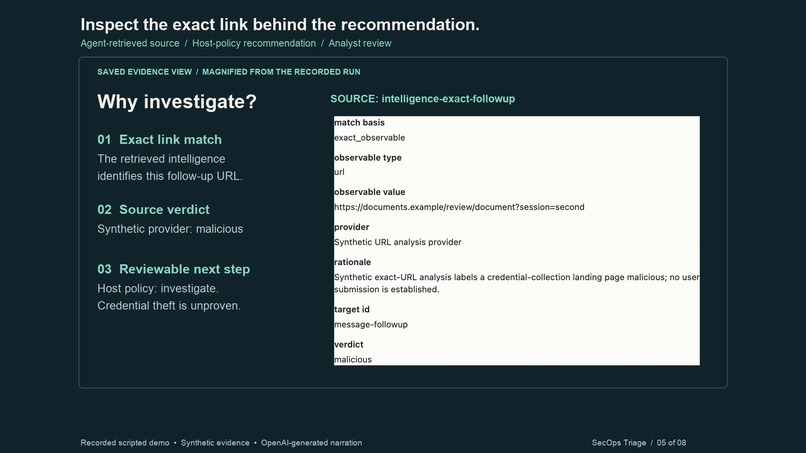
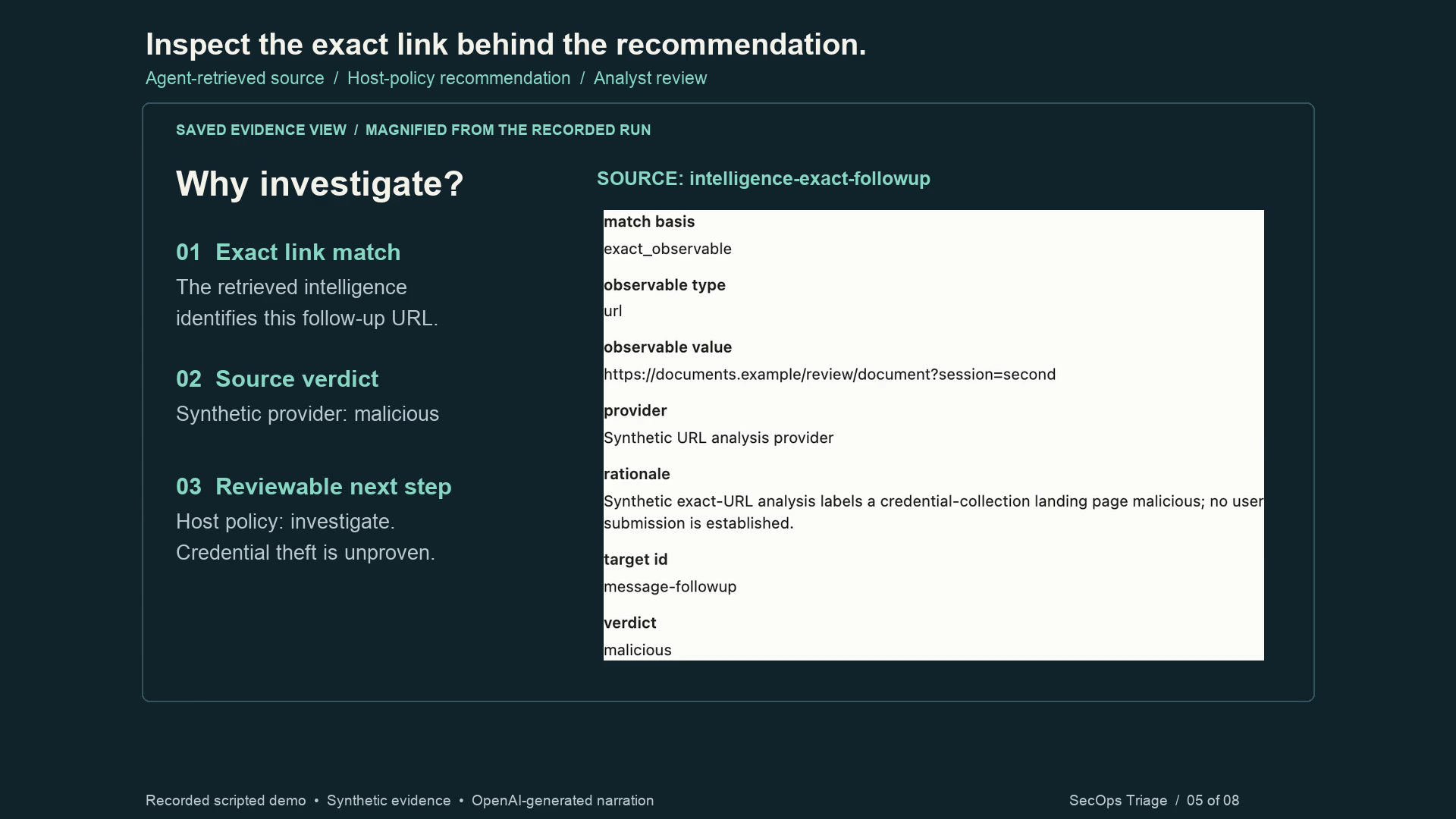
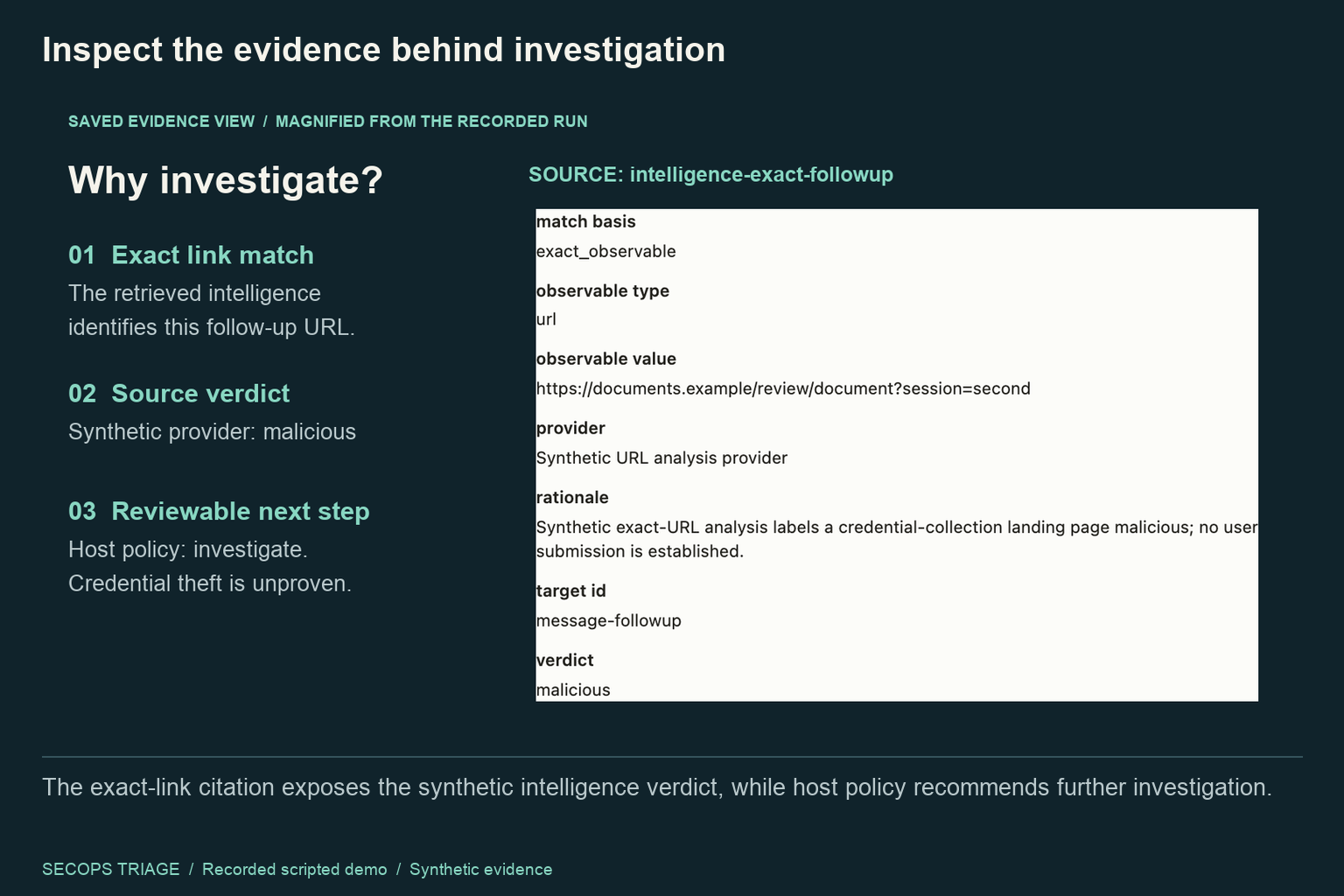
The exact follow-up URL, synthetic intelligence verdict and host-policy recommendation remain inspectable.
-
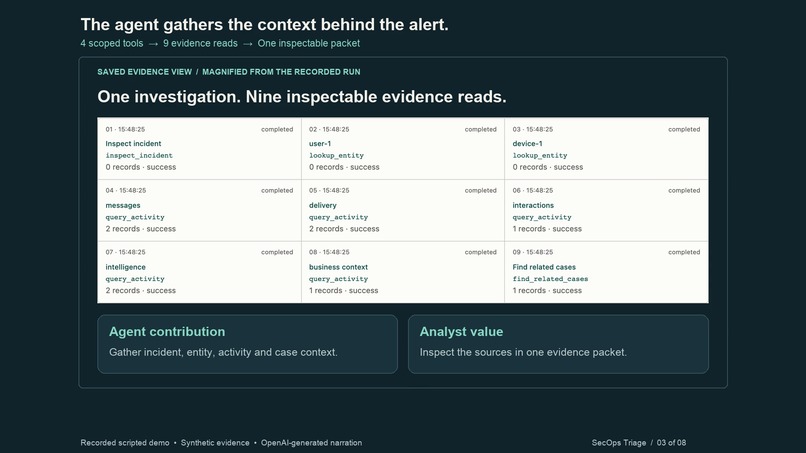
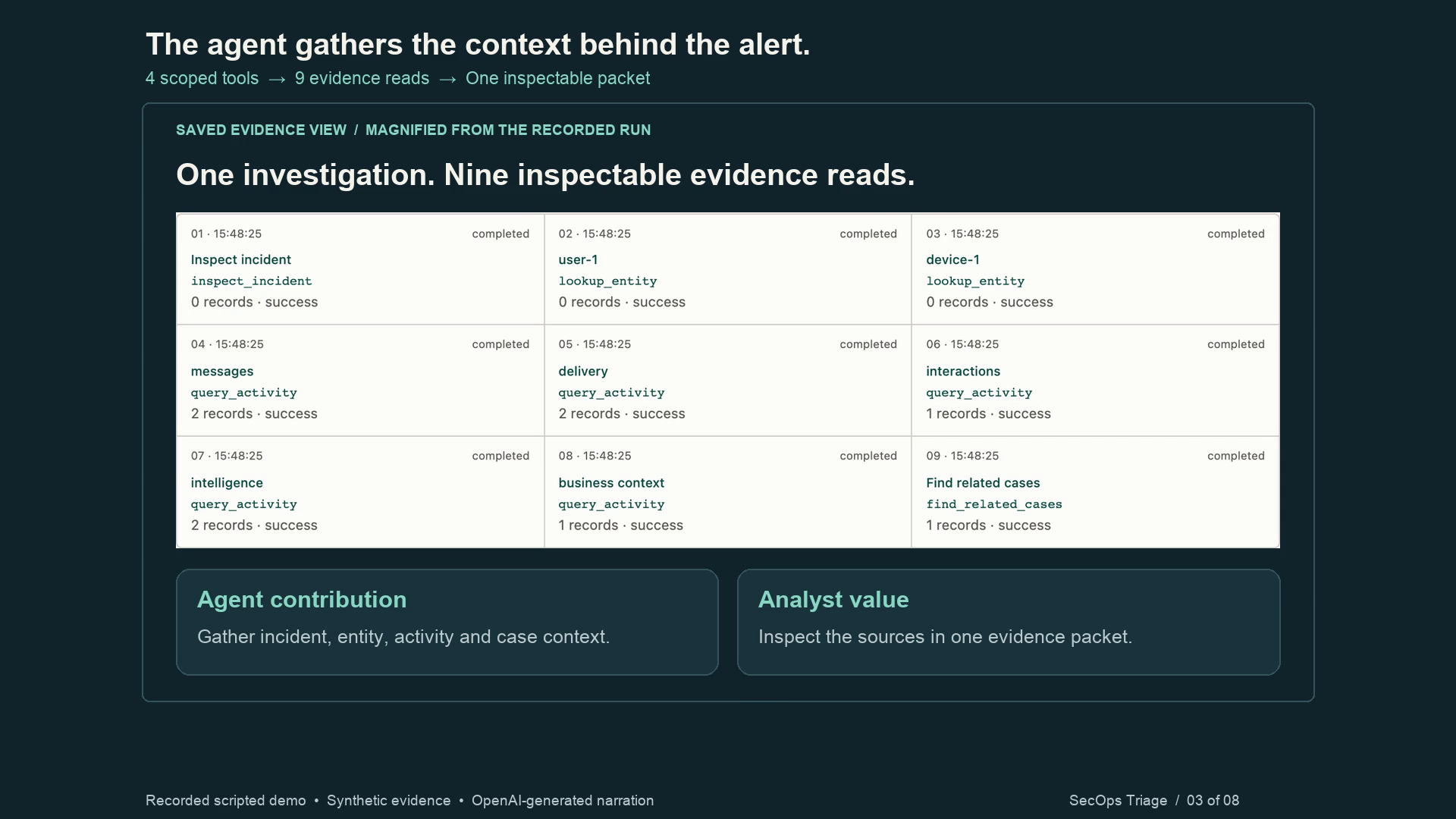
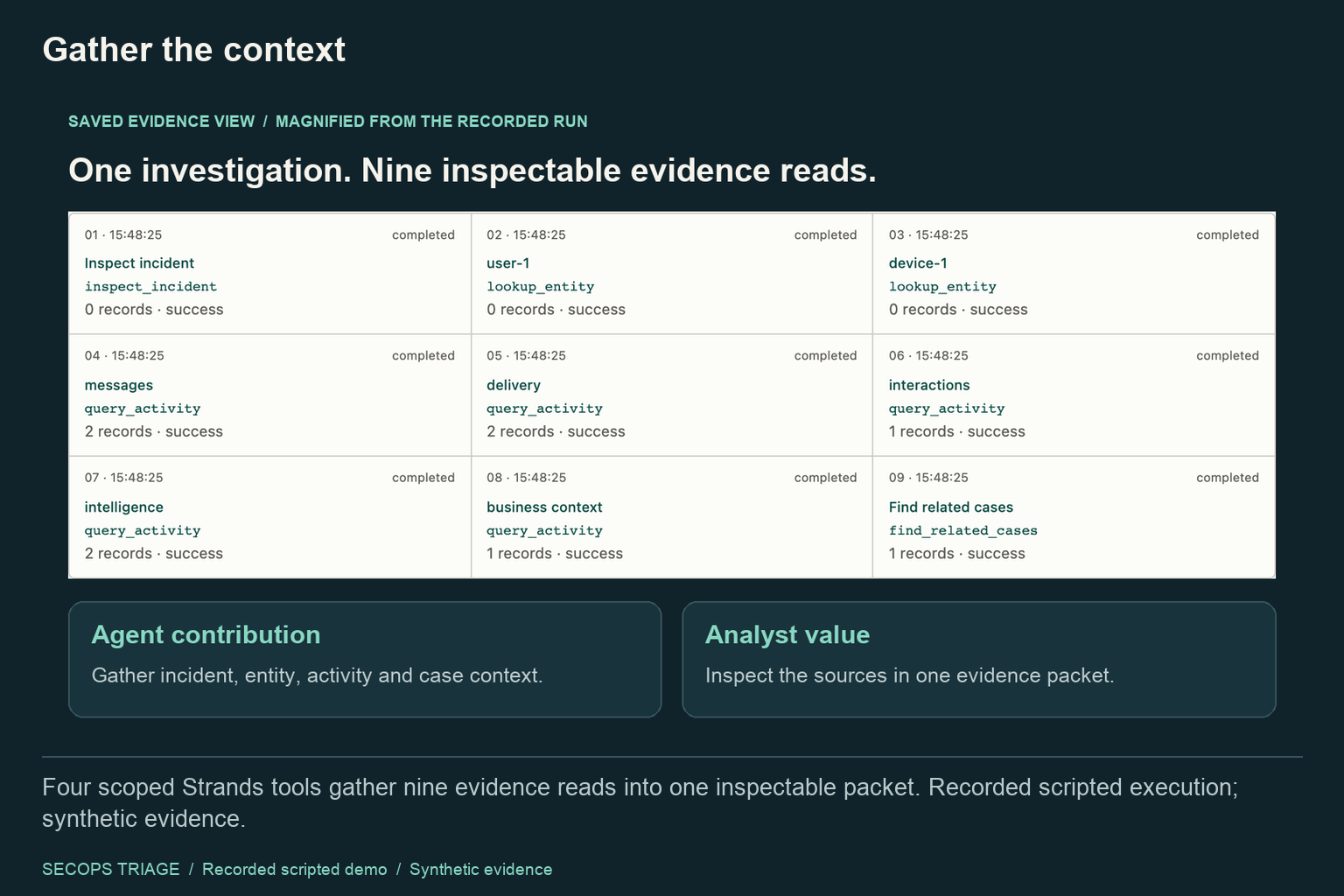
Recorded scripted Strands run: four scoped tools and nine inspectable evidence reads.
-
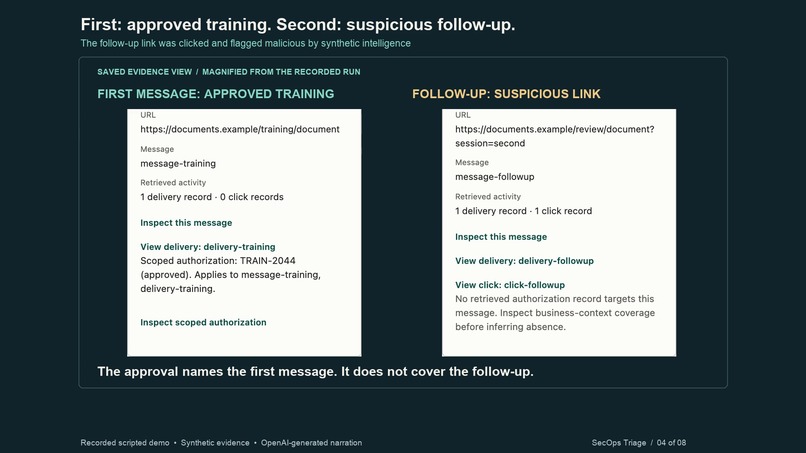
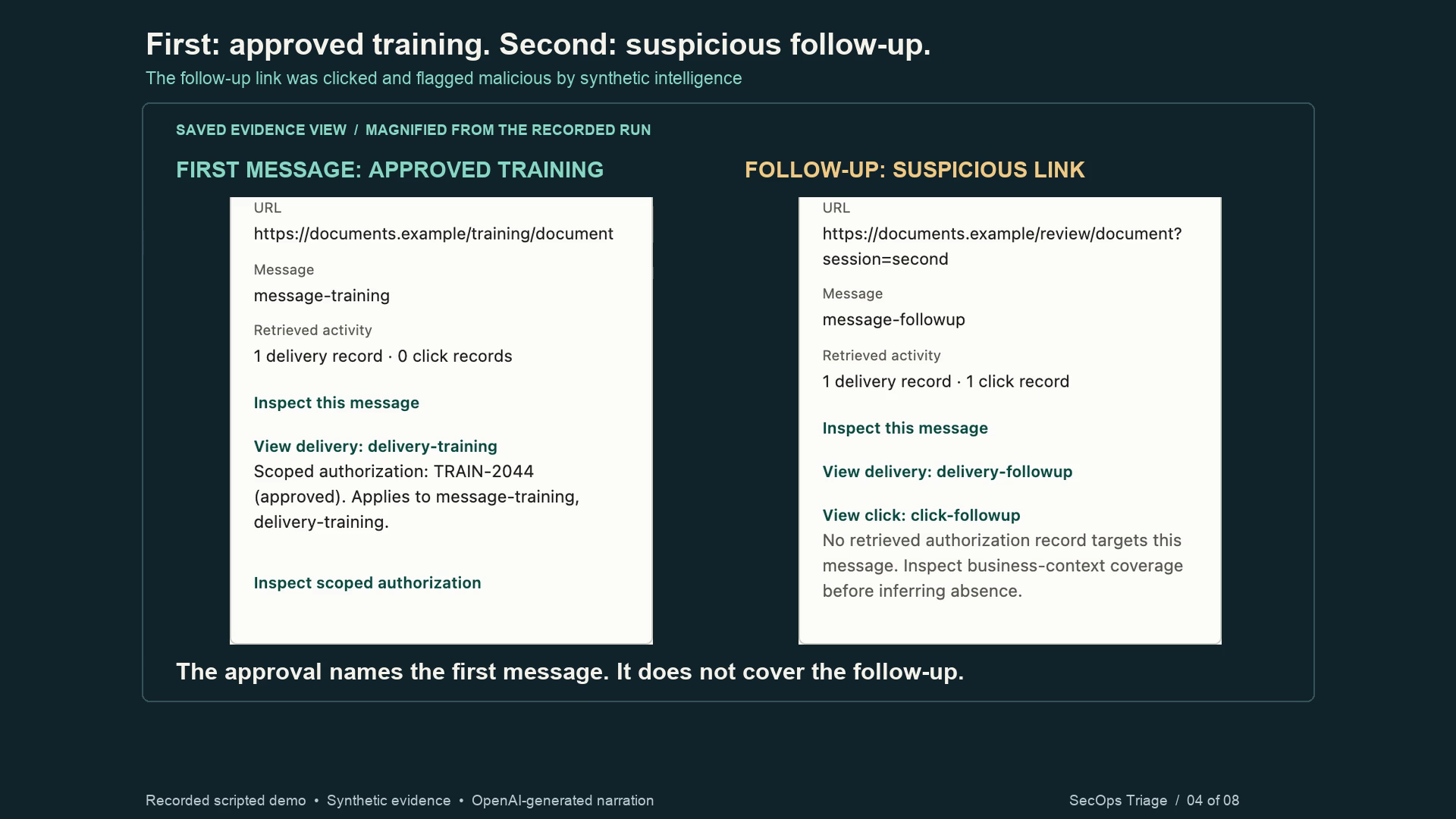
Approved training and a suspicious follow-up: different links, clicks and authorization scope. Synthetic evidence.
-
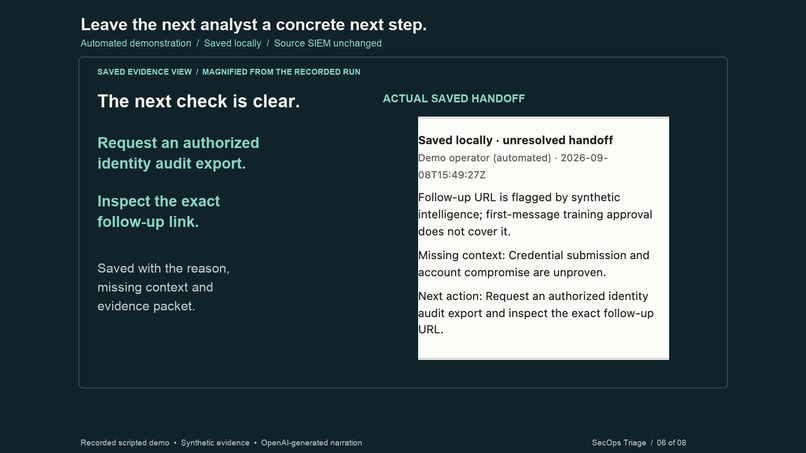
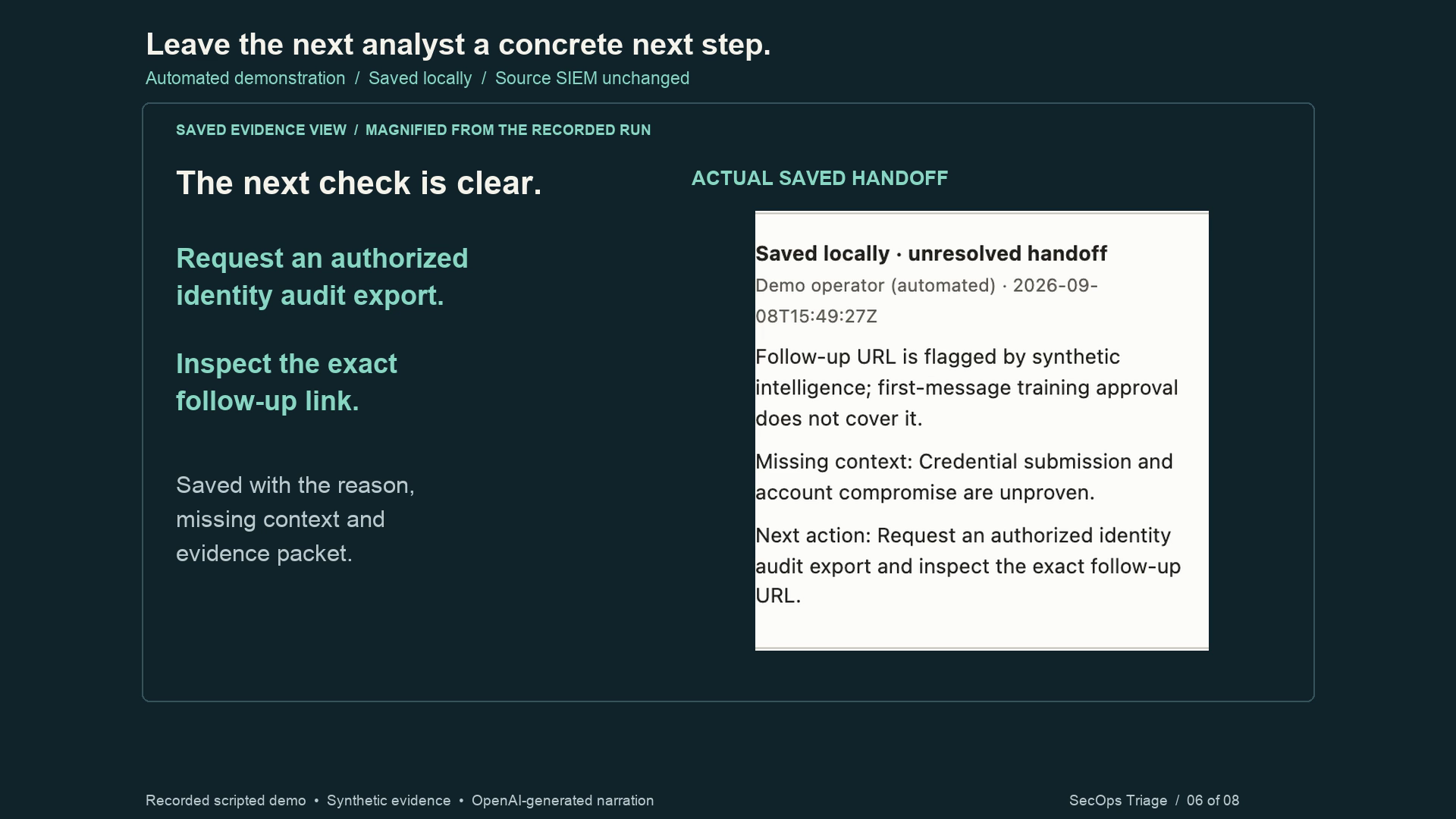
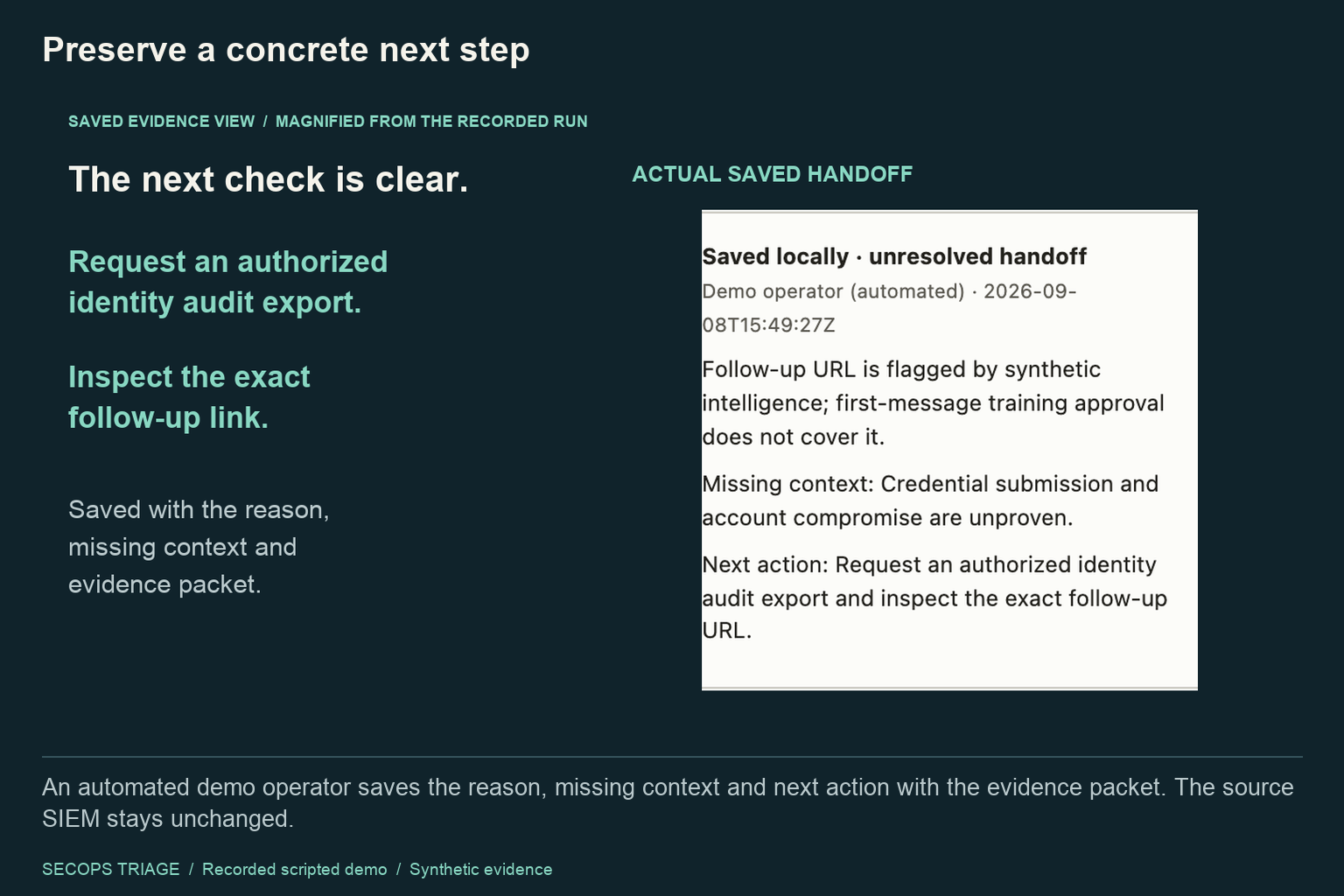
An automated demonstration operator saves a local handoff with missing context and a concrete next action.
-
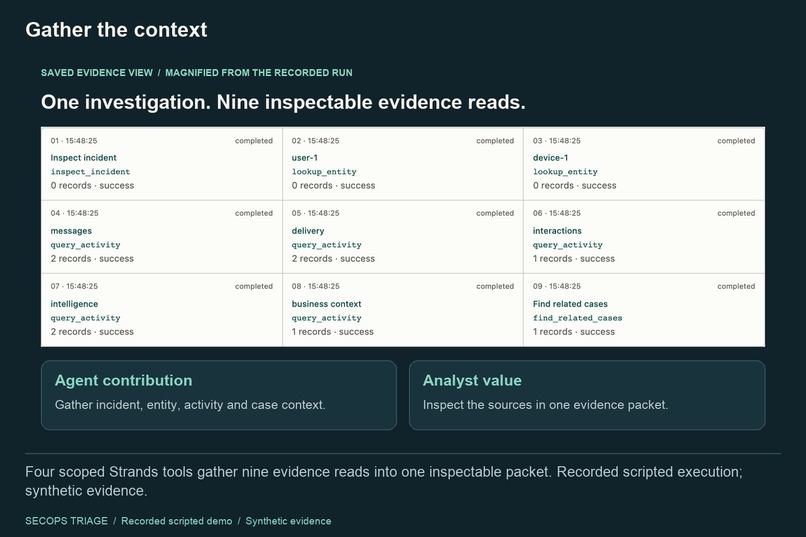
Four scoped Strands tools gather nine evidence reads into one inspectable packet. Recorded scripted execution; synthetic evidence.
-
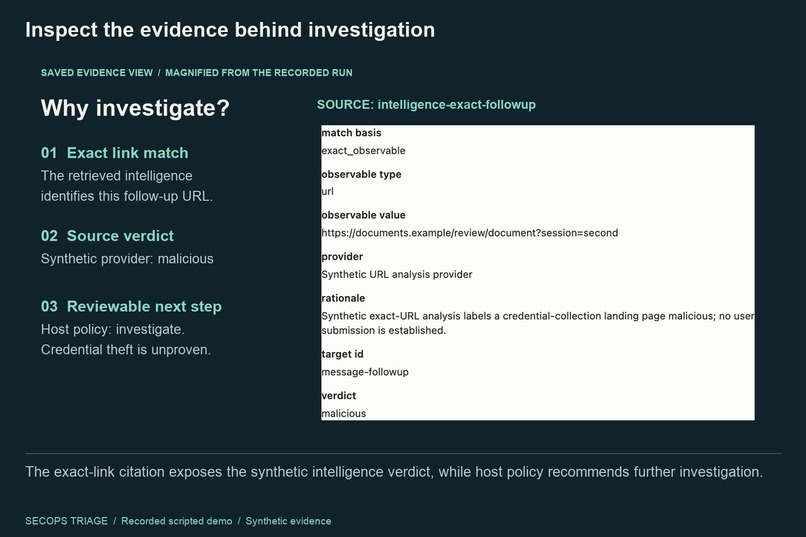
The exact-link citation exposes the synthetic intelligence verdict, while host policy recommends further investigation.
-
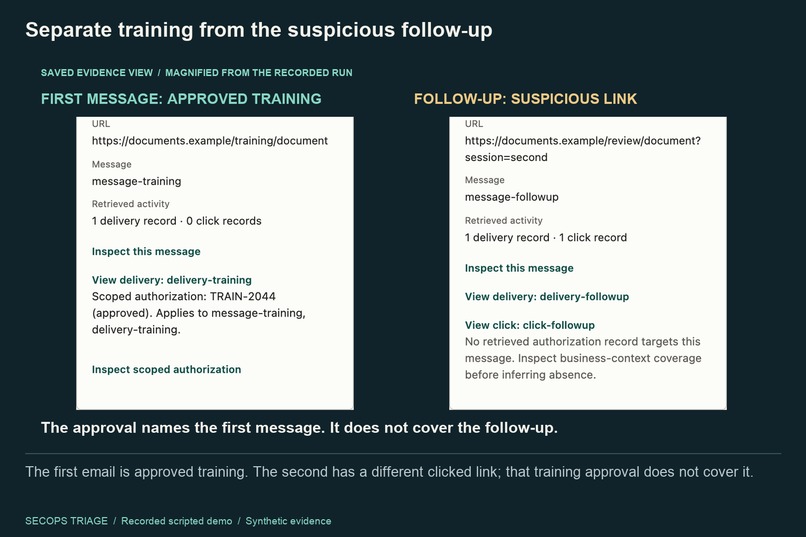
The first email is approved training. The second has a different clicked link; that training approval does not cover it.
-
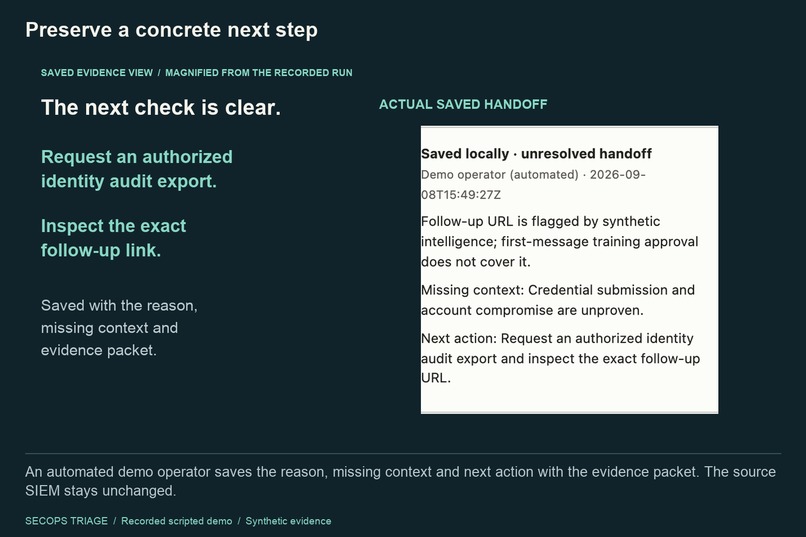
An automated demo operator saves the reason, missing context and next action with the evidence packet. The source SIEM stays unchanged.

Inspiration
Security analysts need to decide what an existing incident warrants: further investigation, a supported close, or a handoff with open questions. The difficult part is connecting messages, identities, activity, intelligence, and business authorization without losing the source behind each conclusion.
SecOps Triage is built for Tier 1 security analysts. Its goal is an evidence-backed next decision, with judgment kept in the analyst's hands.
What it does
The demo follows two similar emails. The first is an approved security-training exercise. The second has a different link that was clicked and flagged malicious by synthetic intelligence. The first email's approval does not cover that follow-up.
The analyst starts an investigation, watches the Strands tool trace, compares the two messages, opens the exact-link intelligence citation, and saves a handoff containing the reason, missing context, and a concrete next action. Here, that next action is to request an authorized identity audit export and inspect the follow-up link. A recorded click is not treated as proof of stolen credentials.
How we built it
The Strands Agents SDK calls four scoped investigation tools: inspect_incident, lookup_entity, query_activity, and find_related_cases. The demonstrated run makes nine evidence reads. Results, citations, coverage, and packet identity are retained so the analyst can inspect the sources.
Python host controls enforce scope, evidence integrity, durable storage, and decision boundaries. The browser workspace uses JavaScript, HTML, and CSS; SQLite and retained artifacts hold the local record. Provider output, deterministic policy, and the final packet remain separate. Decisions and handoffs are host-side actions, outside the agent's investigation tool set. The source SIEM stays unchanged.
The recorded UI demo runs locally with synthetic evidence and a scripted provider through the real Strands SDK. It demonstrates executable orchestration and the analyst workflow. The recorded handoff is saved by an automated demonstration operator. Separately, a scripted run was verified on private EC2 in Ohio with encrypted EBS, Systems Manager access, and CloudWatch delivery. That EC2 host is now stopped; the browser UI is not deployed there. AgentCore and Bedrock are not part of this implementation.
Challenges we ran into
We had to preserve distinctions that are easy to blur: approval for one event versus another, an exact URL match versus an older domain assessment, missing telemetry versus a clean result, and collected evidence versus a complete analysis.
Durable execution also mattered. We built around retained failures, duplicate-start protection, immutable evidence, and explicit revisions, so a stopped investigation does not silently become a successful one.
Accomplishments that we're proud of
- A working local analyst workflow from an existing synthetic incident to a saved evidence-bound handoff.
- A visible four-tool Strands investigation with nine inspectable evidence reads in the hero case.
- Explicit separation of agent retrieval, host policy, and operator decisions.
- A verified application baseline with 310 passing tests, zero skips, and 14 browser checks.
- A two-minute narrated demo that shows the exact evidence behind the next action.
What we learned
An agent's output becomes more useful when a reviewer can follow its sources and see what remains unknown. We used Codex to develop and debug the implementation, conduct independent AI reviews, verify frozen source, and iterate on the analyst UI and demo. OpenAI-generated narration is labeled in the video. These engineering checks are not a claim of human acceptance or measured time savings.
What's next for SecOps Triage
Evaluate live-model assessment quality, validate usefulness with analysts, and add authorized live security connectors. The current demo is a local, single-operator prototype using synthetic evidence and scripted execution. Production accuracy and analyst productivity gains have not been measured.
Try it locally
Use Python 3.11+ and uv on macOS or Linux. From a fresh checkout:
uv sync --frozen --extra agent
uv run --frozen --extra agent python -m secops_triage.workspace --root data/judge-workspace --port 0
Open the printed localhost URL, select case-04, and click Run scripted investigation. Inspect the four tools, message comparison, source citations, and saved handoff. Choose a new private workspace directory for a fresh demo. No API key, paid model call, or AWS account is needed for this local walkthrough. Stop with Ctrl-C.
Source and setup: https://github.com/ArielSmoliar/secops-triage
Built With
- amazon-cloudwatch
- amazon-ebs
- amazon-ec2
- aws-systems-manager
- css
- html
- javascript
- openai
- python
- sqlite
- strands-agents