-
-
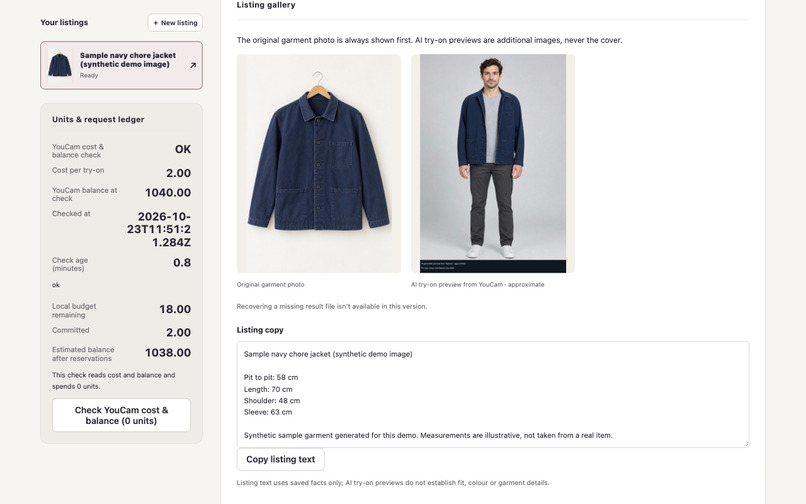
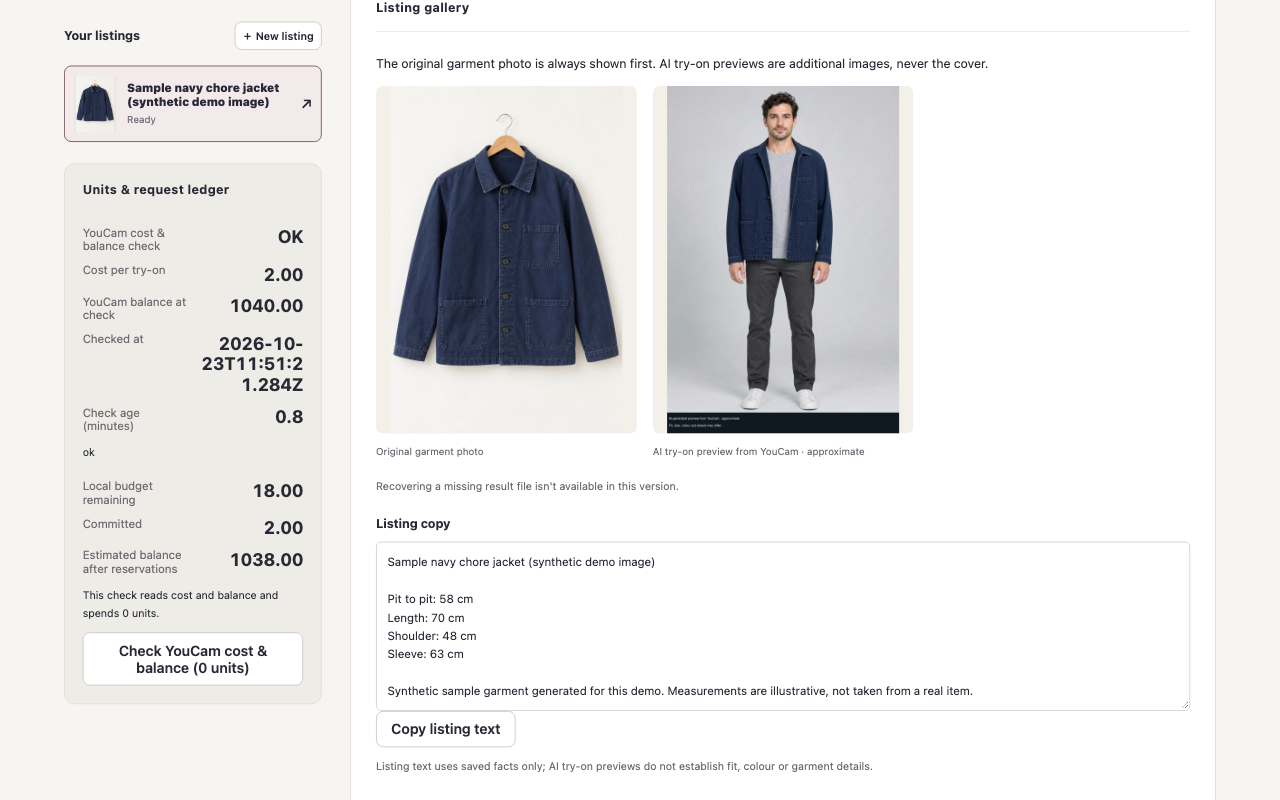
LIVE YouCam result: synthetic model and jacket inputs, approximate preview, 2 free units spent. Original source shown first.
-
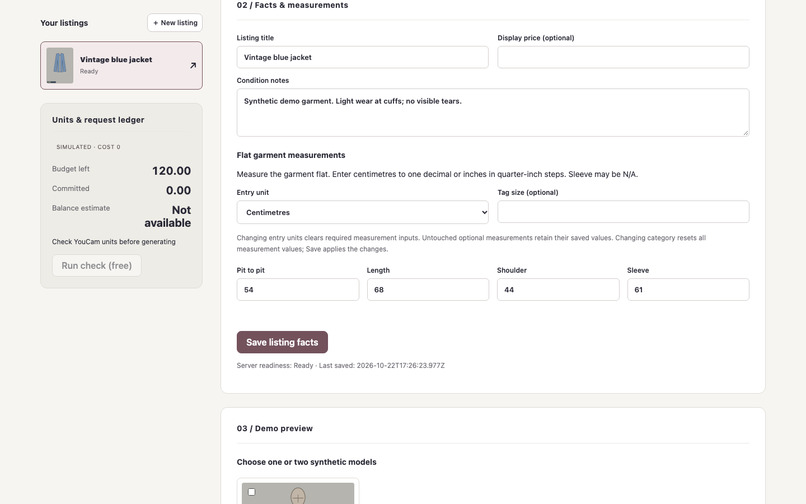
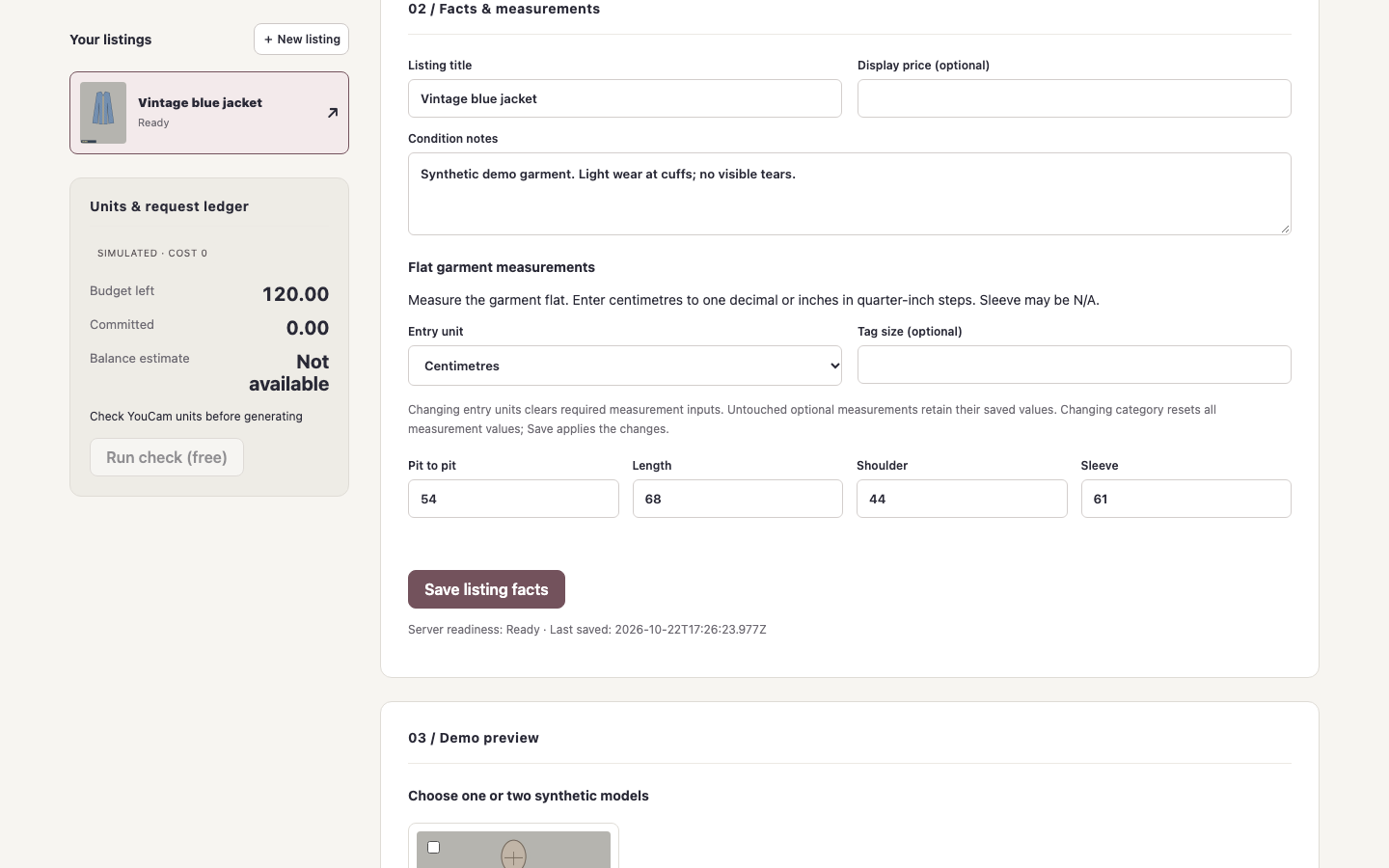
DEMO mode: sample listing facts and illustrative flat measurements; fixture garment, not real resale inventory.
-
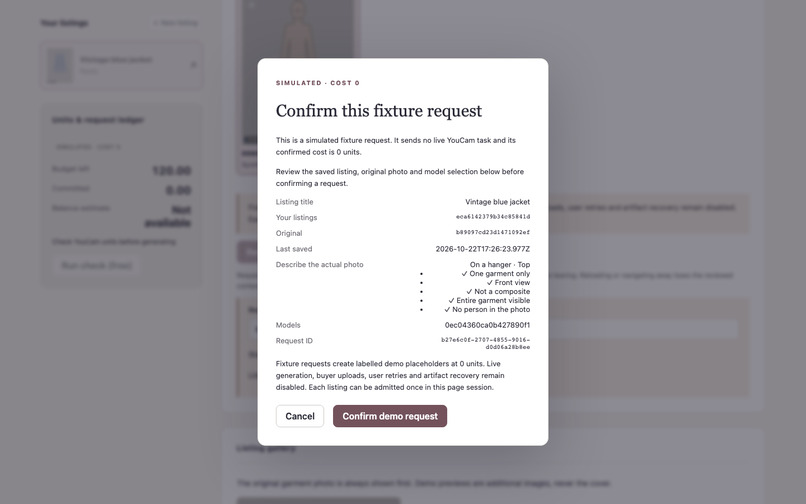
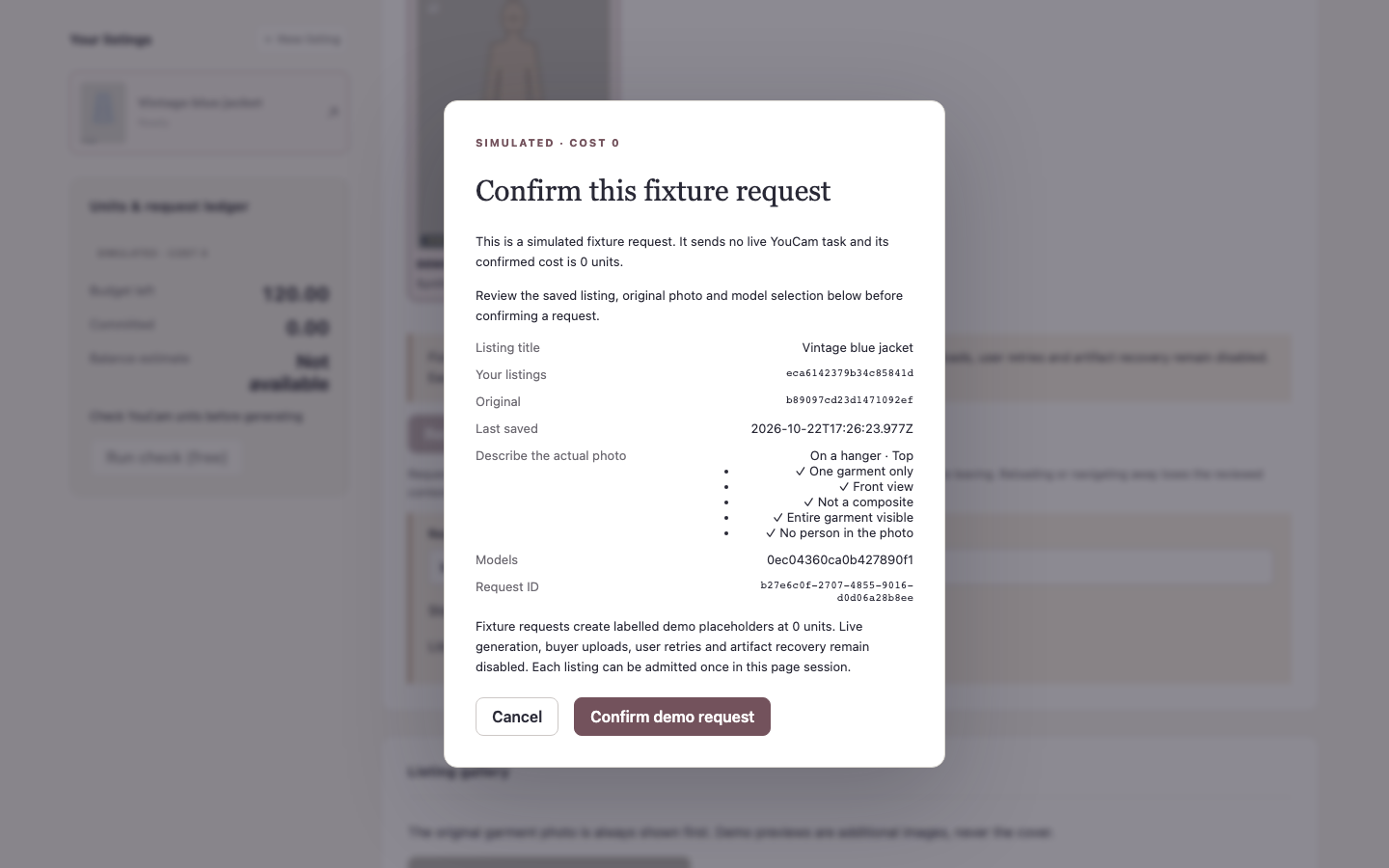
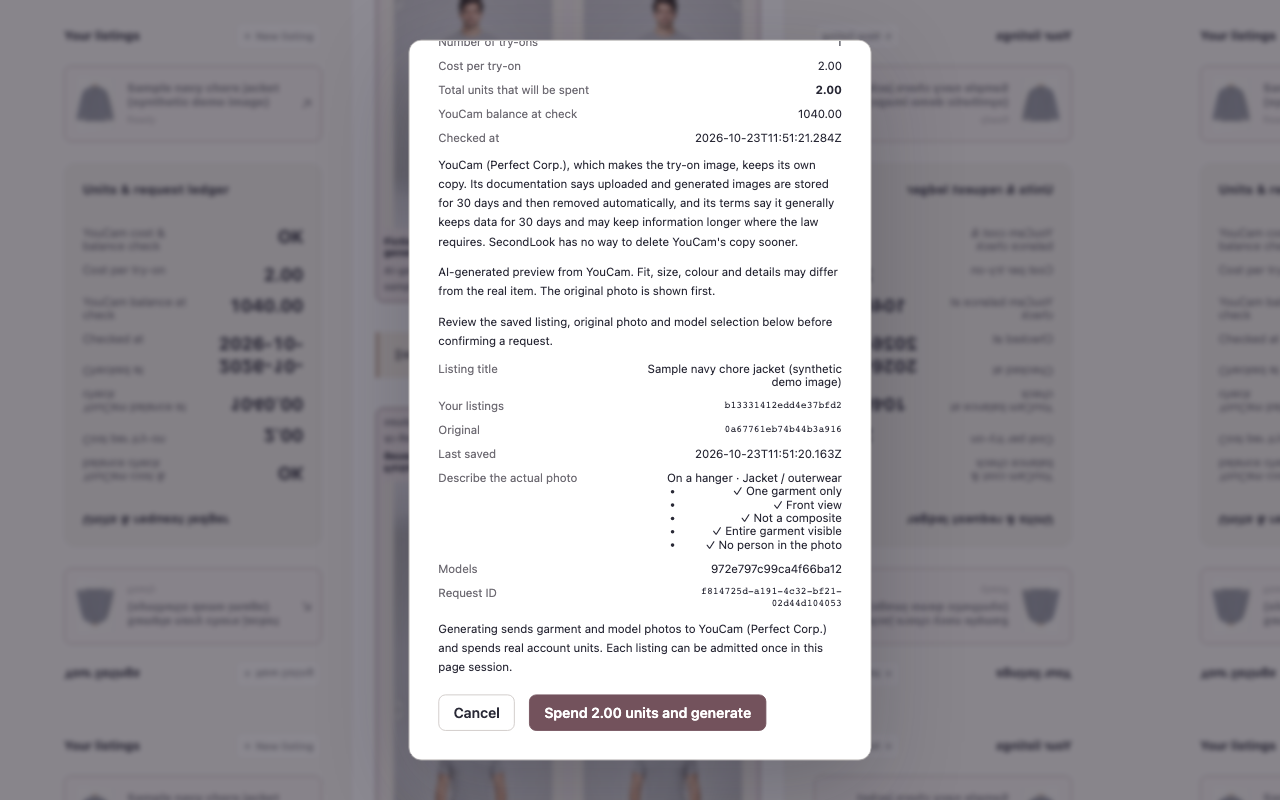
DEMO mode: simulated zero-unit confirmation, with fixture inputs; no real YouCam task or output.
-
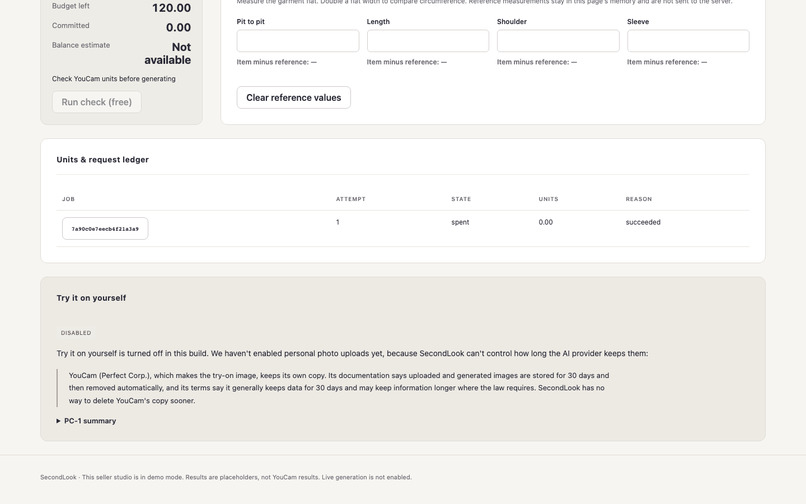
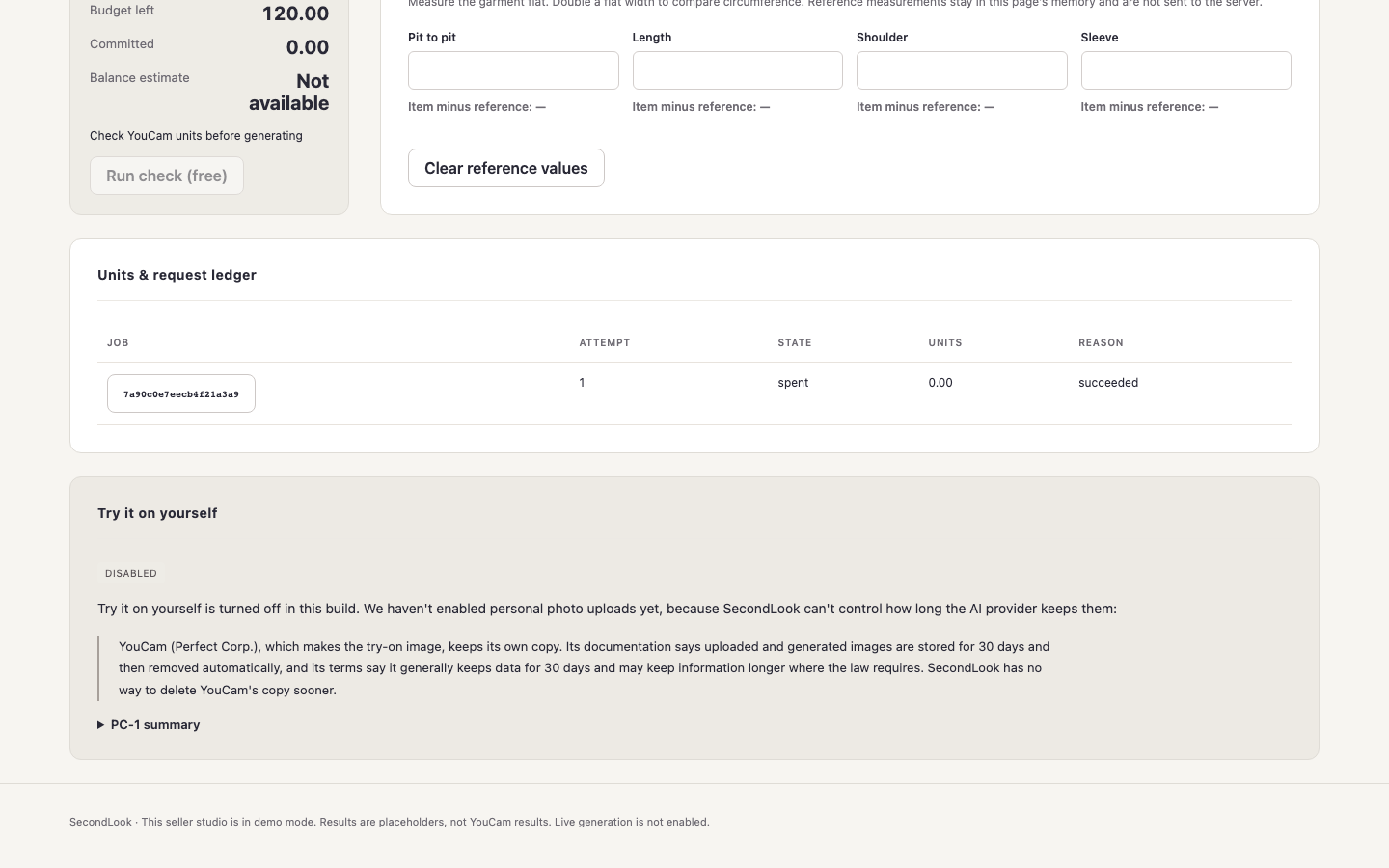
DEMO mode: simulated units ledger and buyer-upload privacy explanation.
-
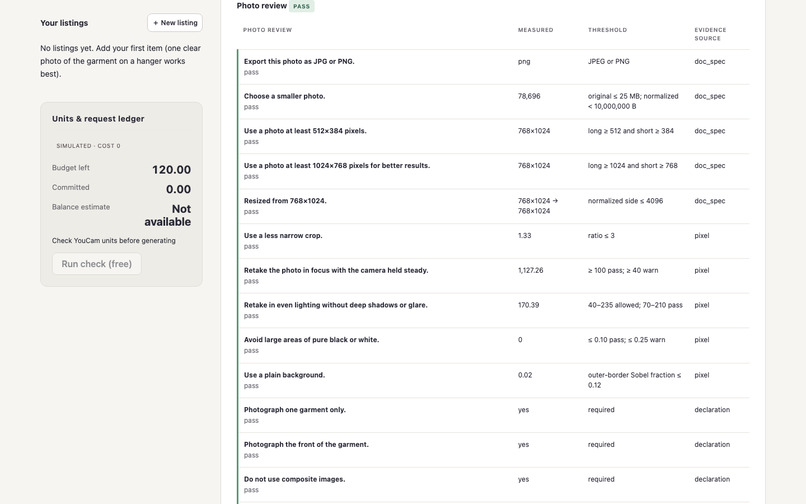
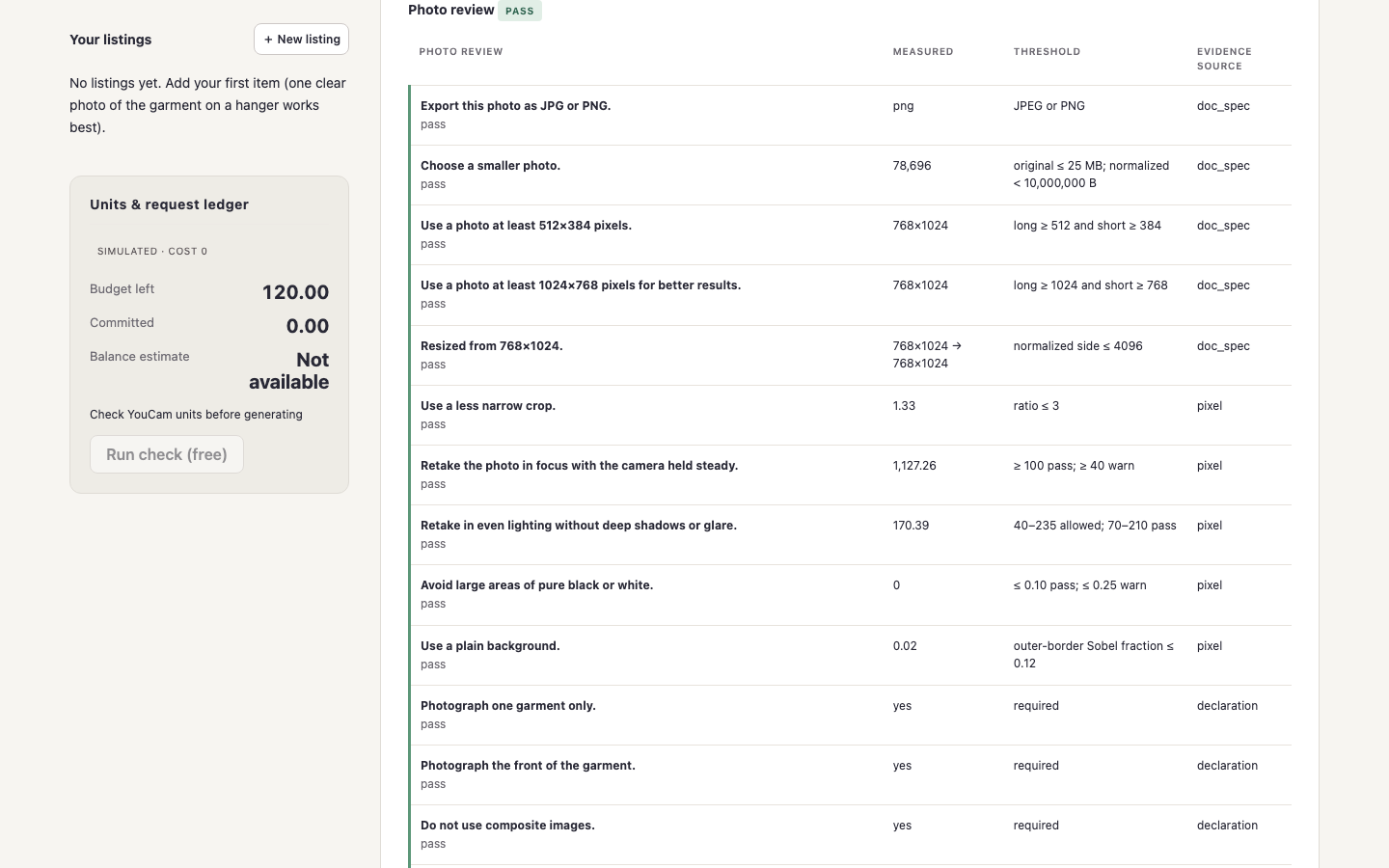
DEMO mode: sample photo quality checks pass; this is a fixture workflow, not live API output.
-
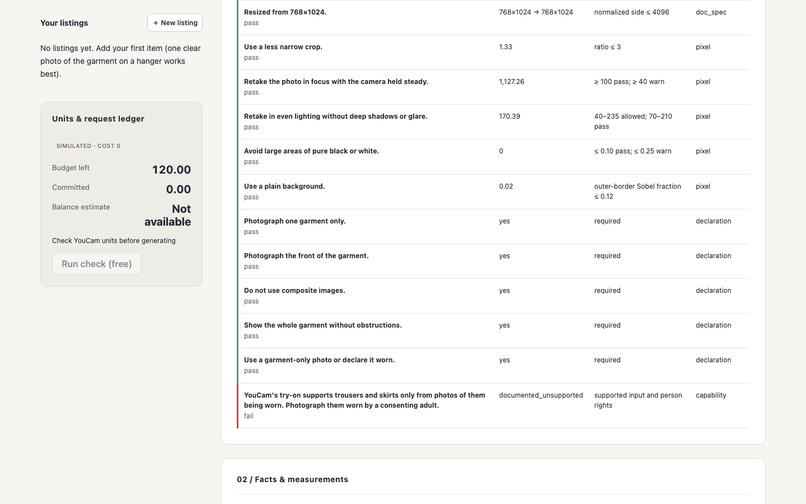
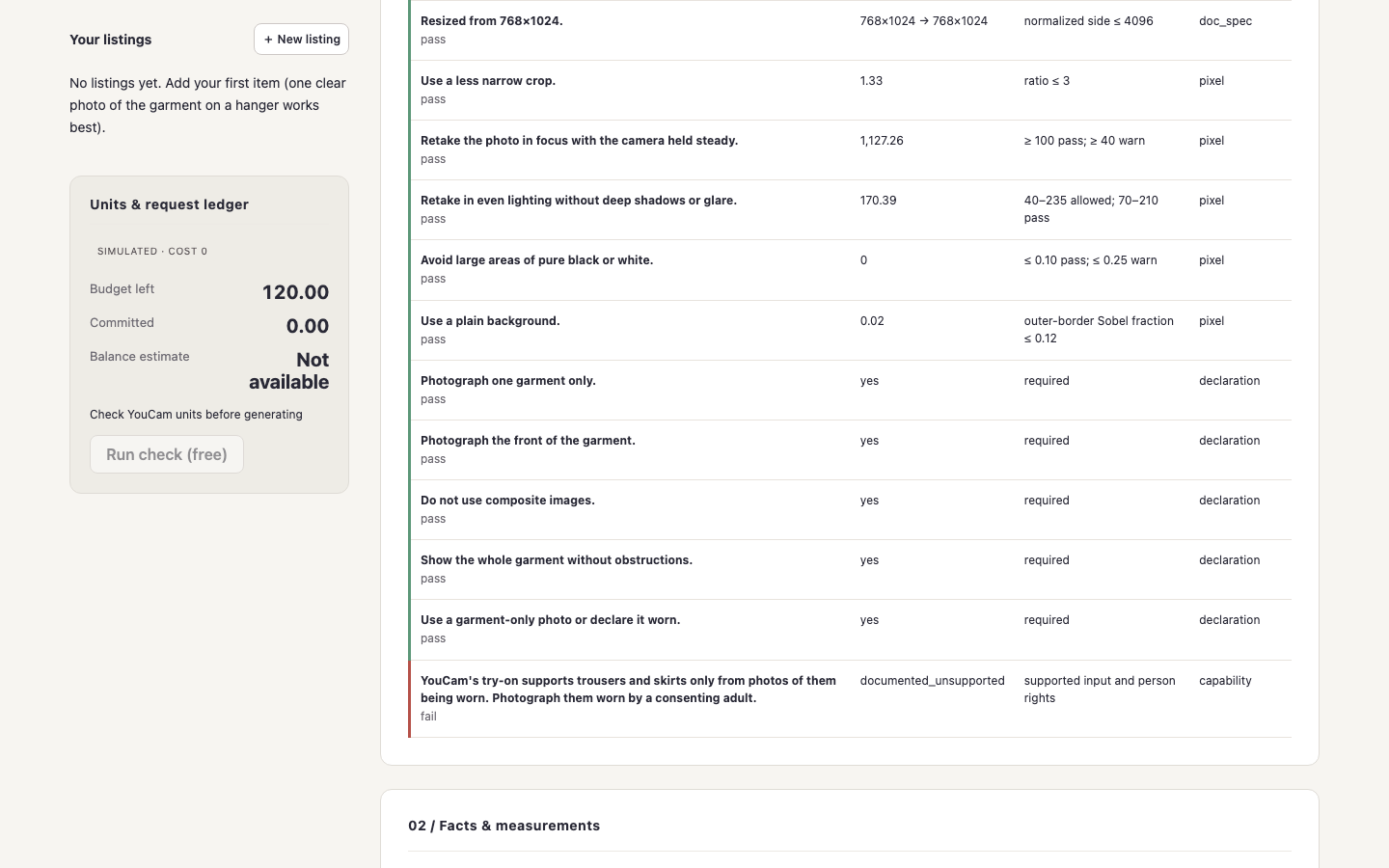
DEMO mode: unsupported photo/garment combination blocked before generation.
-
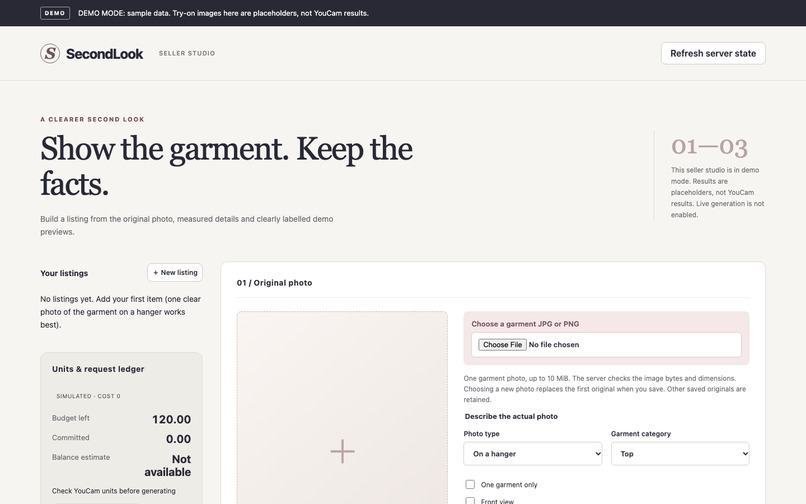
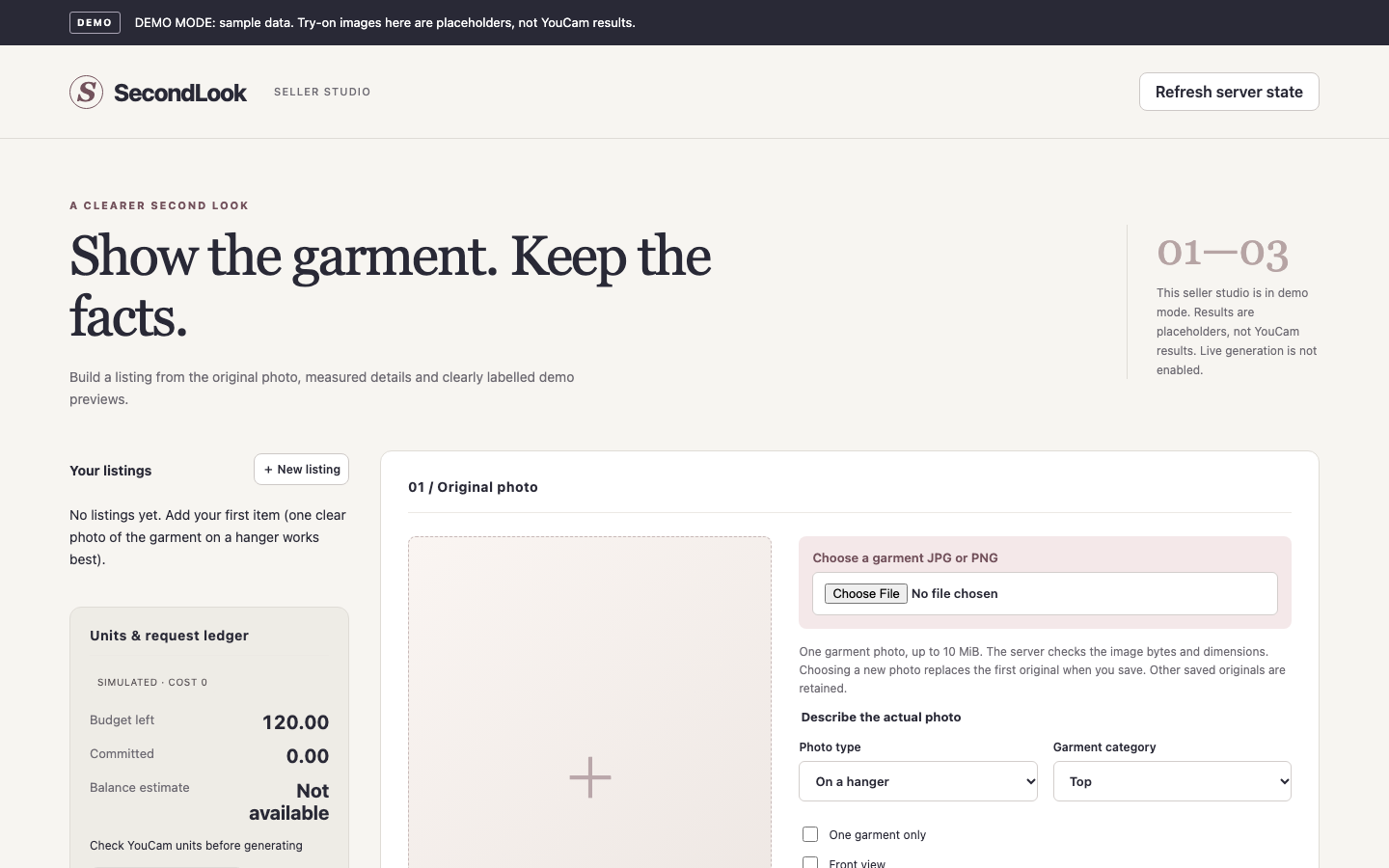
DEMO mode: SecondLook seller studio with the explicit fixture banner; no real YouCam result shown.
-
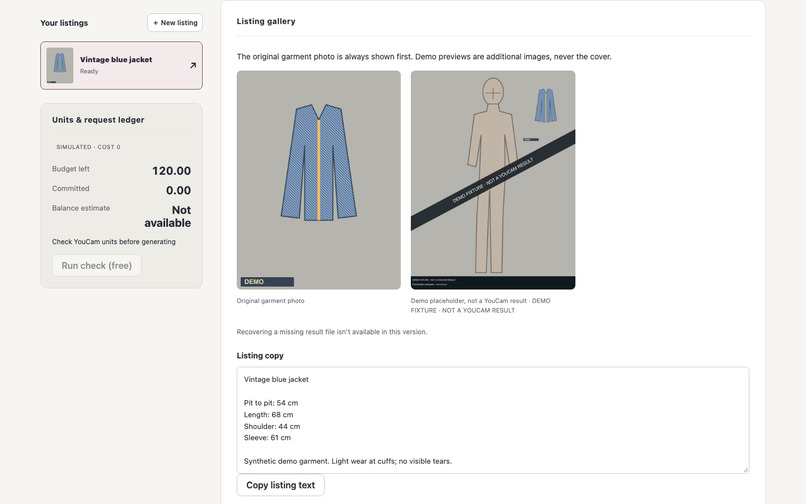
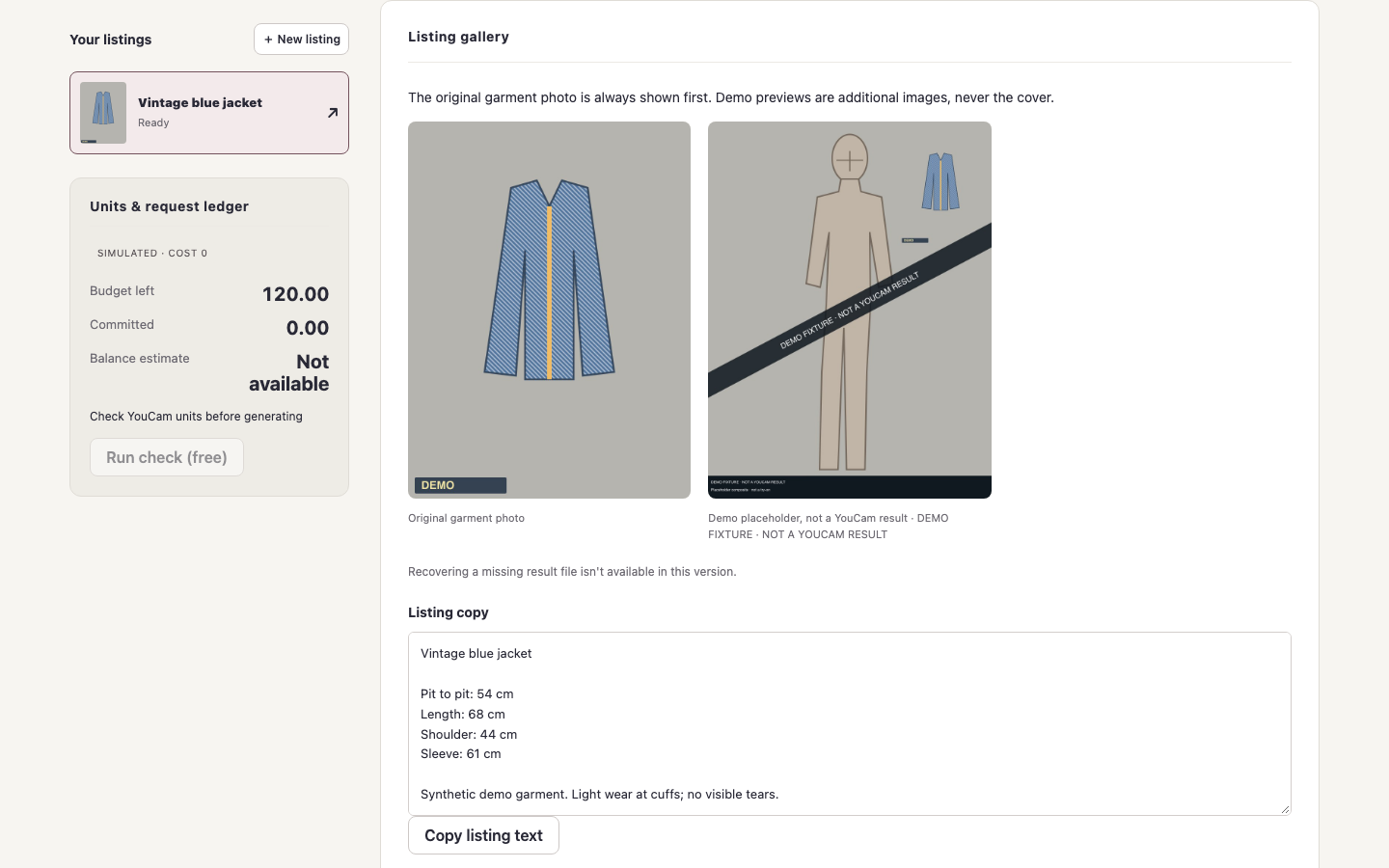
DEMO mode: original source first and a clearly watermarked placeholder, not a YouCam result.
-
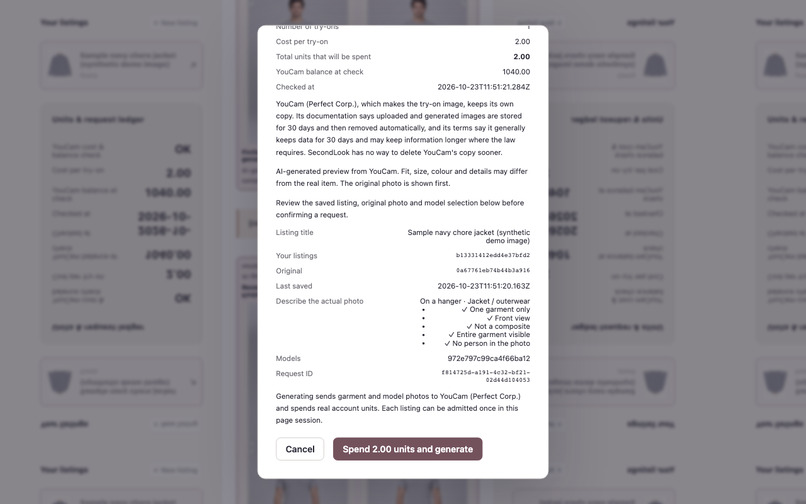
LIVE mode: YouCam reports 2 units for one try-on; review before the one approved generation. Synthetic sample inputs.
-
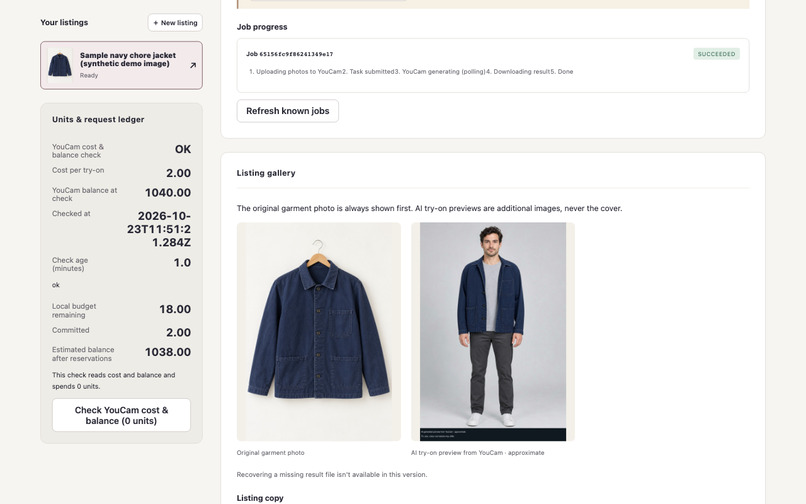
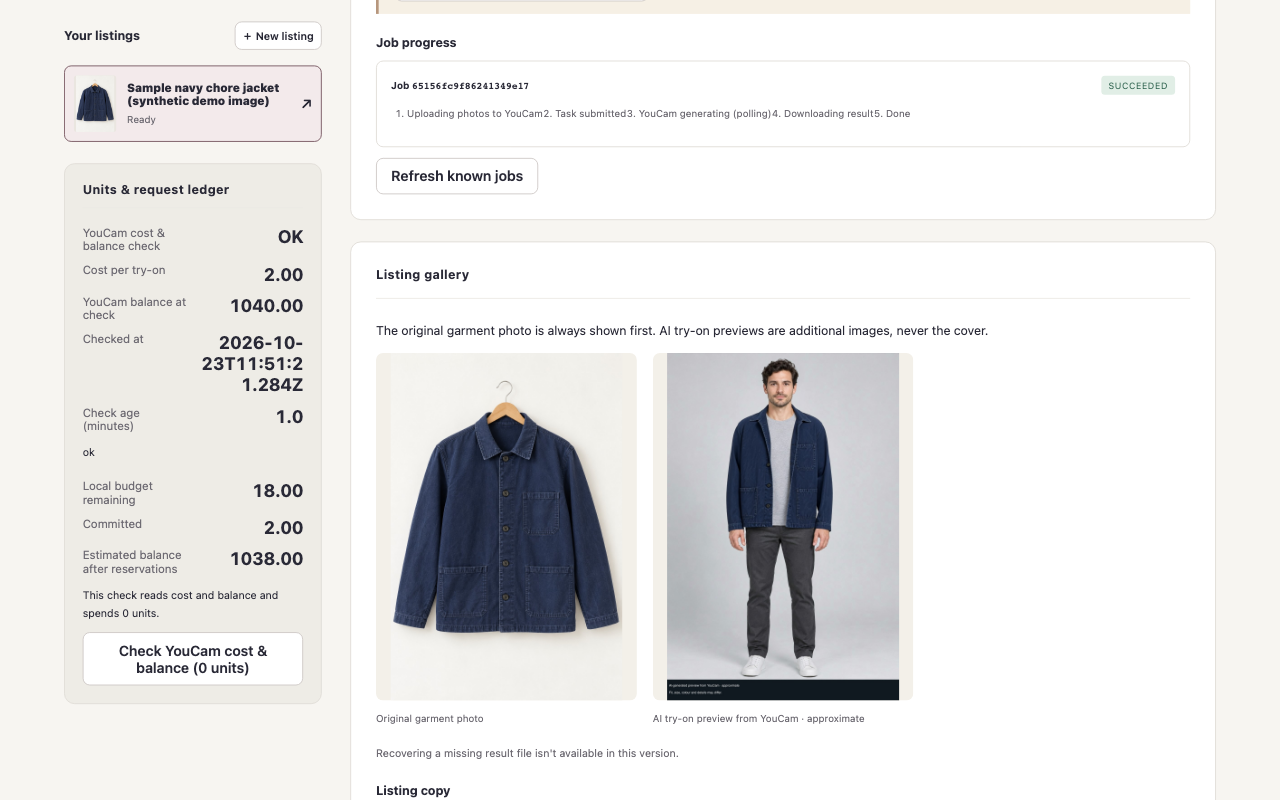
LIVE mode: one successful YouCam task and 2 units spent; approximate result from synthetic sample inputs.
Inspiration
Secondhand sellers usually have one hanger photo of a single-unit item and no model shots. Buyers can't picture the piece worn, and many resale items can't be swapped for another size. Virtual try-on is usually built for brand catalogues with professional model photography. We wanted to apply it to one-off pre-loved items without overstating what an AI preview can show.
What it does
SecondLook is a seller studio for thrift and resale listings:
- Photo quality gate before any spend. The seller uploads one garment photo and declares how it was taken (hanger, mannequin, flat-lay or worn) and the garment category. SecondLook checks the photo against YouCam's documented input rules (size, format, dimensions, sharpness, exposure, plain background, single front-facing garment). Combinations that YouCam's documentation says are unsupported, such as lower-body garments photographed off-body, are blocked with a retake tip, so no units are spent on a photo that would be rejected.
- Measurements, not size claims. Category-specific flat measurements in cm or inches, plus an optional "compare with a garment you own" panel that shows only signed differences.
- AI try-on preview with YouCam AI Clothes v4. The seller picks a model photo from a local rights manifest: either a consenting adult, or an AI-generated fictional adult whose provenance record lists its generator and file hash. SecondLook first reads the cloth-v4 unit cost and the account balance from YouCam (0 units), then shows a review dialog with the per-try-on cost, the total units to be spent and the balance. Only after the seller confirms does it upload the photos with the File API, create the cloth-v4 task, poll it with a deadline and download the result.
- Original first, approximate always labelled. The original garment photo is the only allowed cover. Generated images carry "AI-generated preview from YouCam · approximate" burned into the pixels and in the UI. Listing text is built only from the seller's saved facts.
- Units ledger and uncertain states. Every request reserves its units, then settles as spent, released or possibly spent. Live mode sends each photo upload and the try-on task request once, with no automatic retry; a failed upload stops before any task is created and releases the reserved units. If a connection drops while a task is being created, SecondLook locks writes and says units may have been charged instead of silently retrying.
- Privacy-first buyer flow. A buyer "try it on yourself" flow is designed but switched off in this build, because SecondLook can't control how long the AI provider keeps uploaded photos; the app explains why in plain words.
Demo inputs
The model and the garment in our demo are AI-generated sample images, made with OpenAI image generation. The model is a fictional adult, not a real person. The jacket is a synthetic, unbranded sample, not a real resale item, and its measurements in the demo are illustrative. The app labels these as synthetic inputs, separate from DEMO placeholders and from the images YouCam returns. We have not yet tested try-on results on real resale inventory.
How we built it
- YouCam APIs: AI Clothes virtual try-on v4 (
POST /s2s/v2.0/task/cloth-v4andGET /s2s/v2.0/task/cloth-v4/{task_id}), the File API (POST /s2s/v2.0/fileplus the presignedPUT), and the unit system (GET /s2s/v2.0/credit/feature-cost,GET /s2s/v1.0/client/credit). - Stack: TypeScript on Node 24, Hono API server, React 19 + Vite seller studio, sharp for bounded image decoding, zod schemas, Vitest + fast-check + Playwright.
- Rights manifest: model photos are admitted only from a local manifest. Real people need recorded adult consent and retention disclosure. AI-generated fictional models use a separate entry type that can't carry consent fields; it needs a provenance record that names the generator and the file's SHA-256.
- Reliability: a pure job state machine and units ledger; a single-owner durable store with crash recovery; a sliding-window rate limiter under the documented 250 requests / 300 s; HTTPS only to the documented API and media hosts, with DNS checks and no redirects; every documented YouCam error code mapped to seller guidance.
- Demo mode: a fixture adapter with synthetic images lets anyone run the whole flow without a key. Everything in demo mode is watermarked "DEMO FIXTURE · NOT A YOUCAM RESULT", and live mode never falls back to demo data.
Challenges we ran into
- The cloth-v4 unit price isn't listed in the documentation table (which lists v2 and v3), so SecondLook binds the cost from the live feature-cost endpoint and refuses to spend when the price is missing or ambiguous.
- Documentation differs on some input rules (for example full-body versus chest-up target photos), so the quality gate follows the conservative reading and labels unverified input types.
- Our first live attempt stopped before any task was created, and no units were spent. The File API response came wrapped in a
dataobject, as the AI Clothes guide shows, not in the shape on the File API reference page. We fixed the parser and made live mode send each upload and the try-on request only once. - Handling "did this task start?" honestly: a timeout while creating a task may still have charged units, so the ledger keeps a "possibly spent" state instead of retrying.
Accomplishments we're proud of
- A complete seller flow where the honest choice is the default: original photo first, measurements over claims, and AI previews labelled approximate in the pixels.
- No unit is spent without a 0-unit cost and balance check and an explicit confirmation of the total.
- A verified live run on 23 Oct 2026, using the AI-generated sample model and jacket: YouCam's feature-cost endpoint reported 2 units per AI Clothes v4 try-on; the result came back about 12 seconds after the task was submitted (about 15 seconds from confirming the request); 2 units were spent, and the balance went from 1,040 to 1,038.
What we learned
We learned that a useful virtual try-on tool needs to make its limits clear. Keeping the original photo first, showing real measurements and labelling AI previews as approximate helps buyers understand what they are looking at. We also learned to check generation costs upfront and handle uncertain API outcomes without automatically retrying.
What's next
- Probe which garment photo types YouCam handles well (hanger vs mannequin vs flat-lay) and update the capability table from real results.
- Enable the buyer flow once there is a clear answer on the AI provider's retention for personal photos.
- Export listings to resale marketplaces.
Testing instructions for judges
Demo mode needs no key or account:
pnpm install --frozen-lockfile --ignore-scripts
pnpm dev:fixture   # open http://127.0.0.1:5195
Live mode uses your own YouCam API key: see "Live mode" in the README. pnpm youcam:preflight shows the cloth-v4 unit cost and your balance without spending units.
Built With
- hono
- node.js
- perfect-corp-ai-clothes
- playwright
- react
- sharp
- typescript
- vite
- vitest
- youcam-api
- zod
