-
-
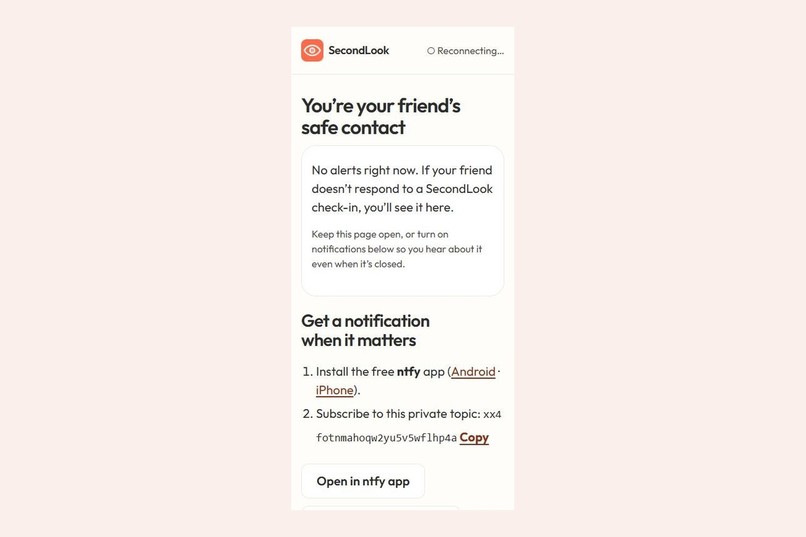
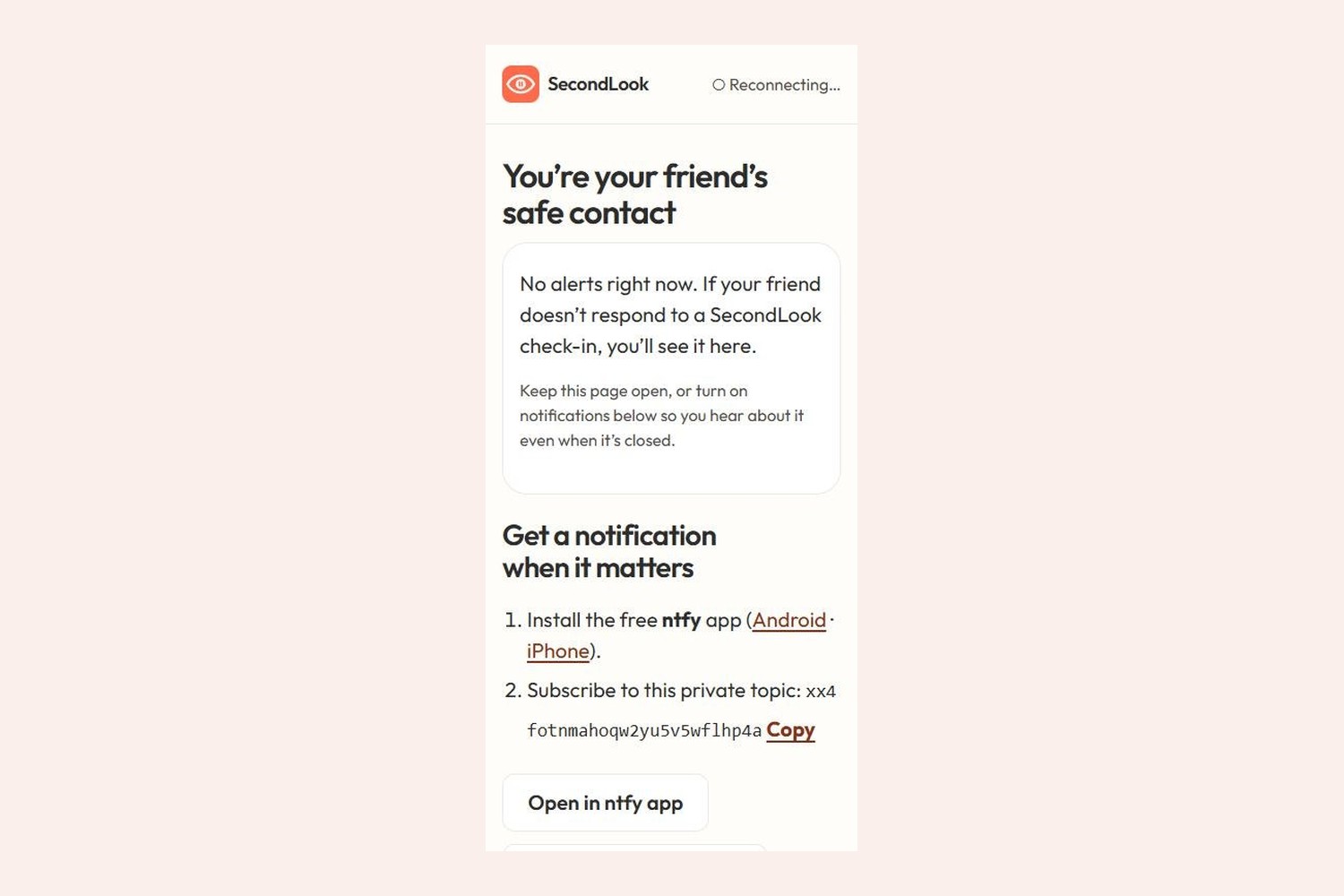
What your safe contact sees. Alerts are end-to-end encrypted, and they can reply "I'm on my way".
-
-
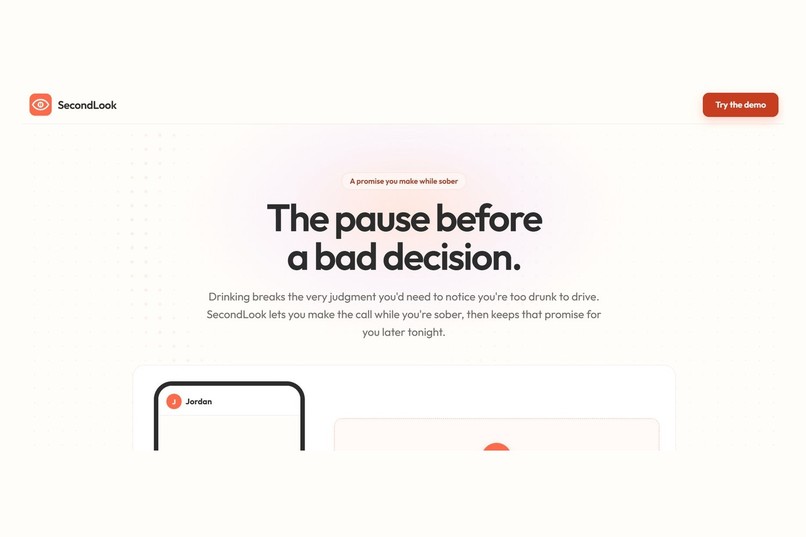
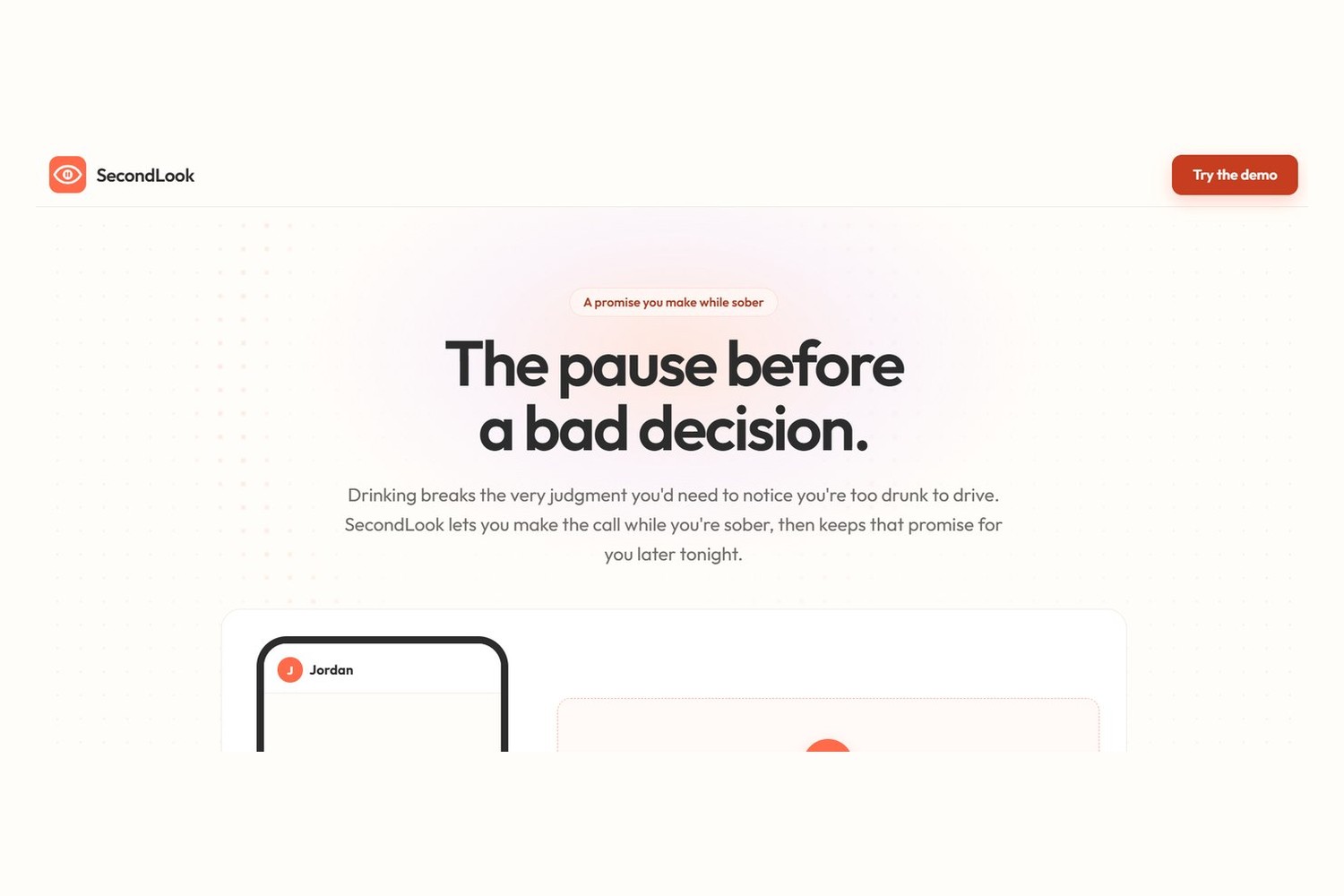
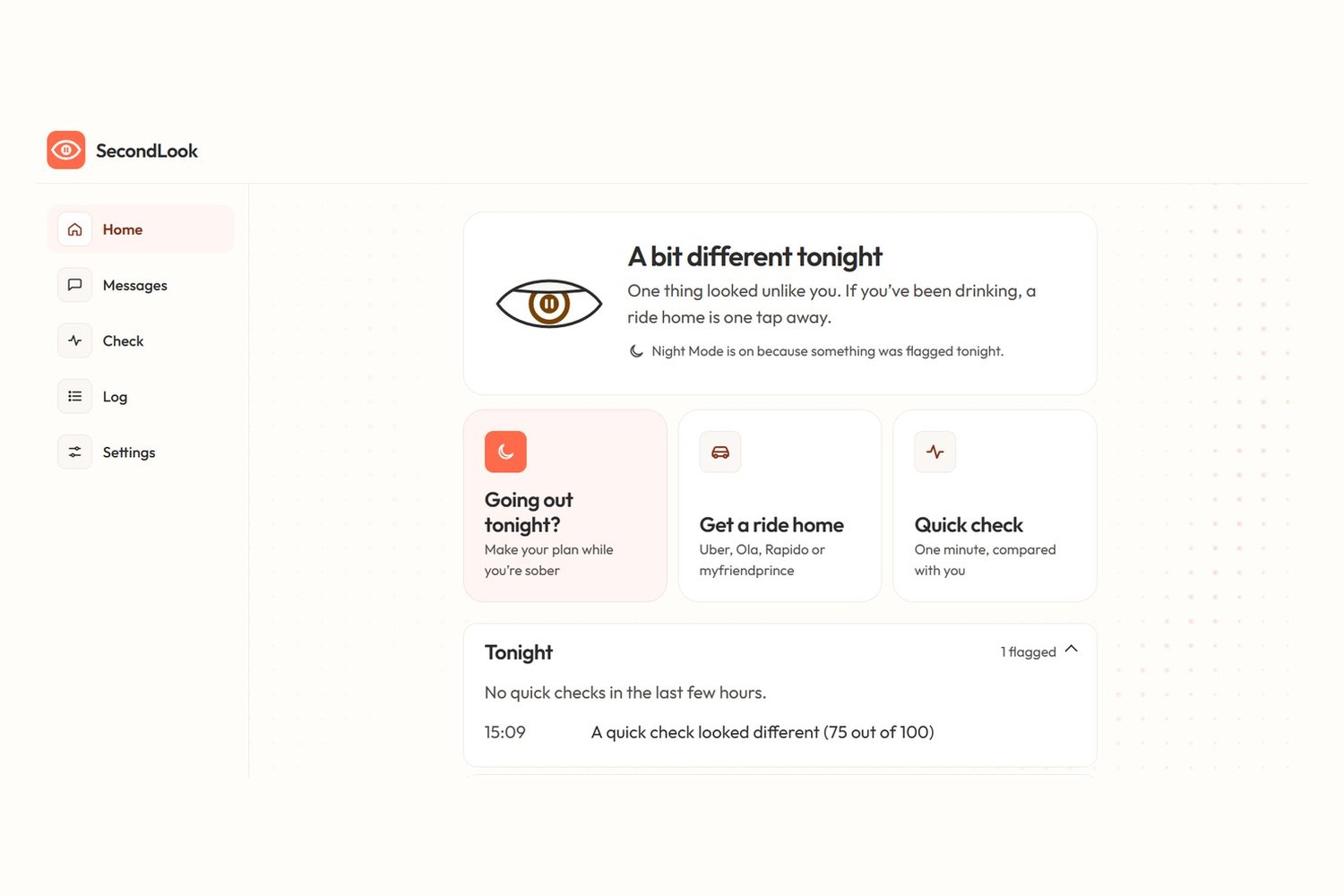
The landing page. You make the plan while you're sober, and SecondLook keeps it later that night.
-
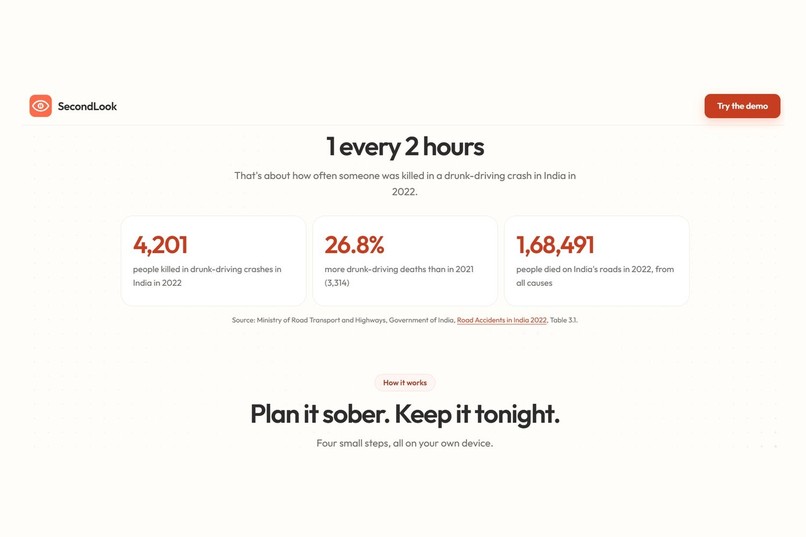
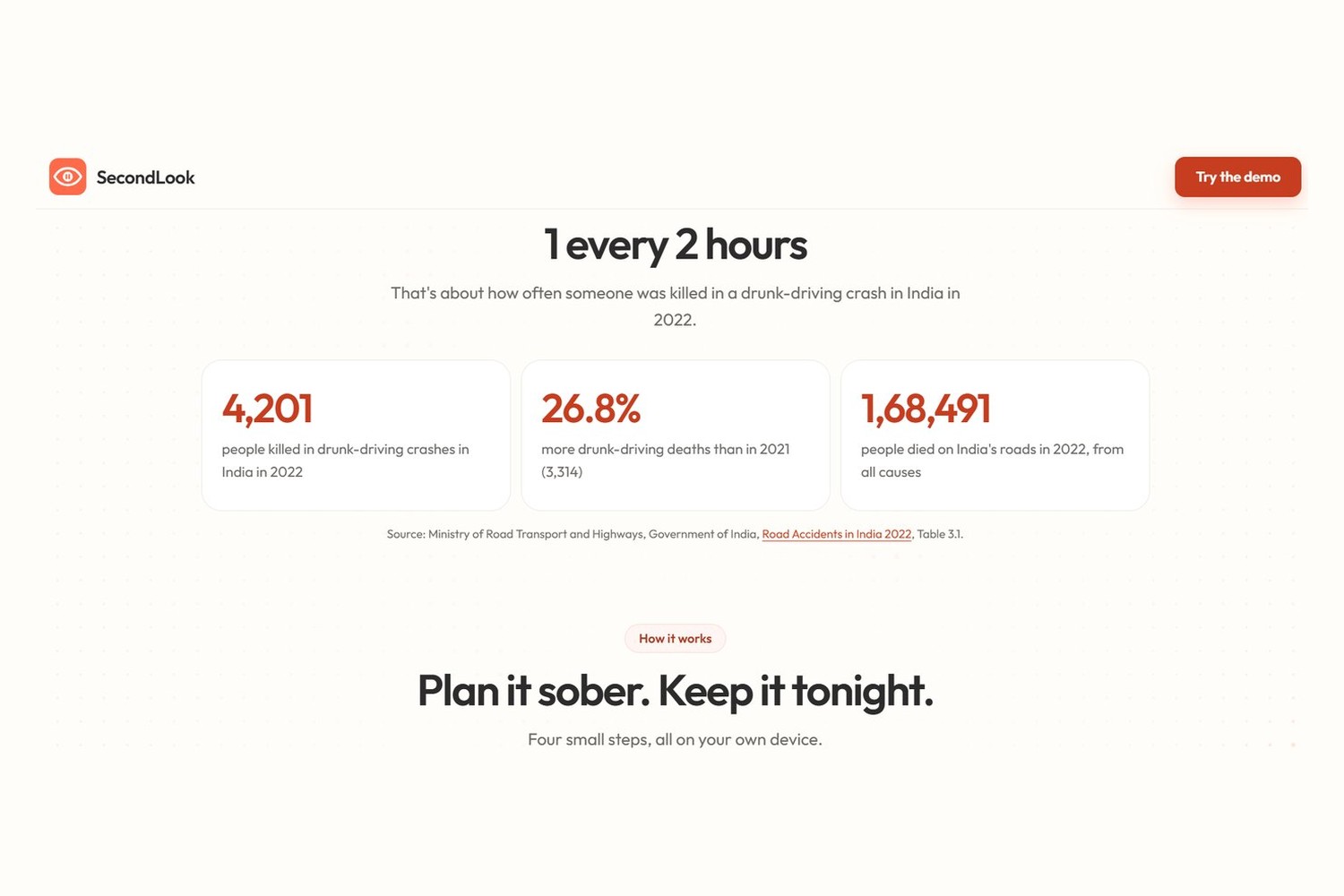
Why I built this: 4,201 people died in drunk-driving crashes in India in 2022 (MoRTH).
-
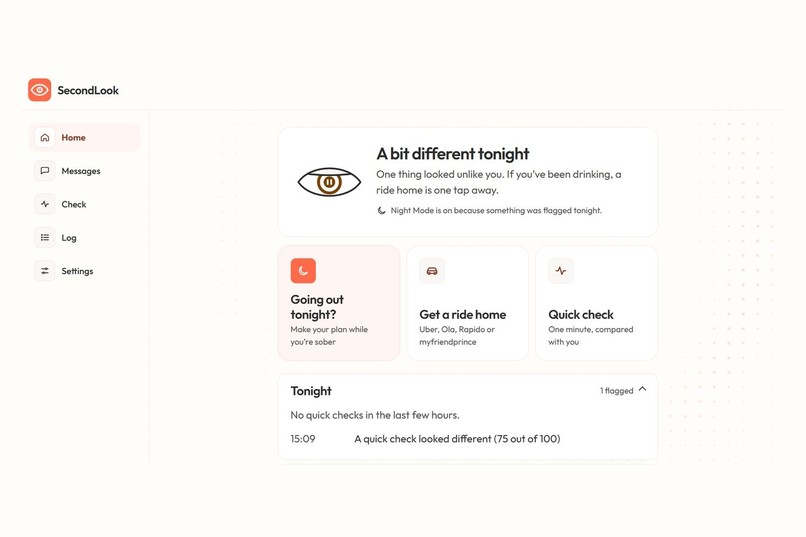
Home screen. The eye shows your status, and a ride home is always one tap away.
-
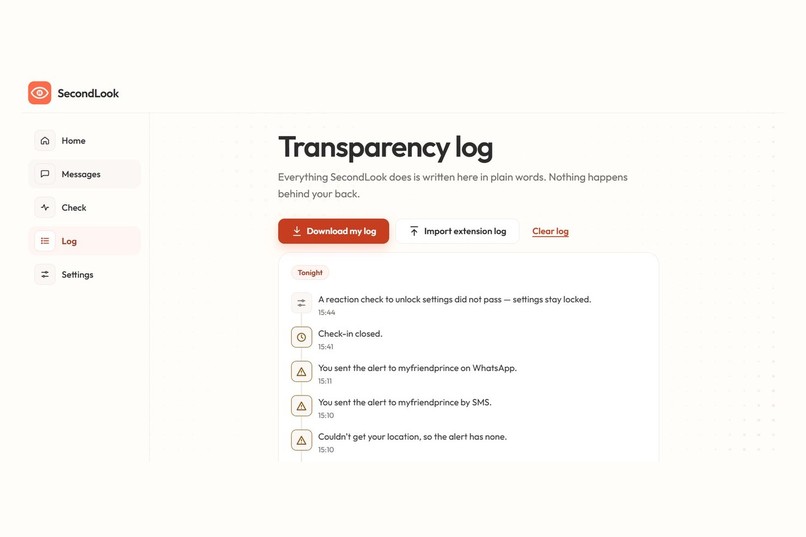
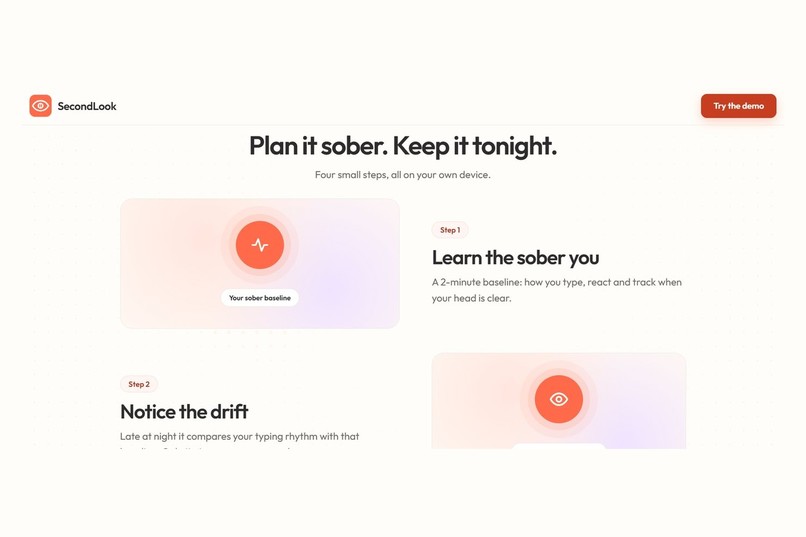
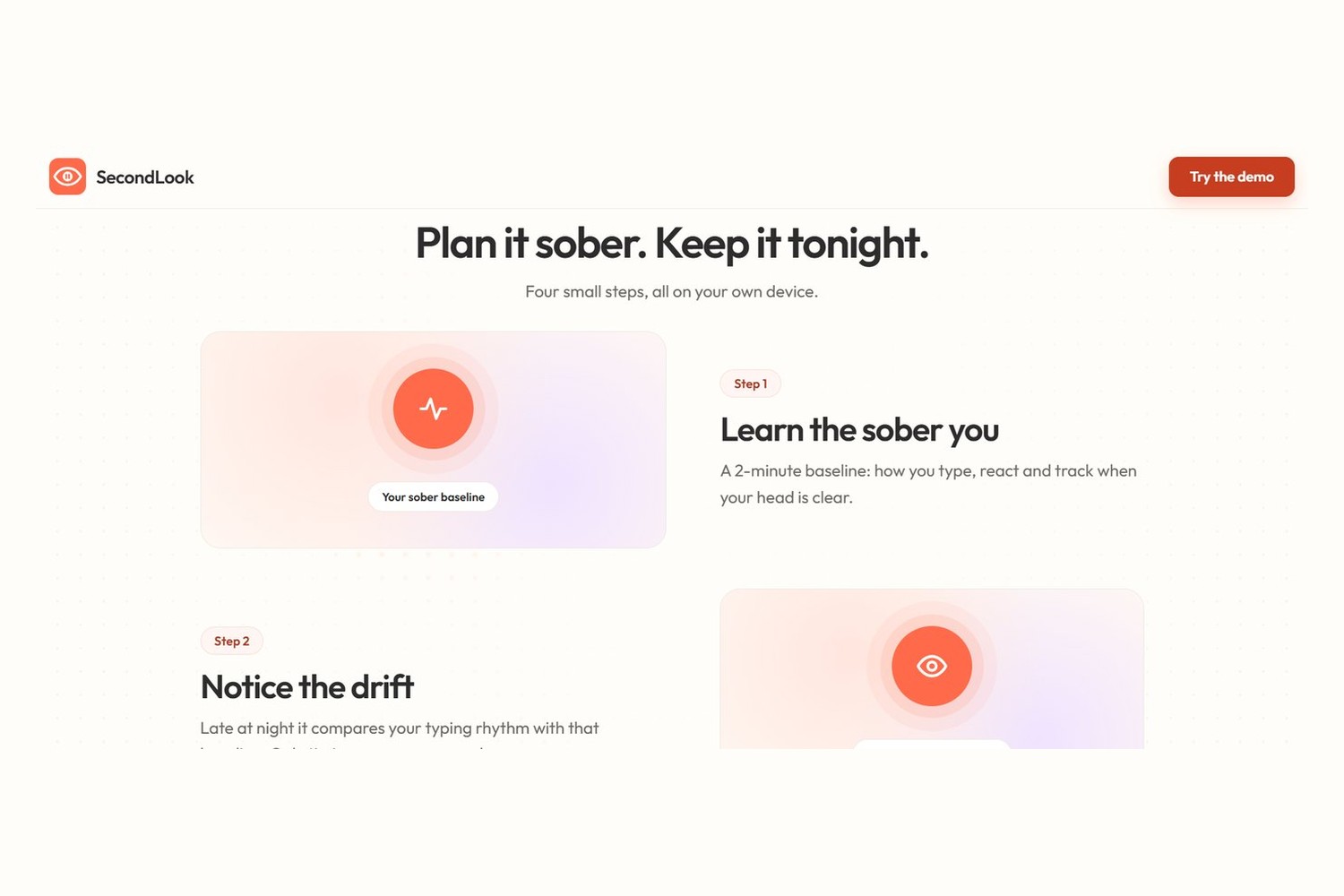
How it works: learn the sober you, notice the drift, ask instead of blocking, then bring in your person.
-
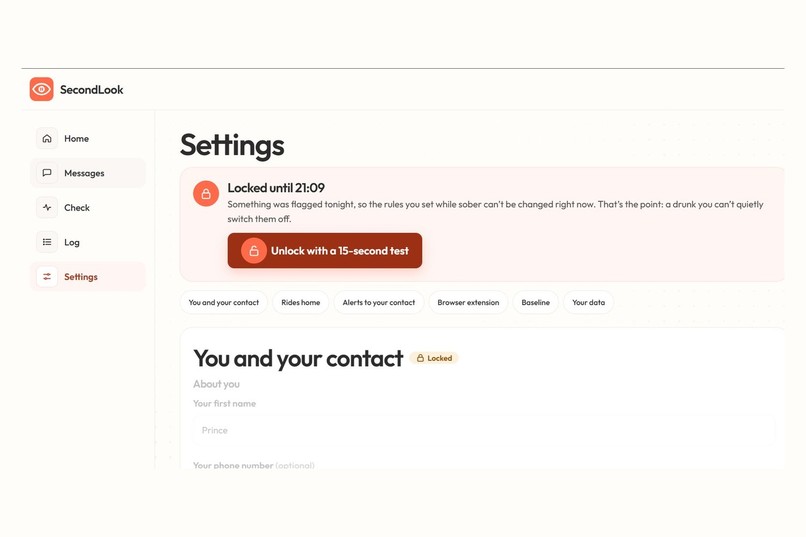
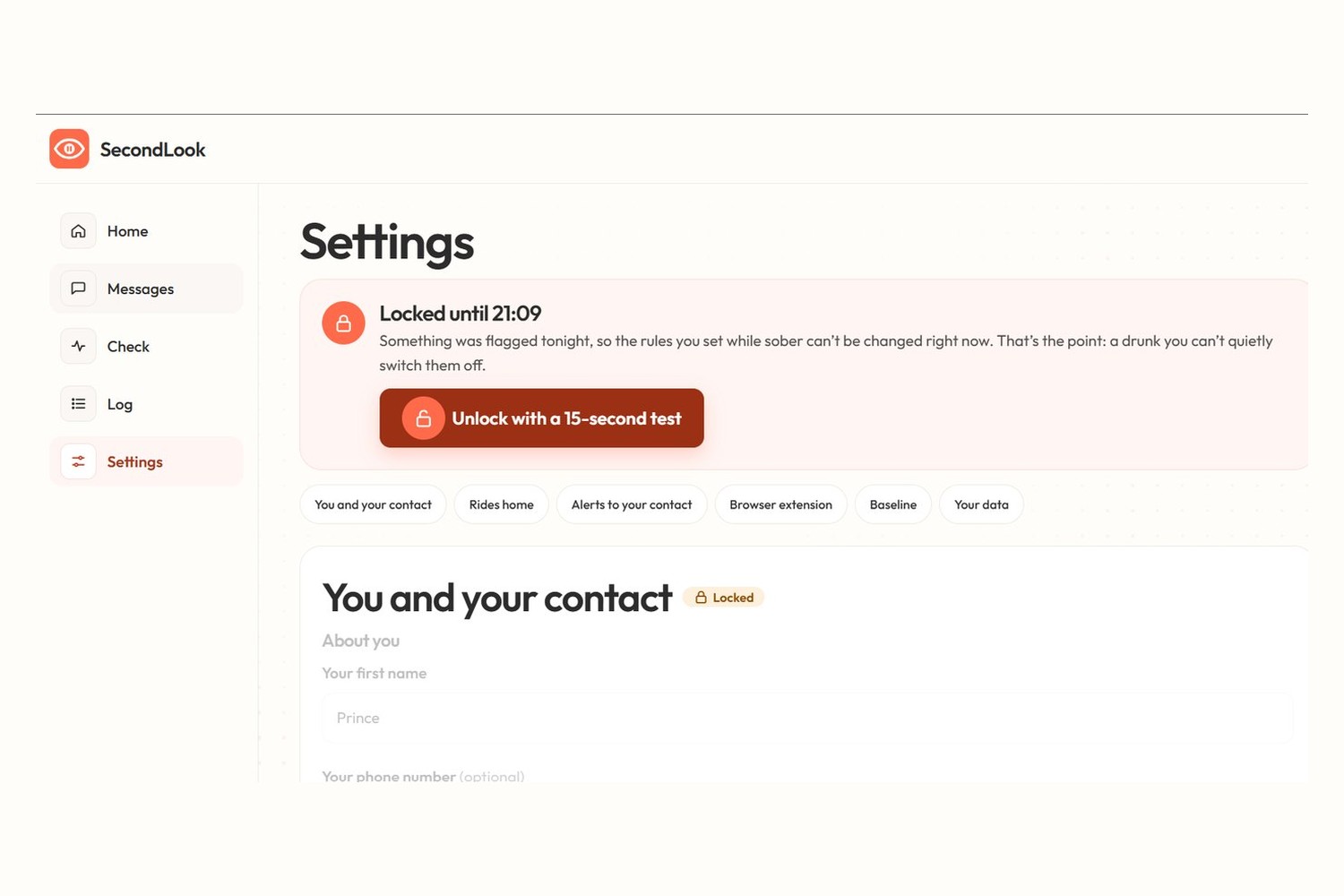
After a flagged night, settings lock for 6 hours so a drunk you can't switch the safety net off.
-
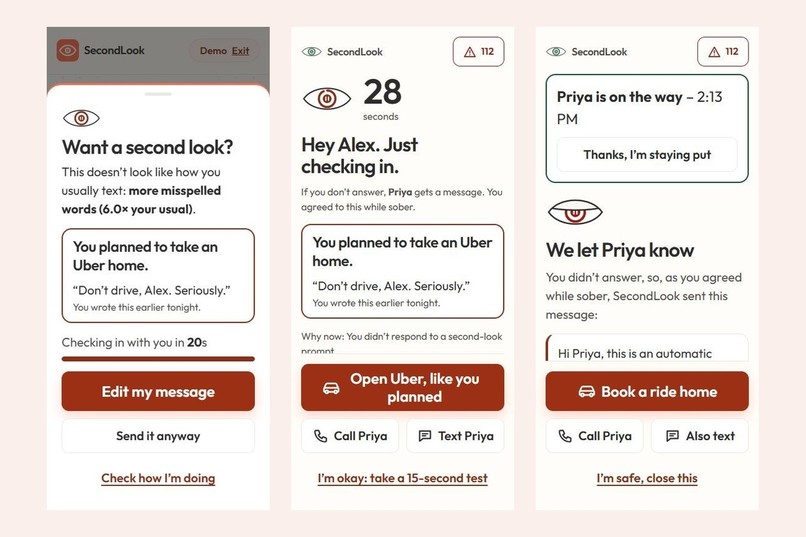
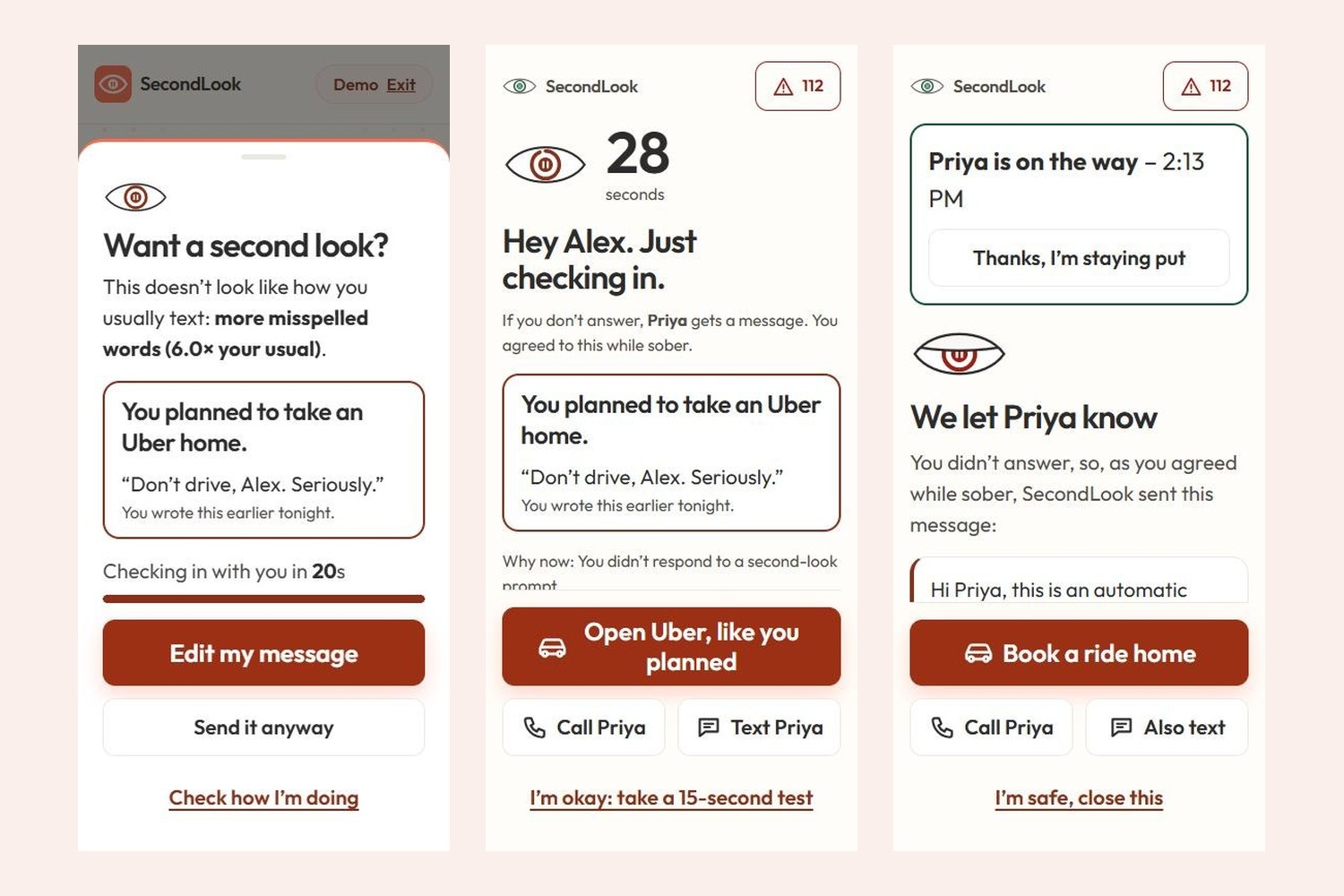
Left to right: the "second look" prompt, the check-in with your planned ride, and the alert after your contact replies.
Inspiration# Devpost submission
Project name
SecondLook
Elevator pitch (tagline, max 200 characters)
The pause before a bad decision. Make the plan while you're sober; SecondLook keeps that promise at 2am with a gentle second look, a check-in and your ride home.
Try it out (links)
- Live app: https://secondlook1.vercel.app/
- GitHub: https://github.com/PrincePundir123/Drunk-drive
- Demo video: https://www.youtube.com/watch?v=rpp4s6Ub9mg
Built with (tags)
javascript, html5, css3, pwa, service-worker, web-crypto-api, chrome-extension, manifest-v3, ntfy, node.js, playwright, axe-core, lighthouse, vercel
Inspiration
In India in 2022, 4,201 people were killed in crashes caused by drunk driving or drugs, 26.8% more than the year before (Ministry of Road Transport and Highways, Road Accidents in India 2022). That's about one every two hours.
What stuck with me is that drunk driving isn't an information problem. Everyone knows it's dangerous. The problem is that alcohol breaks the judgment you'd need to notice you're too drunk, and feeling fine is one of the symptoms. Most apps stop at "you might be impaired", which hands the decision back to the one person who can't make it well tonight.
So I asked a different question: what if the sober you, earlier in the day, made the decision, and the app just kept that promise?
What it does
SecondLook is an installable mobile web app plus a browser extension.
While you're sober, you pick a safe contact, decide what they'll hear, and take a 2-minute baseline: a reaction test, a steady-hand tracking test and a short typing test. That's your normal, compared with nobody but you. Before going out, you start a Night Out: how you're getting home, when you'll be home, and a note to later-tonight you ("Don't drive, Alex. Seriously.").
Later that night, when a message you type looks very different from your usual typing (slower, less even, more corrections and typos), SecondLook holds it and asks, "Want a second look?". It shows your own plan first, with one big button. You can edit or send it anyway. It never blocks you.
If you ignore it, a check-in starts with a calm countdown. One tap opens the ride you planned (Uber, Ola or Rapido). You can call or text your contact, prove you're fine with a 15-second reaction test, or call 112. If the countdown runs out, and only if you agreed to this while sober, your contact gets an end-to-end encrypted alert on their phone. They can reply "I'm on my way", and you see it on your screen.
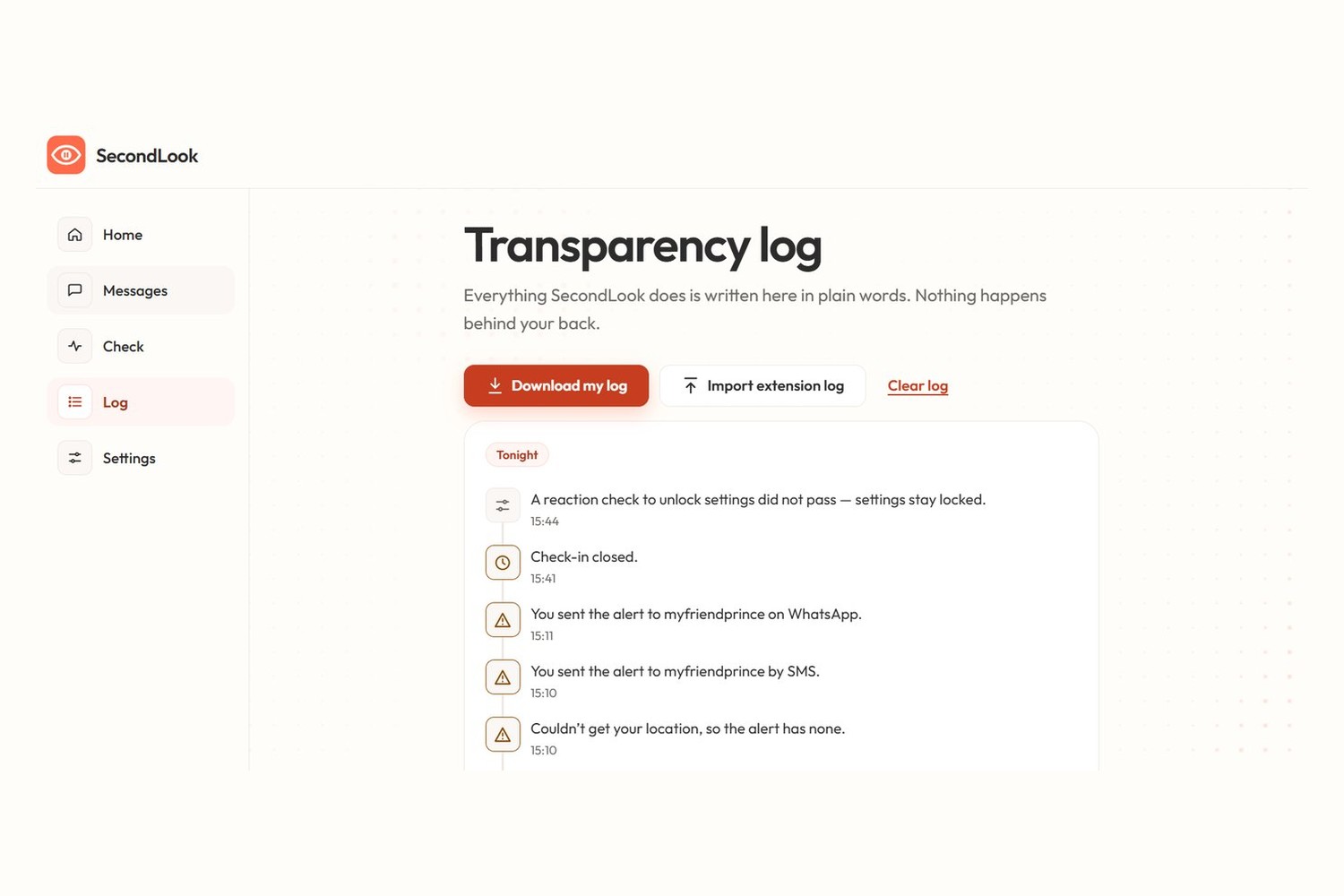
Nothing happens behind your back. Every step goes into a plain-English log you can download. After something is flagged, your safety settings lock for 6 hours, so a drunk you can't quietly switch off what the sober you decided.
On a laptop, the browser extension brings the same second look to WhatsApp Web, Instagram DMs and Gmail, right before you hit send.
Who it's for: people who drink socially and want a safety net they set up themselves, and the friends and family who'd rather get a message than a call from a hospital.
How I built it
It's plain HTML, CSS and JavaScript with no framework and no build step. It's a Progressive Web App with a service worker, so it installs from a link on Android or iPhone and works offline. It's hosted on Vercel.
Scoring. Each signal (reaction time, tracking error, time between keys, rhythm, corrections, long pauses, typos, misspelled words) is compared with your own baseline as a z-score, using running averages (Welford's algorithm). Floors stop a short baseline from causing false alarms, and only the impaired direction counts, so typing faster never counts against you.
Privacy. Message text is never stored or sent. The recorder keeps only key timings and counts. At send time the text is read once, in memory, to count misspelled words, then thrown away. All data stays in your own browser: no server, no account.
Encrypted alerts. Alerts use the Web Crypto API (AES-GCM, 256-bit). The key sits in the part of the contact link after #, which browsers never send to a server, so the free ntfy.sh relay only ever sees scrambled data and a generic "may need help" notification.
The extension is Manifest V3. It catches Enter and the send button with capture-phase listeners, shows the prompt in a closed Shadow DOM so the site can't interfere, and fails open: if anything breaks, your message sends normally.
Testing. 38 unit tests, seven end-to-end browser suites in Playwright (167 checks), axe-core with 0 accessibility violations on 24 screen states, and Lighthouse on mobile at 99 to 100 for performance and 100 for accessibility.
AI assistance (disclosed as the rules ask): I built this with a lot of help from Claude Code, an AI coding assistant by Anthropic. I came up with the idea, wrote the requirements (including the privacy and consent rules), chose the design direction and the data source, and tested and deployed it. A large part of the code, tests and documentation was written by the AI from my instructions, working with me step by step.
Challenges I ran into
- Designing for someone who's drunk. Normal UI assumes a focused user. At 2am, in a dark bar, one-handed, you need one action per screen, big buttons where your thumb is, large text, strong contrast, and a tone that never shames.
- Checking typing without keeping the words. My first version stored words to count typos, which meant storing pieces of private messages. I rebuilt it so only timings and counts are kept.
- Making the extension safe on other people's websites. Catching Enter before WhatsApp does, without ever losing a message, needed a strict "if anything fails, just send" rule.
- Encryption without a backend. Putting the key in the link's
#part let the contact get alerts without any server I run being able to read them. - Performance. An animated background dropped Lighthouse performance to 94 and blocked the page for 210 ms. Drawing the still grid once and only redrawing the moving ripple brought it back to 98 to 99, with no blocking.
- Colour contrast. My coral button colour failed contrast with white text (2.8:1), so I kept it for decoration and used a deeper coral for buttons and text.
Accomplishments that I'm proud of
- It works end to end: prompt, check-in, encrypted alert and the contact's reply, between two real devices, with no server of my own.
- It never stores a single word of your messages.
- Zero accessibility violations, and it works fully with the keyboard alone, at 320px width and at 200% zoom.
- It never tells you "you're safe to drive". It's honest about what it can't know.
What I learned
- How to turn "does this person seem off?" into numbers: z-scores, running averages, and why floors matter with little data.
- How end-to-end encryption works in the browser, and how to share a key without a server.
- How browser extensions work: content scripts, capture-phase events, Shadow DOM, Manifest V3.
- How service workers and PWAs let a website install and work offline like an app.
- That accessibility has to be measured (axe, Lighthouse, keyboard-only testing), not guessed.
- That for a safety tool, honesty earns more trust than big claims.
What's next for SecondLook
A real phone keyboard for Android and iOS (where people actually type at night), steadiness readings from the phone's motion sensors, SMS alerts for contacts without the ntfy app, one-tap booking through ride-app APIs, typo checking in Hindi and other Indian languages, and a proper study with real participants to measure the false-alarm rate. The study page is already built, but I haven't collected enough results to report numbers yet.
Built With
- axe-core
- chrome
- css3
- html5
- javascript
- lighthouse
- manifest-v3
- node.js
- ntfy
- playwright
- pwa
- service-worker
- web-crypto-api


Log in or sign up for Devpost to join the conversation.