-
-
SecondHand Logo
-
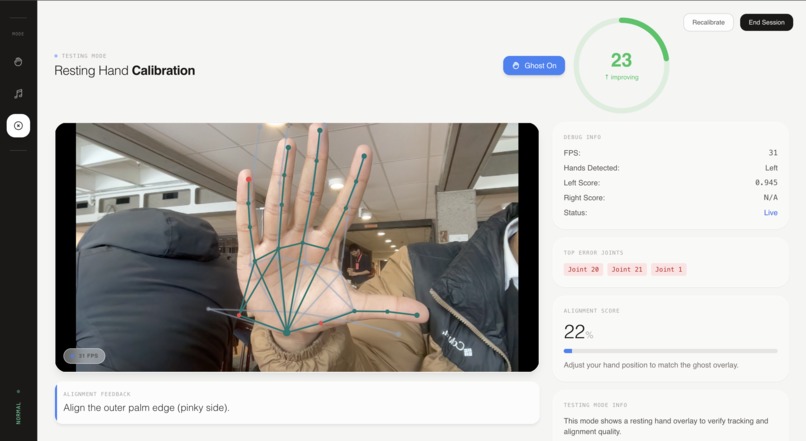
SecondHand Tester Mode!
-
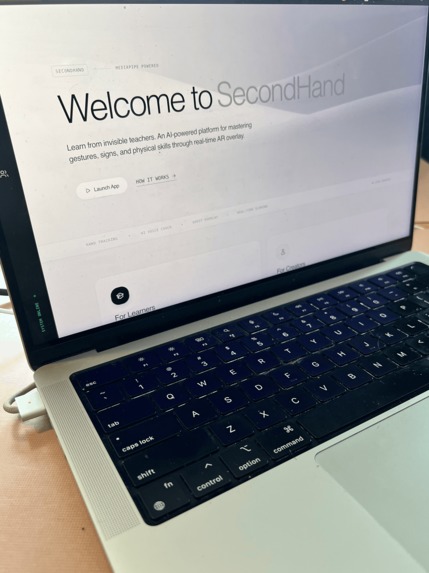
SecondHand Landing (1)
-
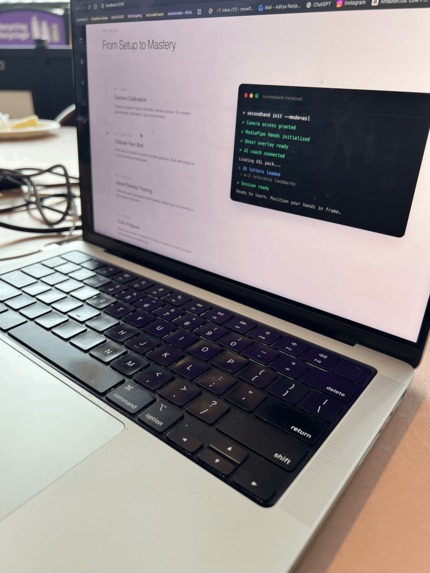
SecondHand Landing (2)
About the Project
Inspiration
At some point while trying to learn ASL (and later, dance), we hit the same dumb loop: watch a video, copy it, rewind, copy it again… and still have no idea what’s wrong until the end - if you even notice.
That’s the part that feels extremely broken about learning physical skills online. Three gaps show up almost immediately:
- The mirror gap: you can’t see what the teacher sees (your form is basically a guess).
- The timing gap: videos don’t sync to you; you’re always chasing the demo.
- The correction gap: no feedback while you practice, which is exactly when correction matters.
We kept thinking: this should be solvable with a camera. If we can track your motion in real time, we can stop making people translate instructions in their head and instead let them learn by physically matching.
So we built SecondHand: a real-time motion-teaching app where an expert “ghost” skeleton overlays directly on top of you, you align yourself to it, and you get continuous feedback as you practice.
What it does
SecondHand is a “learn by matching” interface for physical skills.
When you open a session:
- Your camera starts in-browser.
- An expert “ghost” skeleton appears on top of your live video.
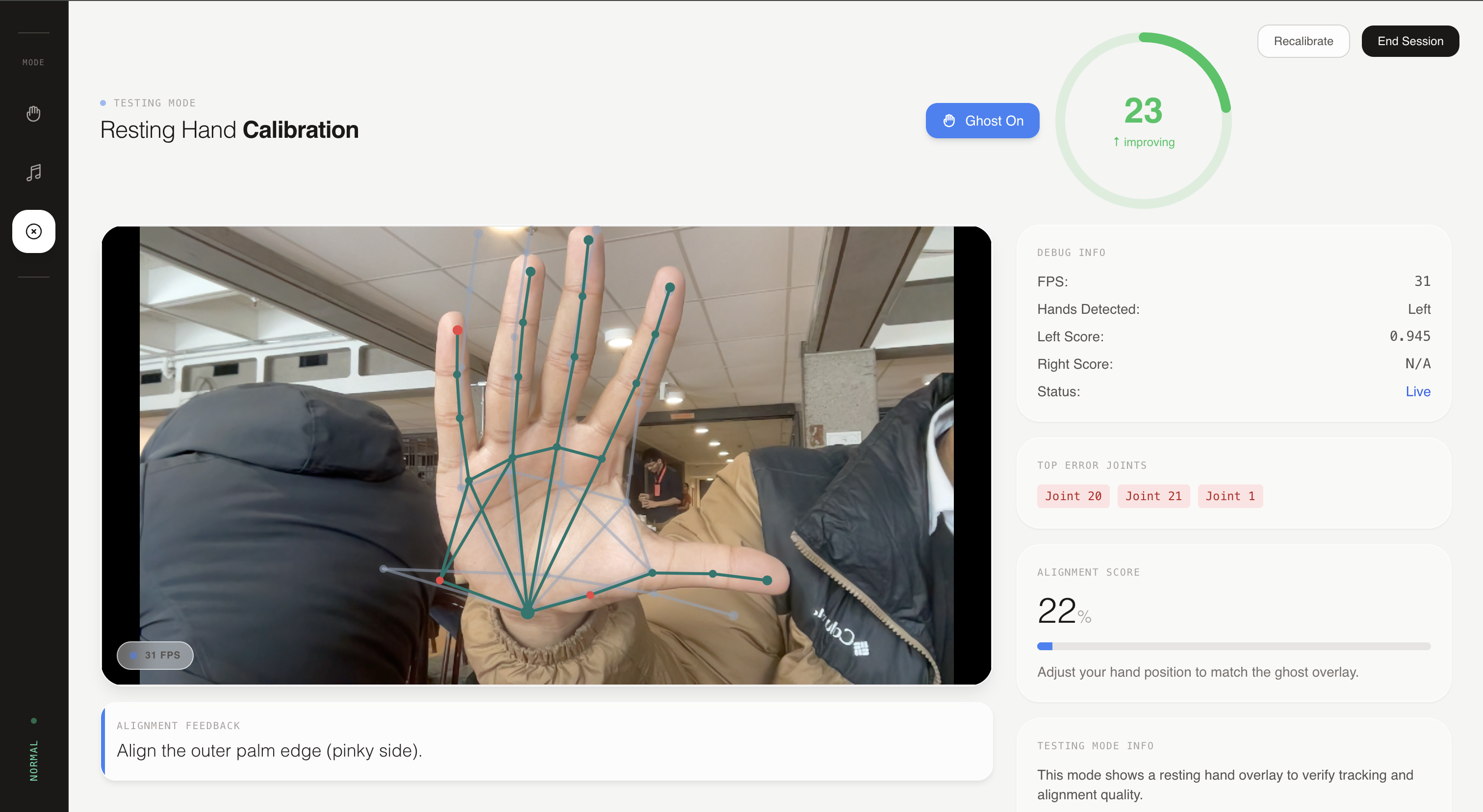
- As you move, you get a live similarity score (smoothed so it’s readable).
- The system highlights the worst joints (the ones dragging your score down).
- You fix one thing, and you can literally watch the score jump in real time.
We shipped three modes:
- ASL Practice
- Letters: match a reference handshape using a hardcoded landmark template (
ASL_LANDMARKS) & finger-state logic; complete by holding ≥80% for ~1.5s. - Words: play a time-sequenced keypoint demo from a pack at pack FPS; align once and keep the transform stable so the overlay doesn’t drift.
- Type-a-phrase (AI-assisted): you type a phrase in a modal (
PhraseInput). We callPOST /api/nlp/phraseto parse it into sign lessons; if anything fails, we fall back to letter-by-letter finger-spelling.
- Letters: match a reference handshape using a hardcoded landmark template (
- Dance Mode
- Full-body ghost overlay from a dance pack, continuous scoring, problematic joint highlighting, loop segments, and a score-over-time chart.
- Optional routine audio sync via
audio_url.
- Normal / Testing Mode
- A minimal “resting pose” overlay to demo the alignment + scoring engine without ASL-specific logic.
How we built it
SecondHand has two AI layers:
1) Perception AI (always-on): real-time landmark detection + motion matching in the browser (MediaPipe).
2) Reasoning/Content AI (optional enhancer): phrase parsing, “unknown word” lesson generation from the internet, and human-sounding coaching (Gemini, search, & TTS).
Core stack (Frontend + real-time CV)
- Next.js 14 (App Router), React 18, and TypeScript
- TailwindCSS w/ a “stone / institutional minimal” design system (CSS variables in
globals.css) - Framer Motion for live feedback affordances (so the UI feels responsive while you practice)
- Zustand store mainly for mode switching & a few standalone components; heavy per-frame scoring/loop logic stays local to avoid store churn
- MediaPipe Hands & Pose (CDN) wrapped in hooks with FPS throttling (client-side inference, no server hop)
Overlay rendering:
The camera feed is rendered using object-contain, which introduces letterboxing. If your overlay ignores that, the ghost drifts and the demo looks fake immediately. We replicate the same letterboxing math in our canvas overlay so skeleton lines are drawn in the actual rendered video rectangle (same pixels the user sees). If you’ve ever been personally victimized by object-fit: contain, same energy: https://developer.mozilla.org/en-US/docs/Web/CSS/object-fit
Stability tricks: We also add a synthetic “outer palm” landmark to stabilize hand orientation and reduce jitter in the overlay and scoring.
Alignment + scoring (matching engine)
To compare motions across different people/camera setups, we estimate a similarity transform (rotation w/ scale & translation) that maps the expert "ghost" into the user’s coordinate system using robust anchors (hands: stable joints; pose: shoulders/hips).
Scoring is continuous (not pass/fail): weighted positional error (fingertips matter more), EMA smoothing to reduce flicker, and a “top error joints” output so the UI can highlight what to fix.
Here's the main math! : sₜ = α · ŝₜ + (1 − α) · sₜ₋₁.
For ASL letters, we combine geometry with sanity checks: template landmark matching and explicit finger-state logic (extended vs curled), plus a hold-to-pass mechanic (≥80% for ~1.5s) so one lucky frame doesn’t count.
Packs (skills as data)
Lessons are loaded via packs (metadata.json, keypoints, optional segments/audio), making new skills mostly content instead of code.
AI + Backend layer (FastAPI): dynamic lessons and coaching
The backend is where we used generative AI to change the experience (not just add a badge).
Stack:
- FastAPI + Uvicorn + Pydantic
- Google Gemini API (phrase parsing + cue rewriting + ranking)
- ElevenLabs (natural voice coaching)
- Google Custom Search (retrieve candidate reference images)
- MediaPipe (Python) + OpenCV + NumPy/SciPy (extract landmarks from images, preprocessing)
- DigitalOcean Spaces + boto3 (store generated lessons:
keypoints.json+reference.png)
Phrase parsing: the UI is type-your-own only. We call POST /api/nlp/phrase; if anything fails, the frontend falls back to finger-spelling so the session never bricks.
Unknown word → lesson generated on the fly (the fun part):
- Retrieve candidates: search “ASL sign ”
- Rank candidates (Gemini): select best reference image(s)
- Extract landmarks: run MediaPipe Hands on the chosen image
- Package: generate
keypoints.json+reference.png - Upload: store in DigitalOcean Spaces
- Return URLs: the frontend loads the new lesson immediately in the same overlay+scoring loop
Coaching: feedback is tiered: deterministic top-joint errors → short cue text → (optional) Gemini rewrite → (optional) ElevenLabs TTS. Design rule: AI can improve the UX, but it’s not allowed to break the core loop.
Challenges we ran into
Real-time CV is unforgiving; if anything is off by a few pixels or a few frames, everyone can feel it.
- Overlay alignment with
object-contain(pixel math hell)
The model can be correct and the demo can still look wrong. We had to replicate letterboxing exactly so overlays are drawn in the same rendered rectangle the user sees. - Landmark jitter + transform stability (real-time noise is brutal)
MediaPipe is strong, but frame-to-frame noise is real. Naïve transforms make the ghost jitter; we fought this with anchor choices, fallbacks, smoothing, and a synthetic palm landmark. - Smoothing without lag (EMA tuning)
Too little smoothing = unreadable flicker. Too much smoothing = delayed feedback that feels dishonest. Getting it “coach-like” took iteration. - Dynamic lesson generation is fragile by nature
Extracting landmarks from a single image is messy (angles, occlusion, low-res). We designed for failure and kept a deterministic fallback (finger-spelling) so users don’t get stuck.
Accomplishments we’re proud of
- A real-time, in-browser perception loop using MediaPipe Hands + Pose: landmark detection → alignment → overlay → continuous scoring, with no server dependency for the core experience.
- Pixel-accurate ghost overlays that stay glued to the user’s live video even with object-contain letterboxing (the small detail that makes the demo feel “real”).
- A motion-matching engine with anchor-based similarity transforms (rotation/scale/translation) + fallbacks designed for jittery keypoints.
- A continuous scoring system (weighted positional error + EMA smoothing) that surfaces top-error joints to make feedback interpretable.
- ASL letter evaluation that blends geometry + symbolic logic (template landmarks + finger-state checks) with a hold-to-pass mechanic that feels like practice.
- A scalable pack architecture (
metadata.json+keypoints_url+ optionalsegments_url/audio_url) that turns “new skill” into “new content.” - An AI-powered phrase pipeline (
POST /api/nlp/phrase) that parses typed phrases into lessons and falls back gracefully to finger-spelling. - A dynamic “unknown word → instant lesson” system: search → Gemini ranking → MediaPipe extraction → upload to Spaces → live practice in the same UI.
- Human-sounding coaching through tiered feedback: deterministic cues, optional Gemini rewrite, optional ElevenLabs voice.
What we learned
Technically:
- Real-time systems are about perception, not perfect accuracy; “feels aligned” often beats “the math is beautiful.”
- AI is strongest when it’s layered: perception for tracking, LLMs for reasoning/phrasing, TTS for delivery, all without making the core loop fragile.
- A content system (packs) is a force multiplier. It’s what turns a demo into a platform.
As humans building it:
- Watching yourself improve live is genuinely motivating. Loop segments turn practice into an improvement arc.
- Short cues beat long explanations, especially when you’re mid-motion.
- “Fail gracefully” matters more than “be fancy.” The fallback is part of the product.
What’s next
- More packs: PT/rehab exercises, sports technique, instrument technique, workplace training.
- Record-your-own expert demos: capture keypoints from an expert video and auto-generate lessons.
- Instructor mode: a teacher can watch live alignment and intervene when the system detects persistent mistakes.
SecondHand started as “why is learning motion online still so bad?” and turned into a simple belief: if you can see the correction while you move, you learn faster. We just tried to make that feel real.


Log in or sign up for Devpost to join the conversation.