-
-
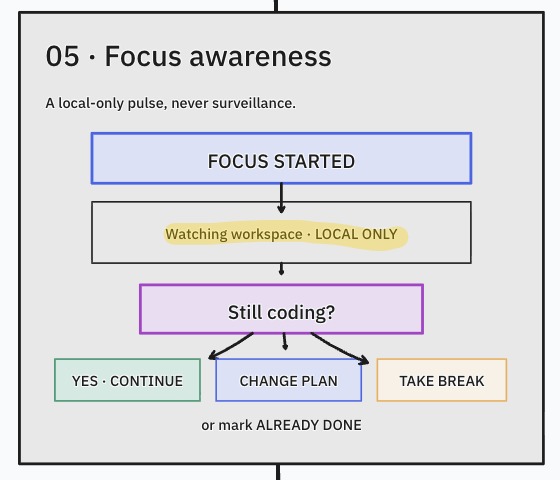
Additional Features
-
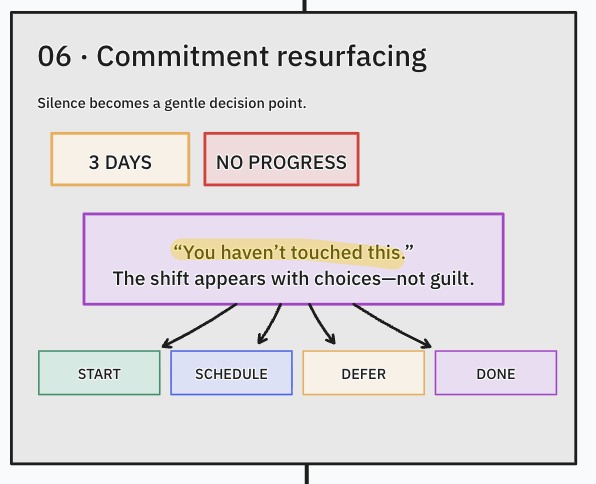
Additional Features
-
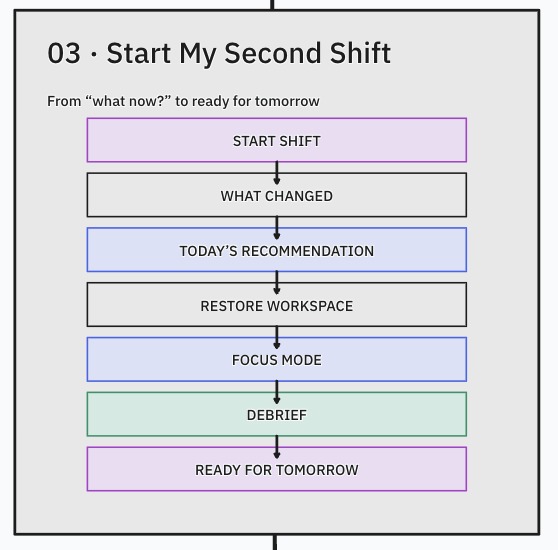
The workflow
-
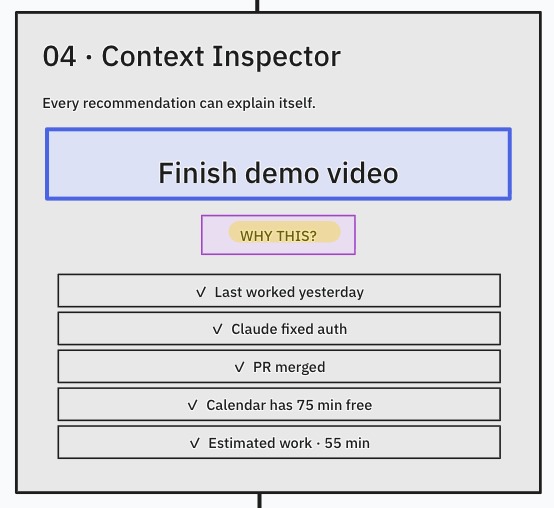
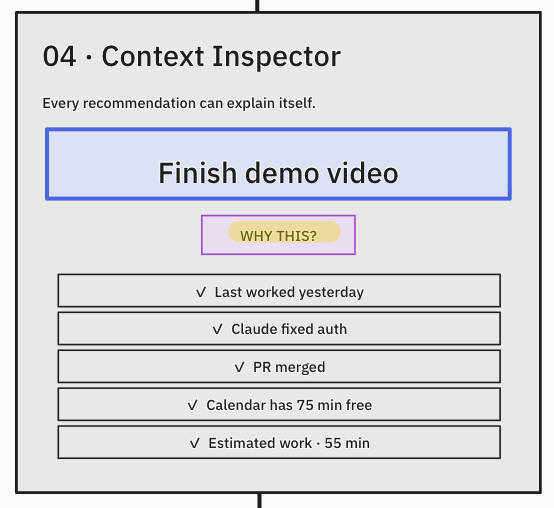
Context Inspector
-
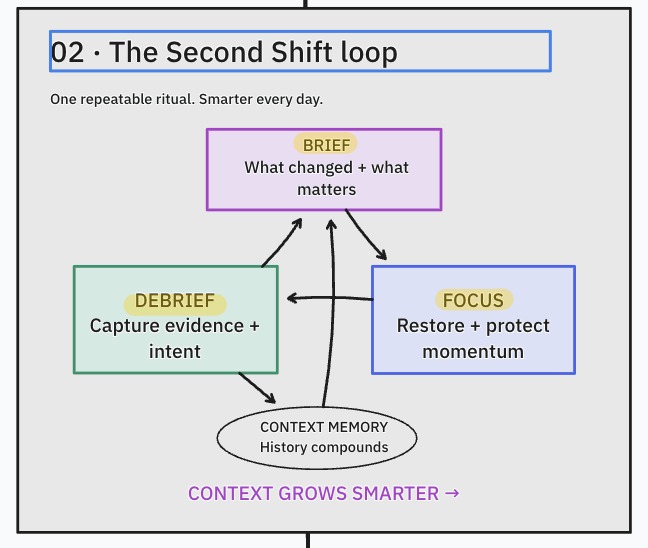
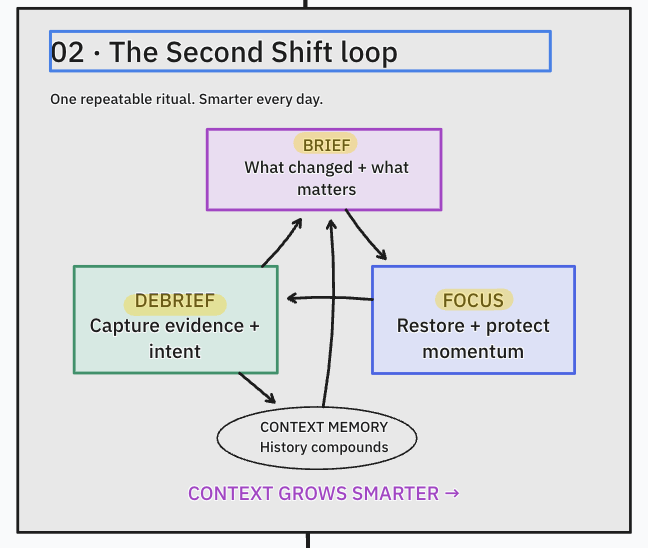
The App Loop
-
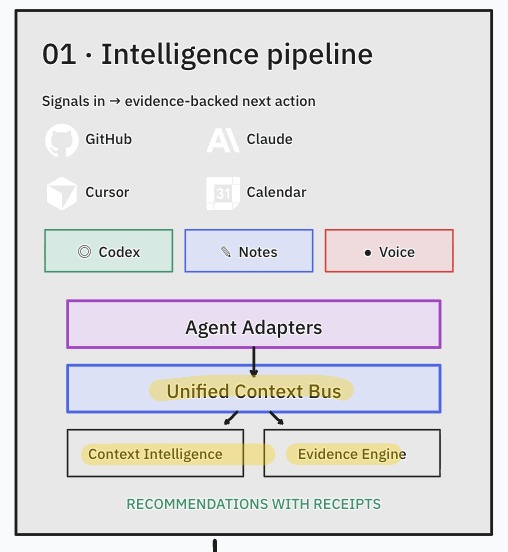
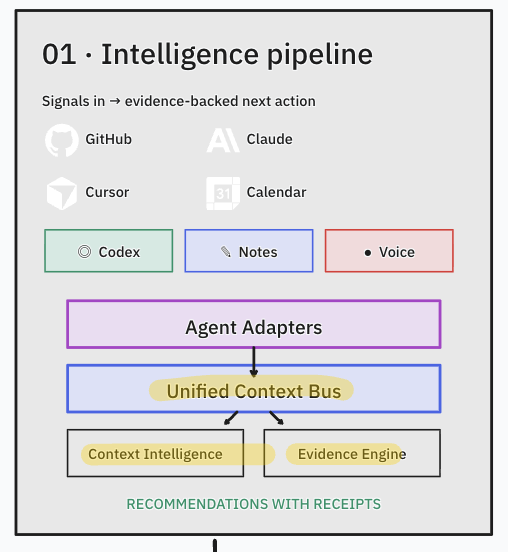
The Context Architecture
-
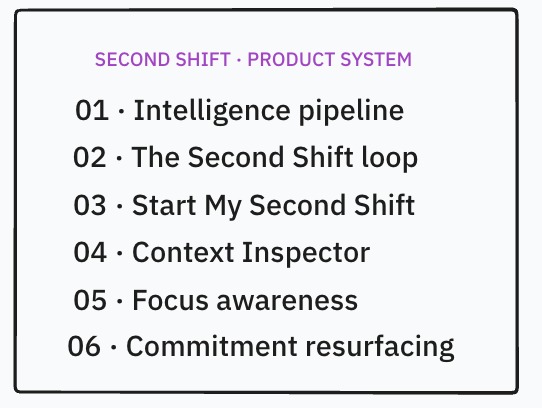
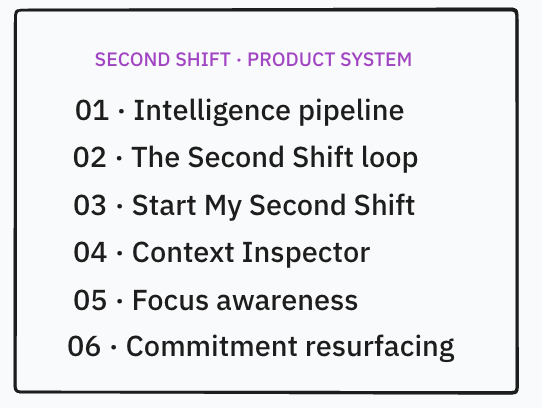
The Product System
-
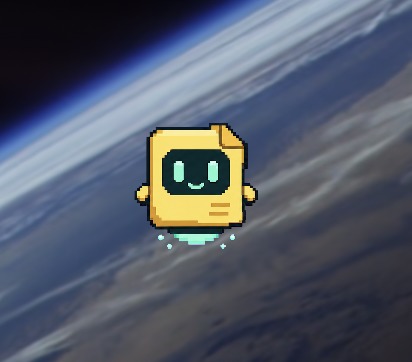
The Sprite (Memo)
-
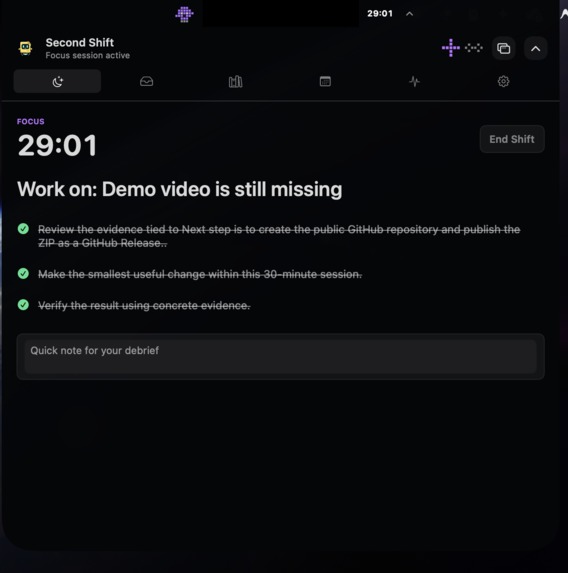
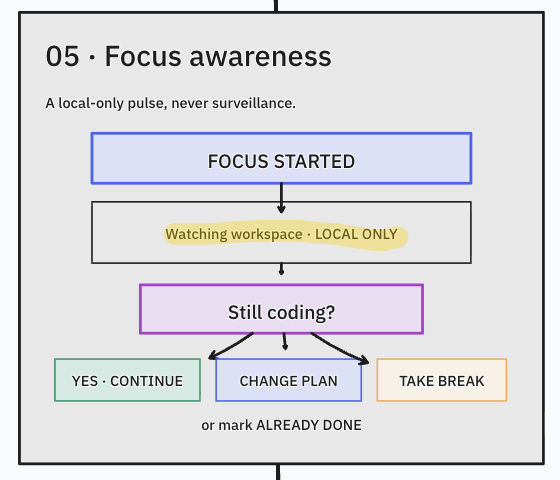
Focus Mode
-
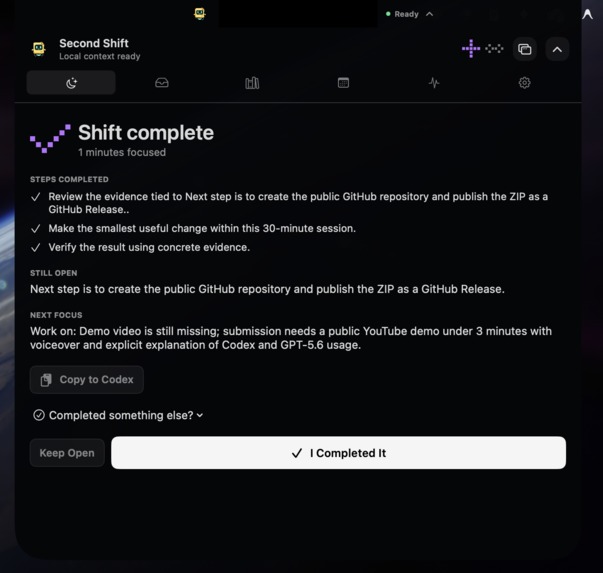
De-Brief
-
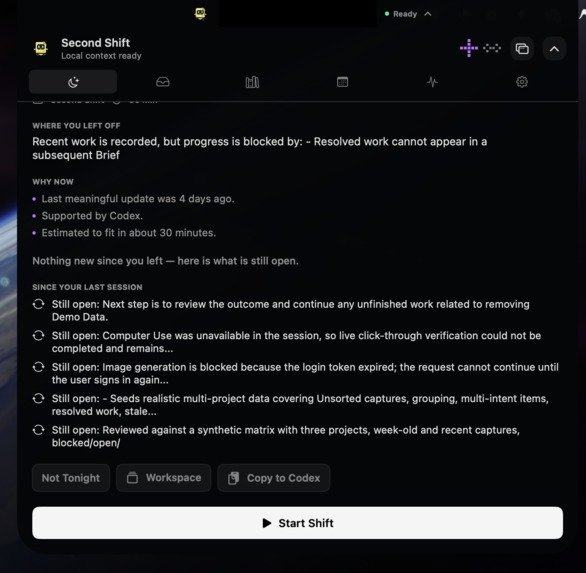
Brief (Prep)
-
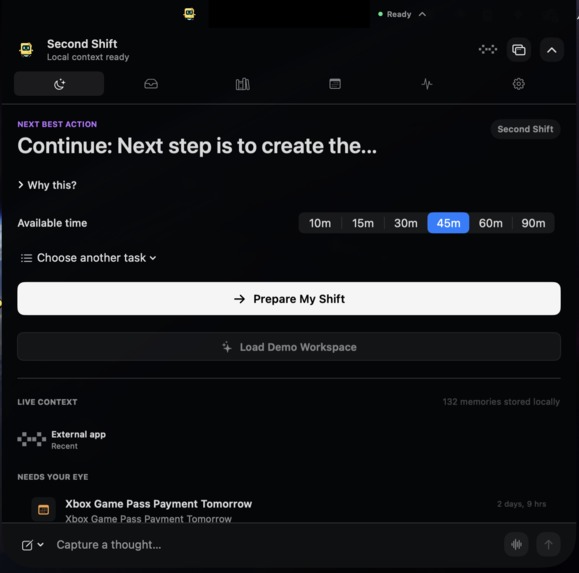
App living in notch (Primary UI)
-
Detached Window
Inspiration
By day, I work as a store manager. Most days, I only get time to sit down and build after I come home from work. That is my second shift, and it is where the name came from.
Those evening hours are limited, but my ideas and unfinished work are scattered across Codex, Claude, Hermes, Apple Notes, Calendar, Reminders, and different projects. I was spending too much of that small window trying to remember what I had done, what the agents had changed, and where I should continue.
I am not a programmer and I do not have a traditional technical background. Long agent responses and technical project updates can be difficult for me to understand quickly. I wanted something that could translate all of that into simple language, remember where I stopped, and tell me one realistic thing I could finish with the time I had.
I first worked through the idea in ChatGPT. Chat became the place where I could explain the problem in my own words, brainstorm the experience, and keep refining what I wanted. GPT 5.6 Instant made that process feel immediate. The quick responses and live conversation helped me think without losing momentum. Second Shift grew directly from those conversations.
What it does
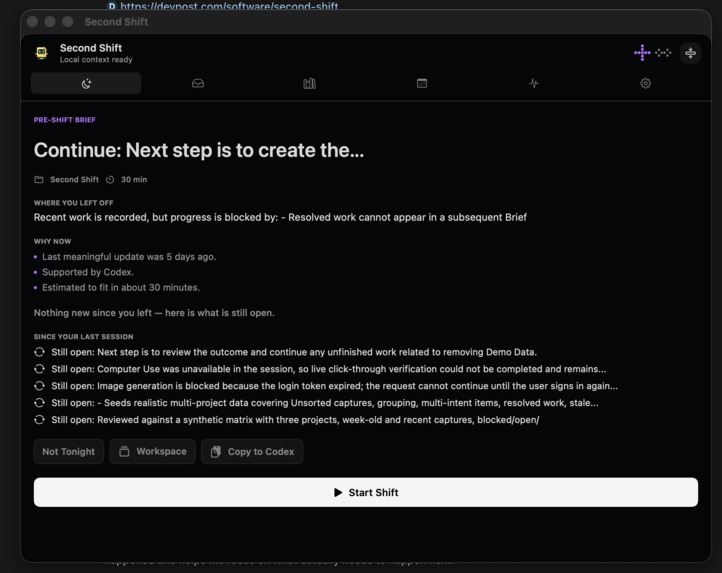
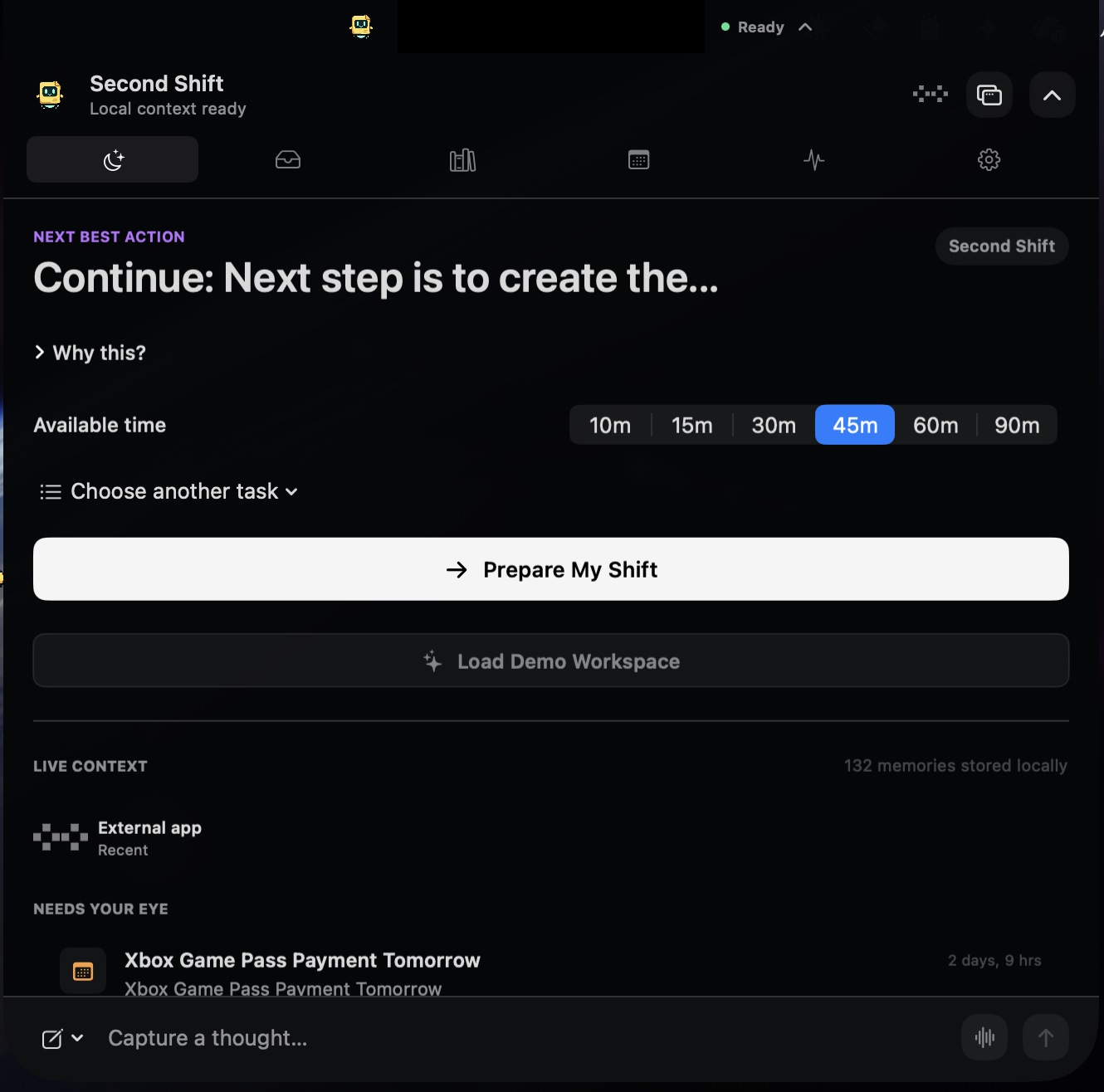
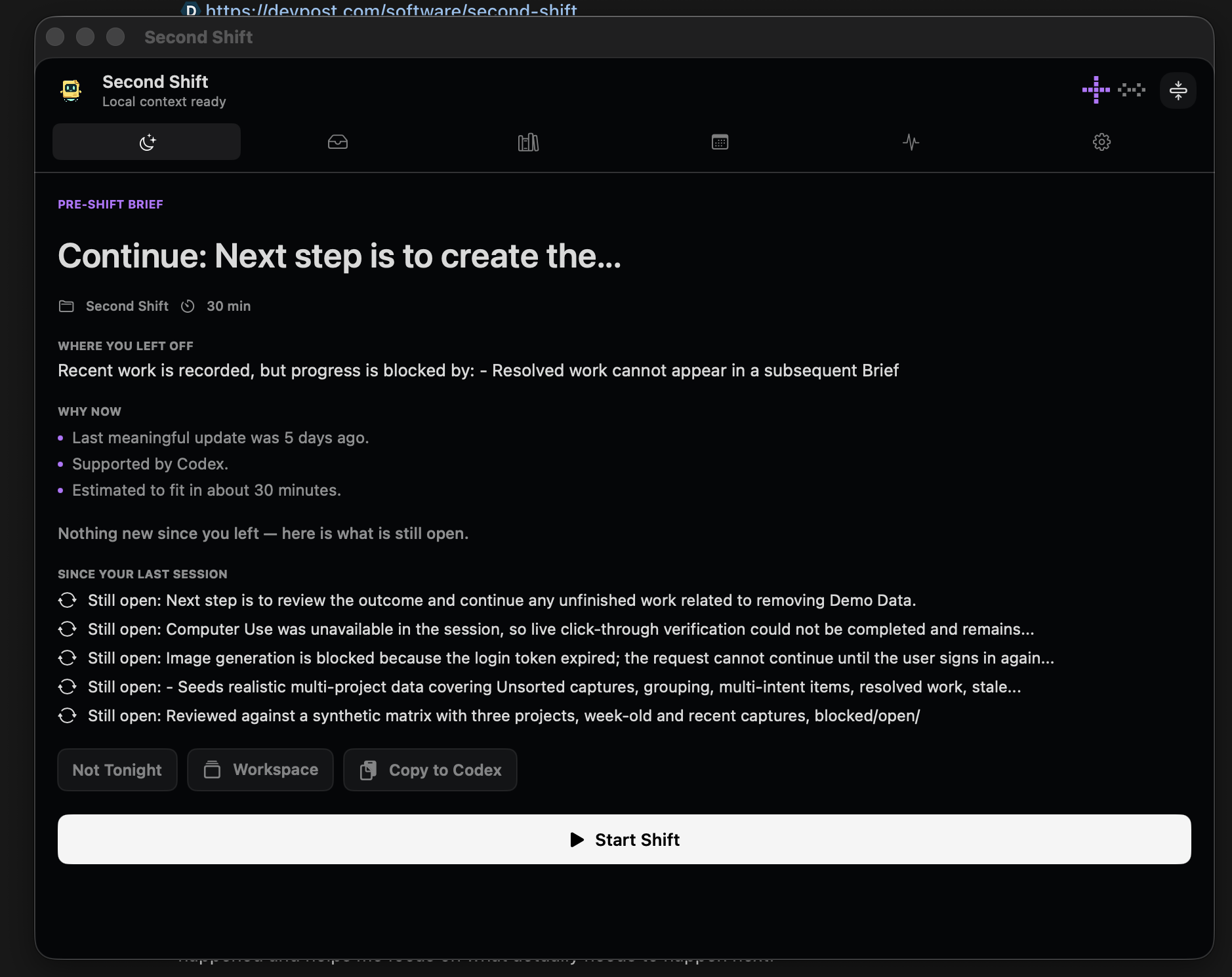
Second Shift is a Mac productivity companion that lives in the MacBook notch. It brings together useful updates from my agents and productivity tools, filters out routine noise, and recommends one practical next action based on what is still unfinished and how much time I have.
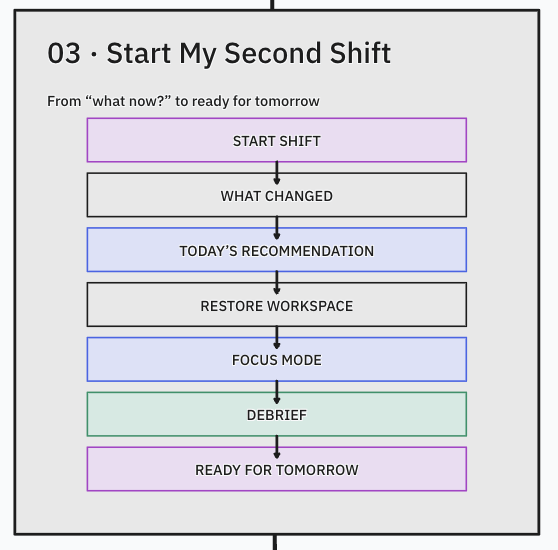
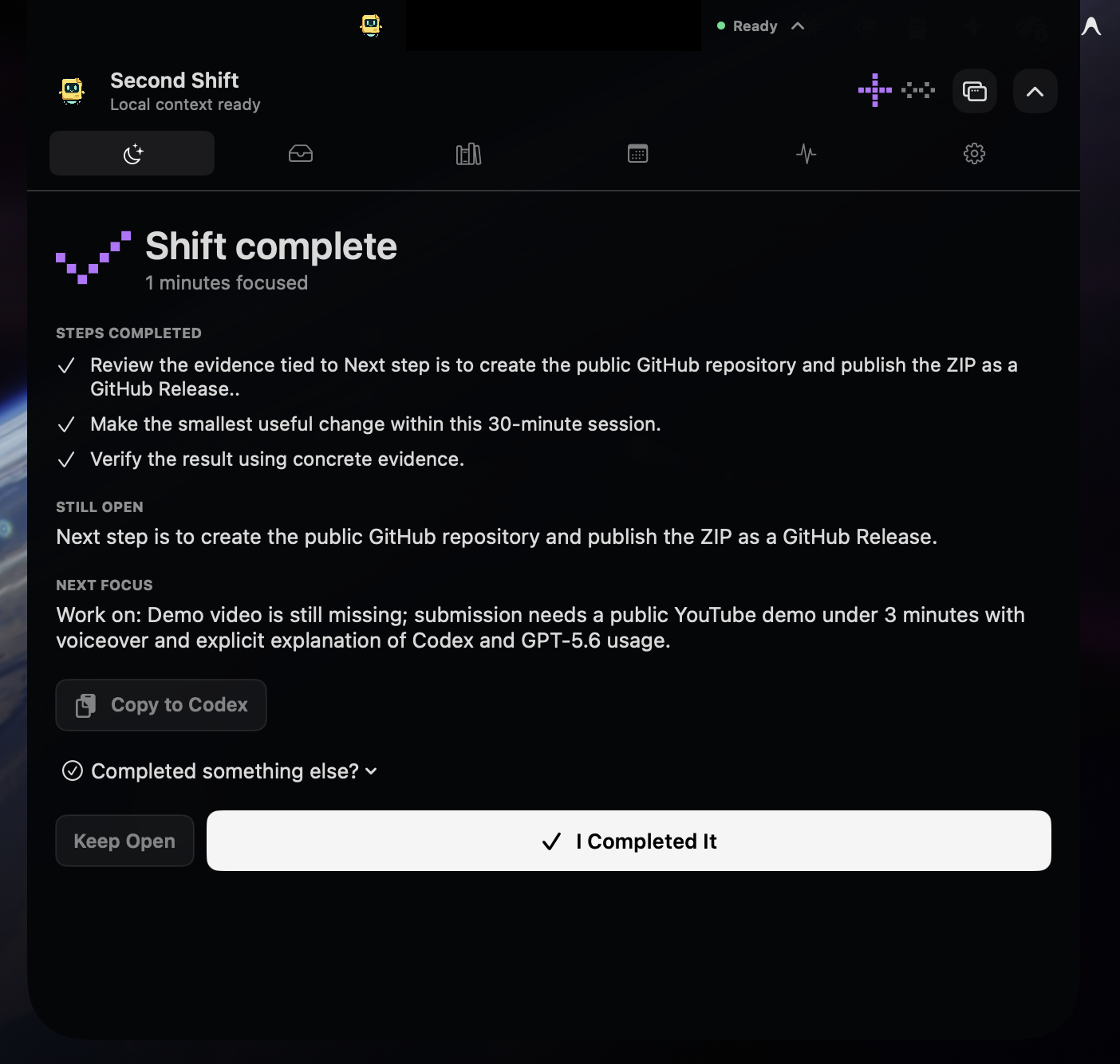
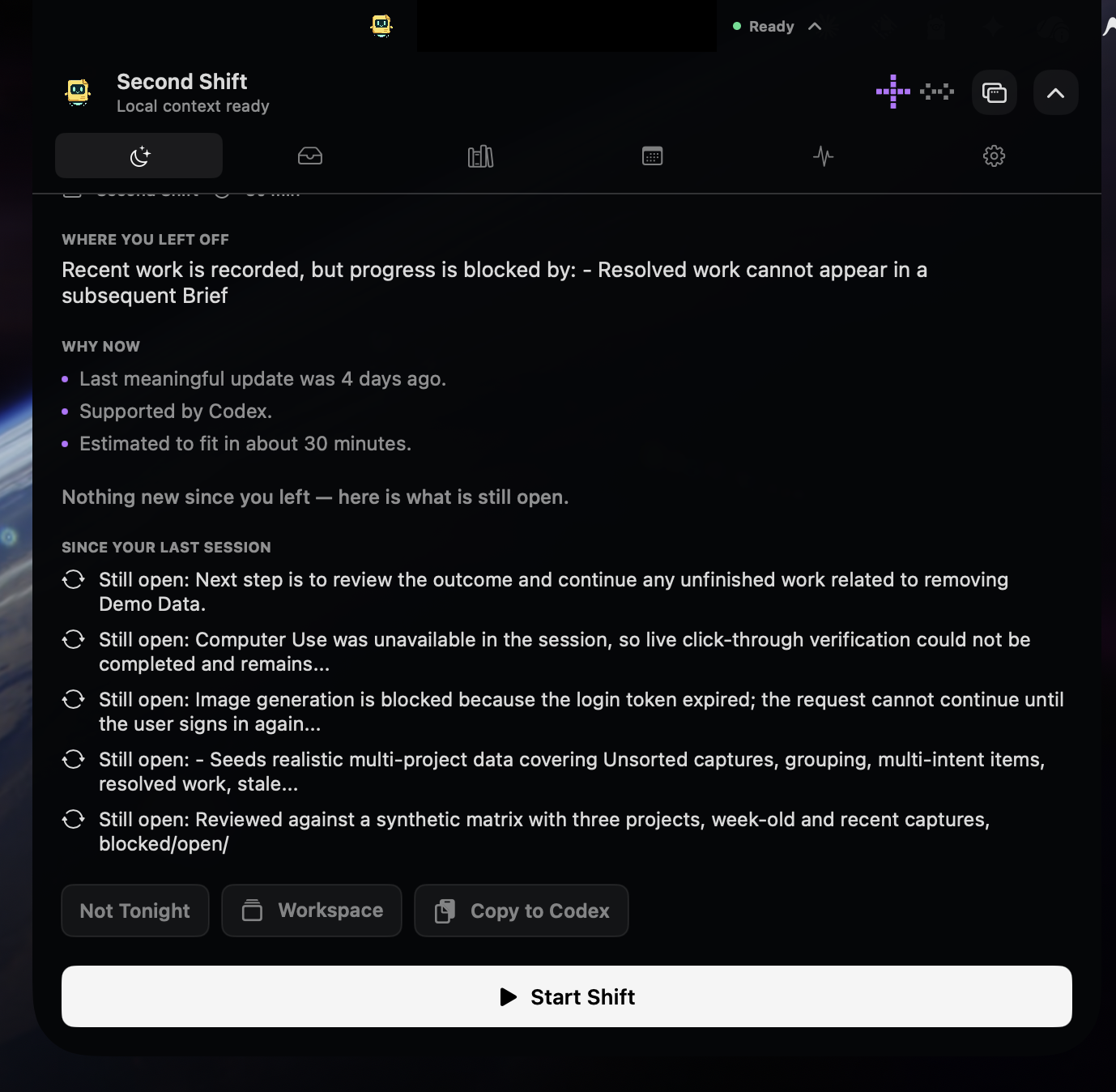
The experience has three parts: a brief before I work, a focused session while I work, and a debrief when I finish.
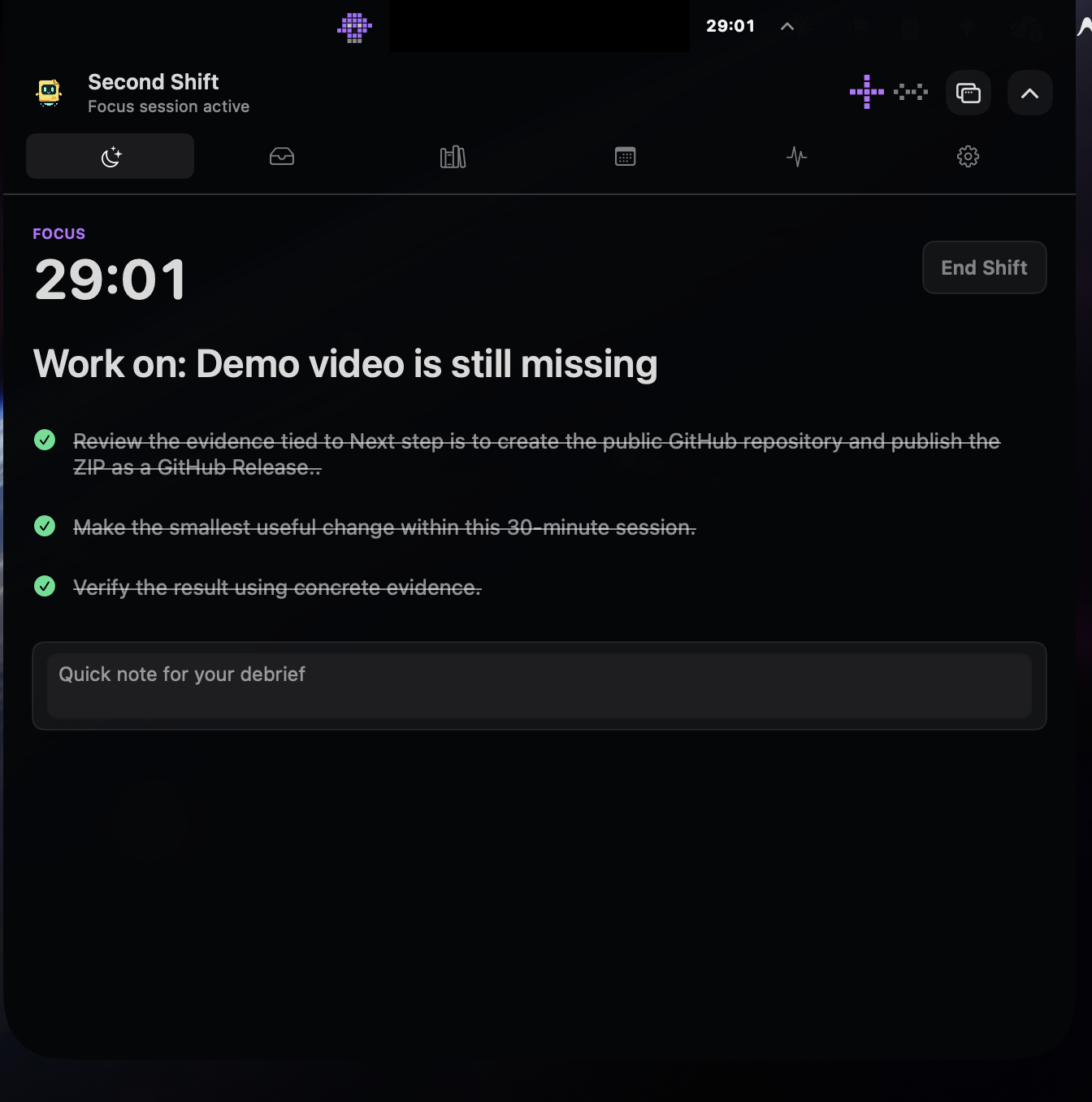
The brief tells me where I left off, what changed, and why a task deserves attention. During a shift, the notch shows the current goal, timer, and progress without taking over the screen. I can capture a thought by voice or text while I work. The debrief records what I completed, what remains open, and where I should continue next time.
The Inbox is only for items that need review. Knowledge holds useful information I have chosen to keep. Search covers both. Older blockers do not get buried under newer, less important thoughts, and choosing ten minutes can produce a different recommendation from choosing two hours.
How the context works
Second Shift does not copy every conversation into a giant memory store. It looks for meaningful changes such as a decision, blocker, commitment, completed task, or clear next step. Routine logs, repeated messages, cron output, and agent maintenance are ignored.
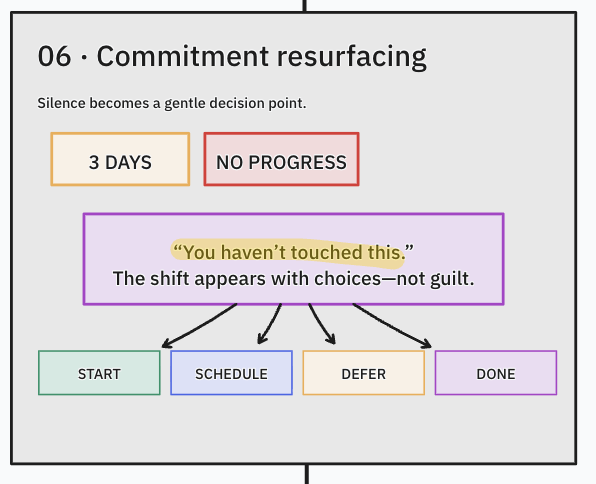
Each useful update keeps a link to its original evidence. If an agent says something is complete, Second Shift can compare that claim with other evidence, such as a merged GitHub pull request, before closing the commitment. A completed item then stops appearing in future briefs. If later evidence shows that the work broke again, it can be reopened.
The app can receive context from Codex, Claude Code, Hermes, Apple Notes, Calendar, Reminders, local documents, and selected Composio connections. Integrations are optional and only concise changes are stored.
How I built it
Second Shift is a native macOS app written in Swift 6 with SwiftUI and AppKit. SQLite stores the local context, project state, open work, focus sessions, and debriefs.
A small local MCP bridge lets supported agents record context and read project state through the same system. Filters remove duplicates and irrelevant activity before anything reaches the Inbox. The rules that resolve or reopen work are deterministic, so an AI response cannot silently rewrite the user's project history.
The notch interface was built as an AppKit panel with SwiftUI content. It supports compact and expanded states, active shift controls, multiple displays, reduced motion, optional sounds, voice capture, and an optional floating character. The same data and actions are used in the notch and the detachable window.
How I used ChatGPT, Codex, and GPT 5.6
ChatGPT helped me turn a personal frustration into a product I could clearly describe. I used GPT 5.6 Instant to brainstorm the idea, question my assumptions, simplify the experience, and decide what Second Shift should actually do. The speed mattered because it kept the conversation natural and let me develop the idea while it was still fresh.
Once I knew what I wanted, Codex took over the engineering work. I could describe the behavior in normal language, share screenshots, point out what felt wrong, and explain the result I had in mind. Codex inspected the existing project, wrote the Swift code, connected the Context Bus and local agents, ran tests, read crash reports, and repeatedly opened the real app with Computer Use to check whether it behaved as expected.
This was important for me because I could guide the product without pretending to understand every technical detail. When something broke, I could explain what I saw and Codex could trace the problem through SwiftUI, AppKit, SQLite, local processes, and macOS window behavior. It also explained the decisions back to me in simpler terms.
GPT 5.6 helped with the deeper product and architecture decisions. One example was separating an unresolved commitment from the temporary checklist used during a focus session. Finishing the checklist should not automatically claim that the real work is complete. Another decision was to keep evidence and clear rules as the source of truth rather than trusting a confident sounding summary.
The repository includes a baseline commit from before Build Week so the new work is easy to distinguish. The current project has 129 passing Swift tests across 29 test suites, along with passing MCP and agent hook checks.
For normal use, the app can use a signed in Codex session, a user supplied API key stored in Keychain, or a local compatible model. A smaller model handles repeated requests inside the app to conserve usage. GPT 5.6 was used for the main Build Week brainstorming, architecture, implementation, debugging, and product evaluation.
Challenges
The hardest part was deciding what should become trusted project state. Agent messages often sound certain even when they only describe an idea or a possible fix. I solved this by keeping the original evidence, filtering low value activity, and using clear rules for completion and reopening.
The notch was the other major challenge. It had to feel attached to the hardware while still behaving like a responsive Mac app. Rapid opening and closing exposed animation races, window positioning problems, and crashes that only appeared during real interaction. Crash reports and repeated live testing helped me work through them.
What I am proud of
Second Shift now completes the full loop from scattered agent activity to a useful next action. It remembers unfinished work locally, adjusts the recommendation to the time available, stays present during a focus session, and carries the right context into the next brief.
I am also proud that the demo is easy to test. Judges can load a fictional workspace in one click, see how older blockers are prioritized, complete a shift, review the debrief, and reset the demo for another run. No personal data or API key is included.
Privacy
The durable context stays in local SQLite. Agent bridges write local files. External connections are optional. The repository and demo data contain no personal workspace content or private credentials.
When AI assistance is enabled, Second Shift sends only the short excerpt needed for that specific request through the provider chosen by the user.
What is next
The next steps are notarized distribution, more carefully selected productivity integrations, better controls for project matching, and longer term testing to measure how much time Second Shift saves when people return to unfinished work.


Log in or sign up for Devpost to join the conversation.