-
-
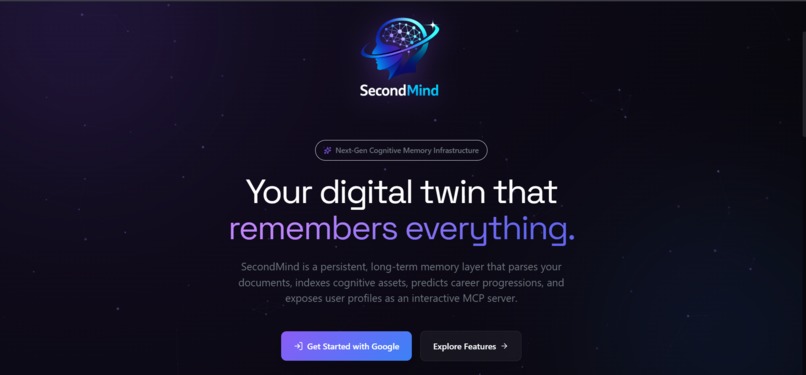
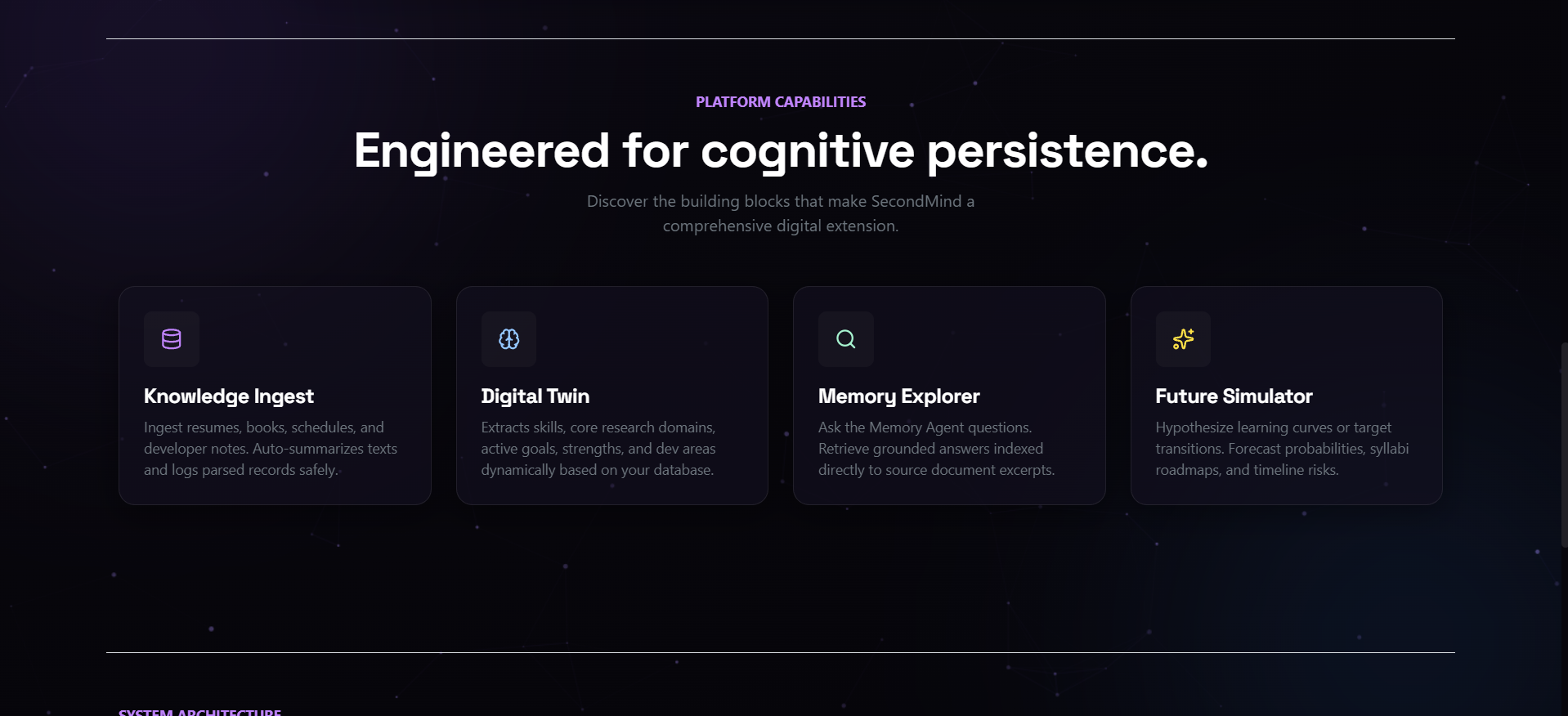
Landing Page: A stunning interface presenting the custom cognitive logo, calls-to-action, and interactive background neural mesh.
-
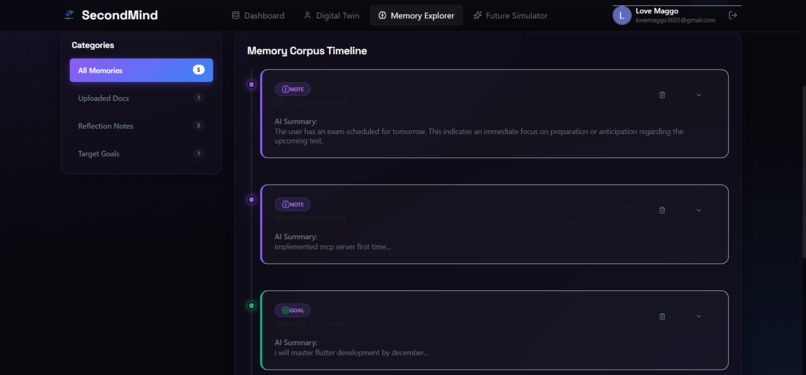
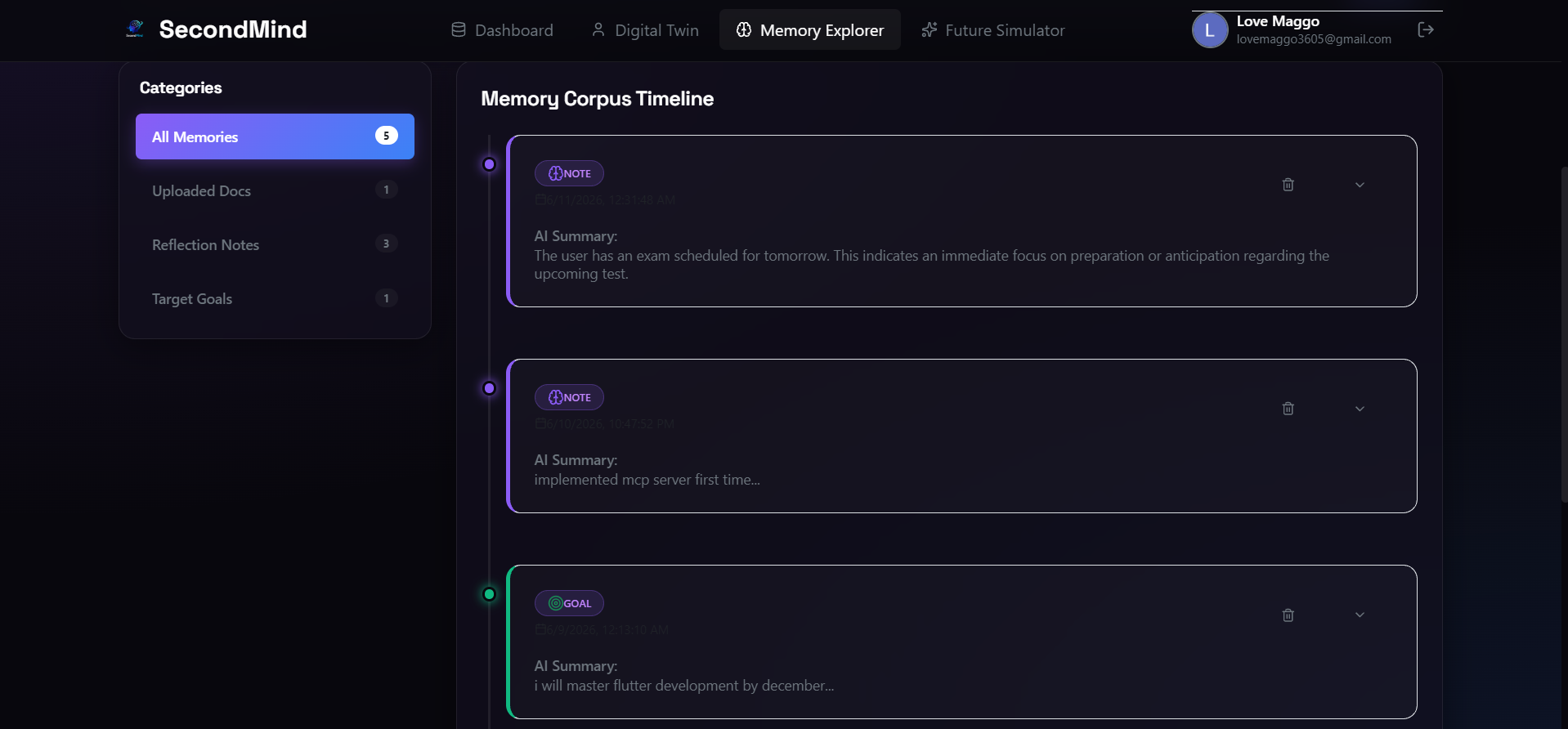
Polished Memory Corpus Timeline displaying categorised, colour-coded note cards with custom border glows and AI summaries.
-
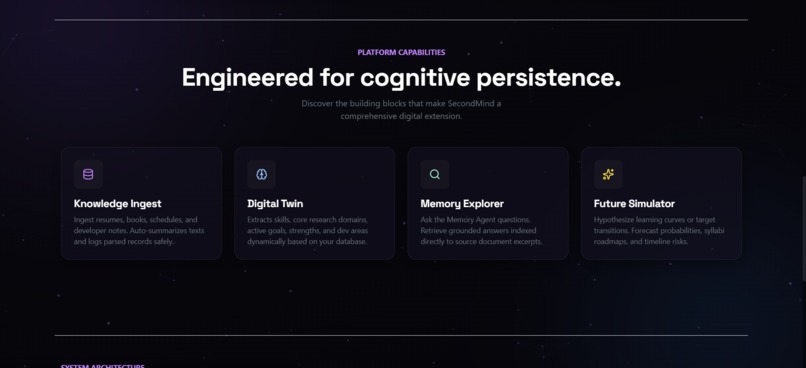
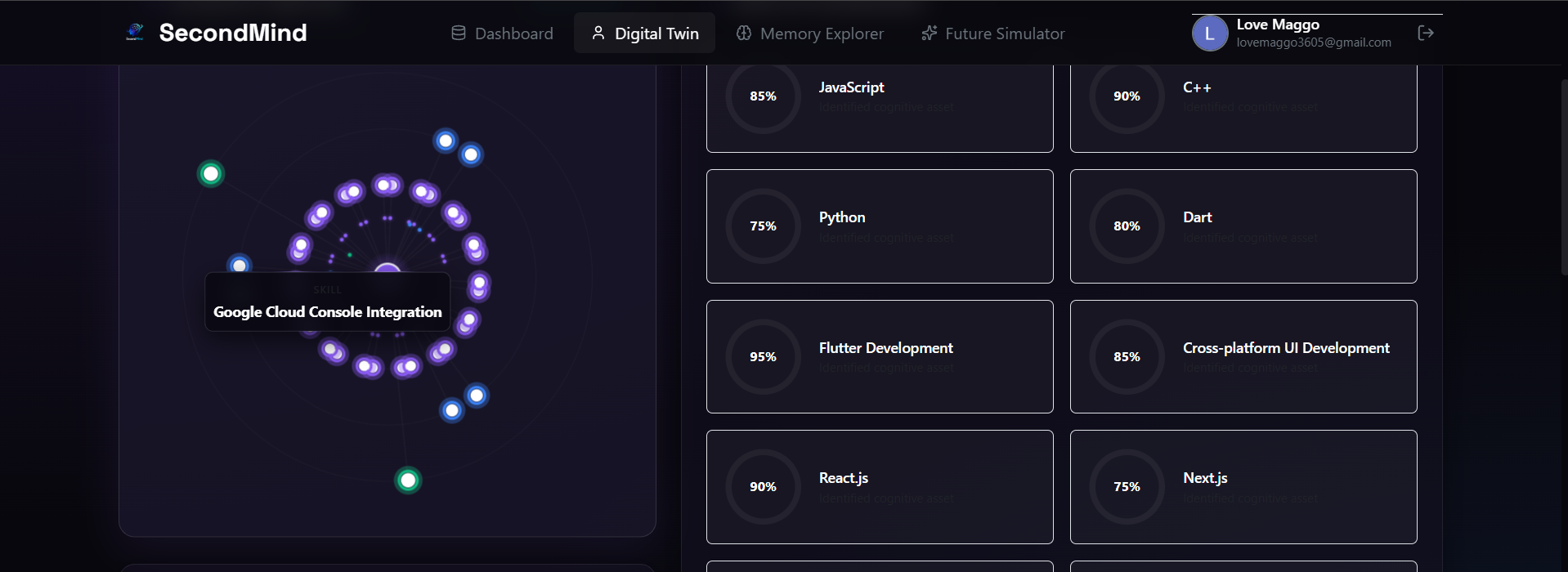
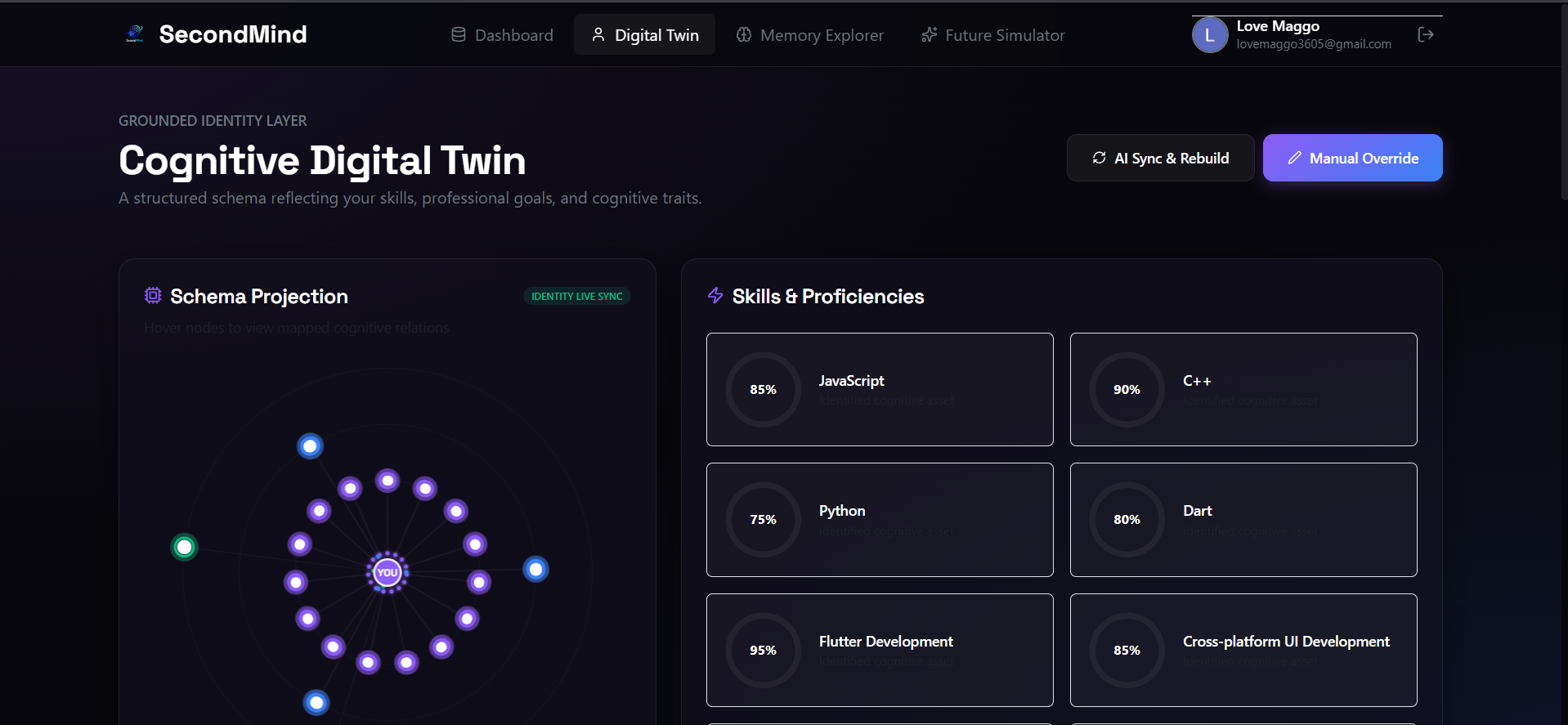
Digital Twin: A live 2D HTML5 canvas depicting skill and goal nodes orbiting your identity core alongside proficiency gauges.
-
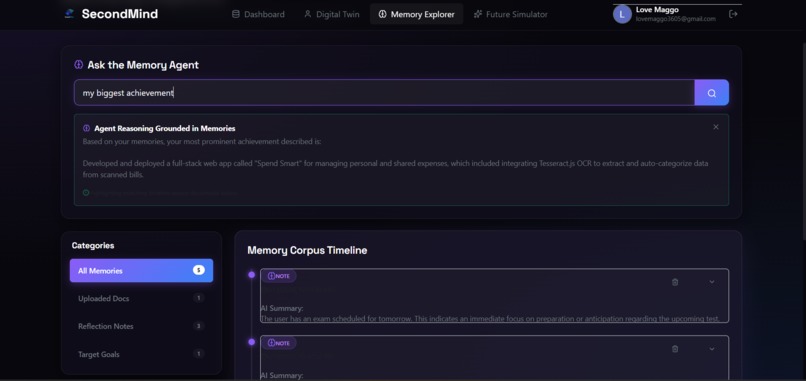
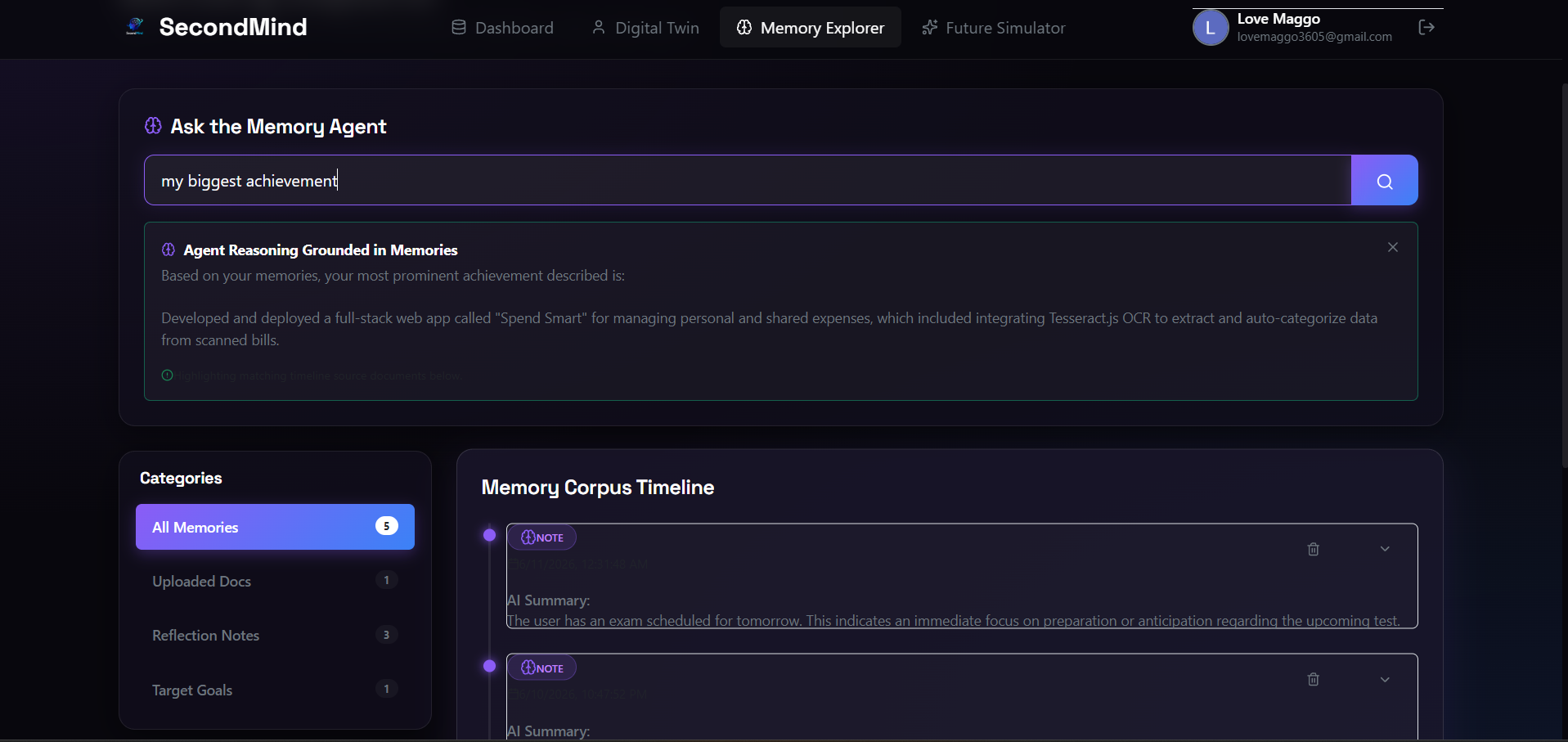
Memory Explorer querying the cognitive agent to generate grounded reasoning from the user's structured memory corpus.
-
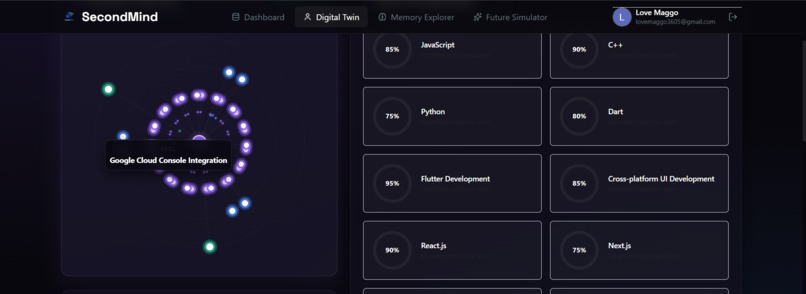
Interactive Schema Projection graph highlighting contextual tooltips on hover for specific digital twin skill nodes.
-
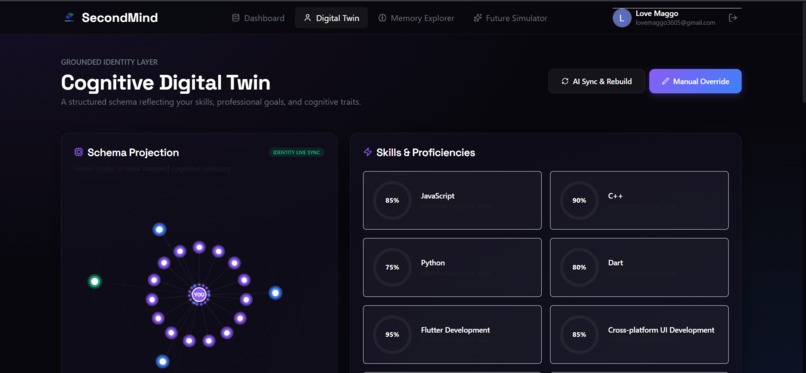
Interactive Cognitive Digital Twin mapping professional skills and proficiencies into a dynamic, live-synced schema graph.
-
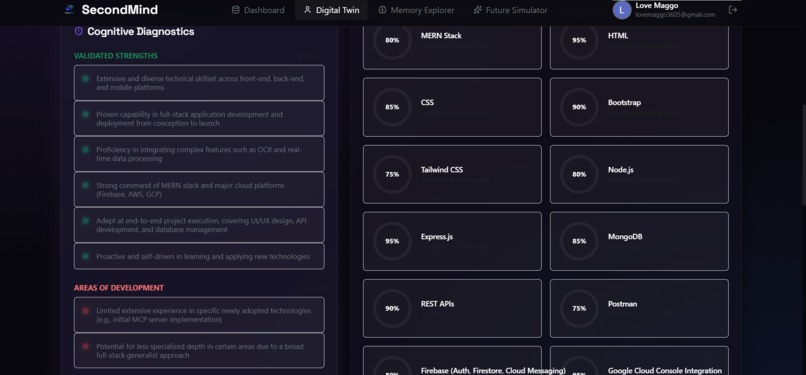
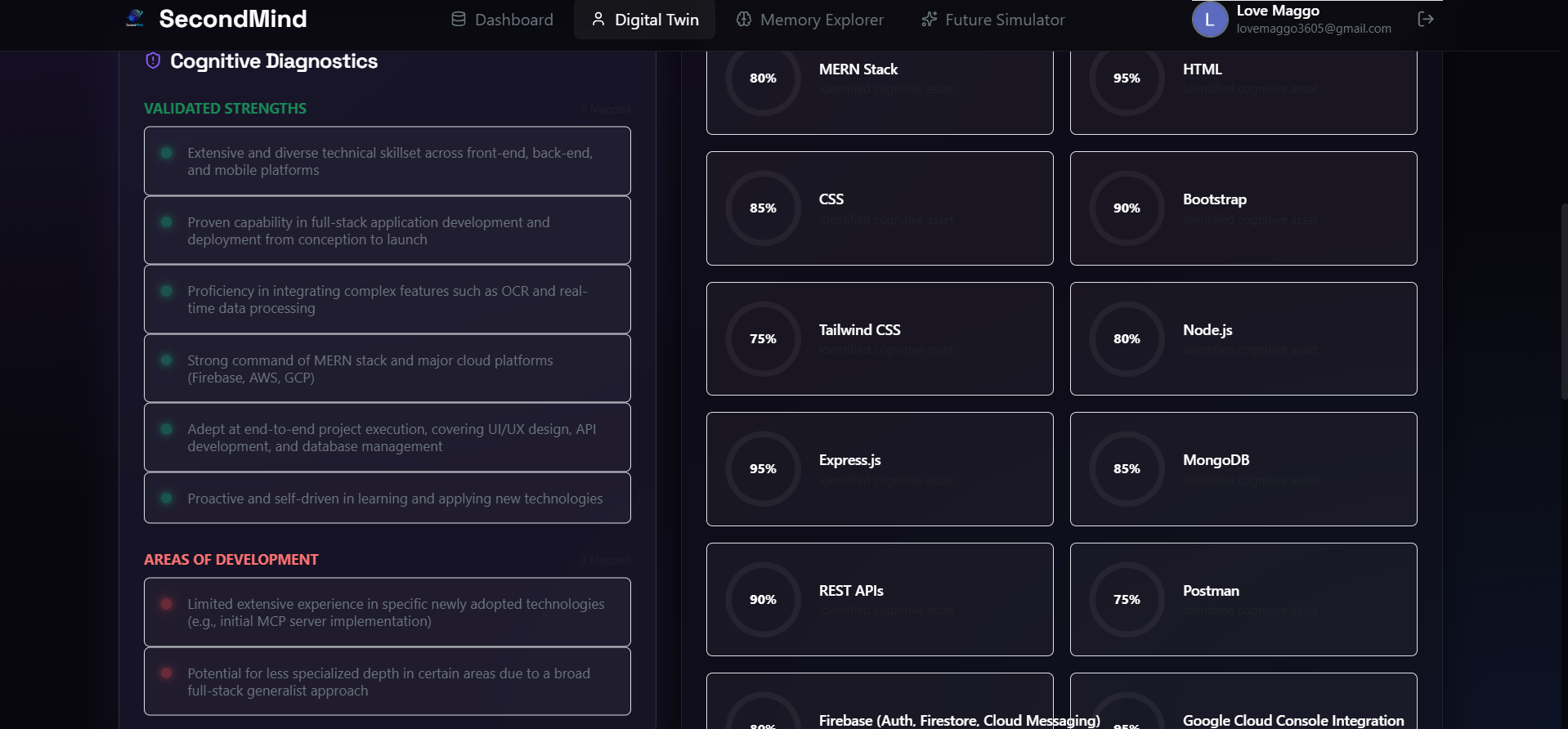
Cognitive Diagnostics page mapping validated strengths, key areas of development, and granular skill proficiency ratings.
-
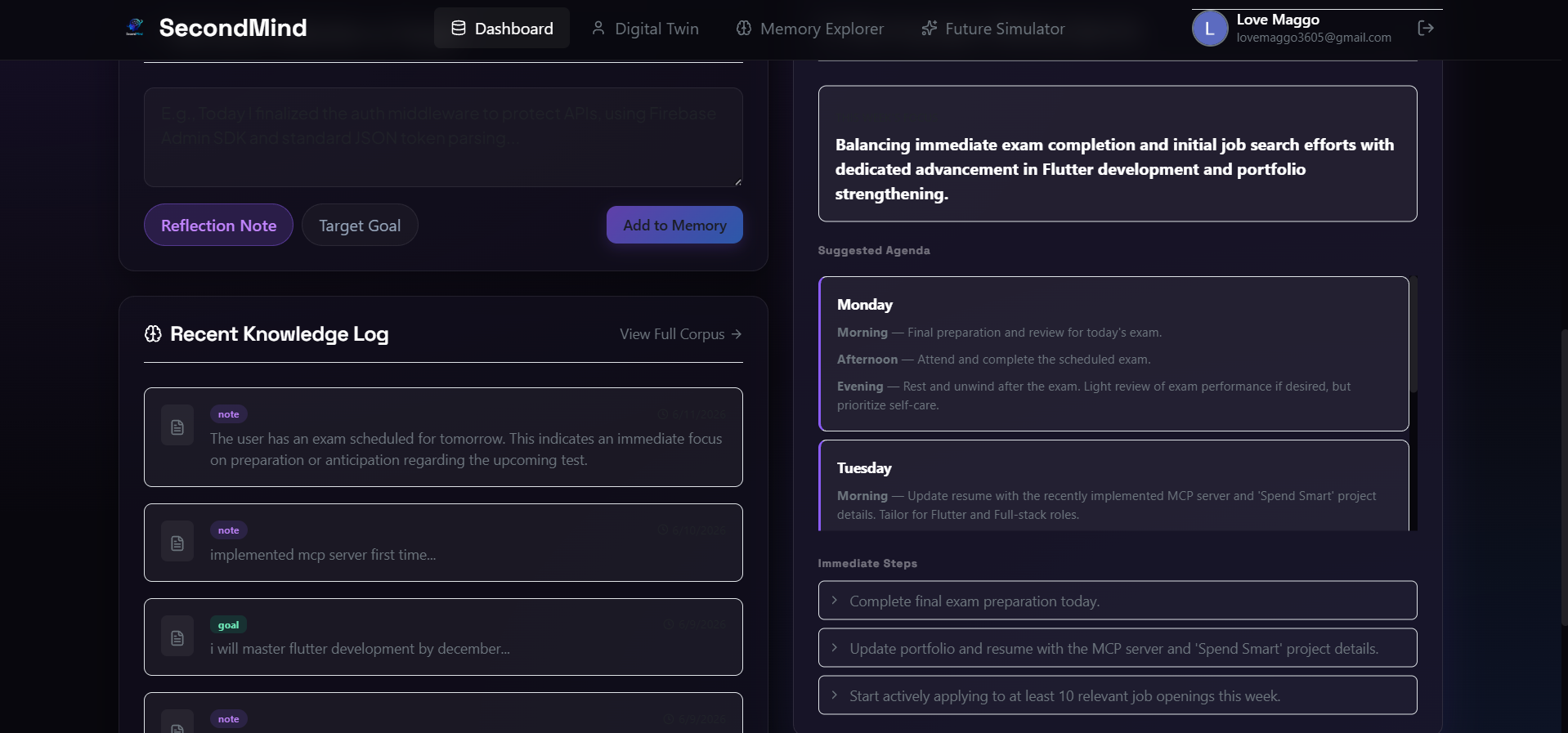
Central dashboard displaying recent knowledge logs, real-time focus states, dynamic agendas, and immediate action items.
-
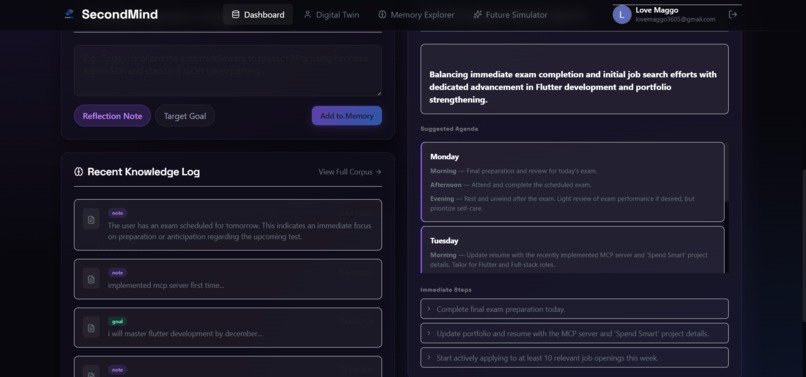
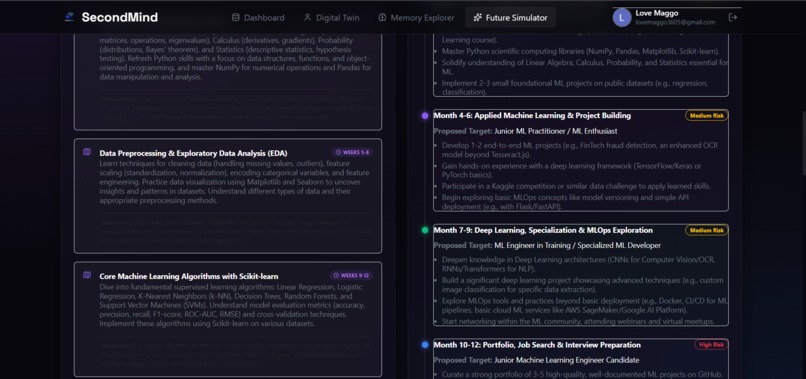
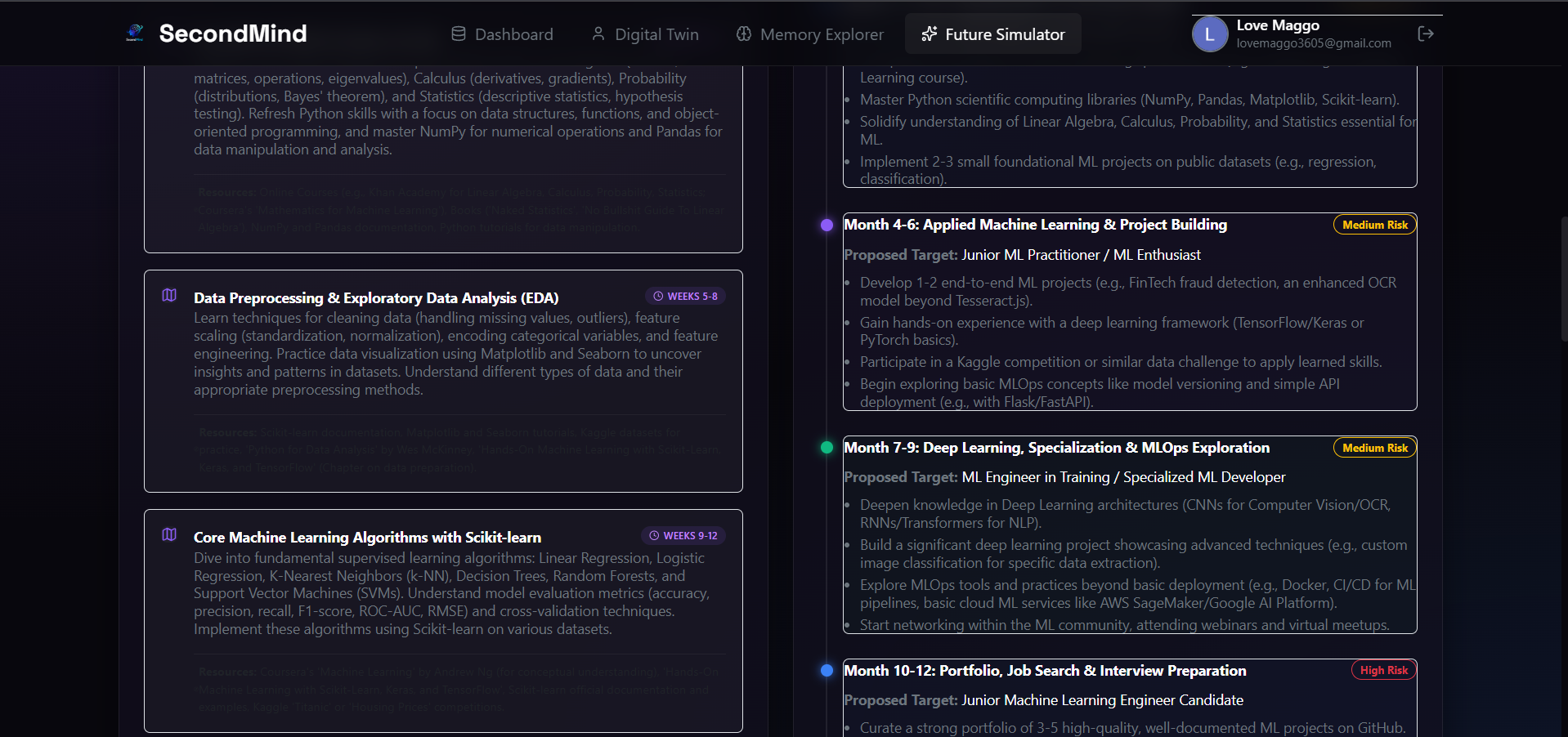
Detailed Future Simulator roadmap illustrating course modules alongside monthly progression milestones and risk forecasts.
-
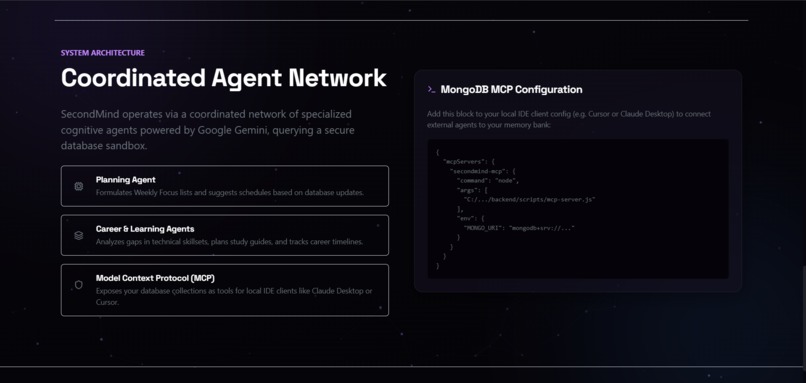
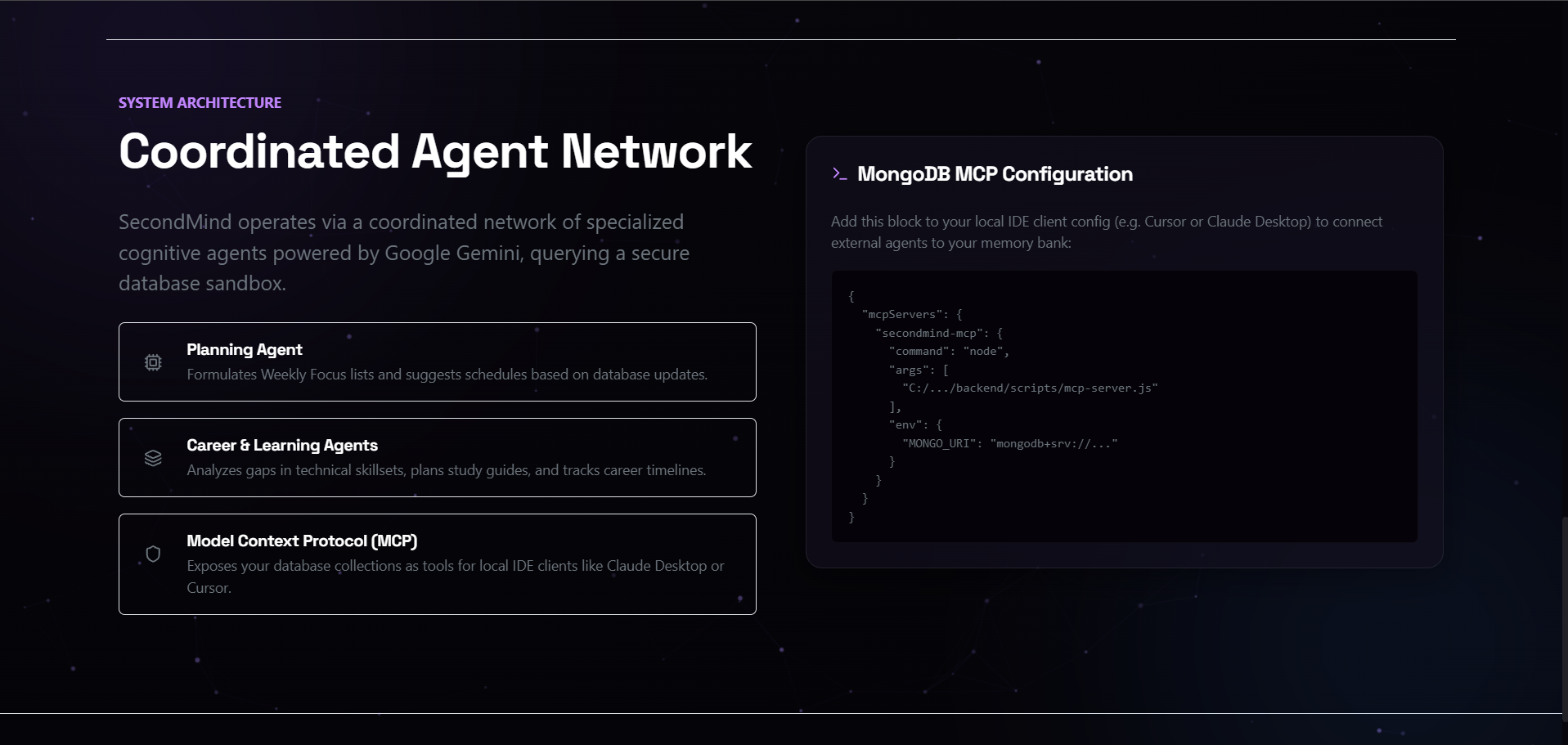
Agent Network: Details of our specialized AI agents alongside copy-paste MCP configurations for Claude Desktop and Cursor IDE.
-
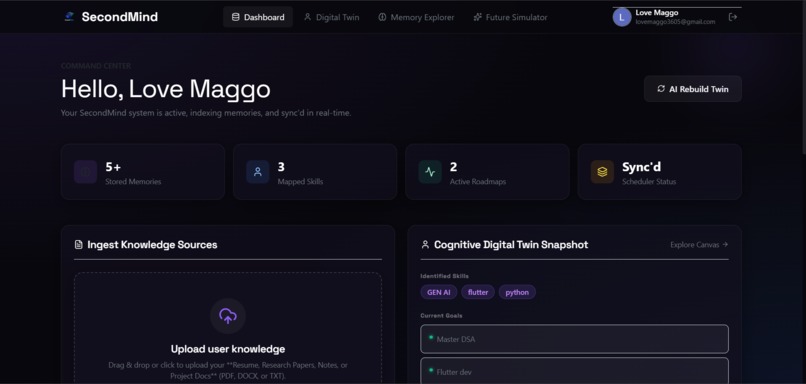
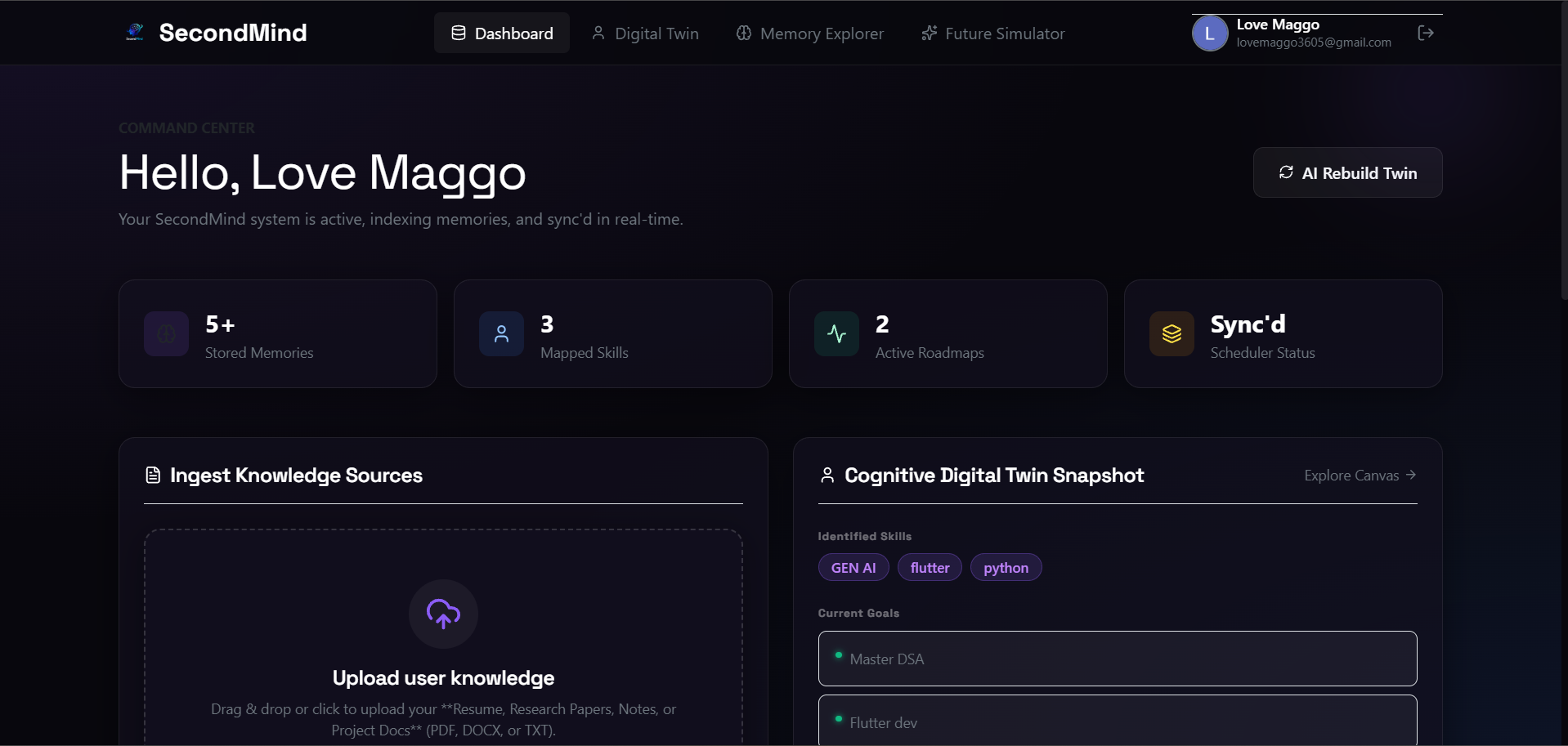
Dashboard: A unified glassmorphic command center showing real-time database stats, upload portals, and digital twin snapshots.
-
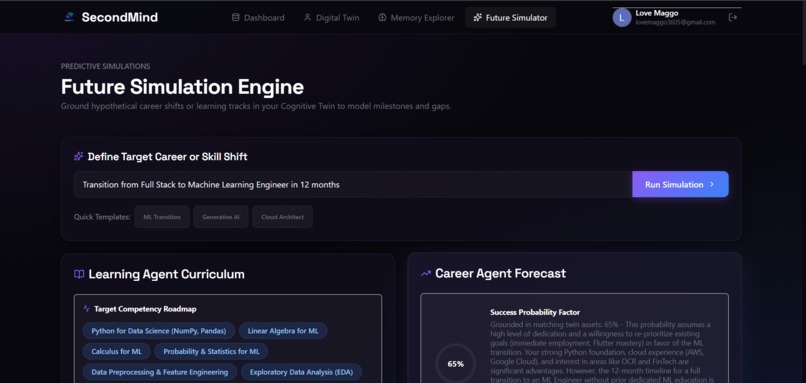
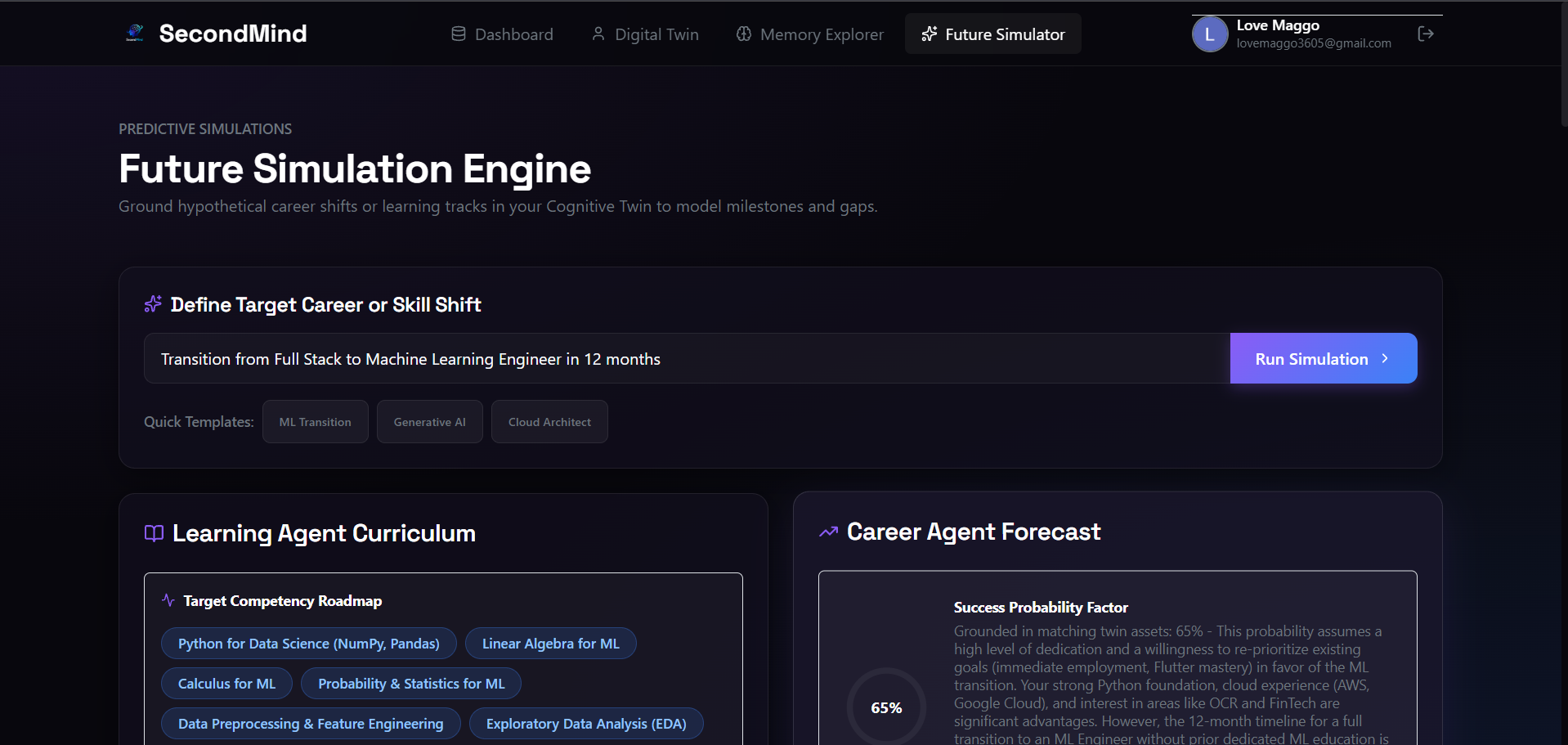
Predictive Future Simulation Engine modeling success metrics and roadmaps for custom career transitions and skill shifts.
-
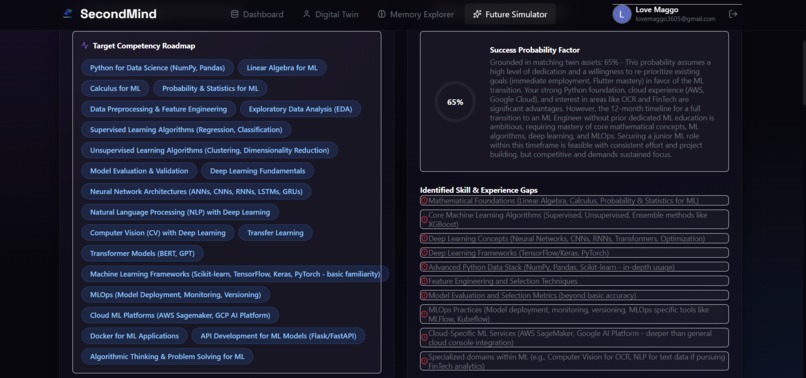
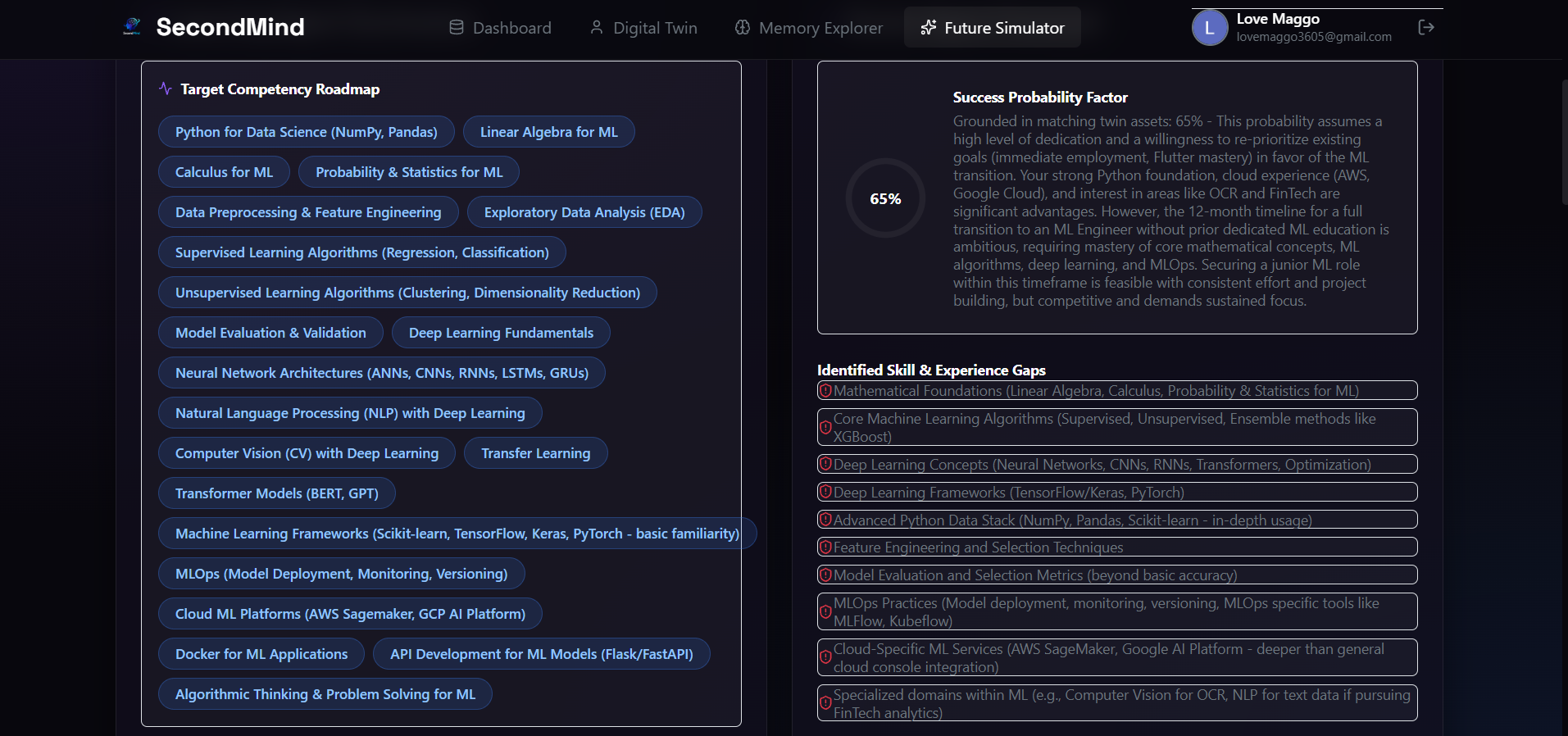
Target Competency Roadmap and detailed skill-gap analysis highlighting areas of development for career transitions.
-
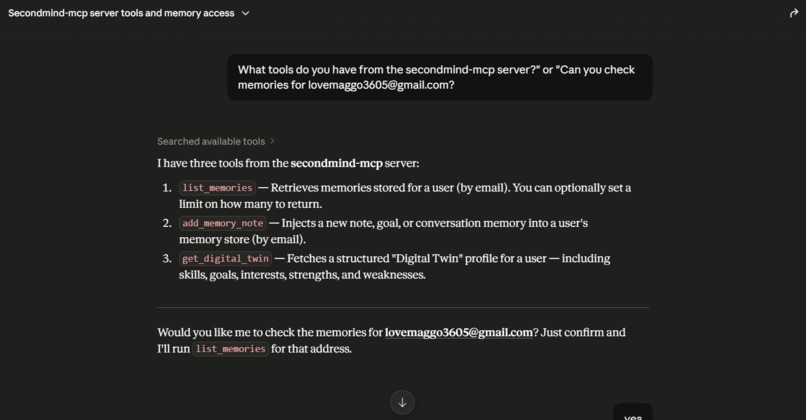
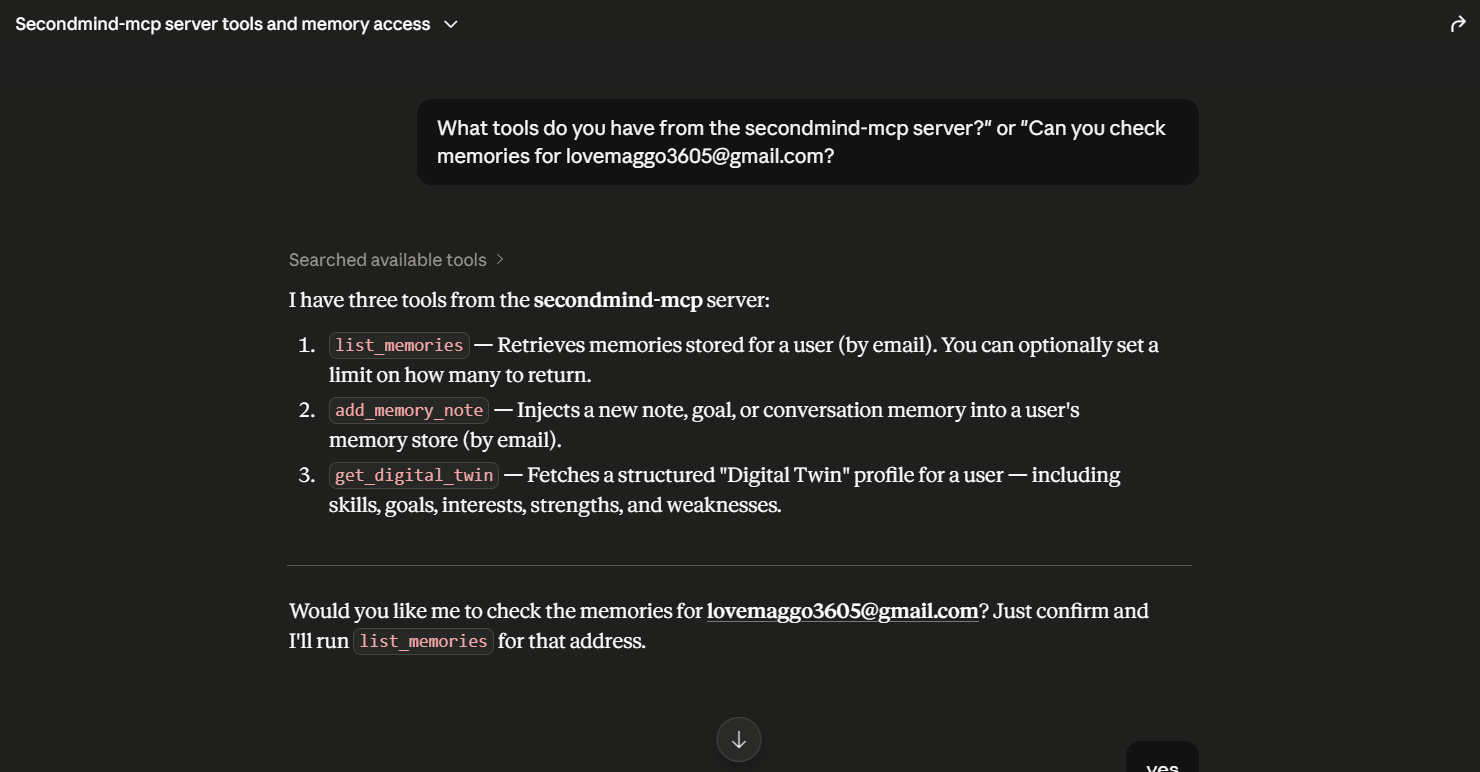
Local LLM client query listing the three exposed tools from the SecondMind Model Context Protocol (MCP) server.
-
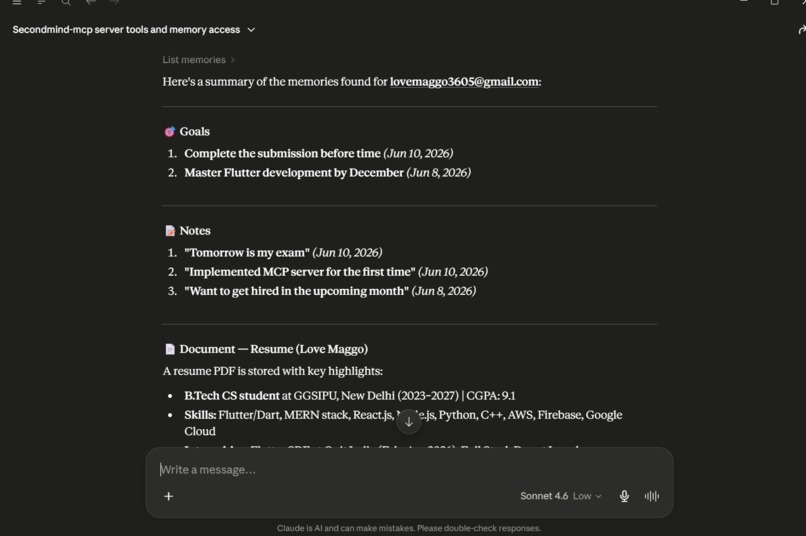
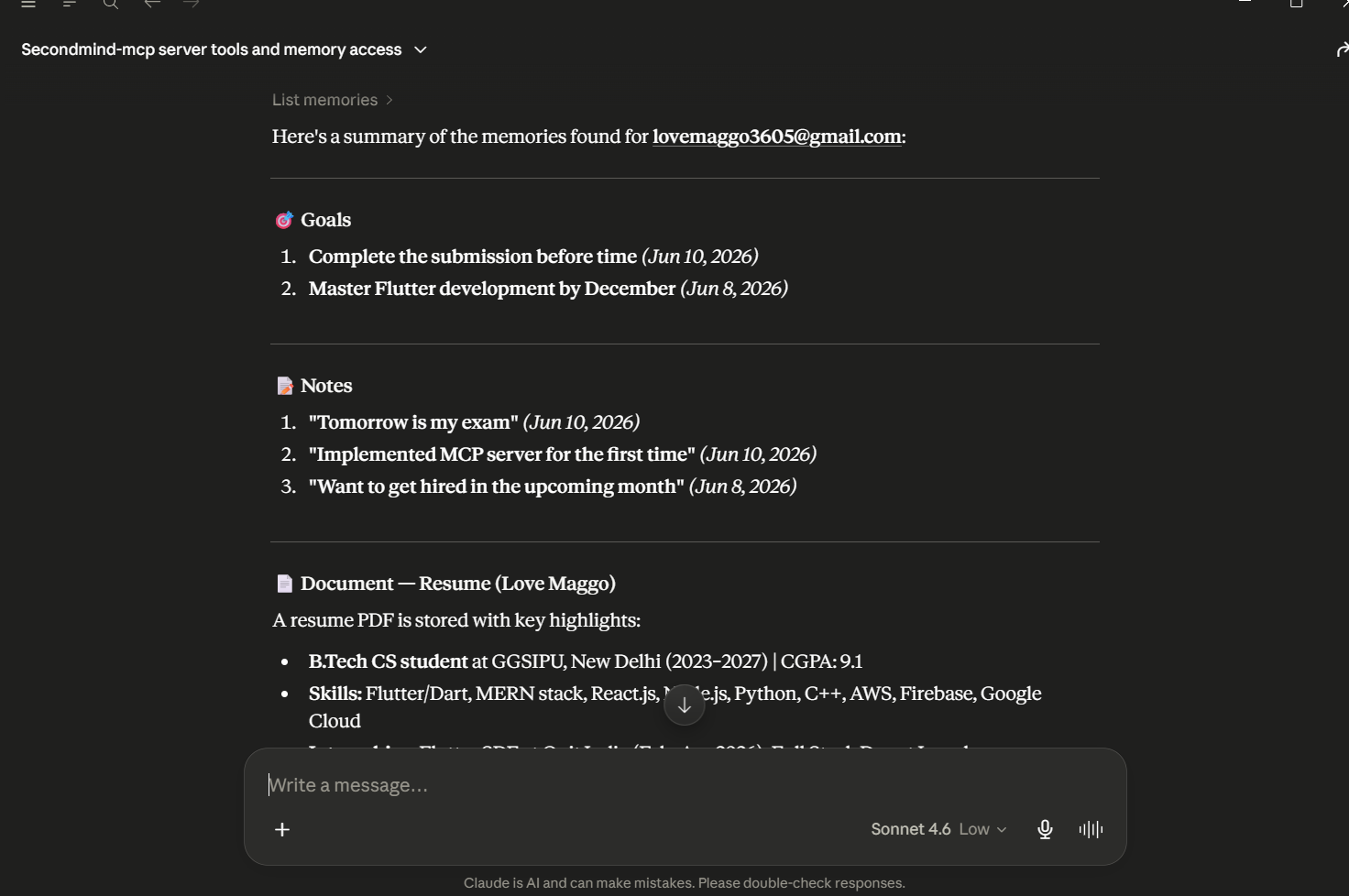
Local LLM client executing list_memories to retrieve and summarize stored goals, notes, and PDF resume data via the MCP.
Here is an expanded, comprehensive, and exhaustive Devpost project description. It provides deep architectural deep-dives, specific database schema structures, prompt engineering mechanics, and mathematical algorithms for each section.
🧠 SecondMind — The Cognitive Digital Twin & Local IDE Memory Infrastructure
💡 Inspiration
In the modern developer ecosystem, we are drowning in data but starving for structured context. On any given day, a software engineer interfaces with terminal logs, Git commits, local project files, stack overflow links, API documentations, and personal task managers. When we switch over to chat-based LLM assistants or code-generation tools like Claude or Cursor, we find ourselves continuously caught in a high-friction context-switching loop. We repeatedly copy-paste our skills, our active goals, our environment specs, and excerpts from our local files just to receive code recommendations that actually align with our project stack and skill levels.
We realized that current AI applications treat every session as a cold start. The AI has no memory of the architecture we researched yesterday, the Docker config we spent hours debugging, or our professional constraints.
We asked: What if we could build a secure, private, long-term memory layer that lives on our databases, builds a dynamic digital twin of our capabilities, and directly bridges this personal context to our local development environment via an open standard?
This question inspired us to build SecondMind. We wanted to engineer a platform that serves as a persistent cognitive extension. By combining structured knowledge ingestion, a physics-based visual identity canvas, predictive simulator modules, and the Model Context Protocol (MCP), SecondMind bridges the gap between scattered professional telemetry and local AI agents. The tool acts as a living, learning reflection of your technical life, ensuring that your AI assistant knows exactly who you are, what you know, and where you want to go.
🛠️ What it does
SecondMind is a unified cognitive environment containing five deeply integrated modules, each designed to handle a critical phase of the personal knowledge lifecycle:
┌────────────────────────────────────────────────────────────────────────┐
│                          KNOWLEDGE INGESTION                           │
│     (PDF, DOCX, TXT parses, splits lines, and saves summary logs)     │
└──────────────────────────────────┬─────────────────────────────────────┘
                                   │
                                   ▼
┌────────────────────────────────────────────────────────────────────────┐
│                        COGNITIVE DIGITAL TWIN                          │
│   (Orbits: Skills [Inner], Interests [Middle], Goals [Outer] Canvas)   │
└──────────────┬───────────────────┴───────────────────┬─────────────────┘
               │                                       │
               ▼                                       ▼
┌──────────────────────────────┐       ┌──────────────────────────────┐
│       MEMORY EXPLORER        │       │   PREDICTIVE SIMULATOR       │
│ (Chronological timeline logs │       │  (Future path transition     │
│ with multi-term highlights   │       │   curriculums, probability   │
│ & console code previewers)   │       │   gauges, and phase tracks)  │
└──────────────────────────────┘       └──────────────────────────────┘
                                                       │
                                                       ▼
                                       ┌──────────────────────────────┐
                                       │    WEEKLY MICRO-PLANNER      │
                                       │ (Action-oriented weekly study│
                                       │  schedule blocks & tasks)    │
                                       └──────────────────────────────┘
1. Ingestion Pipeline & Raw Telemetry Extraction
The platform provides a drag-and-drop document upload system. When a document (such as a CV, a codebase architectural overview, or research notes) is uploaded, the ingestion pipeline:
- Programmatically intercepts the file buffer.
- Automatically routes the file to custom extractors (such as
mammothfor XML-based.docxstructure parsing, or custom text line readers for standard.txtbuffers). - Performs text cleaning, stripping non-ASCII characters, normalizing white spaces, and resolving character encoding anomalies.
- Runs a high-performance LLM summarization prompt to distill professional tools, core proficiencies, and metadata from the document, saving it to MongoDB as a structured
Memorydocument.
2. Concentric Orbit Cognitive Twin Canvas
The core profile page is designed around a dynamic 2D HTML5 Canvas simulation reflecting the user’s cognitive identity:
- The Core (Identity Node): Located at the center of the viewport, representing the user. It pulses with a radial glow animation using a math-based sine wave modulator over runtime ticks.
- The Orbits: Three concentric circles act as paths for different categories of user information:
- Inner Orbit (90px radius): Mapped skills and technical proficiencies (Vibrant Violet).
- Middle Orbit (145px radius): Domain interests, research areas, and study topics (Vibrant Blue).
- Outer Orbit (200px radius): Active target milestones and roadmaps (Emerald Green).
- The Particles: Connecting vector paths are drawn from the center node to each satellite node. Small glowing particles flow along these paths, using an incrementing speed multiplier linked to the individual orbit's velocity.
- Interaction Engine: Mouse movement triggers high-frequency coordinate collision check loops. Hovering over a satellite node increases its glow radius, scales the node, draws connecting radial vectors, and pops up a glassmorphic HTML card showing its properties.
3. Chronological Memory Explorer
A time-series corpus timeline that tracks your digital history.
- Agent-Grounded Querying: Users submit questions (e.g., "What did I list as my main projects?"). The query goes to the Memory Agent, which runs keyword relevance scoring across all saved memories, ranks the records, and generates a grounded response.
- Safe Search Highlighting: To help users see why the agent returned specific files, we built a safe search highlight function. It escapes the HTML content to prevent Cross-Site Scripting (XSS) attacks, breaks down the search query into terms (ignoring common words), and highlights matches using a yellow glowing
<mark>border class. - Monospace Console Viewer: Clicking a timeline log expands it into a fully loaded monospace command-console styled previewer, complete with word counters, file sizes, and a copy-to-clipboard button.
4. Future Simulation Engine
Allows developers to simulate career path transitions or learning tracks (e.g., "Shift from React Dev to ML Engineer in 1 year").
- Syllabus Roadmap: The Learning Agent creates study milestones (e.g., "Weeks 1-4: Advanced Statistics"), outlining specific concepts and recommended resources.
- ** suitability telemetry*: The **Career Agent* compares the target goal against your active twin skills to isolate gaps and compute a success probability factor, rendered using a large, custom-designed SVG gauge with an emerald-to-blue gradient.
- Phasing Path: The projected career phasing is mapped along an interactive timeline containing risk assessment badges.
5. Agentic Weekly Planner
Instead of traditional, static calendar setups, the Planning Agent uses active digital twin goals and the latest 10 memory logs to create an actionable weekly agenda. It breaks down each day into morning, afternoon, and evening work blocks, linking each task to the specific twin goal it helps progress.
🏗️ How I built it
1. Frontend Design System & Glassmorphism
The UI was built using React 18 and Vite for fast client compilation. We avoided pre-built component kits in favor of custom CSS stylesheets, leveraging vanilla CSS custom variables to build a unified dark theme:
var(--bg-primary): A deep slate-black color (#08070d) combined with subtle radial background gradients.var(--bg-glass): A semi-transparent overlay (rgba(18, 16, 30, 0.65)) with abackdrop-filter: blur(16px)layer.var(--border-glass): A thin, crisp border (rgba(255, 255, 255, 0.08)).var(--accent-primary): A glowing violet color (#8b5cf6).
2. High-Performance Canvas Rendering
To prevent blurry canvas rendering on high-resolution displays (like Retina screens), we scaled the backing store dimensions of our canvas based on the device pixel ratio, while maintaining CSS boundaries:
const rect = container.getBoundingClientRect();
canvas.width = rect.width * window.devicePixelRatio;
canvas.height = rect.height * window.devicePixelRatio;
canvas.style.width = `${rect.width}px`;
canvas.style.height = `${rect.height}px`;
ctx.scale(window.devicePixelRatio, window.devicePixelRatio);
All physics steps (node orbit angles, particle offsets, pulse oscillations) update on each frame request managed by requestAnimationFrame, ensuring smooth rendering.
3. Backend API & MongoDB Collections
The backend is built using Node.js and Express. Database schemas are managed via Mongoose:
- User Schema: Stores profile metadata, Google OAuth info, and registration source.
- Memory Schema: Holds raw document contents, AI-generated summaries, file sizes, word counts, and source tags.
- DigitalTwin Schema: Maintains arrays of skills, interests, strengths, weaknesses, and goals linked to the user.
4. Firebase Authentication & Google Cloud integration
We integrated Firebase client SDK for frontend sign-in popup flows, and the Firebase Admin SDK on the backend to decrypt and verify the JSON Web Tokens (JWT) passed in the Authorization header (Bearer <token>).
5. Model Context Protocol (MCP) Server
We built a custom Model Context Protocol (MCP) server inside our backend repository (backend/scripts/mcp-server.js). Operating over standard I/O (stdio), it translates incoming JSON-RPC 2.0 messages from local LLM tools (like Cursor and Claude Desktop) into MongoDB queries.
- List Memories tool: Connects the LLM directly to MongoDB to inspect user experience summaries.
- Get Digital Twin tool: Feeds your skill matrix directly to the LLM context.
- Add Memory Note tool: Allows the LLM to write reflection entries back to the database.
🚧 Challenges I ran into
1. Cross-Origin Opener Policy (COOP) Browser Blocks
During local testing, Chrome's strict security policies blocked communications between our local frontend application (localhost:5173) and the Google Sign-in popup. This caused the login popup to freeze or close immediately without passing the JWT.
- Solution: We modified our Vite config file (
vite.config.js) to explicitly include response headers that bypass this restriction for local domains:javascript server: { headers: { 'Cross-Origin-Opener-Policy': 'same-origin-allow-popups' } }
2. Database Identity Merging & Duplicate Key Violations
During our development phase, we used mock authentication to build database records. When transitioning the app to production with real Google Auth, users signing in with matching Google credentials encountered database write crashes: $$\text{MongoServerError: E11000 duplicate key error collection: secondmind.users index: email_1 dup key}$$ This happened because the mock user already occupied the email unique index under a placeholder ID.
- Solution: We refactored our authentication middleware in auth.middleware.js to intercept logins: if an email match is found during Google token verification, the server updates the existing user record with the new Google
firebaseUidinstead of attempting to create a new user. This cleanly merges existing sandbox records with Google credentials.
3. Escaping MongoDB Commas in Google Cloud Run CLI
When deploying our backend API to Google Cloud Run, we initially encountered parser errors in the CLI. Because the MongoDB Atlas connection string separates cluster hosts using commas:
MONGO_URI="mongodb://host1:27017,host2:27017,host3:27017/db"
And gcloud --set-env-vars uses commas to separate key-value pairs, the command interpreter split our MongoDB connection string at the comma, thinking the second host was the next environment variable key.
- Solution: We bypassed command-line string parsing altogether by defining our variables in a structured YAML configuration file env-vars.yaml and deploying our container using the
--env-vars-fileflag, which handles special characters cleanly.
4. ES6 Import Hoisting and Database Configuration Race Conditions
In our server startup, we initially encountered configuration crashes because Node.js hoisted database initialization imports before dotenv could load our environment variables.
- Solution: We created a hoisted
env.jsfile at the very top of our entry module (server.js) to guarantee environment variables are loaded before any database connection modules are imported.
🏆 Accomplishments that I am proud of
- Production-Ready MCP Integration: Exposing a fully functioning stdio MCP server that links local development tools to a cloud database, allowing LLMs to read memory logs and query the digital twin in real-time.
- Fluid Physics Canvas: Engineering a canvas orbit simulation that adjusts orbit speeds, routes dynamic particle lines, and handles pointer collision checks without performance drops.
- Agent Grounding Mechanics: Designing a keyword relevance scoring algorithm to fetch matching documents and feed them to the Gemini API, ensuring the RAG model answers queries using accurate context: $$S(d, q) = \sum_{w \in q} \left( 5 \cdot \mathbb{I}(w \in d_{\text{content}}) + 10 \cdot \mathbb{I}(w \in d_{\text{summary}}) + 3 \cdot \mathbb{I}(w \in d_{\text{type}}) \right)$$
- Seamless Google Auth Deployment: Deploying the full stack to Google Cloud Run and Vercel with clean Firebase token verification and database merging.
📖 What I learned
- Model Context Protocol Specifications: Learned how to define schema-validated tools and build stdio communication channels to bridge local development environments with cloud databases.
- JSON Prompt Engineering: Mastered writing strict instructions to guarantee LLMs output valid JSON structures, allowing the frontend to easily parse timelines and render SVG gauges.
- Security & XSS Escaping: Implemented XSS-safe text parsing to highlight search terms inside HTML content safely:
javascript let escapedText = text.replace(/&/g, '&').replace(/</g, '<').replace(/>/g, '>');
🔮 What's next for Second Mind
- Semantic Vector Embeddings: Transition from keyword matching to dense vector embeddings using MongoDB Vector Search for conceptual search capabilities.
- Real-time IDE File Watchers: Build a background utility to automatically index active project files and terminal command logs into SecondMind's database.
- Calendar Sync APIs: Connect to Google Calendar and Outlook APIs to schedule weekly micro-planning tasks directly into the user's real calendar.
- IndexedDB Local Caching: Implement local frontend caching to keep the Digital Twin readable and interactive even during network drops.
Built With
- artifact-regitery
- atlas
- axios
- cloud-run
- express.js
- firebase
- firebase-client-sdk
- firebase-sdk
- gemini-api
- google-antigravity
- google-cloud
- google-cloud-console
- google-cloud-run
- google-gemini
- javascript
- lucide
- mammoth
- mcp
- model-context-protocol
- mongodb
- mongoose
- next.js
- node.js
- react
- vite


Log in or sign up for Devpost to join the conversation.