-
-
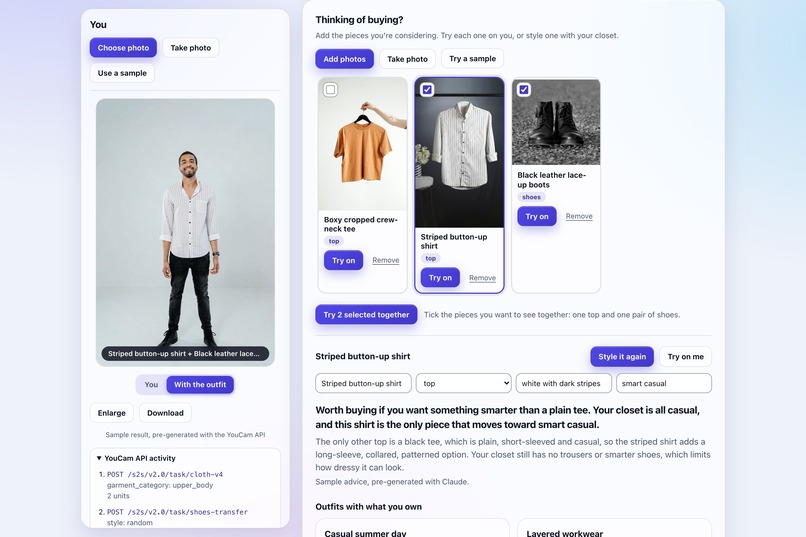
Top & Shoes Together
-
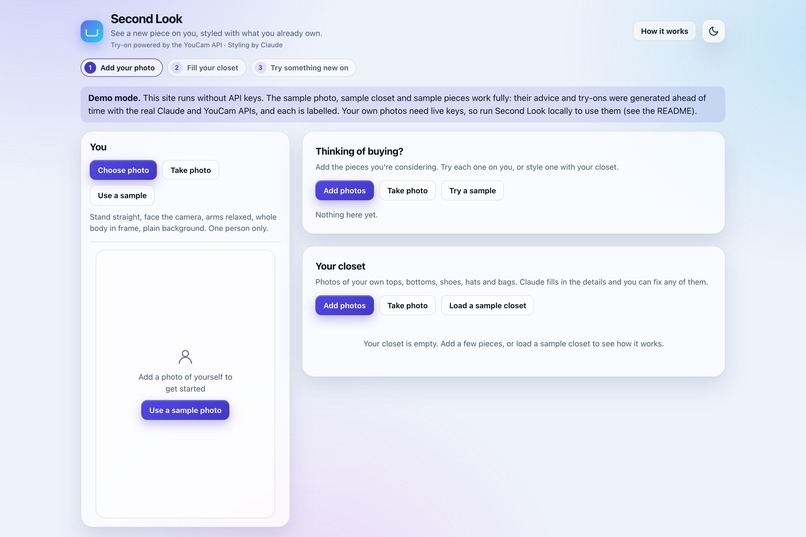
Start
-
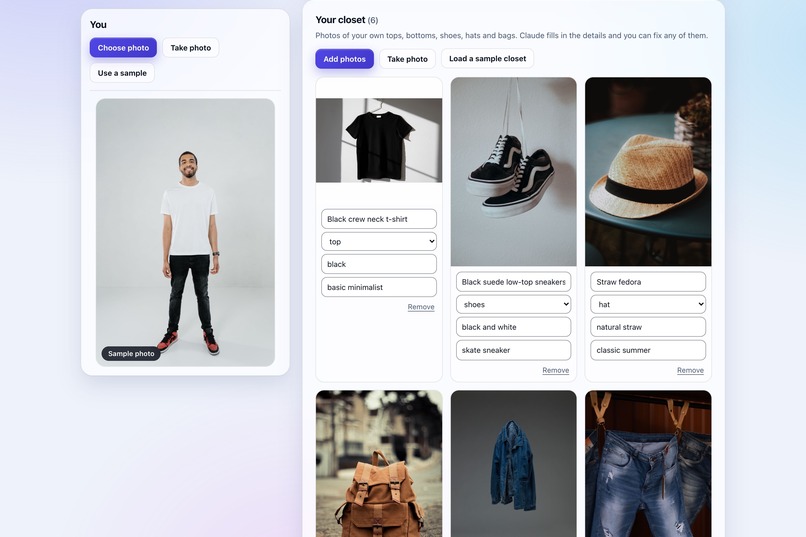
Closet
-
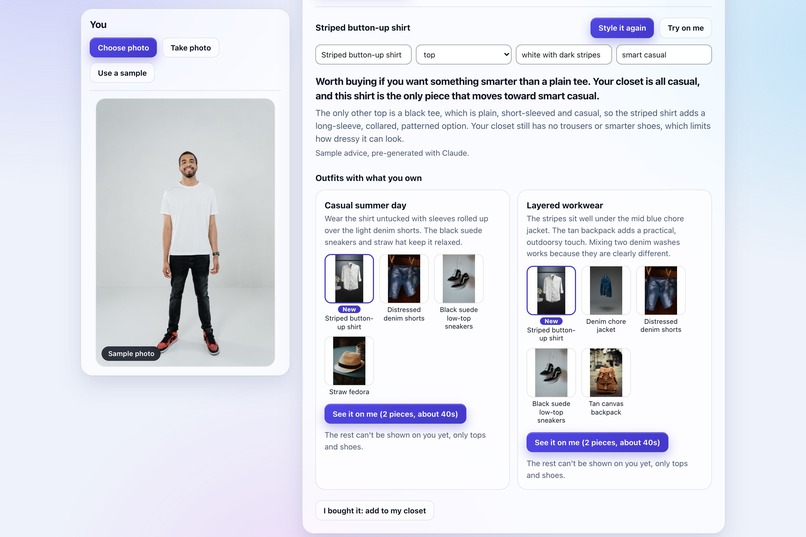
Advice
-
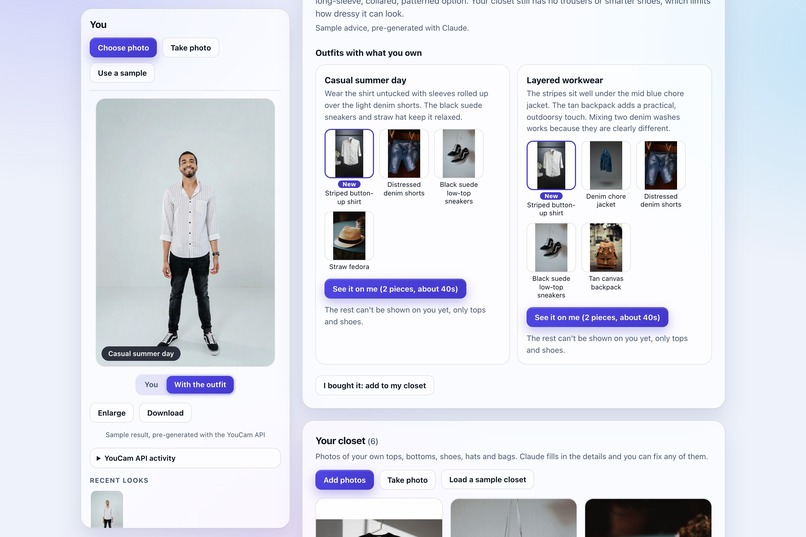
Try on Result
-
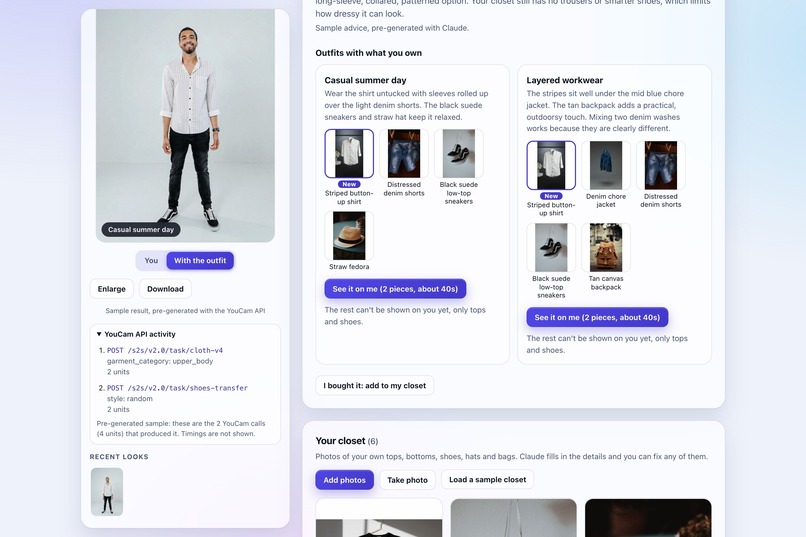
Youcam API Activity
-
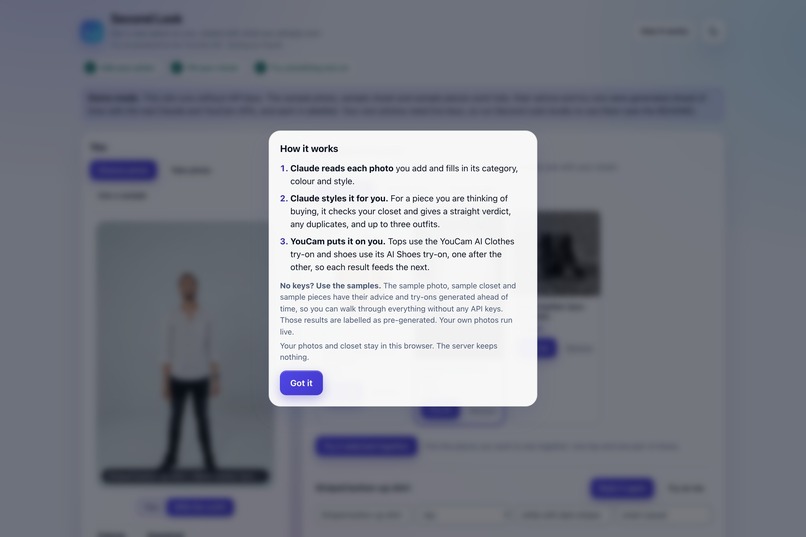
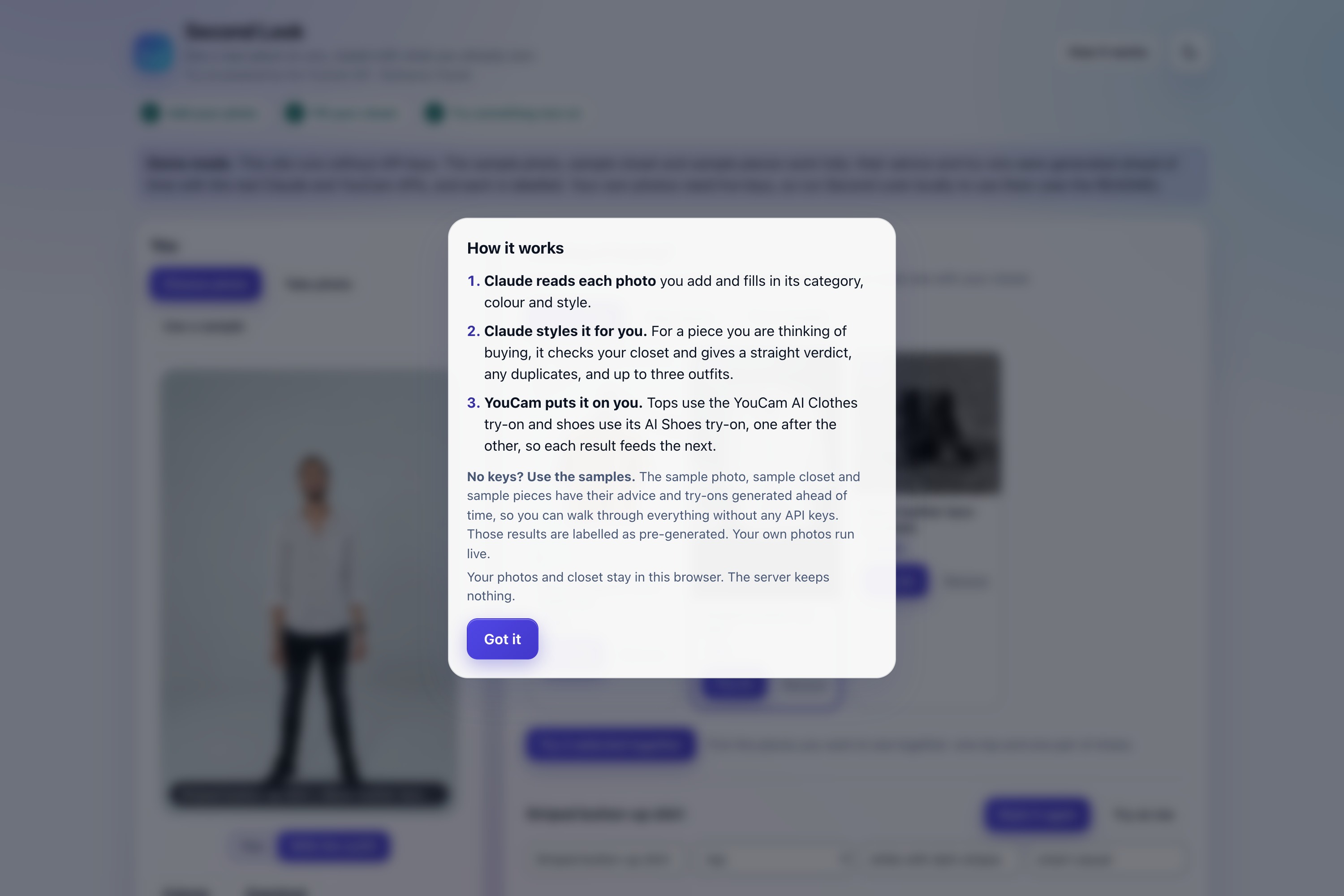
How it works
-
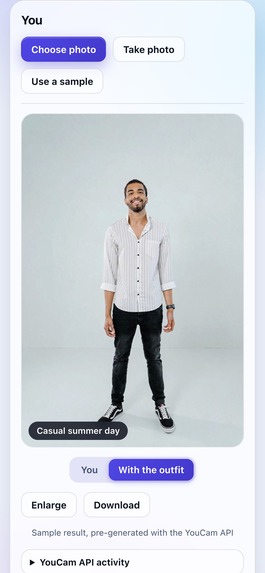
Phone
-
Dark Theme
Inspiration
Every time I go to the mall to buy clothes, I'm not sure how a piece will go with what I already own. What about the colour combination? How do I mix and match it? What would the outfits look like? I try on different things, and it gets confusing, especially when I can't picture everything already in my closet. Picking the right piece is harder than it should be.
Online shopping has the same problem. It would be better to try the clothes on myself, virtually, and see how they look before buying. I know size matters, but whether something works also depends on the colour combination and how it fits with the rest of my wardrobe.
Second Look is built for that moment before you buy.
Try it
Live demo: https://second-look-i6ip.onrender.com
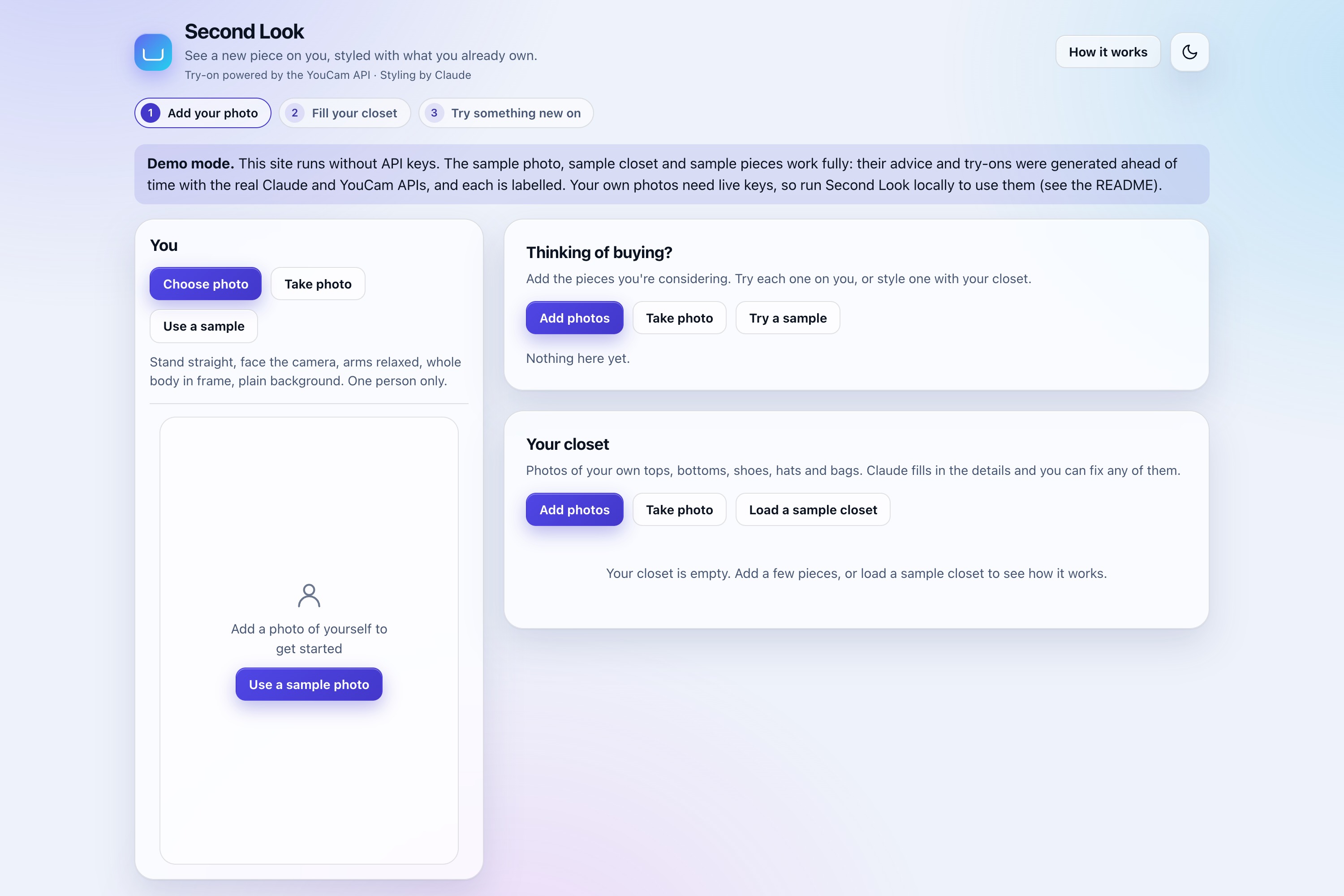
The live demo runs the sample walkthrough with no install and no API keys. Click Use a sample photo, Load a sample closet, and Try a sample. A "Demo mode" notice on the page explains what works there.
Code: https://github.com/SanjeeV-15/youcam-closet (public, MIT licensed)
To use your own photos and clothes, run it locally with your own keys (requires Node 22 or newer):
npm installcp .env.example .env- Add your keys to
.env npm run dev, then open http://localhost:4320
Add the keys before starting the server, because it reads .env at startup. If you add them later, restart it. The README covers the endpoints, setup, limits, and known gaps.
What it does
Second Look is a web app that keeps a digital closet of what you own and checks any new piece against it.
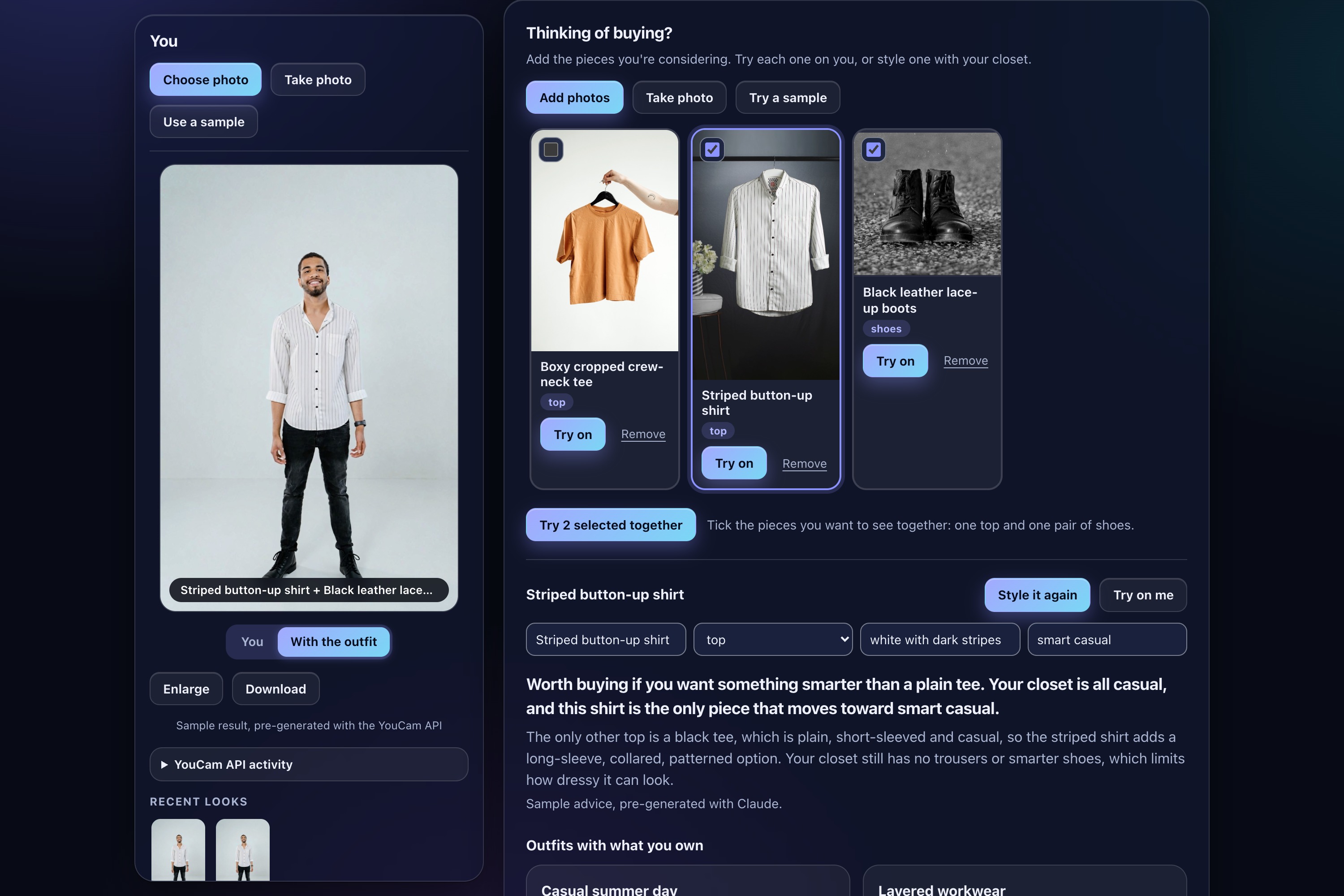
- Add yourself. Upload a photo, take one with the camera, or use the built-in sample.
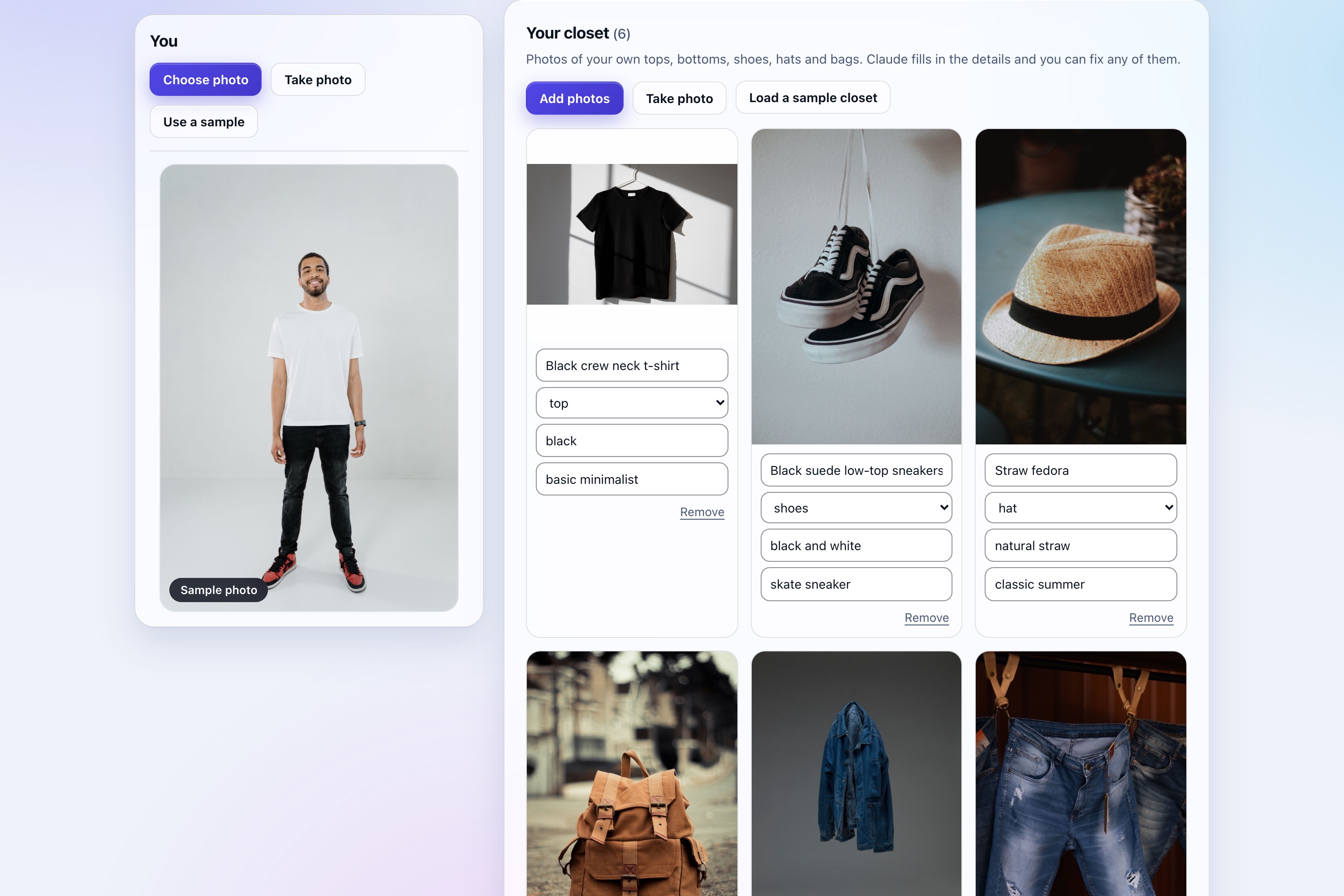
- Build your closet. Add photos of your clothes, or load a sample closet. Claude fills in each item's name, category, colour, style, and formality, and you can edit any field.
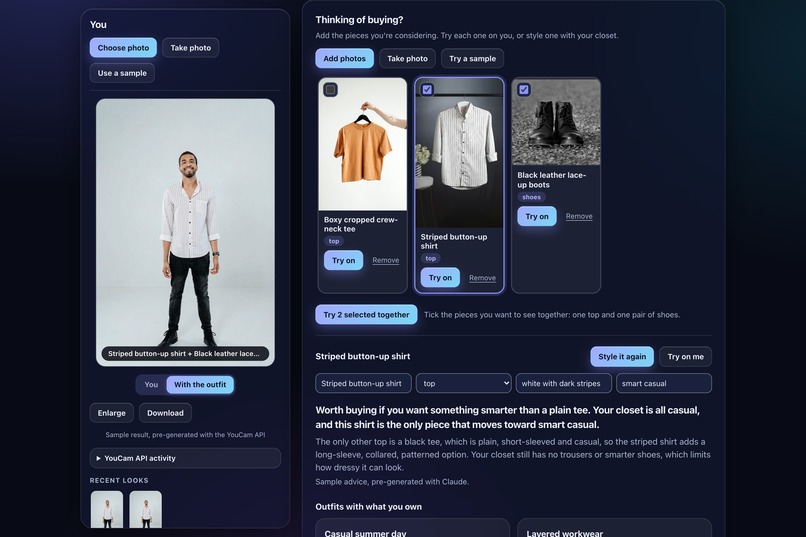
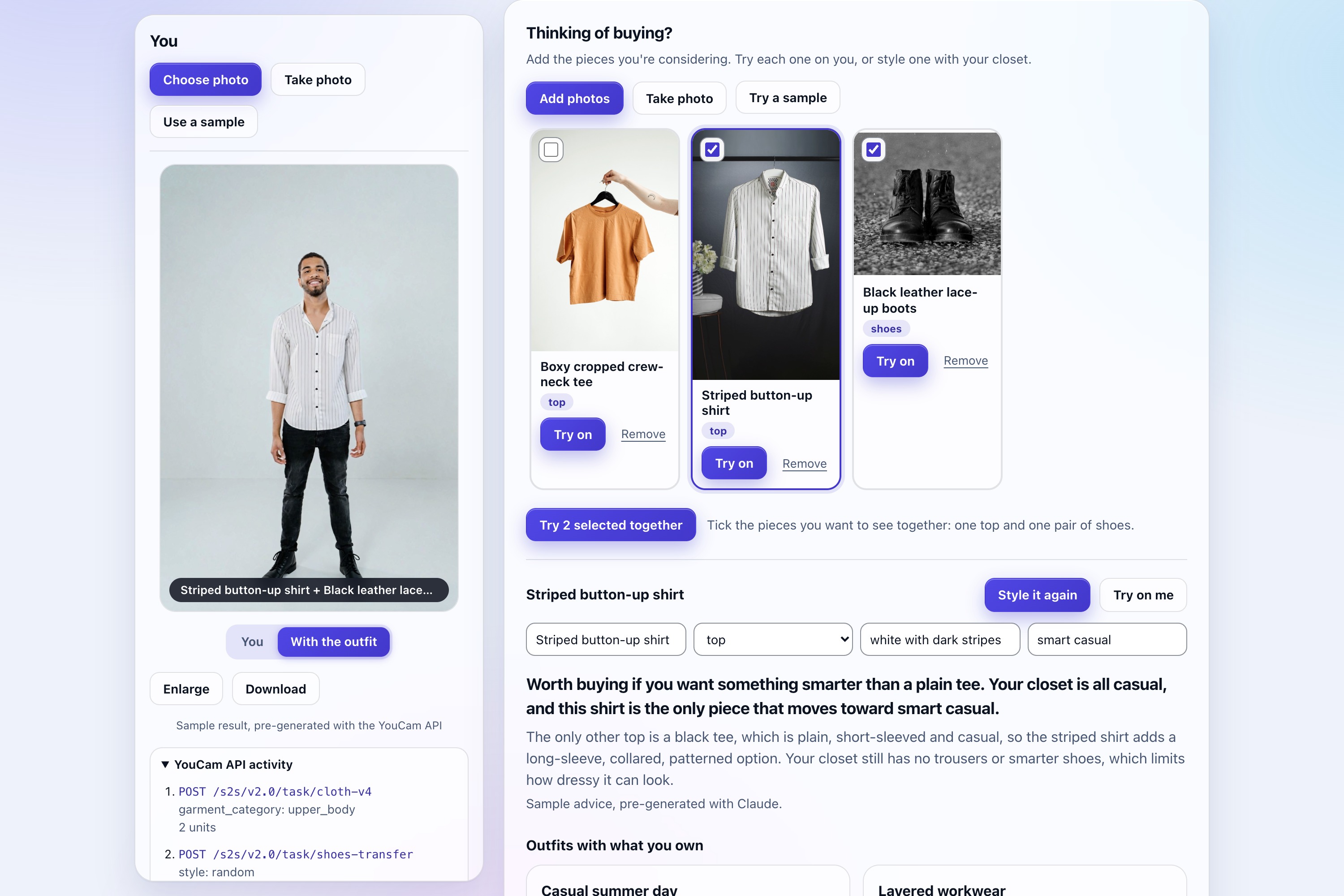
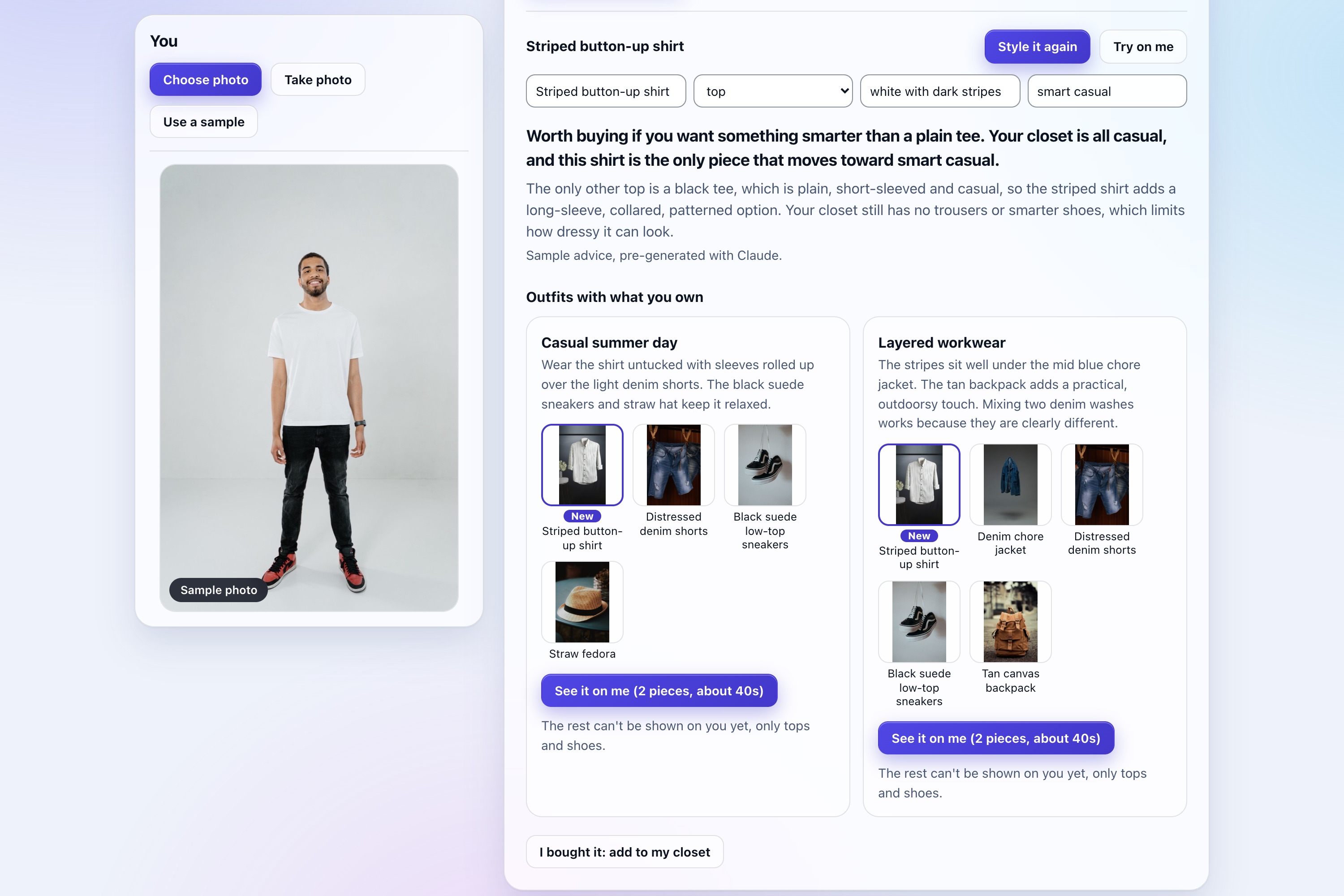
- Consider pieces. Put several pieces you're thinking about in a tray. For the selected one, Claude gives a straight verdict (it can say not to buy), what the piece adds or why it overlaps, any duplicates in your closet, and up to three outfits built from the new piece and your own clothes.
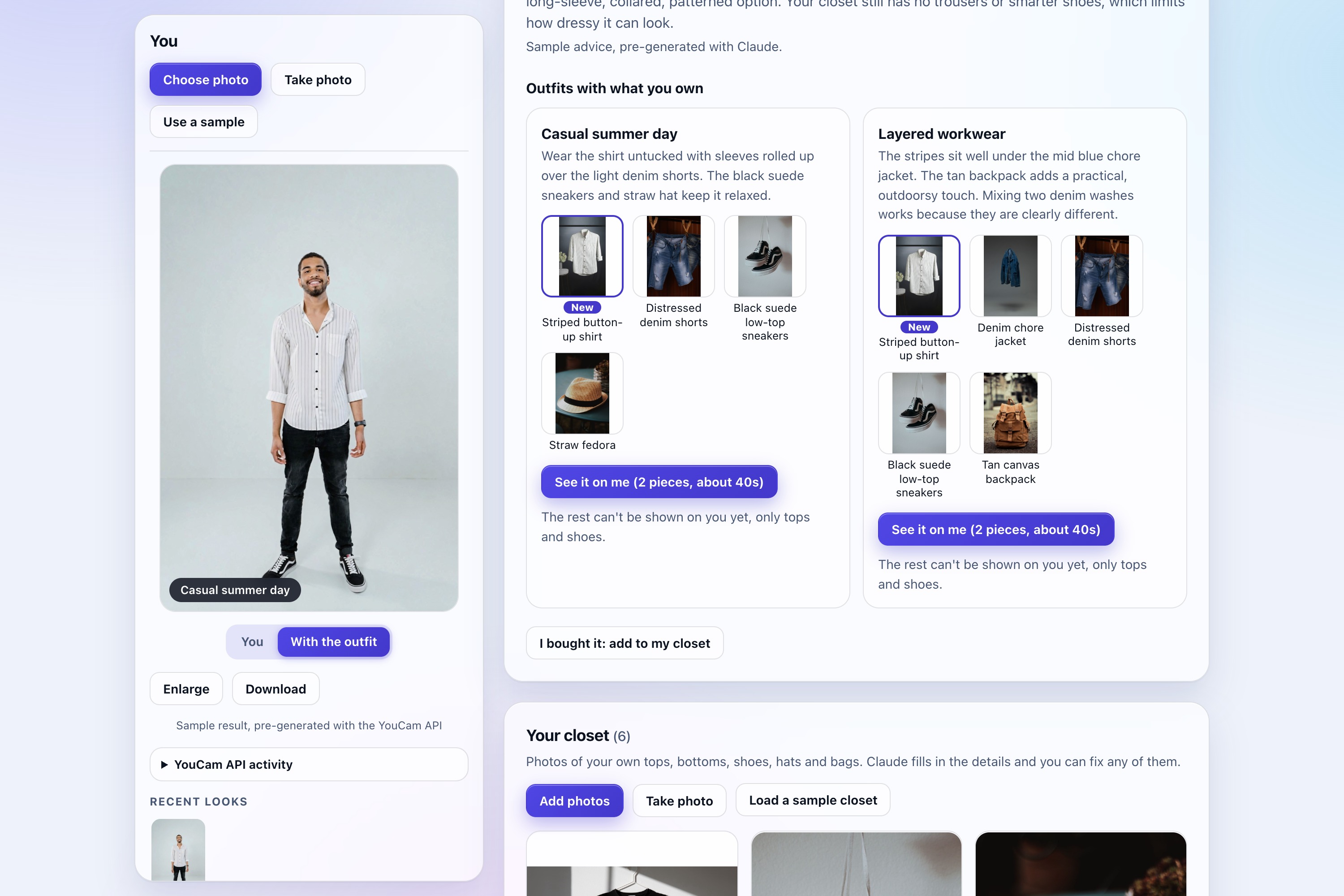
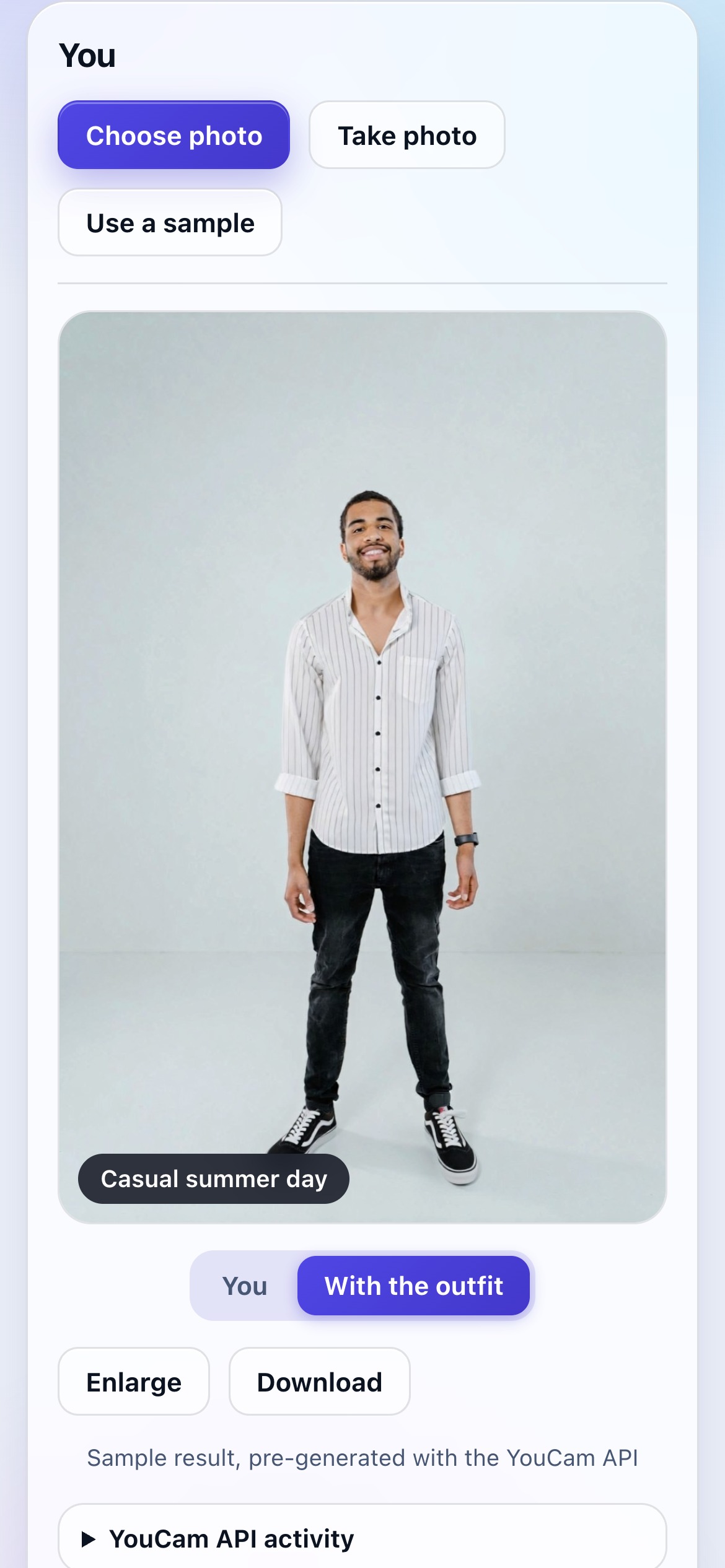
- See it on you. Try on one piece, a whole suggested outfit, or ticked pieces together (one top and one pair of shoes). Results appear beside the controls with a before/after toggle, enlarge, download, and a Recent looks strip.
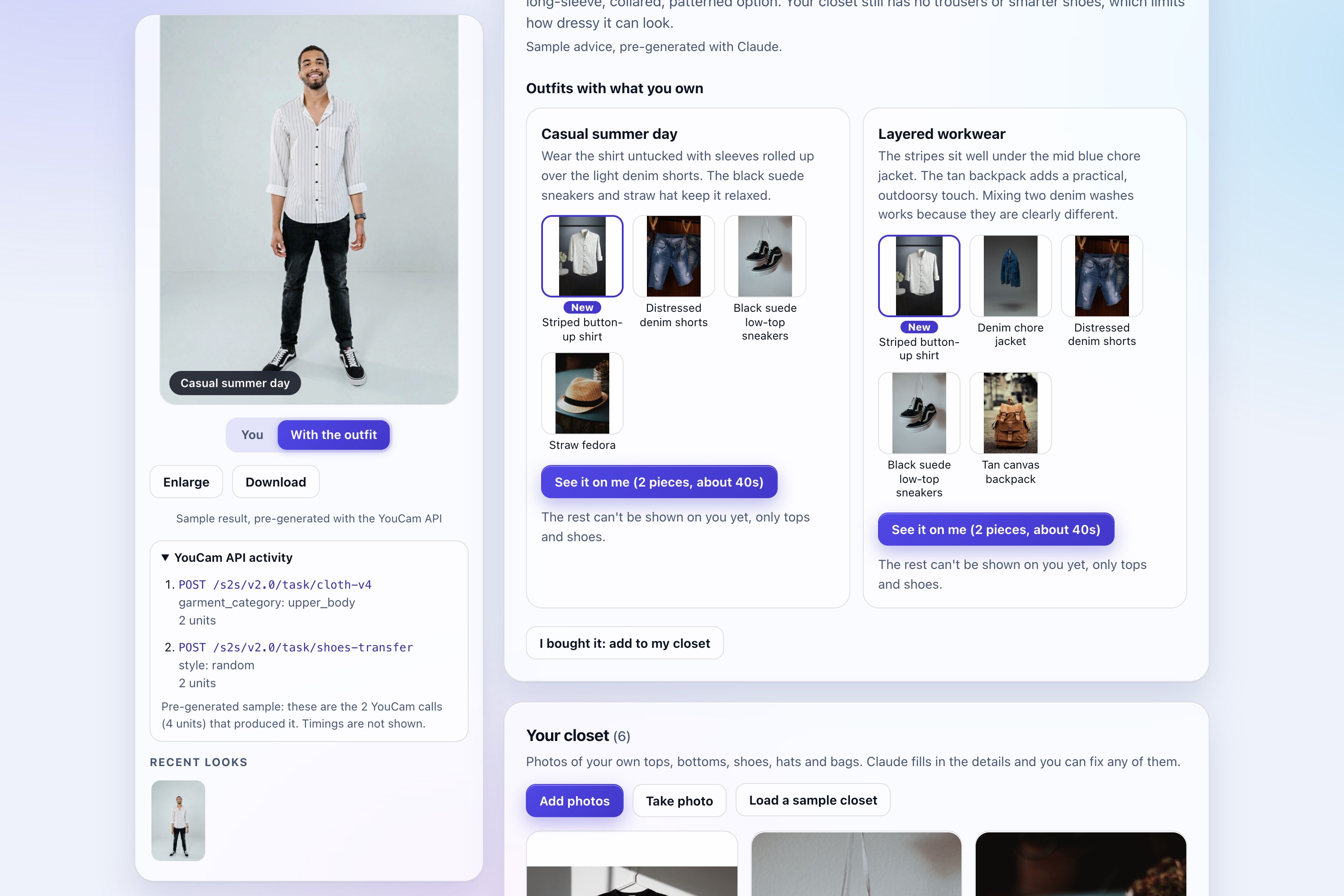
- See the API activity. Each result lists the YouCam endpoint, parameters, and units used. Live runs also show the real time taken. The pre-generated samples show steps and units but no timings.
- Buy it. "I bought it" moves the piece into your closet.
How I built it
Stack: Node 22, TypeScript, Express 5, a plain JavaScript front end with no build step, and IndexedDB for storage.
YouCam API. Tops use AI Clothes try-on (POST /s2s/v2.0/task/cloth-v4, always with garment_category: upper_body). Shoes use AI Shoes try-on (POST /s2s/v2.0/task/shoes-transfer, with gender and style). Each try-on uploads the photo via POST /s2s/v2.0/file, creates the task, and polls until task_status is success. Results are chained: each result becomes the next step's input, so a top and then shoes appear on one photo. Each piece costs 2 units and takes about 15 to 25 seconds. Progress streams to the page as server-sent events, one piece at a time. YouCam error codes like error_pose and exceed_max_filesize are mapped to plain-language messages, and if the second step fails, the first result is kept.
Claude (claude-sonnet-5-5). Claude does two jobs. For tagging, one clothing photo goes in and structured JSON comes out. For advice, Claude gets the closet as text tags, never photos. As a safeguard, the server checks every suggestion against the real closet: only real item ids, one piece per category, and nothing that clashes with the new piece. Anything that fails the check never reaches the page.
Hosting. The live demo runs on Render with no API keys on the server. It serves only the pre-generated samples, so nobody can spend YouCam units or Claude credit through it.
Privacy. The closet and photos stay in the browser, and the server stores nothing. When you run the app with your own keys, photos go to Anthropic and YouCam only when you add an item or ask for a try-on. A footer button clears everything.
Guards. Per-visitor and daily limits on Claude calls and try-on steps, one try-on at a time per visitor, a strict content security policy, input checks that run before any paid call, and keys only in .env.
Challenges I ran into
- Hats and bags don't work. I tested both with the try-on API, and both regenerate the whole scene instead of adding one item. I rejected them rather than ship results that change the person.
full_bodychanged the shoes. A full-body try-on also altered the shoes without being asked. The app now always namesupper_body, so a top changes only the top.- Pants and watches need different inputs. According to YouCam's docs, pants need a photo of someone wearing them, not a product shot, and watches need a photo of the wrist. I haven't tested either live, so I left them out and show bottoms and watches as suggestions only.
- Making Claude's advice trustworthy. Advice built on a user's closet is only useful if every item is real. Rather than rely on the prompt alone, I made the server the authority: Claude proposes, and the server checks every suggestion against the actual closet.
- Waiting 15 to 25 seconds per piece. Streaming progress to the page and keeping the first result when a later step fails make the wait easier to live with.
Accomplishments that I'm proud of
- Checked outfits. Every outfit is validated against your real closet, so each one is the new piece plus items you actually own.
- A keyless sample mode. The sample photo, a 6-piece sample closet, and 3 sample pieces to consider come with 3 advice results and 8 try-ons generated ahead of time with the real APIs. Each is labelled "pre-generated." You can walk through the full sample demo on the live site with no install and no API keys. When you run the app locally with your own keys, anything you change runs live, and your own photos, edited pieces, and clothes need those keys.
- Accessibility you can verify. A test checks WCAG AA contrast in both themes (dark by default, light available). The app has keyboard navigation, a skip link, and screen-reader announcements for progress and errors.
- 226 automated tests. Fifteen test files, with fakes standing in for both APIs, so the tests cost nothing to run. A fresh clone installs, passes all tests, and starts.
- A small API footprint. Each Claude call costs cents. Tagging takes 2 to 4 seconds, and advice about 5. For YouCam, each piece costs 2 units, so a full top-and-shoes look is 4.
What I learned
- Being explicit about the garment category matters.
full_bodychanged the shoes unasked, so I nameupper_body. - Different garments need different inputs. Tops work from a product shot. Per YouCam's docs, pants need a photo of someone wearing them and watches need a wrist photo.
- When a model advises from a user's data, validate its output against that data on the server instead of trusting a prompt to do it.
- Showing the API activity behind each result makes the app easier to understand and debug.
What's next for Second Look
- Bottoms, using worn-photo references.
- Hats, bags, and watches, which need a different approach, since the hat and bag endpoints regenerate the whole scene and watches need a wrist photo.
- A retailer product feed, so you can consider real products without photographing them.
Honest limits
- On the hosted demo, only the samples work. Your own photos and clothes need API keys, so run it locally to use them. The page's "Demo mode" notice says so.
- "Full outfit" means a top plus shoes. Bottoms, jackets, hats, bags, and watches appear as suggestions only.
- Results are generated, so the cut can differ slightly from the product photo.
- It works with one person per photo, a standing and forward-facing pose, and JPG or PNG files.
- Each piece takes about 15 to 25 seconds.
- There is no real checkout or retailer integration.
Built With
- claude-ai
- express.js
- indexeddb
- node.js
- typescript
- you-cam-api

Log in or sign up for Devpost to join the conversation.