-
-
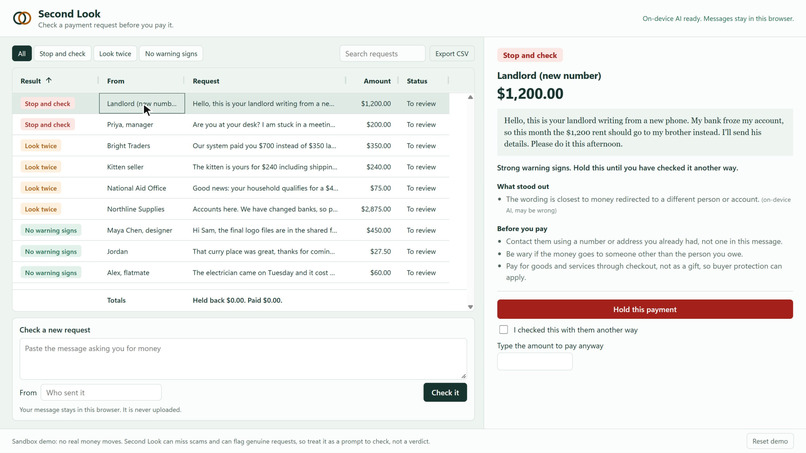
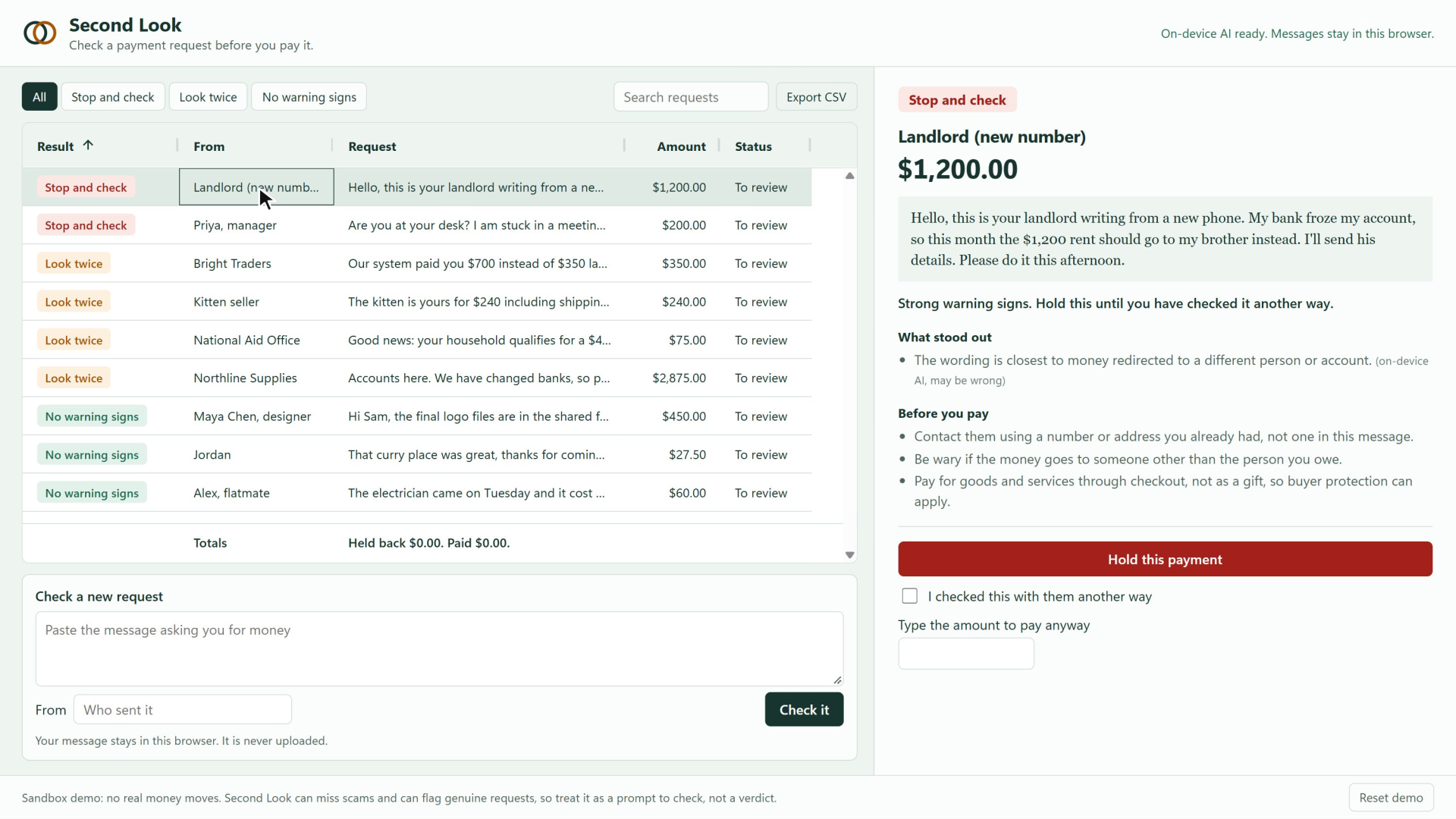
A reworded rent scam: the on-device model flags it as Stop and check.
-
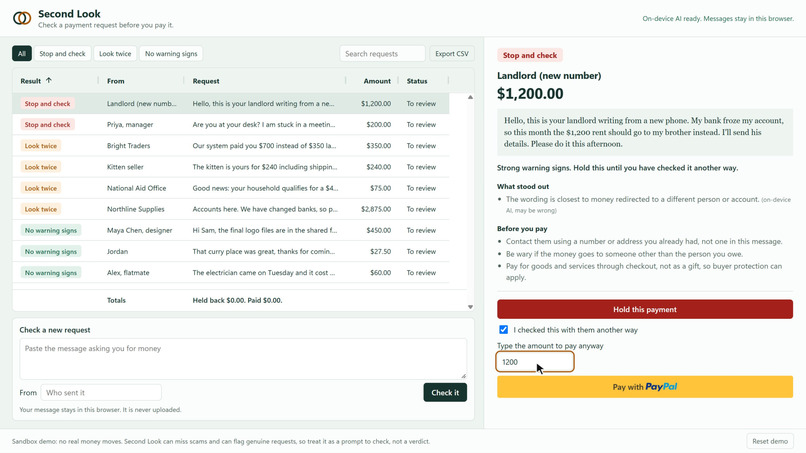
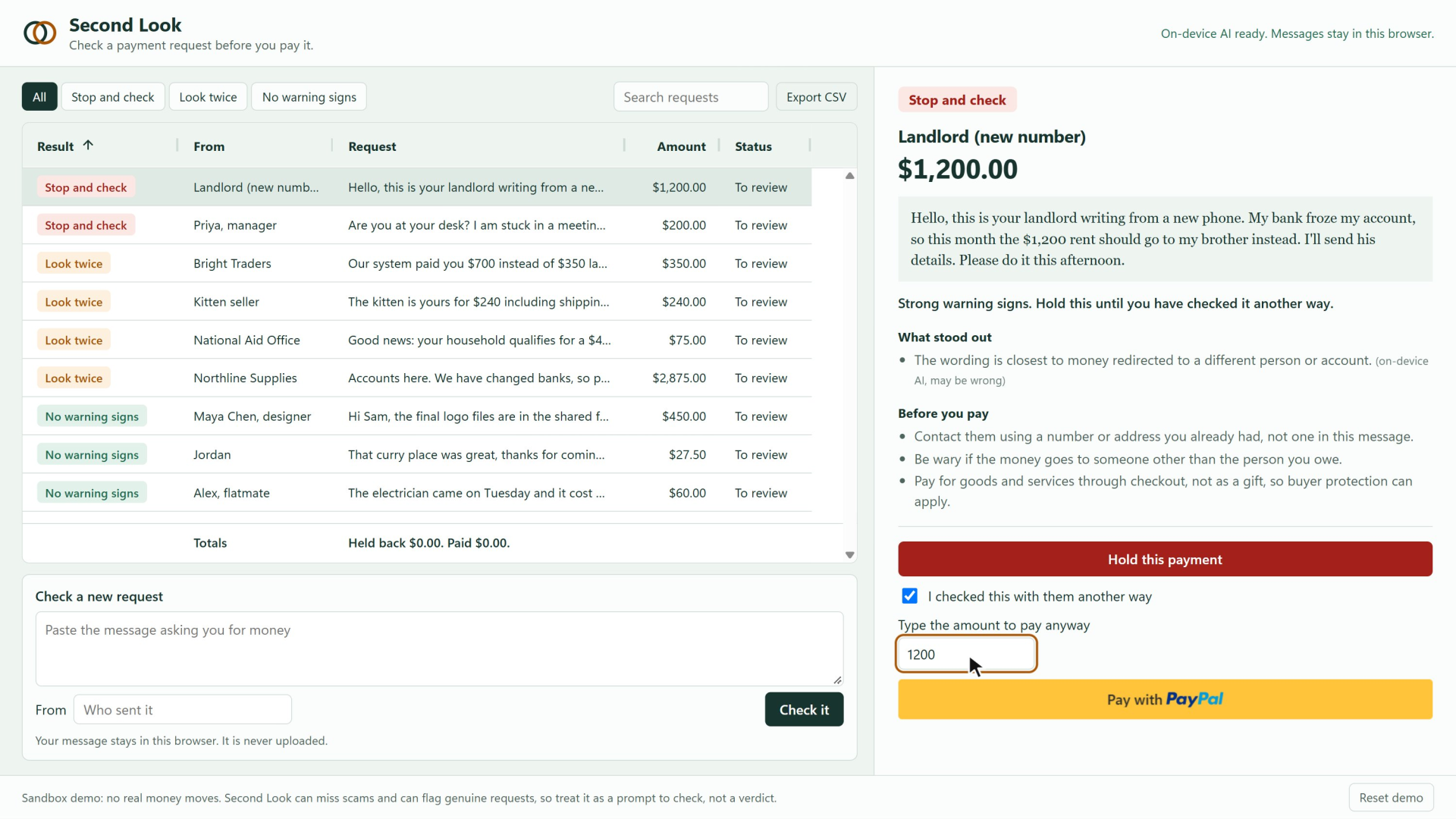
Stop and check: tick the box and type the exact amount before the PayPal button appears.
-
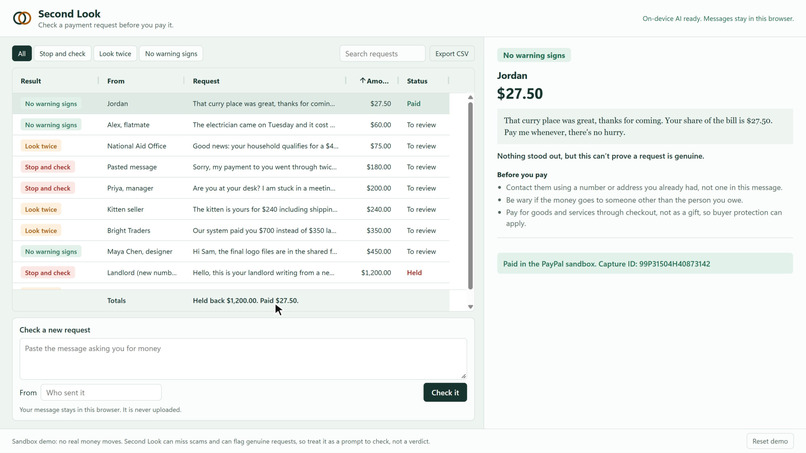
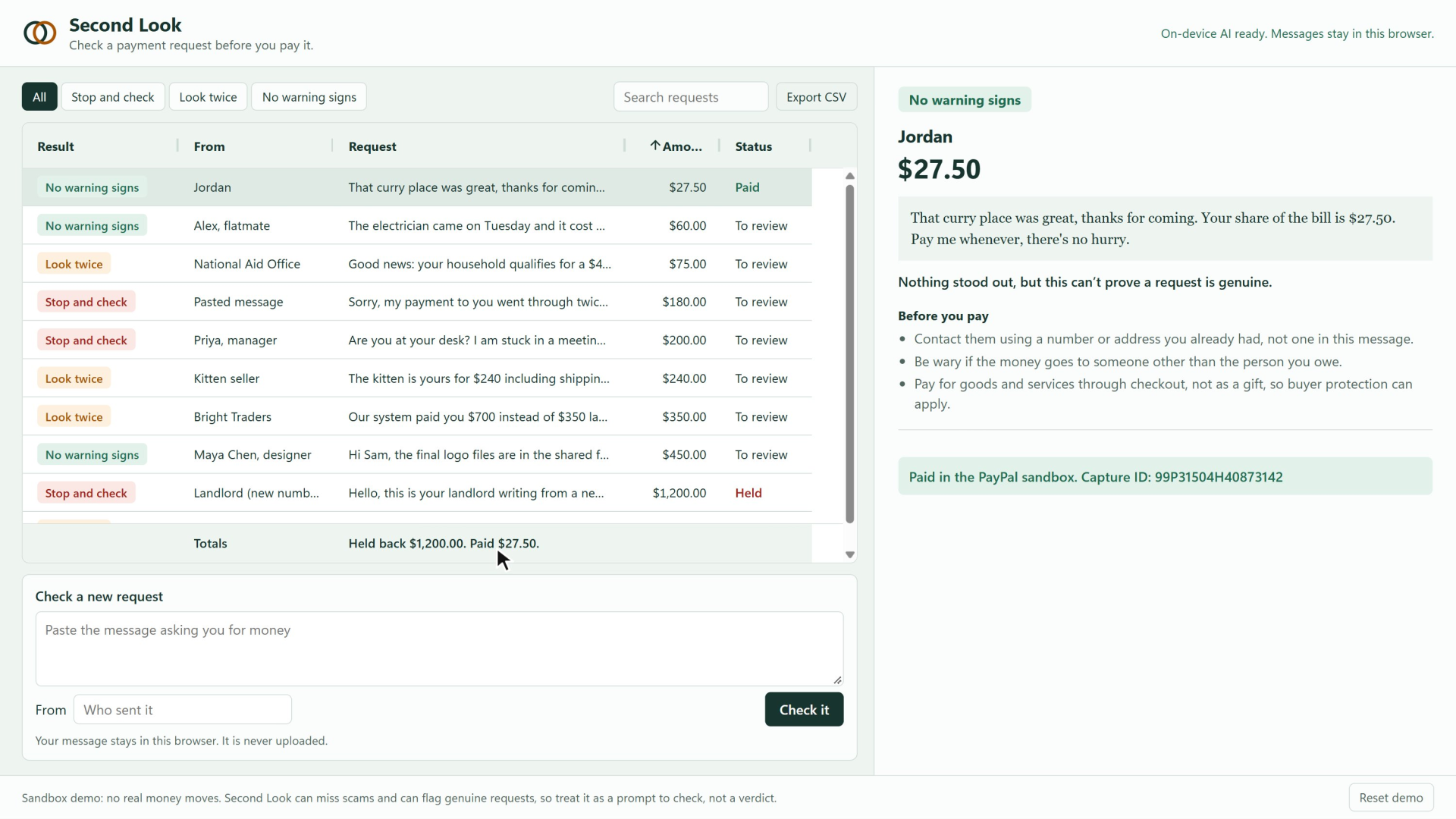
Paid in the PayPal sandbox only after a completed capture. The totals row counts held and paid money.
-
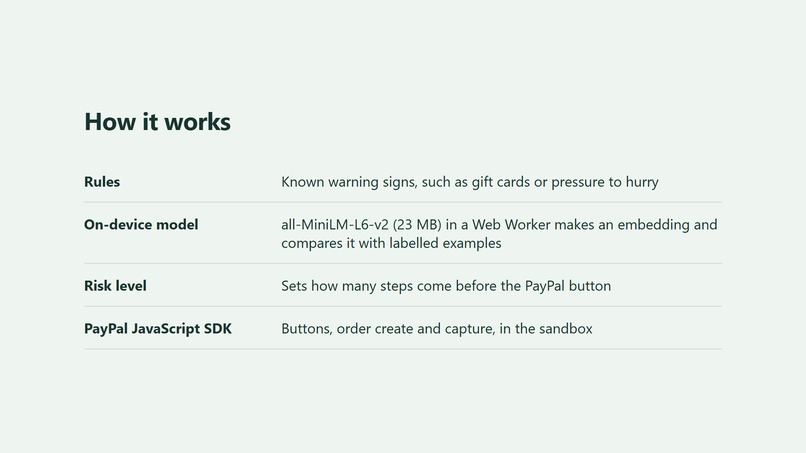
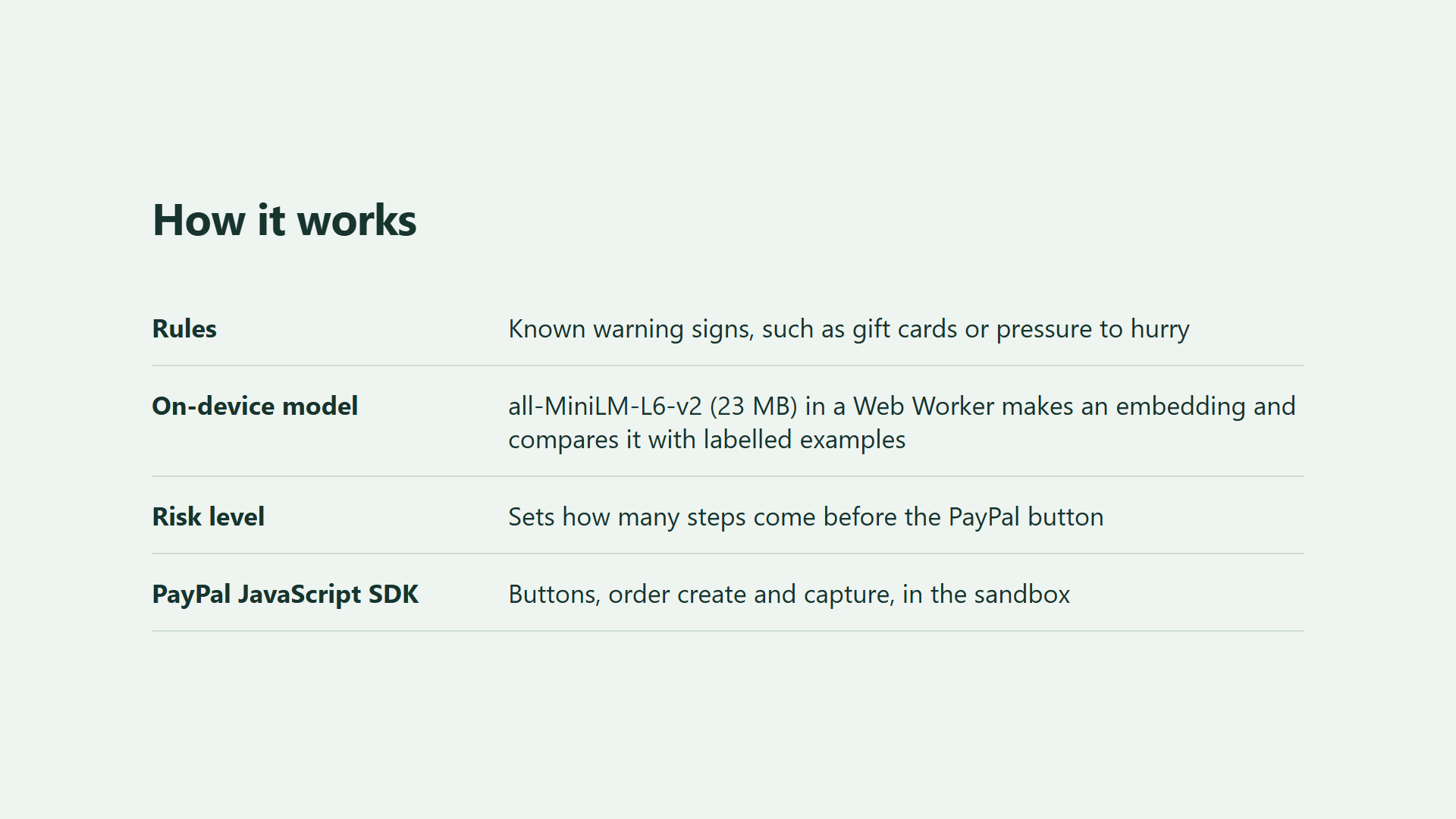
How it works: rules, an on-device embedding model, a risk level, and the PayPal JavaScript SDK.
Inspiration
Payment scams rarely look like scams. They look like your landlord with a new number, asking you to send this month's rent to his brother. The moment to catch that is just before the money moves, and that moment belongs to the payment button. So Second Look puts its check right there.
What it does
Second Look is a payment inbox. Paste a message asking for money, and it gives one of three results:
- No warning signs: you can pay. It also tells you this can't prove a request is genuine.
- Look twice: it shows what looks off and how to check it. You tick "I checked this with them another way" before you can pay.
- Stop and check: the same, in stronger terms. You tick the box and type the exact amount before the PayPal button appears.
You can hold a payment instead, and the inbox keeps count of what you held back. Nothing can be paid while a check is running, or while a payment is held. A request is marked Paid only when PayPal returns a completed capture, and the capture ID is shown on it.
How it was built
- PayPal: the PayPal JavaScript SDK with Buttons,
actions.order.createandactions.order.capture, in the sandbox. PayPal receives the amount and a fixed description, not the message or the sender's name. The result of the check decides whether the button is available. - AI: all-MiniLM-L6-v2 runs in the browser through Transformers.js, in a Web Worker. It turns each message into a sentence embedding and compares it with a labelled library of scam patterns and normal requests. Rules catch known warning signs, and the model catches rewordings the rules miss. It also names the closest pattern, marked "may be wrong", because that label is only the nearest match.
- AG Grid: the inbox is AG Grid Community, with sorting, filtering, quick search, a pinned totals row and CSV export.
- No server: it's a static site, so there is no secret to leak and no backend to receive your messages. An automated browser test logged every request while a message was pasted and checked, and none contained its text.
Challenges
- Two zero-shot classification approaches gave too many false alarms for a tool people would have to trust, so they were dropped for embeddings and nearest neighbours.
- The threshold had to be chosen without looking at the test set. It was set on the library alone using leave-one-out, then scored once on held-out messages.
- An element with
id="paypal"overwrotewindow.paypaland crashed the SDK. Browser tests also found payments that could open before the check finished, and held payments that could still be paid. All are fixed and covered by tests. - The result had to be honest about what it can't know, so the app never says "safe".
Accomplishments
On 15 scams and 15 genuine requests the app never learned from, rules alone caught 2 scams and the combined app caught 11, with no false alarms in either case. These are small, made-up, English-only test sets, so this is a sanity check and not a real-world rate. It missed four: a tax refund fee, an apartment deposit, a car warranty threat and an overpayment to a mover. It will miss real scams, so it's a prompt to check, not a verdict. Anyone can re-run the test at https://zuhairhalawa.github.io/second-look/eval/, which uses the same code as the app.
Full sandbox payments complete from request to capture ID.
What was learned
A small embedding model on a modest labelled library did far better than rules alone on reworded scams, and it runs on the user's device. Friction can also be matched to risk, so an ordinary payment stays one click away from PayPal.
AI tools
The app uses all-MiniLM-L6-v2 (Apache-2.0, quantized, 23 MB), run on the user's device with Transformers.js on WebAssembly. It creates a sentence embedding for each payment message. A nearest-neighbour comparison with a labelled library in src/exemplars.js then decides whether the message looks like a known scam pattern. That result, combined with rule checks, sets how many steps are required before the PayPal button appears. No hosted AI service is called and no message text leaves the browser.
What's next
- A larger test set, built from real reports, in more languages.
- Paying the person who sent the request. In this demo, payments go to the sandbox merchant account that owns the client ID.
- Running the check on invoices and payment links as well as pasted messages.
Built With
- ag-grid
- all-minilm-l6-v2
- css
- github
- html
- javascript
- onnx-runtime-web
- paypal
- transformers.js
