-
-
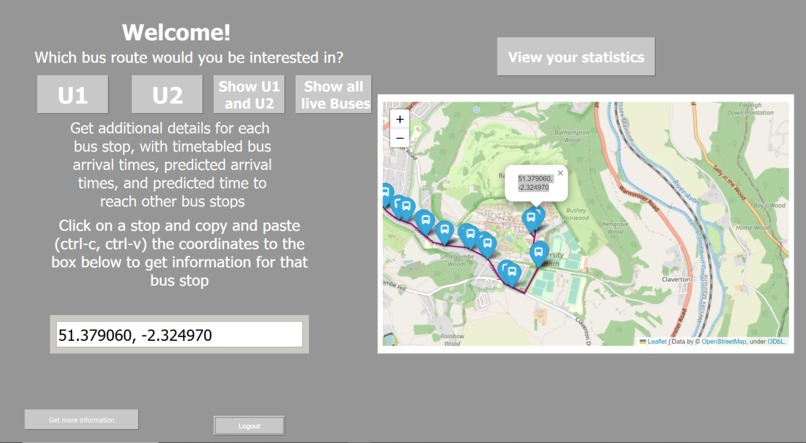
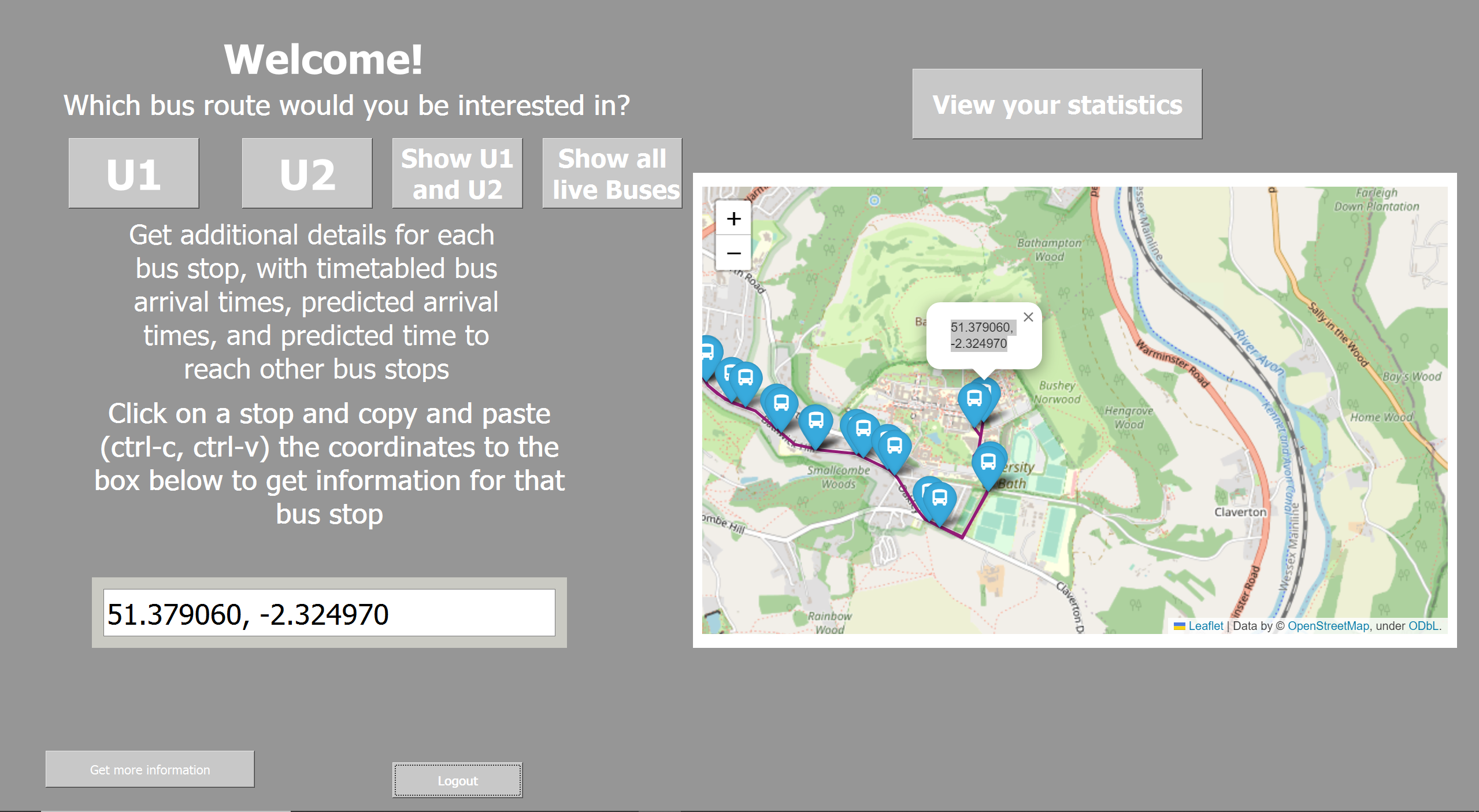
Main Page
-
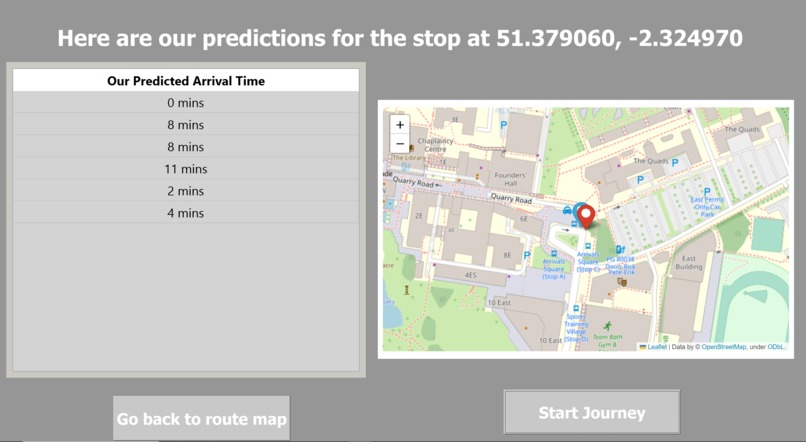
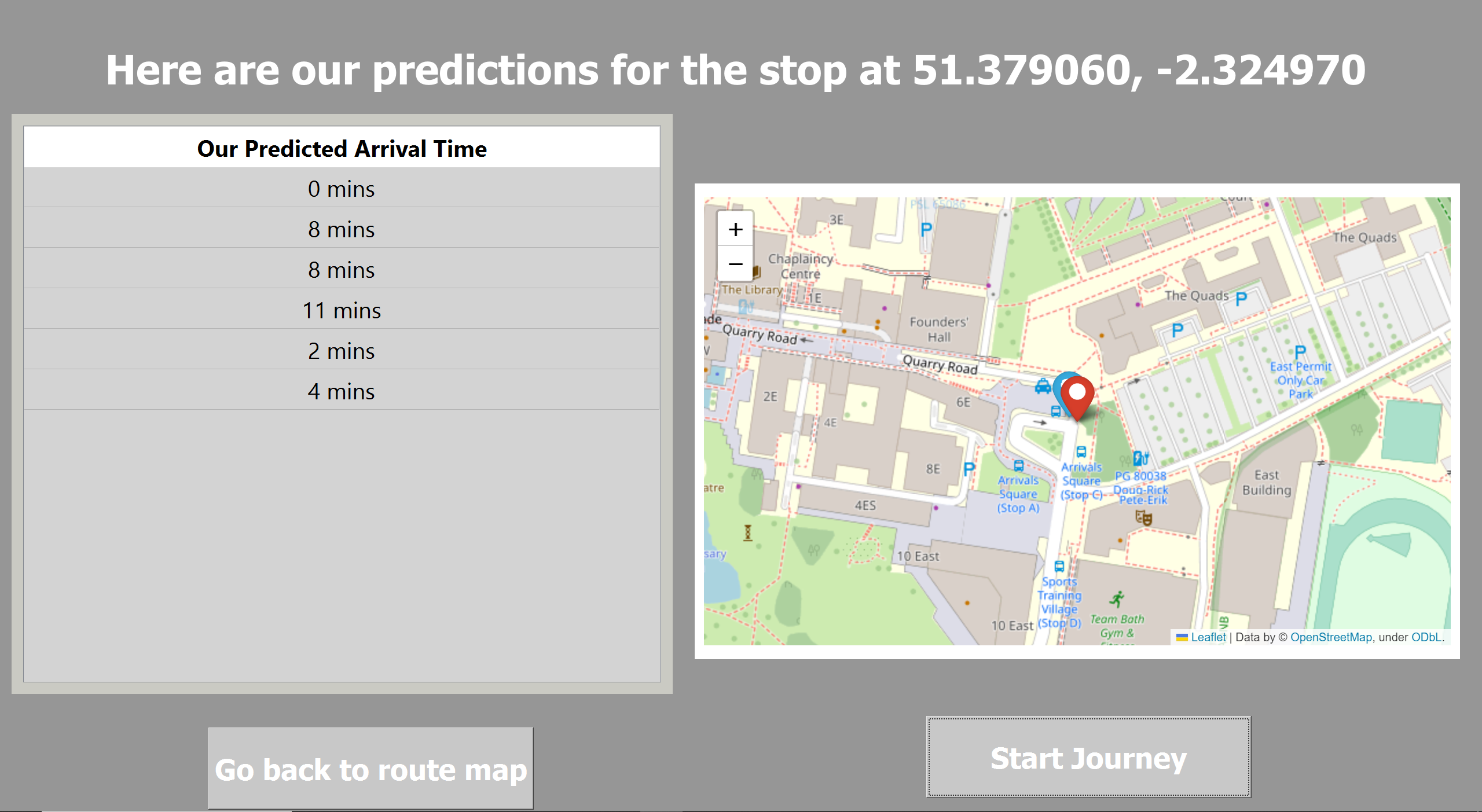
Bus Stop Page
-
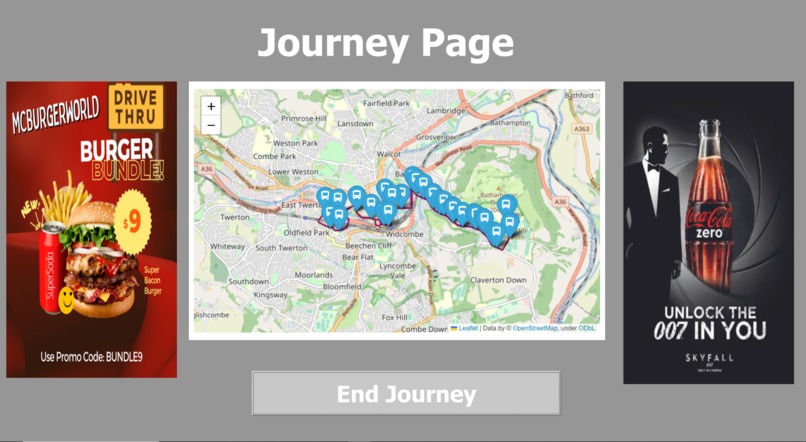
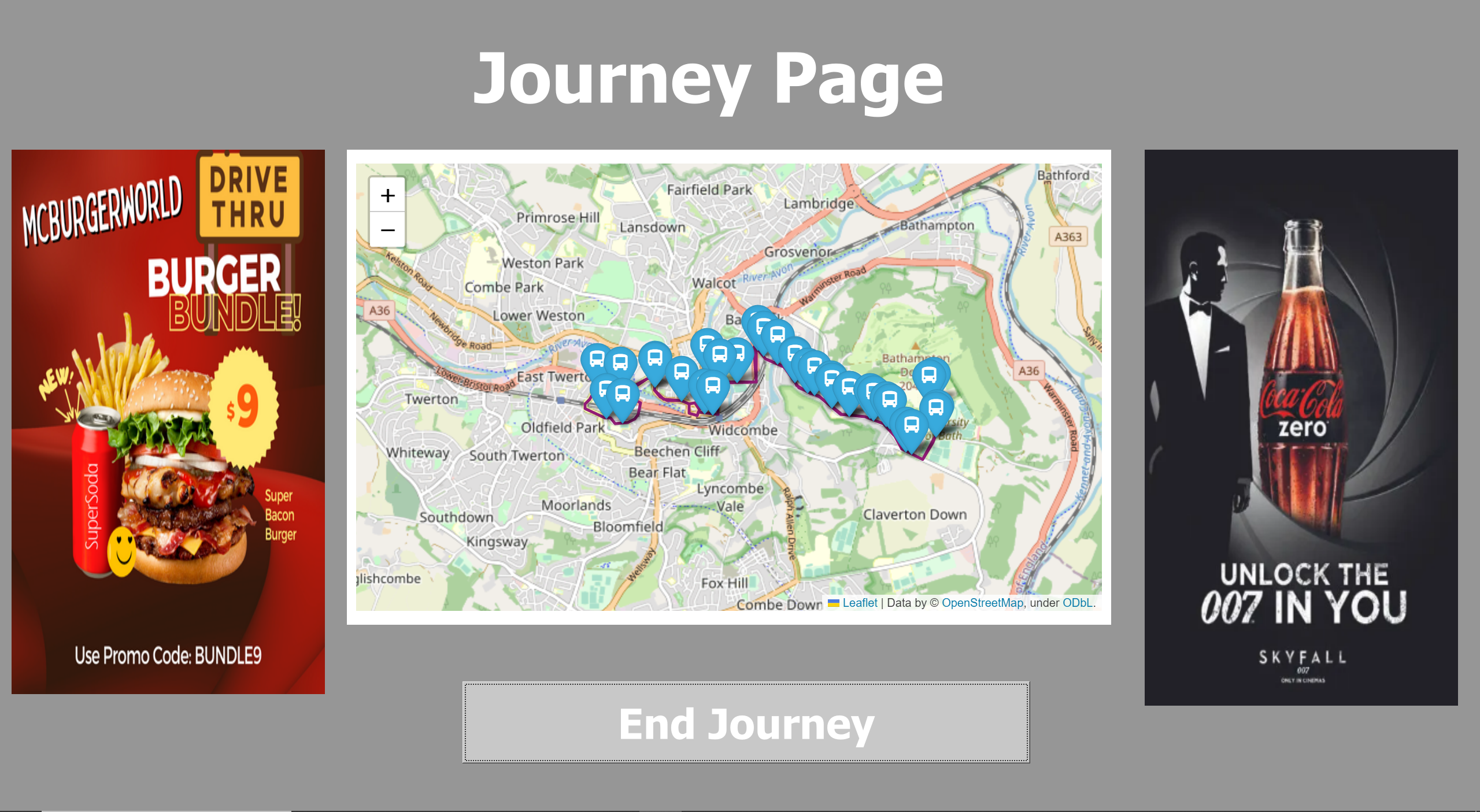
Journey Page
-
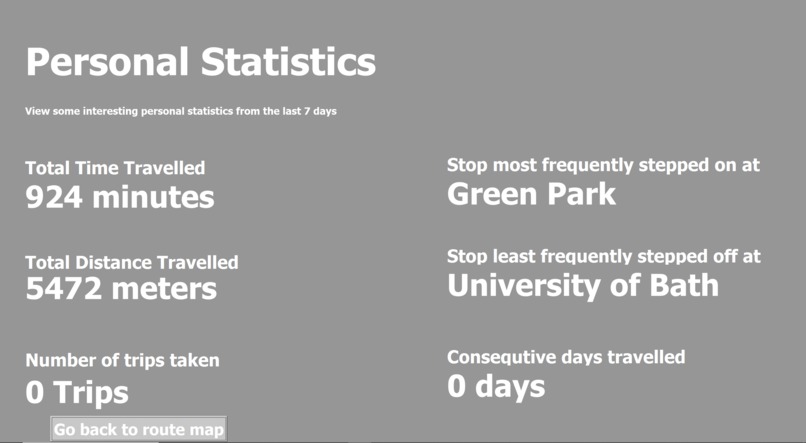
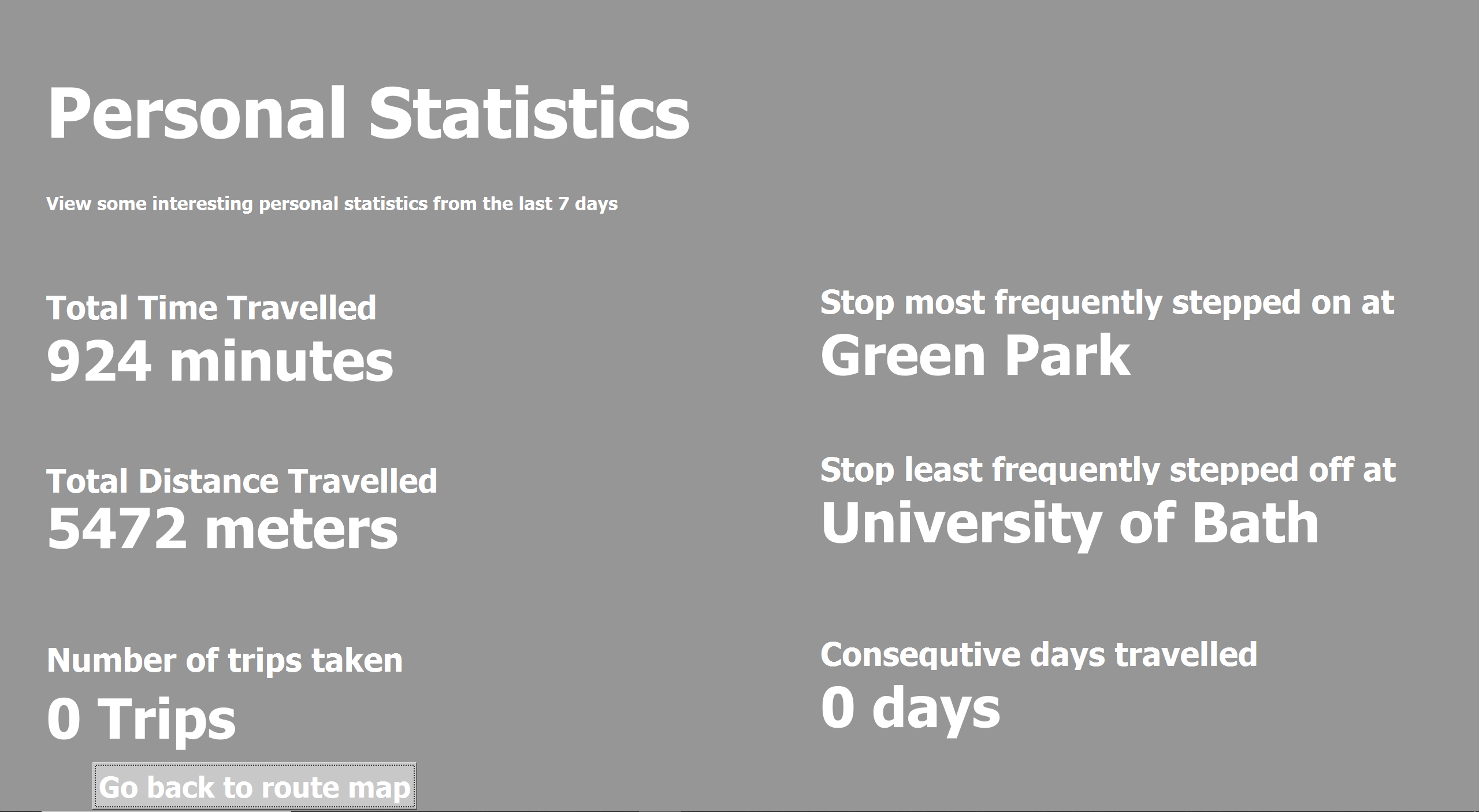
Personal Statistics Page
Inspiration
Current bus apps in Bath regularly show incorrect ETAs which can cause frustration and lead to time being wasted waiting at a bus stop. Our App hopes to elevate this experience by using google's API and existing datasets on Bus timetables and locations.
What it does
Provides functionality that tracks and presents statistics on the users bus usage (e.g. time spent on buses, most frequent bus stops used, distance traveled on bus etc.) Displays up-to-date data on bus routes in the Bath area and live positions of buses on an interactive map. Users can be able to register and log into the app. Gives the user insight on the next bus that will arrive at their stop, including occupied seats and eta and line No. (e.g. U1, U2). “Journey Page” shown when the user is riding on the bus to display ads and a live interactive map to show bus location. Virtual bus stop information board - next arrivals and eta All this in combination with an interactive map that displays: all live positions of buses in the Bath region, a particular route as chosen by the user, and all the bus stops included along that route. Calculates bus ETA and distance traveled using Google services, gives the user a trustworthy source to compare to bus timetables
How we built it
For the front end, we used PyQt5 as a way to collect widgets in a stack, and to allow navigation between objects. For the back end, we also used python to interact with various APIs to access datasets and process specific data needed.
Datasets Used: Gov dataset that contains all up to date bus route data in bath https://data.bus-data.dft.gov.uk/timetable/dataset/5813/ Program collects real-time data about future arriving buses at any bus stop using https://www.transportapi.com/ including - line, occupancy, arrival time Program uses https://bustimes.org/ (abstracts from Gov website API) API to access real-time bus locations within the bath region
Challenges we ran into
Bus stop markers from the folium library did not provide the functionality to show the estimated times when clicked which threated us to rebuild with new library or include a javascript macro which we were not fluent with Our solution was to assign the coordinates to each marker’s popup so the user can copy the coordinates into a text entry when they select a bus stop on the map to view the times Api data from the helper files needed to be displayed on the app to frontend This was solved by using data structures such as arrays and dictionaries and by performing loops through the data so it can be saved to the table and labels
Accomplishments that we're proud of
Integrating data from multiple sources into one application and presenting it in an accessible fashion. Personal accomplishments on learning new technologies and working with APIs for the first time
What we learned
We learned how to utilize several APIs to update an app in real-time. We learned how to use different APIs effectively. How to build a GUI in python using PyQt5. We learnt the limitations of some datasets provided.
Built With
- google-maps
- pyqt
- python
- sqlalchemy
- sqlite
- transportapi

Log in or sign up for Devpost to join the conversation.