-
-
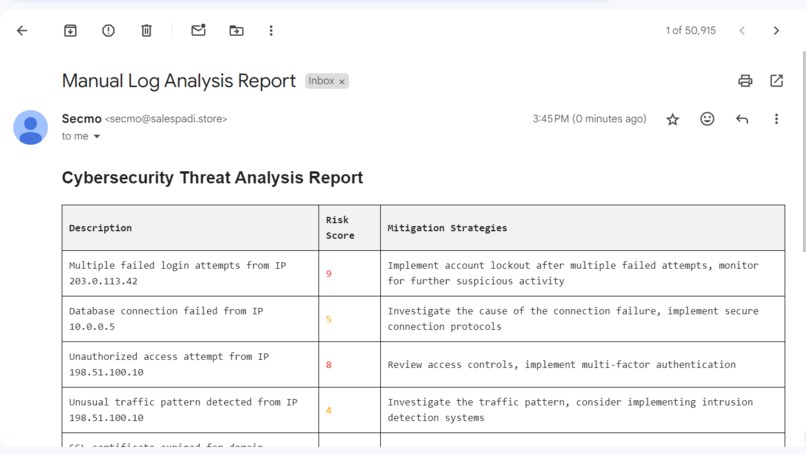
Email Report From Analysis
-
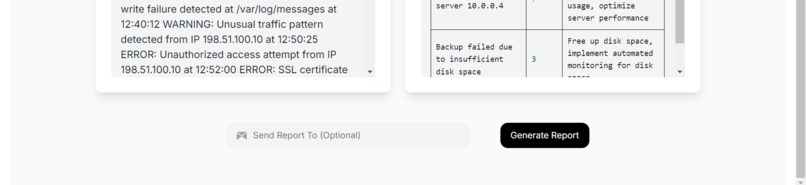
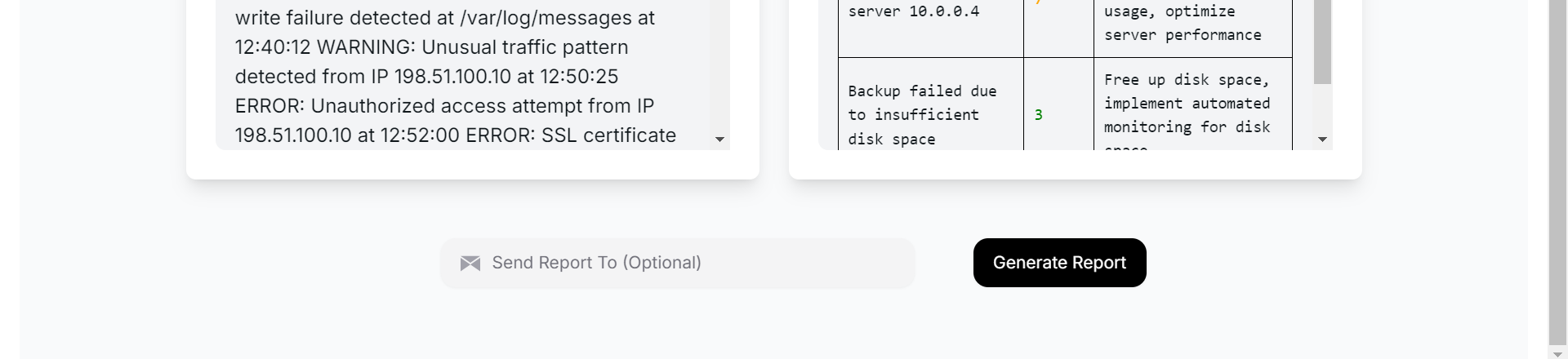
Optional Field For Sending Generated Report
-
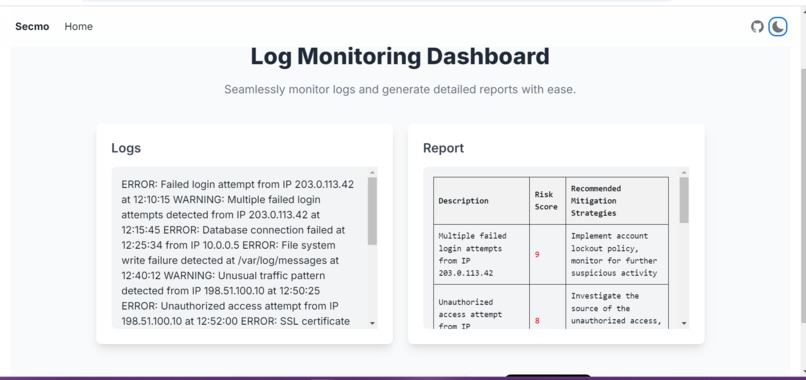
Log & Report Page

Inspiration
As a developer managing multiple VPS environments, I often deal with scattered and unprocessed logs from various services like web servers and databases. Security is a top priority, but the manual investigation of logs after minor attacks or irregular activity is incredibly time-consuming. The tedious nature of sorting through logs across multiple platforms inspired me to create SECMO, a unified solution to automate log monitoring, detect threats, and send timely reports with recommendations. The goal was to simplify the process of investigating and addressing threats while reducing manual log inspection.
What it does
SECMO is an automated log monitoring and threat detection system designed to work across different types of logs, including web server logs and database logs. Key features of the solution include:
- Threat Detection: It continuously monitors logs for any suspicious activity such as failed login attempts, SQL injections, or unusual traffic spikes.
- Automated Reporting: Every hour, it generates detailed reports if any threats are detected, giving a summary of the incidents and recommendations on how to address them the interval can be customized based on choice.
- On-Demand Reporting: Users can manually trigger reports at any time from the web UI, allowing for immediate analysis and alerts to be sent directly to their email.
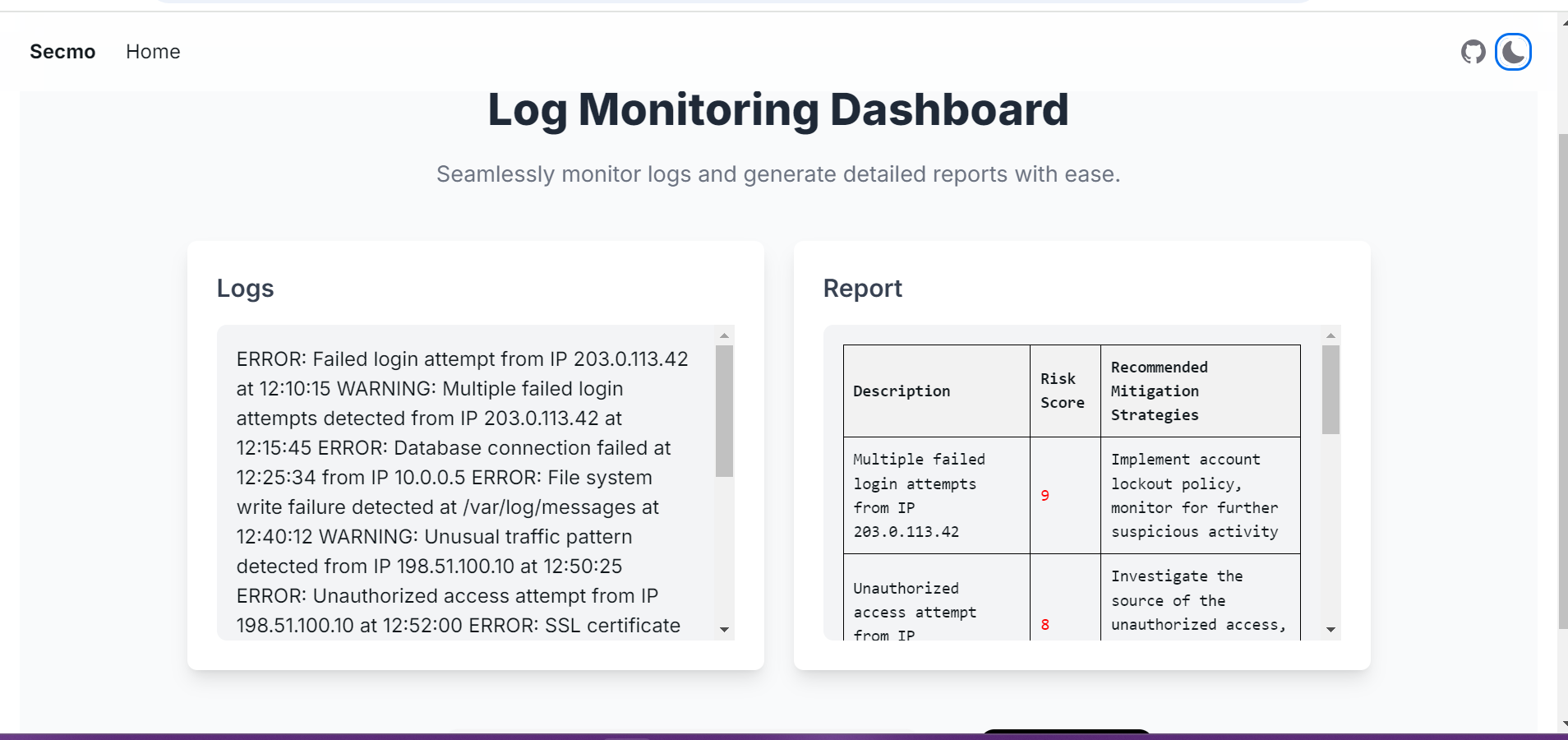
- UI for Report Management: The user interface stores the latest logs and reports, making it easy for users to access and review them later, even if they didn’t trigger them manually.
How we built it
The project is powered by modern technologies to ensure scalability and ease of use:
- Frontend: The user interface is built using Next.js and styled with Tailwind CSS. It allows users to view logs, trigger reports, and enter an email address to receive reports instantly.
- Backend: A Python Flask application acts as the backend, which processes logs from different sources (web server and database logs), analyzes them, and sends email reports if any issues are detected.
- Log Analysis: A custom-built Python script fetches logs from various sources, processes them for potential threats, and formats the results into an HTML report.
- Storage and Automation: LocalStorage is used on the frontend to store the most recent logs and reports, ensuring users can access them when they return.
Challenges we ran into
The journey wasn’t without its challenges. Here’s what we faced and how we tackled them:
- Handling Multiple Log Types: Logs from web servers and databases are structured differently, which made it difficult to implement a one-size-fits-all approach. We developed specialized parsers for each type, ensuring that both could be effectively analyzed for security threats.
- Scaling for Multiple Servers: Managing logs across multiple VPS instances meant we needed to make the solution scalable. We achieved this by centralizing the logging service and optimizing log retrieval to avoid bottlenecks.
- Performance and Storage: As log files can grow quite large, reading and analyzing them efficiently was a challenge. We had to implement log rotation and chunked reading mechanisms to ensure the system remains responsive even with large datasets.
- Real-time Threat Detection vs. Report Generation: We wanted to balance real-time threat detection with periodic reports. Implementing a solution that analyzes logs in near real-time without overloading the system was tricky, but we managed to make it work by designing a lightweight log processing engine.
Accomplishments that we're proud of
Automated Threat Detection Across Multiple Platforms: We successfully developed a unified system that can analyze logs from different sources like web servers and databases, identifying potential threats automatically. This eliminates the manual and tedious task of combing through scattered logs, saving time and reducing error.
Real-Time, On-Demand Reports: The ability to generate real-time reports on-demand from the UI and have them sent via email was a significant accomplishment. This ensures that users can react immediately to any suspicious activity without having to wait for the hourly automated reports.
Scalability Across Multiple Servers: One of our proudest achievements was creating a solution that can handle logs from multiple VPS environments, centralizing the monitoring process while still being scalable for future growth.
User-Friendly Interface: We built a clean and intuitive user interface using Next.js and Tailwind CSS, allowing users to trigger reports, view recent logs, and manage their security effortlessly.
Efficient Log Management: Implementing mechanisms like log rotation, chunked reading, and local storage allowed us to handle large logs efficiently without overwhelming the system, ensuring fast analysis and performance even with significant log sizes.
What we learned
Through building SECMO, I gained valuable insights into log management, real-time threat detection, and cloud infrastructure. Some key takeaways include:
- Log Parsing and Analysis: Building parsers for different log formats and ensuring accurate threat detection was a great learning experience, especially dealing with structured and unstructured data.
- Automating Security Tasks: Automation can significantly reduce manual work and improve system security, especially in environments with multiple servers.
- Building for Scalability: Designing the system to handle large volumes of logs across multiple VPS instances was an important challenge. Modular approach to the codebase helped achieve scalability.
What's next for SECMO
Looking ahead, I plan to add several features to make SECMO even more robust:
- Multi-Language Support: To support international teams by providing localized reports and alerts.
- Integration with Cloud Services: Expanding to work with cloud-based services like AWS CloudWatch and GCP logging services.
- Machine Learning: Implementing a machine learning model to improve threat detection accuracy by learning from past incidents.
- Dashboard Analytics: Add a visual dashboard to showcase trends in log activity and attack vectors over time.
- Convert into an installable package: To make SECMO an installable package that can be integrated into any server for log monitoring.


Log in or sign up for Devpost to join the conversation.