What it does
SeatSafe AR (PainFree Mobility Guardian) turns Snap SPECS glasses into a proactive, hands-free safety companion for everyday seating, stairs, and movement.
- Proximity-Triggered SeatSafe Overlay: Walking within
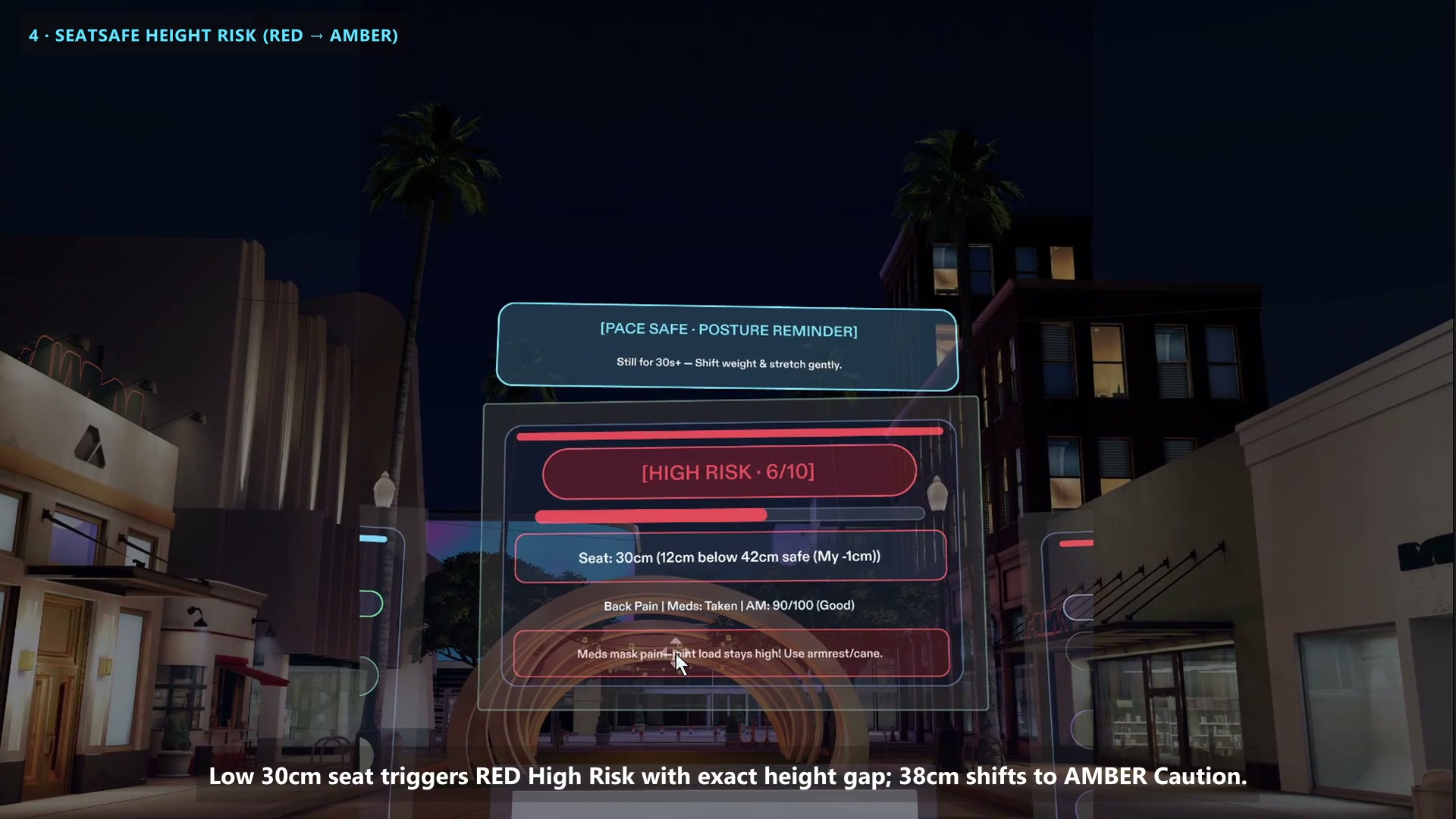
2.0 mof a seat automatically reveals a color-coded 3D safety ring, a cyan safe-height threshold bar, vertical height-gap pillars, and a floating risk card (SAFE/CAUTION/HIGH RISK, 1–10 score). Stepping past2.5 mor pinching Got It clears the view and automatically re-arms on the next approach. - Dynamic Daily Health Check-In: Combines furniture height with the wearer's pain area (Knee
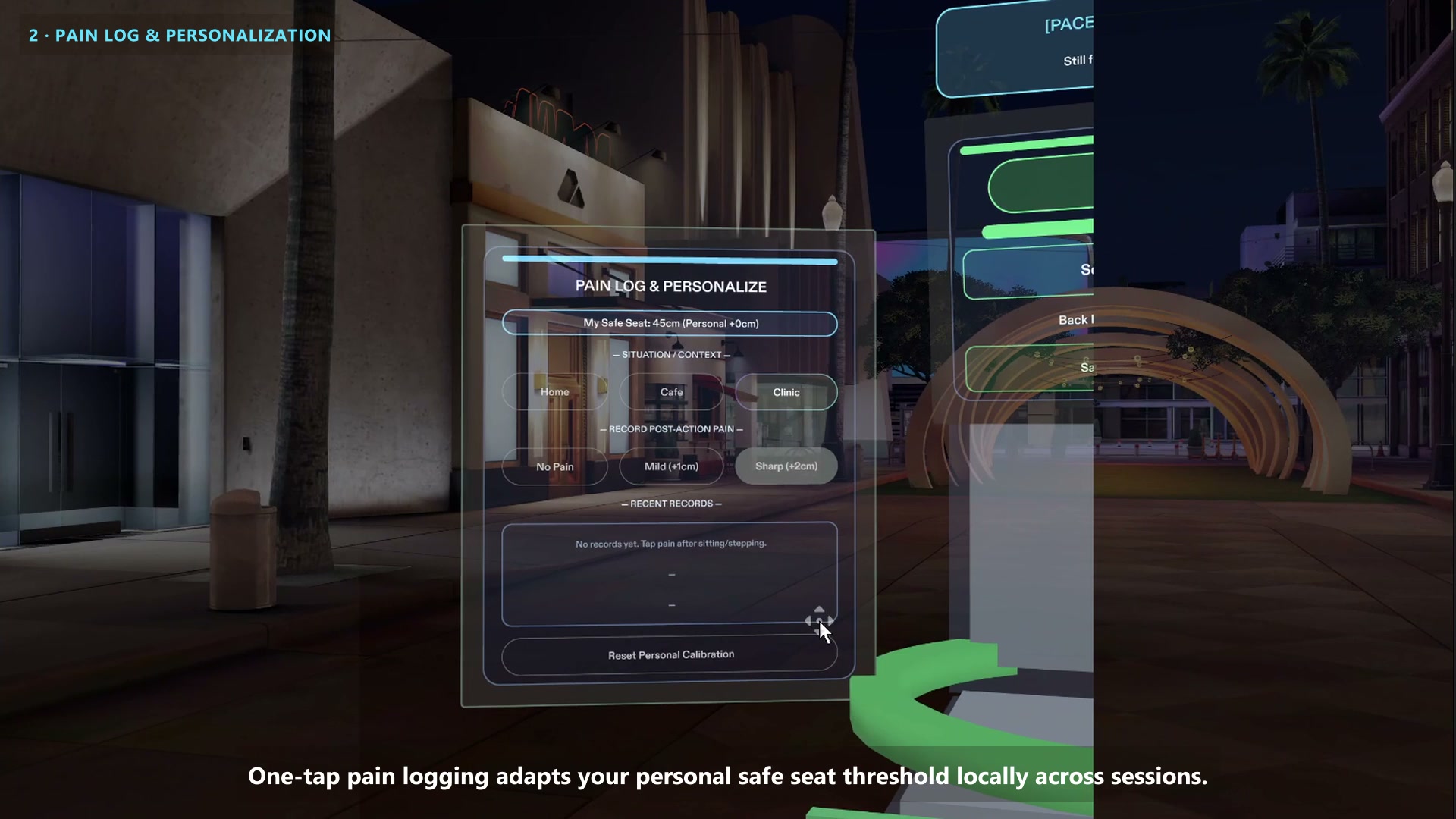
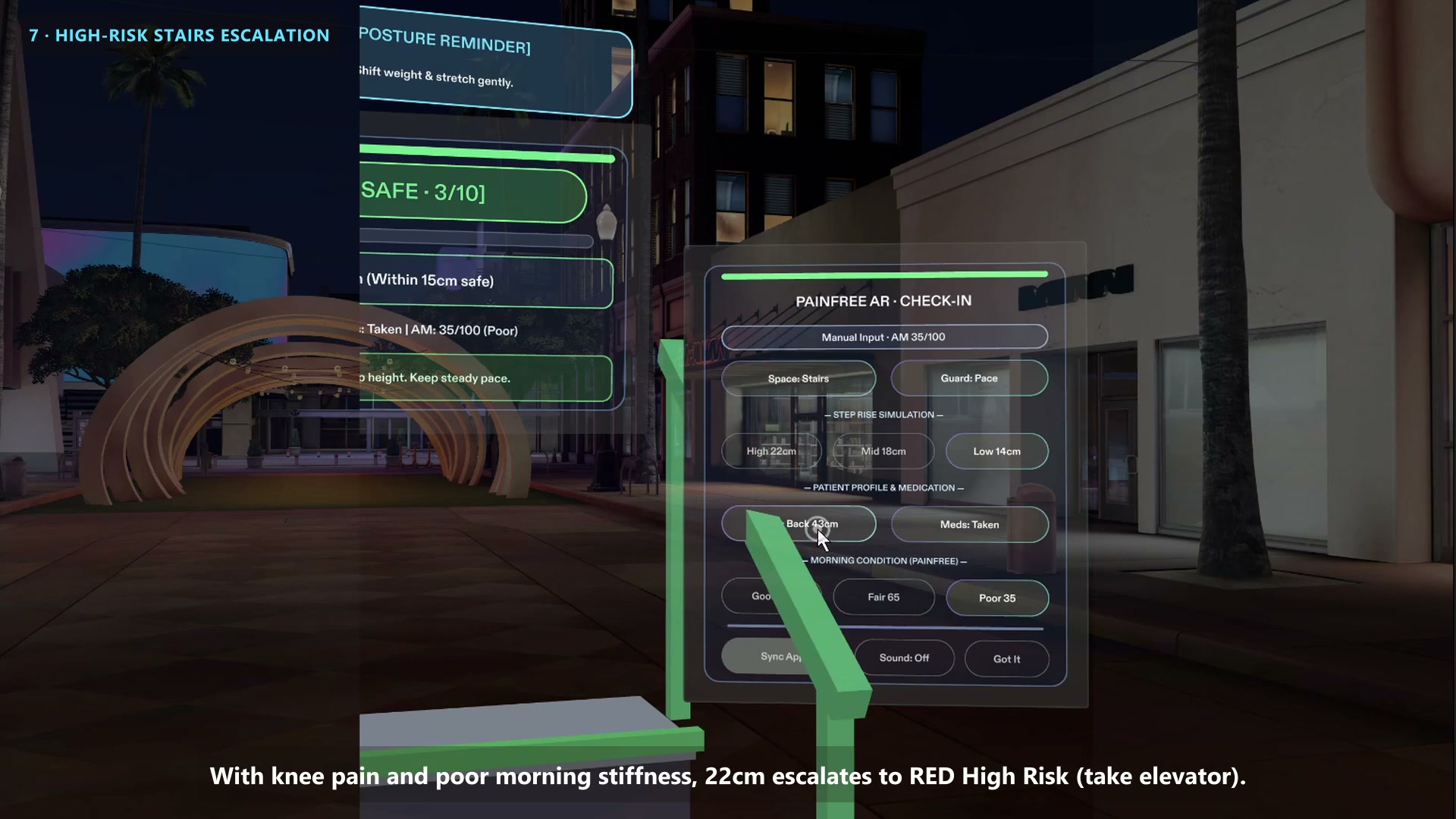
45 cmvs. Back43 cmbaseline), medication status (including a reminder not to overstrain joints when meds mask pain), and morning stiffness (Good 90/Fair 65/Poor 35), with an opt-in PainFree API sync endpoint (offline-first default with clean built-in sample fallback). - One-Tap Pain Log & Adaptive Personalization: On the left cockpit panel, users tag context (
Home/Cafe/Clinic) and log post-action pain (No Pain -1 cm,Mild +1 cm,Sharp +2 cm). Personal seat and stair offsets calibrate independently and persist locally across sessions. - StepSafe (3D Stairs & Handrail Guidance): Switches the spatial target into a 3-step staircase (
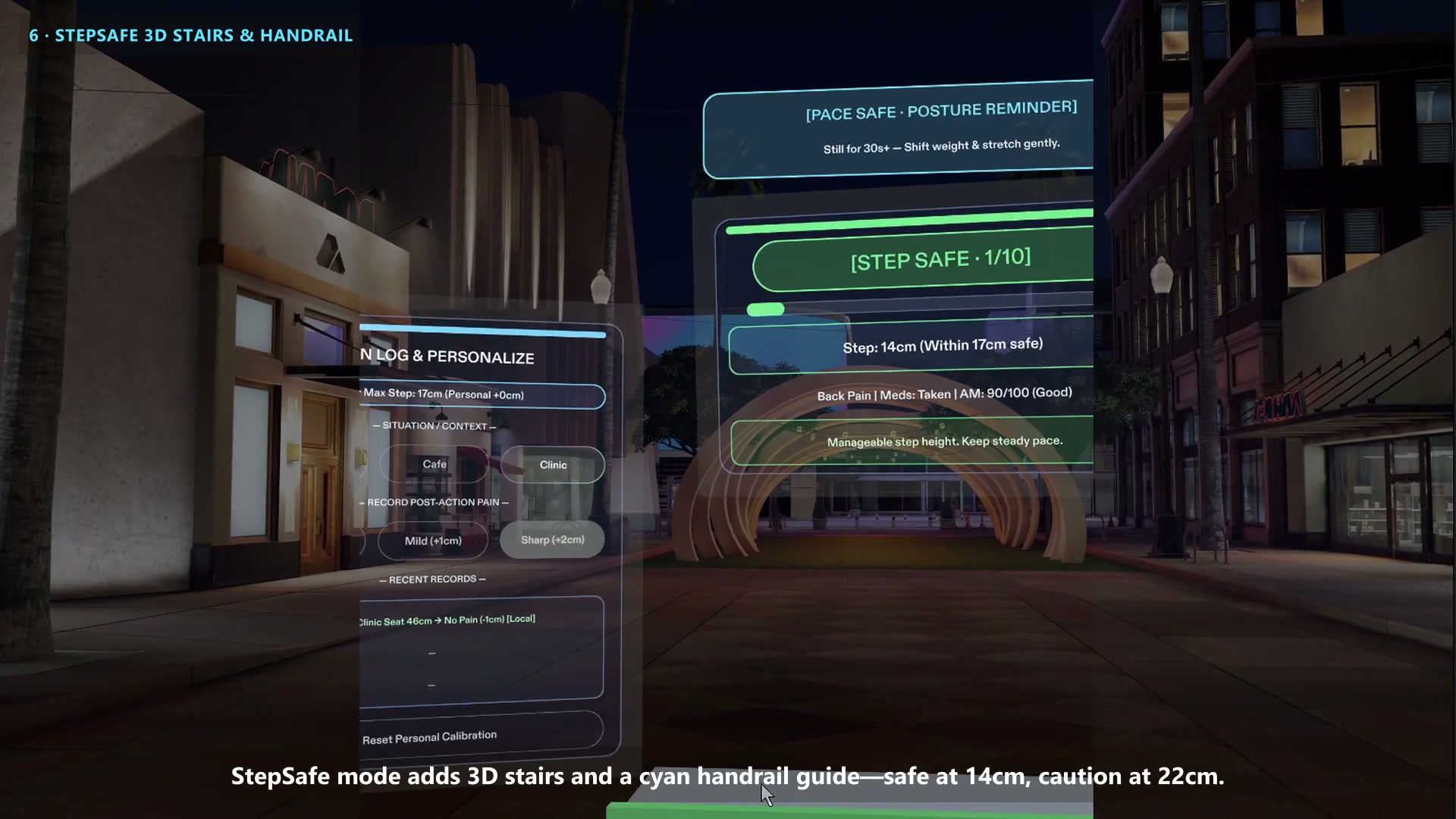
14 / 18 / 22 cmrisers) with color-coded step edges and a sloped cyan handrail guide. - Motion Guards (
MotionGuardHUD): Monitors head/body motion for rapid standing (StandSafe3-second pause countdown), deep forward torso bending (BendSafe), and prolonged stillness (PaceSafestretch & medication reminder), plus an in-panelSound: Off / Ontoggle (muted by default).
Who it's for
Adults and older users living with chronic knee arthritis, post-surgery recovery, or lower-back pain—especially people who hold a cane, walker, shopping bag, or handrail and need both hands free while navigating cafes, clinics, and public stairs.
How we built it
Planned with the Devpost Learn skill pack (devpost/design-brief.md) and built in Lens Studio using TypeScript, UIKit 4.0, Spectacles Interaction Kit (SIK), and the CLAD / Lens Studio MCP workflow.
- Pure domain risk scoring, separate chair/stair calibration, strict API payload validation, and motion-guard state machines live in
SeatSafeEvaluation.ts. - Procedural 3D meshes (two-tone chair, safety rings, height gauges, 3-step stairs, and handrail) are generated at runtime in
SeatSafeChairVisual.tsusing a custom PBR material (SeatSafeSimplePBR.mat). - All three floating panels and the top HUD were sized, bolded (
weight 700–800), and positioned specifically for the SPECS 27 1st-person optical FOV (~46°) so every label stays legible on an additive display.
What I learned
- Additive optical displays change everything: Pure black becomes transparent on AR waveguides, and layouts that look spacious in an orthographic Scene Editor easily clip at the edges of a real 1st-person SPECS FOV. Tuning panel scale, high-contrast outlines, and bold typography directly in 1st-person preview made a dramatic readability difference.
- Separating pure logic from Lens runtime pays off: Keeping evaluation, calibration, and timeout/fallback rules pure made it easy to catch edge cases (shared chair/stair offsets, stale async sync responses, and per-frame stillness drift) before recording the final demo.
- Honest scope in preview vs. hardware: All core interactions, state transitions, persistence, and visual cues were verified live in Lens Studio Interactive Preview using virtual 3D furniture stand-ins; physical depth-sensing accuracy, outdoor waveguide contrast, and long-wear ergonomics with mobility aids remain to be tested on physical SPECS hardware.
Built With
- accessibility
- ar
- healthcare
- lens-studio
- snap-specs
- spectacles-interaction-kit
- typescript
- uikit
