-
-
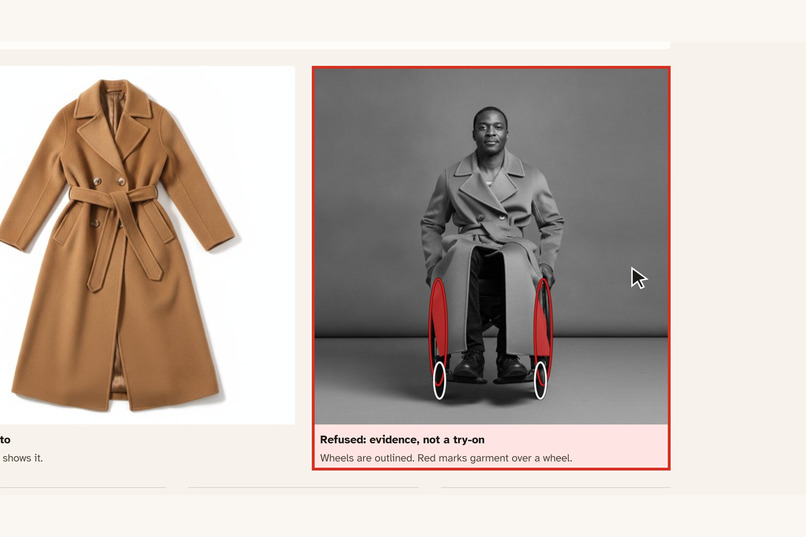
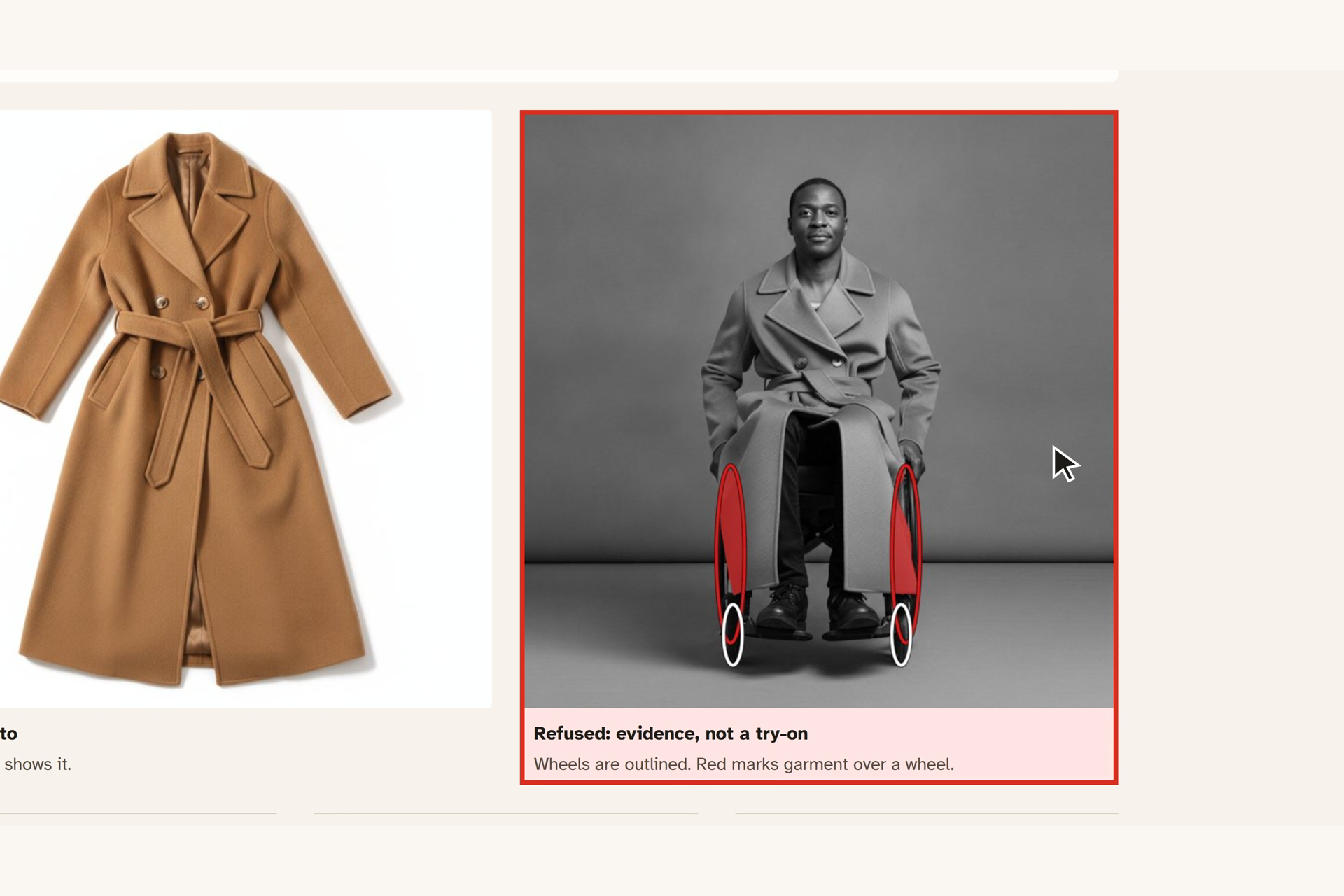
The long wool coat is refused: the covered part of the wheel is marked in red.
-
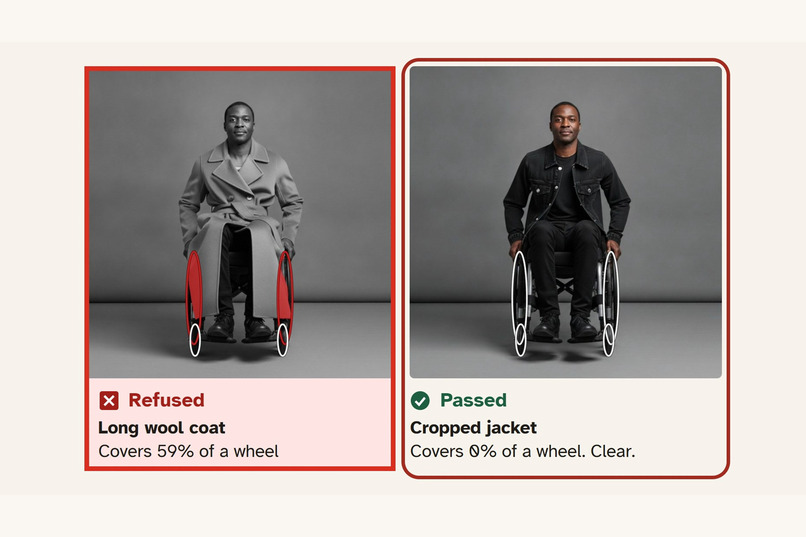
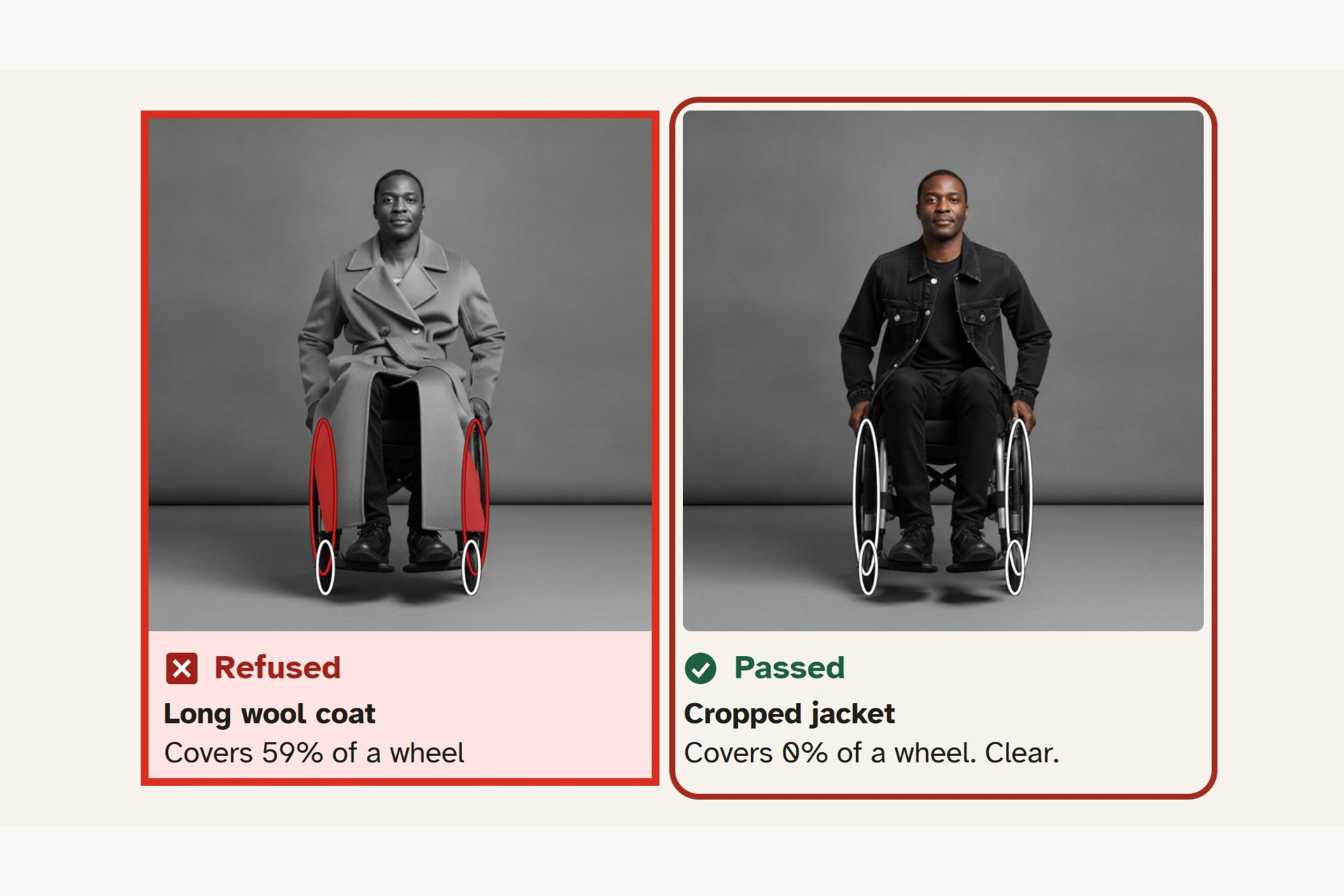
The same AI-generated person in two garments: one refused, one passed.
-
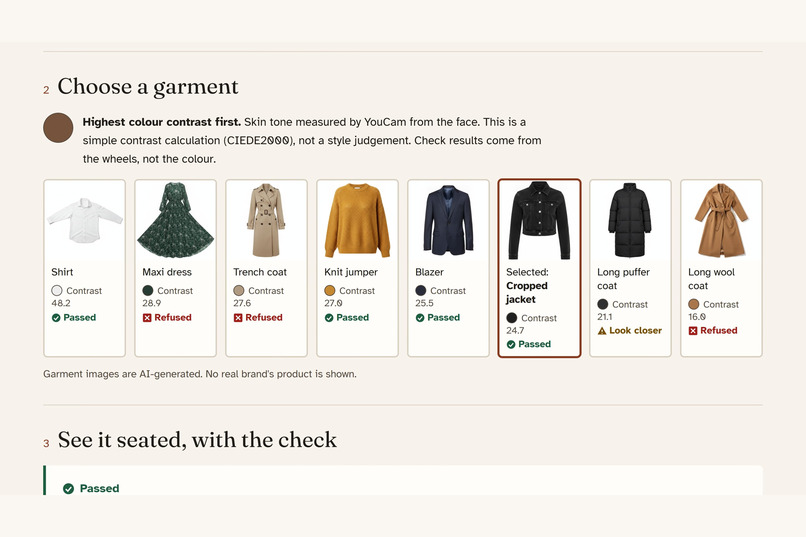
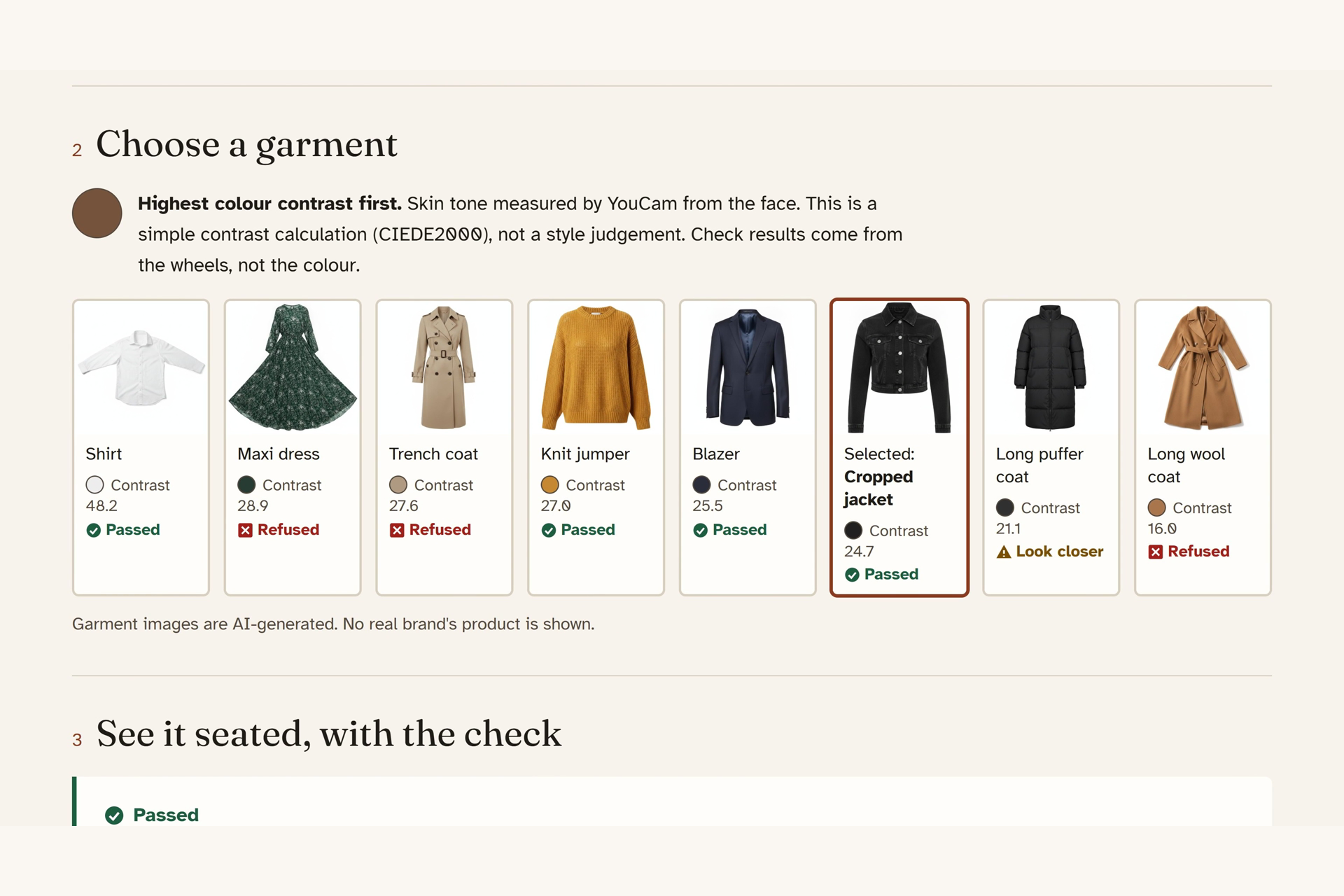
Garments listed by colour contrast against a skin colour measured by YouCam.
-
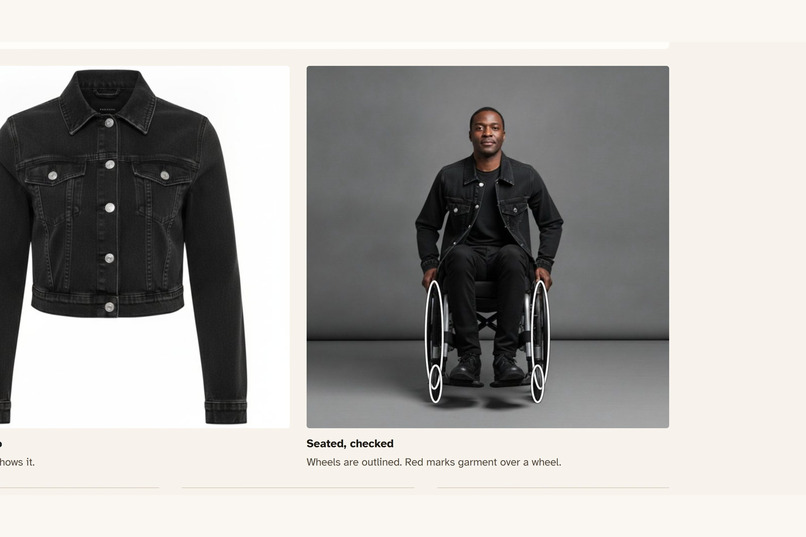
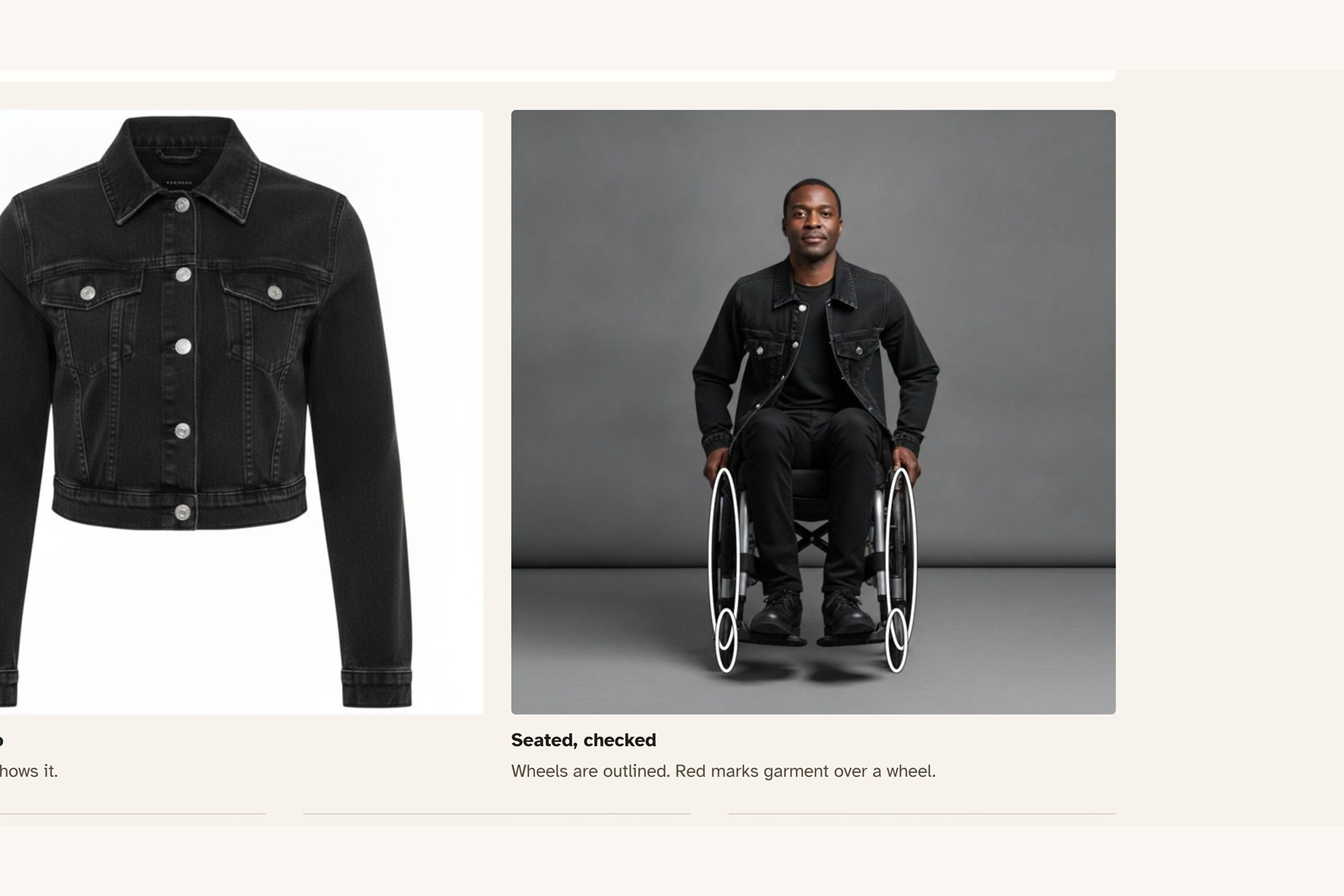
A cropped jacket on the same person passes, covering none of the wheel.
-
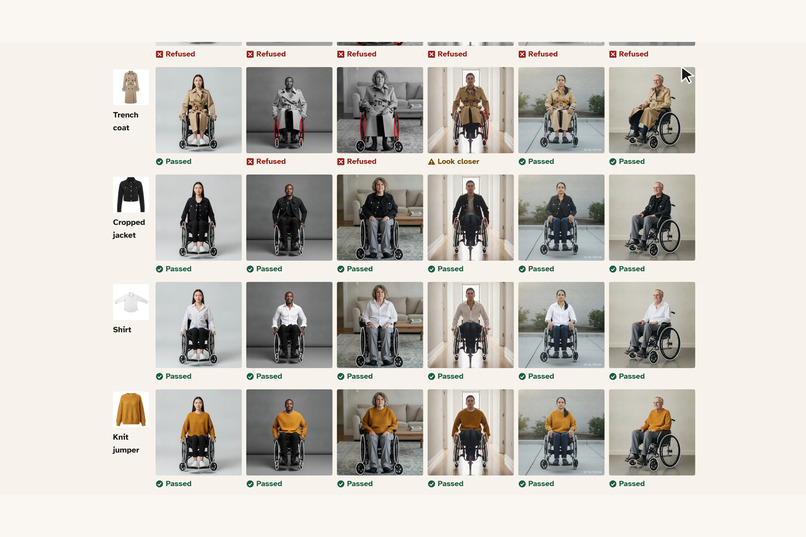
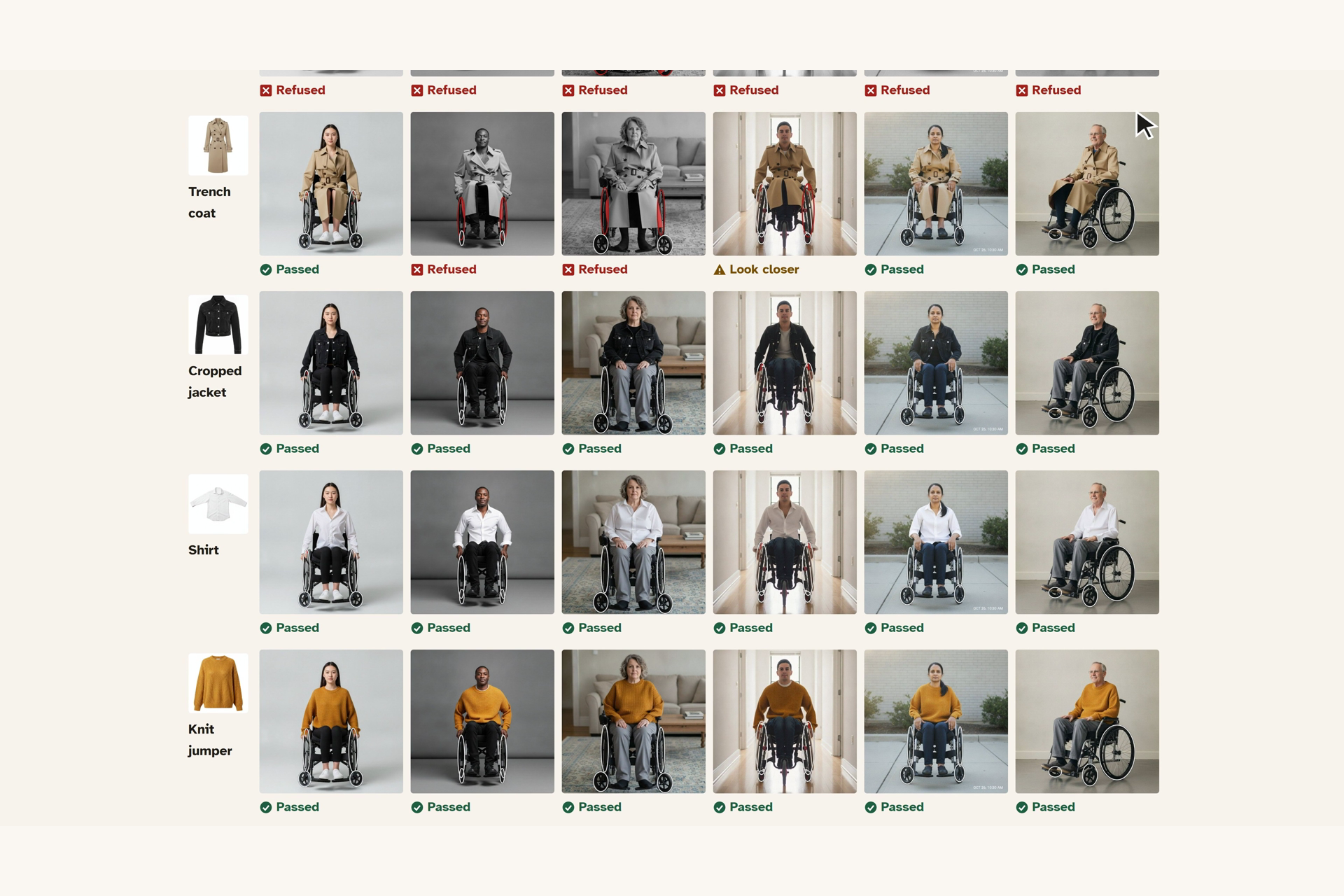
The retailer's table: a verdict for each garment on each seated model.
Inspiration
Online try-on is built for people standing up. If you use a wheelchair, a product photo of a standing model can't show where a hem lands when you sit, or whether a long coat reaches your wheels. So the shopper is left guessing. In the US, 3.6 million people aged 15 and over used a wheelchair or scooter (2010 Survey of Income and Program Participation, in the National Academies' 2017 report: https://www.nationalacademies.org/read/24740/chapter/5).
There was also a technical reason. YouCam's documentation says try-on photos should have no sitting or crouching. My first test ran anyway: 3 seated models, 2 garment categories, 6 of 6 tasks succeeded. But working outside the documented conditions means a render can't simply be trusted, so checking it became the product.
What it does
A long wool coat looks fine on a standing product photo. On a seated model it covers 59.3% of a wheel. Cloth over a wheel can catch while you push, so that is the check that matters most. A pass means the picture shows the garment clear of the wheel in this pose, not that it is safe to wear. SeatedFit marks the covered area in red, says so in plain words, shows the picture only as grey evidence, and offers a cropped jacket on the same person that covers 0% and passes.
For shoppers: choose a sample or upload a seated photo, mark the wheels on an upload, choose a garment, and see the product photo beside the seated result with the checks underneath. Sam in the video is an illustrative shopper, not a real user.
For retailers: a garment by model table with a verdict per picture, a download of approved images with descriptions, and a human review list with reasons.
How I built it
I built it solo, with Claude Code writing and testing the code. It is a Python FastAPI app with a hand-built front end, deployed as one web service on Render.
It uses two YouCam APIs:
- AI Clothes makes the seated try-on images.
- Skin Tone Analysis measures skin colour. Garments are then ordered by CIEDE2000 colour contrast against the skin. That is a simple contrast calculation, not a style judgement, and it doesn't affect the verdicts. So far only one sample (Model B) has a YouCam reading. The other five use a local estimate, and the page says which is which.
Every render gets four deterministic image checks, with no language model involved:
- Wheel clearance: how much of the worst-covered wheel is under the garment?
- Wheelchair intact: is the chair still there?
- Face and hands: is this still the same person?
- Garment applied: did anything change?
Each check returns a number, a pass, warn or fail, and a region drawn on the picture.
Results
From the saved run of 48 real renders (6 synthetic models by 8 garments):
- 32 passed, 3 need a closer look and 13 were refused. All 13 refusals were for wheel clearance.
- All 24 short-garment renders passed. Of the 24 long-garment renders, 13 were refused, 3 warned and 8 passed.
- I planted five kinds of damage, and each was caught 24 of 24 times. All 24 clean renders passed. The hand result isn't independent: it caught 14 of 24 on its first run, and I then raised the hand limit using that same set.
- Axe found 0 WCAG A/AA violations on the shopper, retailer and how-it-works views and the wheel marker, at 1280 and 390 pixels wide. Automated checks can't prove real-world usability.
Challenges
Automatic wheel finding failed: it found 2 of 23 wheels and returned 15 false positives. I turned it off and built a wheel marker that works by mouse, touch and keyboard. Without marks, an upload's wheel and chair checks say "not measured" and it can't reach a full pass.
Limits
- It shows a garment in a generated image, not a real fit. There is no fabric simulation or body measurement.
- A pass means the picture passed these checks, not that the garment is safe to wear in a wheelchair. Some long coats pass because they hang between the wheels in that pose.
- All models and garments are AI-generated and synthetic. No wheelchair users have tested it yet.
- Seated use is outside what YouCam's documentation lists as supported.
- Thresholds were set on these same 48 renders, with no held-out set.
- Verdicts on uploads depend on marking accuracy. In a simulation on the saved renders, 154 of 192 reruns kept their verdict with marks up to 2% of the picture off, and 96 of 192 at 4% off. No refusal became a pass, and one pass became a refusal. This was not measured with real shoppers.
- I have no head-to-head numbers against reviews, returns or other try-on tools, and I won't claim any.
What's next
The next step is testing with wheelchair users, because that is the main thing this entry hasn't done. After that, I'd test the thresholds on a held-out set and get YouCam skin readings for every sample.
Try it
Open https://seatedfit.onrender.com. It needs no login, key or payment. Saved renders power the main path. Select Check a garment, then Long wool coat, then See the cropped jacket. Select For retailers for the table. Your own photo uses paid YouCam calls and has a daily limit. Past the limit the app says so, and the saved path keeps working.

