SeaSussed
Inspiration
I wanted to make better choices when buying seafood, but every time I tried, the resources I found were too vague to be useful at the moment I actually needed them. Sustainability certifications are inconsistent. Labels are confusing. And most guides are static, broad, and disconnected from what is actually in front of you.
What I wanted was not another article or database to cross-reference later. I wanted real, specific, up-to-date information delivered exactly when and where the decision is being made. SeaSussed started from the desire to do the right thing and having the tools to actually do it.
How I Built It
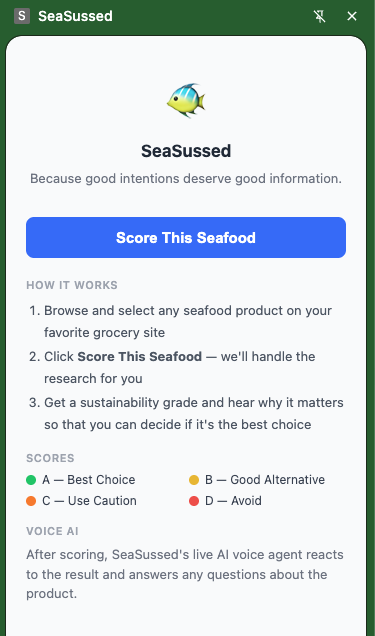
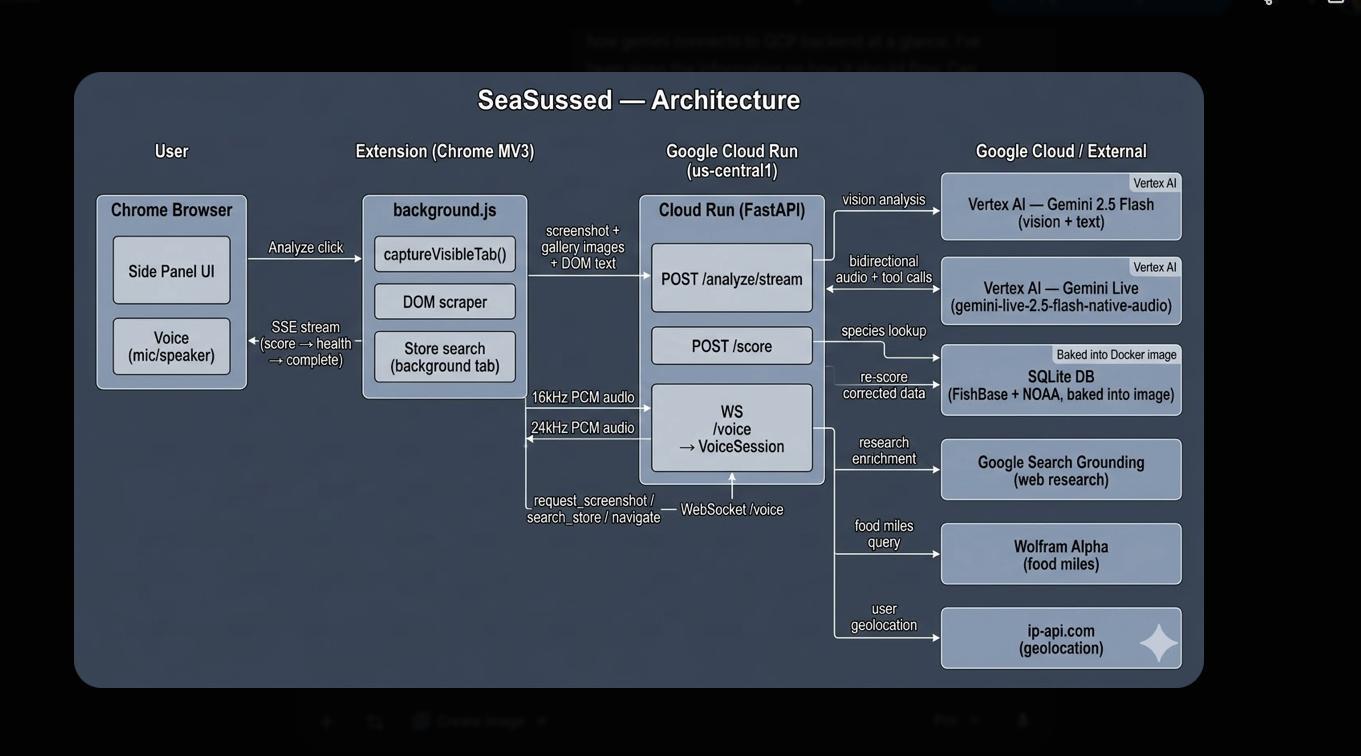
SeaSussed is a Chrome Manifest V3 extension paired with a Python FastAPI backend deployed on Google Cloud Run.
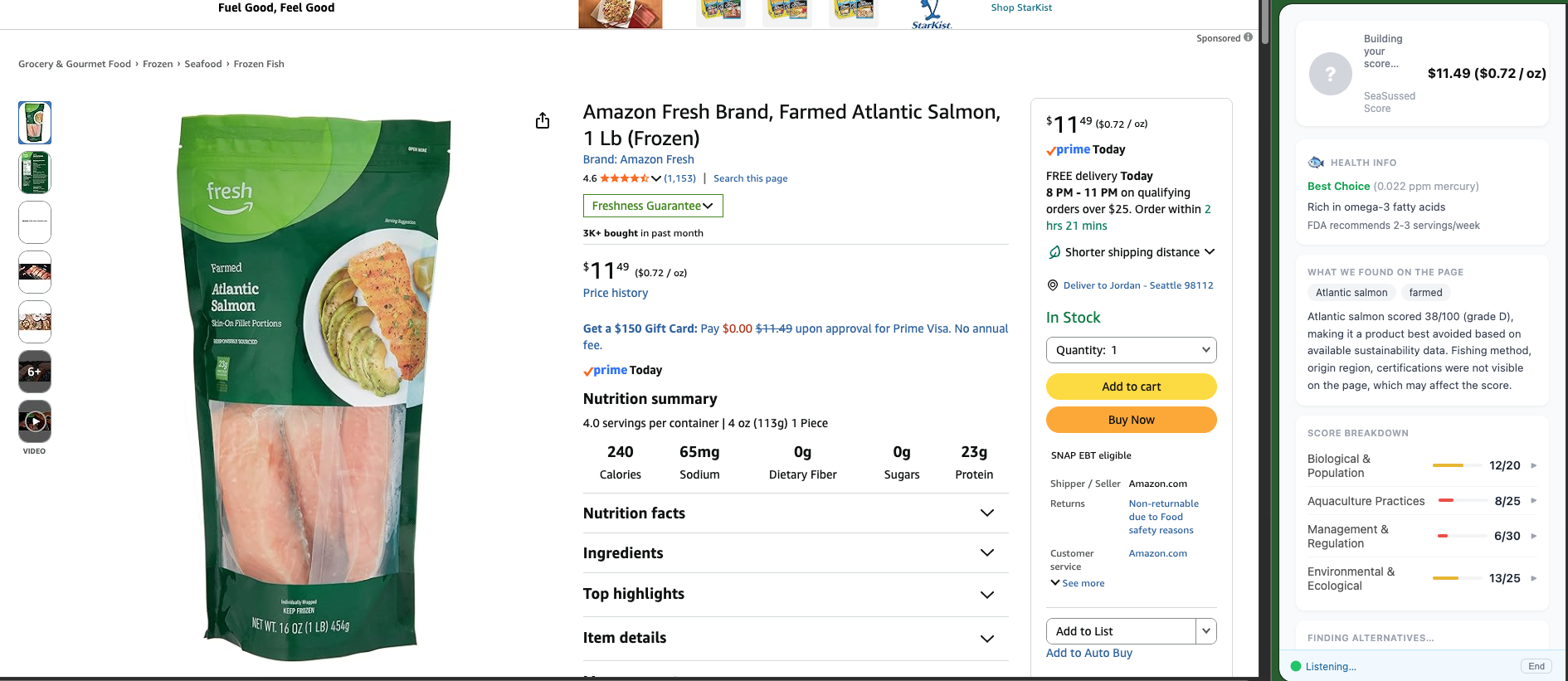
When a user lands on a seafood product page, the extension captures everything visible through a viewport screenshot, product gallery images, and the page's DOM text and sends it all to the backend in a single request. This multi-signal approach was deliberate because a single screenshot misses back-of-package certifications, origin labels, and secondary images that often carry the most useful sustainability information.
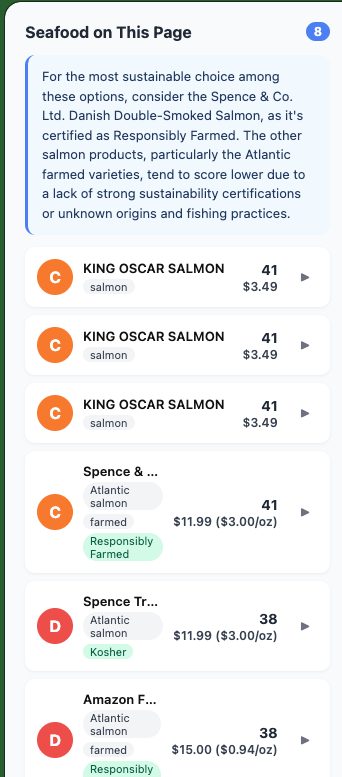
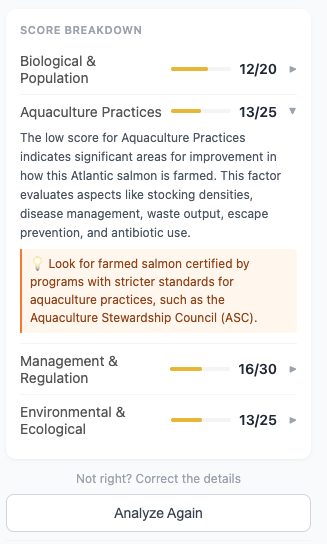
The backend runs Gemini 2.5 Flash on Vertex AI to extract structured product information from that visual and textual data. It then scores the product using a pure Python scoring engine backed by a SQLite database built from FishBase, NOAA FishWatch, and MSC certification data. Results stream back progressively via Server-Sent Event. The score appears while alternatives and explanations continue loading in the background, keeping the experience feeling fast.
Voice mode adds another layer. Using Gemini Live (gemini-live-2.5-flash-native-audio) over a WebSocket, users can speak to SeaSussed directly. The voice agent has three tools: analyze the current product page, search the store for alternatives, and navigate the browser to a product. The store search works by opening a background tab, scraping the search results DOM, scoring each product from the listing text, and closing the tab.
Challenges
Multi-image vision A single screenshot is not enough. Back-of-package information, certification logos, and origin details are often only visible in secondary gallery images. The solution was to scrape the product gallery URLs, fetch each image as base64, and send everything to Gemini alongside the structured DOM text. This significantly improved extraction accuracy and made the scoring far more reliable.
Voice agent tool reliability Gemini Live does not always follow system prompt instructions consistently — particularly around when to invoke tools and how to select from search results. Getting reliable behavior required substantial iteration on both the system prompt design and the structure of tool responses. Small changes in phrasing had outsized effects on how the agent behaved.
Scoring from search result listings When the voice agent searches for alternatives, it scores products from listing text alone (no images, no certification badges, just product names and brief descriptions). This produces systematically lower estimates than a full-page analysis. Early versions tried to use these estimates as a navigation threshold, blocking the agent from suggesting products that scored lower. That approach just blocked everything. The fix was to remove the threshold entirely and treat the ranking as directional rather than precise.
Progressive streaming Making the UI feel fast required splitting the backend into two distinct phases: vision processing and scoring first (near-instant), then alternatives and explanation. Coordinating SSE phases with the frontend animation required careful sequencing.
What I Learned
Building SeaSussed pushed me across several areas I had not worked in depth before.
On the multimodal vision side, I learned that getting accurate product information from a web page is not a single-step problem. Combining a screenshot, gallery images, and DOM text into one structured request (and prompting Gemini to reason across all of them) produced dramatically better results than any single input alone. The quality of extraction depends heavily on how the inputs are assembled and framed. Latency is always something at the forefront of my mind and what I would like to improve upon in the future.
On voice agent design, I learned a lot about tool call reliability, timeout handling, and the way a voice agent needs to reason about navigation. This all required rethinking assumptions I had brought from building text-based interfaces.
This is my first Chrome extension development and I am very happy with the look and feel of this side panel. I am inspired to work a lot more with these extensions in the future.
Built With
- chrome-manifest-v3
- gemini-adk
- google-cloud-run
- google-search-grounding
- ip-api.com-geolocation
- javascript
- python
- vertex-ai
- wolfram-technologies


Log in or sign up for Devpost to join the conversation.