
Inspiration
Knit stitches are basically pixels: a sweater pattern is a grid where every cell is one stitch of one color. So I took "Deck the Pixels" literally:
$$ 1 \text{ stitch} \approx 1 \text{ pixel} $$
Then I asked what it would look like if an AI knitted an ugly sweater and didn't quite finish the job. The result is Season's Glitchings, an ugly sweater knitted by a confused machine that's still loading.
What it does
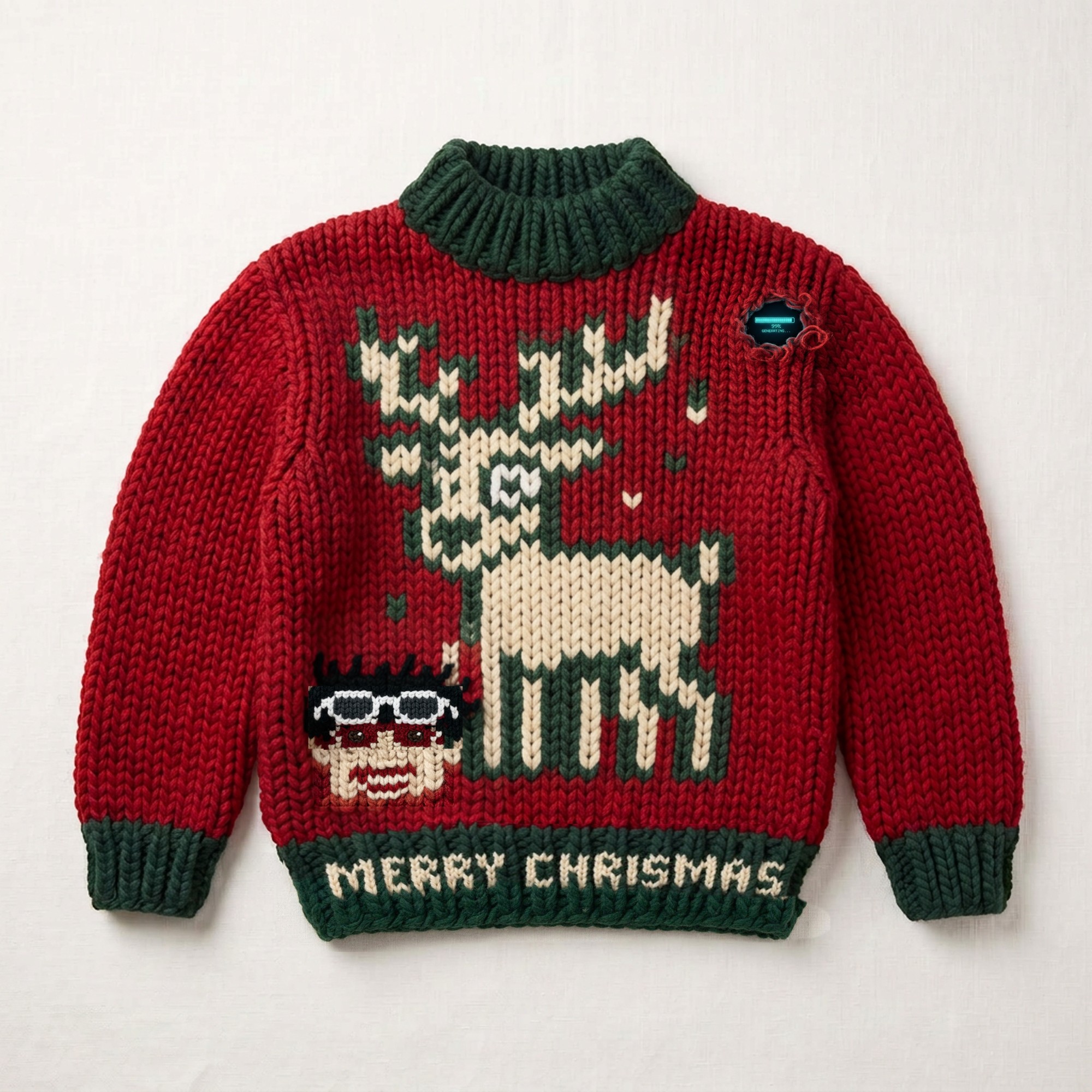
- The sweater: a chunky red knit with an 8-bit reindeer that has too many legs, mismatched antlers and a heart for an eye. The hem says "MERRY CHRISMAS" (the T got lost), a knitted pixel version of me is stitched on with my sunglasses pushed up, and a rip in the shoulder shows a loading bar stuck at 99%. Zoom in on the shoulder.
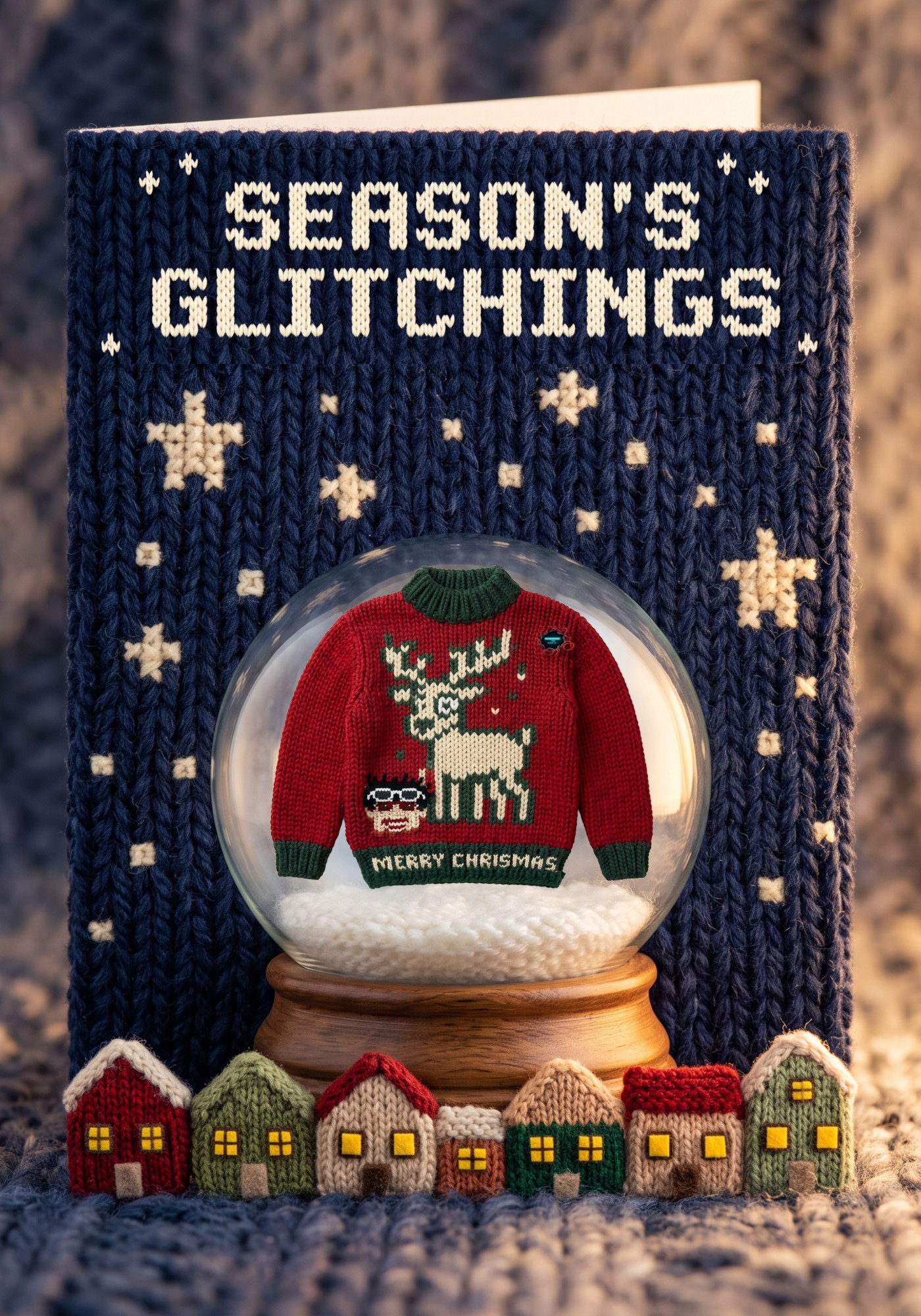
- The card: the finished sweater floats inside a snow globe on a navy knitted night sky with pixel-stitch stars, tiny knitted houses below, and "SEASON'S GLITCHINGS" knitted across the top in the same 8-bit lettering as the sweater.
How I built it
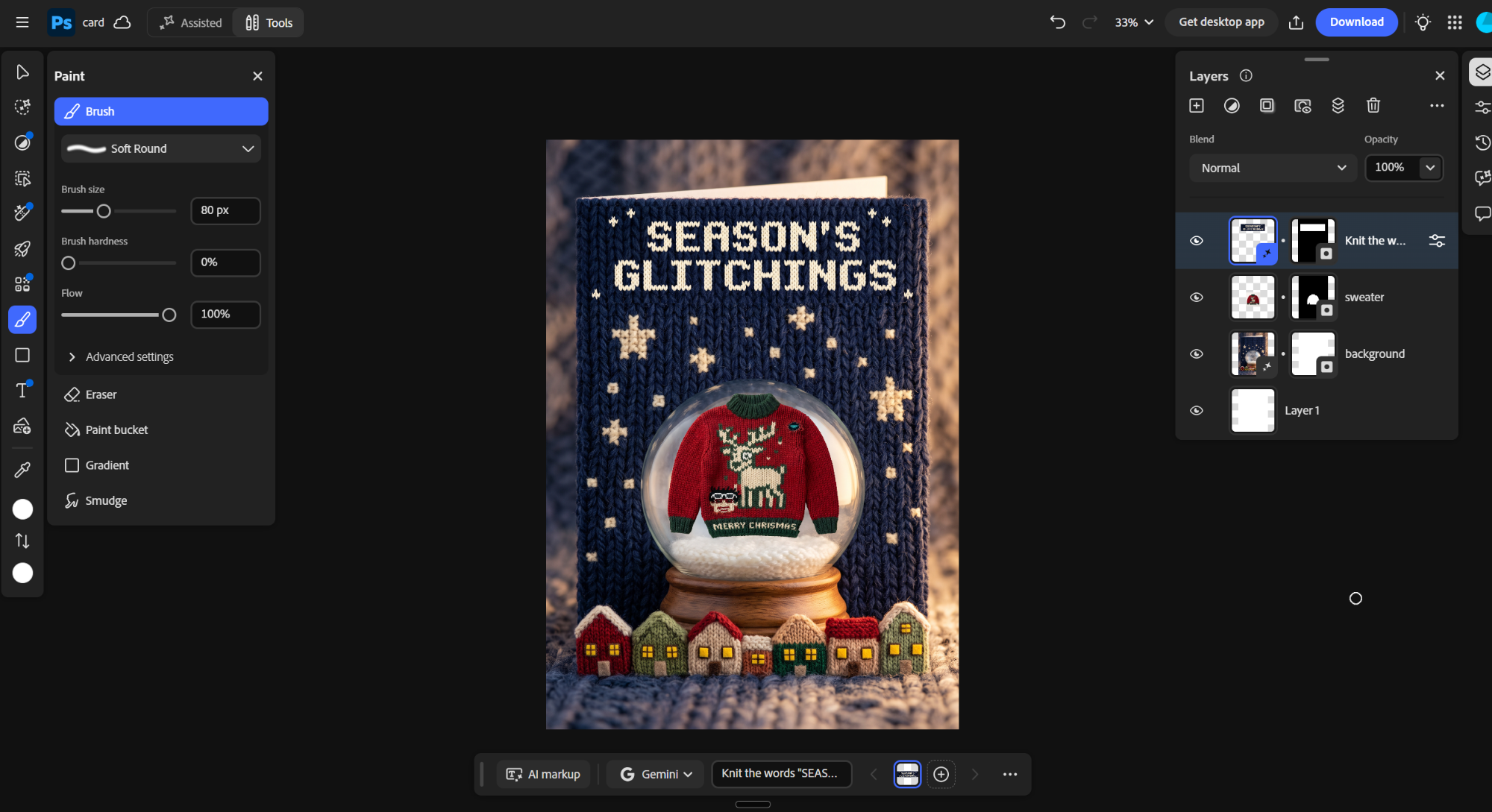
Everything was made in Adobe Photoshop with Nano Banana, one layer per step:
- Base sweater: generated a flat-lay chunky red wool sweater with Nano Banana 2, prompting for stitches that read like a pixel grid and a plain front to design on.
- Reindeer: selected the upper chest and used Generative Fill to knit an 8-bit reindeer with deliberate mistakes and stray "glitch" stitches.
- The misspelling: knitted "MERRY CHRISMAS" into the green hem, spelling it letter by letter so the model wouldn't fix it.
- Me: placed my own pixel avatar as a guide layer, turned it into knitted stitches, then refined the mouth, sunglasses and eyes with small targeted selections in Nano Banana Pro. A layer mask with Select Subject removed the generated box so the patch blends into the knit.
- The rip: a torn hole with frayed yarn and a glowing loading bar. Nano Banana misspelled "GENERATING" inside it, and I kept it because it fits.
- The card: generated the knitted snow-globe scene with Nano Banana 2, placed the sweater inside the globe with a mask, and knitted the title with Nano Banana Pro.
Each layer is named by the prompt that made it, so the Layers panel shows the whole build order.
Challenges
- Big edits redraw everything. My first approach regenerated the whole image and wiped out details I liked, so I had to restart once.
- My face was the hardest part. Early versions came out as a flat sticker, a face with sunglasses over the eyes, or a stranger with blond hair. Fixing one feature at a time worked far better than regenerating the whole face.
- Generated patches leave seams. Several patches came with hard rectangular edges, which I fixed with layer masks and tiny cleanup fills.
- The model wanted to fix my typo. It kept "correcting" CHRISMAS to CHRISTMAS until I spelled the word out.
What I learned
- Small, tight selections plus "keep everything else exactly the same" beat regenerating large areas.
- Describing a scene in full sentences works better than keyword lists.
- Treating each generation as its own layer makes it easy to compare, undo and rebuild without losing work.
- Happy accidents, like the misspelled "GENERATING", are worth keeping when they fit the idea.
