-
-

Splash Page
-
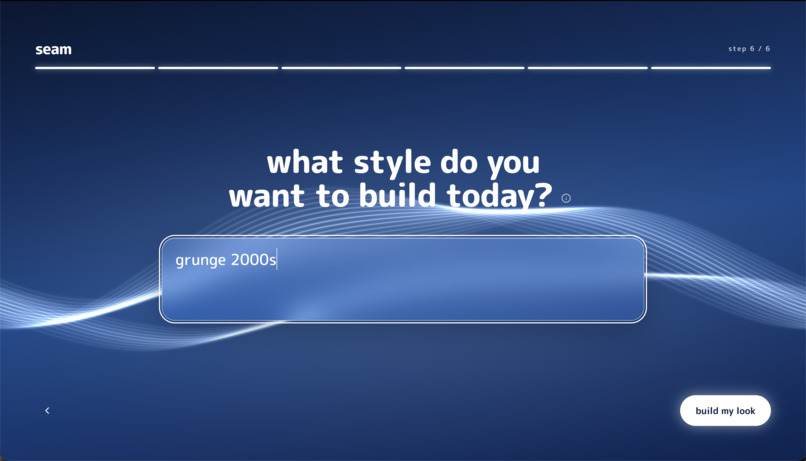
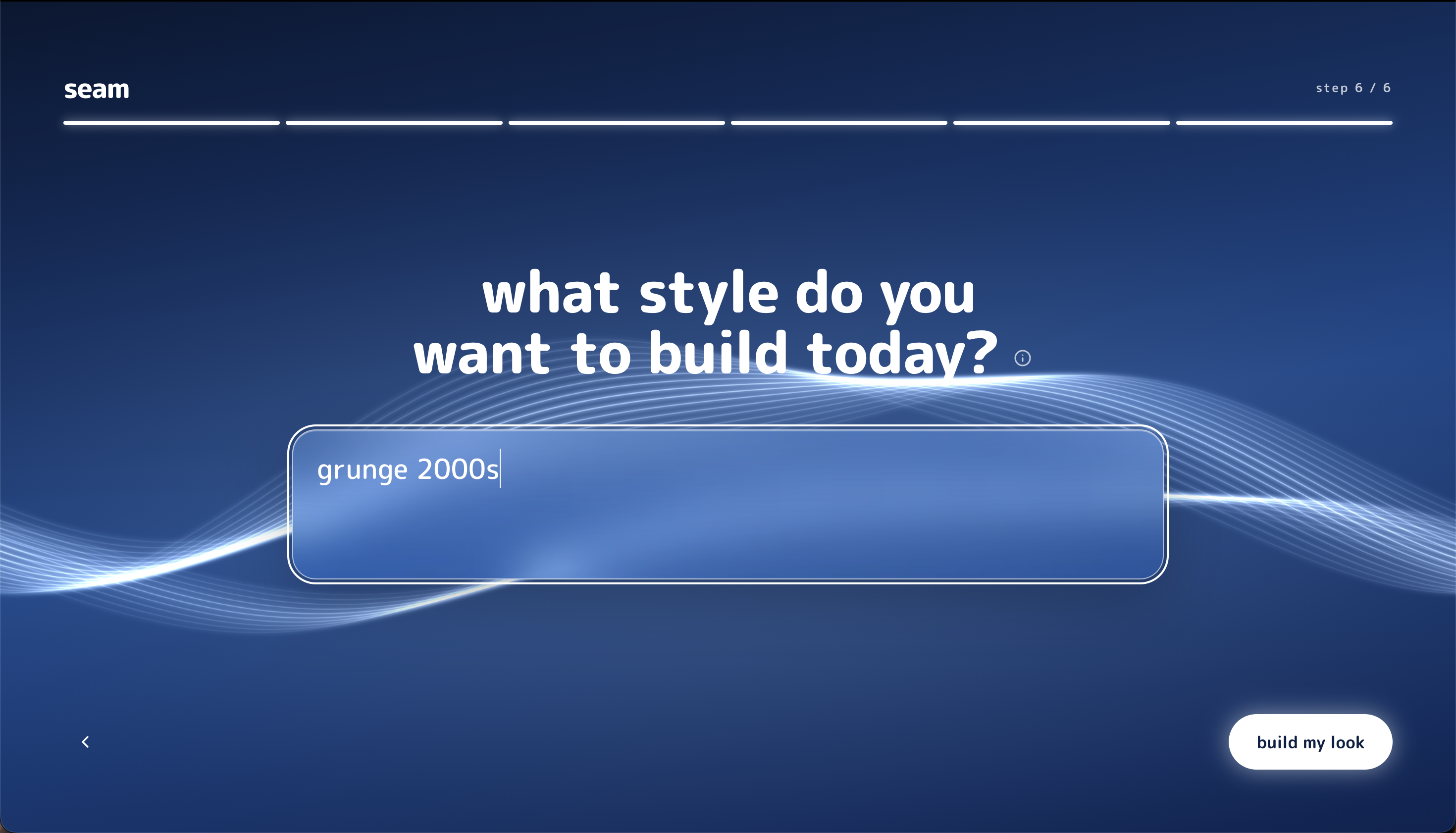
LLM Aesthetic Input
-
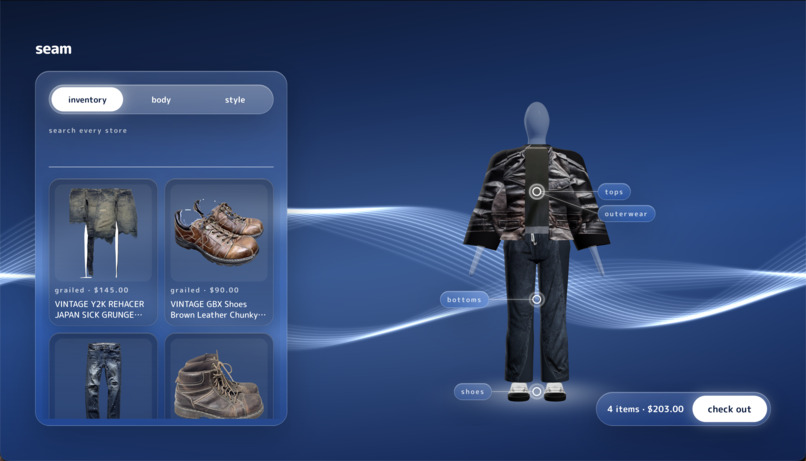
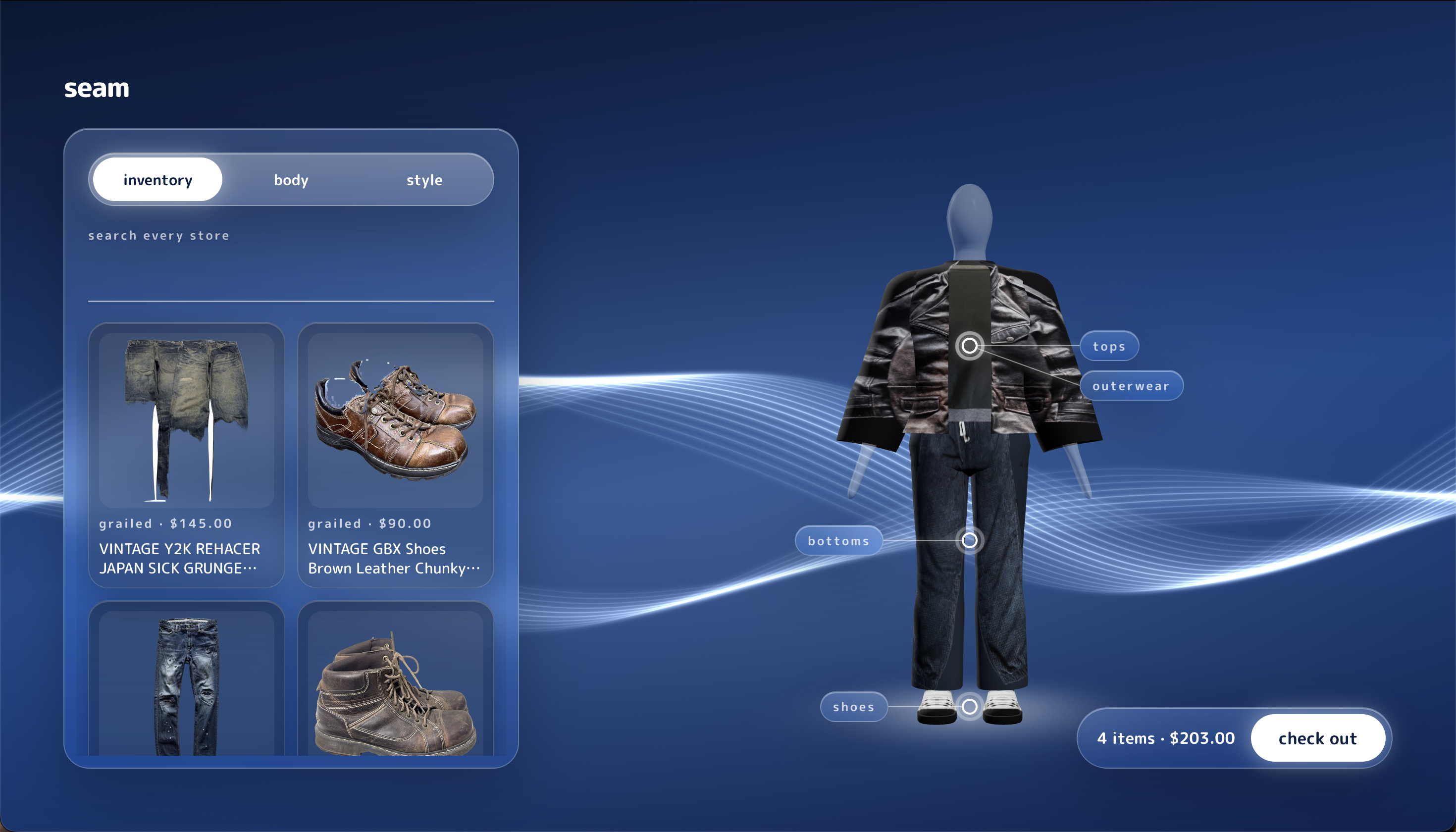
Inventory and Avatar Overview
-
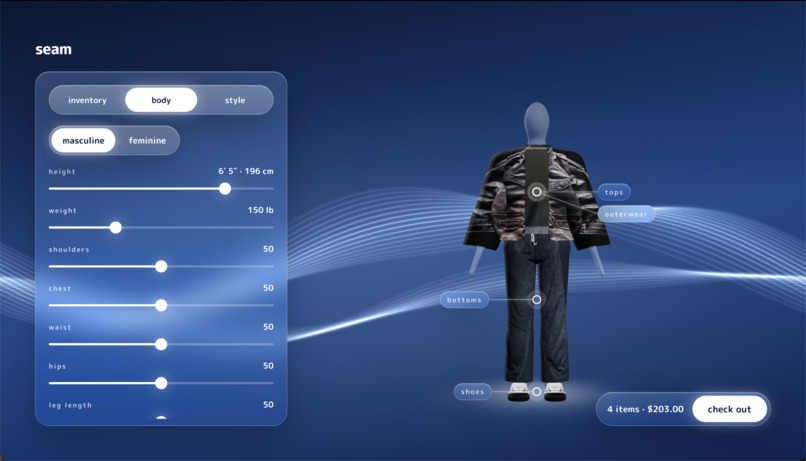
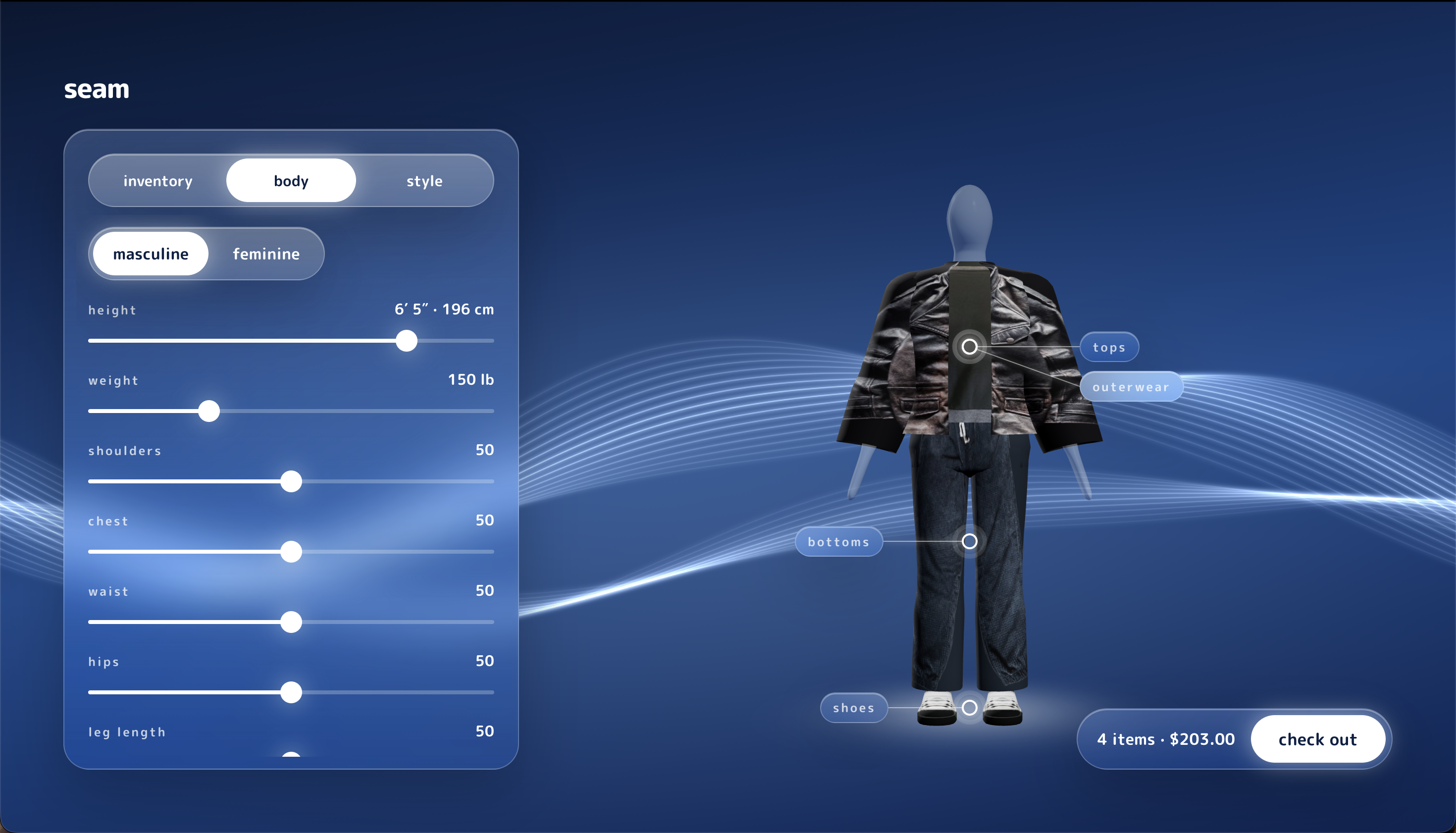
Avatar Body Sliders
-
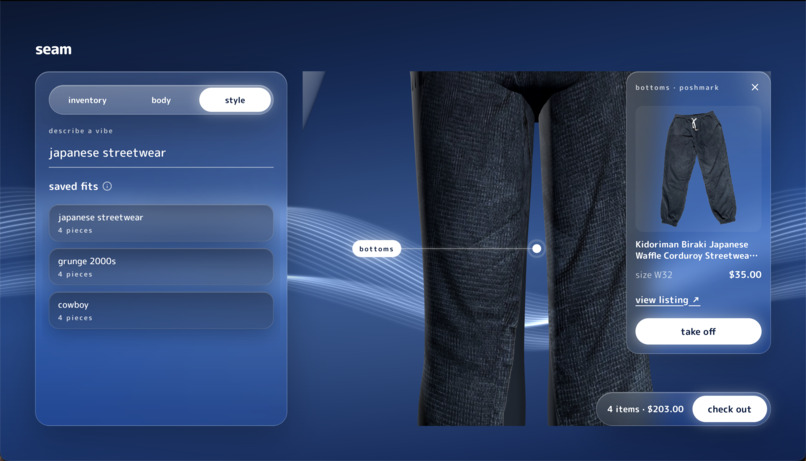
Detailed Item Overview
-
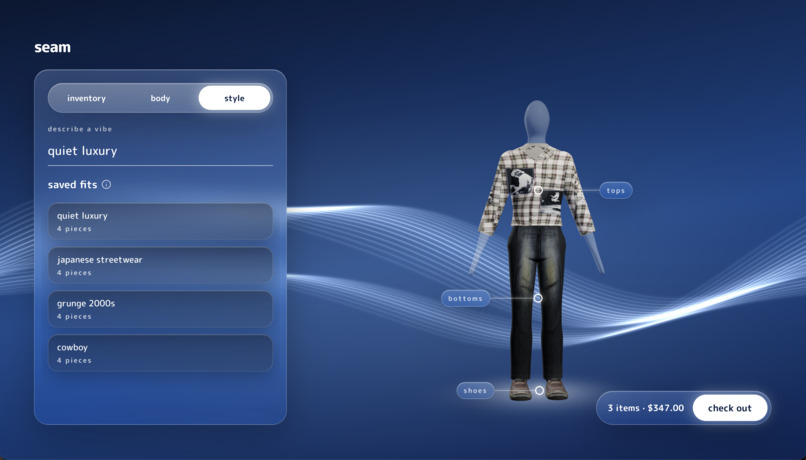
Customizability

Inspiration
Thrifting is one of the best ways to dress well on a budget and keep clothes out of landfills, but shopping secondhand online is miserable. Every item is one of one, the listings are scattered across a dozen marketplaces, the photos are a crumpled shirt on a bed, and sizing is a guess. You can't try anything on, so you either gamble on it or you close the tab. Meanwhile the way people actually think about style is in vibes, not SKUs. Nobody searches "black boxy cotton tee size M." They want "grunge emo 2000s" or "quiet old money fall fit."
We wanted to close that gap. What if you could type the vibe you're going for and your budget, and get back a full outfit made of real secondhand pieces you can actually buy right now, then see it on a body shaped like yours before you spend a dollar? That's Seam: thrift a vibe, try it in 3D. Seamless.
The Visa challenge pushed us further. It asked how generative AI can make commerce more intuitive and personalized across the whole journey, from discovery to decision to checkout. Secondhand shopping breaks at almost every one of those stages, which made it the perfect place to build.
What it does
Seam is an AI thrift stylist with 3D try-on.
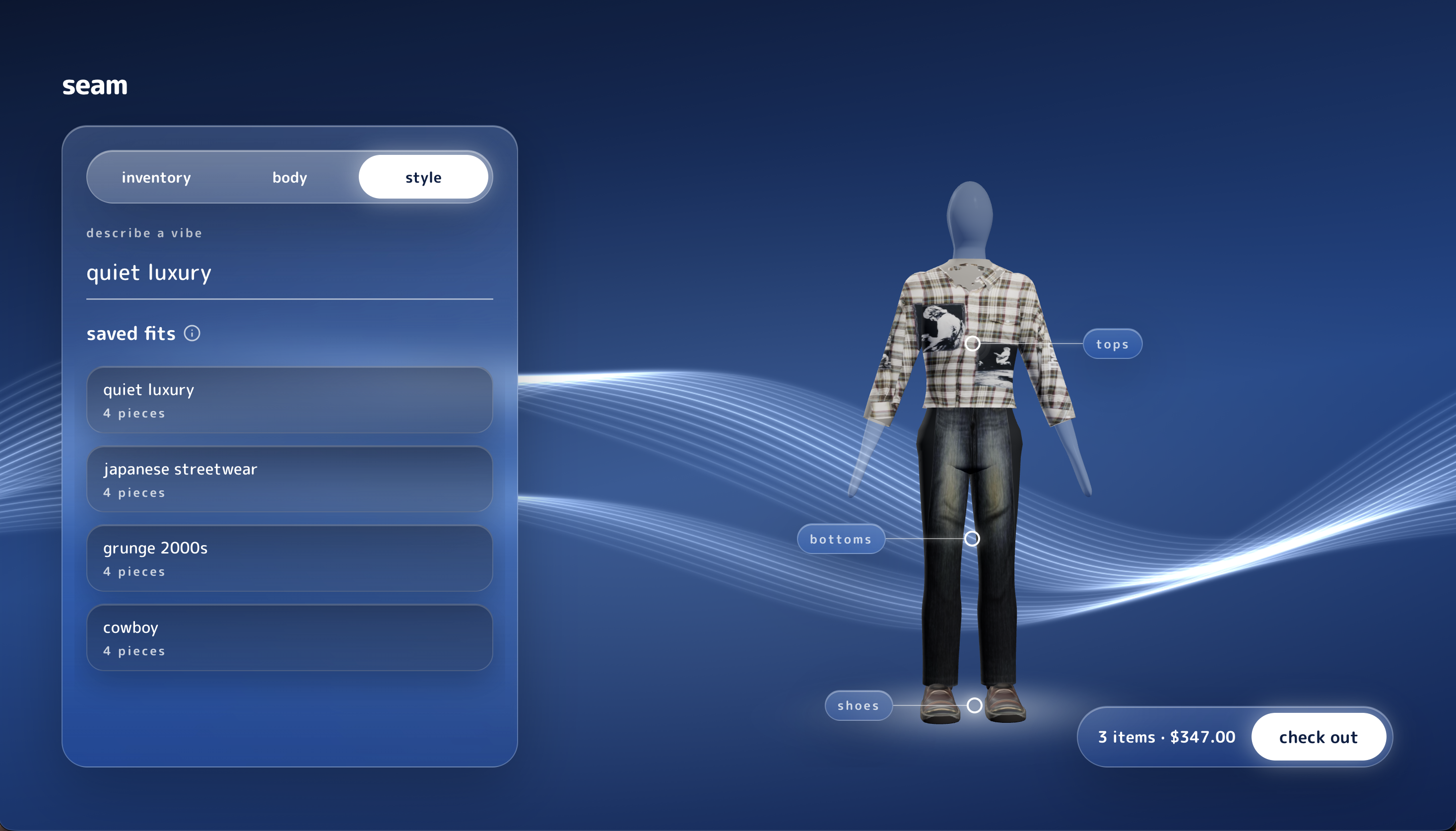
- Build your body. During onboarding you shape a faceless 3D mannequin with sliders (height, shoulders, chest, waist, hips, and more) and set your preferred top and bottom sizes. No photos of yourself required.
- Describe the vibe. You type a style prompt and a budget, like "grunge emo 2000s under $80."
- Seam goes shopping. It pulls real secondhand listings from multiple sources, uses computer vision to tag each item (category, color, material, style, fit), filters out anything unusable, and an LLM assembles complete outfits that match your prompt and stay under budget.
- Every piece becomes 3D. The listing photo for each item goes through our image-to-3D pipeline, which turns a flat thrift photo into a textured 3D garment and fits it onto your avatar. While that happens, a "building your look" screen walks you through searching, picking, building in 3D, and dressing.
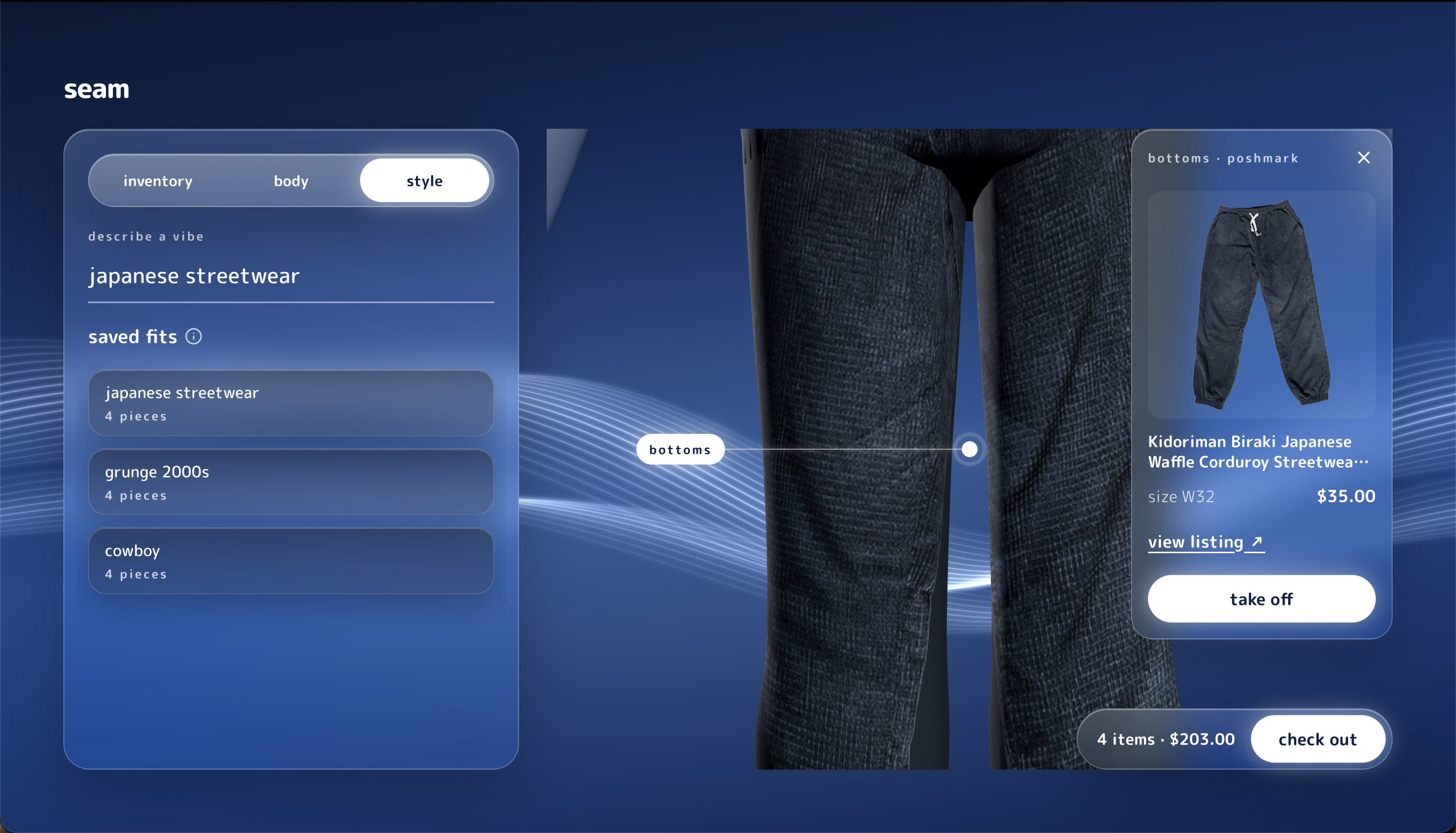
- Try it on. You land on your avatar wearing the outfit. Drag to rotate a full 360 degrees, zoom in, and tap the glowing hotspots on each garment (Tesla-dashboard style) to see the listing, price, source, and swap pieces in and out. Jackets layer open over shirts, garments respect their real-world size against your body, and loose items actually look loose.
- Check out. When you like the fit, you check out in an in-app sheet without bouncing between five different marketplaces.
The result is discovery, decision-making, and personalization in one flow: you go from a vibe in your head to a real outfit on your body in a couple of minutes.
How we built it
We split the work cleanly so two people could build in parallel for 22 hours. Caden owned the data side (ingest, vision tagging, item identification, and the outfit-curation LLM). Anjelo owned everything 3D (the image-to-3D pipeline, the avatar, fitting) plus the frontend UI.
Shared contract first. Before writing features, we locked a shared schema in Pydantic (shared/schema/models.py) mirrored in TypeScript (types.ts), plus a mock fixture. Both of us built against fake data from minute one, so neither side was ever blocked waiting on the other. When Caden's side needed new fields (like estimated retail price for savings comparisons), we revised the contract together and both sides picked it up.
Data and curation. Listings are pulled from multiple secondhand sources, normalized into one item schema, and stored in SQLite. Each item is tagged by a vision model and background-cut so the 3D pipeline gets a clean garment image. An LLM then takes the user's style prompt, budget, and the tagged inventory and composes outfits with a slot for each body region.
Image to 3D. We use Microsoft's TRELLIS.2 for image-to-3D generation, running on GPU through fal.ai. TRELLIS.2 runs a sparse structure flow for coarse voxels, a shape latent flow for fine geometry, and a texture latent flow for PBR materials, then exports a GLB. Raw image-to-3D output looks like a statue of a shirt, not a shirt you can wear, so we built a fitting step on top: per-category template garments (tops, bottoms, outerwear, shoes, boots, open-jacket variants) get bent to match the generated shape and textured from it, which gives us clean, wearable meshes that conform to the body.
Procedural avatar. Our first plan was a realistic human from MPFB2 in Blender. We scrapped it and generated the mannequin procedurally in pure Python with numpy and trimesh instead. The body ships with morph targets named to match the onboarding sliders exactly, so a slider in the UI maps directly to a blend shape in Three.js. We also added "ease" and "crop" morph targets on garments so fit (baggy vs. fitted) and real-world size show up visually.
Backend. FastAPI services in Python for the API and the 3D generation jobs, with a job queue so garment conversion runs in the background while the loading screen plays.
Frontend. React and Three.js. We designed the whole UI before building it: a glassy, PS3 XMB-inspired look with flowing animated ribbons and frosted glass panels, all-lowercase type, tooltips instead of helper text, and as few buttons as possible in favor of direct manipulation (tap to advance, drag to rotate, enter to submit). Hotspots on the avatar fade as they rotate to the far side of the body so the scene stays readable.
How we worked. With two people and 22 hours, we split the repo by ownership so we never stepped on each other. We used separate git worktrees for frontend and backend so both could run side by side without merge conflicts or port collisions, and all testing was done by hand on the real build.
Challenges we ran into
Realism was the whole game. Our first attempts at 3D garments were honest but ugly: a blocky voxel shirt, then a smooth "painted skin" shirt that looked like the mannequin had been dipped in paint. Neither sold the idea of trying something on. We refused to fall back to a 2D overlay and kept pushing until we landed on TRELLIS.2 plus template fitting, which actually reads as clothing.
Image-to-3D doesn't give you wearable clothes. TRELLIS.2 produces a closed, statue-like object. A shirt needs to be hollow, open at the neck and sleeves, and shaped around a body. Bridging that gap with templates and fitting was the hardest engineering problem of the weekend.
Thrift photos are terrible inputs. Wrinkled items on beds, hangers, cluttered backgrounds, weird angles, and often only a front photo. Segmentation and tagging had to be robust, and we had to filter out listings that would never convert cleanly instead of letting them pollute the inventory.
The QA list after our first full run. Once the pipeline worked end to end, we sat down together and broke it on purpose. We found eight real problems: shoes not rendering, baggy items showing up skin-tight, unusable items leaking into inventory, garment size ignoring real-world measurements, no way to zoom or focus a hotspot, jackets not opening over shirts, no user size preferences, and garments only textured on the front of the model. We traced every one to a root cause in the code and fixed them in parallel in the last stretch.
Dropping the realistic human avatar. The MPFB2/Blender route added a heavy dependency and a fragile export path. Rebuilding the avatar procedurally mid-hackathon was a risk, but it removed Blender entirely and made the body sliders map one to one with morph targets.
Two people, 22 hours. Our original third teammate couldn't make it, so the scope we planned for three had to fit two. Locking the schema contract early and splitting ownership cleanly is how we kept both halves moving at full speed.
Data access. Many secondhand marketplaces actively block scraping, so we had to be selective about which sources we could pull from reliably and legitimately.
Accomplishments that we're proud of
- It actually works end to end. You type a vibe, and real thrift listings come back as a full outfit fitted on your own 3D body. That full loop is the thing we were told would be too much for a weekend.
- The 3D looks like clothing. We didn't settle for voxels or a flat overlay. Turning a single bad listing photo into a wearable, size-aware garment on a custom body is something we're genuinely proud of.
- We built the avatar from scratch. A procedurally generated, slider-driven mannequin written entirely in Python, with no 3D modeling software involved.
- It feels like a product, not a hackathon demo. We designed the brand, logo, motion, and every screen before building, and the glassy, low-friction UI makes trying on clothes feel fun instead of technical.
- Our teamwork held up under pressure. A shared contract, clear ownership, and a real QA pass where we found and fixed eight issues in the final hours.
What we learned
Neither of us had built a 3D pipeline before. Going in, masks, depth maps, point clouds, voxels, marching cubes, and morph targets were foreign concepts. By the end we understood how TRELLIS.2 works under the hood (sparse voxel structure, latent flow matching, a diffusion transformer generating shape and texture in stages) well enough to build around its weaknesses instead of just calling an API.
We learned that realism is a product decision, not a polish step. The gap between "technically 3D" and "I'd believe this is the shirt" is where all the value is, and it's worth spending most of your time there.
We learned how to work as a two-person team at speed: agree on the contract before the code, mock everything so nobody is blocked, give everyone clear file ownership, and test by hand against the real thing.
And we learned a lot about why secondhand commerce is hard to digitize: one-of-one inventory, inconsistent photos, unreliable sizing, and fragmented platforms. Every one of those is a place AI can help.
What's next for Seam
- More sources, real checkout. Expand to more secondhand marketplaces and local thrift stores, and turn the mocked checkout sheet into a real cross-marketplace cart with payments handled in one place.
- Better fit. Add cloth simulation so fabric drapes and moves, more garment templates (dresses, skirts, accessories, bags, hats), and multi-photo reconstruction when a listing has back and side shots.
- Your body, your way. Optional body estimation from a photo or measurements, so the avatar is accurate without fiddling with sliders.
- Smarter styling. Let users refine a look conversationally ("make it warmer," "swap the jacket for something cheaper"), learn their taste over time, and build outfits around pieces they already own.
- Close the loop. Let people list their own clothes through Seam, auto-generating a 3D model from their photos, so every item sold makes the next shopper's try-on better.
- Mobile. We scoped this build to desktop. The next version goes where people actually shop: their phone.

Log in or sign up for Devpost to join the conversation.