ScrollPop
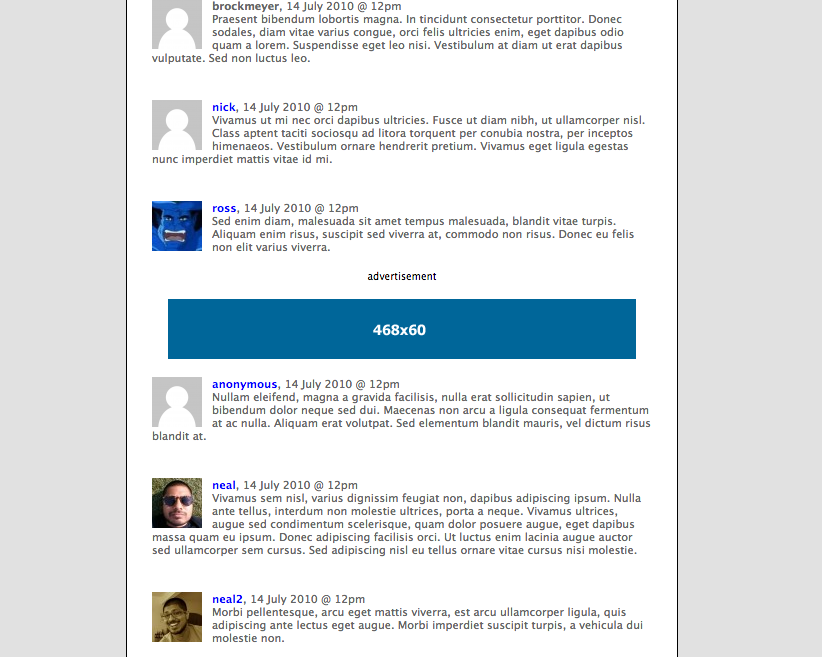
ScrollPop is a set of javascript/php/css/html snippets which insert ads into the comment roll of your self-hosted WordPress blog. However, these aren't your run of the mill ad unit. ScrollPops are triggered, or pop, only when you mouse or scroll through the comment roll. This reduces page weight, combats ad-blindness, improves accuracy of impressions, and helps you monetize user generated content.
As my first experiment in jQuery/WP hacking, I developed ScrollPop in July of 2010 while I was interning at Entertainment Weekly. ScrollPop also incorporates Brandon Aaron's jQuery.mousewheel plugin.
ScrollPop is freely available under the MIT license.
Demo
There is a live demo of both mouse & scroll triggers here. Additionally, the AudioShocker Podcast uses ScrollPop, (always on, no trigger), to power both frontpage merchandise ads and comment-roll promotions for several independent webcomics.
Installation
To enable ScrollPop ads on your WP blog:
- Copy and paste the php snippet into
comments.phpfile where noted. - Copy the css/js includes into the head block of your
header.phpfile. - Create and upload
sp.css&sp.jsto your theme's root directory. - Edit
sp.jswith your desired ad creative & URLs. - (optional) Edit
comments.phpto adjust the ad frequency, (default is 1 every 5 comments).
comments.php
Place after .postcomment div, and before $comment_number++ statement at end of each comment.
<?php
  $ad_frequency = 5;
    if ($comment_number % $ad_frequency == 0){
        $num_iterations = $comment_number / $ad_frequency;
        echo "<div class= 'adclear'></div><div class='adbox'><p>advertisement</p></div>";
    }
?>
header.php
<link rel="stylesheet" href="<?php echo get_stylesheet_directory_uri() ?>/sp.css" type="text/css" media="screen" />
<script src="//ajax.googleapis.com/ajax/libs/jquery/1.10.2/jquery.min.js"></script>
<script src="http://brandonaaron.github.io/jquery-mousewheel/jquery.mousewheel.js" type="text/javascript"></script>
<script src="<?php echo get_stylesheet_directory_uri() ?>/sp.js" type="text/javascript"></script>
sp.css
.adbox {
  text-align: center;
  line-height:10px;
    font-size:10px;
    min-height:30px;
    overflow:hidden;
    padding: 0px;
    margin:10px 0 0 0;
    width:100%;
}
.adbox img {border:0;}
.adclear{clear: left;}
sp.js
mousead = 'http://nealshyam.com/scroll/iab.gif';
scrollurl = 'http://www.iab.org';
scrollad = 'http://nealshyam.com/scroll/iab2.gif';
mouseurl = 'http://www.google.com';
basead = 'http://nealshyam.com/scroll/iab.gif';
baseurl = 'http://www.google.com';

$(document).ready(function(){
    $(".adbox").mouseleave(function(){
        $(this).html('<p>advertisement</p><a href="'+mouseurl+'" target="_blank"><img src="'+mousead+'"></a>');
    });

    $(".adbox").mousewheel(function(objEvent, delta){
        $(this).html('<p>advertisement</p><a href="'+scrollurl+'" target="_blank"><img src="'+scrollad+'"></a>');
    });

    // comment out previous two statements and enable bottom statement to make ads 'always on'
    //$(".adbox").html('<p>advertisement</p><a href="'+baseurl+'" target="_blank"><img src="'+basead+'"></a>');
});



Log in or sign up for Devpost to join the conversation.