-
-
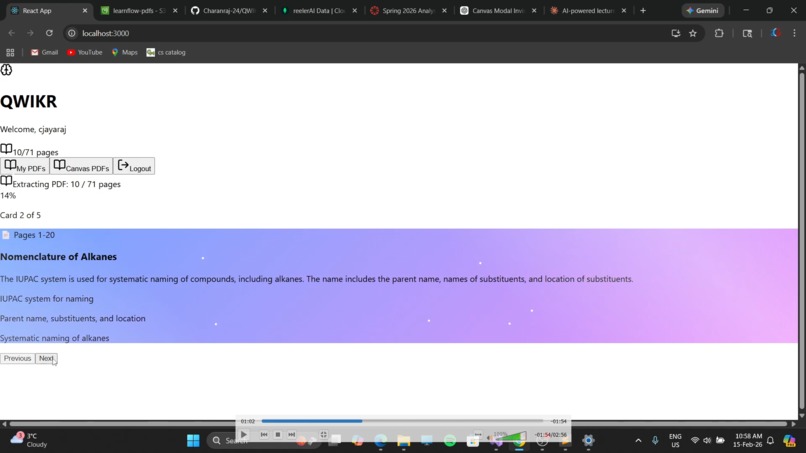
how it looks
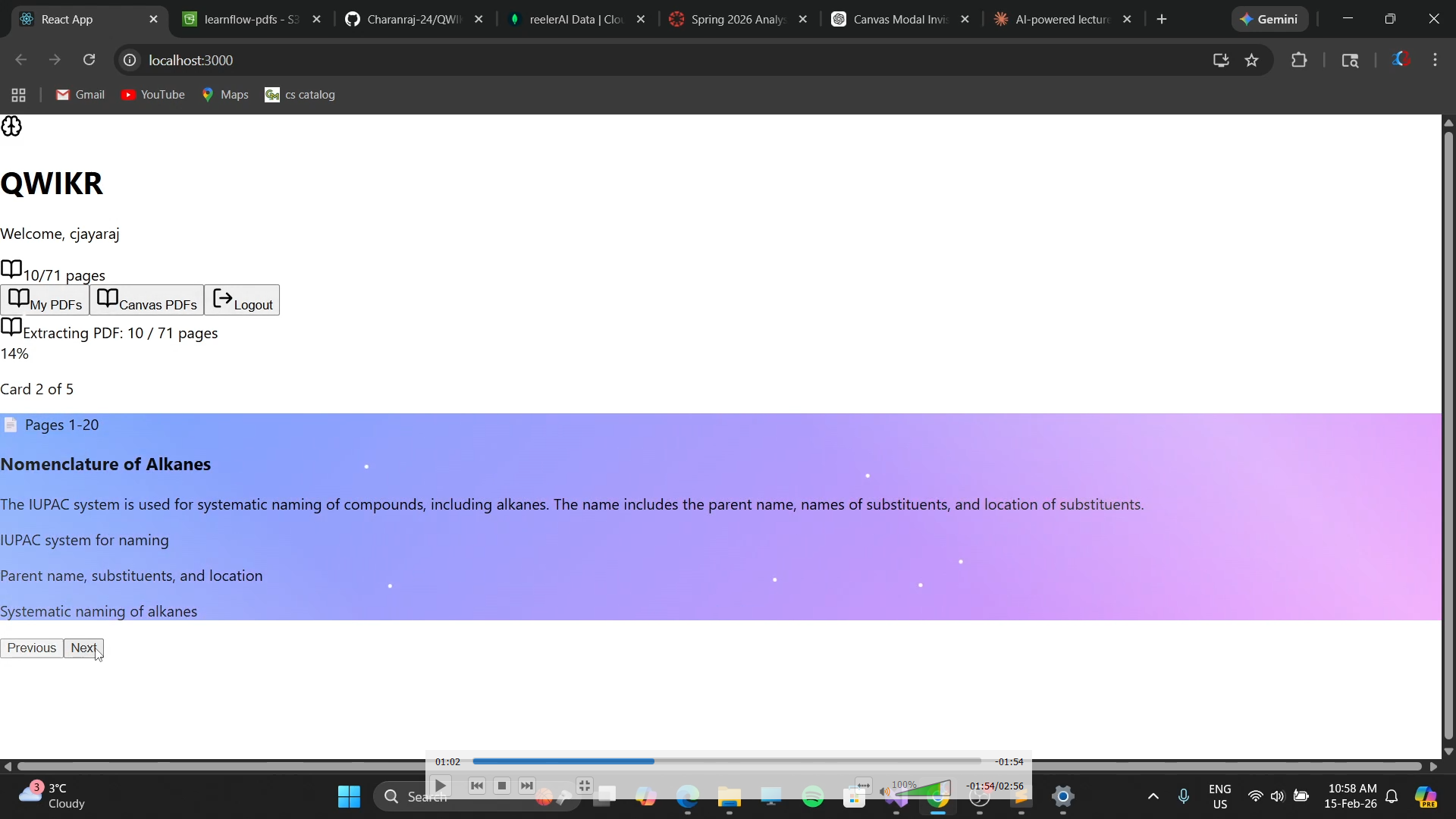
Inspiration
The whole project start because my girlfriend is a biology major and she felt like she was bored of reading through the lectures but she loved scrolling on instagram, what if I made instagram of her lecture pdfs and help her. That was the initial spark which led to this project and presented it to her on Valentine's day which she reciprocated with so much love. As college students, I realized that most lecture PDFs are overwhelming and passive. Students scroll through 50–100 pages of dense material without truly engaging with it. I wanted to transform passive studying into an interactive experience.
Scroll Learner was inspired by the idea that studying should feel dynamic, just like scrolling through TikTok or Instagram, but for education. Instead of rereading notes, students actively learn through AI-generated concept cards and quizzes generated directly from their uploaded lecture PDFs.
What it does
Scroll Learner allows users to upload a lecture PDF and instantly transforms it into:
AI-generated learning cards
Concept summaries with key points
Interactive quiz questions
Scroll-based card navigation
Automatic page tracking
OCR support for scanned PDFs
Canvas integration to pull course PDFs
Instead of reading page by page, students scroll through structured AI-generated learning content, reinforcing understanding with quizzes and visual cues.
The system also dynamically extracts more pages as users progress, making learning continuous and adaptive.
How we built it
Frontend:
React.js
Tailwind CSS
Lucide Icons
Custom animated UI (card transitions, gradients, progress bars)
Backend & AI:
Groq API (LLaMA model) for fast AI card generation
MongoDB for saving user progress
AWS S3 for cloud PDF storage
Canvas API integration
PDF.js for text extraction
Tesseract.js for OCR support
The app:
Extracts text from uploaded PDFs
Chunks the content intelligently
Sends structured prompts to the AI
Parses AI-generated JSON safely
Displays content as scrollable cards
Auto-generates new cards as users approach the end
We also implemented state persistence so users can resume learning exactly where they left off.
Challenges we ran into
Handling large PDFs without freezing the UI
Managing chunk-based AI generation without overlapping content
Parsing imperfect JSON responses from LLM outputs
Handling image-based (scanned) PDFs with OCR
Preventing infinite generation loops
Managing asynchronous state updates in React
Handling undefined data safely (especially with Canvas integration)
Securing API keys through backend proxy routes
We had to carefully balance performance, UX smoothness, and AI reliability.
Accomplishments that we're proud of
Helped my girlfriend study for her exams in a better format
Seamless infinite scroll learning experience
Real-time AI card generation
Automatic PDF page extraction in batches
OCR support for scanned documents
Canvas LMS integration
MongoDB progress saving + resume feature
Clean, animated, modern UI
Production-ready architecture (API proxy + cloud storage)
Most importantly, we transformed static PDFs into an interactive learning system.
What we learned
How to structure prompts to force strict JSON outputs
How to handle unreliable AI formatting gracefully
State management at scale in React
Performance optimization for large documents
Safe asynchronous patterns
Error-proof UI rendering
The importance of defensive programming (especially around API data)
How to integrate external APIs like Canvas LMS
We also learned how powerful AI becomes when combined with strong UX design.
What's next for Scroll learner
Make it an IOS and android app and present it in a more scrolling format which allows every student to carry this app around and study from anywhere better and keep them more engaged
Auto-import Canvas PDFs directly into learning mode
AI-generated visual diagrams
Spaced repetition system
Smart difficulty adjustment
Student analytics dashboard
Group study mode
Chrome extension for online PDFs
Full OAuth Canvas login
Mobile app version
Fine-tuned education-specific AI model
Our goal is to make Scroll Learner the Duolingo of lecture PDFs.
Built With
- amazon-web-services
- canvas-lms-api
- css3
- express.js
- groq-api-(llama)
- html5
- javascript
- lucide-react
- mongodb
- node.js
- pdf.js
- react.js
- rest
- tailwind-css
- tesseract.js-(ocr)

Log in or sign up for Devpost to join the conversation.