Inspiration
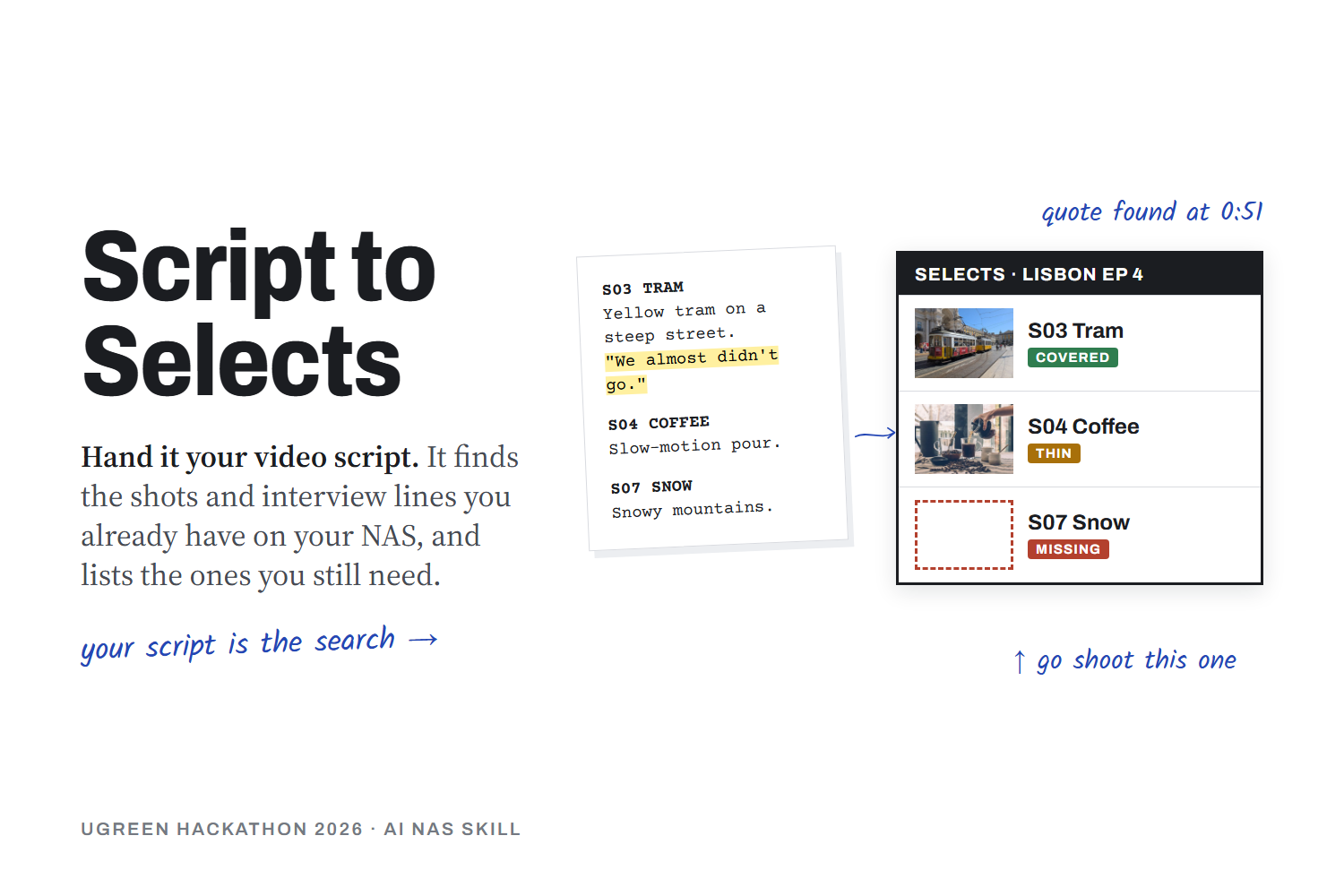
Before you edit a video, you hunt for footage. You know you shot the tram last summer. You know your guest said the line about almost cancelling the trip. Finding either one means scrubbing folders and replaying an hour of interview. Keyword search can't help, because it has no idea what your script needs.
Creators who keep their footage on a NAS also have years of material in one private place. That made me want a Skill that starts from the script instead of the search box.
What it does
Script to Selects reads a script, outline or shot list stored on your UGREEN NAS and splits it into scenes. For each scene it:
- searches your folders for matching photos and clips
- scores photos against the scene with the NAS vision model
- checks clips for length, frame rate, resolution and orientation
- finds the exact time each quoted interview line is said, and who said it
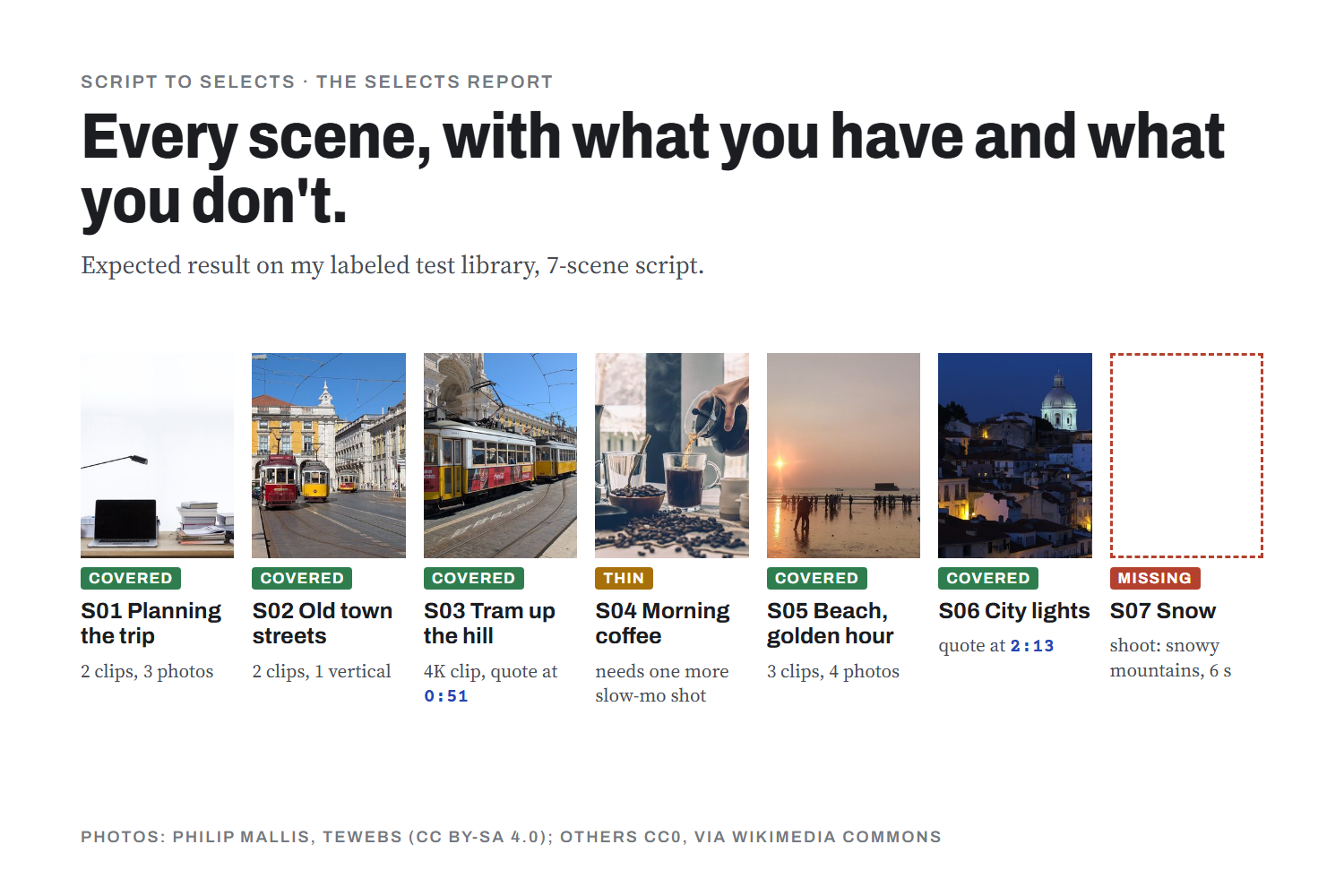
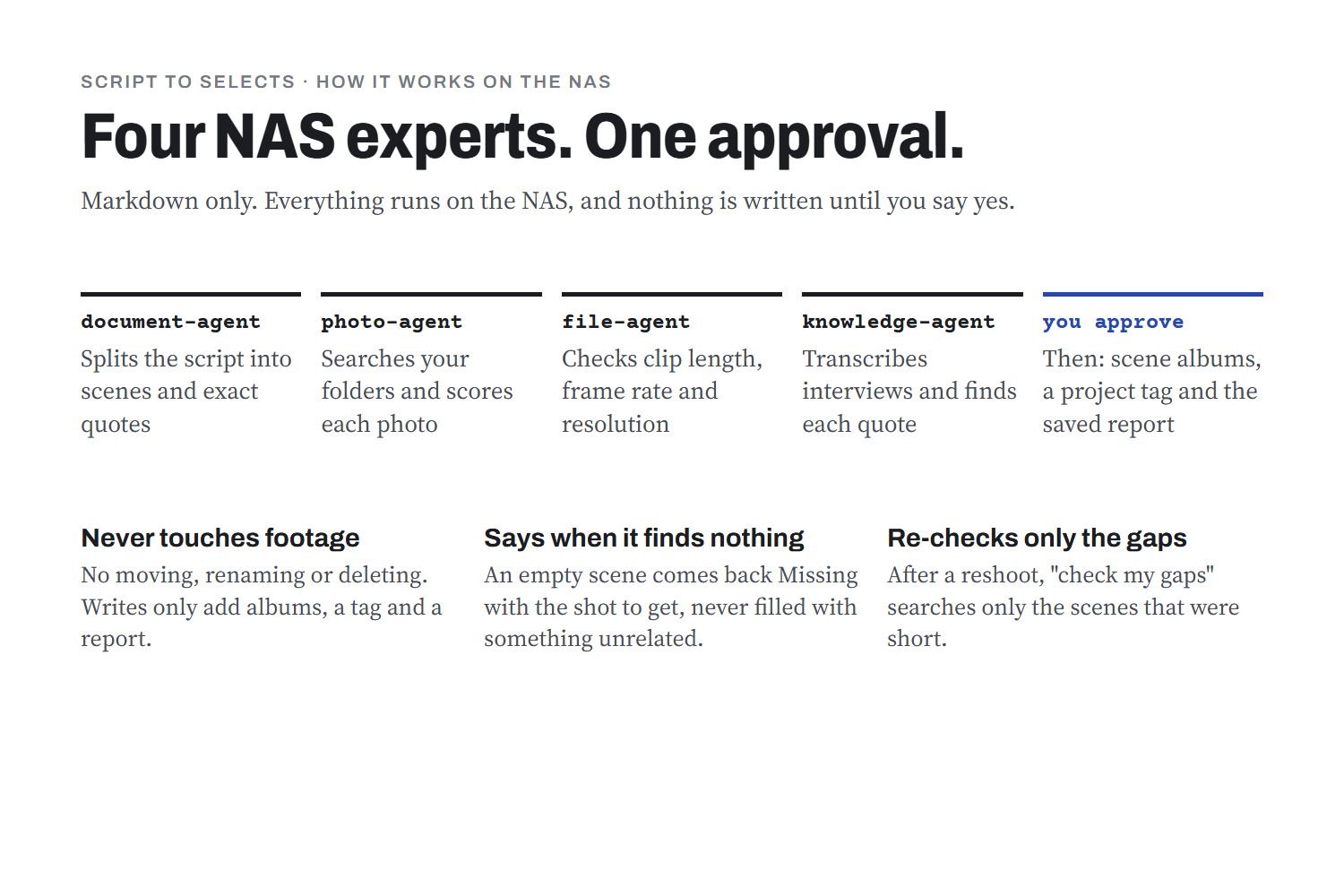
You get a Selects Report: up to five picks per scene with a reason for each, soundbites with timestamps, coverage in seconds, and a list of scenes that still have no footage, each with the shot to get. One approval creates an album per scene, tags the picks and saves the report. After a reshoot, "check my gaps" re-checks only the scenes that were short.
It never moves, renames or deletes your footage, and nothing leaves the NAS.
How I built it
The Skill is pure Markdown orchestration built with UGREEN's uliya-skill-kit. It hands ten steps to four of the NAS's own experts: the document, photo, file and knowledge agents. Those experts don't share context, so the Skill passes each step's real results into the next instruction. The scoring, coverage and shot-vocabulary rules sit in fixed tables, so a small local model applies them the same way every run.
I used Claude Code to research UGREEN's capability catalog and judging rules, to draft and review the Skill, and to run the official checker. The package passes it with zero errors and zero warnings. Two separate review passes caught problems the checker can't see, and I fixed them before submitting.
I also built a labeled test library: 102 Wikimedia Commons photos, 20 clips with known specs (120 fps, 4K, vertical, and some deliberately too short), and a two-speaker text-to-speech interview with marked timestamps. That lets me measure pick accuracy and soundbite timing on the real NAS instead of guessing.
Challenges
- Video. The NAS vision tool reads images, so clips can't be checked frame by frame. The Skill finds clips through the Photos index and checks their specs, and the report labels them "specs only".
- Experts don't share memory. Every instruction has to carry the data it needs, including handling an apostrophe inside a quoted line so it doesn't break the command.
- Small local model. I capped each run (30 scenes, 5 picks per scene, 10 recordings) and processed scenes in batches of five.
What I learned
The most useful feature turned out to be the gap list, which tells you what you don't have. A shot you know you're missing is easier to plan around than one you can't find.
What's next
On the finalist NAS I'll test adding search results to new albums and transcribing audio inside video files, and measure the run time on real hardware.
Photos in the gallery: Philip Mallis and TeWeBs (CC BY-SA 4.0); others CC0, via Wikimedia Commons.

Log in or sign up for Devpost to join the conversation.