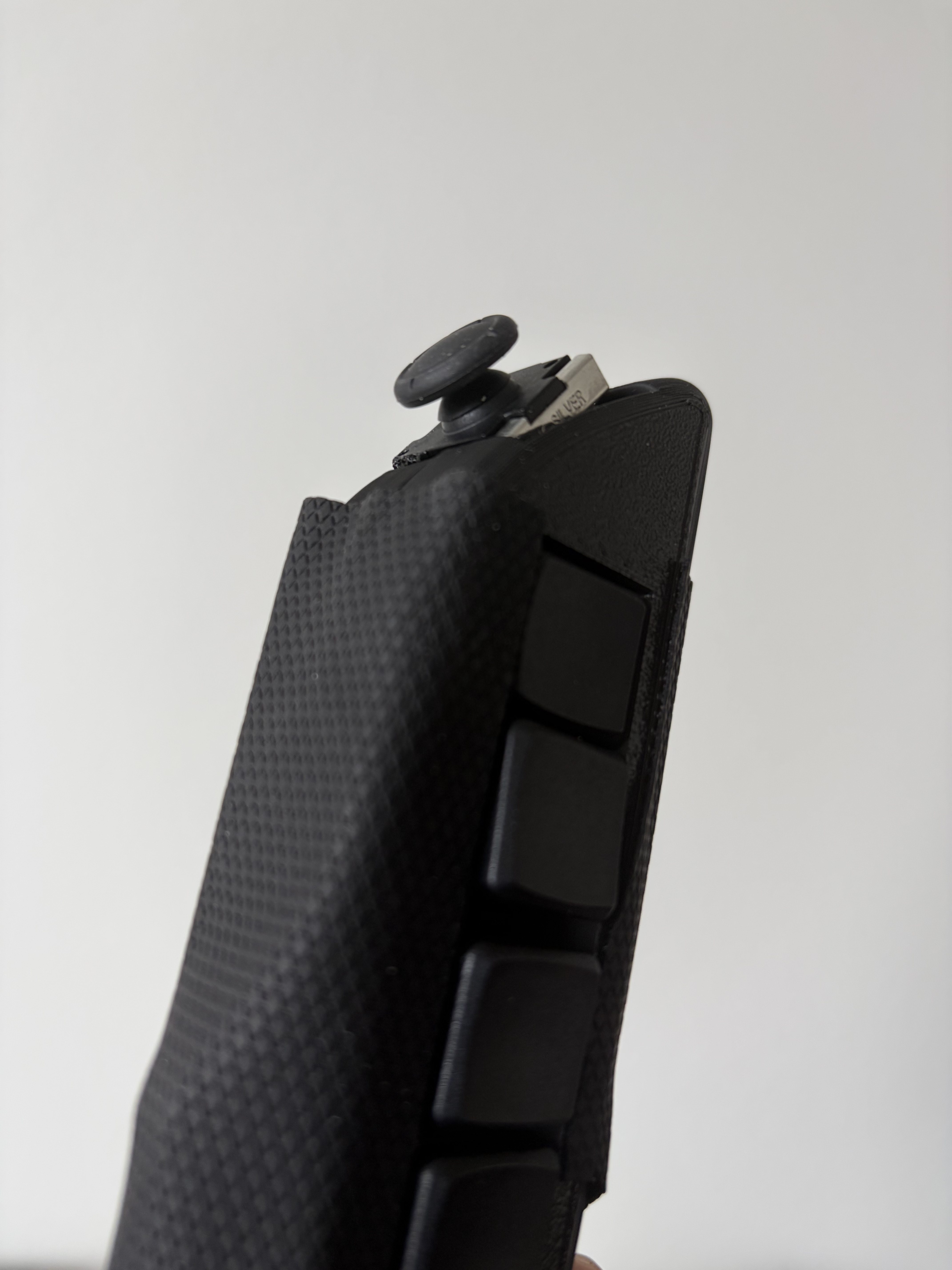
The open-source word processor for Scriber — a novel one‑handed chording keyboard controller for Snap Spectacles.
Scriber is a one‑handed input device that outperforms current AR text‑entry methods (the Spectacles virtual keyboard, the Meta display‑glasses wristband) on words‑per‑minute. It packs a full 60‑key keyboard into a single hand by chording: every key is one combination of analog‑stick direction × pressure‑sensor force × one of four buttons. ScriberEditor is the lens that proves it out — a real, multi‑document word processor for Spectacles that you drive entirely with Scriber.
If you want a Scriber controller to integrate into your lens let me know and I will send you one.
How Scriber works — 60 keys in one hand
Scriber never needs a second hand or a flat surface. A key is selected by three simultaneous choices:
Section (Analog stick direction): 5 zones — CENTER (neutral), TOP (up), LEFT, RIGHT, BOTTOM (down) Row / tier (Pressure‑sensor [FSR] force): 3 tiers — light / rest, medium, firm Column (One of four buttons): Btn1–Btn4
5 sections × 3 pressure tiers × 4 buttons = 60 keys — enough for the full alphabet, digits, symbols, and modifiers (Shift, Caps, Space, Enter, Backspace, Tab, emoji), all reachable without moving your hand. As you tilt and press, the lens highlights the live selection so you always see where you are before you commit a key.
The layout is defined once in Assets/Scripts/KeyboardLayout.ts and mirrors the firmware, so the on‑screen keyboard and the device always agree.
ScriberEditor — the demo app
ScriberEditor is a complete little word processor, not just a keystroke demo:
Multi‑document editor — create, open, edit, and delete multiple documents; each tracks its own update time. On‑device persistence — everything saves locally via Lens Studio's persistent storage and survives closing the lens. Optional cloud sync — bring your own Supabase/snapcloud backend to sync across sessions, publish public docs, and collect "cool" reactions. Falls back seamlessly to local‑only when no backend is set. Tabbed UI — Editor · My Docs (private) · All Docs (public) · Settings. Full‑text search over your document titles. Scrollable editor — word wrap, blinking cursor, auto‑scroll to the caret, empty‑state hint. Live virtual keyboard — an on‑screen mirror of the 60‑key layout that highlights the active section/row and flashes keys on commit. Auto‑save — saved docs persist after ~1.5 s idle; new drafts save on demand with a private/public prompt. Hands‑light navigation — a yellow focus ring moves between buttons and cards via the stick, activated by a button press or a pinch. Customizable — swap keys live and adjust font size (24–52 pt) from Settings.
Built With
- lens
- studio

Log in or sign up for Devpost to join the conversation.