-
-
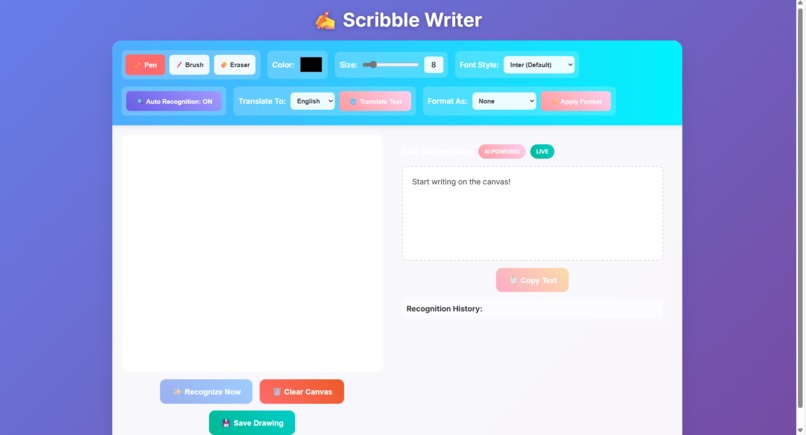
Interface
-
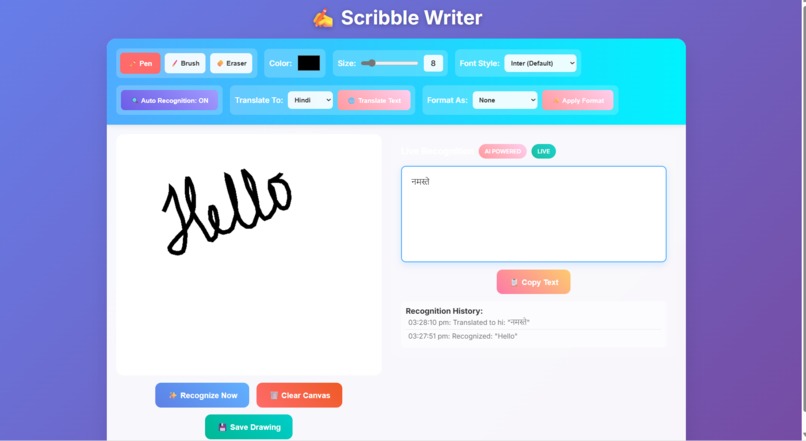
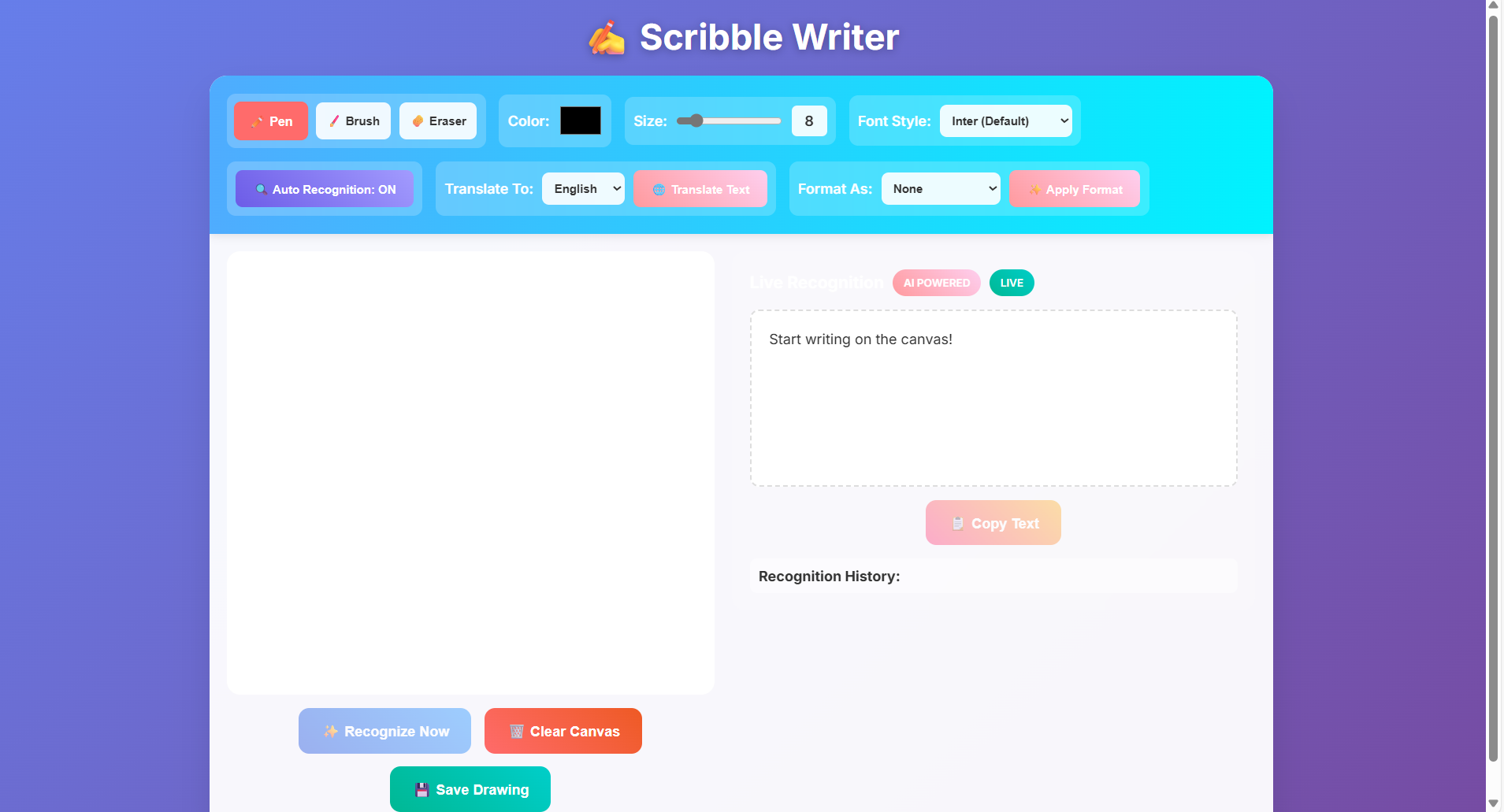
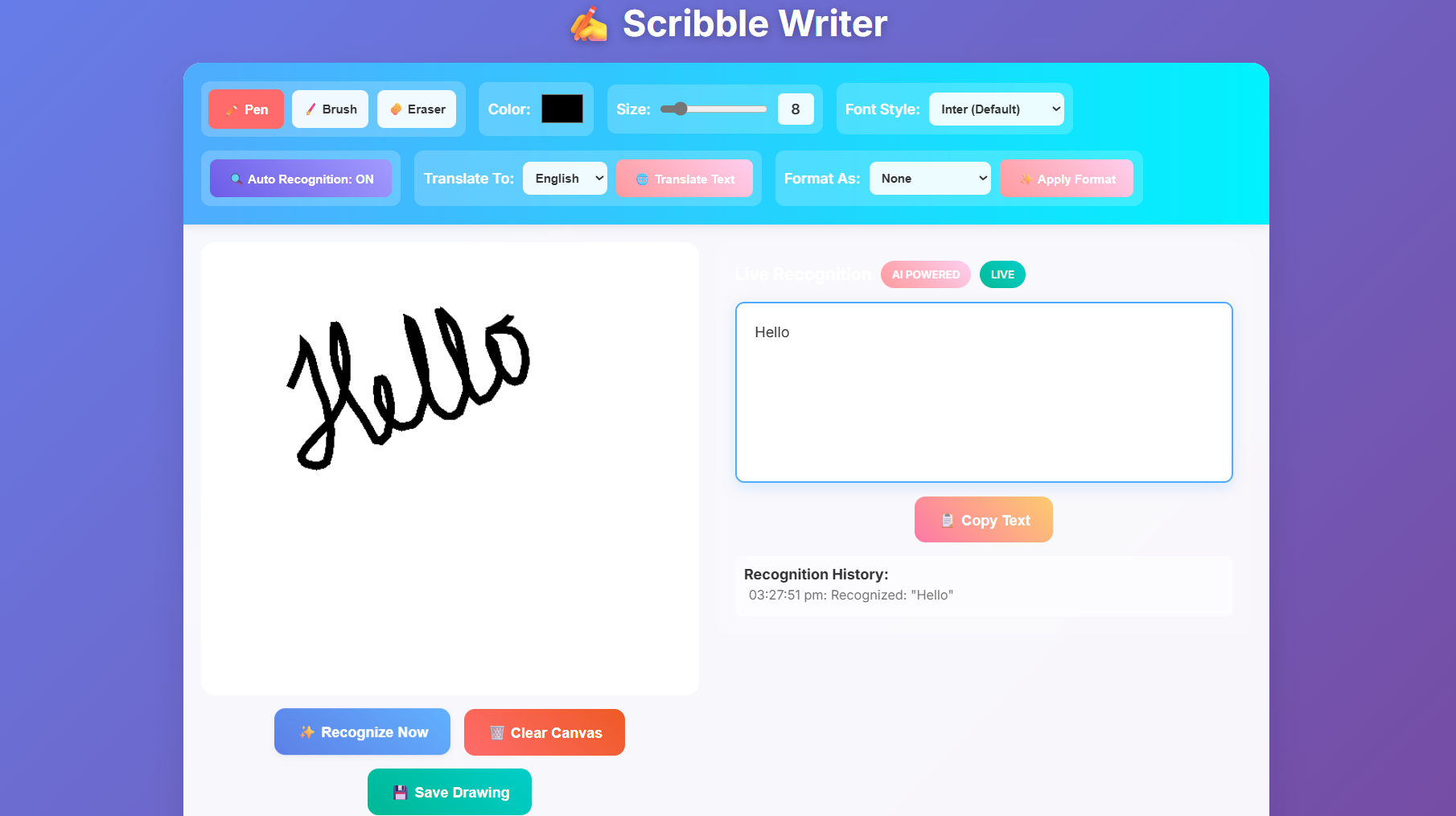
Writing Text on canvas and Recognising the text using Deep Learning
-
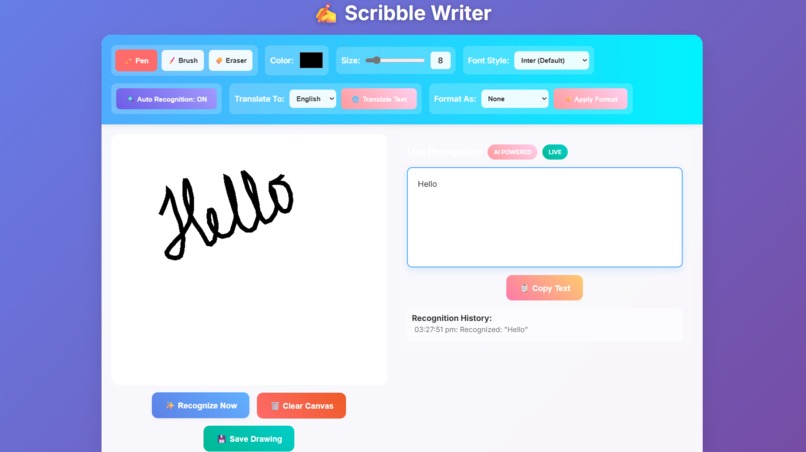
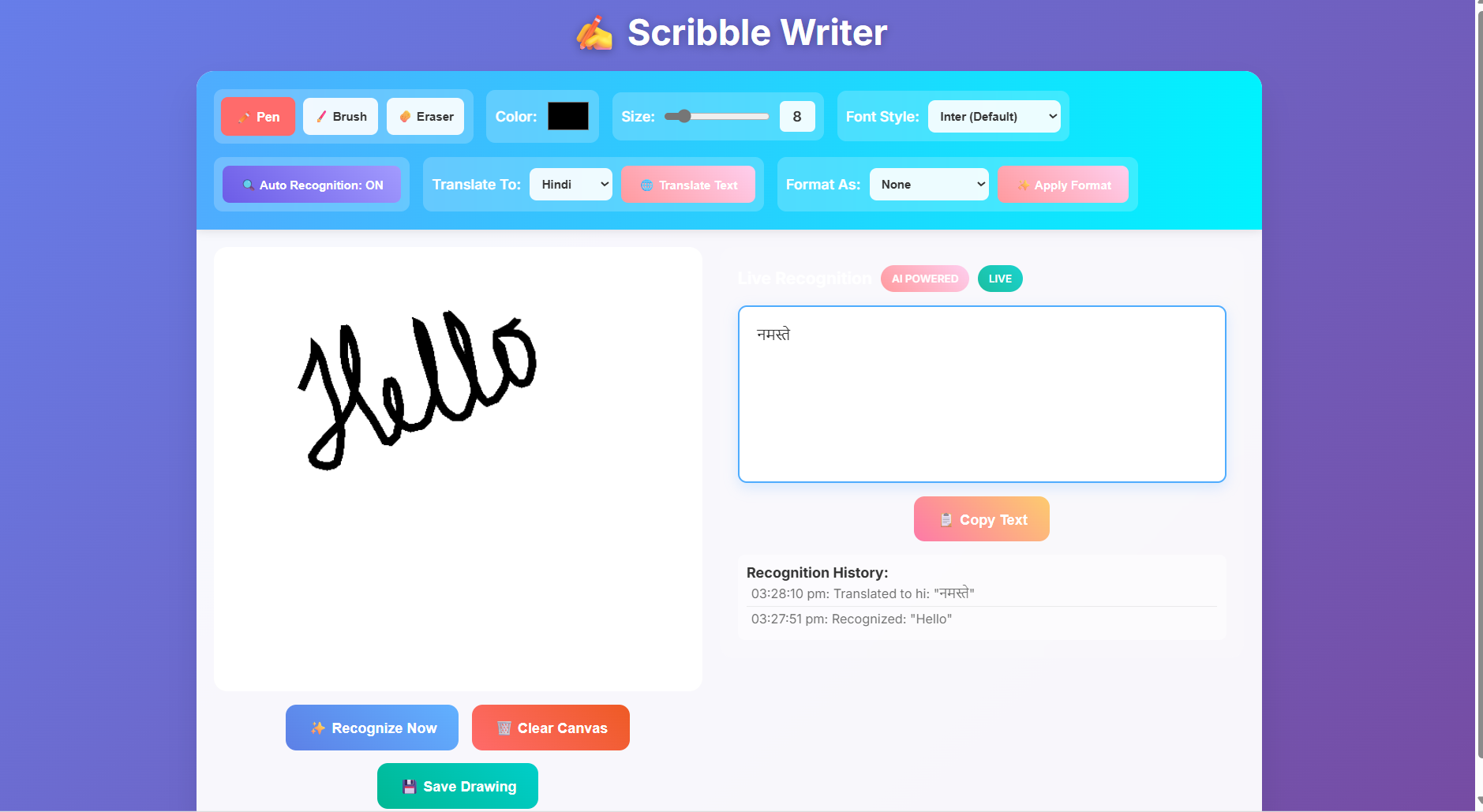
Translating text to Other language
Inspiration
We built Scribble Writer because we love handwriting, but we also live in a digital world. Writing by hand feels personal, but it's hard to edit, share, or search your notes. We wanted to create a tool that lets you write naturally, with a pen or your finger, and then instantly turns it into computer text. We were really excited about how smart AI can be, and how it could help understand all sorts of different handwriting.
What it does
Scribble Writer is a website where you can draw or write with your hand. It then quickly turns what you wrote into words you can type, copy, or change. Here's what it can do: Reads Your Handwriting: As you write, or when you click a button, it tries to figure out what you wrote and shows it as typed text. Translates Text: It can take the text it recognized and translate it into different languages, like Spanish or Hindi. Formats Your Text: You can tell it to make your recognized text into bullet points, numbered lists, or neat paragraphs. Suggests Words: If your handwriting is a bit messy and it can't quite read it, it will suggest common words or letters that it thinks you might have written. Drawing Tools: You have basic drawing tools like a pen, a brush, and an eraser. You can also pick different colors and change the size of your drawing tool. Keeps a History: It remembers what you've recognized and done so you can look back at it.
How we built it
We made Scribble Writer using a few different computer technologies: The Front Part (What you see): HTML: This is like the skeleton of the webpage, where we put the drawing area and buttons. CSS: This is for making everything look nice, with colors, shapes, and making sure it looks good on phones too. JavaScript: This is the smart part that makes buttons work, lets you draw on the screen, and talks to the "back part" of the app. The Back Part (What does the thinking): Node.js with Express.js: This is like the app's brain, handling all the requests from the front part. Google's AI Tools (via API): We use special tools from Google that connect to their powerful AI. A powerful Google AI: This AI is used for both looking at your handwriting (recognizing it and figuring out how your drawing looks) and for working with text (translating, formatting, and giving suggestions). dotenv: This helps us keep important secret keys (like the AI key) safe and separate from the main code. cors: This is like a security guard that allows the front and back parts of our app to talk to each other. The way it works is, when you draw, your drawing turns into a special picture code that goes to the back part of the app. The Google AI then "looks" at this picture code to understand your handwriting, or it takes the text and translates it or formats it. Then, the results are sent back to the front part of the app for you to see.
Challenges we ran into
Making Scribble Writer wasn't always easy! Here were some of the tough parts: AI Not Understanding Right Away: At first, when we tried to make the AI translate text, it sometimes gave an error saying it couldn't find the AI "model" or tool we asked for. We had to look very closely at the computer messages on the server to figure out why. Browser Being Too Smart (Caching): Sometimes, even when we changed the code on our computer, the web browser would still use old versions it had saved. This made new features not work. We had to learn to "hard refresh" the browser or clear its memory often. Small Code Mistakes: Tiny errors like missing a curly bracket { in the JavaScript code could stop everything from working without a clear message. We had to become very good at finding these small mistakes using the browser's developer tools. Resizing the Drawing Area: Getting the drawing screen to look good and keep your drawing when you changed the window size (like on a phone) was trickier than it seemed. Timing the Recognition: We had to find the right balance so the AI didn't try to read your writing too early (when you're still drawing) or too late.
Accomplishments that we're proud of
Even with the challenges, we're really proud of what we achieved: Handwriting Reader Works! We successfully built a system that can understand many different kinds of handwriting and turn it into typed words. AI Works Smoothly: We managed to connect Google's powerful AI tools into our app for both understanding pictures and working with text, all in one place. Good Error Messages: We made sure that if something goes wrong, the app tells you clearly what happened, which helps a lot when fixing things. Easy to Use: We created a simple and friendly design that makes it easy for anyone to use the powerful AI features. Helpful Suggestions: When the handwriting is unclear, the app suggests words, which is a great help to users. Solving Tricky Problems: We're proud of figuring out and fixing the hidden AI and browser problems.
What we learned
Building this project taught us a lot: How AI Works (Better): We learned more about how different AI tools from Google can be used and what they need to work. Building Websites the Right Way: We got better at making secure and well-organized websites where the front and back parts communicate smoothly. How Browsers Save Things: We really understood how web browsers "cache" (save) information and how important it is to clear that cache when you're updating a website. Becoming Better Debuggers: We learned how to use computer messages and tools to find and fix problems more effectively. Building Bit by Bit: We realized how helpful it is to build a project in small steps, testing and fixing along the way.
What's next for Scribble Writer
Here are some ideas for how we want to make Scribble Writer even better: More Text Options: We want to add more ways to change text, like making words bold, italic, or changing their size. Drawing in Layers: Imagine drawing on different transparent sheets! This would let you move parts of your drawing around easily. Saving to the Cloud: We'd like you to be able to save your drawings and text online, so you can access them from any computer or phone, and even create accounts. Working Together: Maybe more than one person could draw on the same canvas at the same time! Smarter Recognition: We'll keep working to make the AI even better at reading handwriting and giving more accurate suggestions. More Ways to Save: Besides pictures, we want to let you save your work as PDF files or even editable documents. Works Offline: We're thinking about making it work even when you don't have internet, for basic drawing and recognition.
Built With
- cors
- css
- deeplearning
- dotenv
- express.js
- express.js-cloud-services/apis:-google's-ai-tools-(via-api)-other-technologies:-dotenv-(for-environment-variables)
- googleaitools
- html
- javascript
- javascript-frameworks/platforms:-node.js
- node.js

Log in or sign up for Devpost to join the conversation.