-
-
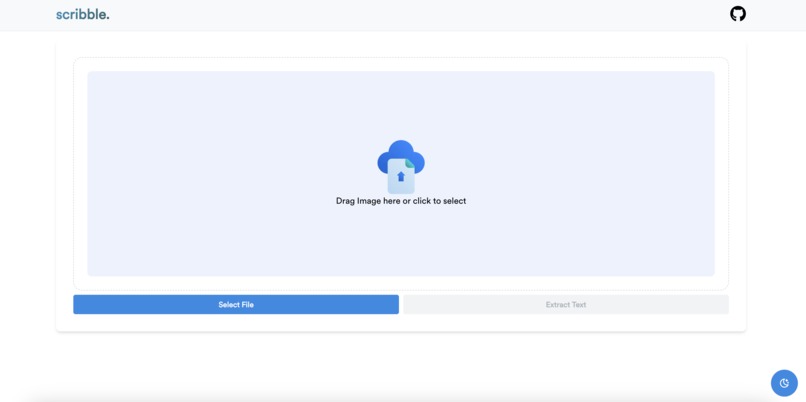
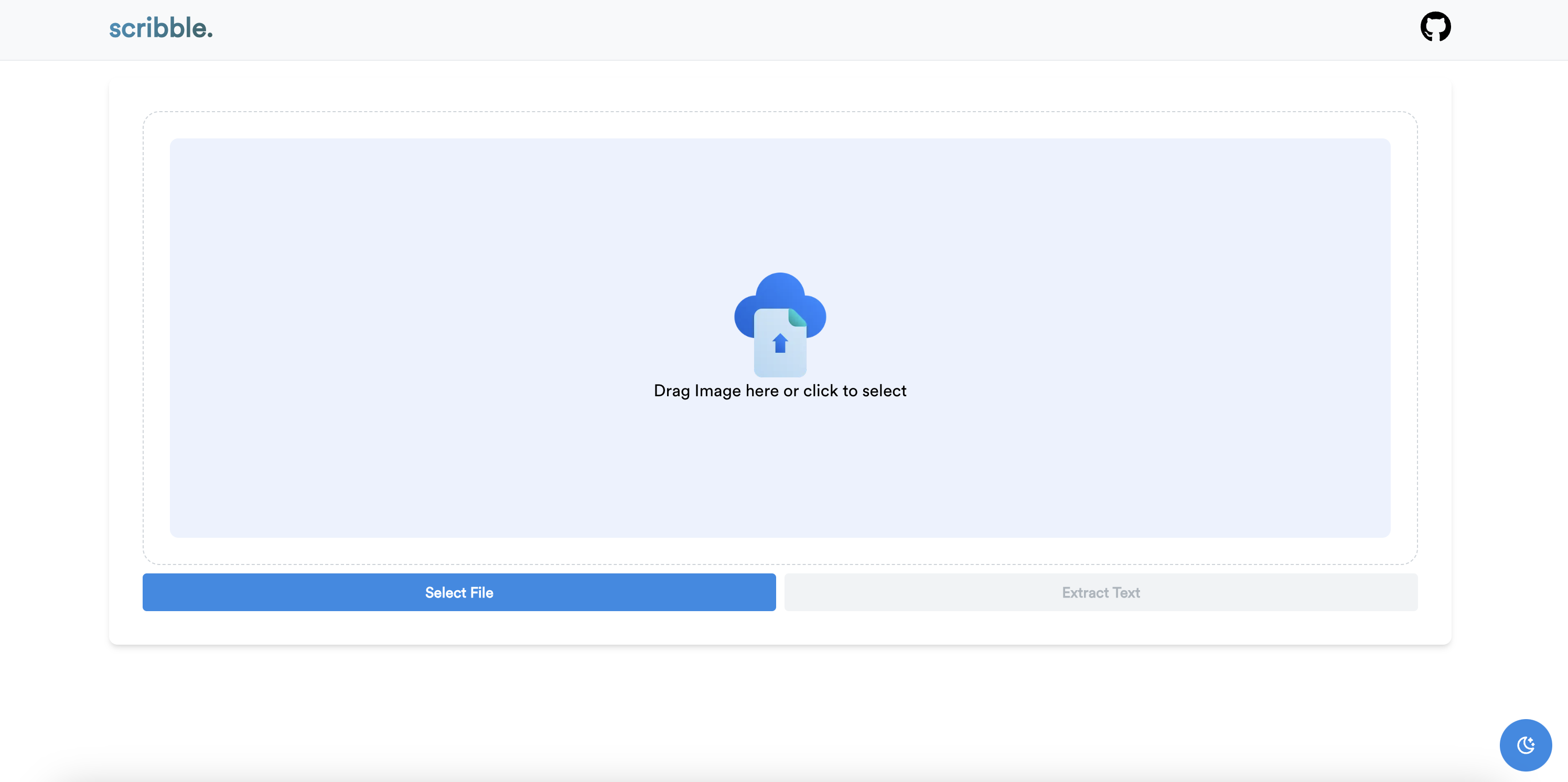
Home Page
-
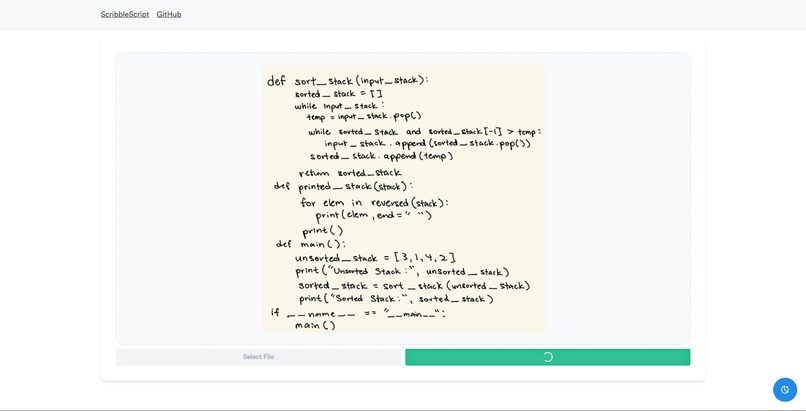
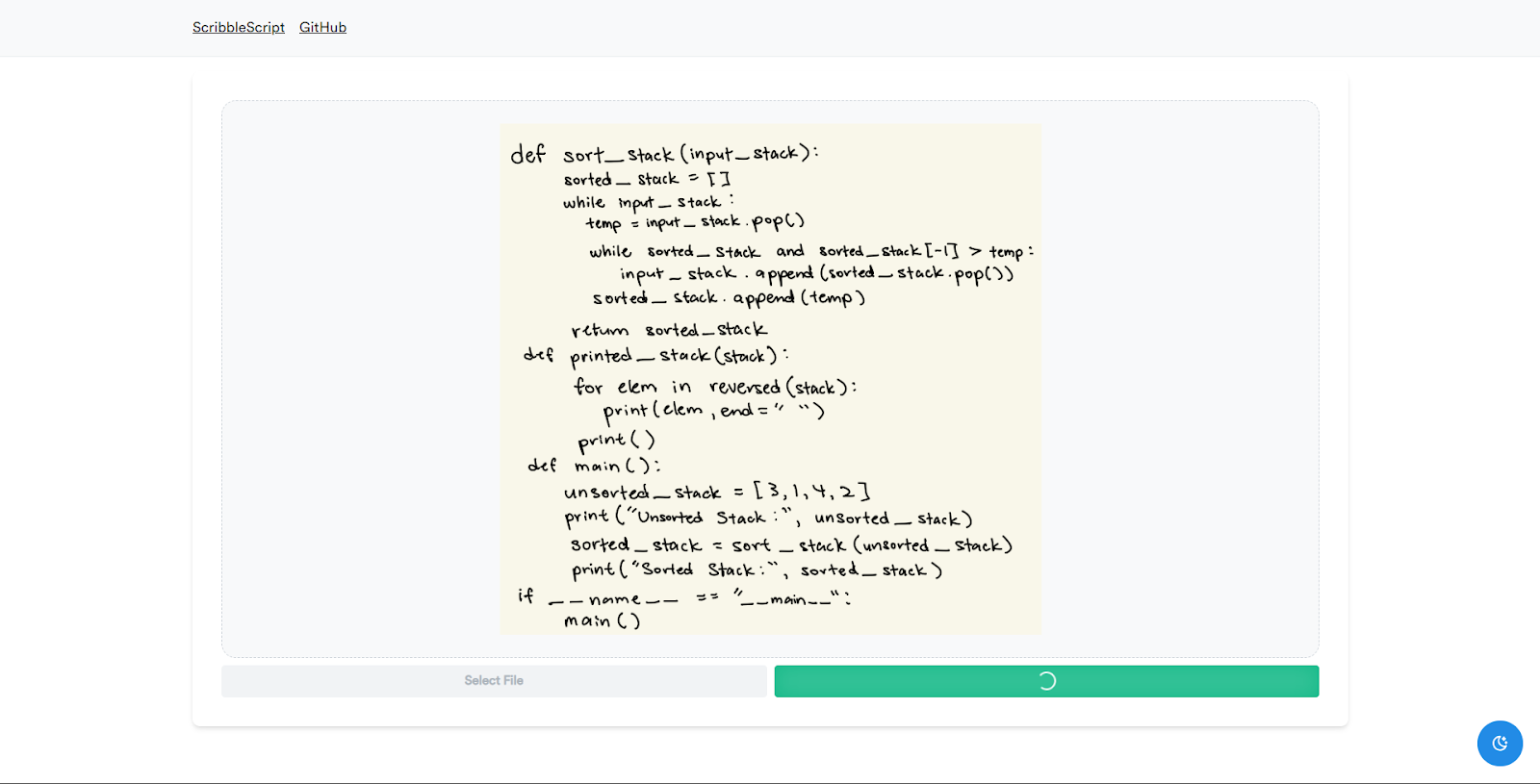
Sample Image
-
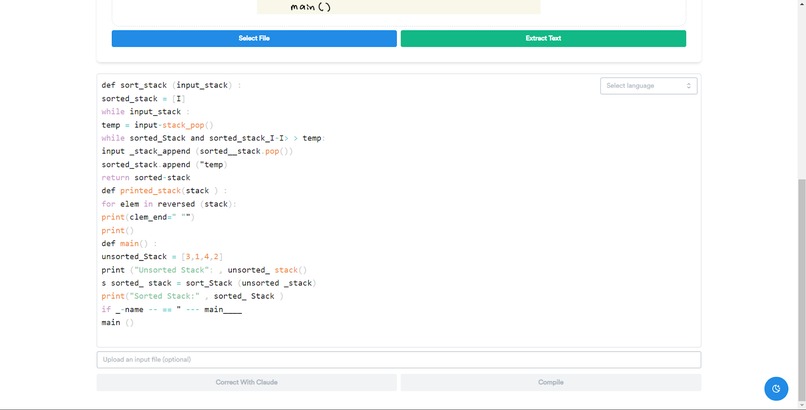
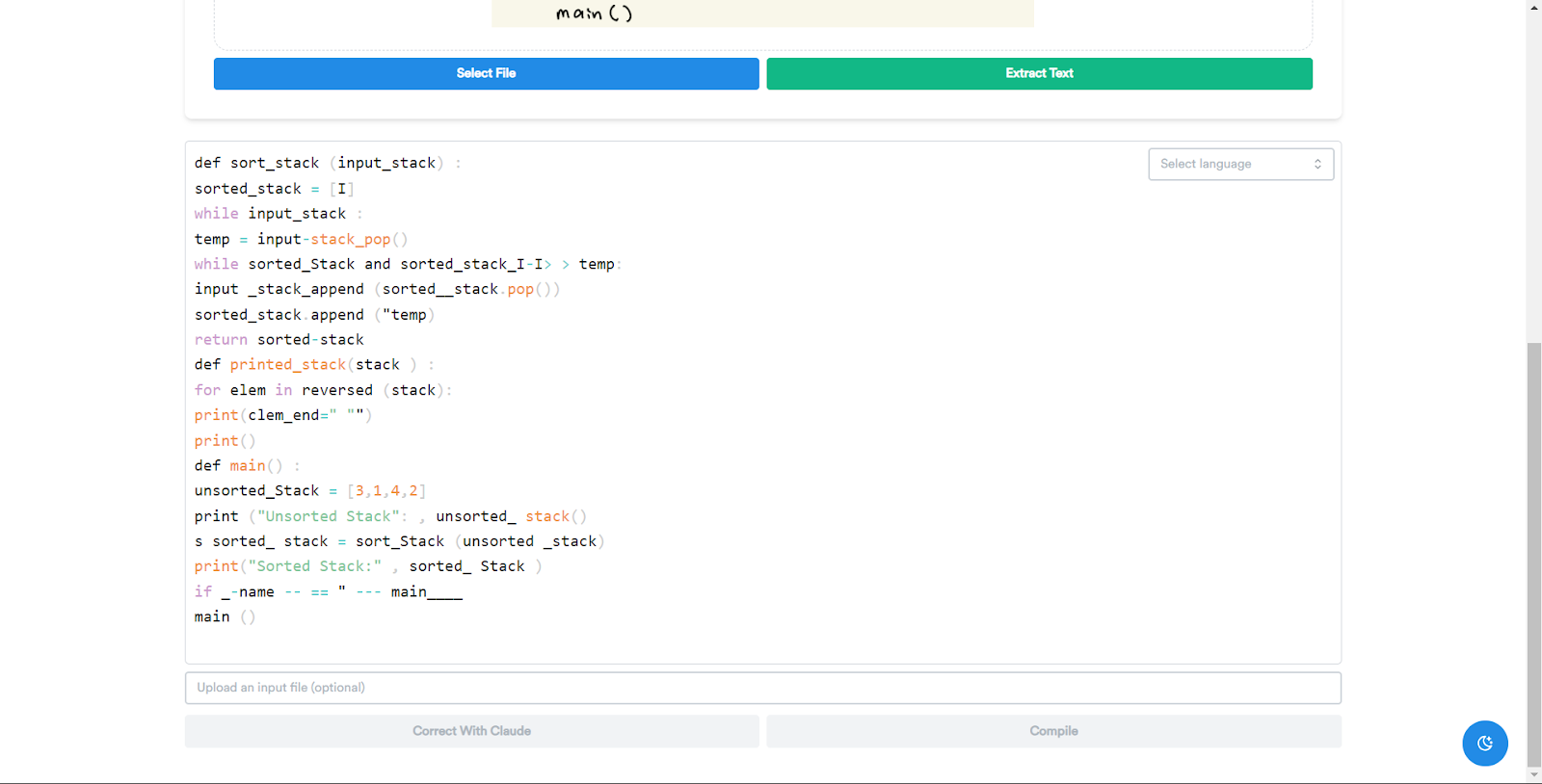
Code from image
-
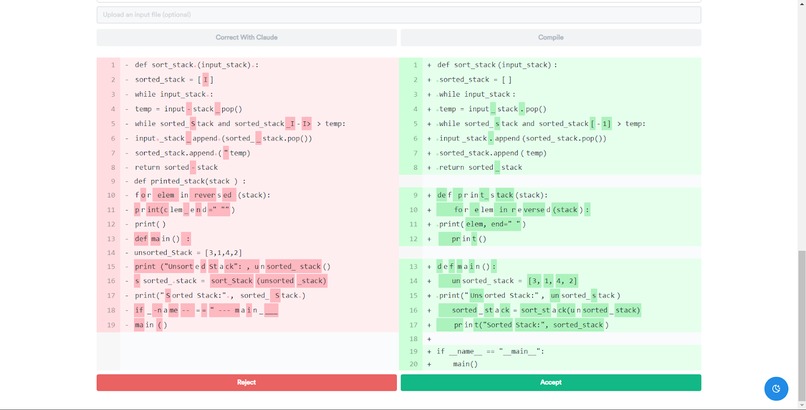
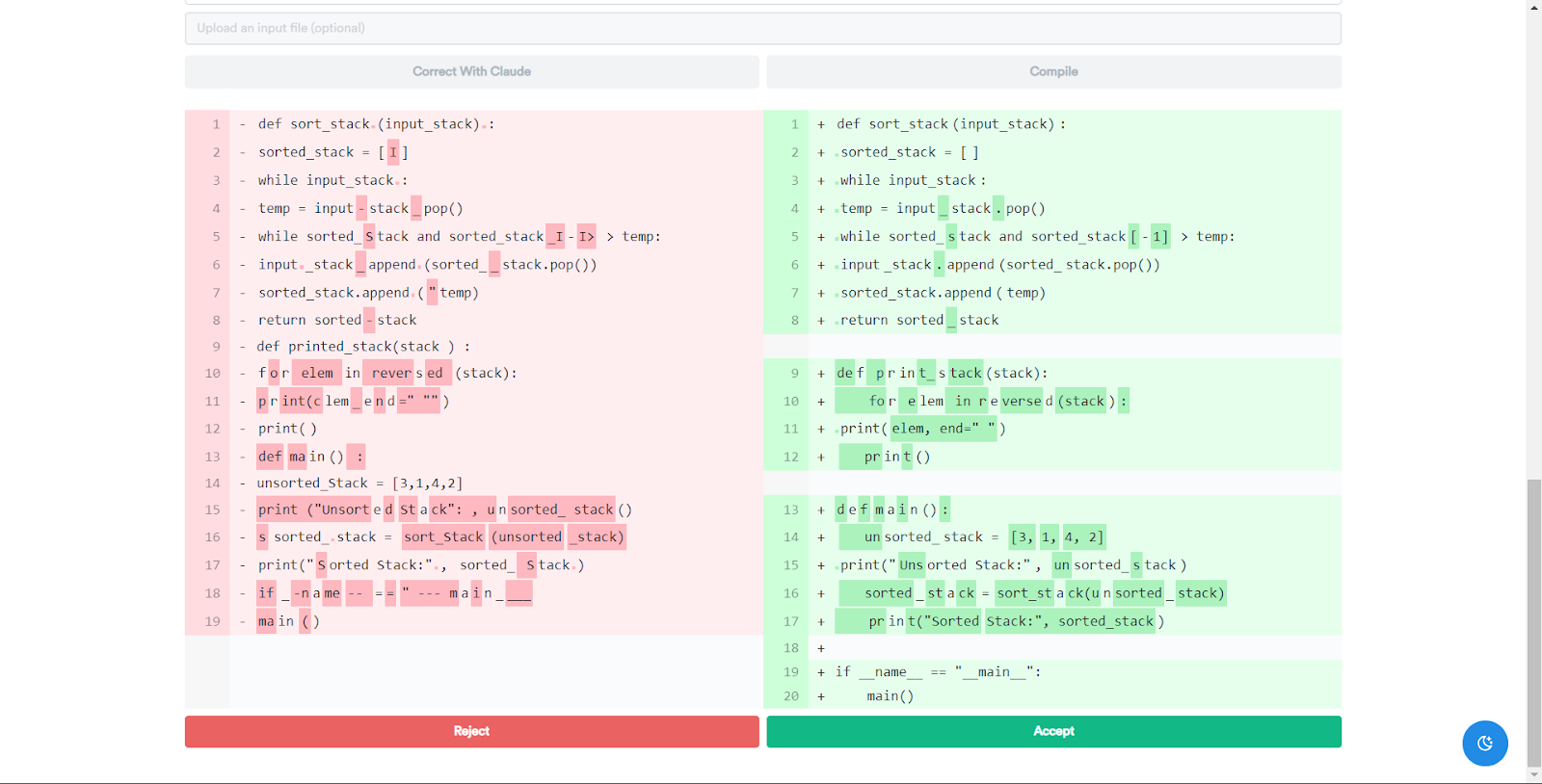
Claude suggested edits
-
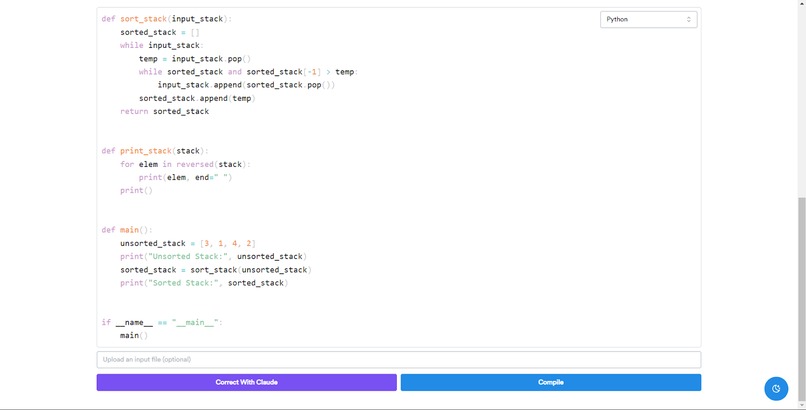
Before compiling
-
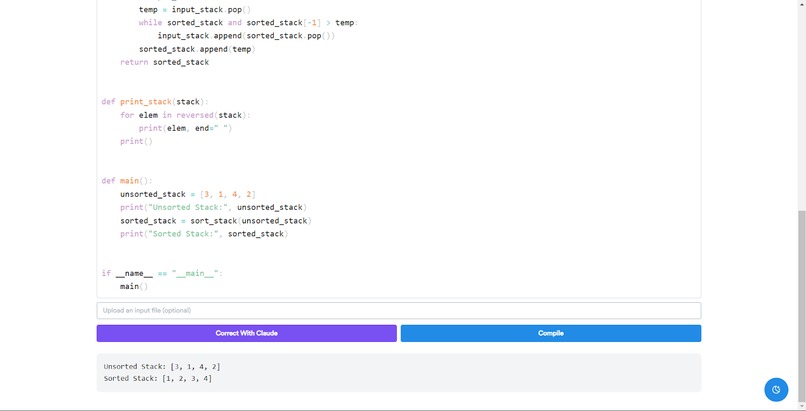
After compiling
-
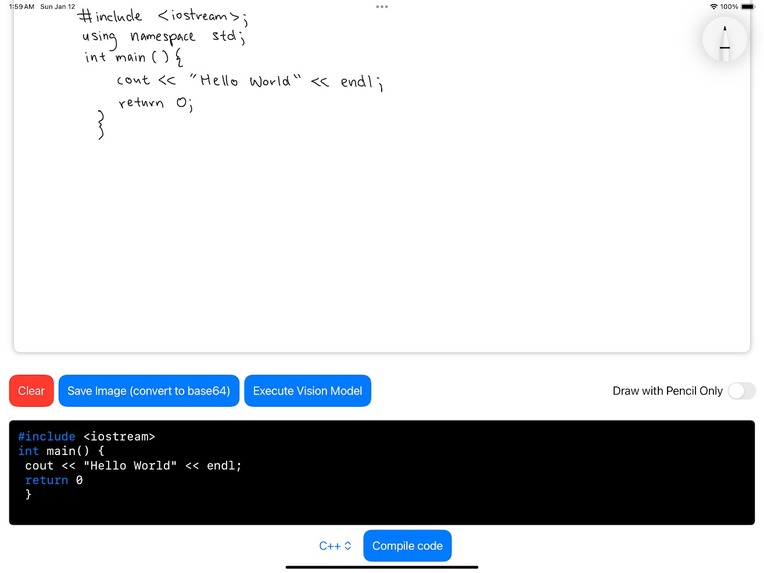
Scribble Script Lite (iOS)
-
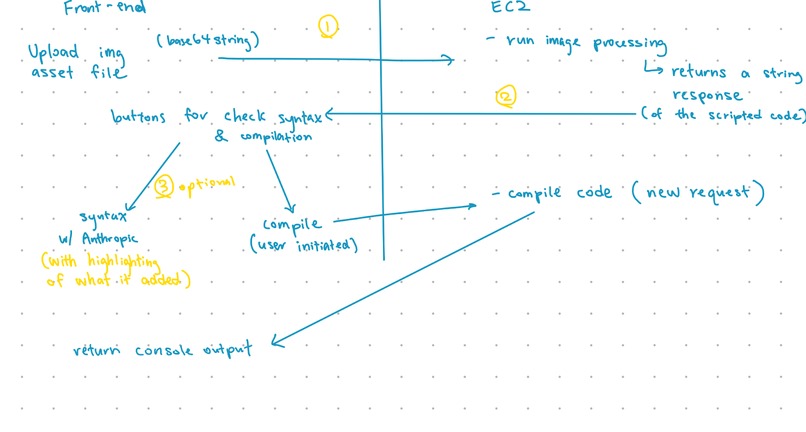
Schematics
Inspiration
In many of our CS classes (CS9, CS16, CS24, etc.), we were required to write code down on either a tablet or a sheet of paper for our homework and exams. Having the most powerful tools in programming—quickly compiling code to see results and editing code anywhere with ease—taken away from us made the process slow and frustrating. We wanted a way to regain those tools while still working in writing, and so Scribble Script was born.
What it does
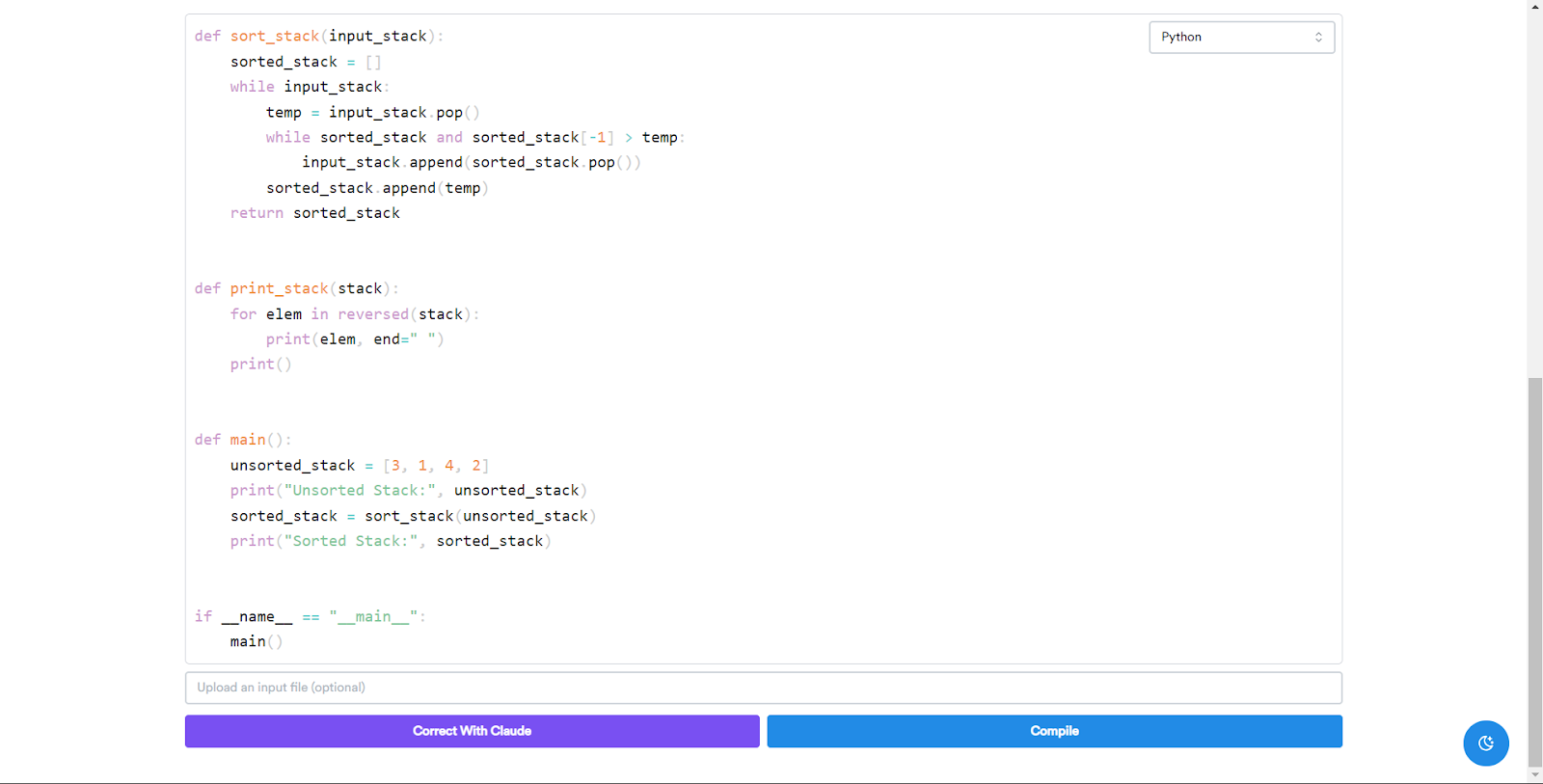
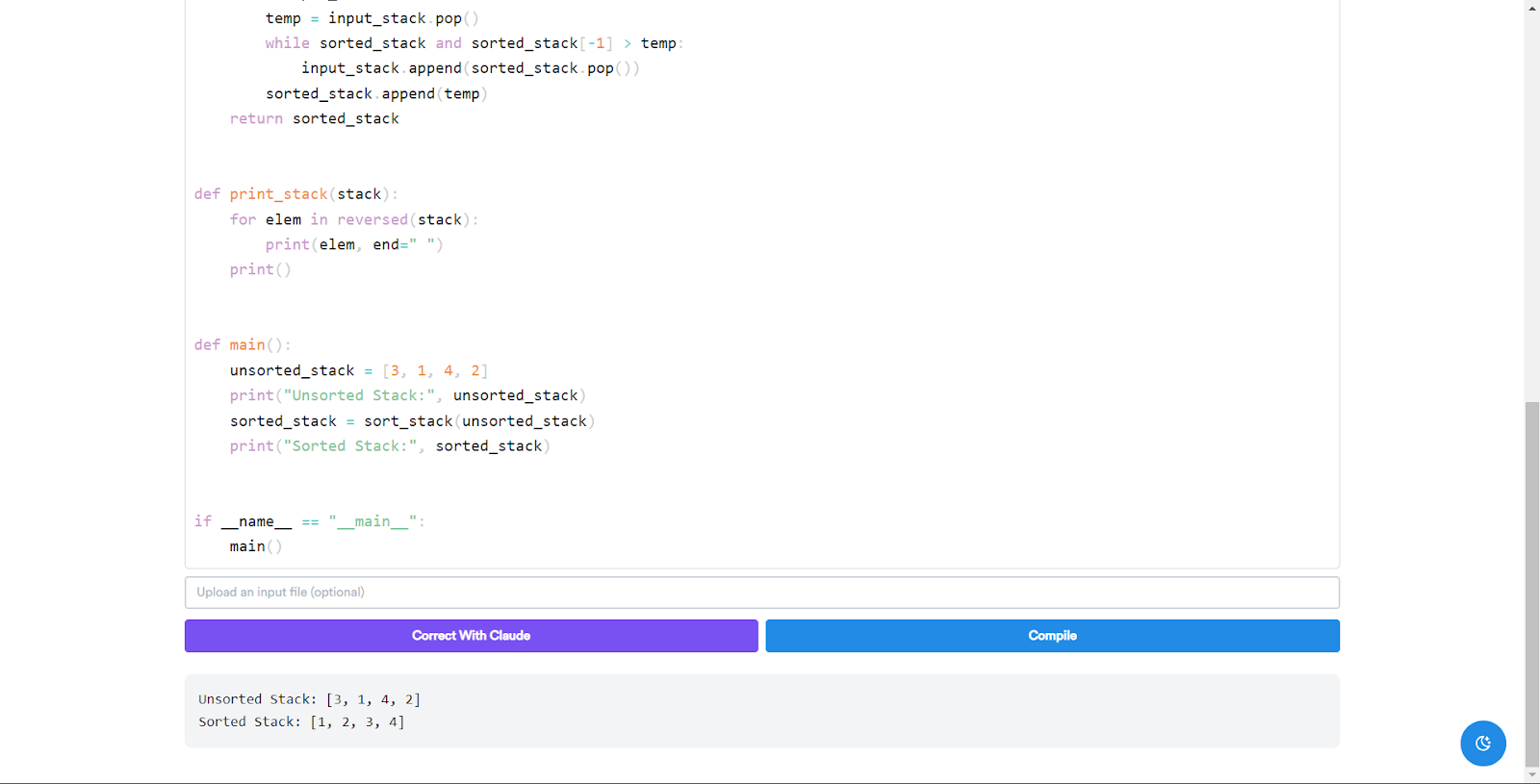
The software accepts an image file (either jpeg or png) of code and will translate the text on the image into a built-in code editor. The user will then be given three options. First, they can simply compile the code (in either C++ or Python using a dropdown menu) and view the output. Second, they can correct any simple mistakes like syntax errors, missing imports, or formatting (but not errors in logic to maintain the user’s vision) via built-in Claude integration. Our AI will then provide a revised version of the code, highlighting the differences between the two versions. The user can either accept the revised code or keep their original code. Finally, they can insert an optional .txt file in case the program requires any user input.
How we built it
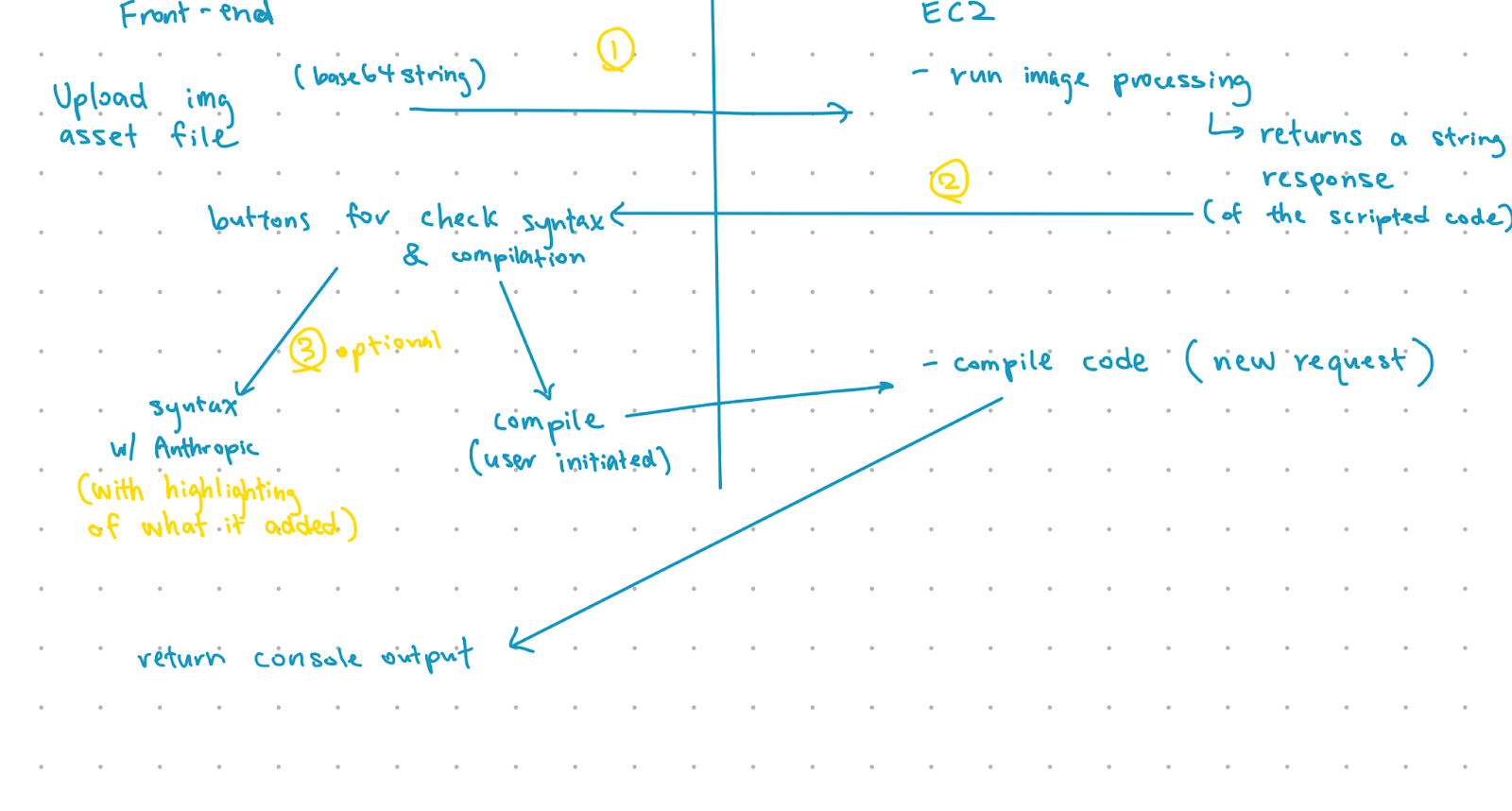
On the frontend, we used Next.js, MantineUI, and Tailwind (along with a few other libraries) to style the main interface. We have three main features built in the backend: the image-to-text translation, the code compilation, and the AI code correction. For the image-to-text translation, we sent the user-submitted image to the HuggingFace library hosted on an EC2 instance which returned the recognized text as a string. For code compilation, we send the code from the code editor as a string to be compiled in a server on the same EC2 instance, returning the output back to the frontend. Finally, for our AI code correction, we send the code to Anthropic’s AI Claude through an API call, which is given a prompt to identify syntactical errors, formatting errors, and missing imports (from the image model or the user) based on the language and generate the revised code. (Note that the model doesn't alter logic to maintain the user's ideas, even if they're flawed.) Finally, we use a library to generate the view of the original and revised code, highlighting the differences between both.
Challenges we ran into
Near the beginning, we decided to work alone on implementing each of the features. While we had some difficulty with using each of the unique libraries and APIs involved in each feature, we finished each of our features a lot faster than we expected. However, a challenge we didn’t see coming was the integration of all those features in one coherent and easy-to-use screen. While the implementations of the features all worked, we had different ideas on the details behind each implementation, and that made integrating them together without any strange bugs a lot more difficult. Eventually, we spent about an hour reorganizing the code so that everything ran smoothly and logically. Once the features started coming together, we worked together (usually pair-programming) and found that development went a lot more efficiently. Of course, we still ran into some issues (like random EC2 crashes for no apparent reason or hydration errors and some other small bugs that took forever to fix), but they weren’t nearly as bad as the integration process.
Accomplishments that we're proud of
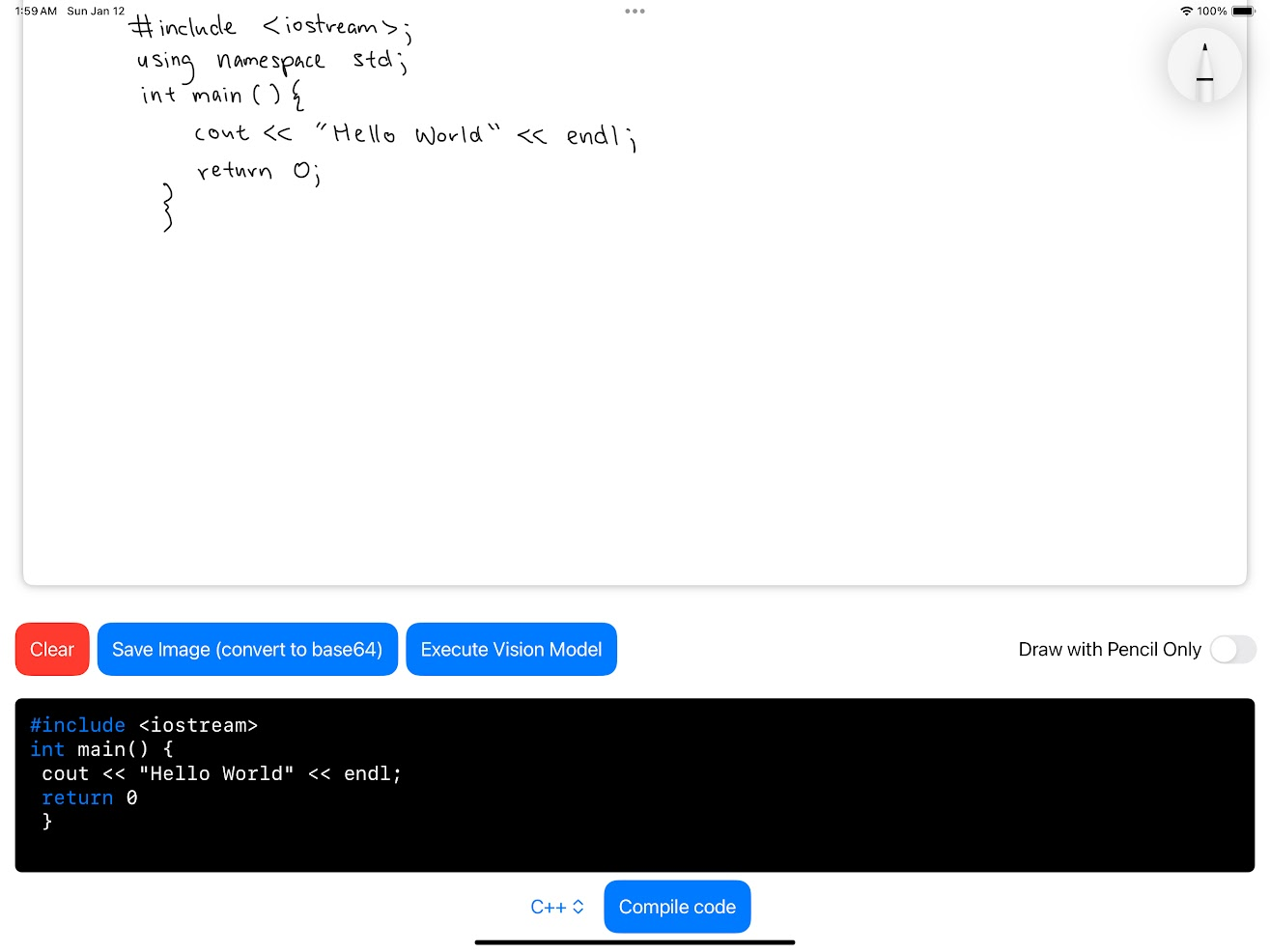
We’re proud of how unified the entire project feels to use. All the features integrate well with each other and are solely focused on simplifying the process of turning code from paper into output. We’re also glad we managed to make a port to iOS (even if it doesn’t include all the features), since we believe that Scribble Script could be really convenient to use on mobile devices.
What we learned
Our game plan for the hackathon was to write as much code as fast as possible. We were weary of time and didn’t want to waste any of it from standing around and doing nothing while others coded their own features. While we managed to write a lot of code in a short amount of time, we soon realized that our lack of coordination led to us struggling to connect those features together in a unified product, which ironically lost us a lot of time. After the painful process of integration, we decided to work together in pairs or as a team, and we found that we ran into a lot less problems down the line. We learned that quality of code is more valuable than quantity of code, because all code will eventually have to become quality code in order to create a functioning application.
What's next for Scribble Script
One of our biggest hopes for the project was to port the project to an app to make it as convenient as possible to use, integrating special features like the camera to directly transfer code from paper to the screen. Unfortunately, we only had time to implement the most basic features on the iOS version. Other than that, we had many other features in mind such as being able to view and compile multiple files at once or even integrating with school by allowing students to submit their code and have it be graded by teachers, who can easily view outputs and any basic mistakes (which would be especially useful for CS tests, which often involve writing code on paper). Plus, the runtimes for translating image to text, correcting with AI, and compiling could be a lot faster for convenience, a key aspect of this product.
Built With
- amazon-ec2
- anthropic
- docker
- florence
- mantine-ui
- next.js
- node.js
- pencilkit
- python
- swift
- swiftui
- tailwind
- typescript

Log in or sign up for Devpost to join the conversation.