-
-
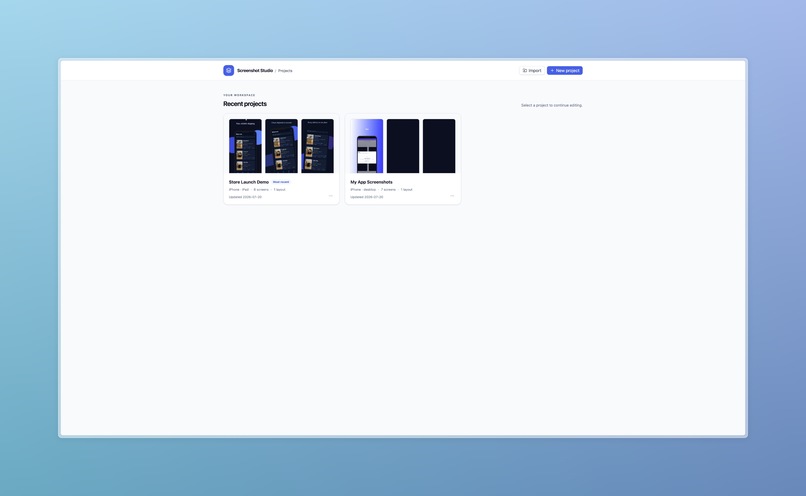
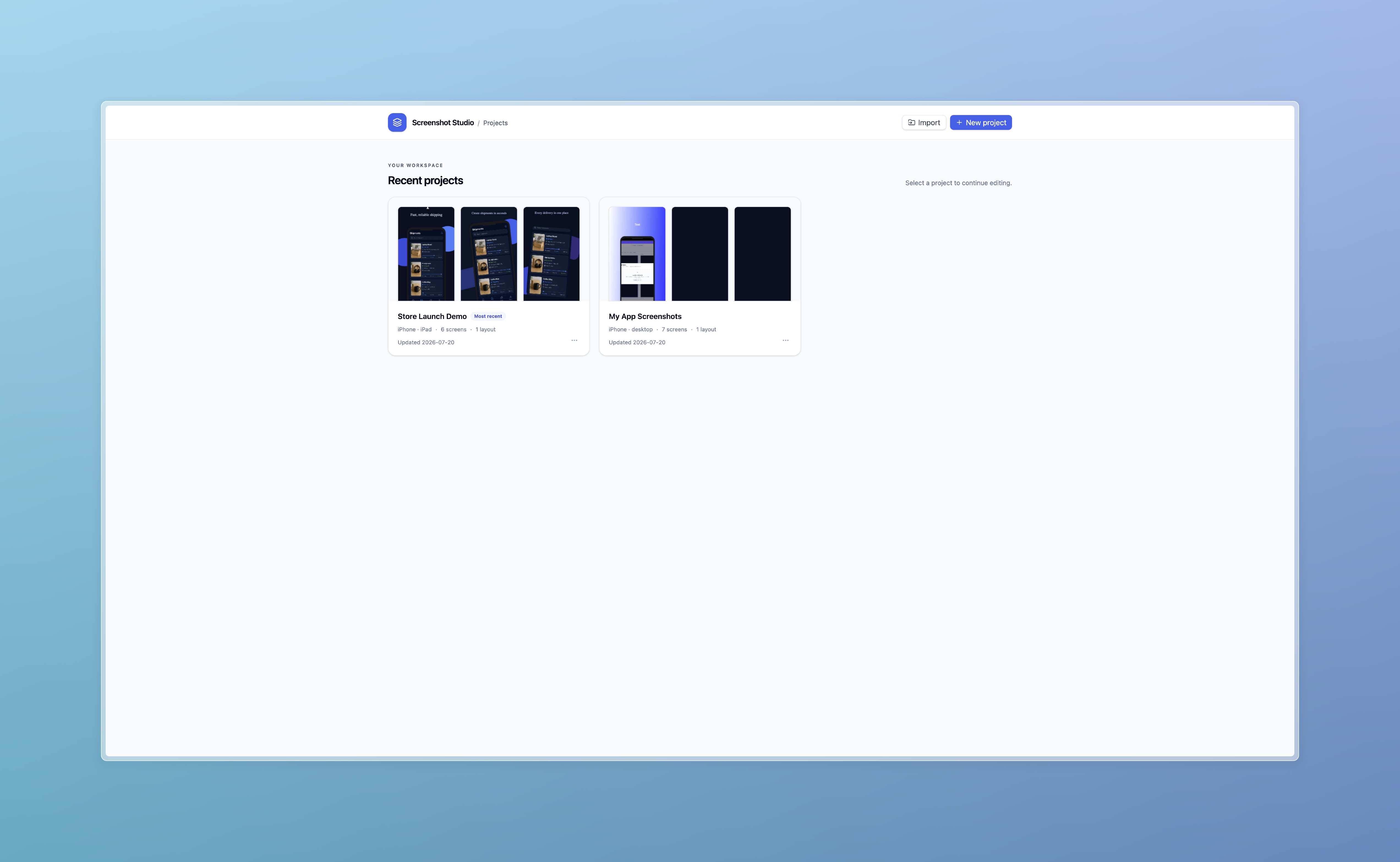
Projects
-
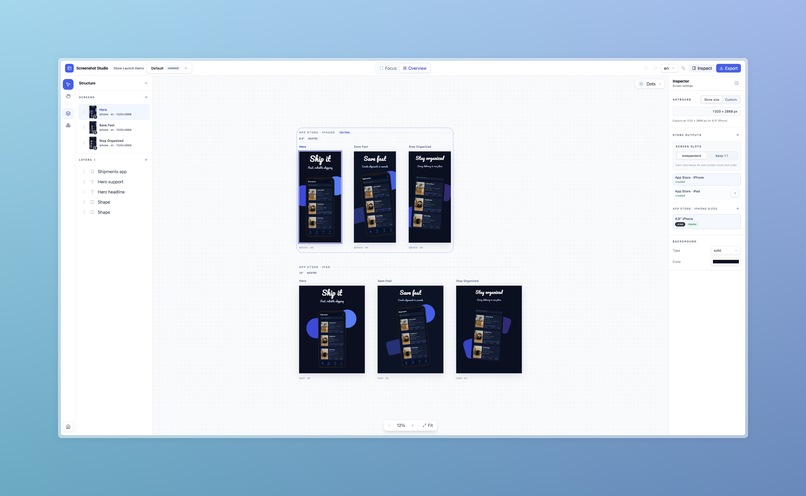
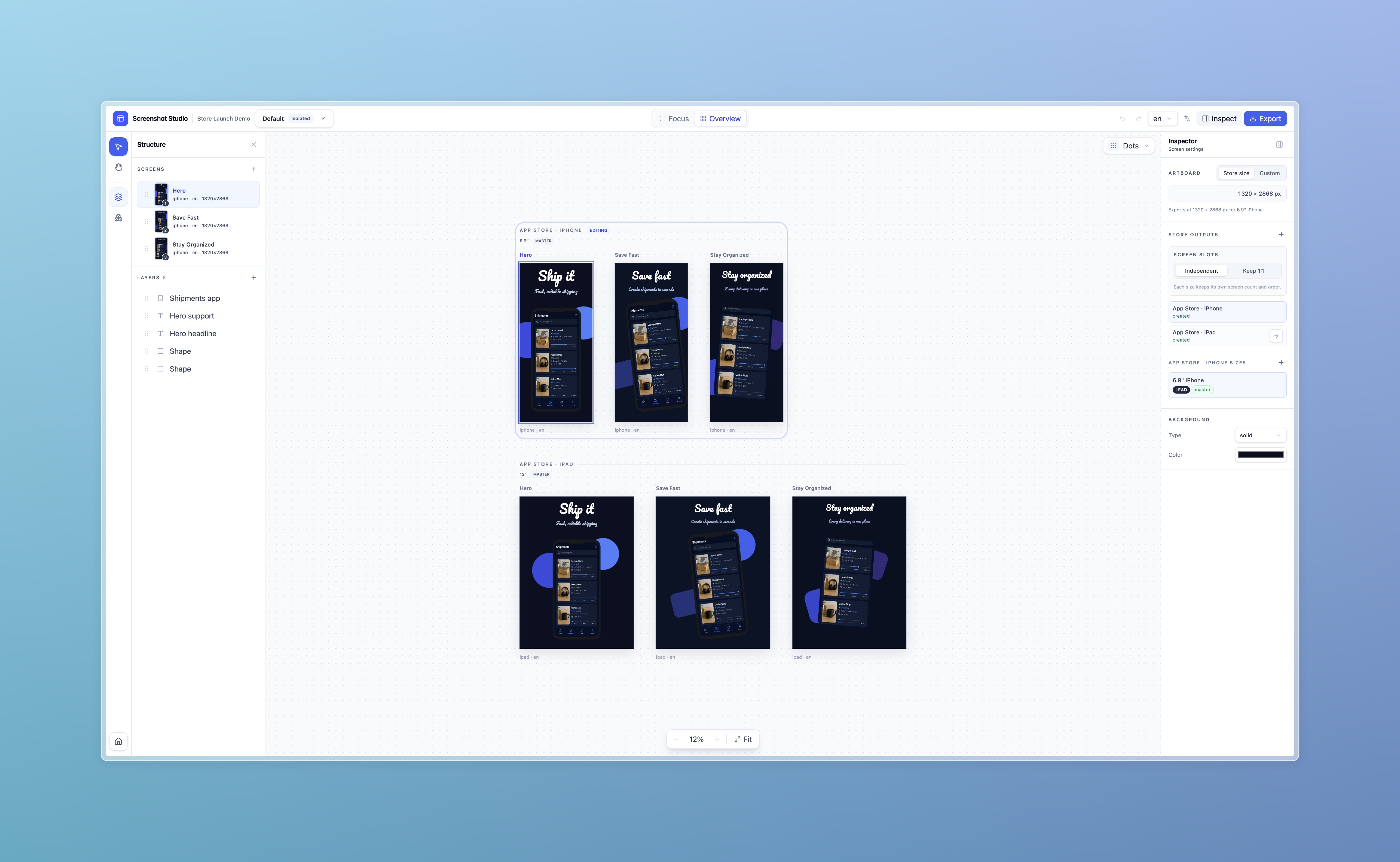
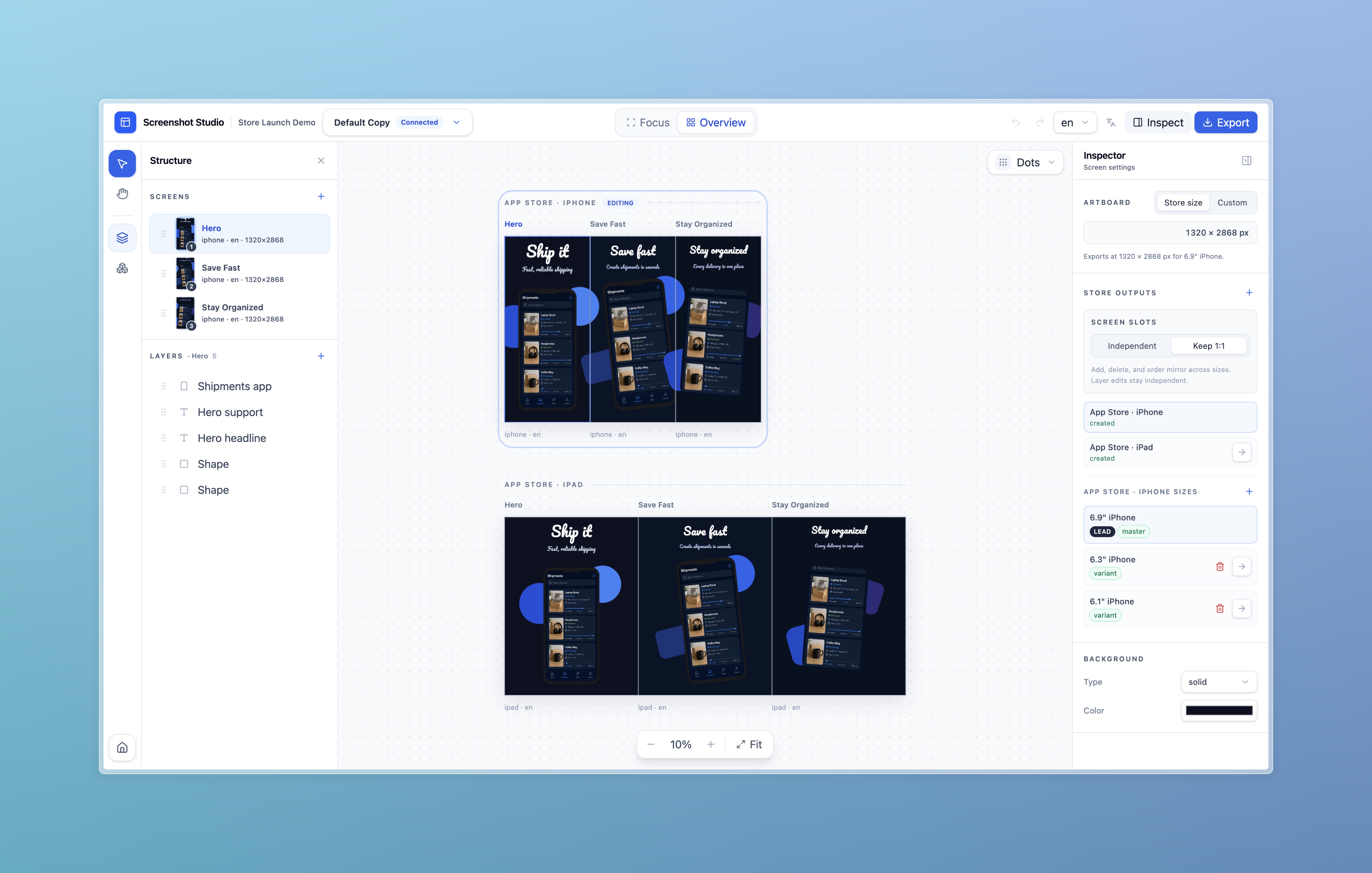
Editor with couple screens
-
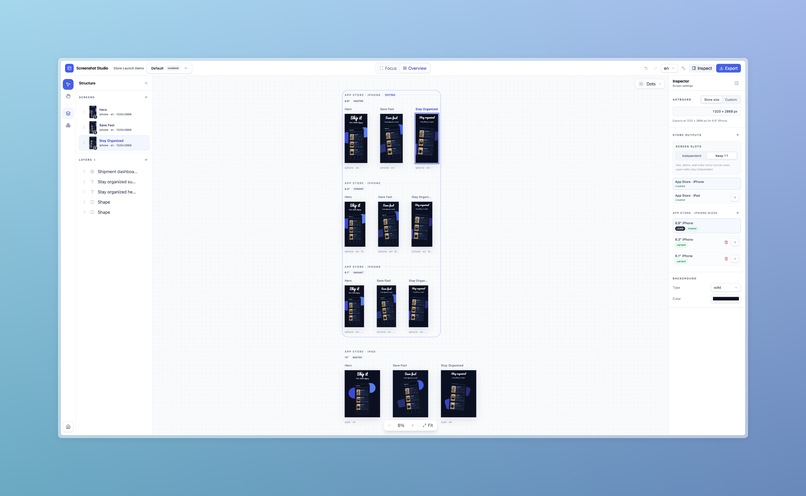
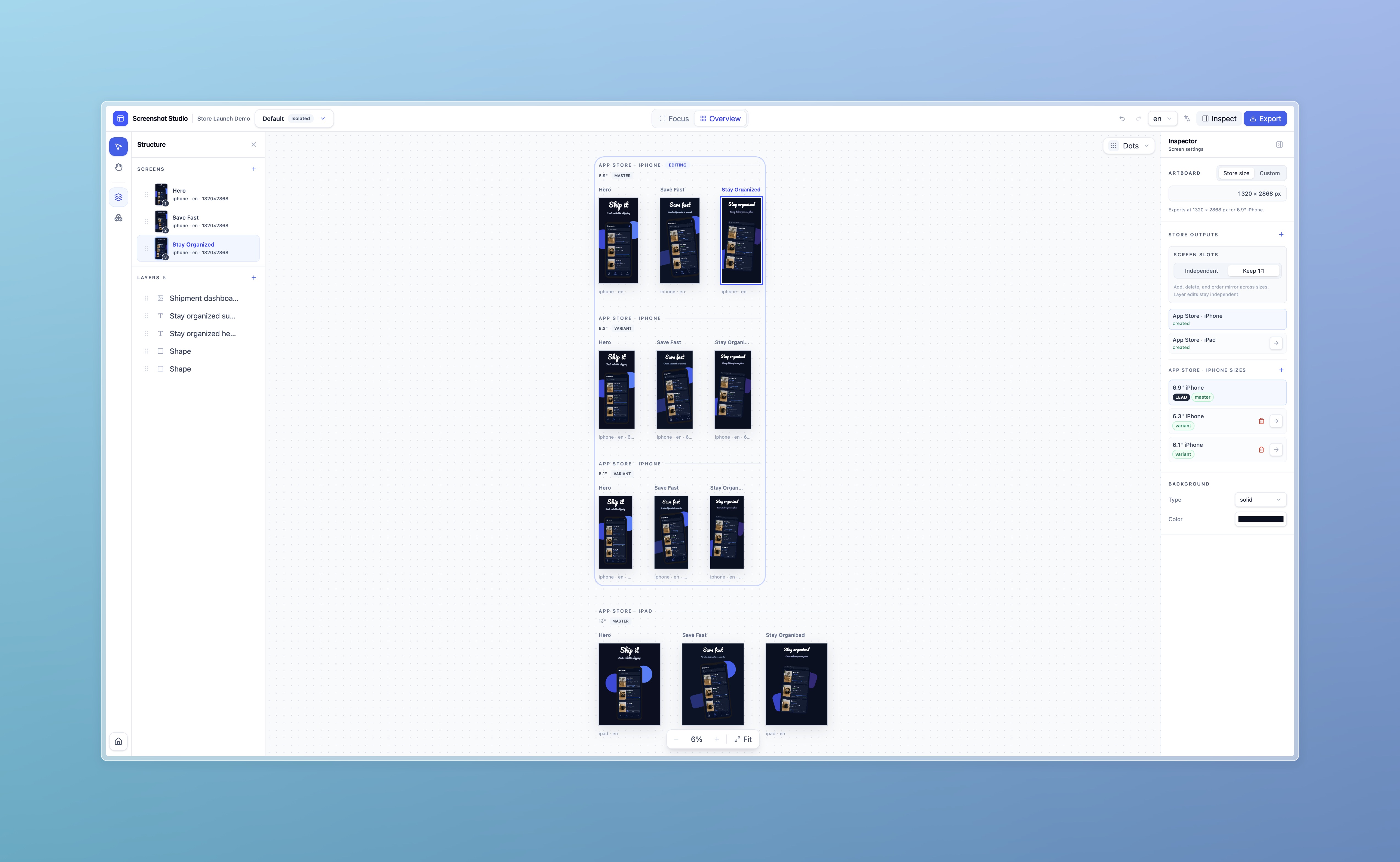
Editor with couple more screens
-
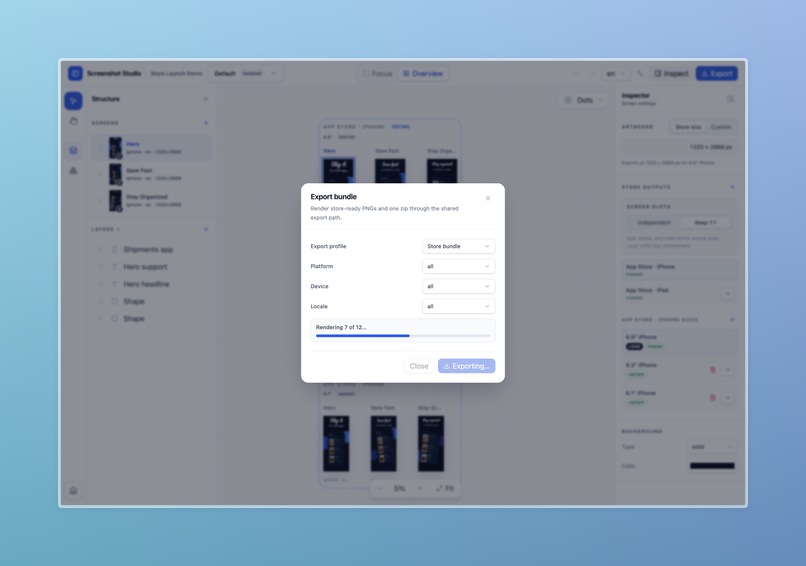
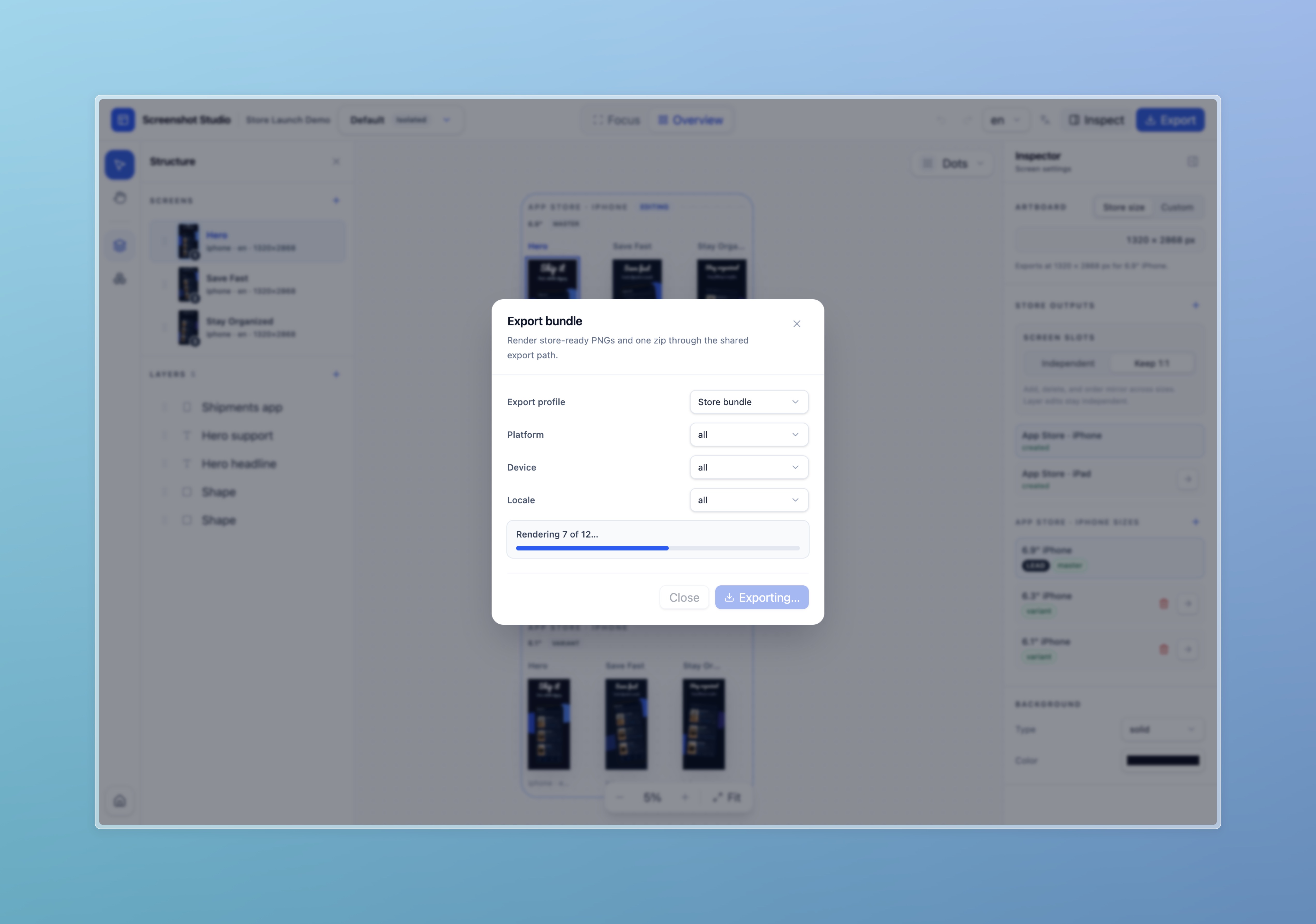
Export
-
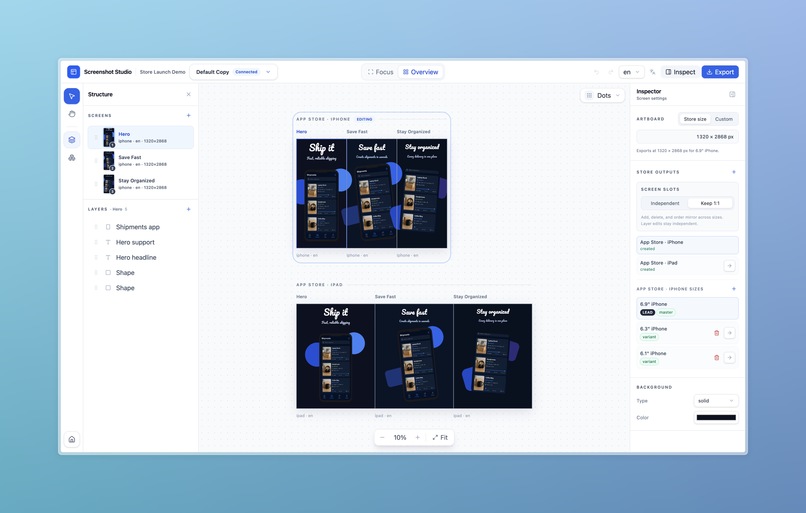
Connected layout
-
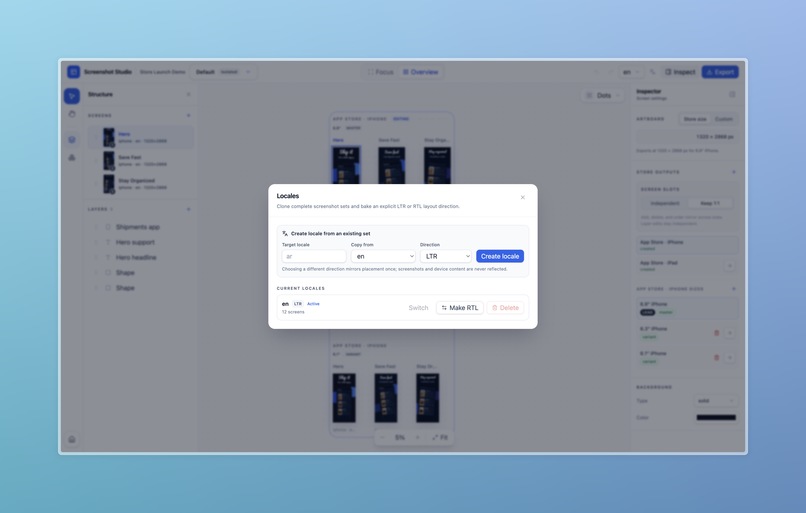
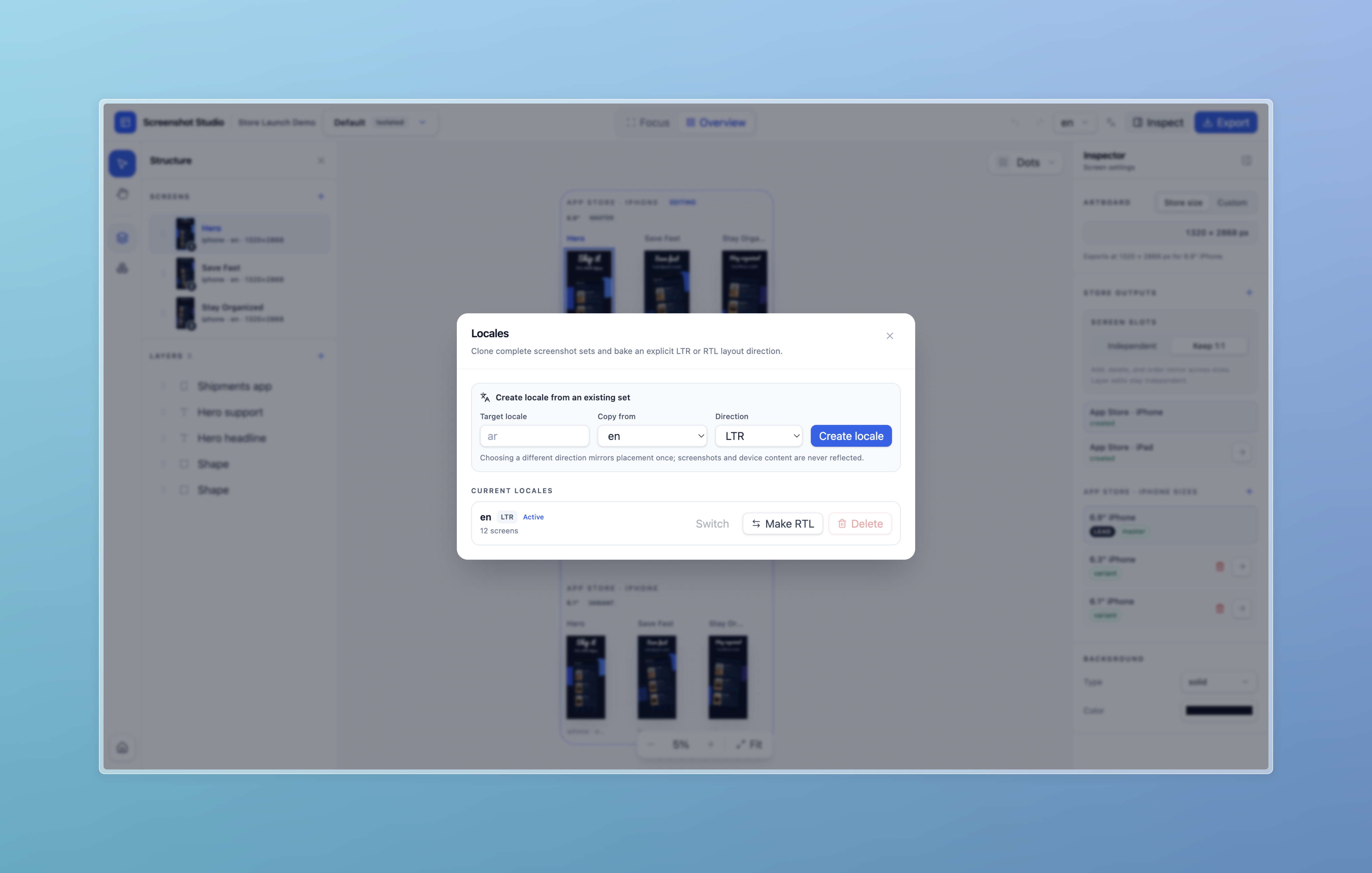
Localizations
-
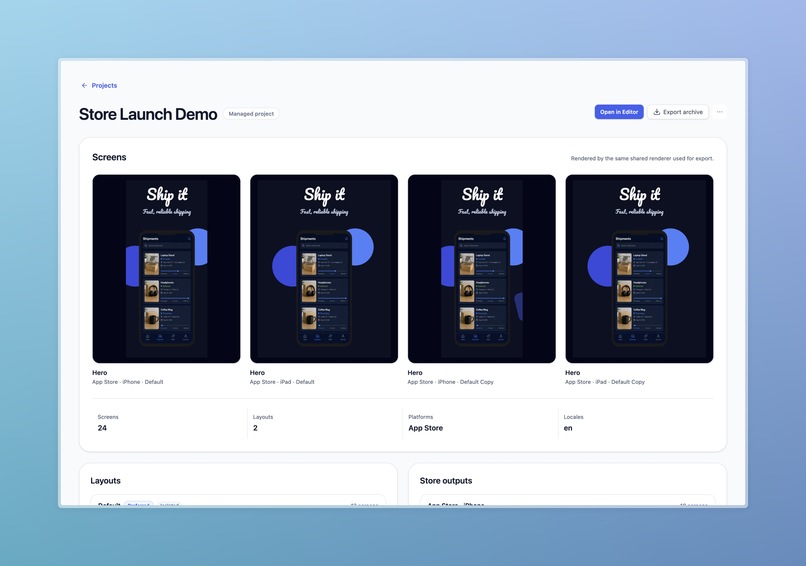
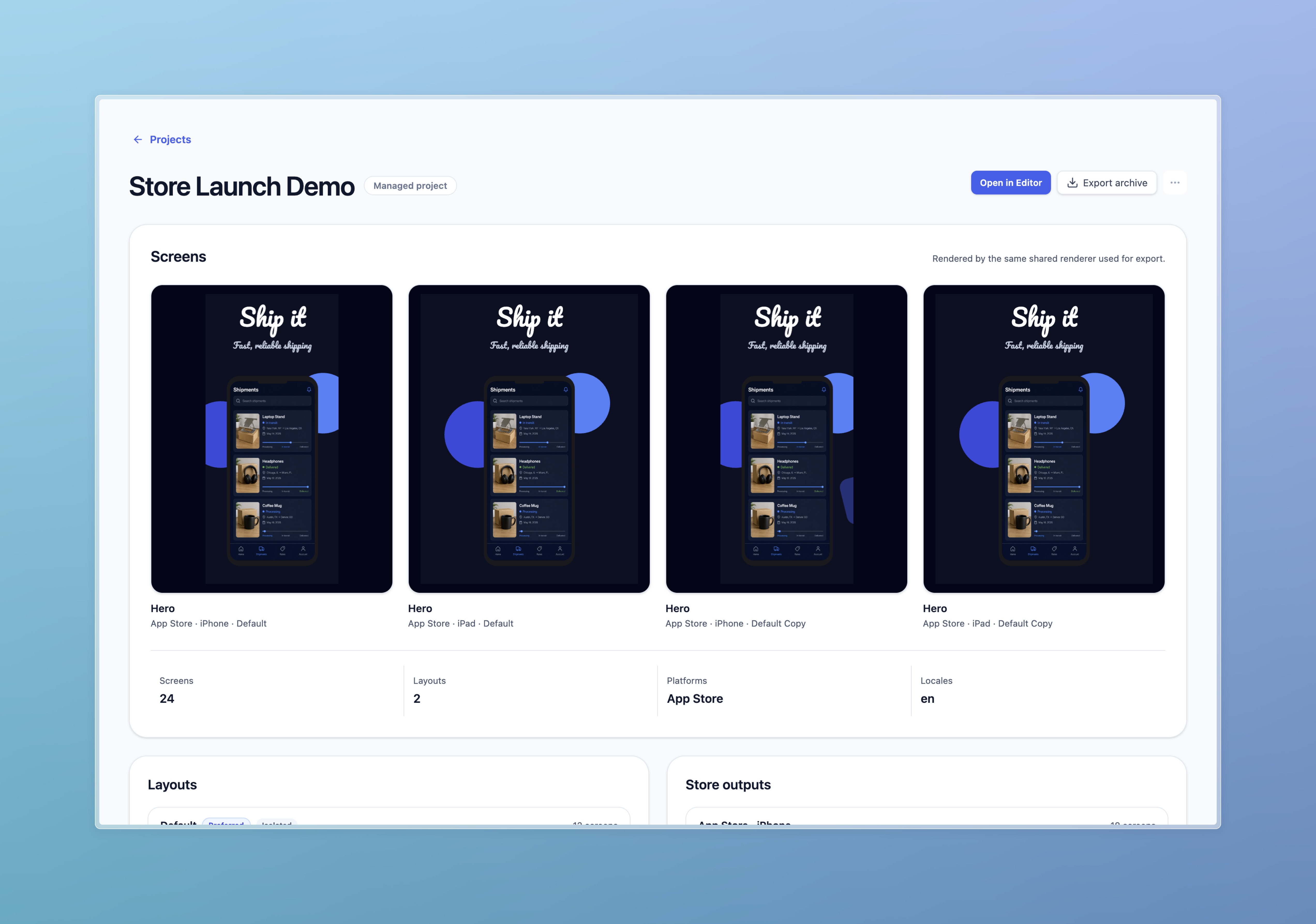
Project Details
-
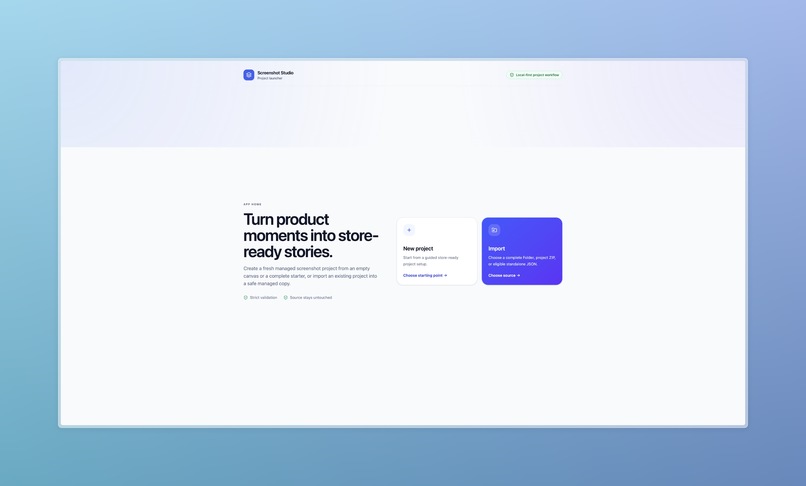
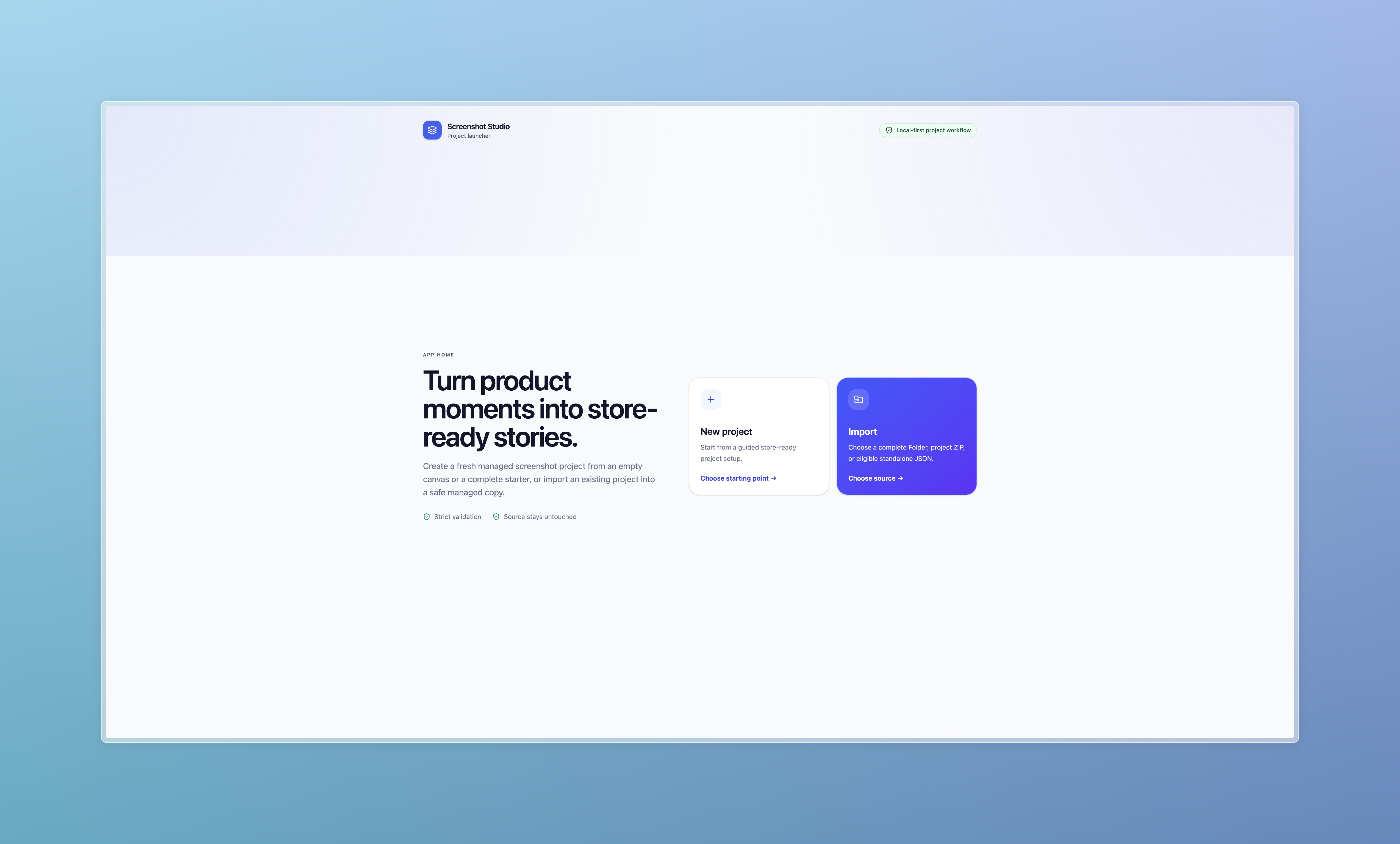
initial page
Inspiration
Screenshot Studio was inspired by a recurring problem I have faced throughout my career as an iOS developer: creating polished App Store screenshots is often one of the most repetitive and time-consuming parts of releasing an application.
I tried paid tools, free solutions, open-source projects, Fastlane workflows, and AI-assisted approaches. Each was useful in some way, but none felt like a complete long-term solution.
Throughout my career, I have benefited from many open-source frameworks, libraries, and tools created by other developers. Screenshot Studio became an opportunity to give something back by creating a free and open-source tool that could save developers time and reduce the cost of publishing an app.
What it does
Screenshot Studio is a visual workspace for creating marketing screenshots for app stores.
Users can build reusable layouts, add screenshots and device frames, manage fonts and assets, prepare designs for different locales, and export images at the exact dimensions required by different platforms.
Projects are stored in a structured format, making them easier to reuse, automate, and version-control.
How we built it
I built Screenshot Studio as a full-stack TypeScript application using Next.js, React, and Konva.
The project uses a schema-validated JSON document as its single source of truth for layouts, screens, locales, assets, fonts, and export targets.
One of the main architectural decisions was to use the same browser-based rendering pipeline for the editor, previews, CLI, and final exports. This helps ensure that what users see in the editor matches the exported result.
Platform dimensions are data-driven rather than hard-coded, making it easier to support additional devices and export targets.
I also built a CLI for automated exports and repeatable, version-controlled workflows.
Challenges we ran into
One major challenge was preserving parity between the editor and exported images. Even small visual differences could make the tool unreliable, so the architecture had to be built around a shared renderer.
Another challenge was separating device frames from export dimensions. A device frame is a visual design element, while export dimensions are technical platform requirements. Keeping them separate made the system more flexible.
I also returned to web development after almost ten years. Modern React, Next.js, frontend architecture, state management, and TypeScript tooling were largely new to me.
AI token usage became an unexpected challenge as well. An aggressive Test-Driven Development workflow and automatically activated skills and plugins started adding unnecessary context and steps to almost every task.
I solved this by adding clearer activation rules to AGENTS.md, limiting those workflows to cases where they were actually useful. This significantly reduced unnecessary tool calls and token consumption.
Accomplishments that we're proud of
I am especially proud that I managed to transfer more than nine years of iOS engineering experience into a modern web project and build a functional product in a very short period.
The shared rendering architecture, structured project format, data-driven platform configuration, and CLI support provide a strong technical foundation rather than just a visual prototype.
I am also proud that the project is intended to be free and open source, allowing other developers to use it, improve it, and build on top of it.
What we learned
This project demonstrated how engineering knowledge can transfer between platforms. Principles such as SOLID, KISS, DRY, and YAGNI remain valuable regardless of the language or framework.
ChatGPT and Codex made returning to web development significantly easier. They helped me understand unfamiliar concepts, compare architectural approaches, divide features into manageable tasks, and discuss code, UI, UX, and visual design.
AI did not replace my engineering experience or judgment. It helped me apply that experience in a new environment without spending weeks learning every syntax detail before I could begin building.
Without ChatGPT and Codex, reaching the same point would likely have taken me at least a month, and possibly much longer.
I also learned that adding more agents, plugins, tests, and automation does not automatically produce better results. Like software architecture, an effective AI workflow should be intentional, understandable, and as simple as possible.
What's next for Screenshot Studio
The next step is to continue polishing the editor, improving the user experience, and making the workflow easier for developers who want to create store screenshots quickly.
I also plan to expand the collection of templates, device frames, and platform presets, improve localization workflows, and make automated exports more flexible.
A major future direction is built-in AI agent support. Users will be able to communicate with agents directly inside the application and ask them to create or update layouts, adjust visual styles, rewrite marketing copy, prepare localized versions, or generate export-ready screenshots.
Instead of manually editing every element, a developer could describe the desired result in a chat and let the agent complete much of the work within seconds, while still keeping full control over the final design.
Most importantly, I want to release Screenshot Studio as an open-source project, collect feedback from the community, and continue developing it based on real developer needs.
Built With
- konva
- next.js
- node.js
- playwright
- pnpm
- react
- sharp
- tailwind-css
- typescript
- vitest
- zod
- zustand

Log in or sign up for Devpost to join the conversation.