-
-
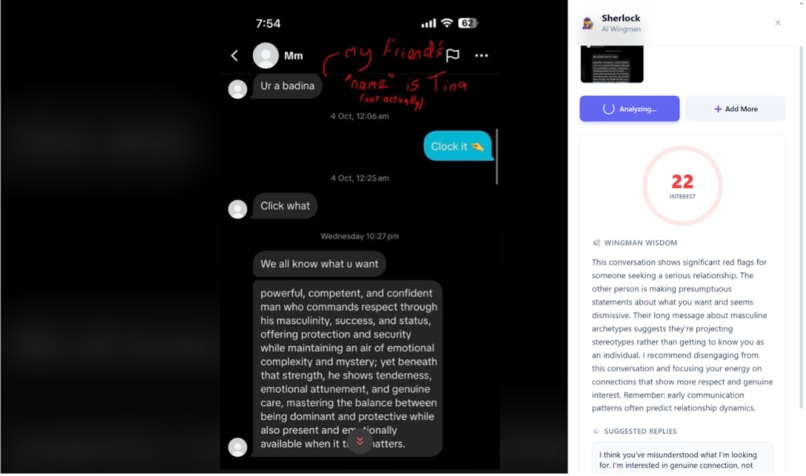
Screenshot detective rating a conversation
-
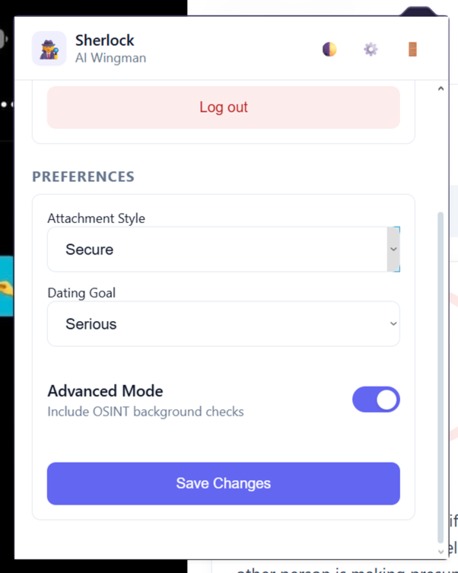
Screenshot Sherlock interface
-
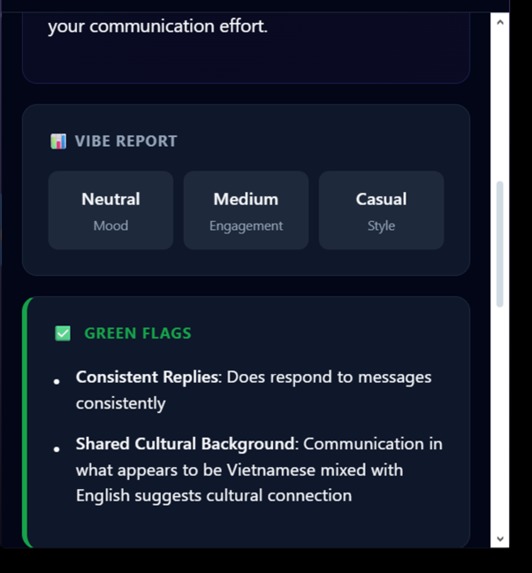
Vibe report and flag detection from conversation


Inspiration
We've all been there. You send a risky text. You wait. Three hours later: "K." Panic sets in. You screenshot it immediately and send it to the group chat. "Is he mad?" "Does she hate me?" "Why did they use a period instead of an exclamation mark?" We realized that modern dating is essentially a full-time job of deciphering digital hieroglyphics. We wanted to build the ultimate objective third party, a "guide" that doesn't get tired of your drama, has a PhD in psychology, and can spot a red flag from a mile away. Screenshot Sherlock was born out of the desire to stop the spiral.
What it does
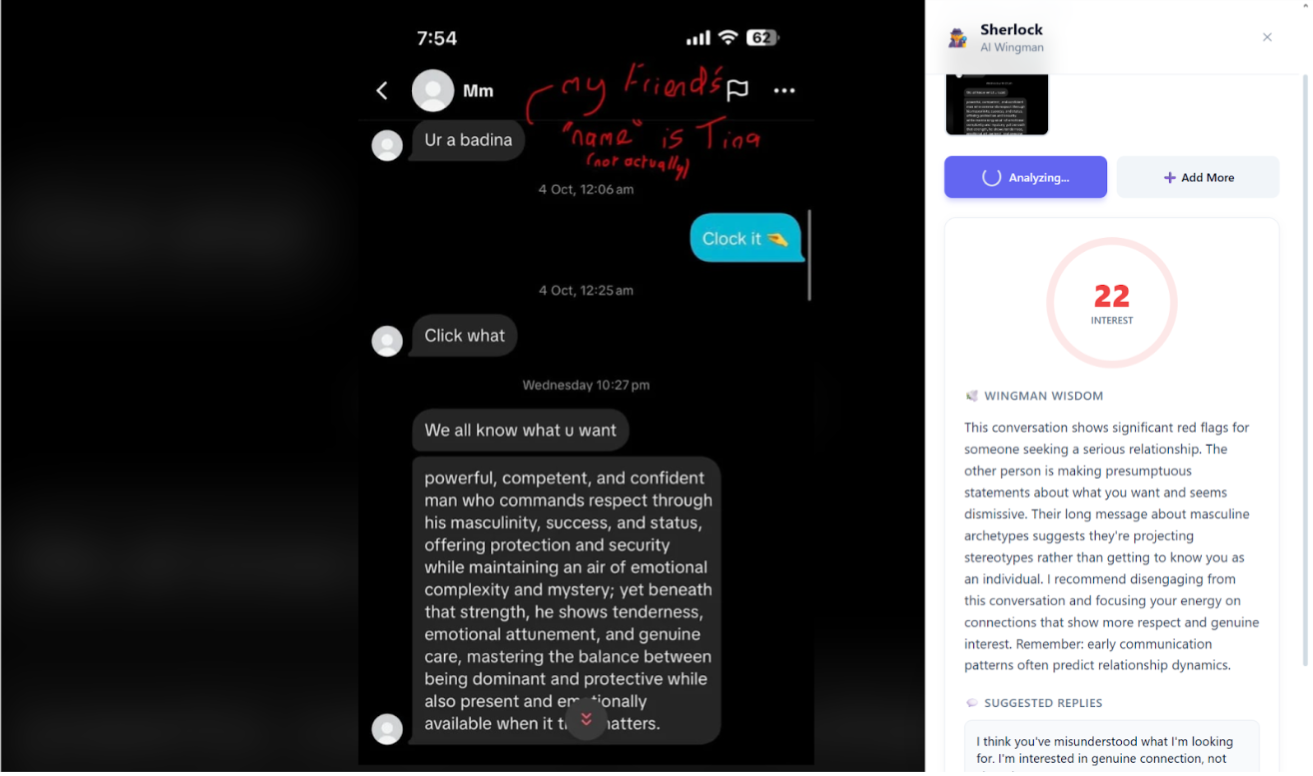
Screenshot Sherlock is a “text chemistry analyzer” for dating, friendships, and everyday relationships. Users upload a screenshot of a chat (iMessage, WhatsApp, Hinge, etc.), and Screenshot Sherlock:
- Reads the entire conversation using Anthropic: Claude
- Generates a Vibe Report:
- Interest level (0–100) with evidence
- Who’s putting in more effort
- Power dynamics (who’s chasing, who’s leading)
- Emotional temperature (warming up, cooling off, tense, playful)
- Flags potential red/green/yellow flags (breadcrumbing, gaslighting, consistency, respect)
- OSINT Background Check: Auto-extracts names from conversation, searches LinkedIn/Twitter/public records, validates identity consistency, and flags safety concerns (fake profiles, hidden info, inconsistent details)
- Suggests 3 possible reply options
How we built it
We built Screenshot Sherlock as a thin but powerful stack:
1. Backend: FastAPI + MongoDB Atlas to handle screenshot uploads, store analyses, and expose a couple of clean JSON endpoints.
2. AI Engine: Anthropic Claude (vision), prompt‑engineered to act as “Screenshot Sherlock,” returning a structured JSON vibe report (interest score, power dynamics, flags, and three reply suggestions) directly from screenshots.
3. Frontend: A Chrome extension that captures the current tab, sends a base64 image to the backend, and displays the Vibe Report with copy‑to‑clipboard replies and a “Reality Check” button for quick, AI‑powered interventions.
With a single click, a messy chat screenshot becomes a clear, structured vibe report, complete with flags, evidence, and polished replies you can send with confidence.
Challenges we ran into
Privacy and ethics with screenshots Screenshots often include names, photos, and sensitive details. We had to make deliberate choices around what we store, how long we keep it, and how we present analyses without exposing identifiable information.
Zero collective love life (CS major problem) Our team had almost no real dating text history to test with, so we went to Reddit and other public forums, pulled anonymized relationship threads, and used those as our “training ground” to make sure Screenshot Sherlock worked on real-world drama, not just synthetic examples.
Accomplishments that we're proud of
End‑to‑end, one‑click experience We went from raw idea to a working system where a single click in a Chrome extension sends a screenshot, runs Claude, and returns a clean vibe report in seconds.
Surprisingly accurate relationship reads Using real (anonymized) Reddit conversations, Sherlock consistently picked up on things like breadcrumbing, low effort, and mixed signals in ways that matched human intuition.
Respectful handling of sensitive content Even under time pressure, we made conscious decisions about minimal data retention and light redaction, showing we can move fast and think about user privacy.
What we learned
How to handle messy, real‑world data Struggling to get accurate speaker attribution from raw screenshots taught us to design better prompts, add clear assumptions, and accept that real data is never as clean as tutorial examples.
Debugging integrations under pressure Dealing with Chrome permissions, CORS, and huge base64 payloads forced us to get comfortable reading docs, using dev tools, and iterating quickly when things broke between the extension and backend.
Build with privacy in mind from day one Handling screenshots full of names and personal details made us think seriously about minimal data retention, anonymization, and what is and isn’t appropriate for us to store.
Be resourceful with limited data Having basically zero personal “dating dataset” pushed us to creatively use public Reddit threads and other anonymized examples, and we learned that flexible, realistic test data matters more than perfect, curated samples.
What's next for Screenshot Sherlock
Deeper personalization Add a short “relationship profile” (attachment style, goals, boundaries) so Claude can tailor its analysis and suggested replies to each user instead of giving one‑size‑fits‑all advice.
Conversation history & trends Let users upload multiple screenshots over time and see how interest, effort, and tone change across days or weeks, essentially a “relationship graph” instead of a single snapshot.
Better distribution & UX Turn the prototype into a polished browser extension + web app combo, and eventually a mobile share‑sheet flow so you can send screenshots to Sherlock directly from your phone.
Continuous learning loop Use anonymous, opt‑in feedback (e.g., “Was this analysis helpful?”) to refine prompts, scoring ranges, and reply styles over time so Sherlock gets smarter with real usage.
Built With
- css
- fastapi
- html
- javascript
- jwt
- mongodb
- openai
- osint
- python
- rag

Log in or sign up for Devpost to join the conversation.