-
-
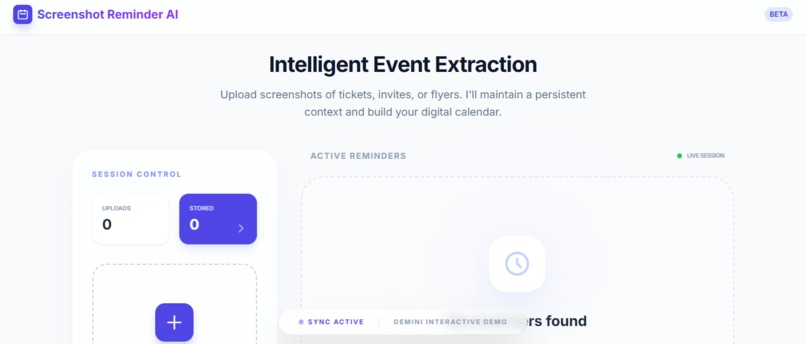
screeshot reminder app interface
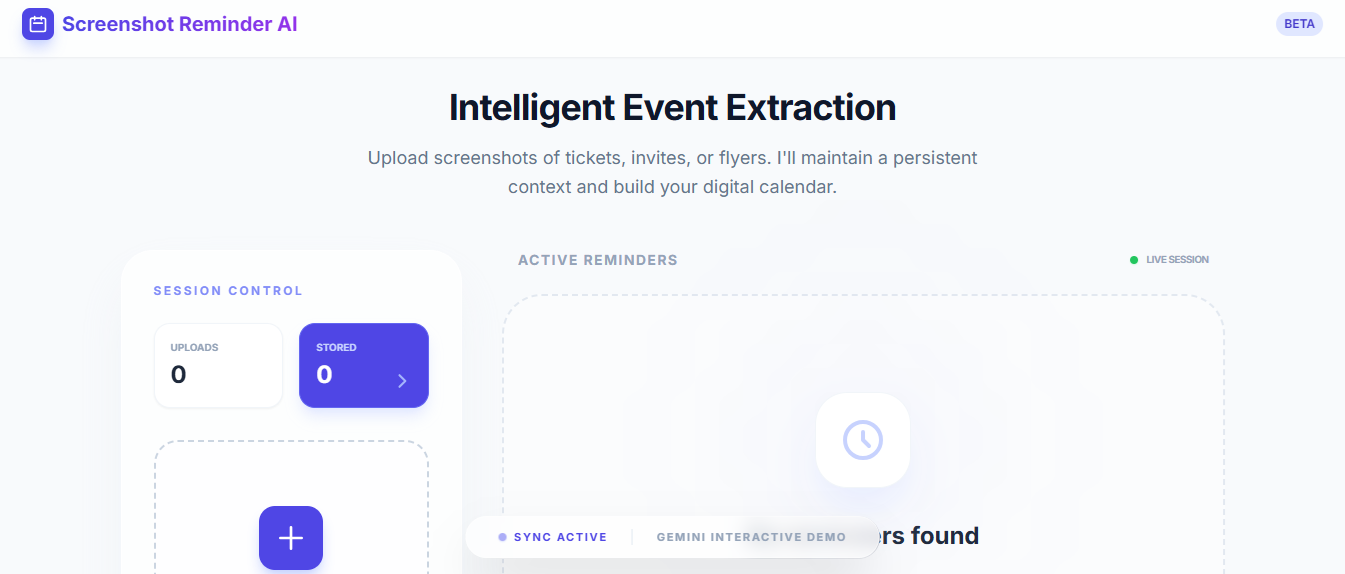
Inspiration
We’ve all been there: you take a screenshot of something important : a concert ticket, a job application deadline, a flight boarding pass, a Zoom invite, or a quick note from a friend and then completely forget why you saved it. Weeks later, you scroll through hundreds of screenshots wondering, “What was this for?”
What it does
Screenshot Reminder AI instantly analyzes screenshots you upload (event flyers, job deadlines, tickets, invites, boarding passes, messages, etc.) and turns them into structured, actionable reminders. Gemini 3 looks at the image, reads all visible text, understands context, infers event type and importance, extracts key fields (title, start/end date & time, location, description, confidence), and suggests next actions like “Add to calendar”. The app maintains persistent session context across multiple uploads so you can keep feeding it forgotten screenshots from your gallery, and it builds a growing list of reminders without losing previous context. Results appear as clean EventCards with a session stats panel showing how many screenshots have been processed and how many reminders are active. In short: it solves the very common problem of “I know this screenshot is important… but why did I save it?” and turns passive captures into a digital calendar you actually use.
How we built it
Started in Google AI Studio using the app generation (“vibe coding”) workflow. Gave Gemini natural-language instructions to create a React-style web app with: Image upload component Multimodal screenshot analysis using Gemini 3 Flash Preview Structured JSON output for reliable event parsing Persistent session context to track and display multiple screenshots/reminders Basic UI with EventCards, session stats, and a history view Exported the generated code as a zip file. Deployed to Netlify (drag-and-drop deployment + set environment variable GEMINI_API_KEY to use my own Gemini API key).
Challenges we ran into
Extremely tight free-tier quotas on Gemini 3 Flash Preview especially after deploying to Netlify. The internal quota in AI Studio is generous during building, but once using your own API key externally, daily request limits (often ~100–250 RPD) are hit very quickly when testing multiple screenshots. Public sharing of AI Studio apps is unreliable many generated apps save to Google Drive, causing “No access to Drive” or login prompts for anonymous viewers/judges.
Accomplishments that we're proud of
Built a fully interactive, multimodal reminder tool using Gemini 3 in under a day from zero to deployed Netlify app. Successfully leveraged Gemini 3’s strongest new features: high-resolution image understanding for screenshot text extraction, deep contextual reasoning to infer event meaning, persistent session context for multi-screenshot workflows, and reliable structured JSON outputs. Created a genuinely useful productivity tool that solves a real, everyday annoyance most people have experienced. Got the app to a state where it supports sequential uploads and maintains reminder history across a session showing real agent-like behavior with Gemini 3. Overcame multiple sharing/quota hurdles to still produce a public, demo-able product.
What we learned
Gemini 3’s multimodal vision is a massive leap forward for anything involving screenshots, photos, or visual documents — text extraction and contextual understanding are far more accurate than previous generations. Persistent context in long sessions is one of the most powerful (and underused) features for building practical tools. Google AI Studio’s vibe coding is incredibly fast for non-frontend developers you can go from idea to working React-like app in minutes with natural language. Exporting and hosting externally (Netlify) is the most reliable way to get a truly public, no-login demo when AI Studio share links misbehave.
What's next for Screenshot Reminder AI
What to Build The prompt is simple: Build a NEW application using the Gemini 3 API. There are no category restrictions. Build a game, a productivity tool, a scientific analyzer, or a robotic controller. If it uses Gemini 3 to do something cool, we want to see it! For inspiration, check out the Resources tab! How we built it
Started in Google AI Studio using the app generation (“vibe coding”) workflow. Gave Gemini natural-language instructions to create a React-style web app with: Image upload component Multimodal screenshot analysis using Gemini 3 Flash Preview Structured JSON output for reliable event parsing Persistent session context to track and display multiple screenshots/reminders Basic UI with EventCards, session stats, and a history view
Iteratively improved the app by prompting Gemini in the editor (“add multi-upload support”, “make session history clickable”, “improve styling”, etc.). Exported the generated code as a zip file. Deployed to Netlify (drag-and-drop deployment + set environment variable VITE_GEMINI_API_KEY to use my own Gemini API key). Recorded a short demo video showing both the AI Studio preview and the live Netlify version.
The core intelligence comes from a system prompt that forces Gemini 3 to extract text, reason about context, handle ambiguities (e.g. “next Friday”), and return only clean JSON.
Challenges we ran into Extremely tight free-tier quotas on Gemini 3 Flash Preview especially after deploying to Netlify. The internal quota in AI Studio is generous during building, but once using your own API key externally, daily request limits (often ~100–250 RPD) are hit very quickly when testing multiple screenshots. Public sharing of AI Studio apps is unreliable many generated apps save to Google Drive, causing “No access to Drive” or login prompts for anonymous viewers/judges.
Accomplishments that we're proud of Built a fully interactive, multimodal reminder tool using Gemini 3 in under a day — from zero to deployed Netlify app. Successfully leveraged Gemini 3’s strongest new features: high-resolution image understanding for screenshot text extraction, deep contextual reasoning to infer event meaning, persistent session context for multi-screenshot workflows, and reliable structured JSON outputs. Created a genuinely useful productivity tool that solves a real, everyday annoyance most people have experienced.
What we learned Gemini 3’s multimodal vision is a massive leap forward for anything involving screenshots, photos, or visual documents — text extraction and contextual understanding are far more accurate than previous generations. Persistent context in long sessions is one of the most powerful (and underused) features for building practical tools. Google AI Studio’s vibe coding is incredibly fast for non-frontend developers.
What's next for Screenshot Reminder AI Add .ics calendar export or direct Google Calendar link generation from extracted events. Implement reminder notifications (browser push or email) for upcoming deadlines. Improve quota handling (caching results, fallback messages, rate-limit UI).

Log in or sign up for Devpost to join the conversation.