-
-
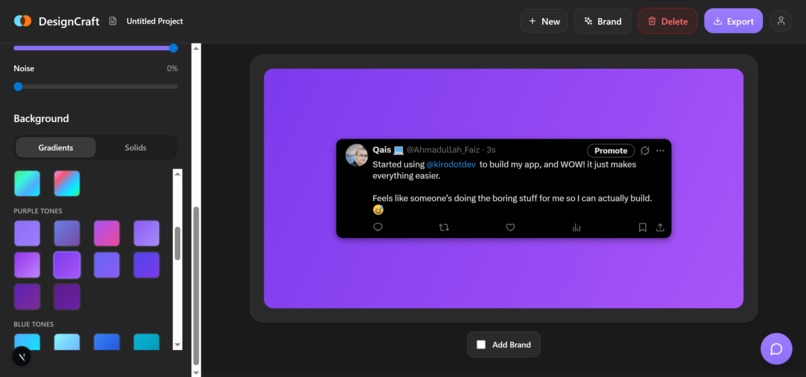
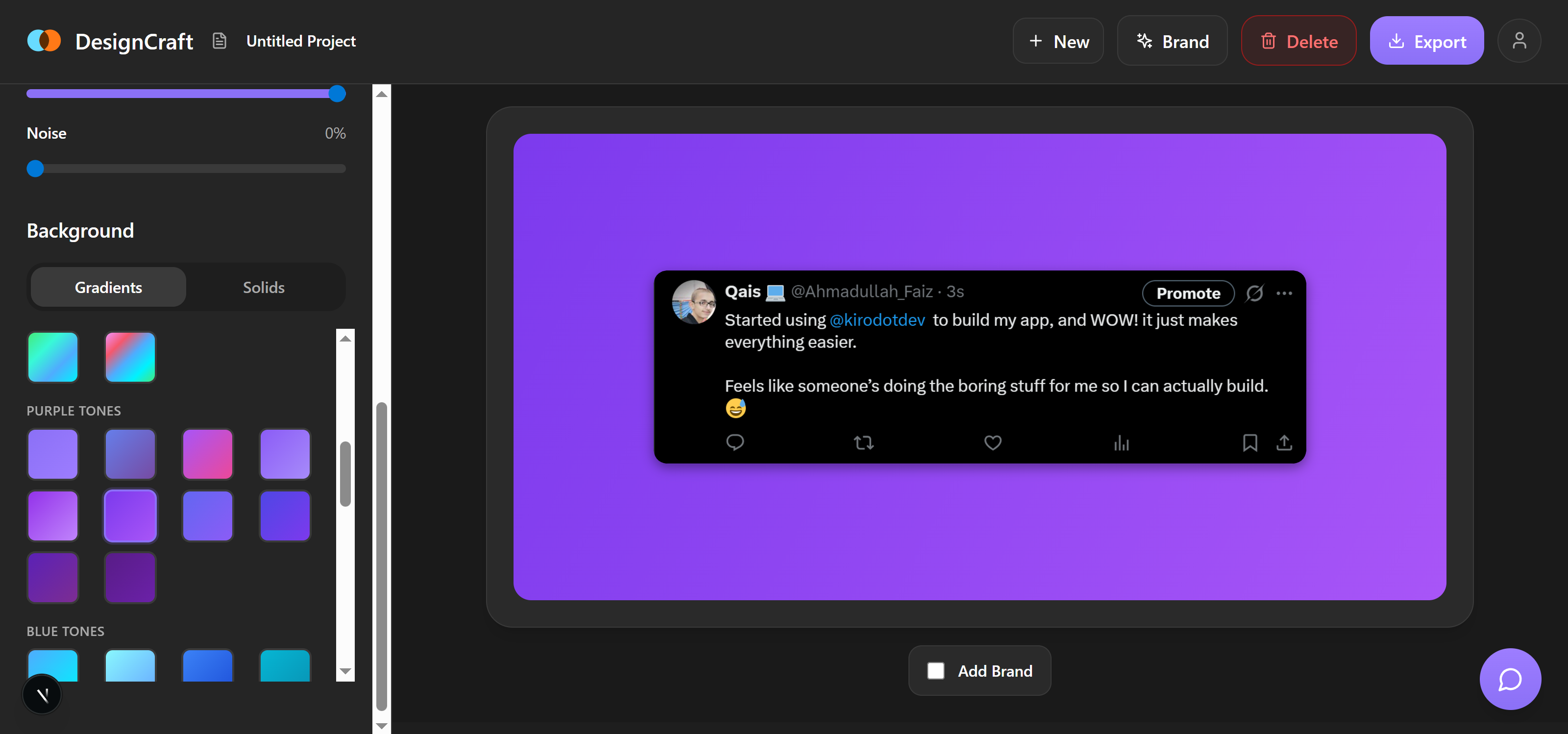
DesignCraft workspace
Inspiration
The idea came from a very simple problem. I take screenshots all the time, and I noticed that a normal screenshot looks boring, messy, and not good enough to share on social media. I saw many creators on platforms like X who post beautiful screenshots with clean backgrounds and nice colors, but most of them use heavy design tools that take a lot of time. I wanted something much simpler. A tool that makes any screenshot look beautiful in just a few seconds. That thought inspired me to build this project.
What it does
The Screenshot App helps users take or upload a screenshot and instantly turn it into a clean, beautiful, ready-to-share image. You can crop the screenshot, choose a nice background, adjust the layout, and download a high-quality final version in seconds.
It also lets users add their own brand details, like their @name or logo, so the final screenshot looks more professional and personal. This is great for creators, marketers, and anyone who wants their posts to look polished without using complicated design tools.
The main idea is simple: take a plain screenshot and make it look good enough to post on social media with almost no effort.
How we built it
We built DesignCraft as a modern web application using a carefully selected tech stack optimized for performance and user experience. The development process was significantly accelerated by leveraging Kiro AI as our development partner throughout the entire build.
Frontend Architecture: We used Next.js 15 with App Router for server-side rendering and optimal performance, React 18 for building interactive UI components, TailwindCSS for rapid responsive styling, Chakra UI and Emotion for advanced component styling, Zustand for lightweight state management, and HTML5 Canvas API for real-time image manipulation and editing.
Image Processing & Editing: We built a custom canvas-based rendering engine for screenshot transformations, integrated the Pica library for high-quality image resizing, implemented real-time preview with crop, rotate, scale, and positioning controls, added advanced effects including gradients, shadows, and noise textures, and created a brand overlay system supporting logos and custom text.
Backend & Data: We utilized Next.js API Routes for serverless backend functionality, PostgreSQL database via Neon for scalable data storage, NextAuth.js v5 for secure authentication with credentials and OAuth, Argon2 for password hashing, and Resend for transactional emails.
Key Features Implementation: For the Workspace Canvas, we built custom hooks (useImageTransforms, useCanvasInteraction) for managing image state and user interactions. The Brand Editor features a drag-and-drop interface using @dnd-kit for positioning brand elements. We integrated react-colorful for the Color System to enable gradient and solid color customization. The Export System provides high-resolution PNG export with quality preservation, and the Feedback System includes rate-limited API with email notifications.
Development & Deployment: We used TypeScript for type safety and better developer experience, Vercel for continuous deployment and hosting, Git for version control, and structured the project as a monorepo with separate web and mobile apps (mobile currently inactive).
Kiro AI's Role: Throughout development, Kiro AI served as an invaluable coding partner, helping us debug complex canvas rendering issues, optimize image transformation algorithms, resolve Next.js App Router Suspense boundary errors, implement proper authentication flows, fix deployment issues on Vercel, refactor components for better performance, and troubleshoot TypeScript errors. Kiro's ability to understand context, suggest solutions, and write production-ready code significantly accelerated our development timeline and helped us overcome technical challenges that would have taken much longer to solve manually.
The entire application was built with a focus on user experience, performance, and code maintainability, leveraging modern web technologies, best practices, and AI-assisted development through Kiro to deliver a professional screenshot editing tool.
Challenges we ran into
Working with images inside the browser was a challenge because everything must be processed without slowing down the page. Making the crop tool smooth and accurate took time. Another challenge was making sure the background designs looked good behind every screenshot shape. I also had to keep the whole experience simple. It is easy to add many features, but difficult to keep only the important ones without making the app complicated.
Accomplishments that we're proud of
I am proud that the app actually solves a real problem. It turns a boring screenshot into a beautiful post within seconds. I am also proud that the app works without needing a browser extension. The interface is simple, and even people with no design knowledge can create something that looks great. Building something useful and clean feels like a big accomplishment for me.
What we learned
I learned how important user experience is. Even small details like spacing, buttons, or animations can change how people feel about a tool. I also learned a lot about image processing inside the browser and how to optimize performance. Another thing I learned is that building simple products is harder than it looks. You need to think from the user's point of view all the time.
What's next for Screenshot App
Next, I want to continue improving the Screenshot App and make it even more powerful for creators. I have already added themes, backgrounds, and basic styling, but there is much more I want to build. One of the biggest goals is to introduce auto social media size modes, so users can pick the perfect canvas for X posts, Facebook posts, LinkedIn banners, Instagram stories, Instagram posts, Pinterest pins, and even YouTube thumbnails. This will make content creation much easier.
I also want to add ready-made templates, such as tweet cards, thread screenshots, chat message templates, quote cards, and clean portfolio-style layouts. This will help users create professional-looking posts instantly without designing anything themselves.
AI features are another important step. I plan to add AI enhancement tools that can automatically clean screenshots, improve clarity, fix edges, and even suggest background designs based on the screenshot content.
A browser extension is also on the roadmap so users can capture and style screenshots instantly while browsing, without opening the web app.
Along with these, I want to add a few more useful features. One of them is a text editor for adding captions, notes, or highlights directly on the screenshot. Another idea is a smart color generator that creates background colors based on the dominant colors in the screenshot. I also want to add a history panel so users can revisit or re-edit their previous designs.
Overall, the future goal is to make the Screenshot App a complete, easy, and fun tool for creating beautiful, social-ready visuals in seconds.
Built With
- argon2
- chakra-ui
- dnd-kit
- emotion
- git
- github
- html5-canvas-api
- javascript
- kiro
- lucide-react
- neon-database
- next.js-15
- nextauth.js
- node.js
- pica
- postgresql
- react-18
- react-colorful
- react-hook-form
- resend-api
- tailwindcss
- typescript
- vercel
- zustand

Log in or sign up for Devpost to join the conversation.