Inspiration
Most AI assistants today are limited to answering questions through text. However, in real-world digital workflows, users spend a significant amount of time manually navigating websites, searching for information, opening platforms, and drafting messages.
The idea behind ScreenPilot AI was to build an AI assistant that goes beyond chat and actually performs tasks on behalf of the user.
I was inspired to explore how AI can move from passive conversation to active automation, where a user simply gives a natural language command and the AI executes it automatically.
By combining Gemini AI for reasoning and Playwright for browser automation, ScreenPilot AI acts as a digital assistant that understands instructions and performs browser tasks.
What it does
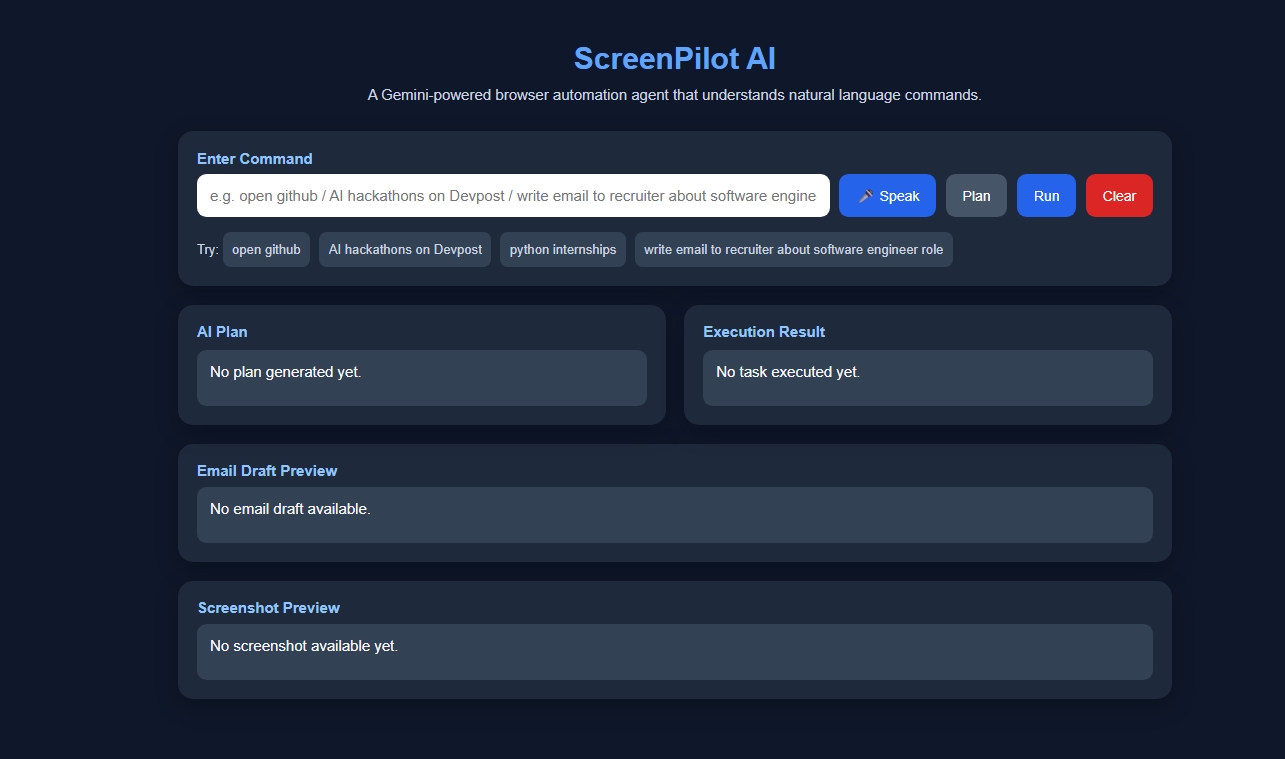
ScreenPilot AI is a Gemini-powered browser automation agent that allows users to control web browsing using natural language commands.
Instead of manually navigating websites, users can simply type commands like:
- “Open GitHub”
- “Search Python internships”
- “Find AI hackathons on Devpost”
- “Write an email to a recruiter about a software engineer role”
The system then:
- Understands the user command
- Generates an AI plan
- Executes browser automation
- Captures a screenshot of the result
- Displays the output to the user
ScreenPilot AI also supports AI-generated email drafting, helping users quickly generate professional messages.
How I built it
The project is built using a modular AI-agent architecture.
Frontend
A simple web interface built with HTML, CSS, and JavaScript where users can enter commands and view results.
Backend
A FastAPI server handles requests from the frontend and manages automation workflows.
AI Planning
The Gemini AI model interprets natural language commands and converts them into structured action plans.
Automation Engine
Playwright is used to perform browser automation such as:
- opening websites
- searching for information
- navigating pages
- capturing screenshots
System Flow
User Command → Gemini AI Planning → FastAPI Backend → Playwright Automation → Screenshot Output
Challenges I ran into
Building a system that combines AI reasoning with browser automation introduced several challenges.
Interpreting natural language commands The AI needed to correctly understand different types of user instructions and convert them into structured actions.
Browser automation reliability Websites have different layouts and dynamic elements, making automation sometimes difficult.
Cloud deployment issues Running Playwright in cloud environments required additional configuration such as headless browser execution and dependency setup.
Handling errors and edge cases Ensuring the system behaves correctly when commands are ambiguous or when pages fail to load required additional safeguards.
Accomplishments that I am proud of
I successfully built a working prototype of an AI-powered browser automation assistant.
Key accomplishments include:
- Converting natural language commands into executable browser tasks
- Integrating Gemini AI with a FastAPI backend
- Implementing Playwright-based browser automation
- Capturing screenshots of automated tasks
- Generating AI-based email drafts
- Creating a clean and interactive frontend interface
This project demonstrates how AI systems can move beyond chat interfaces and begin actively interacting with digital environments.
What I learned
During the development of ScreenPilot AI, we learned several important concepts:
- Designing AI-agent architectures
- Integrating AI reasoning with real-world automation tools
- Handling browser automation with Playwright
- Building APIs using FastAPI
- Deploying AI applications in cloud environments
Most importantly, I learned that the future of AI lies in systems that not only understand commands but also execute tasks.
What's next for ScreenPilot AI
In the future, I plan to extend ScreenPilot AI with more advanced capabilities:
- Voice-based command interaction
- Multi-step task automation
- UI element detection using computer vision
- Integration with more platforms such as LinkedIn, Gmail, and job portals
- Autonomous task execution using advanced agent frameworks
My long-term vision is to build a fully autonomous digital assistant capable of navigating and operating complex software environments.
Built With
- css
- fastapi
- github
- google-gemini-ai
- google-genai-sdk
- html
- javascript
- playwright
- python
- render
- vercel


Log in or sign up for Devpost to join the conversation.