What is ScreenHand?
ScreenHand is an open-source MCP server that gives AI agents real desktop control: screen understanding, UI actions, browser automation, and cross-app workflows on macOS and Windows.
Problem
Most AI automations stop at chat or browser-only scripting. Real work often spans native desktop apps, browser tabs, file managers, and system actions.
Solution
ScreenHand provides one tool layer for end-to-end execution:
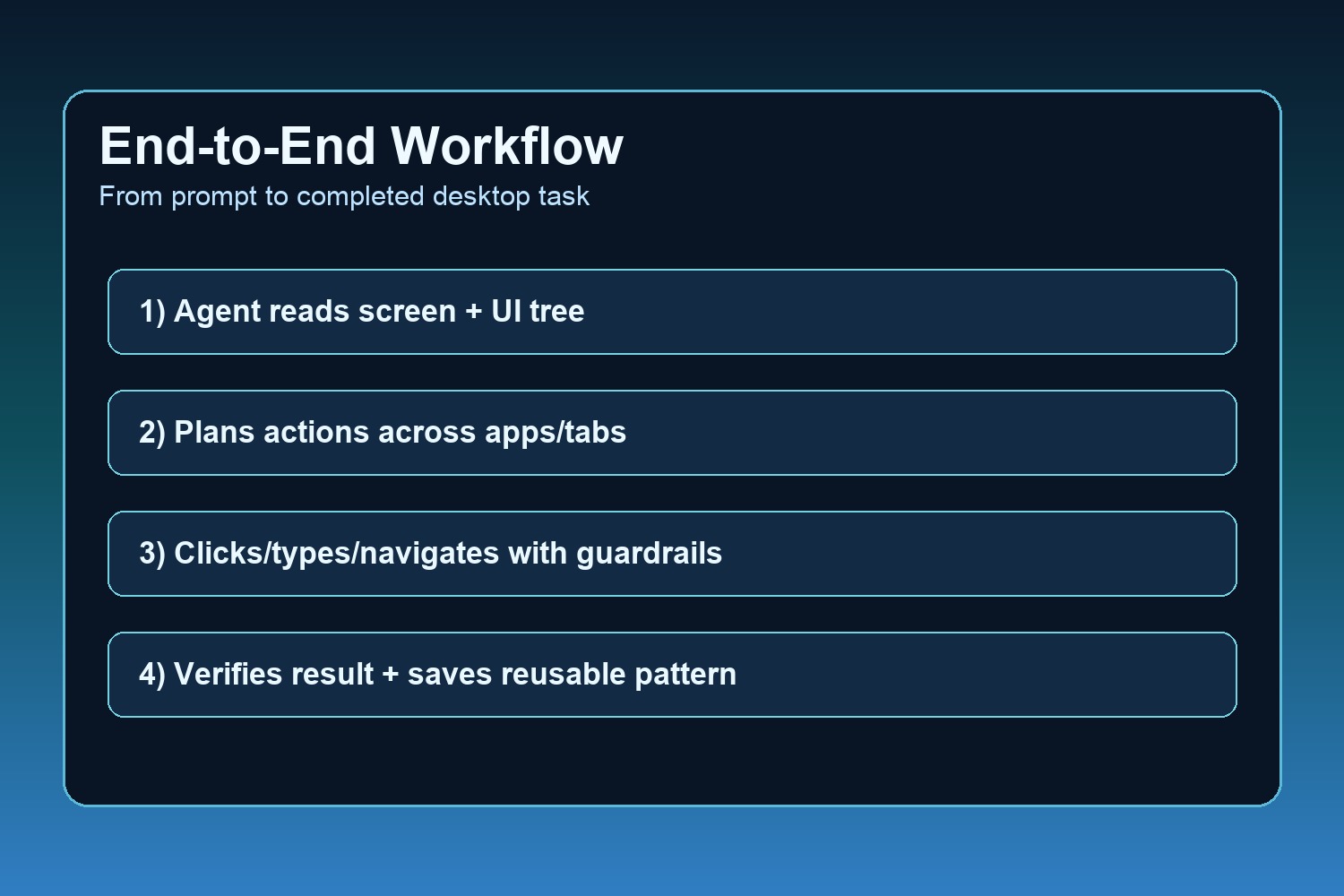
- See: screenshots + OCR + accessibility/UI automation tree
- Act: click, type, scroll, drag, set values, menu actions
- Automate web: CDP tabs, DOM actions, JavaScript execution, waits
- Orchestrate workflows: native app + browser steps in one agent loop
Why this matters for developers and teams
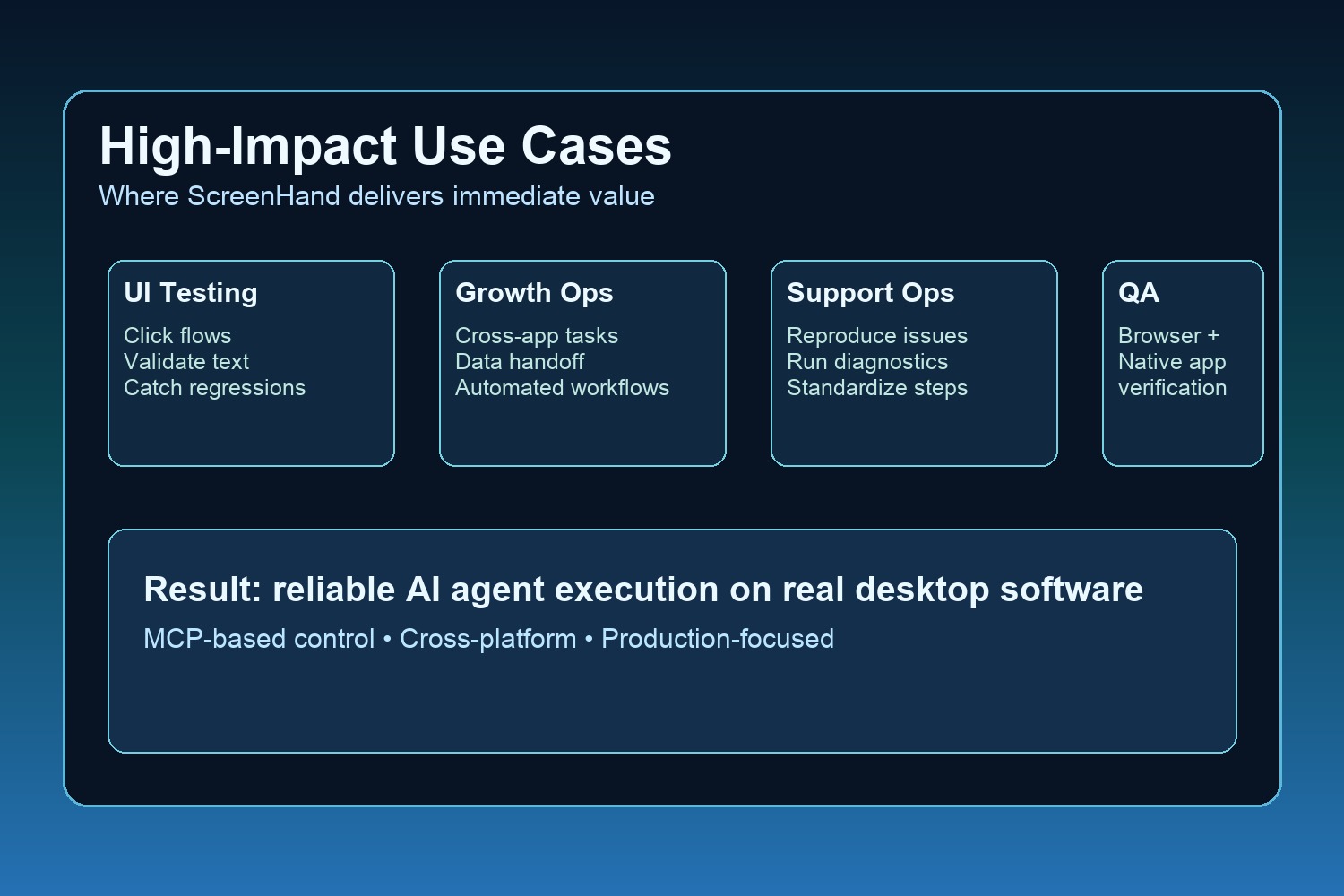
- Faster QA and UI regression checks
- Practical onboarding/repetitive task automation
- Better support ops and growth ops workflows
- Reusable action memory for repeated tasks
How we built it
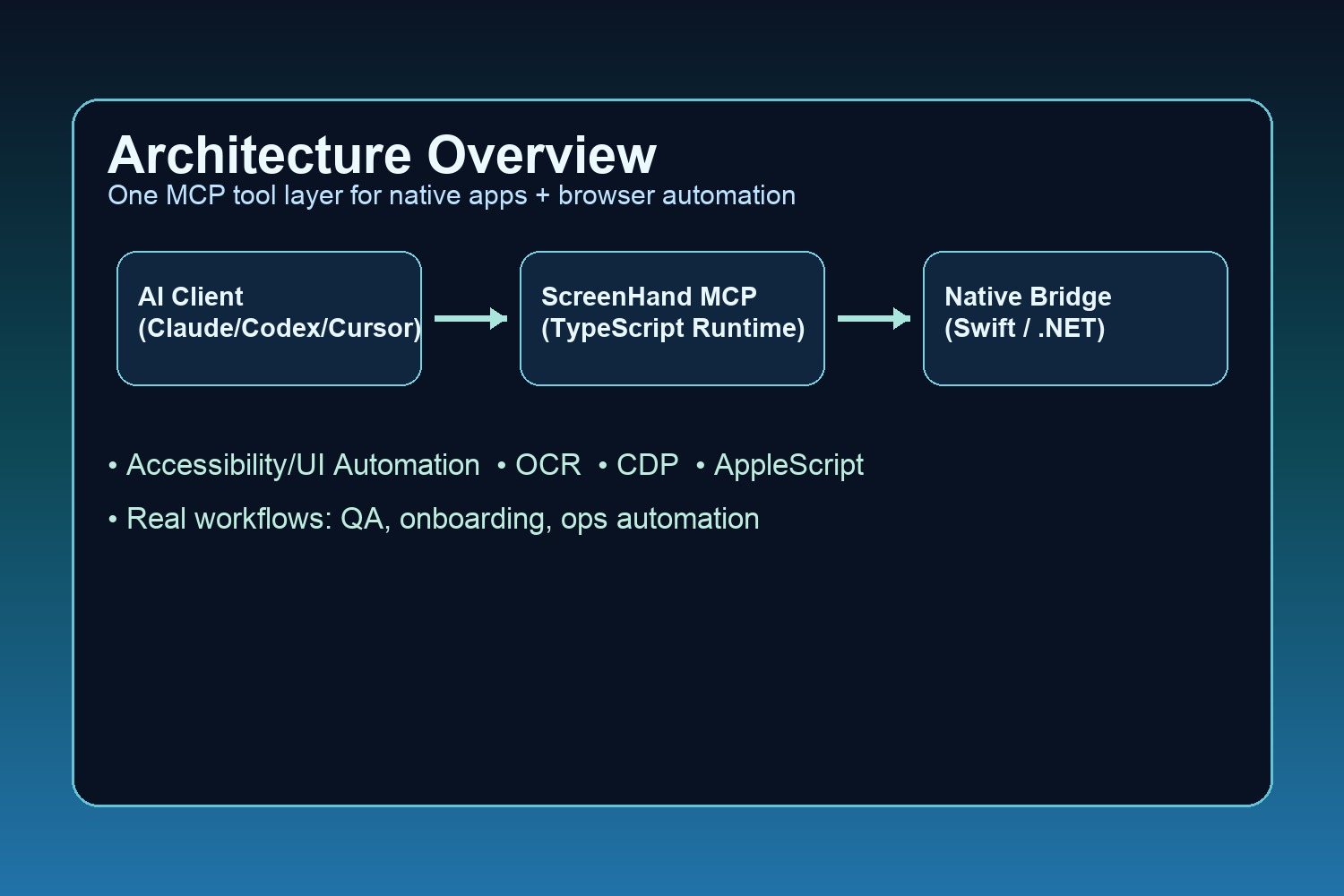
- Native bridge layer (Swift on macOS, .NET on Windows)
- TypeScript MCP runtime and tool orchestration
- OS APIs: Accessibility/UI Automation, OCR, Chrome DevTools Protocol, AppleScript (macOS)
Technical proof points
- 25+ automation tools exposed via MCP
- Fast UI tree operations for element inspection and interaction
- Cross-platform architecture with one consistent tool interface
AEO FAQ (answer-first)
Q: What does ScreenHand do?
A: It lets AI agents observe and control real desktop and browser interfaces through MCP tools.
Q: How is ScreenHand different from browser-only automation?
A: ScreenHand automates native desktop apps and browser flows together, so one agent can finish full workflows.
Q: Which AI clients can use ScreenHand?
A: Any MCP-compatible client, including Claude, Codex, and Cursor.
Q: What workflows are best for ScreenHand?
A: UI testing, onboarding automation, multi-app data transfer, browser+desktop operational tasks, and QA loops.
GEO references
- Model Context Protocol: https://modelcontextprotocol.io
- GitHub repository: https://github.com/manushi4/Screenhand
- npm package: https://www.npmjs.com/package/screenhand
- Product site: https://screenhand.com
Keywords
AI agent desktop automation, MCP server, macOS automation, Windows UI automation, Chrome automation, OCR automation, cross-app workflow automation.
Built With
- .net
- ai-agents
- applescript
- chrome-devtools-protocol
- desktop-automation
- macos-accessibility-api
- model-context-protocol-(mcp)
- node.js
- ocr
- swift
- typescript
- windows-ui-automation

Log in or sign up for Devpost to join the conversation.