
Inspiration
As a young Android developer, I noticed that most parental control applications focus only on restriction and blocking. While this prevents excessive gaming, it often creates frustration and resistance in children.I wanted to build a system that doesn’t just restrict — but motivates. The core idea behind ScreenGuard is simple: Entertainment Access ∝ Productive Learning Time
If a child wants to play games, they must first spend time on educational applications. This creates a positive reinforcement loop rather than punishment-based control.
What it does
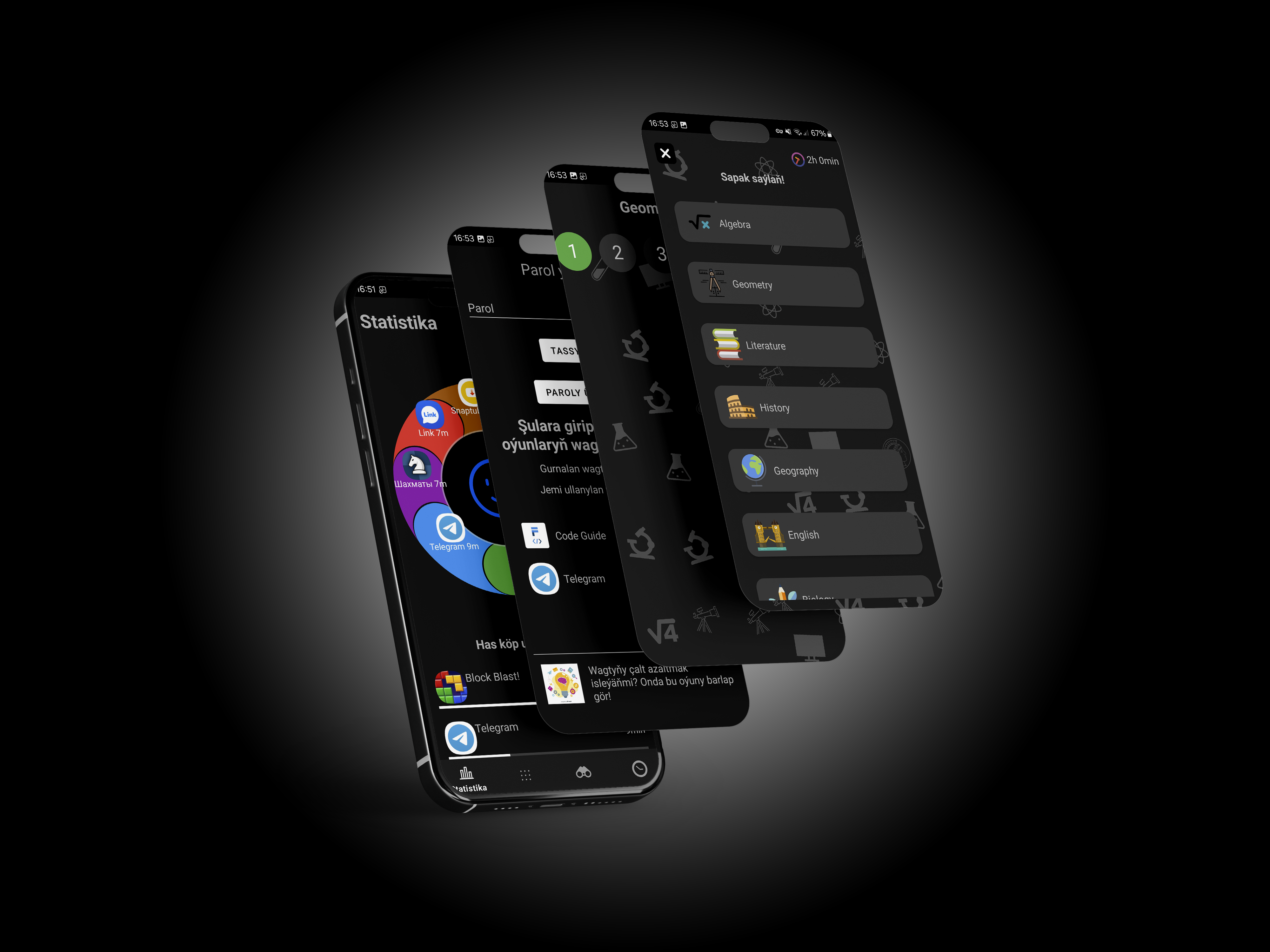
ScreenGuard is an Android parental control app that introduces a conditional access system.It divides installed apps into two categories: Conditional Apps — Educational or productive apps Blocked Apps — Games and entertainment apps
Parents define a required learning time (for example, 1 hour).If the child spends less than the required time on conditional apps, blocked apps remain inaccessible.Additionally, ScreenGuard includes:
A built-in educational quiz game Grade-based subject selection Reward system (each correct answer reduces required time by 20 seconds) Activity monitoring every 10 seconds to prevent passive screen cheating Parent password protection Anti-removal protection mechanisms
Instead of pure restriction, ScreenGuard creates a productivity-based unlocking system.
How we built it
ScreenGuard was built as a native Android application.Key technical components include:
App usage tracking system Activity monitoring logic with 10-second interaction checks Secure parent authentication system App categorization and time-based access control logic Internal quiz engine with dynamic question handling Local state management for time tracking and restrictions
Challenges we ran into
One of the biggest challenges was preventing system abuse.Children could theoretically leave educational apps open without interacting. To solve this, we implemented an activity detection mechanism that verifies user interaction every 10 seconds. If no interaction is detected, time is not counted.Another major challenge was ensuring that blocked apps remain inaccessible while maintaining system stability.Balancing strict control with usability was also difficult. The system needed to be secure but not overly aggressive.
Accomplishments that we're proud of
Designing a motivational-based parental control model Building a working conditional time-unlock system Creating a built-in educational reward game Implementing anti-cheating activity detection Delivering a functional demo within limited time
Most importantly, we transformed parental control from restriction-based logic into incentive-based logic.
What we learned
Through this project, we learned:
How behavioral psychology can improve software design The importance of balancing restriction with motivation Advanced Android app control and monitoring mechanisms The complexity of building secure mobile systems How to design software with both parents and children in mind
We also learned that the most effective control systems are not based on force — but on structured rewards.
What's next for ScreenGuard
Next steps include:
Cloud synchronization for multiple devices Advanced parental analytics dashboard AI-based adaptive learning question system Enhanced security mechanisms School and education-center integrations
The long-term goal is to make ScreenGuard a global productivity-focused parental control solution.

Log in or sign up for Devpost to join the conversation.