🔒 Cypher— Secure Sharing Made Simple
Introduction
During online meetings and presentations, sensitive information often appears on the screen—emails, private keys, tokens, or personal details. Accidentally leaking this data can lead to serious privacy and security issues.
Our project, Cypher, provides a live, local solution to automatically detect and redact sensitive information in real time before it is shared.
Purpose
The purpose of Cypher is to give users peace of mind when screen sharing or uploading files.
Instead of manually checking every document or window, the app automatically scans, identifies, and blackouts sensitive content based on customizable rules.
This ensures users can share their work confidently without exposing private data.
Functionality
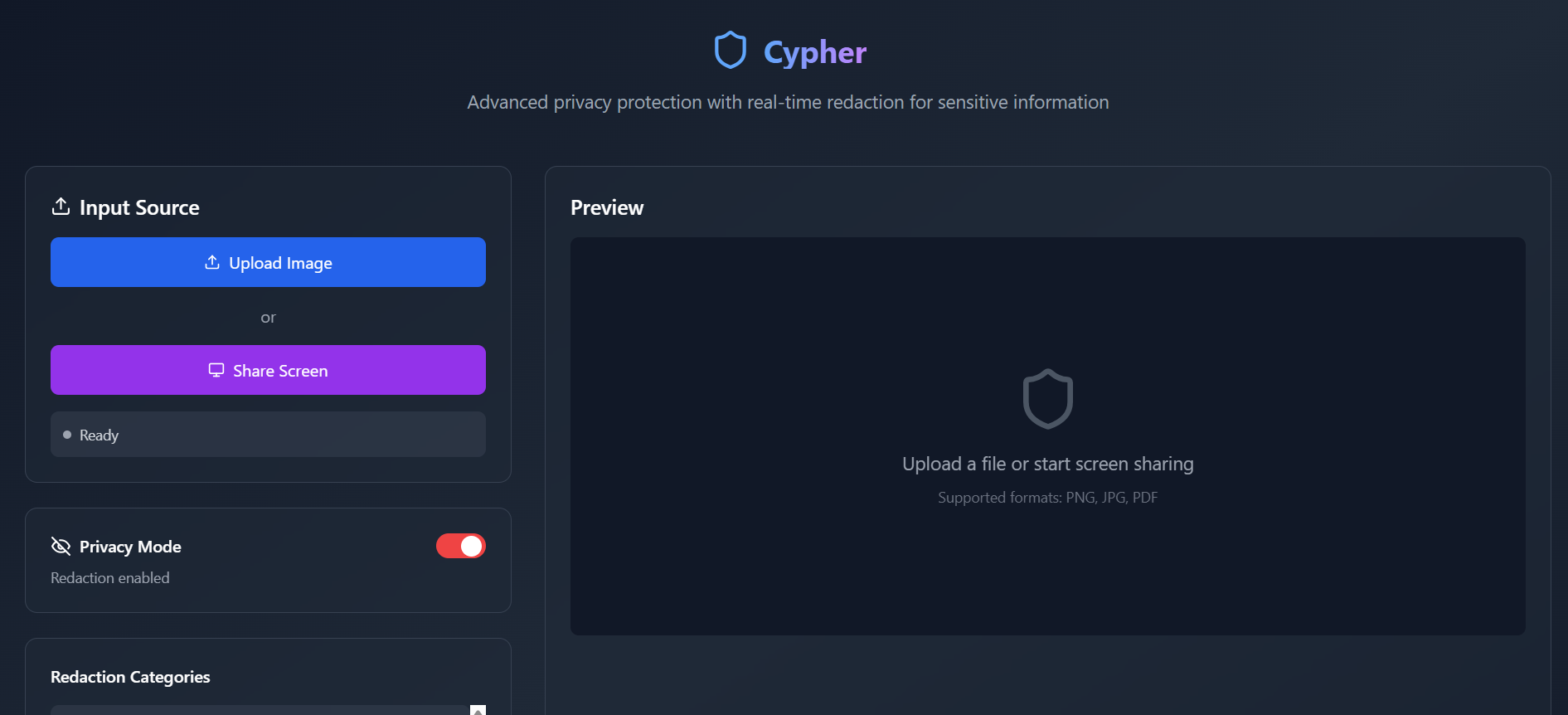
File Upload & Redaction
- Users can upload images.
- The system scans them for sensitive patterns (emails, tokens, addresses, phone numbers).
- Users can toggle a master “Black Out” switch or selectively enable/disable categories.
Live Screen Capture & Sanitization
- Users can share their screen through the browser.
- A preview window displays the live feed with automatic blackouts applied every second.
- Overlays appear dynamically and can be turned on/off per category.
Export
- Users can download the sanitized version of their uploaded file as a PNG.
Tech Stack
- Frontend: HTML, CSS, JavaScript (canvas overlays, screen capture with
getDisplayMedia, interactive toggles). - Backend: Python (FastAPI), OpenCV + Tesseract OCR for text recognition, Regex for pattern detection.
- Future Add-on: Roboflow / YOLO-based lightweight computer vision models for non-text items (faces, QR codes).
Impact
- Prevents accidental data leaks in professional and educational settings.
- Promotes data privacy awareness by showing exactly what is being shared.
- Accessible to non-technical users thanks to a simple UI with toggles.
- Runs fully offline, ensuring no sensitive data ever leaves the device.
What We Learned
- How to combine OCR and regex to identify sensitive data patterns effectively.
- How to build a seamless live redaction preview with HTML canvas and video streams.
- The importance of balancing accuracy vs. performance when scanning in real time.
- How to collaborate across frontend and backend roles with clear APIs.
Challenges Faced
- Latency vs. Accuracy: Processing each frame quickly enough for smooth live previews while still catching small text.
- Regex Coverage: Designing robust patterns that catch sensitive information without too many false positives.
- UI Complexity: Making the toggle system intuitive while still giving users granular control.
- Screen Capture Limitations: Browser-based apps cannot directly replace Zoom/Discord screen share streams, so we had to provide a “Sanitized Preview” window instead.
What Could Be Better?
- Improve false positive/false negative handling by refining OCR preprocessing and regex patterns.
- Provide multi-language support for international users.
- Enhance visual polish with animations, smoother overlays, and modern UI frameworks.
- Add role-based presets (e.g., developer mode highlights API keys, student mode highlights personal details).
A Glimpse Into the Future
- Computer Vision Add-ons: Detect and redact faces, QR codes, and ID cards in real time.
- Cross-Platform Desktop App: Wrap with Electron for native window capture and one-click redaction.
- Custom Rule Builder: Let users define their own patterns and categories.
- Collaboration Mode: Allow teams to share “safe” screen previews directly within meeting apps.

Log in or sign up for Devpost to join the conversation.