Inspiration
I built Screencraft AI because I needed it for myself. Like most CS students, I have to record project demos, do presentations, and walk through my code on camera — constantly. And I'm terrible at it. Not in front of an audience, just... in front of a camera. Alone in my room, no one watching, and I still freeze up. I forget what I wanted to say. I say "um" seventeen times in thirty seconds. I stare at the screen and go completely blank. The worst part isn't the recording itself — it's watching it back. Cringing at every filler word, every dead pause, every moment where I clearly lost my train of thought. Then spending an hour in a video editor trying to cut all of it out, for a three-minute demo that should have taken twenty minutes total. I kept thinking: what if I had a coach sitting next to me? Not someone judging me — just something in my ear saying "you're going too fast" or "you've been silent for five seconds, here's what you could say next." And what if, when I was done, it could just... fix the video for me?
That's Screencraft AI. It's the tool I wish existed every time I had an assignment due
What it does
During recording:
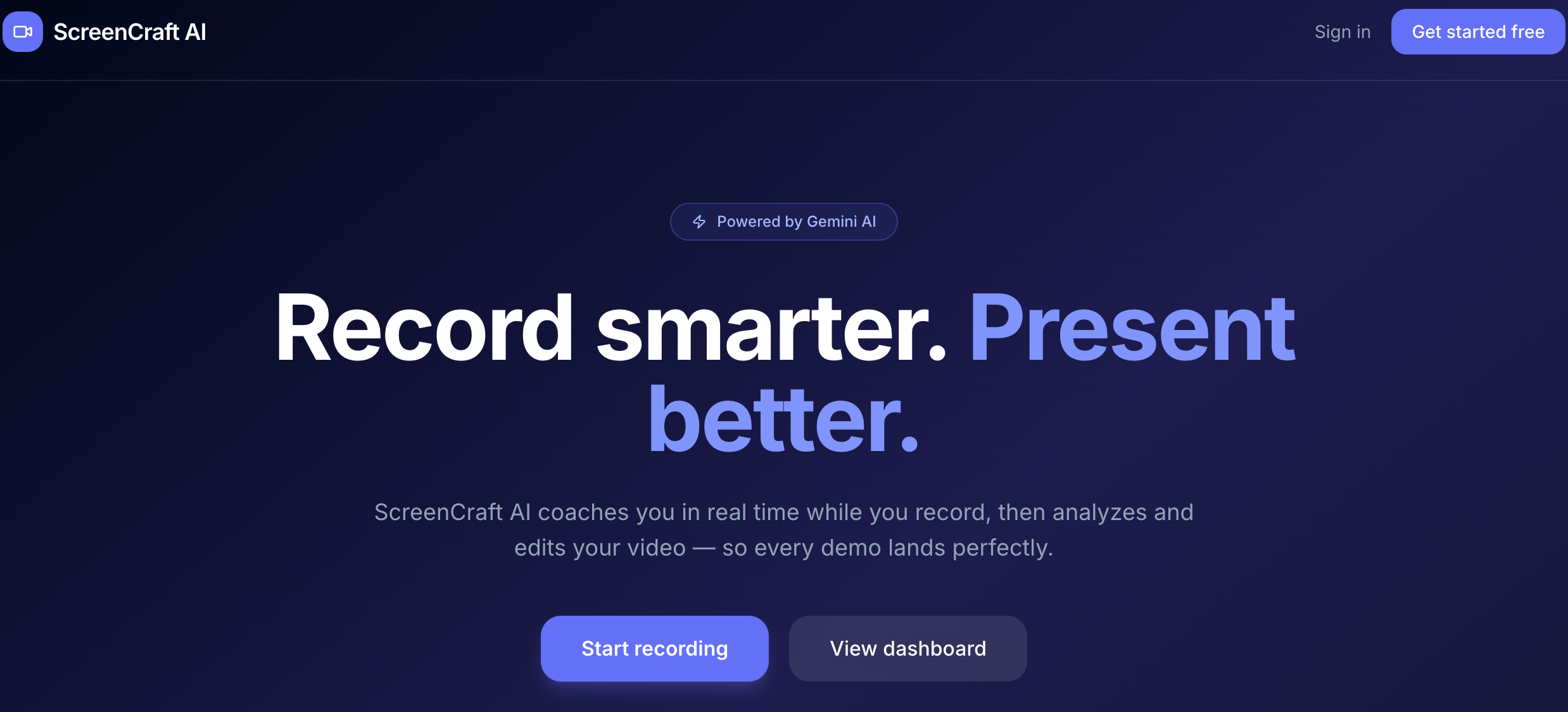
Live speech coaching — Gemini 2.5 Flash analyzes every 5-second audio chunk and surfaces instant cues: speaking too fast, clusters of filler words ("um", "uh"), long silences, or monotone delivery Stuck-moment hints — when you go silent for 3+ seconds, the app captures a screenshot and asks Gemini what to say next, adapting its tone to your video type (sales demo vs. tutorial vs. technical walk-through) Live closed captions via Web Speech API that scroll alongside a teleprompter you wrote (or had AI generate) Webcam PiP overlay — draggable, resizable, circle or square, anchored top-right so it never covers UI you're demoing After recording:
A 3-agent Gemini pipeline runs in parallel: visual analysis (erratic mouse, missed zoom, dead pauses), speech analysis (pacing, jargon, narration sync), and chapter generation Results feed a deterministic TypeScript edit planner that produces an atomic list of cuts, silence inserts, and chapter markers — with a 50%-duration safety cap so it never over-cuts An AI Edit Studio lets you review the edit plan, select recordings, and trigger an FFmpeg export (720p/1080p/4K, MP4/WebM) that actually applies the cuts A quality score (0–100 across speech clarity, content coverage, presentation flow, visual quality, opening/closing) gives every recording a repeatable grade
How we built it
The stack came together around one constraint: everything had to feel instant during recording. A coaching cue that arrives ten seconds late is useless — by then you've already moved on.The frontend is Next.js 14 with TypeScript and Tailwind, talking to a Fastify 4 backend over Socket.io WebSockets. PostgreSQL with Drizzle ORM handles persistence, and Google Cloud Storage holds the video chunks with a 47-hour cache window that lines up with Gemini's Files API TTL. The whole thing deploys on Cloud Run with Cloud SQL, wired together in a Turborepo monorepo
Challenges we ran into
There are many, but the one that left the deepest impression on me is:
1.Cloud Run CPU throttling. Cloud Run reduces CPU to near-zero once an HTTP response is sent. Our first approach fired the Gemini analysis pipeline as a background task after returning 202 Accepted — the pipeline would stall indefinitely. We solved it by moving the quality-score analysis synchronously into the Next.js API route (keeping the HTTP connection open) and adding a separate scoring_reports table so results survive cold-start Lambda recycling.
2.Gemini Files API deduplication. Uploading a multi-minute video to Gemini takes 10–30 seconds. Since analyzeVisual and streamTranscript are called back-to-back, we built a two-level promise cache (keyed by recording ID, TTL-matched to Gemini's 47-hour file validity window) so the upload only happens once regardless of how many agents request it.
Accomplishments that we're proud of
1.A real-time coaching loop under 5 seconds that feels instantaneous during recording 2.A stuck-hint system that reads a screenshot + transcript and gives genuinely useful, persona-adapted suggestions rather than generic tips 3.A fully deterministic edit plan engine that merges, caps, and protects segments — reproducible on every run with the same input 4.End-to-end from browser recording to exported MP4 with AI-applied cuts, all in one app A quality scoring rubric (5 sub-dimensions, 0–100 total) that gives creators a consistent, actionable grade
5.Check out this project demo—it was automatically generated by the project’s AI editing suite. Now I can do my homework without any stress!
What we learned
Streaming is hard to get right. Buffering partial Gemini token streams to avoid split timestamps, maintaining WebSocket rooms across reconnects, and assembling ordered video chunks from GCS all required more careful sequencing than expected. Structured output schemas are worth the prompt overhead. Forcing Gemini to return responseMimeType: "application/json" with an explicit responseSchema eliminated an entire class of parse errors and hallucinated field names. Deterministic post-processing beats prompt engineering for precision tasks. Asking Gemini to produce a perfectly merged, capped, boundary-aligned edit plan in one shot was brittle. Splitting the job — LLM detects issues, TypeScript applies rules — made the system far more reliable. Video type as a first-class concept. A product demo and an internal technical walkthrough have completely different quality standards. Injecting video type into every prompt (and adapting chapter granularity, issue severity thresholds, and coaching tone accordingly) produced dramatically better results than a one-size-fits-all promp
What's next for screencaft ai
What's Next
A few things we still want to build: burning the webcam PiP directly into the exported video, a highlight reel generator that extracts the strongest 60-second clip automatically, and one-click publishing to Loom or Notion with the quality score attached.
The bigger one is making the AI editor actually listen to you. Right now the edit plan is generated from a fixed rubric — it doesn't know that you prefer jump cuts over silence removal, or that your audience is engineers who don't mind jargon. We want to add a prompt input next to the AI Edit Studio so you can tell it exactly what kind of edit you want before it runs. Think of it as giving the editor a brief before it touches your video.
Built With
- cloud-sql
- drizzle-orm
- fastify
- ffmpeg
- gemini-2.5-flash
- google-cloud
- google-cloud-run
- next.js
- nextauth.js
- postgresql
- socket.io
- speech
- tailwind-css
- turborepo
- typescript
- web


Log in or sign up for Devpost to join the conversation.