-
-
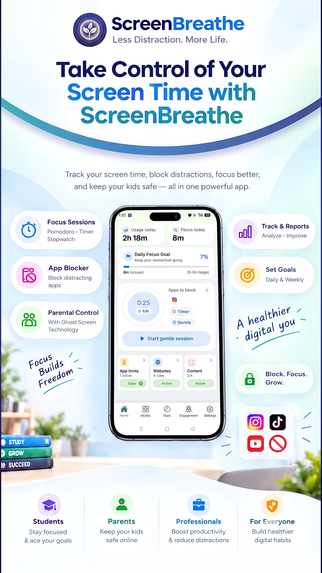
One app for focus, detox and family control: block apps, sites and Reels on Android while your screen-time data stays on your device.
-
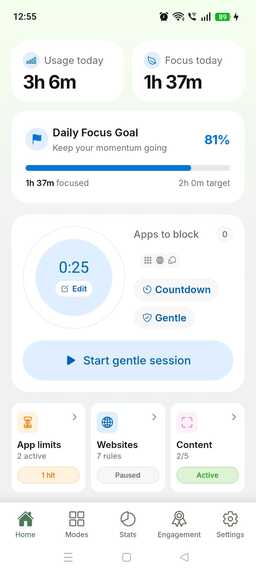
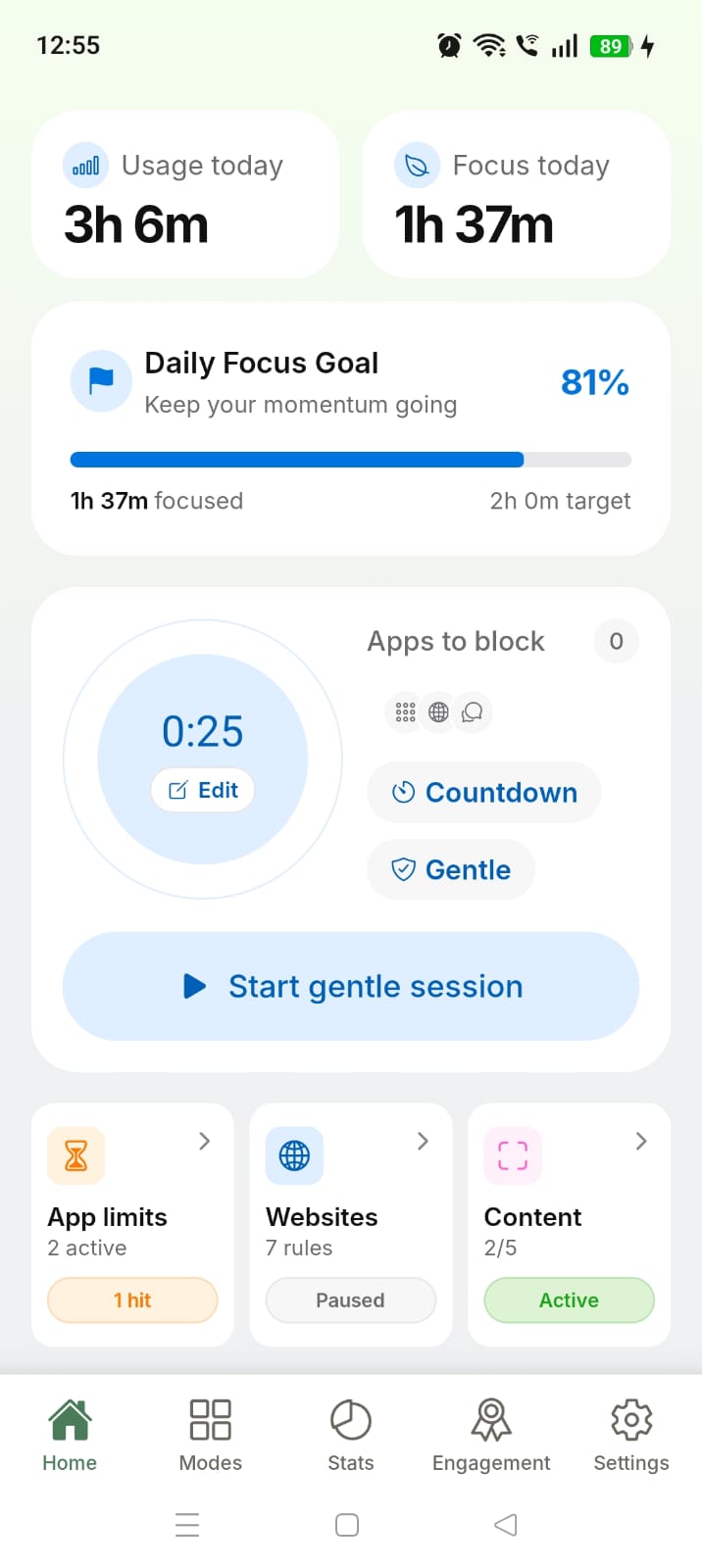
Home Screen :- See your screen-time and focus progress at a glance, with quick access to app limits, website blocking, and content controls.
-
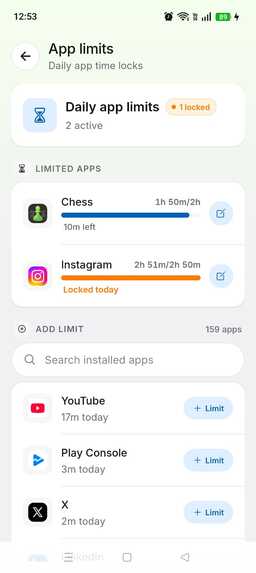
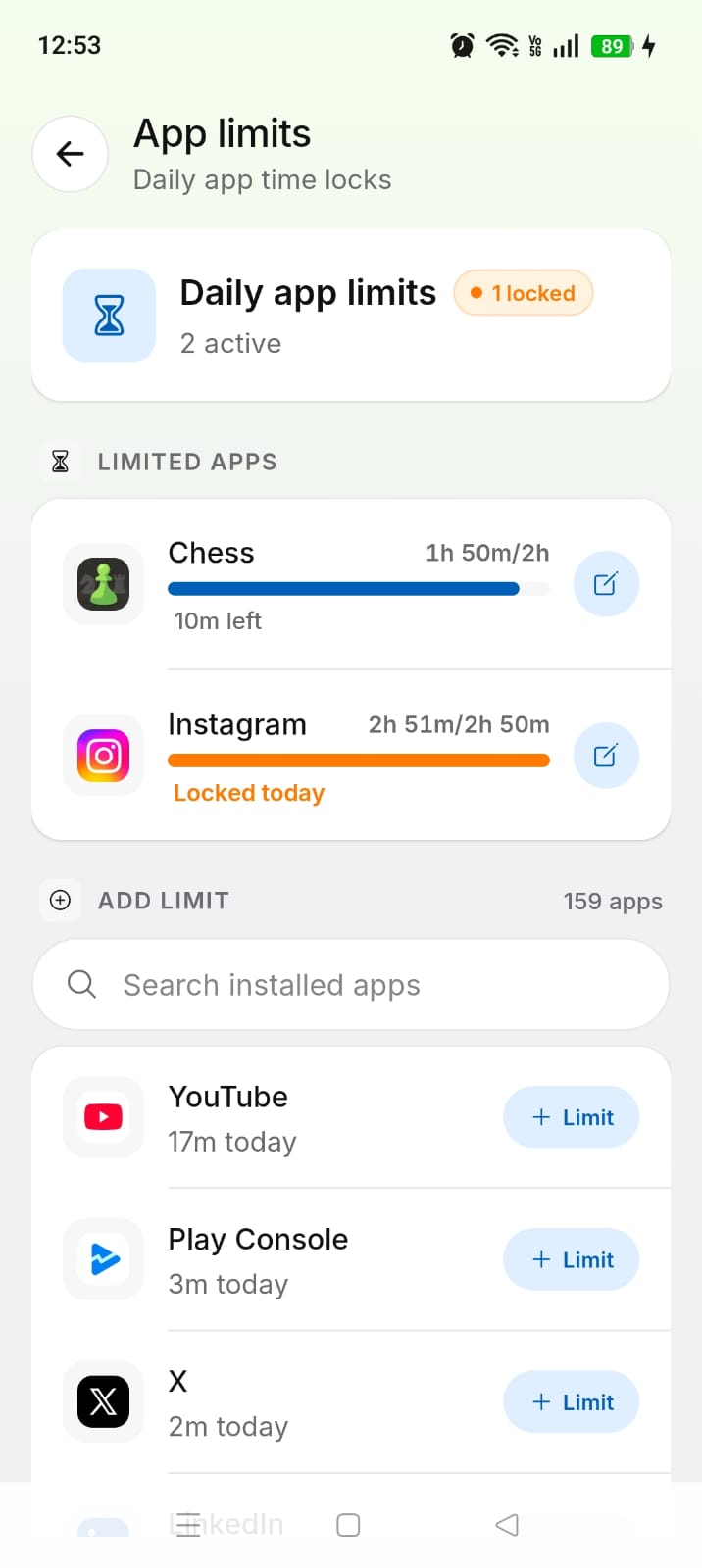
ScreenBreathe lets you set daily app limits and use 3 weekly bypass tokens, blocking apps once their daily limit is reached.
-
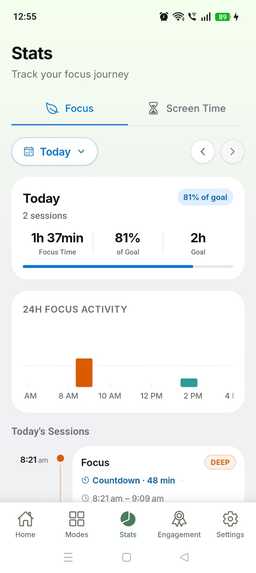
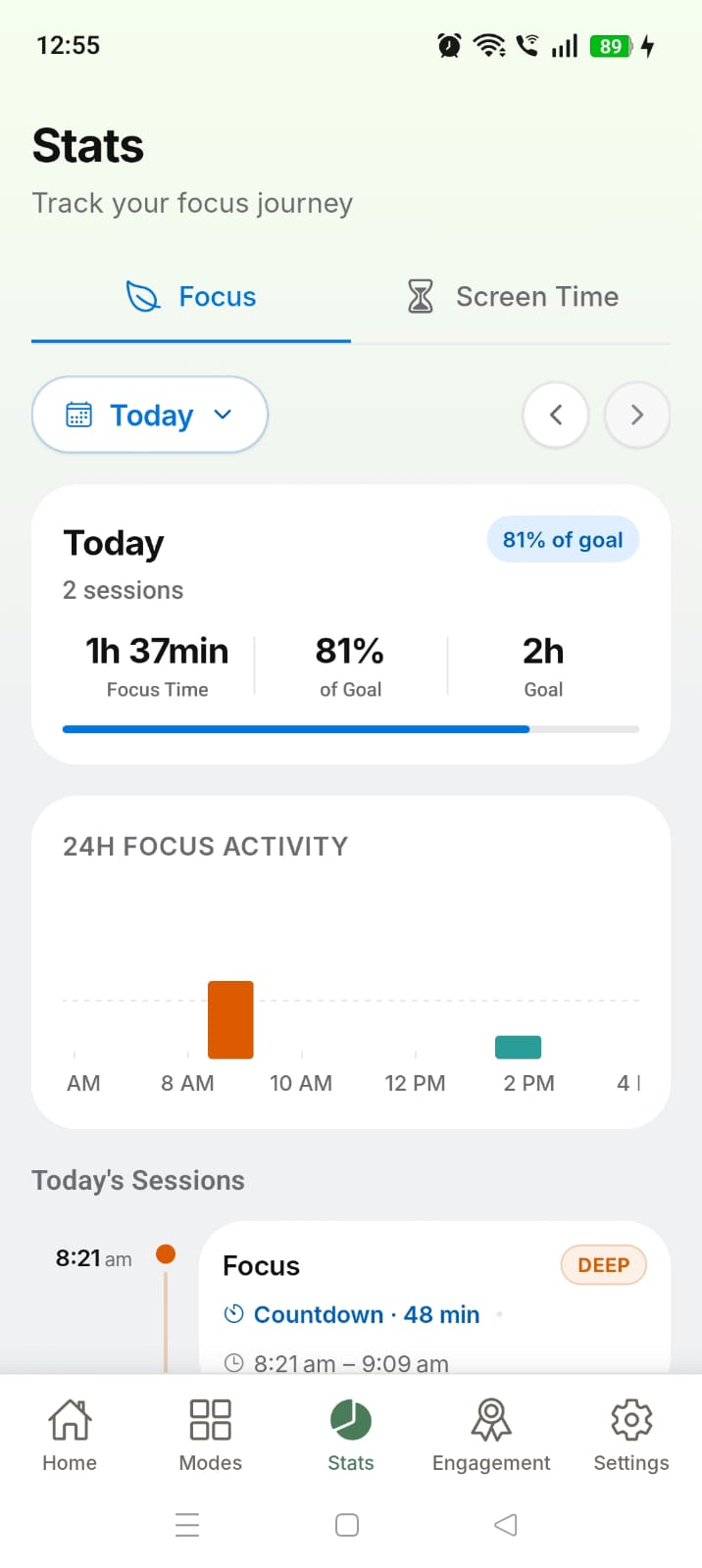
ScreenBreathe visualizes your 24-hour timeline, showing focus sessions, blocked apps, and history to help you understand your habits.
-
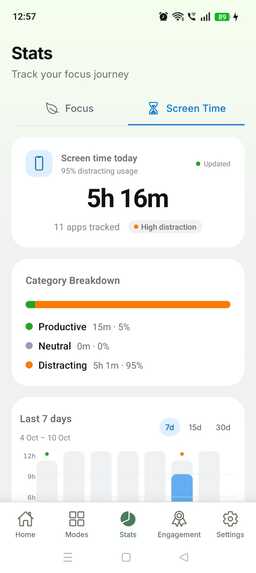
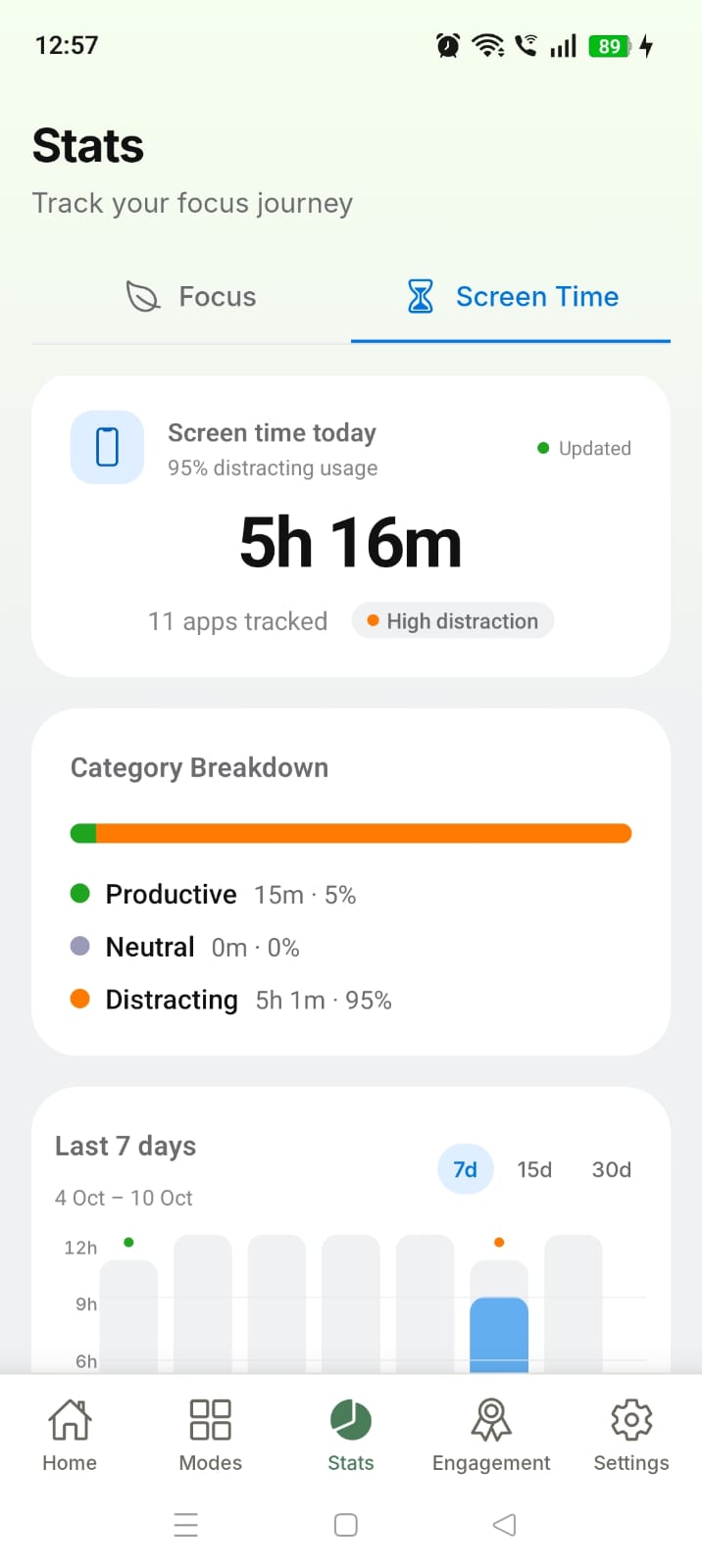
ScreenBreathe tracks daily screen time and visualizes usage across 7, 15, and 30 days, with detailed insights into your most-used apps.
-
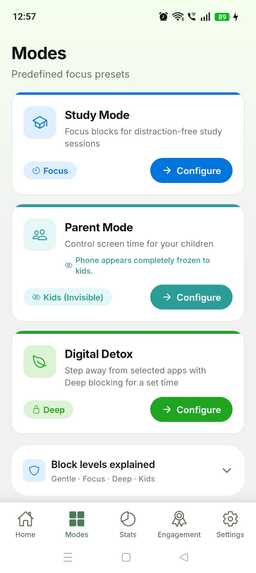
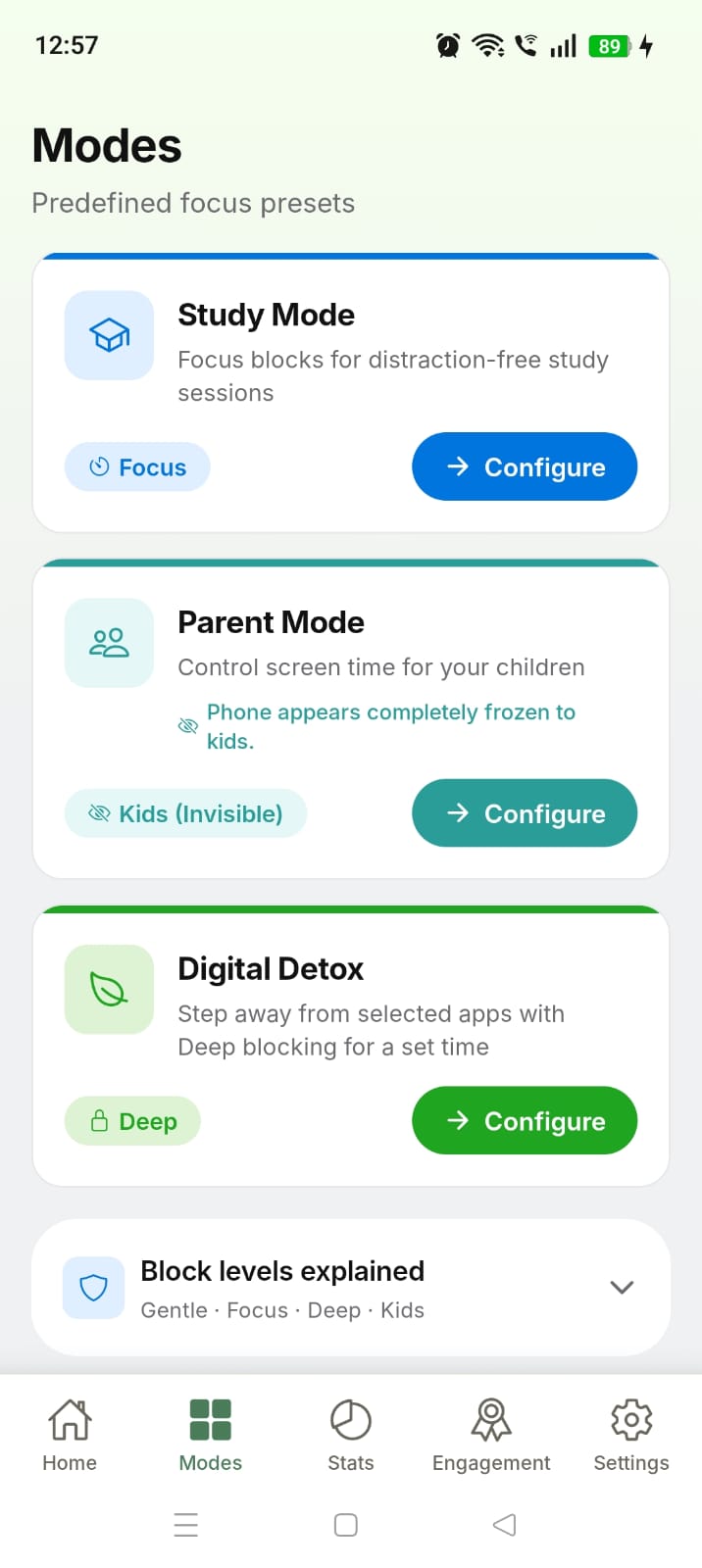
ScreenBreathe offers specialized modes for Study, Detox, and Parental Control, tailored to different focus and digital wellbeing needs.
-
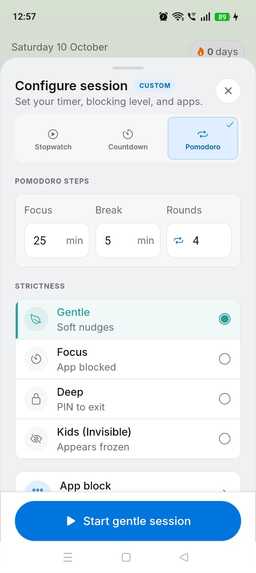
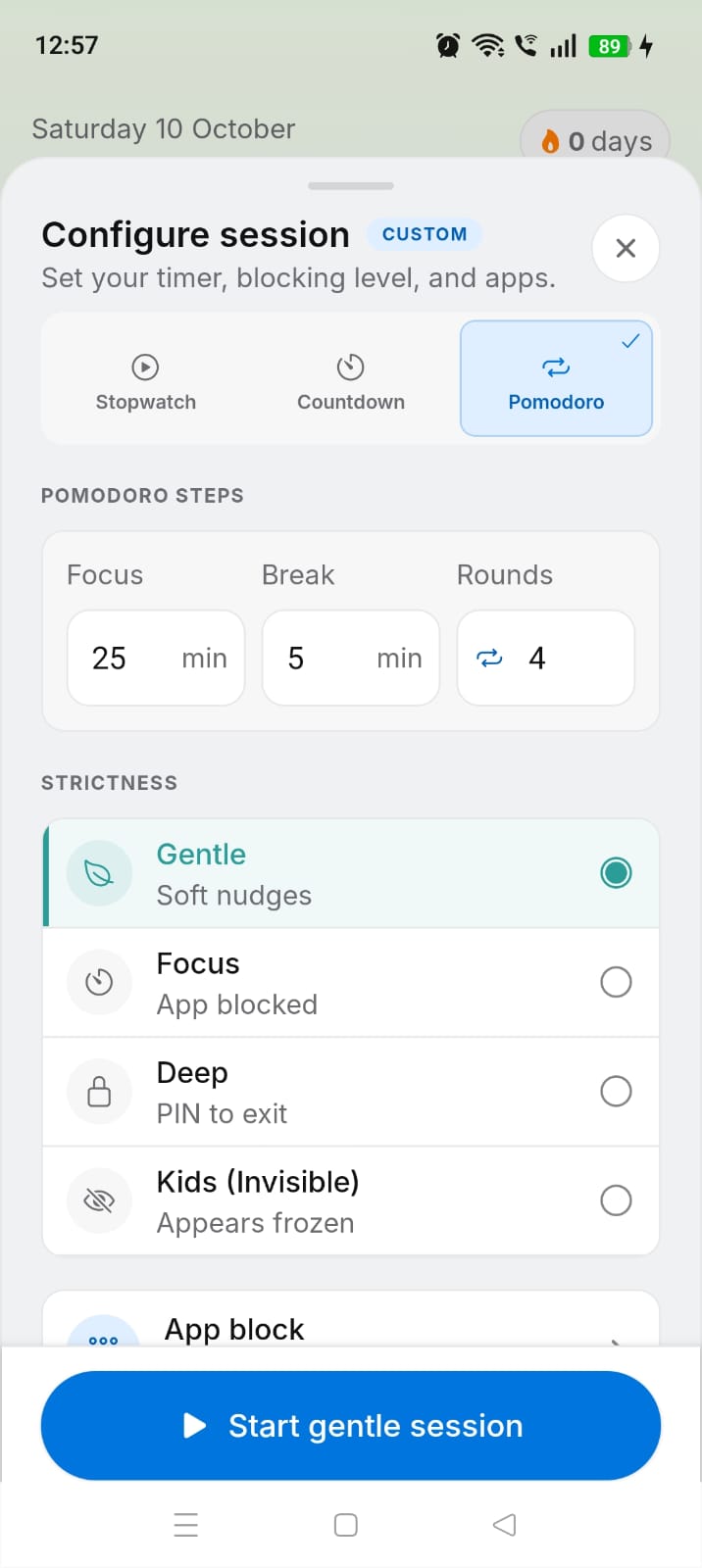
ScreenBreathe offers Countdown, Stopwatch, and Pomodoro sessions with Gentle, Focus, Deep, and Kids modes, plus PIN protection.
-
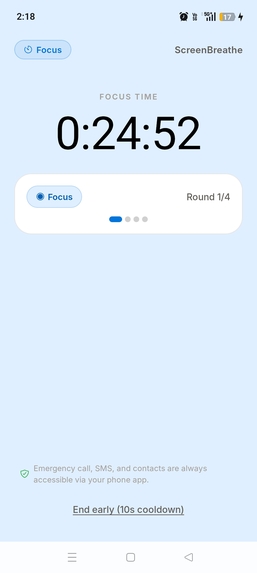
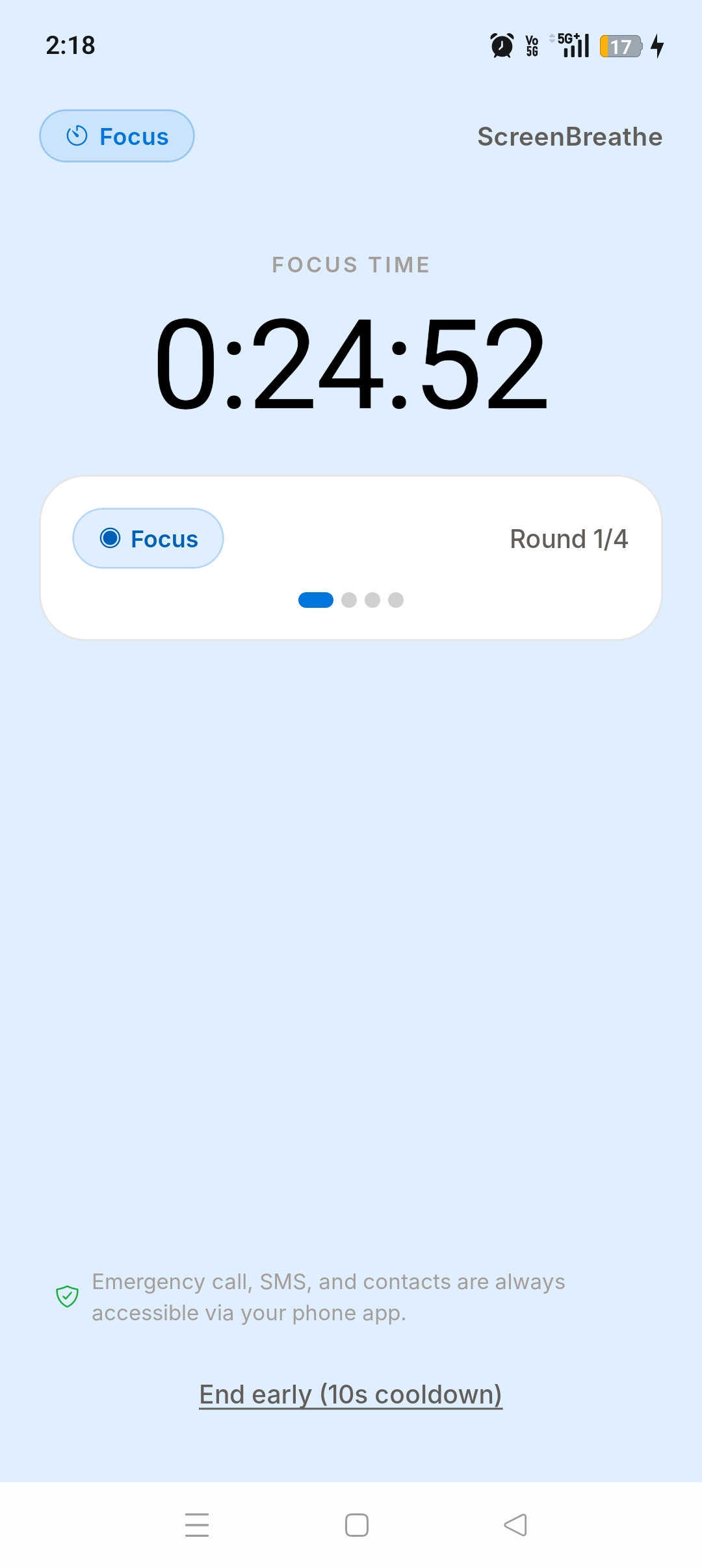
ScreenBreathe’s Pomodoro timer helps you stay focused with structured work and break intervals, making focused sessions easier to maintain.
-
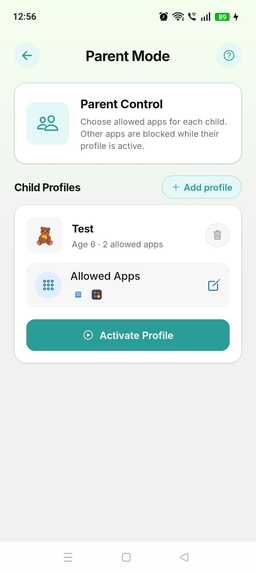
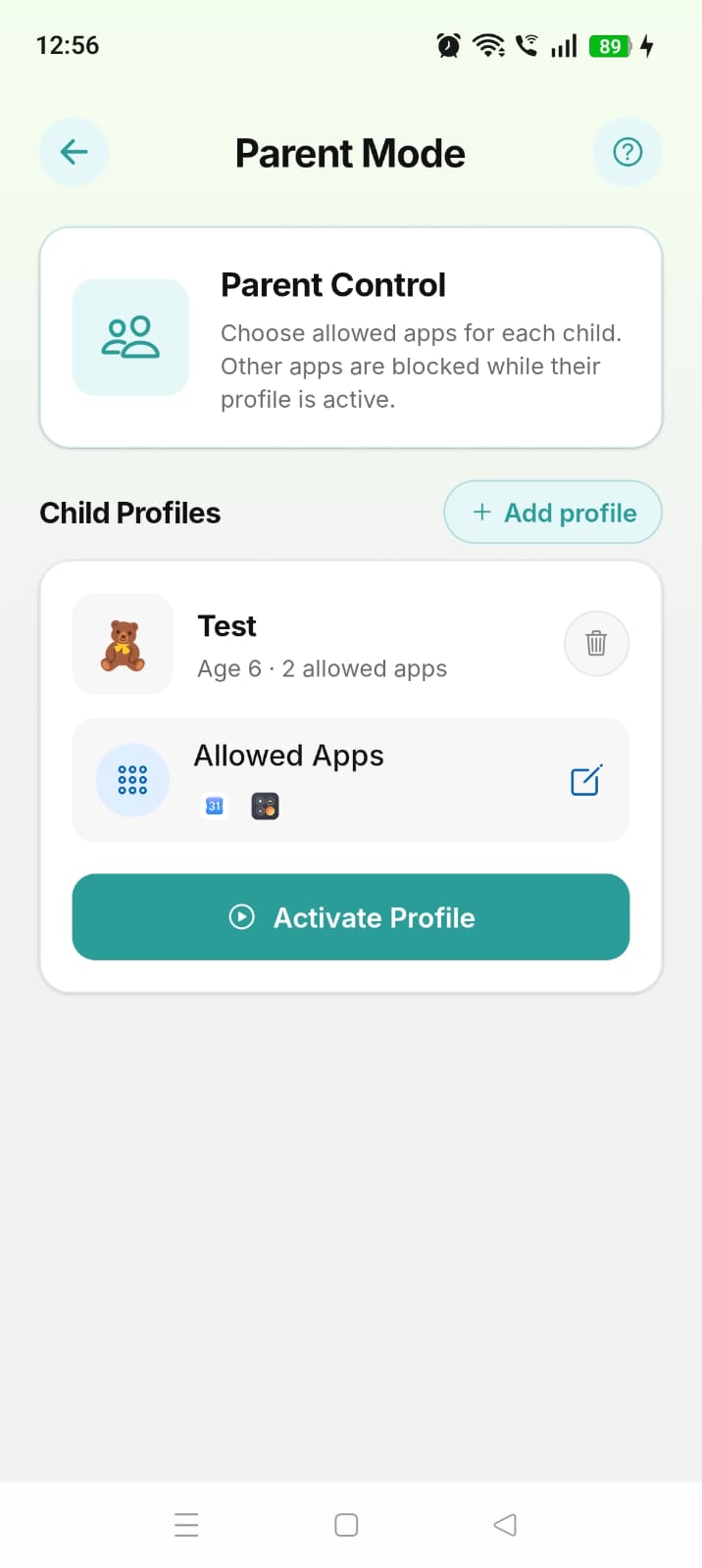
ScreenBreathe’s Parental Control lets you create kids profiles and allow only selected apps, while Screen Ghost keeps others visibly frozen.
-
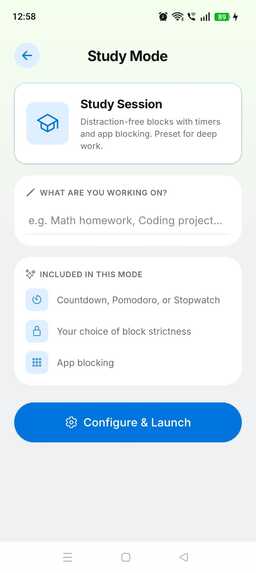
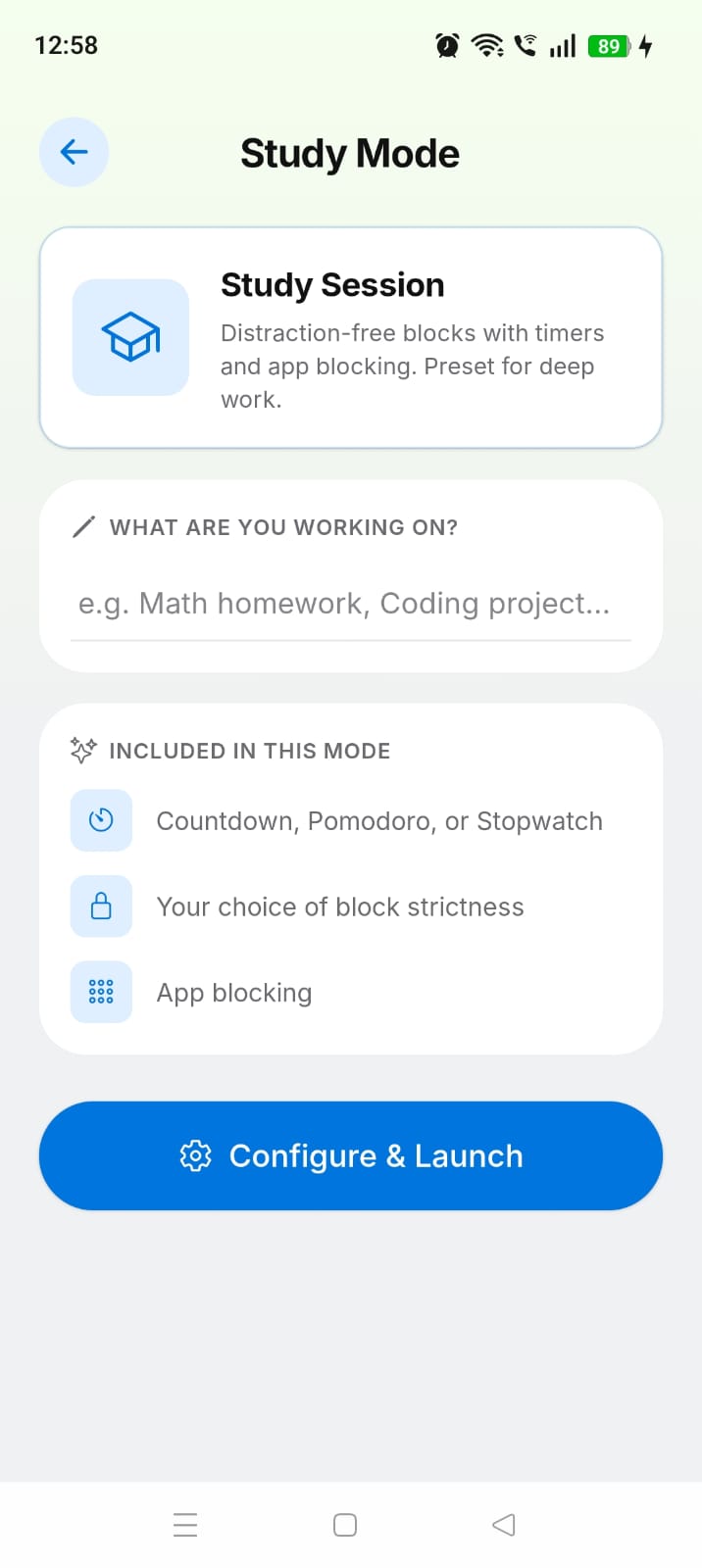
ScreenBreathe’s Study Mode helps students focus by blocking distracting apps while setting study objective and short note for each session.
-
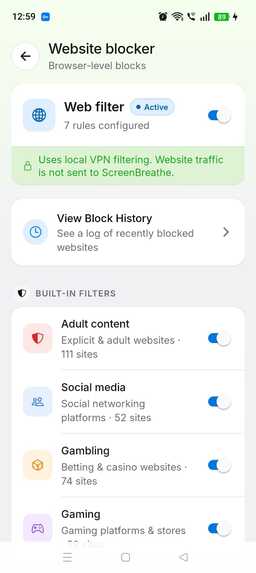
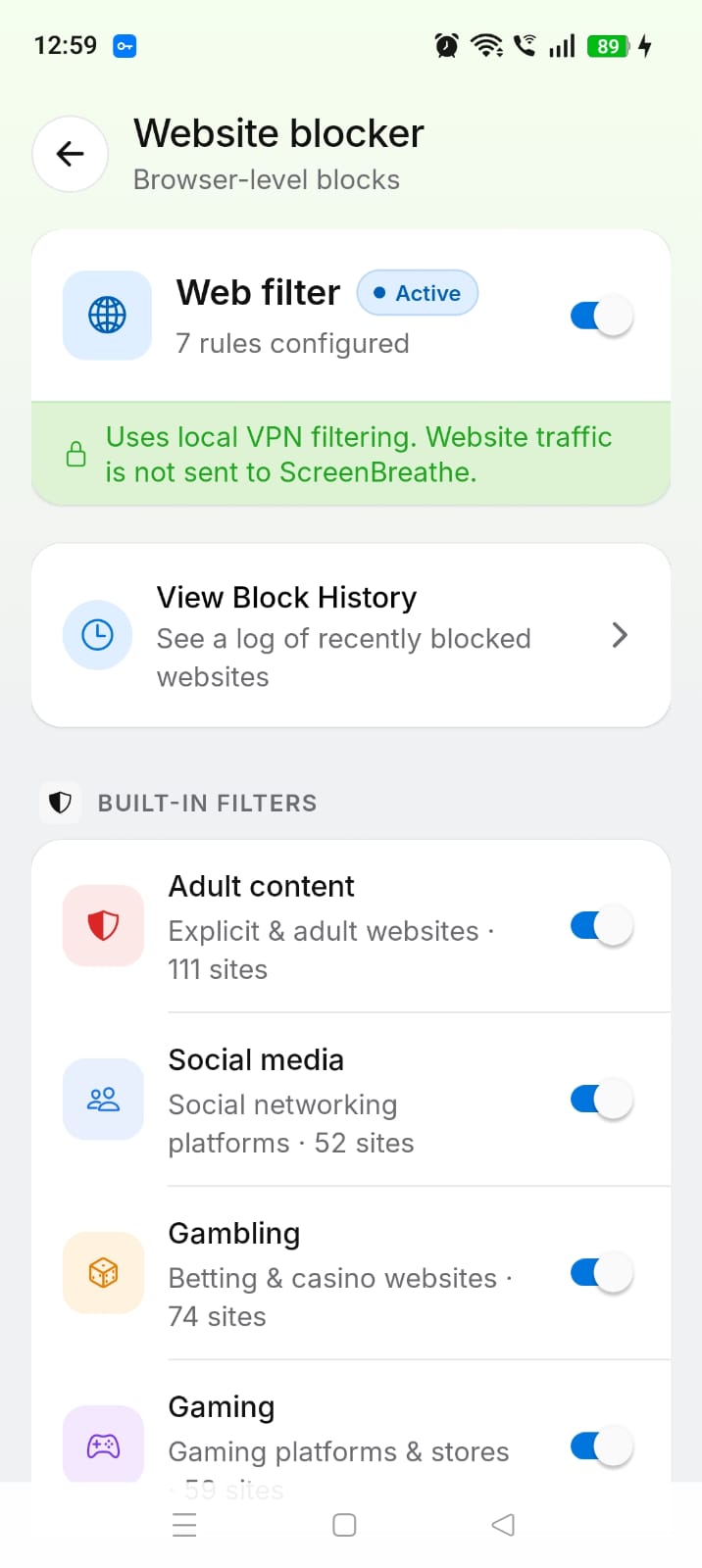
ScreenBreathe blocks distracting websites entirely on-device, without storing browsing data or relying on a server for website blocking.
-
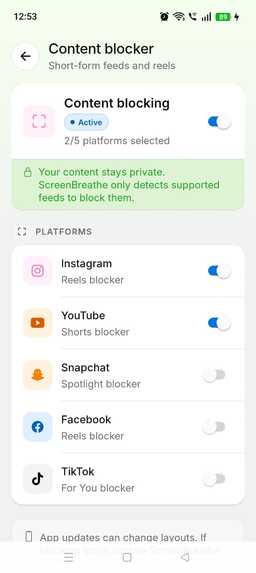
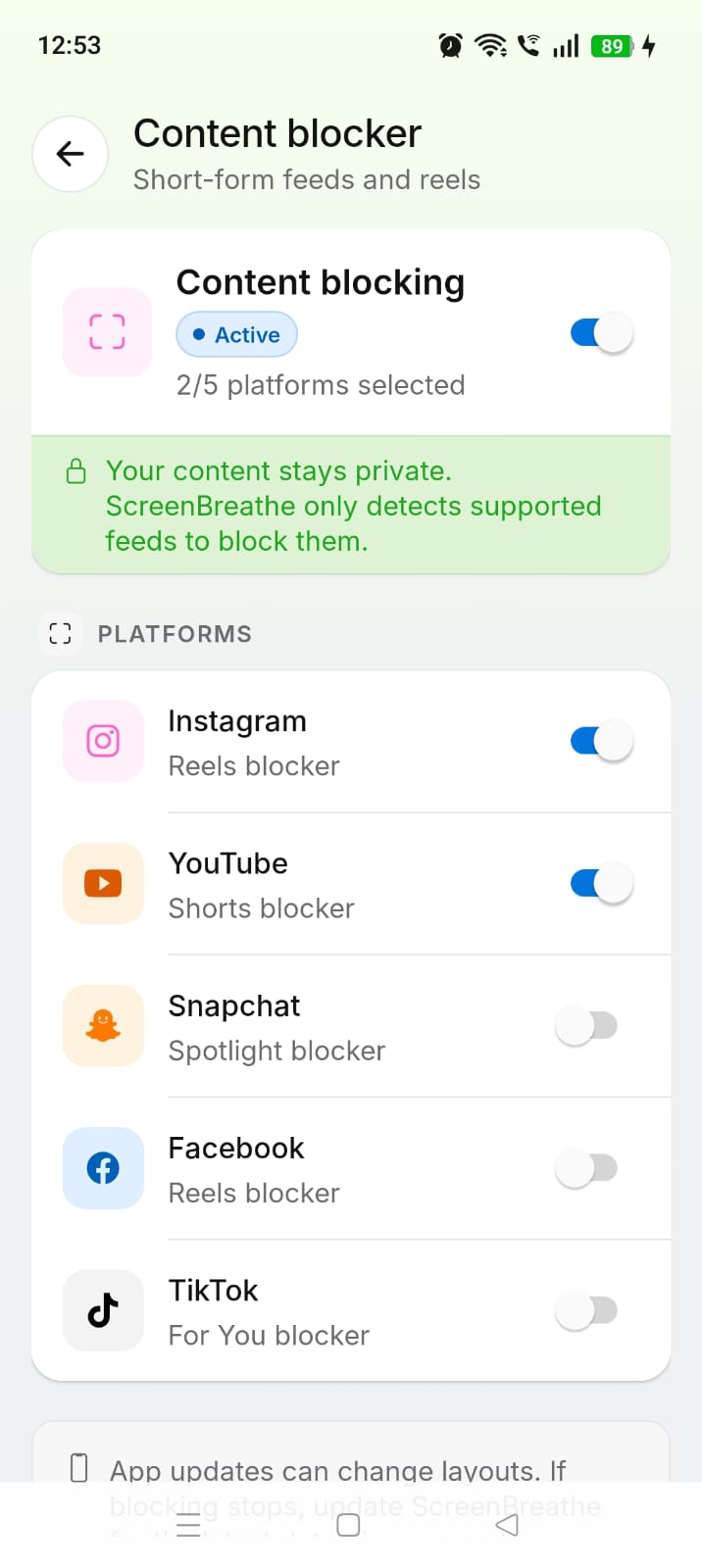
ScreenBreathe uses Accessibility to block endless-scrolling content, including Instagram Reels, YouTube Shorts, Facebook feeds, and Snapchat
-
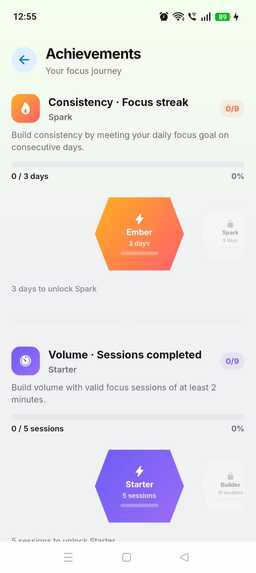
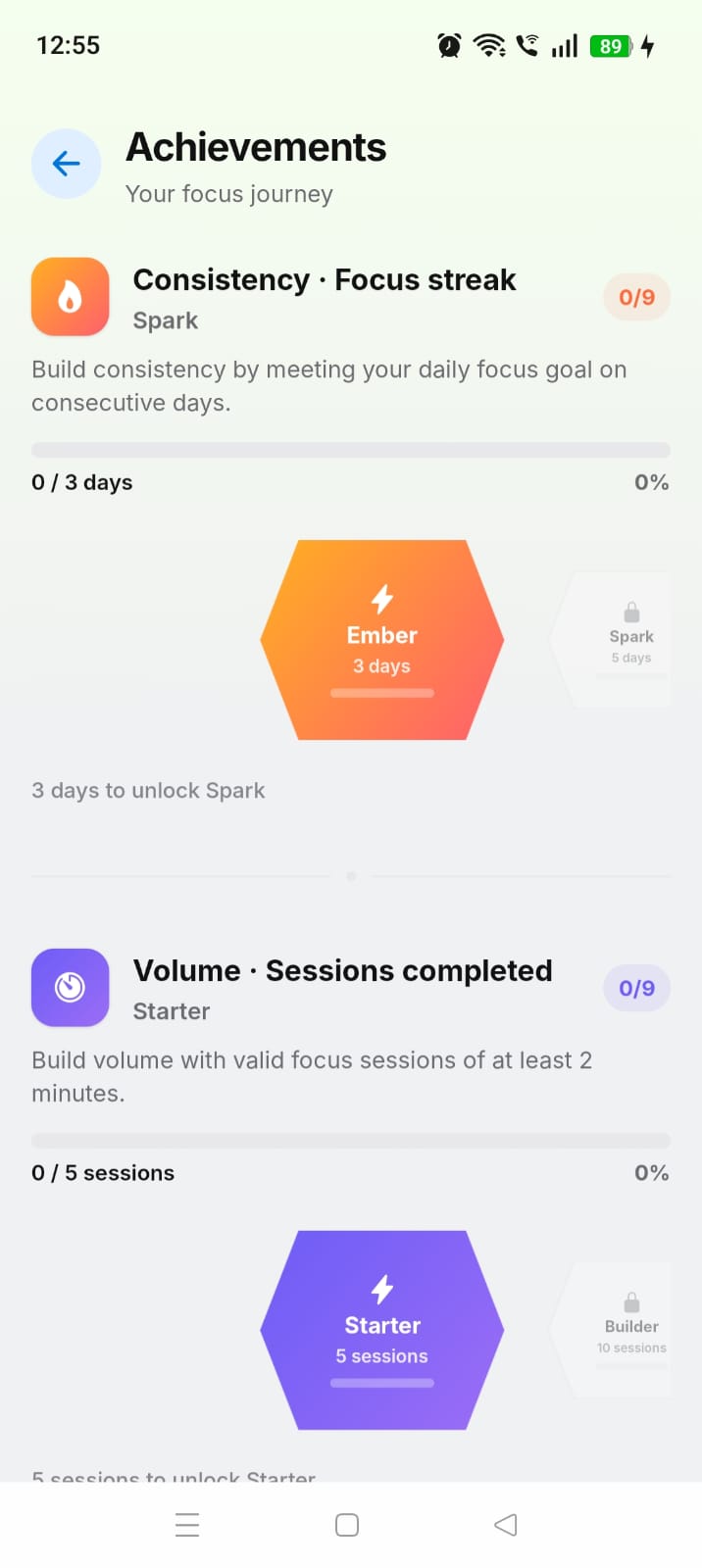
ScreenBreathe tracks focus sessions, milestones, streaks, and focus quality, helping you build consistency and unlock achievement badges.
-
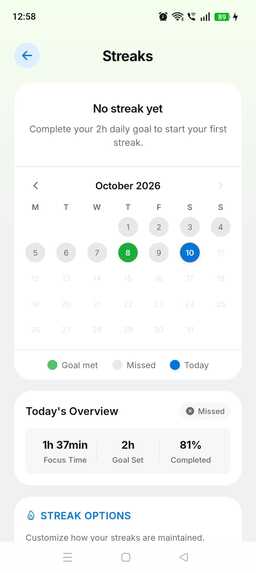
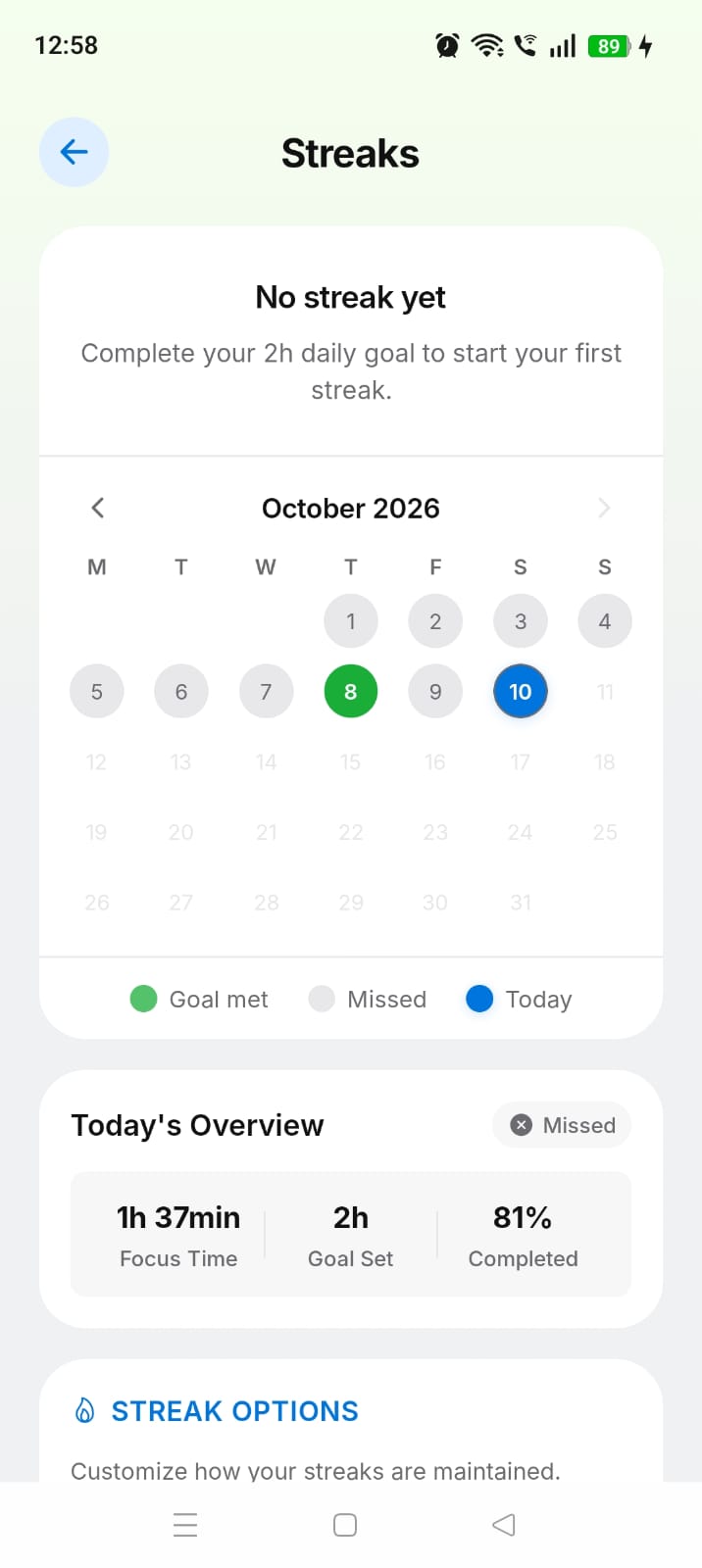
ScreenBreathe helps you build consistent focus habits with a daily streak heatmap, goal tracking, and clear progress over time.
-
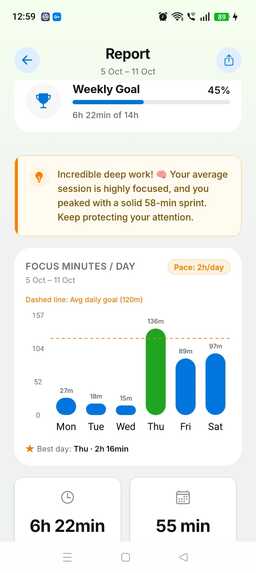
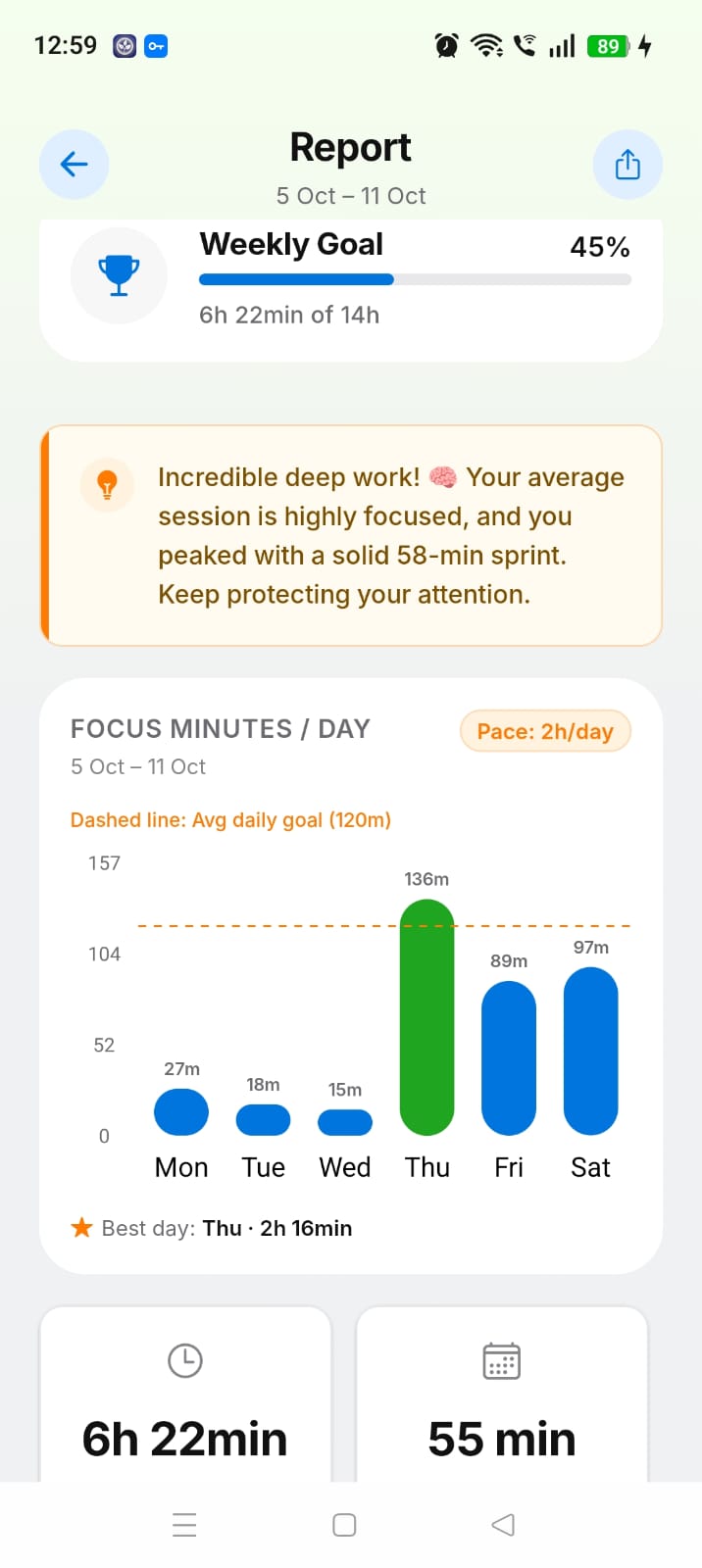
ScreenBreathe offers weekly insights on focus, sessions, and screen time, with smart analytics and easy report sharing.
## Inspiration
Screen time has become one of those things we know is a problem, but it is surprisingly difficult to control in practice. Most of the time, we only realize how much time we spent on our phones after the time is already gone.
I wanted to build something that could help at the moment a distraction happens, rather than simply showing a report at the end of the day. That idea became ScreenBreathe — an app designed to help people understand their screen habits and actively reduce distractions.
The goal was not to completely remove phone usage, but to help people use their devices more intentionally, whether they are studying, working, taking a break, or trying to build healthier digital habits.
What it does
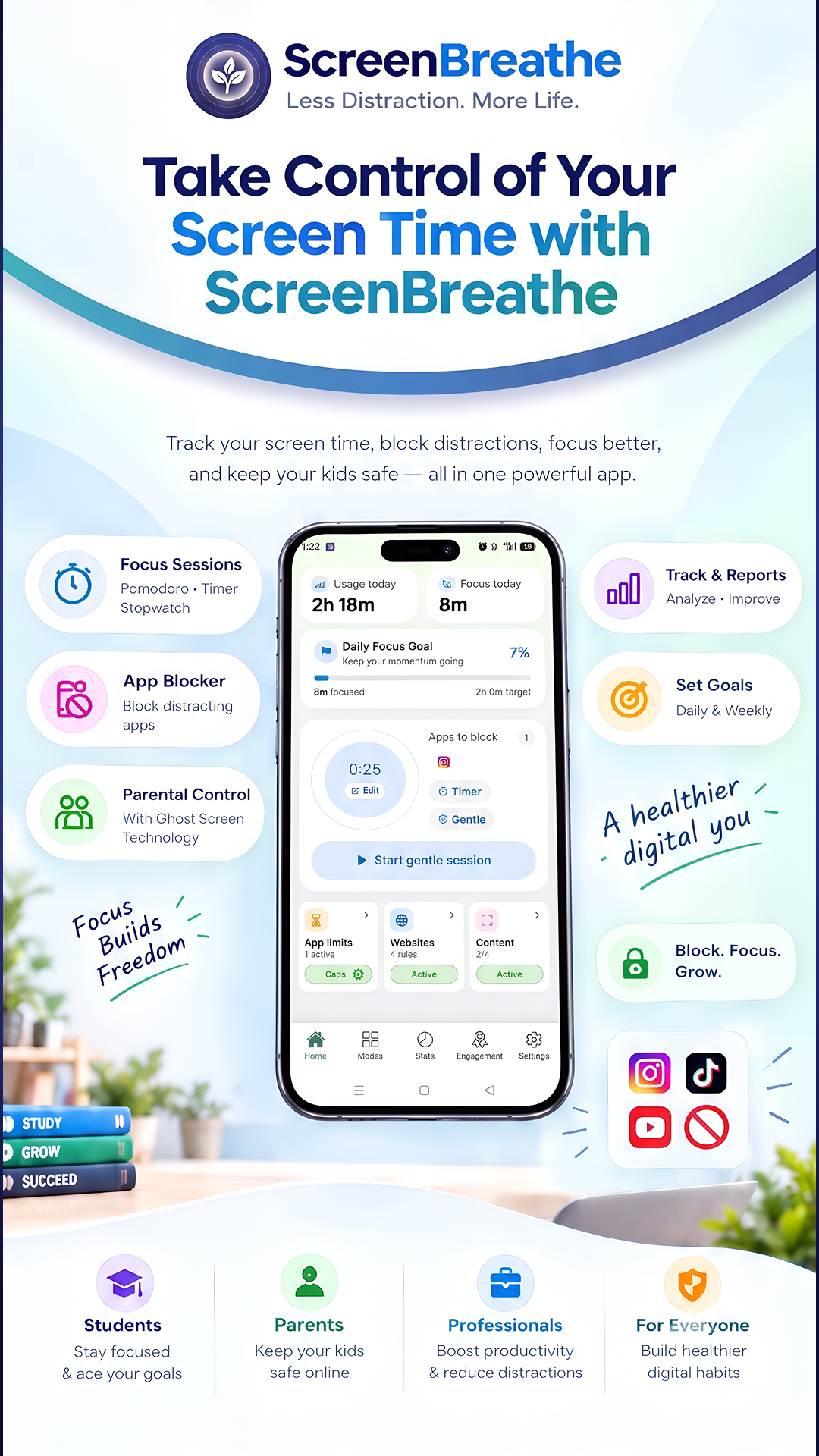
ScreenBreathe combines screen-time tracking with tools that help users actually control their usage.
Users can:
- Track daily app and screen-time usage
- Set app usage limits
- Block distracting apps during focus sessions
- Block websites
- Start Focus, Countdown, Stopwatch, or Pomodoro sessions
- Choose different focus levels depending on how strict they want the blocking to be
- View their usage history and reports
- Use dedicated modes for studying, digital detox, and parental control
- Manage premium features through an in-app subscription
The main idea is simple: don't just tell users where their time went — help them take control of it.
Where ScreenBreathe is today
ScreenBreathe was recently launched on Google Play and is in early validation, with limited user testing still open. It's too early to report meaningful active-user, trial or subscriber numbers, and I'm deliberately not running extensive marketing yet.
My focus right now is validating the product, improving reliability through real-device testing, and learning which features users value most before I scale acquisition.
Monetization with RevenueCat
ScreenBreathe is free to start, with a single premium entitlement managed through RevenueCat. The premium plan unlocks advanced digital wellbeing features including unlimited app limits, Pomodoro sessions, Always-On website blocking, Parental Control, Digital Detox reports and sharing, and other advanced focus features.
Google Play Billing processes purchases, while RevenueCat manages subscription status, entitlement state, and purchase restoration.
- Plans: Monthly and yearly subscriptions, with pricing configured through Google Play
- Custom paywall: Built in React Native and powered by RevenueCat Offerings, while keeping the paywall consistent with ScreenBreathe's own UI
- Entitlement checks: The
premiumentitlement controls access to premium features at runtime - Restore Purchases: Supported through RevenueCat for users who reinstall the app or switch devices
- Monetization approach: Users can experience the core value of ScreenBreathe for free before upgrading to premium features
- Real-world learning: ScreenBreathe is still in its early post-launch stage, so there is not yet enough subscription data to report meaningful trial-to-paid conversion or plan-performance metrics. The current focus is validating the product and subscription experience with early users before scaling acquisition.
How we built it
ScreenBreathe is built with Expo and React Native, which allowed us to build the main application experience while still being able to use native Android functionality where it was needed.
For Android-specific features such as screen-time tracking and app blocking, we implemented native functionality using Kotlin.
The subscription system is powered by RevenueCat, with Google Play Billing handling the actual Android purchases. RevenueCat manages the subscription state and the premium entitlement that determines which features are available to users.
The app also uses Firebase Authentication for Google sign-in.
One of the interesting parts of building ScreenBreathe was combining a cross-platform React Native application with native Android services. The app doesn't rely on a traditional dedicated backend for its core functionality, so a lot of the work happens directly on the device.
Challenges we ran into
The biggest challenge was making app blocking and screen-time tracking reliable across different Android devices.
Android usage events don't always behave exactly the same way across manufacturers and Android versions. We had to deal with things such as app lifecycle transitions, screen-off events, system applications, duplicate events, and situations where an application was temporarily transitioning between activities.
We also had to make sure that the blocking overlay appeared at the right time. Showing it too early could cause it to appear while the user was transitioning between applications or even while navigating back to ScreenBreathe itself.
Another challenge was getting subscriptions working correctly in a real production environment. We had to work through Google Play Billing, RevenueCat products and entitlements, testing purchases, pricing, and the differences between test and production environments.
These problems were not always obvious from documentation alone. A lot of the work involved testing on a real device, looking at logs, understanding what Android was actually reporting, and then adjusting the implementation.
Accomplishments that we're proud of
We're proud that ScreenBreathe went from an idea into a real application that is now publicly available on Google Play.
Some of the things we're particularly happy with are:
- Building the app with Expo and React Native while still implementing native Android functionality
- Creating reliable app-blocking functionality
- Building our own custom subscription/paywall experience instead of relying on a pre-built paywall
- Integrating RevenueCat with Google Play subscriptions
- Building multiple focus modes and blocking levels
- Creating screen-time tracking and usage history
- Getting the application through the Google Play publishing process
- Continuing to improve the app based on real device testing and issues we encountered during development
For us, the biggest accomplishment is simply shipping it. There were many points during development where solving one Android issue created another edge case, so getting the app into the hands of real users was an important milestone.
What we learned
We learned that building a real mobile product is very different from building a prototype.
Getting the UI working is only one part of the job. Once the app interacts with Android system services, subscriptions, permissions, background services, and different manufacturers, there are many edge cases that only become visible through real-world testing.
We also learned a lot about the Android application lifecycle and how usage events actually work, especially when dealing with applications moving between foreground and background states.
On the product side, we learned that monetization also needs to be treated as part of the product experience. Integrating RevenueCat helped us understand how subscriptions, entitlements, offerings, pricing, and the Google Play billing ecosystem fit together.
Most importantly, we learned to spend less time trying to make everything perfect before shipping and more time getting a working version into users' hands and improving it from there.
What's next for ScreenBreathe
ScreenBreathe is still at an early stage, so there is a lot we want to improve.
Our next focus is on making the blocking and tracking experience even more reliable across different Android devices and manufacturers.
We also want to improve the analytics and reports so users can better understand their habits over time, continue improving the focus experience, and make parental controls more useful for families.
On the product side, we want to keep listening to users and use their feedback to decide which features are actually worth building.
The long-term goal is to make ScreenBreathe more than just a screen-time tracker. We want it to become a practical tool that helps people focus better, use technology more intentionally, and live better.
Built With
- expo.io
- google-play-billing
- kotlin
- react-native
- revenuecat
- sqlite


Log in or sign up for Devpost to join the conversation.