-
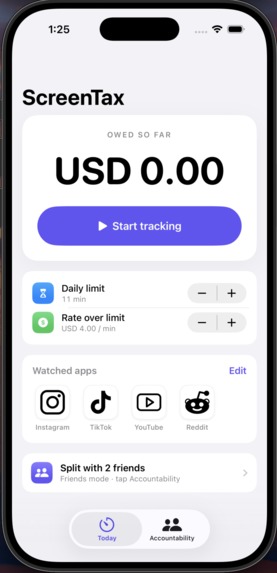
front page
-
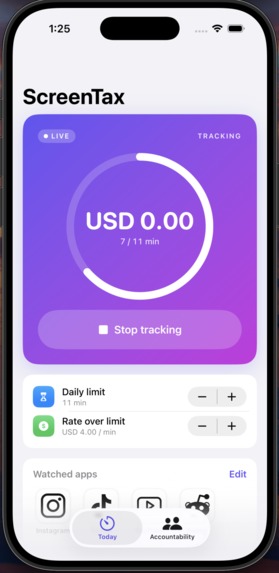
tracking
-
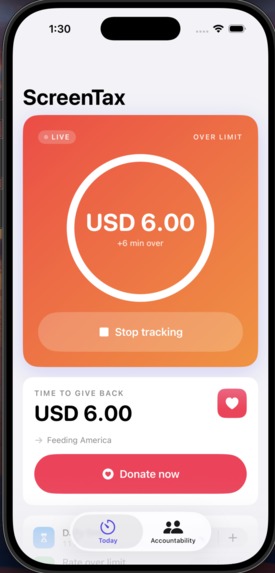
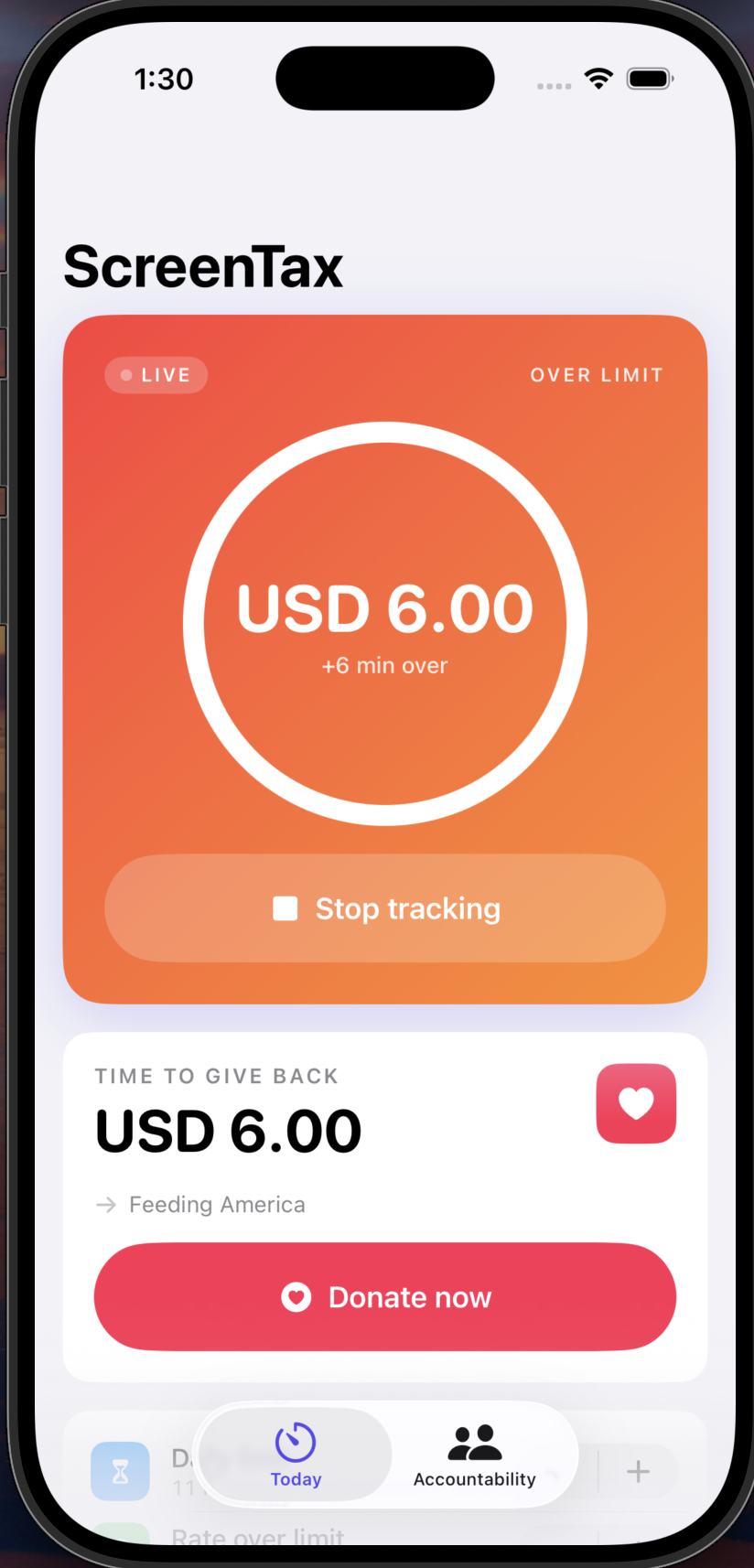
exceeding limit
-
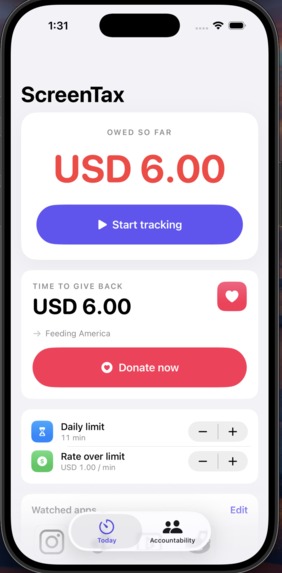
owe money
-
-
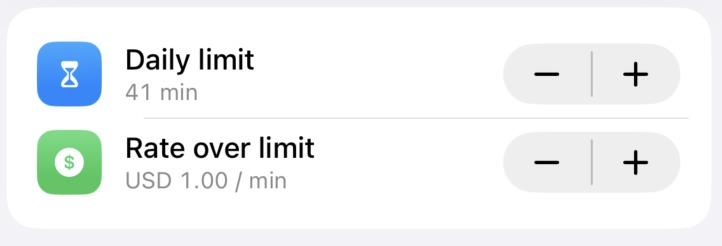
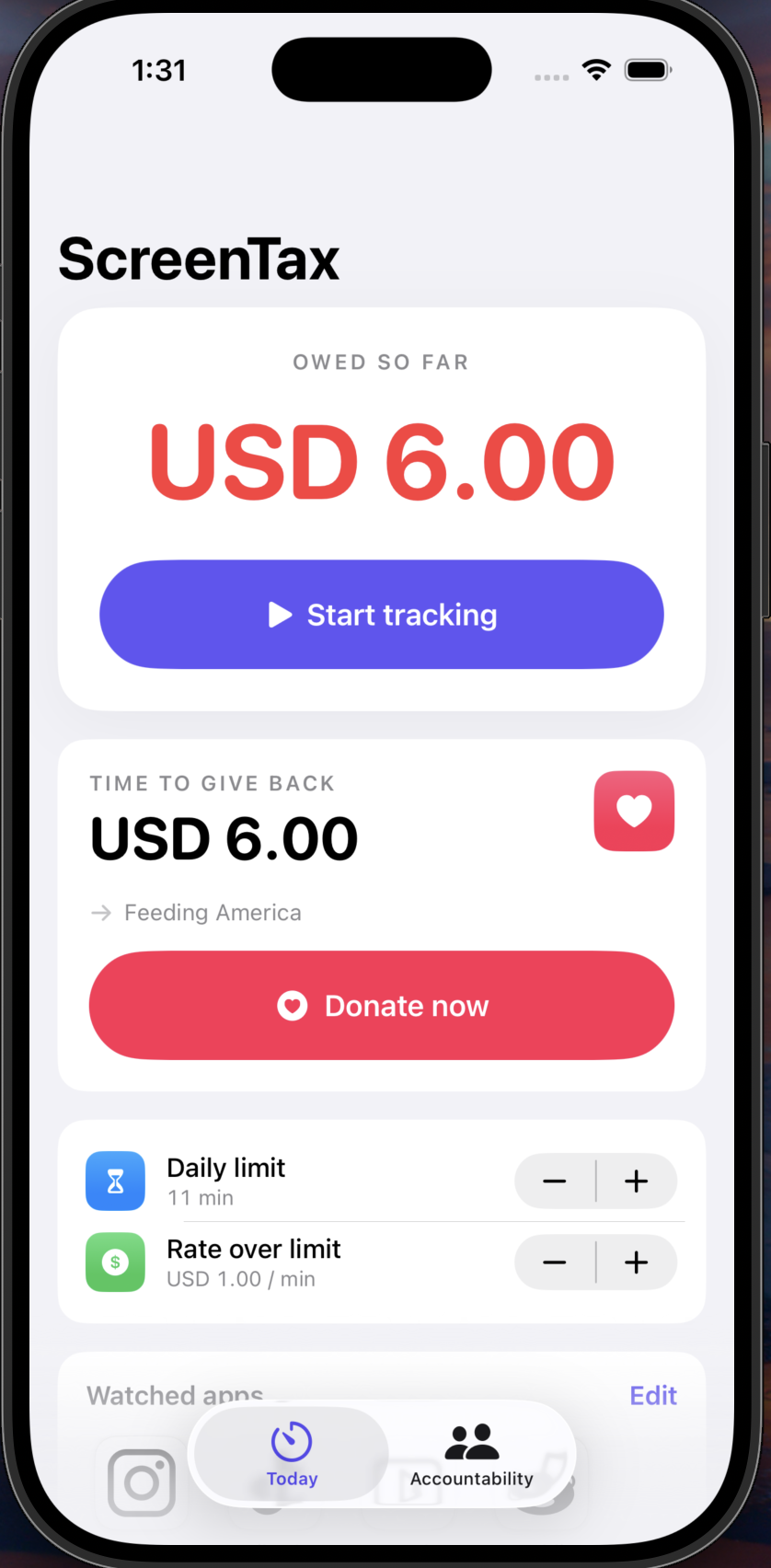
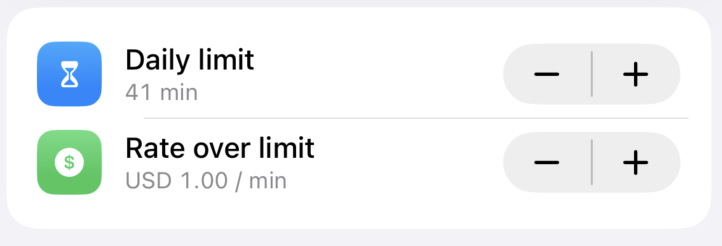
adjustable limit and rate
-
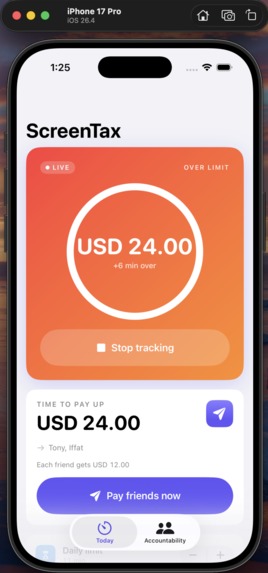
exceed limit
-
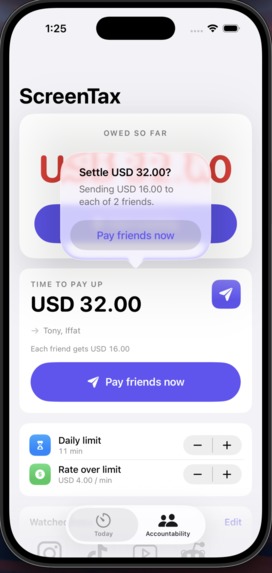
owe money
-
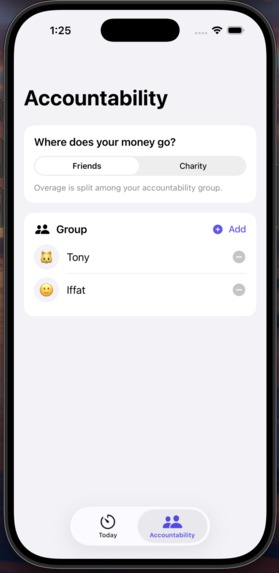
add friend to keep accountable
-
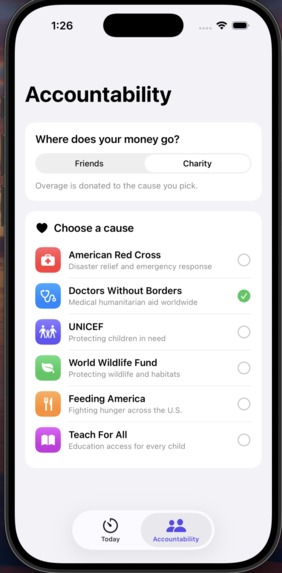
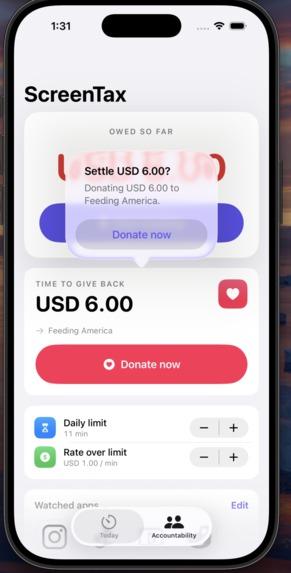
donate to charity
Inspiration
We kept setting screen-time limits and blowing right past them. The "Ignore Limit" button is free, and that's exactly the problem: there's no real cost to the tap. We wanted to fix the incentives: make every minute of overage actually cost something, either to friends who'll hold you accountable or to a cause you care about. Loss aversion is a much stronger force than a gentle iOS reminder, and we wanted to harness it.
What it does
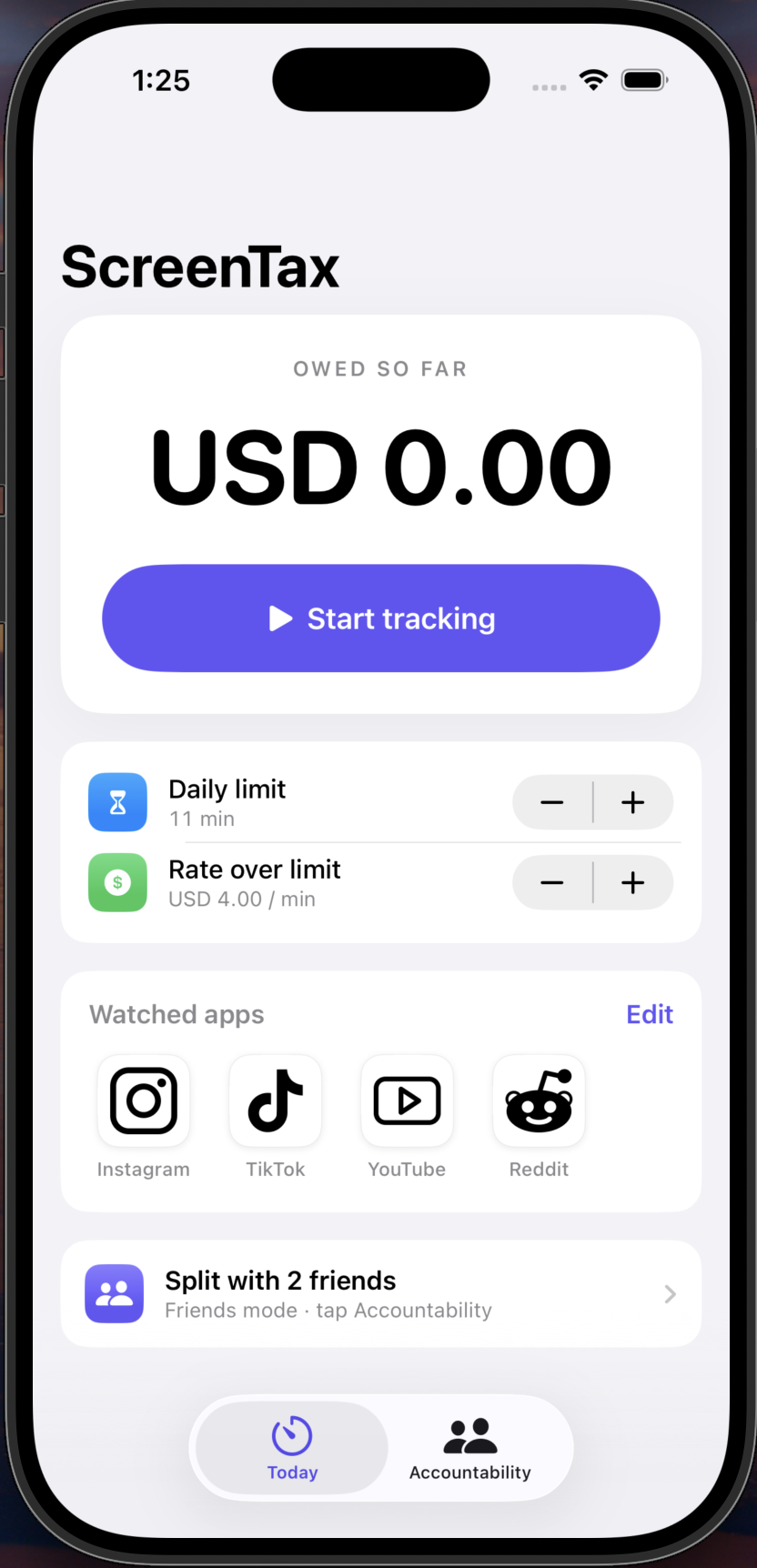
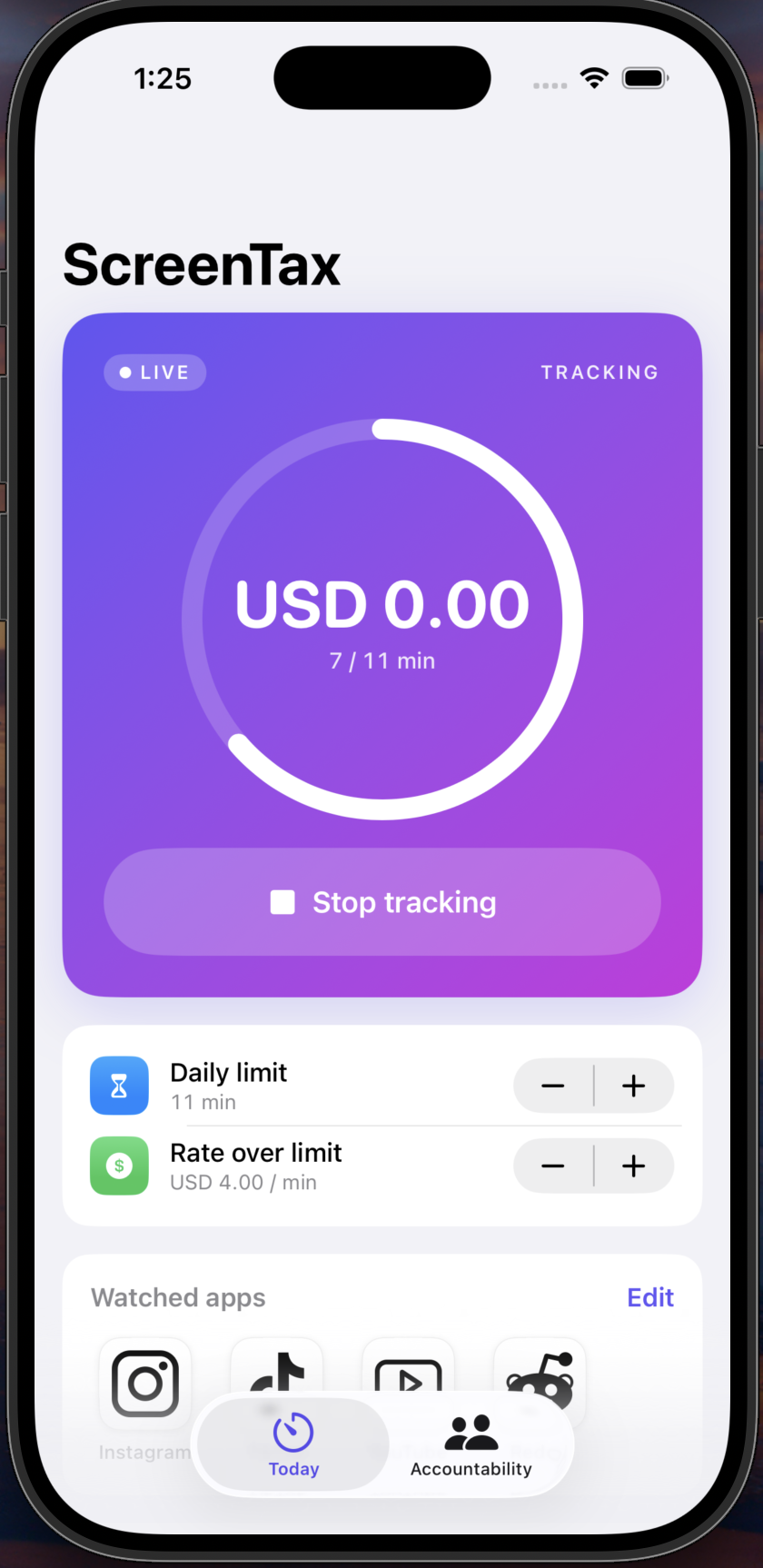
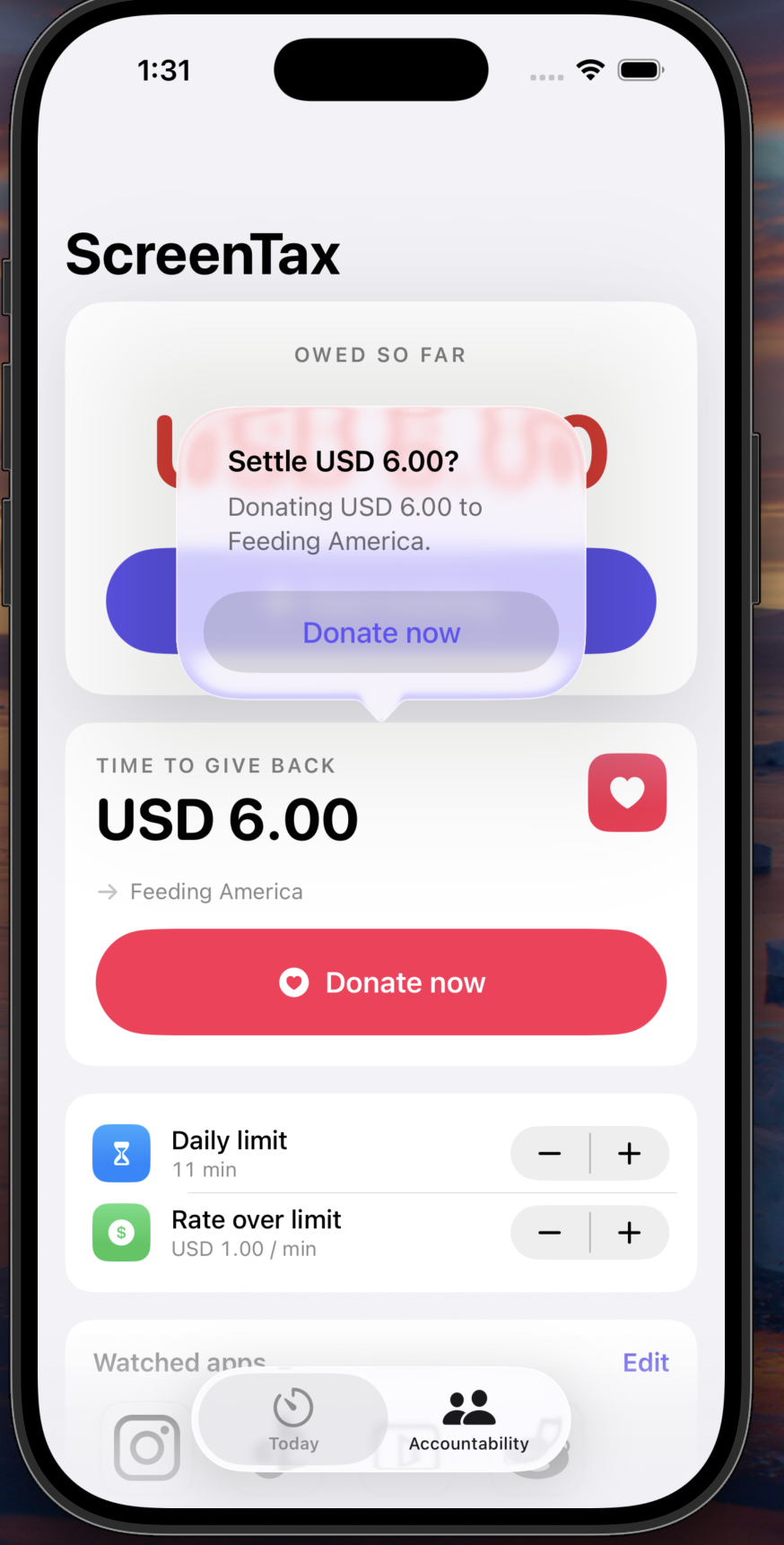
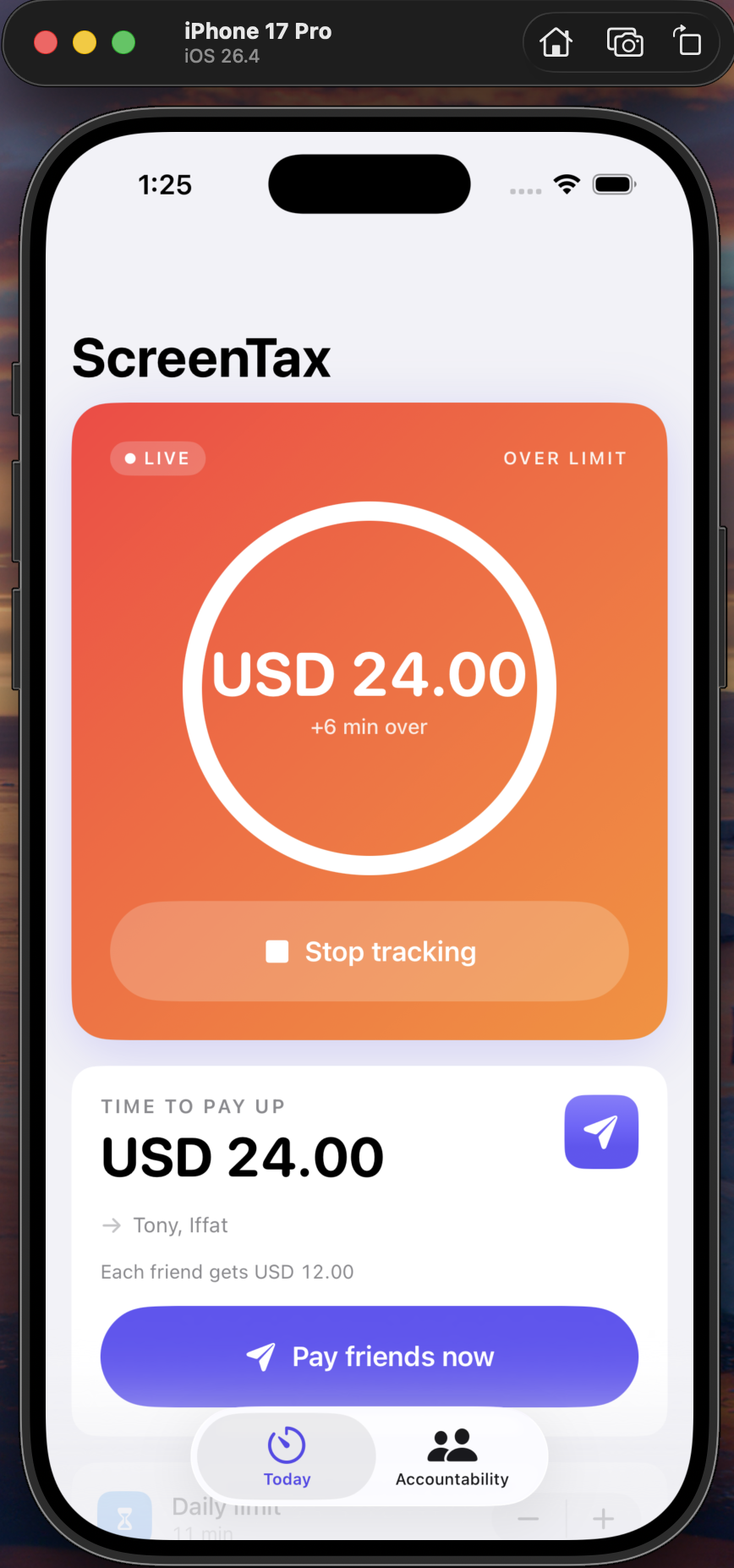
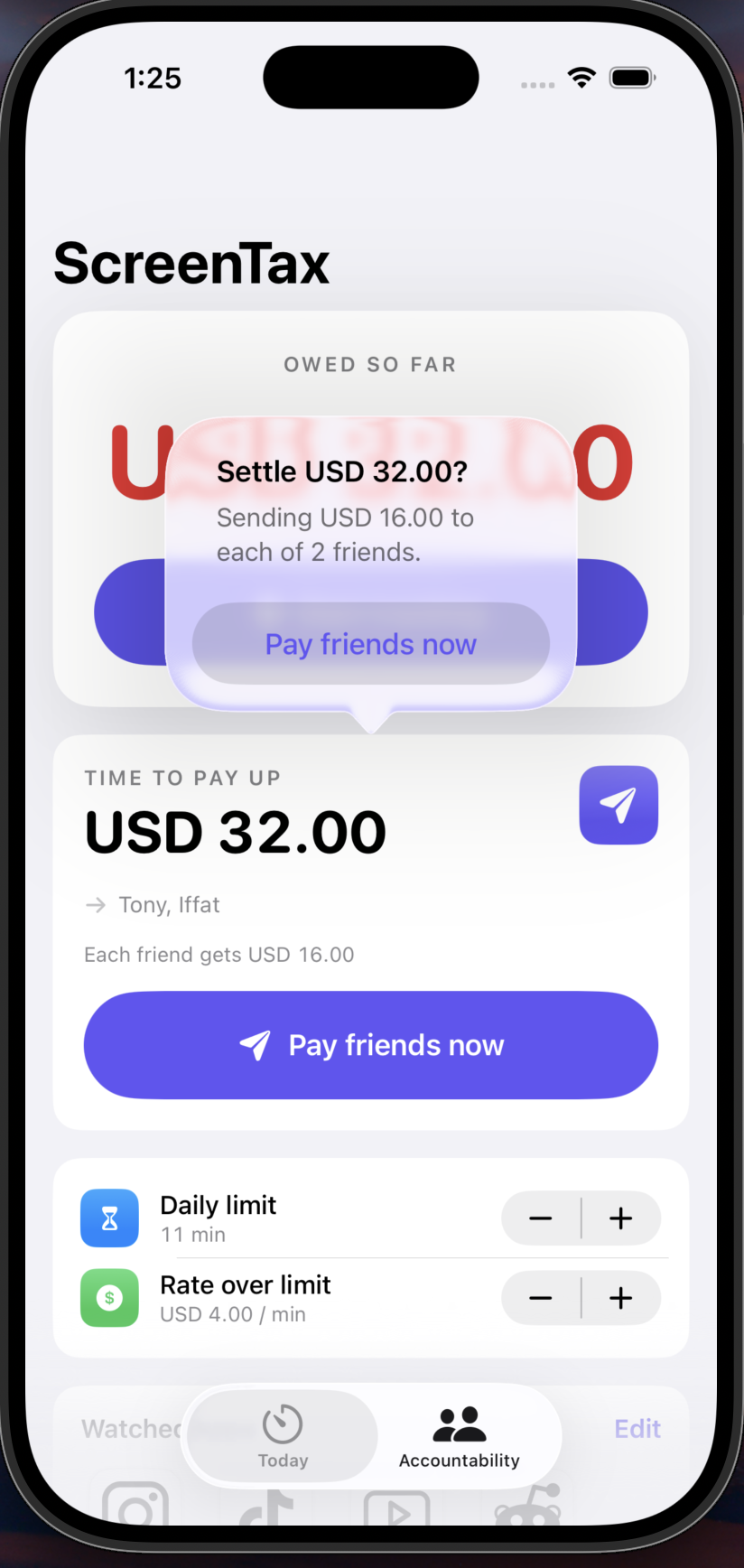
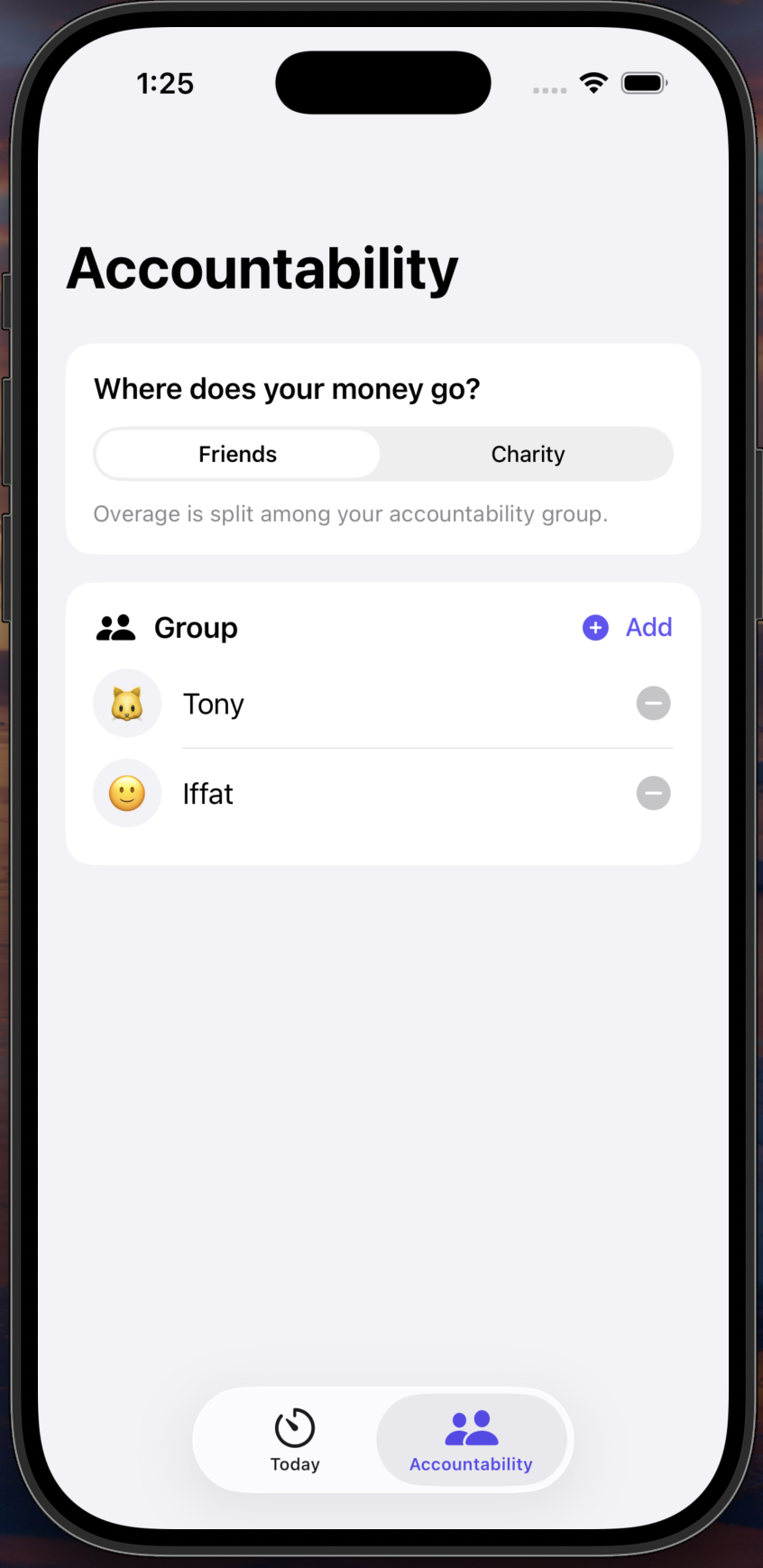
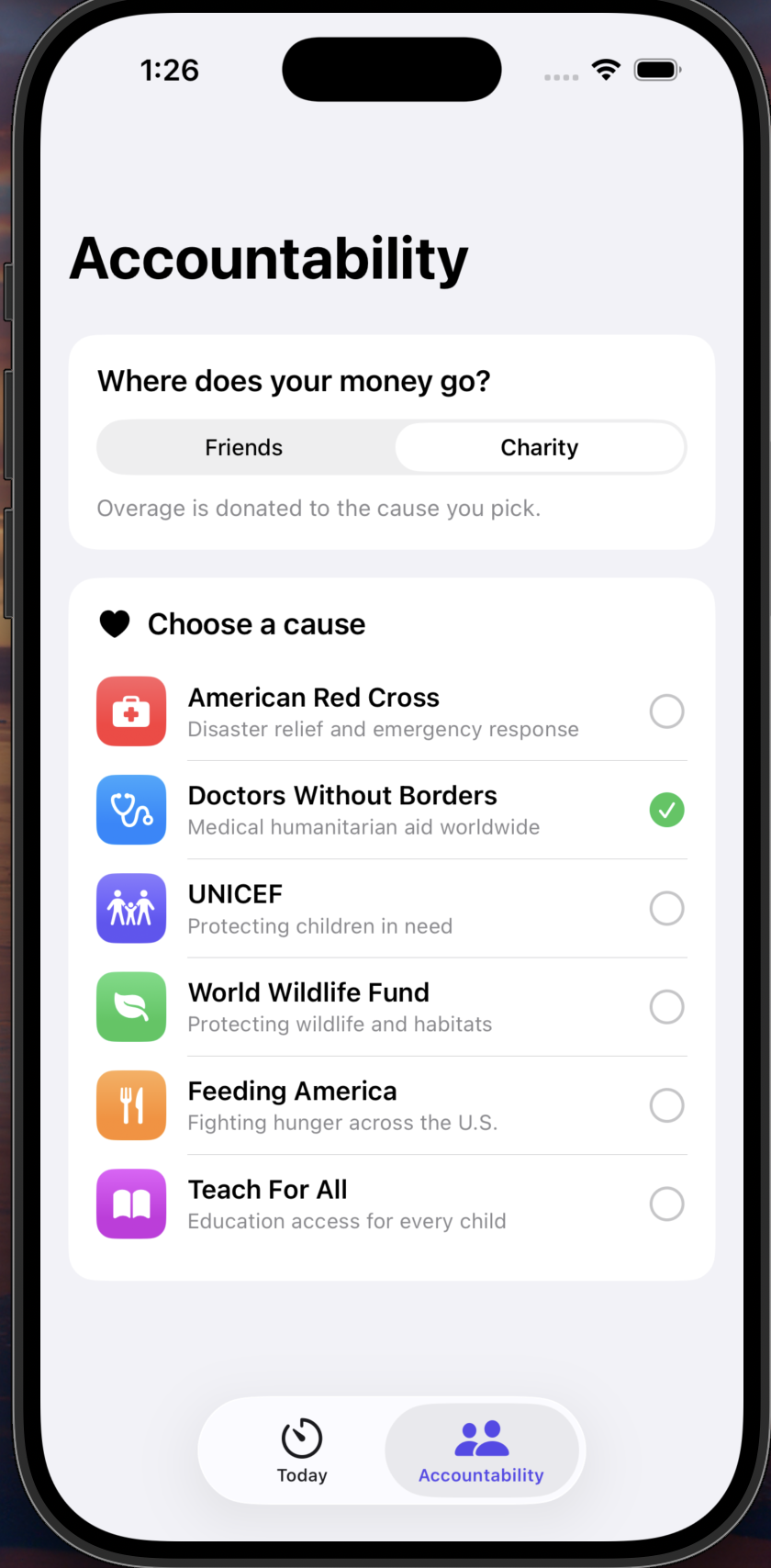
ScreenTax turns a daily screen-time budget into a live financial meter. You pick the apps you want to limit (Instagram, TikTok, YouTube, Reddit, Snapchat, Netflix, Discord), set a daily minute cap, and choose a per-minute overage rate. Go over, and the app starts tallying what you owe, in real dollars. You can route the payout two ways: a peer-to-peer split across your accountability group, or a donation to a charity of your choice (Red Cross, Doctors Without Borders, UNICEF, WWF, Feeding America, Teach For All). A hero card shows your progress ring while you're within the budget; it flips red and shows a running tab once you're over. When you owe money, a "Pay friends now" / "Donate now" card appears to settle up.
How we built it
Pure SwiftUI iOS app, no backend. The architecture is split into a DemoSession that simulates usage (1 real second = 1 simulated minute for demo purposes), an OverageLedger persisted through UserDefaults, and LimitSettings / PayoutSettings stores backing the two tabs. The Home tab is a stack of cards (hero, settle, settings, apps, payout). The Accountability tab holds the friends list, charity picker, and mode switch. The project is generated with xcodegen from a project.yml so the Xcode project stays reproducible.
Challenges we ran into
- Apple's Family Controls entitlement. The real Screen Time APIs (FamilyControls, DeviceActivity, ManagedSettings) require a paid developer account and a DeviceActivityMonitor app extension.
- Asset pipeline. svgrepo's /download/ endpoint is behind Vercel's bot-protection challenge, so we had to fetch through /show/ with a browser User-Agent and tune the imageset Contents.json for vector preservation.
- Card-based UI. Getting the progress ring, over-budget state transition, and settle flow to feel cohesive took several passes, including swapping a plain Form for a layered ScrollView of cards.
- Keeping the ledger honest. The device can't be the source of truth for money in a real build, so we were careful to keep the overage accounting isolated behind a single OverageLedger so a backend can drop in later.
Accomplishments that we're proud of
- A working end-to-end demo (limit, overage, ledger, and settle) running on a clean simulator in under a minute.
- A polished SwiftUI interface: gradient hero card, animated progress ring, real company logos, icon-badge settings rows, and a settle card with a confirmation dialog.
- Two distinct payout modes (friends and charity) with per-mode catalogs and UI, not just a toggle.
- Zero reliance on paid Apple entitlements, which means anyone can clone, xcodegen generate, and run.
What we learned
- SwiftUI's @Observable + small Store classes make a surprisingly tidy alternative to a heavier architecture for a demo-sized app.
- Apple's Screen Time APIs are powerful but entitlement-gated, so plan the demo path separately from the production path.
- Asset catalogs are pickier than they look (namespaces, vector preservation, required AppIcon set), and bot protection on free asset hosts is real.
- Behavior-change products live or die on the feel of the feedback loop: the ring, the color flip, and the dollar counter matter as much as the accounting underneath.
What's next for Screen Tax
- Real Screen Time integration. Wire up DeviceActivityMonitor behind the Family Controls entitlement so overages are measured from actual app usage, not a simulator.
- Backend + auth. Stand up a service that owns the authoritative ledger, group membership, and who-owes-whom, since the device can't be trusted for money-relevant state.
- Payments. Integrate a real payments provider for both peer-to-peer settlement and charitable donations, with receipts and a settled/unsettled history view.
- Accountability groups. Invites, shared rules, group leaderboards, and streaks, turning solo loss aversion into social pressure.
- Smarter limits. Per-app caps, weekly budgets, time-of-day rules (e.g., no TikTok before 9am), and grace periods.
- Insights. A weekly digest showing where time and money went, with trends over the month.

Log in or sign up for Devpost to join the conversation.